
Are you tired of wrestling with your CMS and plugins to launch a site? Zapier ranks WordPress as a top CMS, yet many new users find it too complex. This post shows nine WordPress alternatives, from drag-and-drop builders like Wix to ecommerce platforms like Shopify’s, to power your online store.
Find your new CMS.
Key Takeaways
- Wix, Squarespace, and Weebly use drag-and-drop editors for fast site builds. Wix has a free plan and paid plans from $17/mo, Squarespace starts at $16/mo (advanced $23), and Weebly bundles hosting and templates out of the box.
- Shopify leads ecommerce with 4.5 million live sites and nearly 10% global market share. Plans start at $29/mo, with basic shops at $39 and advanced teams at $79, plus 24/7 support and built-in payments.
- Joomla and Drupal shine as open-source CMSs for full code control. Joomla runs on PHP/MySQL with over 8,000 extensions; Drupal scales to millions of pages with strict user roles and strong security.
- Webflow, Ghost, and HubSpot CMS Hub serve niche needs. Webflow gives pixel-perfect design and SEO tools, Ghost (from $9/mo) offers a clean Node.js blog with newsletters, and HubSpot provides a free plan with built-in CRM, marketing, and analytics.
What Makes Wix a Versatile Website Builder?
Millions pick Wix as a top website builder. It offers a free plan and paid plans from $17 per month. No code, no tears. Its AI site builder fills in layouts in minutes. A drag-and-drop visual editor lets users craft custom pages without coding knowledge.
Wix also gives a best-in-class editor that works on desktop and mobile.
Zapier links Wix forms to Google Sheets or HubSpot CRM in seconds. You can launch an online store, track inventory management, and handle payment processing with built-in ecommerce features.
Blogging tools and seo tools help sites climb in search results. A point of sale system syncs in-person and web sales. Wix templates, custom domains, and a content management system make it a versatile choice.
Why Is Squarespace the Easiest Website Builder to Use?
Squarespace tops website builders in ease of use. Users pick ready-to-use layouts over manual design steps. A setup assistant guides each click with simple prompts. A visual builder and drag-and-drop editor share one dashboard.
The content management system links to built-in tools for a fast launch.
Pricing starts at $16 per month for the basic plan. Advanced features cost $23 monthly. That number sits above some rivals, but value justifies it. Customization stays limited compared to open-source platforms.
Integration with an automation platform lets owners sync apps and streamline workflow. Simplicity wins for entrepreneurs who need a no-fuss builder. Templates stay visually strong, so online stores look sharp.
Content management never feels brutal or slow.
Why Is Shopify the Best Choice for eCommerce?

Shopify powers 4.5 million live sites and holds nearly 10% of the global eCommerce platform market. Many merchants pick Shopify over WordPress alternatives for its ecommerce features and user-friendly interface.
The platform bundles hosting, a custom domain, and built-in payment processing. Merchants sell through their online store, social channels, Amazon, and eBay from one dashboard. It offers SEO tools and marketing tools to boost site traffic.
Plans start at $29 per month, with basic shops at $39 and team plans at $79, plus app costs on top.
Users get 24/7 chat support to fix issues fast. Zapier links new orders to Google Sheets, pushes new customers to Google Ads, and logs sales in Wave. Store owners track inventory, manage credit card fees, and stay PCI compliant.
This eCommerce solution suits retailers who need multisite selling and performance optimization.
Webflow Features for Designers and Developers
Webflow puts a powerful editor at your fingertips, giving you layout control and pixel-perfect adjustments so you can sculpt pages like clay. It also opens the door to style definitions, a scripting interface, optimization metrics, and seamless content updates that will make both designers and coders grin.
How Does Webflow Support Advanced Web Design?
Designers grab full layout and design control through a visual interface and a drag-and-drop editor. It supports live collaboration, so all stakeholders can pitch in. The builder spits out clean, production-ready code, with no plugin management to slow you down.
This platform loads fast and ranks well on seo-friendly platforms; you get a built-in SEO checklist for tracking.
Team members drop content into the built-in content management system and publish with one click. A reliable hosting plan takes care of speed, backups, and security. Marketing teams link Google Analytics or other tools to track visitor data.
Companies dodge developer bottlenecks and roll out professional sites in days, rather than weeks. Tweaks feel like sculpting clay by hand.
What Development Tools Does Webflow Offer?
Webflow uses a drag-and-drop editor and visual editor to map out pages. Its built-in CMS drives content-driven sites without extra plugins. You can move a site from WordPress fast with migration tools.
Direct connections to an automation service let you link a form to a spreadsheet or email tool. The interface holds SEO tools, performance options, and security settings. Bundled hosting works without an outside hosting provider.
It fits no-code or low-code projects.
How Does Ghost Serve Bloggers Effectively?
Ghost runs on Node.js, so pages load in a flash. John O’Nolan built it after leaving WordPress. Writers see only a clean screen with no clutter. They tap built-in memberships and newsletter tools.
That cuts the need for extra plugins. Self-hosted sites cost nothing. Ghost Pro plans start at $9 per month.
Ghost serves as an open-source, lean CMS. It offers fewer custom options than WordPress, but trades that for swift editing. The platform has SEO tools and performance optimization built in.
It ties into Zapier to auto-send posts to social feeds and emails. Bloggers who crave focus will love this minimal design.
HubSpot CMS Hub Benefits for Growing Businesses
Explore how HubSpot CMS Hub marries a visual editor with marketing tools. See how it tracks site visitors in real time with an analytics tool and speeds up SEO work.
How Can HubSpot CMS Hub Help Business Growth?
HubSpot CMS Hub offers actionable growth recommendations, so you can fix technical errors, use seo tools, and optimize page speed with google analytics insights. Its contact manager captures leads, nurtures prospects, and tracks every sale in one dashboard.
The built-in marketing tools let you run email campaigns, social posts, and view performance metrics. An ai-generated site builder cuts development time and removes coding knowledge barriers.
Guided onboarding walks teams through setup steps in days. Pricing plans start free and scale with traffic and team size. Enterprise users get advanced workflows, high security, and 99.99% uptime to shield critical sites.
Customer teams trust this platform for reliable hosting and expansion needs.
What Marketing Integrations Does HubSpot CMS Hub Provide?
CMS Hub by HubSpot taps into a connector service for automations. Ad leads move straight into your CRM and contacts flow into Google Ads. Form fills or CRM updates connect to Mailchimp for fast follow up.
It lets you launch email campaigns to nurture new leads.
The HubSpot CMS pairs with marketing tools for omnichannel reach. A synced Google Analytics account gives clear data on traffic, email clicks, and ad spend. The CMS Hub pairs with Sales Hub and Service Hub.
You scale digital marketing and track leads without writing code.
Why Choose Joomla as an Open-Source CMS?
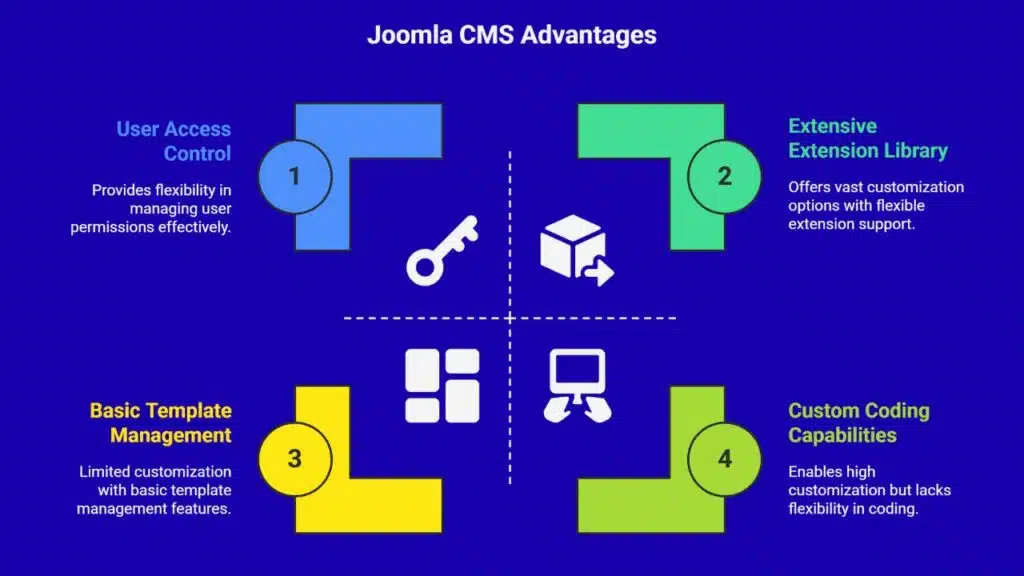
Joomla works as an open-source cms that runs on PHP and MySQL. Users can pick their own hosting provider. They set up servers and tune site speed. People with coding knowledge can craft custom pages.
Developers add over 8,000 joomla extensions to expand features. It grants user access control and multilingual support. These tools serve global businesses that need advanced content rules.
The system beats many drag-and-drop website builders that lock the code.
Site teams manage menus, templates and workflows in the Joomla admin panel. This system serves complex or nonstandard publishing sites. Businesses can add shopping carts with ecommerce features.
They can tie in google analytics or CRM integrations to track sales. The open source platform has no license fees. It keeps every line of code in their hands. That freedom fits firms with unique website needs.
Tech leads love the clear setup and the deep extension library.
How Does Drupal Excel in Customization and Scalability?
Drupal ranks high among wordpress alternatives. This open-source CMS gives full control when you self-host. Developers can tweak hundreds of modules to match odd specs. Teams assign precise user permissions, so editors see only needed tools.
Complex taxonomy lets large catalogs stay tidy.
Enterprises pick Drupal for robust security, and heavy-load performance. It scales smoothly from a few pages to millions. Businesses plug in seo tools, performance optimization modules, and multilingual support add-ons.
Analytics connections with Google Analytics and other tools flow without extra code. You need coding knowledge and a solid hosting provider, but you gain a powerhouse engine that grows with your site.
What Makes Weebly a Good Choice for Beginners?
Weebly offers a drag-and-drop editor that helps novices build sites. Its visual builder and user-friendly interface cuts learning curves. Integrated hosting trims complex setup tasks.
Customizable templates fit blogs, portfolios, and small online stores. This content management system links with analytics tool and SEO tools.
The platform supports essential features right out of the box. You launch a site fast, without coding knowledge. Adding a custom domain takes just a few clicks. Small businesses get a smooth way to go live online.
Takeaways
Picking the right site builder pays off. You gain a drag-and-drop editor that saves hours. Sites shine with SEO tools and performance optimization. You get a visual editor that speeds up design.
You can use blogging tools or an open-source CMS. You grab eCommerce features, and marketing tools tied to google analytics. Every business wins when they match needs with a fitting platform.
Use this list to pick your winner and launch fast.
FAQs
1. What are some top WordPress alternatives for U.S. businesses?
You can pick a drag-and-drop website builder for quick setup, an online store platform for selling, a marketing content management system for promos, an open source CMS for full control, or a publishing platform for blogs. All work as solid wordpress alternatives.
2. How do I pick a platform with easy content management and a user-friendly interface?
Think of it like building with blocks. A tool with a visual builder and a drag-and-drop editor makes content management a breeze. That keeps your team happy, web designers too.
3. Which alternative has strong SEO tools, Google Analytics, and front-end performance optimization?
Good wordpress alternatives offer seo tools, built-in Google Analytics, and auto sitemaps. They help you track visitors, boost front-end speed, and keep performance optimization in check.
4. Which platforms support multilingual content and paid subscriptions?
You can use a CMS with multilingual support, blogging tools, and paid subscriptions. It lets you serve global readers and sell premium content with ease.
5. What platform is best for an online store with inventory management, checkout, PCI compliance, and CDN support?
An online store platform often has inventory management, a secure checkout, PCI compliance, and a fast CDN. It runs like a well-oiled machine, no surprises at tax time.
6. Do I need coding knowledge or can I use a drag-and-drop website builder with strong customer support?
You don’t need deep coding knowledge. A website builder with a visual editor, live customer support, and a range of themes can get you online fast. You can call in expert testers or a web designer only if you want extra polish.