You want to build for the metaverse, but the engine choices overwhelm you, and the tech words pile up. Picking the right game engine matters for virtual reality (vr), augmented reality (ar), mobile, and spatial computing, and it can shape your digital avatars and virtual worlds.
The global gaming market could hit $665.77 billion by 2030, so these tools will matter a lot. This post compares five engines, Unity, Unreal Engine, Roblox Studio, Godot Engine, and CryEngine, and it shows which suit vr headsets, mixed reality headsets, digital twins, blockchain, edge computing, and iot devices.
I will point out key tools, like AI and spatial computing, and give clear advice for indie developers and studios. Read on.
Key Takeaways
- The global gaming market could reach $665.77 billion by 2030, so engine choice matters for VR, AR, mobile, and spatial computing.
- Unity offers cross-platform VR, AR, and mobile deployment, an Asset Store, spatial computing tools, and a free Personal plan for prototyping as of 2025.
- Unreal Engine 5 delivers Nanite and Lumen for AAA photoreal graphics, real-time ray tracing, Quixel assets, and strong VR/MR support.
- Roblox Studio lets creators build, test, and monetize social metaverse worlds with cross-platform VR/AR/mobile support and strong community tools.
- Godot is open-source under MIT with no royalties for indie teams, while CryEngine offers high-fidelity photoreal rendering with free source code and memberships from $50/month.
Unity Engine
The Unity game engine runs on mobile phones, desktops, and VR headsets. Developers link it to AR tools, spatial computing, cloud services, machine learning kits, smart contracts for NFTs, and IoT feeds to build virtual spaces, digital avatars, and live digital twins.
Cross-platform capabilities for VR, AR, and mobile integration
Unity game engine excels in cross-platform game development for virtual reality (VR), augmented reality (AR), and mobile, making it a popular choice among indie studios and large teams alike.
It supports Windows, Mac, Linux, iOS, Android, and consoles, so teams can deploy to desktop, smartphone, Rift headset, Vive headset, and Microsoft HoloLens. The engine’s user-friendly interface and Asset Store speed up development for web, mobile, and XR experiences.
Unity handles 2D and 3D projects that need cross-device functionality, and it stays effective for mobile, desktop, VR, and AR integration as of 2025. This multi-platform deployment helps studios efficiently target both desktop and mobile markets, cutting iteration time and shipping cycles.
It also offers a free personal plan, so new and indie developers can prototype spatial computing, use glTF, build digital avatars and virtual spaces without upfront cost.
Unreal Engine
Unreal Engine 5, from Epic Games, makes AAA, realistic worlds fast, uses real-time ray tracing and AI, runs VR and MR on headsets and mixed-reality glasses, supports spatial computing, and links to NFTs and digital avatars, read more.
Advanced graphics for AAA-quality virtual worlds
Nanite and Lumen power Unreal Engine 5 visuals. It scales from small scenes to massive virtual worlds, and it keeps frame rates high for virtual reality (vr) and augmented reality (ar).
Quixel integration gives developers free, high-fidelity real-world imagery for photorealistic virtual environments. As of 2025, Unreal Engine 5 stands as the best engine for graphics and complex, immersive environments.
Epic Games built strong 2D and 3D toolsets that speed metaverse development and spatial computing. Teams craft digital avatars and digital twins, and they tune lighting with Lumen for striking scenes.
Major studios choose the engine for AAA production values, and they use its advanced rendering tech for large-scale, photorealistic virtual spaces.
Roblox Studio
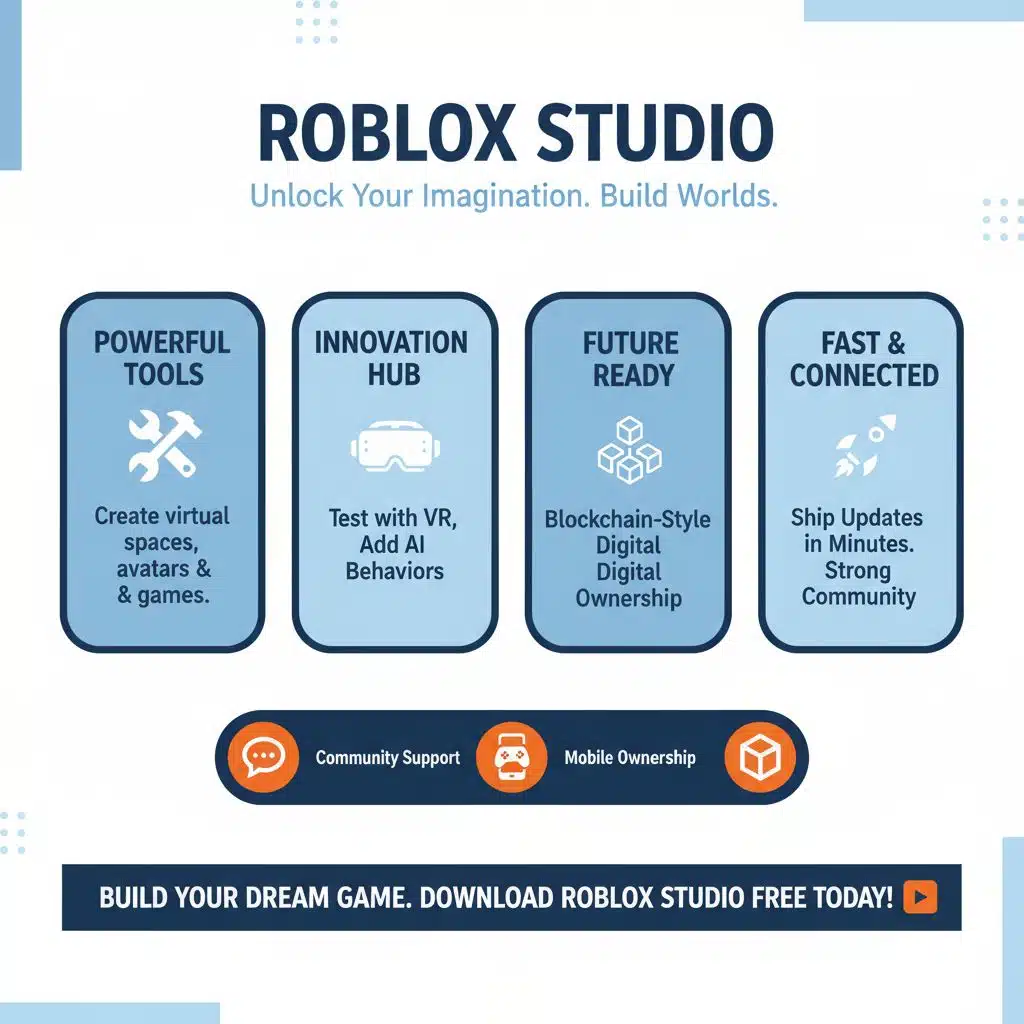
Roblox Studio puts tools in your hands, like a toy box, so creators build virtual spaces, digital avatars, and mobile games, with strong community support. You can test on a virtual headset, add AI behaviors, and try blockchain-style digital ownership, then ship updates in minutes.
Community-driven platform for user-generated metaverse experiences
This editor puts an easy tool in anyone’s hands, so creators can build and share metaverse experiences fast, and Roblox Studio helps democratize game creation. It supports VR, AR, and mobile game builds, offers cross-platform compatibility, and links to spatial computing tools like Microsoft Mesh and Microsoft HoloLens.
Community support fuels a diverse, constantly evolving library of virtual spaces and player avatars, and it shapes a large creator ecosystem.
Creators can monetize content, run social hubs that scale, join a shared digital economy, and sell items that map to digital ownership models. Smart contracts and NFT items fit into some creator workflows, and developers can connect to external blockchain technology.
Its success ties to community-driven tools, letting teams collaborate, test changes fast, and iterate with creativity at scale. Beginners find it easy to learn, so many start metaverse development there.
Godot Engine
Godot stays light and open-source.
Its node scene system and simple scripting language let indie teams punch above their weight, building VR, AR, XR prototypes that link to AI, IoT, edge computing, digital twins and digital avatars.
Open-source flexibility for indie developers and small studios
Indie teams get a big break with an open-source engine under the MIT license, free to use, with no royalties or licensing fees. The active community drives steady development, and it offers plentiful support for small studios and solo devs.
Many indie devs pick Godot, because its tools handle both 2D and 3D, and they deploy to web, mobile, and desktop platforms. Its customizable architecture avoids vendor lock-in, letting teams build for spatial computing, virtual reality (vr), augmented reality (ar), and mixed reality gear like HoloLens.
Industry guides recommend the engine for developers who want deep customization without vendor lock-in. Its open nature lets teams meet special project needs, and it spawns innovative prototypes.
Small studios can plug into Microsoft Mesh, target HoloLens, or connect to IoT and edge computing backends for mixed reality tests. Lightweight design and ease of integration speed experimentation and rapid iteration for metaverse development and indie game development.
CryEngine
CryEngine powers photoreal virtual spaces, supports VR on Oculus Rift and HTC Vive, links AR with Microsoft HoloLens and Microsoft Mesh, scales with edge computing and IIoT, runs AI-driven NPCs and digital avatars, and handles digital twins, NFTs and smart contracts for digital ownership—read more.
High-performance engine for rendering realistic environments
Many studios choose the engine, CryEngine, for high-performance, photoreal rendering of complex landscapes and architectural visualizations. Ubisoft’s Dunia Engine, the tech behind Far Cry, grew from a modified version of the same codebase.
Developers can use it free with full source code, and optional memberships start at $50 per month. A dedicated marketplace of 3D assets, plus free learning resources, lowers the barrier for metaverse development across VR, AR, mixed reality and extended reality platforms, including Microsoft Mesh and HoloLens.
Teams praise its interface, advanced visuals, and VR support for tight control over lighting, physics, and material fidelity. Top teams compare its output to Unreal Engine 5 and the Unity game engine, for cross-platform compatibility and edge computing workflows.
The toolset targets developers aiming for the highest rendering fidelity in metaverse worlds, and it pairs well with AI, IoT, digital twins and digital avatars to build immersive virtual realities on headsets like Oculus headset and Vive.
Takeaways
Each engine offers a clear route to the metaverse. Unreal Engine 5 brings Nanite and Lumen for AAA visuals, and the Unity game engine supports VR, AR, mobile, and wide cross-platform deployment.
Roblox Studio grows social worlds, Godot helps indie teams move fast, and CryEngine crafts lifelike environments. Think of these engines as kitchens, some cook gourmet scenes, others feed millions at once.
Connect them to spatial computing, AI, IoT, smart contracts, and nfts, add edge computing and the cloud, then ship digital avatars, digital twins, and digital ownership.
FAQs on Game Engines That Could Power the Metaverse
1. What game engines could power the metaverse?
Unreal Engine 5 tops the list. Unreal Engine 4 still runs many projects, and the Unreal engine family offers strong graphics and physical simulations. The Unity game engine is flexible, it supports mobile and the cloud. GameMaker, via the GameMaker language, helps fast prototyping for indie games. Microsoft Mesh acts like a platform, it can bind virtual spaces and mixed reality tools.
2. How do engines handle VR, AR, MR, and XR?
They plug into virtual reality (VR) and augmented reality (AR) toolkits. They stream mixed reality (MR) and extended reality (XR) content. You get immersive experiences on Samsung Gear VR, Google Cardboard, or Microsoft HoloLens, and on wearable devices. Spatial computing features help place computer-generated objects into real rooms.
3. Can engines support digital twins, avatars, and digital ownership?
Yes, engines host digital twins and digital avatars for virtual spaces. They help manage digital identities and digital ownership, via NFTs (non-fungible tokens) and smart contracts. The internet of things (IoT) and iot technology can feed live data from networks and sensors into those twins.
4. Do they work across platforms and devices?
Yes, they aim for cross-platform compatibility. They publish to multiple platforms, including macOS, mobile, consoles, and the cloud. They also target virtual reality applications on GearVR, Samsung Gear VR, and simple cardboard viewers.
5. Can they use AI, IoT, and edge computing?
Absolutely. Artificial intelligence (AI) powers NPCs, prediction, and content tools. Engines intake iot (internet of things) streams, and edge computing cuts latency for real time interaction. Combine AI, networks, and wearable inputs, and you get smarter, faster virtual spaces.
6. How do developers start with metaverse development?
Pick an engine that fits your goals, Unreal Engine 5 or the Unity game engine, or GameMaker for small projects. Learn coding basics, join community support groups, and test with simple virtual spaces. Indie game development teams often prototype, iterate, and scale into full metaverse projects, while leaning on the cloud, tools, and community.