
Have you hit a storage wall as you grow your site? Shared hosting can leave you short on disk space and slow your pages. You want to learn How To Choose The Best VPS Hosting based on storage needs.
A virtual private server gives you its own solid state drive or hard drive, so your site can run smoothly. In fact, SSD storage can load pages up to 30% faster than HDD storage. This post will walk you through drive type, capacity, backups like automated backups, and bandwidth needs.
You will pick a VPS hosting plan that fits. Let’s get started.
Key Takeaways
- Pick SSD for speed: SSDs load pages up to 30% faster than HDDs, and NVMe SSDs can run 20× faster for databases and apps.
- Match capacity to growth: Hostinger offers 50–400 GB NVMe SSD, Liquid Web 30–960 GB SSD, IONOS 10–720 GB NVMe SSD, and Kamatera up to 4,000 GB SSD or 20–4,000 GB HDD.
- Demand high uptime and backups: Seek at least 99.9% uptime (Liquid Web backs 100% SLA) and use automated nightly backups, RAID groups, or snapshots to protect data.
- Balance cost, support, and control: VPS plans run $2–$10/month (IONOS $2, Hostinger $4.49, Liquid Web $5); managed plans give 24/7 help and auto-backups, while unmanaged grants root access and full control.
Understand Your Storage Requirements
List your current file types and peak storage loads, then compare against last quarter metrics. Estimate total space now and six months later. Analysts expect demand for VPS hosting to rise in 2025, as more sites scale up.
You might track database size, log files or media uploads. Factor in uptime guarantees, root access and automated backups when you plan for a virtual private server.
SSD storage offers faster data reads, and it can speed website performance. A hard disk drive delivers lower costs for large archives. Think about RAID arrays or snapshots with cloud hosting providers.
Test Ubuntu on Oracle VM VirtualBox or spin up an unmanaged VPS from InMotion Hosting or Liquid Web before you commit.
Types of Storage in VPS Hosting

Cloud vps hosting lets you pick SSD or HDD for your virtual machines. SSDs boost database systems, while HDDs hold more data without breaking the bank.
SSD Storage: Faster performance and reliability
Fast drives cut load times and boost website performance. NVMe storage runs up to 20 times faster than hard disk drives. This speed helps databases and apps. It runs well on a virtual private server.
It boosts resource scalability and reliability during traffic surges.
Many vps hosting providers list solid state sizes by tiers. One vendor offers 50 to 400 GB NVMe SSD. Another company supplies 30 to 960 GB of SSD storage. A third host sells 60 to 360 GB NVMe storage.
They fit cloud hosting or dedicated server plans.
HDD Storage: Cost-effective with high capacity
HDD storage cuts hosting costs for your virtual private server. Kamatera sells drive space from 20GB to 4,000GB. Budget users pick HDD for its large capacity and lower fees. This choice trades read speeds for bigger storage over SSDs.
Drives work well for backups, archives, and bulk media that do not need instant reads. You can host websites, set up email accounts, or store large databases without a big spend. Seek a 99.9% uptime guarantee from a web hosting service.
That promise keeps your site live through traffic spikes.
Evaluate Storage Capacity Options
Small shops find 50 to 400GB NVMe SSD on Hostinger. Liquid Web grants 30 to 960GB SSD. IONOS runs 10 to 720GB NVMe. Kamatera lets you mount up to 4000GB SSD. That wide span fits entry sites and high-traffic websites.
Virtual machines on cloud hosting can flex as you scale.
Some users want pure SSD storage for speed. Others pick mixed hdds to cut costs. You can choose unmanaged vps hosting if you know Linux-based operating system work. Or pick managed vps hosting to get automated backups and support.
Resource allocation choices hinge on reliability and price. Teams connect root access, virtualization tools, and cPanel licenses.
Assess Storage Scalability Features
Smart VPS hosting providers let you add SSD storage or HDD storage fast through cPanel or an API. They boost space without downtime, so your SaaS app can grow and use a CDN to serve users worldwide.
Cloud VPS hosting plans often use RAID groups, so you get data safety and easy resource scalability. This design speeds data writes, keeps a steady virtual private server, and fits growing web traffic.
Consider Bandwidth and Data Transfer Needs
Select a vps hosting plan with enough bandwidth for your site. Some hosts cap data at 1 TB per month while IONOS lets you send and receive unlimited traffic. A virtual private server gives you a dedicated network pipe.
It avoids slowdowns during peak hours. Use a traffic analyzer tool to track usage.
High-traffic websites need extra headroom. Cloud hosting plans scale as visits rise. Check that your open source system and control panel handle large data flows. Factor in CPU, RAM, and SSD usage to gauge total demand.
Plan for backups and spikes to avoid surprise fees.
Importance of Backup and Recovery Solutions
Data loss can wreck a project in minutes. Hackers, power cuts or bad code can vanish your files. Regular backups act like a time machine. VPS hosting plans with automated backups let you roll back to safe points.
Hostwinds offers nightly backups to cut risk. Snapshots help you track changes in your virtual private server. You can store them offsite or on a secondary volume. Custom firewalls add another shield to your data.
Clients of managed vps hosting swing toward ease of use. They value compliance certifications that guard against audits. Firms with high-traffic websites need this peace of mind.
A disaster recovery plan guides your team when troubles strike. You pick tools like incremental backup or full backup routines. Cloud vps hosting makes it easy to duplicate your disks.
Some providers mix ssd storage with offsite vaults. They promise an uptime guarantee of ninety-nine point nine percent. You tap into resource scalability to handle bursts in website traffic.
Solid state drives mean faster file reads during restores. A clear snapshot inventory cuts wasted time. You keep root access for technical support or migration services. This mix builds real website reliability.
Managed vs Unmanaged VPS for Storage Needs
Managed vps hosting handles updates, security, and maintenance. The provider monitors SSD storage and HDD storage, fixes faults like a pit crew, and runs automated backups. You grab cPanel to view performance charts, no PhD required.
You don’t have to get into VM tech or host layer tweaks. This plan grants 24/7 customer support so you call at midnight.
Unmanaged vps hosting gives you administrator rights and root access. You install OS patches, tweak storage volumes and set up container platform commands via SSH. You must write scripts for automated backups and watch out for disk errors.
You trade extra work for full control and resource scalability. You need real expertise or a knack for code.
Uptime and Reliability of Storage Systems
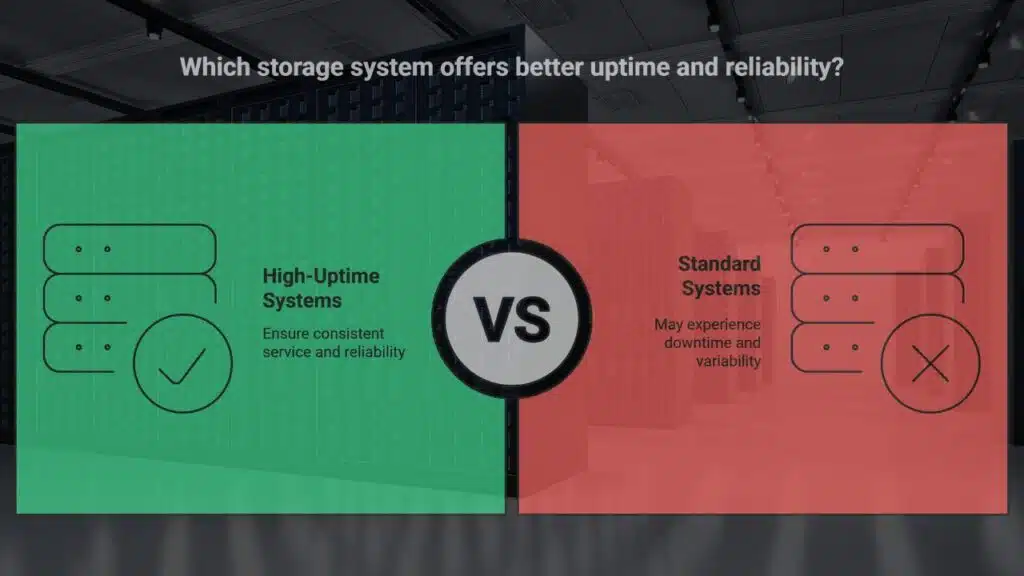
Sites need solid uptime to keep visitors happy. A vps hosting plan with at least 99.9% uptime in an SLA cuts the risk of site crashes. Liquid Web backs every package with a 100% uptime SLA, no buts.
A Cybernews lab tested 58 hosts over 1,748 hours and found five with zero downtime.
Hostinger hit full uptime, so did DreamHost, a budget provider, a cloud specialist and another host. That record fits high-traffic websites that demand steady service. SSD storage cuts wait times and helps keep storage paths open.
Ask your web host for logs and stats so you stay in the know.
Security Features for Storage Protection
An SSL certificate locks data in transit, cutting off eavesdroppers and man in the middle attacks. A firewall filters traffic and blocks unwanted packets at the network edge. DDoS protection reboots network filters on the fly, halting floods before they crush websites.
Compliance badges like PCI DSS or SOC 2 verify you meet strict rules for data safety.
Scheduled backup scripts run every day and restore files in minutes after a crash. Custom firewall rules open ports only for trusted apps, tightening security around your virtual private server.
Root access in your VPS hosting plan isolates your storage at the hypervisor level, keeping other tenants far away. You can also take ZFS snapshots for fast rollbacks on solid state drives or hard disk drives.
Data Center Locations and Their Impact on Storage
Data hub spots shape storage speed and uptime. Hostinger keeps hubs worldwide, so a virtual private server close to your users cuts latency. InMotion Hosting runs multiple centers in North America and Europe, boosting ssd storage calls and hdd access.
DreamHost holds just a few U.S. sites, so global users see higher wait times.
Low latency lifts site performance. Placing your cloud hosting near customers makes each data transfer fast. Network load drops, and you hit uptime guarantee targets. That also helps with resource scalability and quick backups via snapshot tools.
Pricing and Storage Cost Transparency
Plans show entry fees from $2 to $10 per month. IONOS starts at $2, Hostinger at $4.49, Liquid Web at $5. Providers list SSD and HDD storage options side by side for vps hosting plans.
They spell out RAM and CPU tiers too.
Review renewal rates to spot hidden fees early. Some hosts hike charges after the first term. Look for clear pricing tables that name storage costs, backup fees, and bandwidth limits.
Compare virtual private server quotes before you sign.
Customer Support for Storage-Related Issues
Support staff stand by day and night. They fix storage hiccups fast. You get live chat, email, and phone help. Managed vps hosting plans come with 24/7 technical support. Liquid Web offers premium support for high-traffic sites.
Hostinger gives global support and user-friendly tools. The ticket system tracks your request from start to finish.
Agents restore lost files on solid-state drives or hard disk drives. They reset file permissions via the control panel or secure shell. They guide you through backups and data recovery tools.
You can test response times before you commit. Fast replies cut downtime for your virtual private server.
Read User Reviews and Testimonials
Readers scan Trustpilot and PCmag.com for user feedback on virtual private server plans. They note Hostinger at 4.9/5 for price-to-performance. Liquid Web scores 4.4/5 for Windows VPS.
Kamatera registers 4.2/5 for raw power. DreamHost wins for entry-level ease. Real users praise uptime guarantee and fast SSD storage. Some warn about hidden costs on unmanaged vps hosting.
Scanning Sitejabber shows chatter on ddos protection and automated backups.
Checking Reddit threads reveals debates on resource scalability and migration services. A person mentions Liquid Web’s stellar customer support. Another warns about poor backup recovery on some cloud hosting plans.
Shoppers use review filters to compare performance, reliability and pricing. Posts reveal glitches and perks in plain text.
Conduct a Comparison of Top VPS Providers
Here is a quick comparison of leading VPS hosts.
| Provider | Storage Range | Uptime SLA | Hypervisor | Key Tools |
|---|---|---|---|---|
| Hostinger | 50GB–400GB NVMe SSD | 99.9% | KVM | SSH, cPanel |
| Liquid Web | 30GB–960GB SSD | 100% | Xen | Plesk, Ansible |
| IONOS | 10GB–720GB NVMe SSD | 85% | KVM | Cloud Panel, SSH |
| DreamHost | 80GB–240GB SSD | 100% | OpenVZ | SSH, cPanel |
Key Questions to Ask Your VPS Provider
You need to ask clear questions. These will guide you to the right plan.
- Which processor, memory, and storage capacity do you allocate? That helps you map specs to your website traffic and performance needs.
- Do you grant root access on your virtual private server? Full control matters for tasks such as server customization or operating system updates.
- What uptime guarantee does your web hosting provider offer, 99.9% or higher? Strong reliability keeps high-traffic sites live.
- Are there resource scalability options for future upgrades? Easy scaling saves you from costly migrations.
- Which customer support channels and hours do you provide? Timely help, via phone or live chat, cuts troubleshooting time.
- How many security features, such as secure socket layer certificate and DDoS protection, come standard? Solid defenses block vulnerability exploits and data breaches.
- How does your pricing structure compare on a price to performance basis? Clear rates align cost with resource allocation and performance goals.
Testing the VPS Before Committing
Select a managed vps hosting plan that offers a trial period. Cybernews ran tests on 58 web hosts over 1 month, logging 1,748 hours. Uptime monitoring revealed 100% uptime for Hostinger, Liquid Web, DreamHost, Kamatera, and Hosting.com.
Trial runs reveal SSD storage speeds, HDD storage capacity, and network speed.
Run tests on CPU, RAM, and disk performance of your virtual private server. Use command-line tools or a cloud benchmark suite. Measure resource scalability under traffic spikes. Compare billing rates after you see real data.
Takeaways
Smart choice of a virtual private server can speed up your site. You can pick SSD storage for fast reads or HDD storage for mass data. A good host offers cloud VPS hosting with elastic resource scalability.
They include automated backups and firewall protection. You get SSH access and cPanel for easy management. Test your setup with simple file transfers. A fast data center cuts lag. Choose a plan with clear pricing and solid uptime guarantee.
FAQs
1. What is the difference between SSD storage and HDD storage in VPS hosting?
A virtual private server, or virtual server, runs on a host. You can pick flash storage or hard drives. Flash storage, known as solid state drive storage, gives you fast file access. Hard drives cost less and fit more data. Many web hosts, like Liquid Web or InMotion Hosting, offer both, so you pick what fits your budget and speed goals.
2. How much storage do I need for high-traffic websites on a VPS?
Think of your site traffic like a crowd at a show. You need enough space to handle each guest, that is each file, database, or image. Check your current website traffic, add a buffer for growth, and plan for resource scalability. A 50 gigabyte plan might work for a small blog. A 200 gig plan may suit an online store.
3. Should I go with managed VPS hosting or unmanaged VPS hosting for my storage?
Going managed means you call in experts, you get technical support, migration services, and automated backups. It is like handing the wheel to a pro driver. Unmanaged means you drive solo, you handle root access, patches, and storage tweaks. It gives you control, but it needs more know-how.
Shared hosting puts your files on a server with many sites, it is like sharing a bus. You share hard drives, memory, and CPU. Dedicated hosting gives you the whole bus, you get dedicated resources, you set your operating system, your SSL certificate, and your storage rules. A VPS sits in between, you get some slices of the server but not the whole thing.
5. Why do I need automated backups and an uptime guarantee for my VPS storage?
Automated backups copy your data to new drives, they offer a safety net when things go south. An uptime guarantee keeps your site online, it is your promise to visitors. Look also for DDOS protection, it shields your data from floods of bad traffic. Together they boost your website reliability and guard your files.
6. How can I move my data to a new VPS with a different storage type?
Migration services from your web hosting provider ease the move, but you can do it by hand too. You log in with root access, set up your operating system, and copy files, databases, and configs. If you use cloud hosting or cloud VPS hosting, you may spin up virtual machines with the same disk size, then sync your data. Test your website performance in a staging area before you flip the DNS switch.