How to Auto-Delete 2FA Codes Using Google Messages

How to Auto-Delete 2FA Codes Using Google Messages

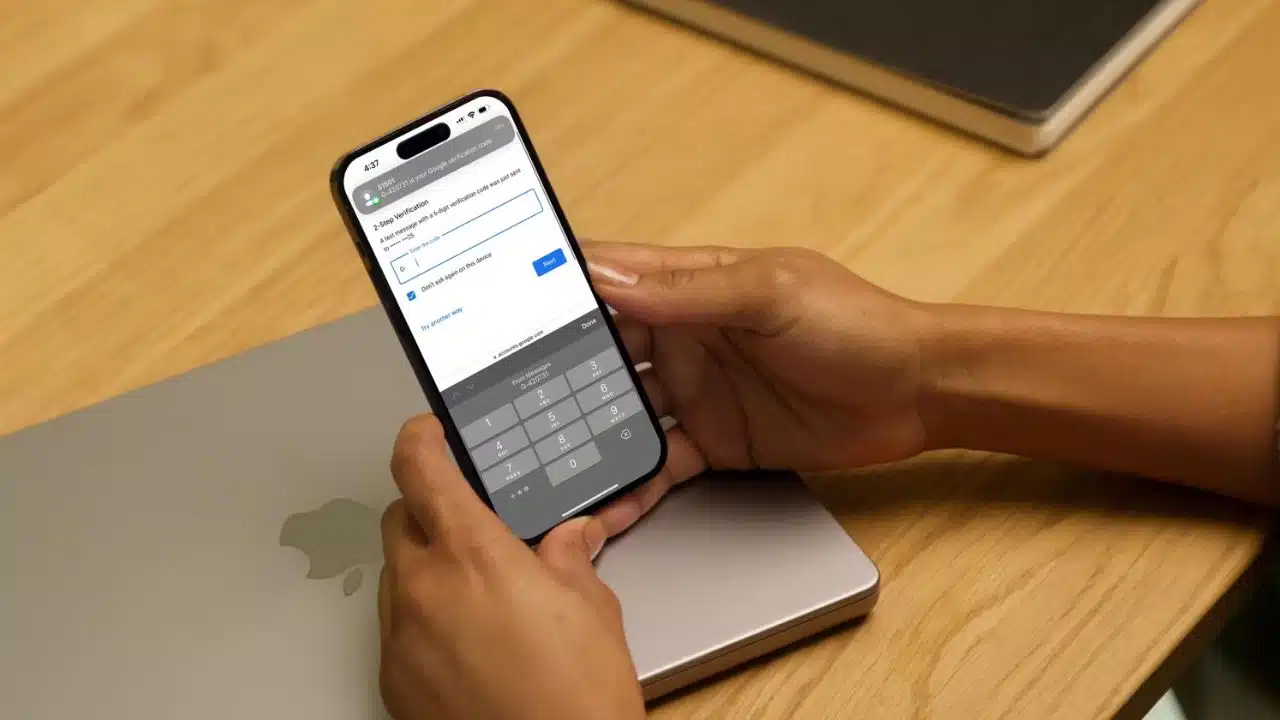
Passwords are facing a tough time these days, aren’t they? Breaches, hacks, brute-force attacks – you name it, and it’s happening. So what’s the best way to make your online accounts safer? Well, apart from a solid password manager, two-factor authentication (2FA) is an excellent shield against unauthorized access.

True, SMS-based 2FA has its critics – it’s not the most robust option, after all. But hey, it’s super common, pretty convenient and you just need a phone number tied to your account. The drawback? Your inbox can quickly fill up with 2FA codes. That’s why we’re going to guide you on how to make your Messages app automatically erase these codes. Ready? Let’s dive in.

Here’s what you need:

Google has been kind enough to introduce an update to their Messages app that lets you automatically delete 2FA codes after 24 hours. And since these codes usually expire in a few minutes, there’s hardly a downside here. But to kick things off, you need the Google Messages app as your default messaging app. If you’re a Pixel 7 Pro user (or any other Google phone, really), you’re all set – Google Messages is your default app. For the rest of the Android gang, you’ll need to download it.

How to get Google Messages on your Android phone:

First, open up the Google Play Store and type “Google Messages” into the search bar. Look for the app that’s labeled “Messages by Google” and tap to open it. Next, you’ll see a blue button at the center of the screen saying “Set default SMS app” – go ahead and tap on that. A new window will open, where you just have to tap the Messages icon and press “Set as default” to confirm. Voila! Google Messages is now your default messaging app.

How to auto-delete 2FA codes in Google Messages:

Okay, now that Google Messages is your default app, let’s activate the feature that wipes out 2FA codes after 24 hours. Open the app, and tap on the account icon in the top right corner of the screen. Tap on “Messages settings”, then “Messages organization”. Finally, switch on the toggle next to “Auto-delete OTPs after 24 hrs”.

Why should you auto-delete 2FA codes with Google Messages?

Google Messages is a terrific messaging app, and it’s particularly handy for Android users. The 24-hour auto-delete feature for 2FA codes keeps your inbox tidy. Plus, let’s face it, there’s really no point in hanging on to 2FA codes after they’ve expired. Sure, you could delete them manually, but why bother when Google Messages can do it for you? This way, you get to have a neat inbox and one less thing to worry about. Sounds like a win-win, doesn’t it?



Subscribe to Our Newsletter

Related Articles

Top Trending

Consumer Data Right Australia
12 Essential Facts About How Australia's Consumer Data Right Is Transforming Open Banking
how to Cook Restaurant-Quality Meals at home
The Secret to Restaurant-Quality Meals: The Ultimate Guide to Gourmet Home Cooking!
Australian Local SEO
15 Things Most People Don't Know About Australian Local SEO
understanding Attachment Styles
Understanding Attachment Styles And How They Affect Relationships!
On This Day May 10
On This Day May 10: History, Famous Birthdays, Deaths & Global Events

Fintech & Finance

Consumer Data Right Australia
12 Essential Facts About How Australia's Consumer Data Right Is Transforming Open Banking
best canadian travel credit cards 2026
8 Best Canadian Credit Cards for Travel Rewards Compared in 2026
How to Use a Balance Transfer to Pay Off Debt Faster
Pay Off Debt Faster with a Smart Balance Transfer
Best High-Yield Savings Accounts Now
Best High-Yield Savings Accounts Of 2026
Best Australian Credit Cards 2026
8 Best Australian Credit Cards for Points and Cashback in 2026

Sustainability & Living

Solar Panels Increase Home Resale Value
How Solar Panels Affect Your Home's Resale Value
Solar vs Coal
How Solar Energy Is Becoming Cheaper Than Coal
UK Blockchain Food Traceability Startups
12 UK Blockchain Solutions Ensuring Complete Farm-to-Fork Traceability
EV Adoption in Australia
13 Critical Facts About EV Adoption in Australia
Non-Toxic Home Finishes UK
10 UK Startups Revolutionizing Home Renovations with Non-Toxic Finishes

GAMING

How Cloud Gaming Is Changing Mobile Experiences
The Rise of Hyper-Casual Games What's Driving Downloads
Hyper-Casual Games Growth: Key Drivers Behind Massive Downloads
M&A in Gaming
Top 10 SMEs Specializing in M&A in Gaming in USA
Top 10 SMEs Specializing in Game Engines
Top 10 SMEs Specializing in Game Engines in the United States of America
Gaming Audio Design & Music
Top 10 SMEs Specializing in Gaming Audio Design & Music in US

Business & Marketing

Investing in Nordic stock exchanges
10 Practical Tips for Investing in Nordic Stock Exchanges
Best High-Yield Savings Accounts Now
Best High-Yield Savings Accounts Of 2026
How To Conduct Performance Reviews That Actually Motivate
Why American Football Still Dominates Sports Culture Across The United States
How To Run Effective Team Meetings That Don't Waste Time
How To Run Effective Team Meetings That Don't Waste Time: Maximize Your Productivity!

Technology & AI

GDPR compliant web design
15 Practical Tips for GDPR-Compliant Web Design
How to Build a Scalable App Architecture from Day One
Scalable App Architecture Strategies for Modern Startups
Why Most SaaS Startups Have a Strategy Gap and the Tools Closing It
Why Most SaaS Startups Have a Strategy Gap — and the Tools Closing It
Aya vs Google Translate
Aya vs Google Translate in 2026: Which AI Actually Understands Your Language
Mobile Game Psychology: How Developers Hook Players Fast
How Mobile Game Developers Hook Players With Psychology

Fitness & Wellness

understanding Attachment Styles
Understanding Attachment Styles And How They Affect Relationships!
Digital Fitness Apps in Germany
Digital Fitness Apps in Germany: 15 Startups Turning Phones Into Personal Trainers 
modern therapy misconceptions
Why Therapy Is Still Misunderstood And How To Find The Right Help
Physical Symptoms of Grieving: How It Works
Physical Symptoms of Grieving: How It Works And Why There's No Shortcut Through It
Gamified Fitness Startups in UK
15 UK’s Most Influential Gamified Fitness Startups and SMEs