
You pick up your phone to check one message. A few minutes later, you’re reading headlines or watching videos and can’t remember what you meant to do. If this happens often, you may not need a dramatic digital detox. A few digital minimalism habits can help you decide when technology is useful and when it is simply taking your attention.
Digital minimalism doesn’t mean abandoning your smartphone or deleting every social app. It means keeping the tools that serve you and changing the routines that leave you distracted. Research on digital detoxes is mixed, so treat these suggestions as practical experiments. Keep the ones that improve your day; adjust the ones that don’t.
1. Notice why you reach for your phone
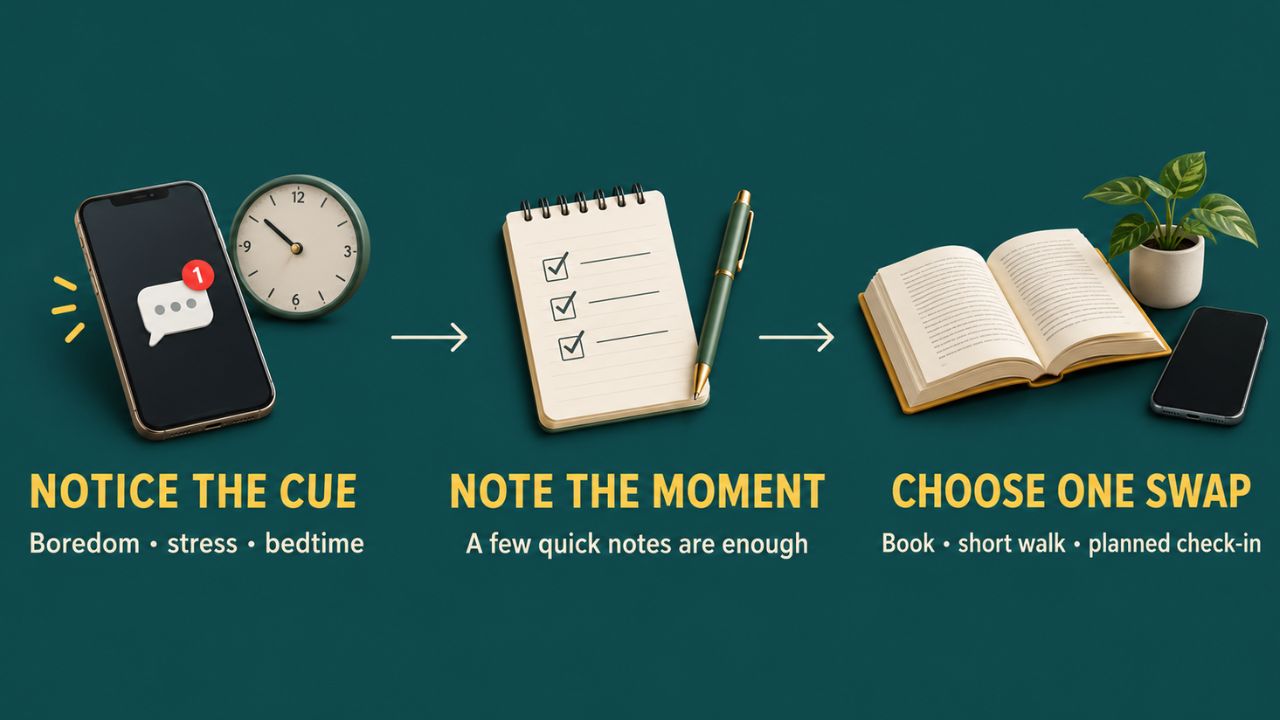
For a few days, pay attention to when you check your phone and what tends to happen just before. Do you open social media when you’re bored? Check messages when a work task gets difficult? Scroll in bed because you’re not ready to sleep?
You don’t need a detailed tracking sheet. A few quick notes—or the screen-time dashboard built into your phone—may be enough to reveal a pattern. Use the numbers as clues, not as a measure of success: total time cannot tell you whether you were learning, relaxing, working or procrastinating.
Then pick one specific change. If boredom sends you to social media, keep a book nearby or take a short walk. If you check messages whenever you hit a difficult task, decide to check them after completing one piece of work. A useful digital minimalism habit starts with noticing the trigger, because “use my phone less” gives you very little to act on.
2. Turn off alerts that can wait
Some notifications need to reach you right away. Many don’t. Keep alerts for the people or services that genuinely require a quick response, then mute routine notifications such as likes, promotions, news updates and app reminders.
This is worth trying because a controlled study found that phone notifications alone disrupted performance on an attention-demanding task, even when participants did not interact with the phone. The finding is specific to that task; it does not show that every alert has the same effect on everyone. Still, muting nonessential alerts for a week is a low-effort way to see whether you feel less interrupted.
There is one practical snag: people may assume you are available as soon as they message you. If that creates tension, tell coworkers or family when you usually check messages. Keep a call or another urgent channel available if people depend on being able to reach you.
3. Make distracting apps less automatic
If a distracting app is one tap away, it takes effort to resist opening it every time you unlock your phone. Move it off the home screen, remove its badge or widget, or log out if you tend to open it without thinking. If you mainly use an app on a computer, consider removing it from your phone.
App limits and focus settings can help create a pause, but don’t expect a setting to make the decision for you. If you routinely tap “ignore limit,” try a different adjustment: keep the app installed but sign out, or decide in advance when you’ll use it. The extra step is useful only if it interrupts the automatic habit.
Keep apps that serve a real purpose. Someone who uses a social platform to stay connected with relatives or promote a business may have good reason to keep it. The better question is whether the app is helping you do what you opened it to do.
4. Give your phone a job
Before unlocking your phone, name the task: “I’m checking the bus time,” “I’m replying to Sam” or “I’m paying the bill.” Do that, then put the phone down. If another task comes to mind, decide whether it needs attention now.
This sounds simple, but it helps break the chain from one alert to another. It is especially useful at dinner, during a conversation or when spending time with family. Put the phone somewhere you won’t reach for it automatically. If you have to keep it nearby for work or caregiving, the boundary can be about which apps you open, not whether the phone is in the room.
A message that arrives while you’re talking to someone is not automatically urgent. Decide what counts as an exception before you need one.
5. Check messages in planned windows
If email and messages are behind constant checking, choose a few regular times to review them—perhaps at the start of work, after lunch and before you finish for the day. Adjust the schedule to your responsibilities rather than forcing a routine that doesn’t fit.
This approach isn’t suitable for every job. You may need to respond quickly to clients, manage a team or care for someone who needs to reach you. In that case, separate urgent messages from everything else. Keep calls available if necessary, but leave less time-sensitive group chats and newsletters for your planned check-ins.
A message routine only works when other people know what to expect. Let coworkers or family know when you’ll usually reply. These digital minimalism habits should reduce avoidable interruptions, not leave someone unsure how to contact you in an emergency.
6. Make evenings less phone-centered
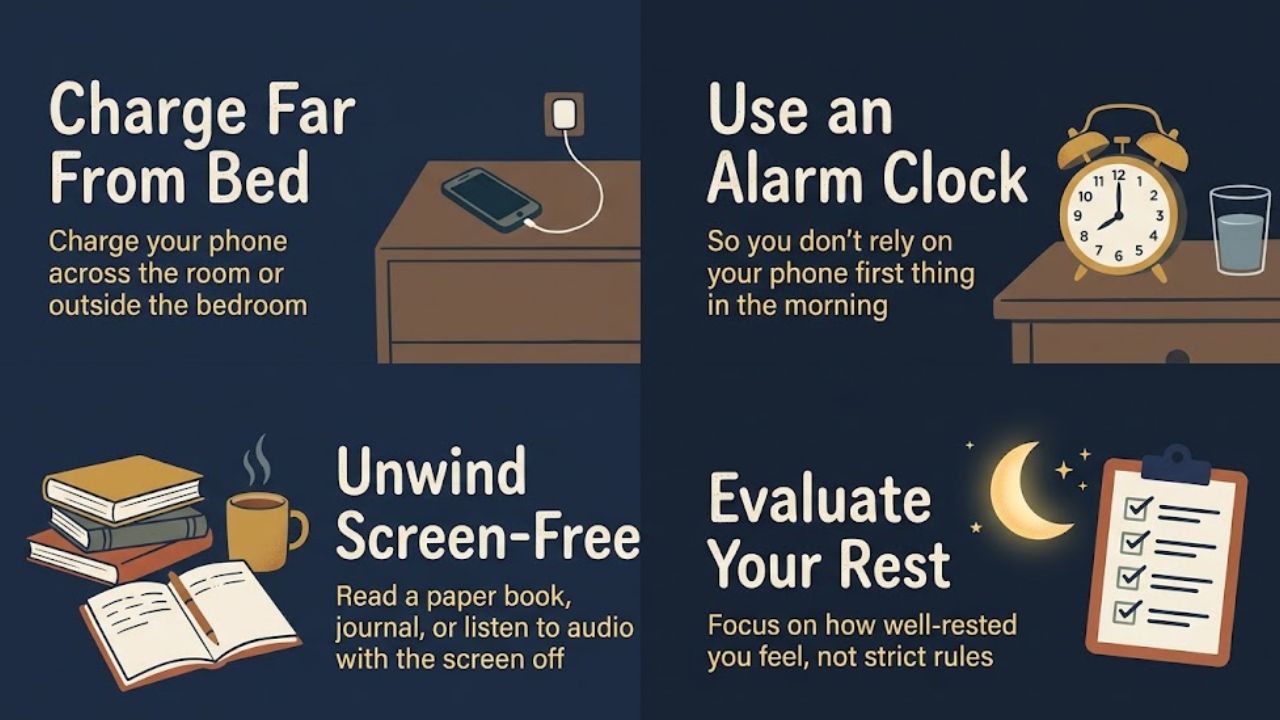
If scrolling in bed keeps you awake or leaves you feeling wound up, change the setup before you rely on willpower. Charge your phone outside the bedroom, place it across the room or stop using it in bed. If you use it as an alarm, put it far enough away that you have to get up to turn it off.
You don’t need a strict screen-free countdown to begin. Try a modest routine: prepare for the next day, read a paper book or listen to audio with the screen off. If you need your phone for accessibility, safety or work, adapt the routine to those needs rather than following a rule that makes your life harder.
Research and health guidance link nighttime device use with possible sleep disruption, but they do not establish that every person will sleep poorly after using a screen. The American Psychological Association notes that both light and stimulating content may play a part. Use a change in your evening routine as an experiment, and judge it by whether you feel better rested—not by whether you met an arbitrary screen-free target. This is one of the digital minimalism habits that should be tailored to the person using it.
7. Protect a few everyday moments
Choose one or two ordinary moments when you can put your screen aside: breakfast, a short walk, a conversation or waiting for a bus. If you need your phone for directions, safety or work, keep it with you and use it for that purpose. The boundary can be about not opening unrelated apps.
Plan a replacement for the moments when you usually scroll. Carry a paperback, stretch during a break or let a short wait be quiet. If you leave your phone at home and spend the whole walk worrying about missed calls, that is not a useful routine for you. Try a smaller boundary, such as keeping the phone in your bag.
Test the change for a week. Ask whether you missed anything important, felt less interrupted or enjoyed the moment more. Digital minimalism habits are worth keeping when they make everyday life better without creating a new source of stress.
Final Thoughts
Start with the moment when your phone most often gets in the way. Turn off one category of alerts, move a distracting app or change where you charge your phone at night. Try that adjustment for a week, then keep it, revise it or let it go. The point of digital minimalism habits is to make your technology use feel more chosen and less automatic.
Frequently Asked Questions (FAQs) About Digital Minimalism Habits
What does digital minimalism mean?
Digital minimalism means choosing technology based on how it supports your priorities, then reducing use that regularly distracts you or gets in the way. The digital minimalism habits in this article are small ways to put that idea into practice.
No. Keep apps that help you stay connected or do your work. You can mute their nonessential notifications, move them off your home screen or decide when you’ll open them.
What is one good habit to start with?
Turn off notifications from apps that don’t need to interrupt you. It takes little effort, and you can turn an alert back on if you find that you genuinely need it.