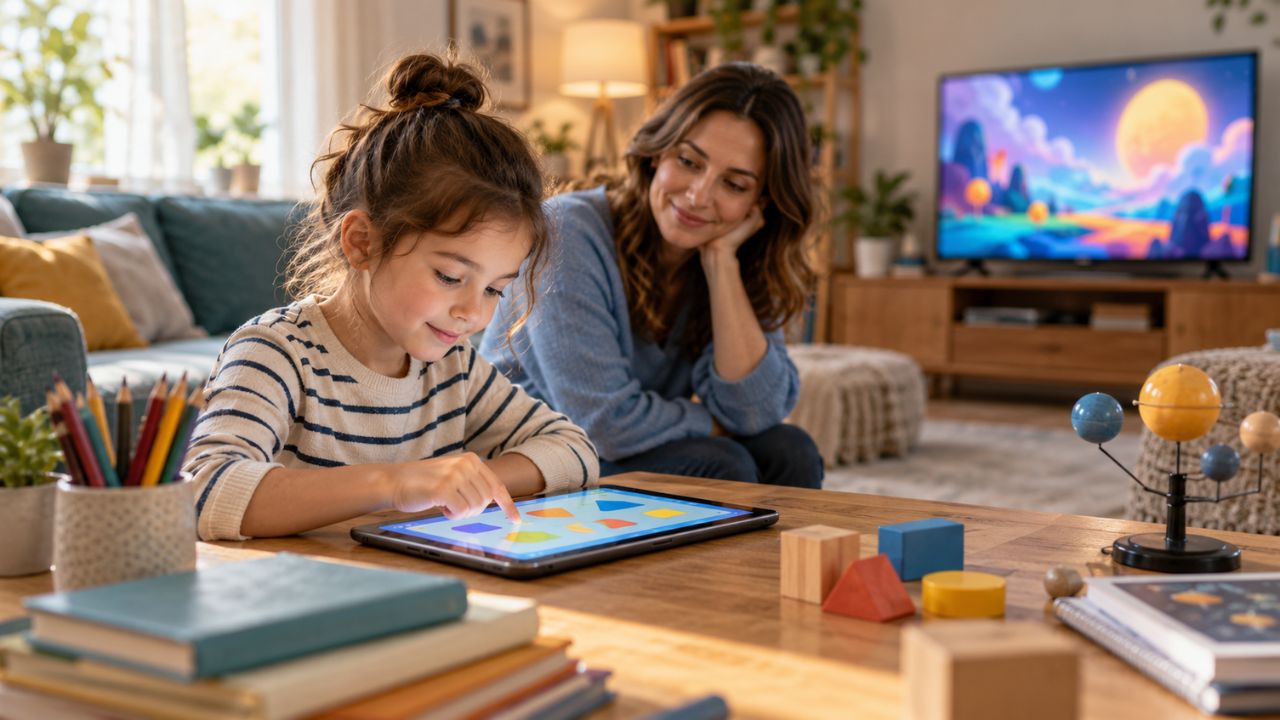
My nephew turned seven this year. Our family lets him use an educational app for about 30 minutes a day. He also watches YouTube Kids on television for roughly an hour. On paper, that adds up to 90 minutes of screen time. But are those 90 minutes doing the same thing? Not necessarily.
That is where the discussion around educational screen time vs entertainment screen time often becomes too simple. An app does not become educational because it shows letters or numbers. A cartoon does not become harmful because its main purpose is fun.
The real difference lies in what the child is doing, how the content is designed, whether anyone is interacting with the child, and what the screen is replacing.
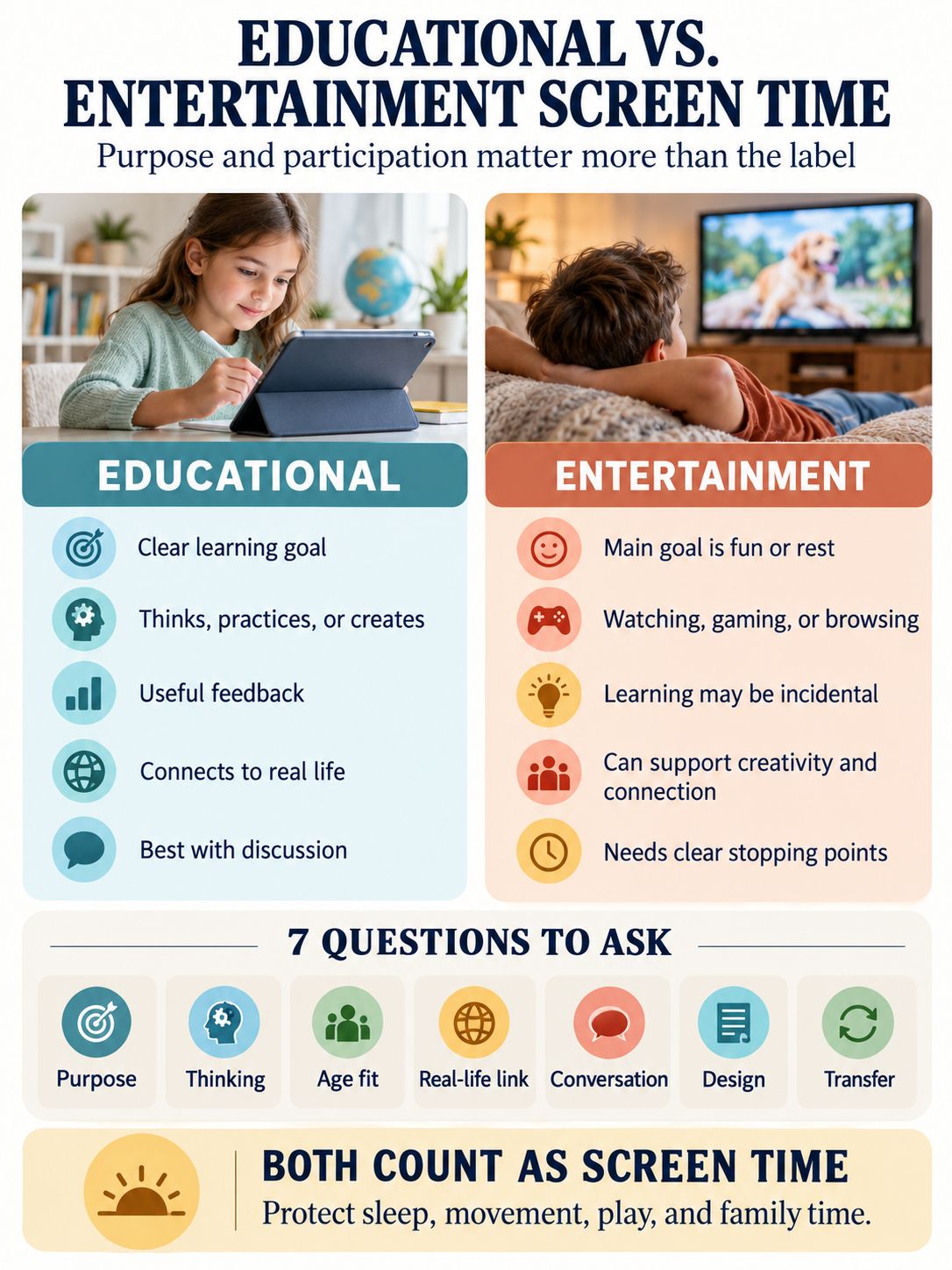
Educational screen time has a clear learning or developmental purpose. It encourages a child to think, practice, explain, create, or apply. Entertainment screen time is mainly used for fun, relaxation, storytelling, gaming, or social connection.
Both can be worthwhile. Both can also become low-quality or excessive. Parents need more than a timer to tell the difference.
Educational Screen Time vs Entertainment Screen Time: The Main Difference
Educational screen time is intentional. There is a skill, idea, or meaningful task behind it. A child might practice phonics, solve age-appropriate math problems, learn a musical technique, create digital art, or follow a science demonstration before trying it away from the device.
Entertainment screen time has a different main purpose. The child watches, plays, or browses primarily for pleasure. Cartoons, comedy videos, casual games, family movies, and short-form clips usually fit into this category.
The categories can overlap. A nature documentary contains educational information, but a child may watch it passively and remember very little. A building game may be entertainment during free play and educational when the child uses it to complete a history or design project.
Purpose and participation can change the value of the session, even when the device or platform stays the same.
| Educational Screen Time | Entertainment Screen Time |
| Has a clear learning, creative, or developmental goal | Has enjoyment or relaxation as its main goal |
| Encourages thinking, practicing, explaining, or creating | Usually involves watching, browsing, gaming, or socializing for pleasure |
| Provides feedback connected to the task | May use rewards mainly to maintain attention |
| Connects ideas to previous knowledge or real life | Learning is usually incidental |
| Works best with discussion and off-screen application | Can still support creativity, empathy, rest, and connection |
This is not a comparison between “good” and “bad” screen time. It is a comparison between two different purposes.
What Actually Counts as Educational Screen Time?
High-quality educational screen time usually has three things: a clear goal, mental participation, and some form of transfer beyond the screen.
A child should be doing more than touching a device. Repeatedly tapping a flashing answer is technically interactive, but it may require almost no thought. Watching a short demonstration, predicting what will happen, and then testing the idea with real objects can be much more educational.
Examples of meaningful educational screen activities include:
- Practicing letters, sounds, numbers, or another language with useful feedback
- Following a drawing, music, coding, or craft lesson and making something
- Exploring an interactive map, model, or simulation
- Reading an ebook with an adult and discussing the story
- Joining a live class where the child can respond and ask questions
- Researching a subject and turning the information into a project
- Using communication or accessibility technology that supports participation
The strongest clue often appears after the session. Can the child explain the idea, demonstrate the skill, or use it somewhere else? If so, the screen probably supported learning instead of simply holding the child’s attention.
Active Does Not Always Mean Interactive
App stores frequently use the word “interactive” as a selling point. Yet movement on the screen does not guarantee movement in the mind.
Learning researchers commonly look for four qualities: active thinking, focused engagement, meaningful connection, and social interaction.
A good learning activity keeps attention on the lesson rather than on unrelated rewards. It connects new information to something the child already understands. It also creates room for conversation, collaboration, or useful feedback.
A simple video watched with a thoughtful adult can therefore be more educational than a colorful app filled with buttons, animations, and prizes. What the child’s mind is doing matters more than how busy the screen looks.
Entertainment Screen Time Is Not Automatically Wasted Time
Entertainment screen time includes media used mainly for fun, rest, storytelling, or social enjoyment. It may involve a cartoon, a family movie, a casual game, a funny video, or online play with friends. That does not make the experience empty.
A thoughtful story can introduce empathy. A strategy game can involve planning and decision-making. A cooperative game can encourage teamwork. A family movie can create a shared memory and give everyone a chance to relax. Children need recreation. We do not have to label every worthwhile activity as educational to justify it.
Problems are more likely when entertainment becomes difficult to stop, interrupts sleep, replaces physical activity, or fills every quiet moment. The design of the platform also matters. One selected episode with a clear ending is different from an endless feed driven by autoplay and recommendations.
The content may appear similar, but one gives the family a natural stopping point. The other keeps presenting another video.
Why an Educational Label Is Not Enough
The word “educational” is easy to add to an app listing, video title, or toy package. Building a product around sound learning principles is much harder.
An analysis of 124 popular children’s apps found that most performed poorly across several important learning qualities. Many relied heavily on decorative animation, unrelated rewards, and other distractions. Only a small percentage met the researchers’ higher-quality standard.
Video platforms deserve the same caution. A 2026 study examined more than 1,000 YouTube videos watched by toddlers. Only a minority contained high educational value, while attention-grabbing features appeared much more frequently.
Bright colors, rapid editing, excited voices, and familiar characters can capture attention. They do not necessarily produce meaningful learning.
Parents do not need to distrust every app or video. The educational label should simply be the beginning of the evaluation, not the final answer.
When I look at my nephew’s routine, I do not assume that his 30-minute app session is valuable simply because the app is called educational. I would want to know whether he is solving problems or guessing, whether the app explains mistakes, and whether he can show us what he learned later.
I also would not assume that his hour of YouTube Kids has no value. The selected videos, autoplay settings, viewing context, and what he does all matter afterward.
Does Educational Screen Time Count as Screen Time?
Yes. Educational screen time still counts as screen exposure. A learning app, digital worksheet, or online class still involves sitting, near work, and device use. It can affect movement, bedtime, and family interaction when it occupies too much of the day.
However, required schoolwork and optional entertainment do not serve the same purpose. Parents may find it more useful to track them separately.
- Required or goal-directed use: School assignments, online classes, research, assistive technology, coding, and creative projects
- Optional recreational use: Entertainment videos, casual games, social media, short-form feeds, and general browsing
Both Educational Screen Time vs Entertainment categories still need reasonable boundaries. Children need movement breaks, comfortable viewing conditions, regular sleep, and time away from devices.
Separating the categories simply provides a clearer picture than treating a math assignment and an hour of short videos as identical.
The better question is not only, “How many minutes has my child used a screen?” It is also, “What has the screen replaced?”
If screen time is pushing out sleep, physical activity, school responsibilities, family conversation, or unstructured play, the content label does not solve the problem.
What Research Says About Children and Screen Use
Current evidence does not support extreme claims that screens are always harmful. It also does not support the idea that educational content makes screen time harmless or unlimited.
In 2026, the American Academy of Pediatrics placed greater emphasis on content, context, conversation, and platform design. Time still matters, but minutes alone cannot describe the quality of a child’s experience.
A 2026 umbrella review published in JAMA Pediatrics combined 23 earlier meta-analyses covering more than 2.8 million children. Greater screen exposure was associated with modestly poorer overall academic and language outcomes, along with difficulties in some emotional and behavioral areas. Results varied by age and type of screen activity.
The word “associated” matters here. Much of the research is observational. It cannot prove that screen use directly caused every reported difference.
A child’s temperament, sleep, family routine, parental stress, existing developmental needs, and access to other activities may influence both screen habits and outcomes.
Context also changes the picture. A 2024 review involving more than 176,000 children under age six found more favorable cognitive associations when adults used media with children. Background television, age-inappropriate content, and caregiver device use during family routines were associated with poorer outcomes.
Well-designed apps can support specific early skills, particularly when the activity is focused and appropriate for the child’s developmental stage. Even the best program, however, cannot reproduce everything children gain from talking, moving, building, pretending, and responding to another person in real time.
How Much Screen Time Is Appropriate by Age?
Screen-time recommendations should be treated as public-health guidelines, not precise lines separating safety from harm. Age, individual needs, content, and the wider daily routine all matter.
For children under age two, direct interaction should remain the priority. Babies and young toddlers learn most reliably through conversation, play, movement, songs, facial expressions, and physical exploration. They often have difficulty transferring information from a flat screen to the real world.
The World Health Organization recommends no sedentary screen time for infants and one-year-olds. Responsive video calls are generally treated differently because another person reacts to the child in real time.
For children ages two to five, several public-health guidelines use about one hour a day as a practical limit, with less considered better. The AAP has traditionally recommended high-quality programming and adult participation for this age group. Its newer guidance also stresses that quality and context cannot be judged by time alone.
There is no single evidence-based limit that fits every school-age child or teenager. Families need boundaries that protect sleep, movement, meals, school responsibilities, friendships, and offline interests.
| Age Group | Practical Approach |
| Under 2 | Prioritize direct interaction, play, and responsive video calls |
| Ages 2–5 | Keep use limited, choose high-quality content, and participate when possible |
| Ages 6–12 | Separate required school use from leisure and protect daily balance |
| Teenagers | Focus on sleep, mood, concentration, responsibilities, content, and the ability to stop |
These numbers are not allowances that must be filled. A child who is happily playing, reading, or exploring does not need more screen time because part of a daily limit remains unused.
Across age groups, screen-free meals and a device-free period before bed are sensible household rules. Notifications, stimulating content, and “one more video” can easily delay sleep.
Educational, Entertainment, or Somewhere in Between?
Some activities do not fit neatly into one category. The purpose and context of the individual session usually provide the most accurate answer.
| Activity | Best Classification | What Changes Its Value? |
| A nature documentary watched silently | Educational content, mostly passive | Discussion, predictions, and an outdoor follow-up |
| A drawing tutorial followed step by step | Educational and creative | Whether the child practices and creates independently |
| A sandbox game played freely after school | Entertainment or creative leisure | A planned design, coding, or school goal |
| A cooperative strategy game | Entertainment with possible social benefits | Age suitability, behavior, duration, and who is playing |
| A video call with a grandparent | Relational screen use | Responsive conversation and adult involvement |
| An AI tool producing a finished homework answer | Weak educational value | Asking guiding questions instead of replacing the work |
| A digital worksheet | Educational in purpose, possibly passive | Useful feedback and whether understanding improves |
| YouTube Kids | Depends on the video and viewing setup | Content quality, autoplay, supervision, and discussion |
The table shows why parents should judge sessions rather than brands. The same game, platform, or AI tool can be used very differently from one day to the next.
How to Make Screen Time More Educational
Parents do not need to turn every cartoon into a lesson. Entertainment can remain entertainment. When learning is the goal, a few small changes can make the screen experience more useful.
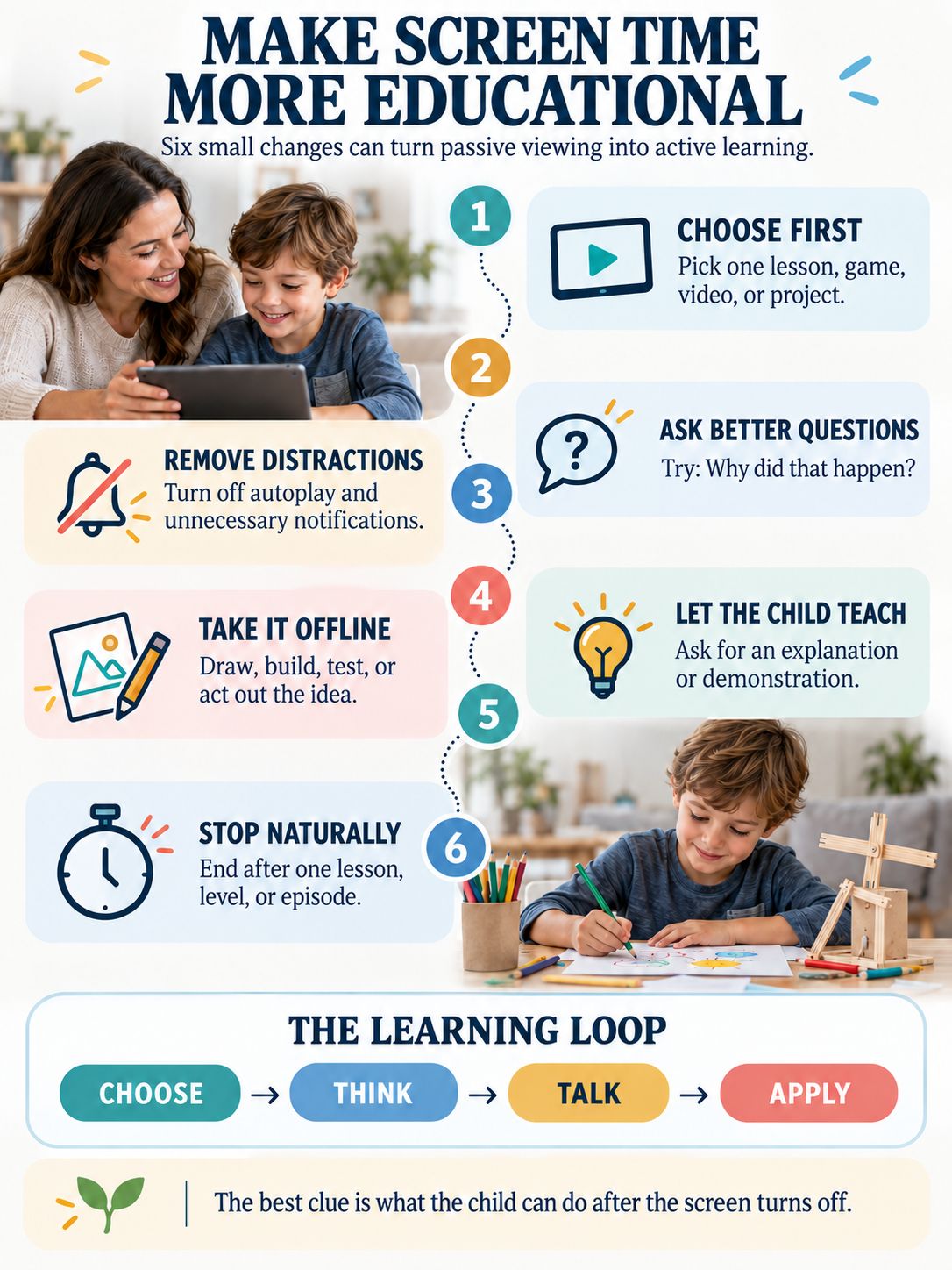
Choose the Activity Before Opening the Device
Start with a specific lesson, game, video, or project. Opening a recommendation feed and hoping something educational appears gives the platform too much control.
Remove Unnecessary Distractions
Disable autoplay and nonessential notifications. Choose ad-free options when practical. Check where the activity naturally ends before handing over the device.
Ask Questions That Require Thought
“Did you like it?” often produces a one-word answer. Try asking, “Why do you think that happened?” or “Can you show me another way?”
The goal is not to quiz the child. It is to help the child organize and express what they noticed.
Move the Idea Away From the Screen
Draw the character. Build the shape. Find the plant outside. Repeat the experiment safely. Use the new word during a conversation.
Even a short real-world connection can turn information into something the child understands more deeply.
Let the Child Teach You
Ask for an explanation or demonstration. Teaching another person can reveal what the child understands and where support may still be needed.
End at a Natural Stopping Point
Finishing after one episode, level, or lesson is easier than interrupting an endless feed. Give younger children a short warning and have the next activity ready.
When Screen Use Needs Closer Attention
The total number of minutes is only one signal. Look at what is happening around the screen.
It may be time to review the routine if a child regularly:
- Loses sleep because of device use
- Stops enjoying offline interests
- Avoids family members or friends
- Rushes schoolwork to return to a device
- Becomes highly distressed whenever a session ends
- Uses media during nearly every quiet moment
- Repeatedly accesses unsuitable content
- Cannot follow agreed boundaries despite consistent support
Some frustration when a screen session ends is normal, especially among younger children. The concern is a persistent pattern that interferes with everyday life.
If media use continues to affect sleep, learning, mood, relationships, or physical health after reasonable household changes, speak with the child’s pediatrician or another qualified professional. The purpose is not to diagnose a child from one habit. It is to understand what the behavior may be communicating.
Commonly Asked Questions on Educational Screen Time vs Entertainment
How much educational screen time should a child have?
There is no unlimited educational allowance. Follow age-appropriate guidance, protect sleep and physical activity, and consider whether the activity has a clear purpose. The rest of the child’s day matters as much as the number of minutes.
Can toddlers learn from screens?
Toddlers can learn some information from well-designed media, especially when an adult participates. They usually learn and transfer skills more effectively through responsive face-to-face interaction and hands-on experience.
Is watching a documentary educational screen time?
A documentary contains educational information, but passive viewing does not guarantee learning. Pausing for predictions, discussing unfamiliar ideas, and connecting the program to a book, walk, or project can make it more meaningful.
Are Minecraft and Roblox educational?
They can support creativity, planning, or collaboration during particular activities, but neither platform is automatically educational. A planned building or coding task is different from open-ended recreational play. Privacy, spending features, social settings, and age suitability also matter.
Should online homework count toward a home screen-time limit?
Track required schoolwork separately from optional entertainment so the family limit remains practical. Children still need eye and movement breaks, and required device use should not eliminate offline activity or push bedtime later.
What is the difference between active and passive screen time?
Active screen time involves meaningful thinking, decision-making, practice, creation, or responsive conversation. Passive screen time mainly involves consuming content. Touching or swiping does not make an activity active if the child is not thinking about the task.
The Standard I Would Use at Home
The most useful question in the educational screen time vs entertainment screen time debate is not simply whether a device is present.
Ask what the child is doing. Are they thinking or only reacting? Can they explain or apply anything afterward? Is the session helping them create, communicate, or practice? What is it replacing?
That is the standard I use when thinking about my nephew’s routine. His educational app is not automatically valuable because of its label. His YouTube Kids time is not automatically harmful because it is entertainment.
A healthy routine can include learning and fun. It simply needs to protect the things screens cannot replace: sleep, movement, conversation, imagination, hands-on play, and time with other people.