If you know your balance but still feel unsure where your money goes, a tracking app may not be enough. You may need a budget you can act on, a lesson that explains a financial decision, or a way to talk about money with your family. These financial literacy apps serve different purposes, so the right choice depends on what you want to understand or manage.
Some options focus on budgeting; others teach money concepts or help parents guide children. Many account-linking features depend on your country and bank. Check local availability, privacy terms, and renewal prices before signing up.
What These Financial Literacy Apps Can Help You Do
Some apps teach financial concepts; others track spending, organize a budget, or help families teach children about money. Few do all of those things well. Decide whether you need to learn, plan, or monitor your finances before comparing the options below.
This fills the gap without changing the list’s structure or repeating the app-selection section. Keep the focus keyword out of this added paragraph if you want to preserve the article’s exact count of 10.
1. YNAB: Best for hands-on budgeting
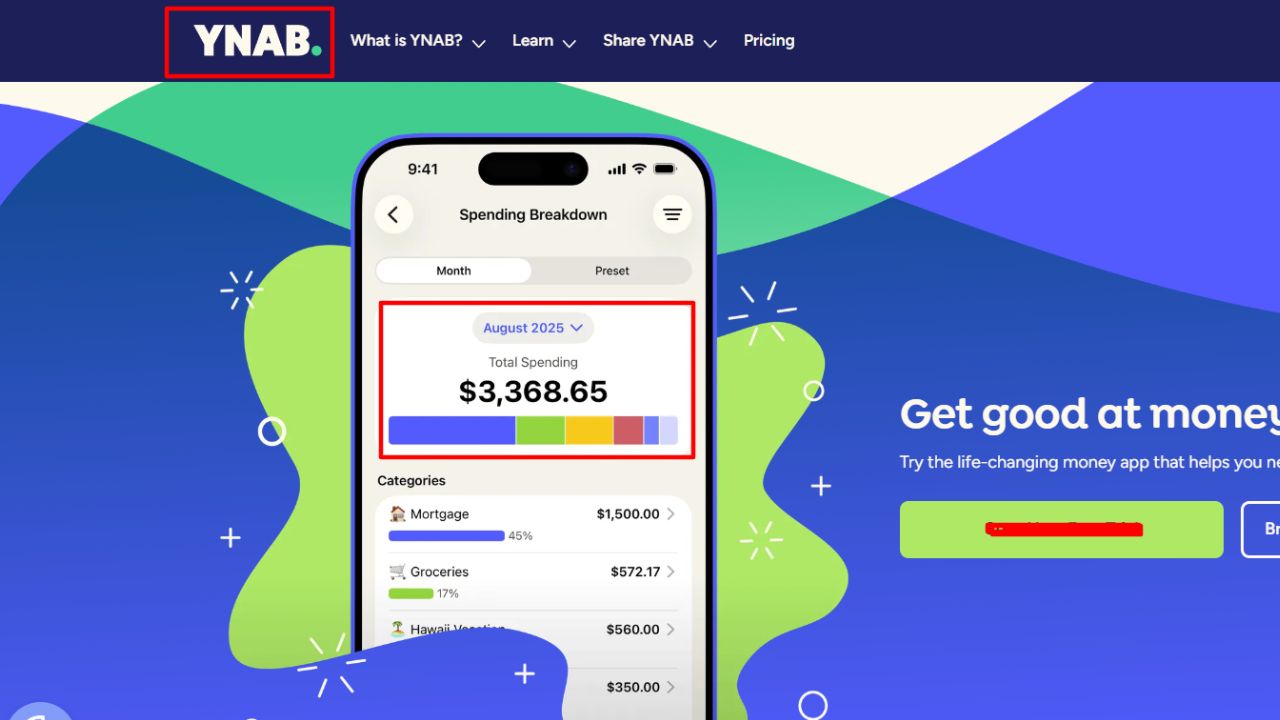
YNAB—You Need A Budget—asks users to give their available money specific jobs, such as rent, groceries, debt payments, or a future car repair. When priorities change, users adjust the plan. That makes budgeting an active decision instead of a report on spending that has already happened.
The app includes educational resources and workshops. Users can link accounts or enter transactions manually, and one subscription can be shared with up to six people. YNAB lists its annual plan at $109 and its monthly plan at $14.99, with a 34-day free trial.
The method takes regular attention, and the subscription may be hard to justify if you only want a spending log. Still, among financial literacy apps, YNAB is one of the stronger choices for learning how spending decisions affect the rest of a budget.
2. Khan Academy: Best for free lessons
Khan Academy is a good place to begin if you want to learn before connecting a bank account. Its financial-literacy course covers budgeting, saving, credit, loans, insurance, investing, taxes, banking, housing, and fraud. Its learning resources and mobile apps are free.
A student could use the course to understand interest before comparing loans. A first-time budgeter could review saving and spending basics before choosing a tracking tool.
Khan Academy does not build a household budget from real transactions. It is a learning resource, not a spending tracker, and its English-language lessons may not suit every learner. For people who mainly want clear explanations at no cost, it is one of the most useful financial literacy apps on this list.
3. Goodbudget: Best for envelope budgeting
Goodbudget adapts the envelope method for phones and computers. Users divide planned income into categories—groceries, transport, savings—and track spending against each amount. This can make a shared household budget easier to discuss: money assigned to one envelope is not automatically available for another.
The free plan includes 10 regular envelopes, 10 savings or annual envelopes, one account, and sharing across two mobile devices. Premium adds unlimited envelopes and accounts, longer transaction history, and automatic bank syncing. It costs $10 a month or $80 a year. Automatic syncing supports U.S. banks, so users elsewhere should expect to manage transactions manually.
Goodbudget is less hands-off than an app that imports everything. That friction can be useful if you want to pay closer attention to purchases. Among financial literacy apps, it is a sensible free starting point for households willing to keep their records updated.
4. EveryDollar: Best for a simple monthly plan
EveryDollar uses zero-based budgeting: users plan where expected income will go across bills, spending, saving, and debt payments. The free version supports manual budgeting. Premium adds features such as bank connections and spending reports.
There is a significant location limit. The mobile app and Premium subscription are available only in the United States. International users can create a free budget on the website using a computer, but they do not get the same mobile experience.
For U.S. users who want a straightforward monthly plan, this is an accessible option. Try manual budgeting first; automatic bank connections are convenient, but they do not replace checking whether the categories and amounts make sense.
5. Rocket Money: Best for recurring charges
Rocket Money combines spending tracking and budgeting with tools for identifying recurring bills and subscriptions. It may help if your budget feels tight and you are not sure which monthly charges are adding up.
The free tier includes core tools. Paid plans add features such as more budget categories, savings goals, account sharing, and subscription cancellation assistance. Rocket Money lists Premium at a user-selected price, typically 7–14 a month, and Premium+ at $15 a month. Confirm the price and included features during signup, as plans can change.
A flagged charge is a prompt to investigate, not an instruction to cancel. Review each subscription first; it may be an annual renewal or a service shared with someone else. This makes Rocket Money one of the more targeted financial literacy apps on the list rather than a complete money course.
6. Monarch: Best for a household overview
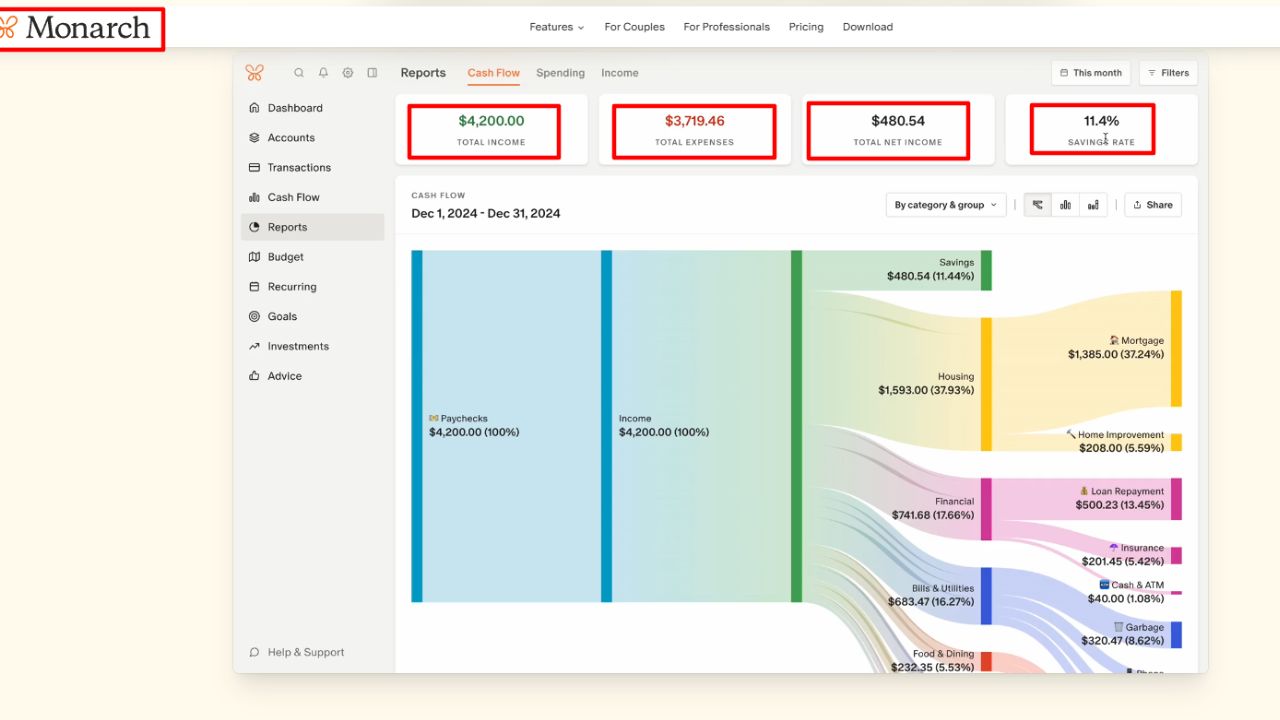
Monarch brings accounts, transactions, budgets, goals, and net worth into one dashboard. It can help users see monthly spending alongside longer-term plans. The company says users can add a partner without an additional charge.
The Core plan is listed at $99.99 a year or $14.99 a month, with a seven-day free trial. That is a meaningful cost for someone who only needs a few budget categories. It makes more sense if you will use the reports, goals, and broader financial view regularly.
Check whether your financial institutions connect before setting up your budget. Then review imported transactions and categories: missing or misclassified activity can make a polished dashboard misleading. Monarch is one of the more comprehensive financial literacy apps here, but its value depends on using more than the basic tracker.
7. Empower Personal Dashboard: Best for spending and investments
Empower’s Personal Dashboard is free and connects financial accounts to show spending, cash flow, debt, savings, and net worth. It also offers planning tools, including retirement and debt-paydown features. This broader view can help users see how daily expenses relate to longer-term goals.
Empower is more focused on tracking and analysis than on assigning every dollar a job. Its support material says the budgeting widget shows spending and categories but does not let users set specific budgeting goals through that widget.
Choose it for a financial overview, not a step-by-step budgeting course. Before linking accounts, read the privacy terms and confirm that your institutions are supported. Of the financial literacy apps in this comparison, Empower is better suited to users who already want to monitor investments as well as spending.
8. Cleo: Best for conversational check-ins
Cleo uses a chat-style interface to help users review spending, follow a budget, and track bills. The format may feel more approachable than a spreadsheet or a dashboard filled with charts.
Features vary by country. Cleo’s UK version offers budgeting but not the same credit, lending, savings, or interest-bearing products available in the U.S. Check your local version’s terms and subscription details before relying on a particular feature.
Cleo can help you review spending, but it is not a personal financial adviser. It is one of the more conversational financial literacy apps; users should still verify what data it accesses and whether their bank is supported.
9. Greenlight: Best for teaching children and teens
Greenlight is designed for families who want children to practice money skills with parental oversight. The app combines allowance and chore tools with spending and saving features. Its Level Up program uses lessons, videos, quizzes, and games to cover topics such as budgeting and investing.
Plans start at $5.99 a month. Greenlight is a family money-management service that includes a debit card, rather than a standalone course. Its card account requires U.S. residency and identity verification, so families elsewhere should check eligibility before considering it.
The app can support conversations about saving or spending, but parents still need to help children think through those choices. A quiz cannot replace a real discussion about whether to save allowance for a larger purchase or spend it now.
How to Choose Financial Literacy Apps
Start with the problem you want to solve. Khan Academy is for structured lessons; YNAB and Goodbudget are for active budgeting. Rocket Money focuses on recurring charges, while Monarch and Empower offer a broader view of accounts. Greenlight is designed for families teaching children.
Before signing up, check:
- Country and bank support: Account linking and financial products vary by location.
- Full cost: Look at the renewal price after any trial and identify which features require payment.
- Data access: Review what account information the app collects and how it uses it.
- Maintenance: Imported transactions still need review; manual budgets need regular updates.
- Purpose: A dashboard can show what happened without explaining the financial concepts behind it.
The most useful financial literacy apps match the task you actually have. A free course will not track your bills, and an expense dashboard will not necessarily teach you how interest works.
A Practical Way to Start
Choose one app and use it for a month. Keep the setup small: a few spending categories, one savings goal, or one lesson topic. Check whether the data is accurate and whether the app helps you make decisions. If it creates more upkeep than insight, switch to a simpler approach.
Final Thoughts
A useful money tool should make one part of your financial life easier to understand or manage. Start with a specific need, confirm local availability, and avoid paying for features you will not use. The best financial literacy apps support better decisions; they cannot make those decisions for you.
Frequently Asked Questions (FAQs) About Financial Literacy Apps
Do these apps connect to banks worldwide?
No. Bank connections depend on the app, country, and financial institution. Some services allow manual entry when syncing is unavailable.
Are free apps enough to learn about money?
Often, yes. Khan Academy offers free lessons, while Goodbudget and EveryDollar have free budgeting options. Paid plans matter mainly when you need extra tools such as automatic syncing or expanded reports.
Can an app replace financial advice?
No. Apps can organize information and explain basic concepts, but they may not account for your full financial situation. For major decisions, consider speaking with a qualified professional.