
Your team copies data from forms into a spreadsheet. Someone sends the same welcome email ten times a day. An invoice waits three days because the right person never saw it. Business process automation software fixes this kind of slow, repeated work. It moves data between your apps, sends tasks to the right person, and follows the rules you set. That way, your team can grow without hiring for every new task.
The hard part is picking a tool. This guide compares seven strong options with current prices and shows which one fits each stage of growth.
Quick Answer: Which Tool Should You Pick?
The best business process automation software for most small teams is Zapier. It connects to the most apps and is easy to learn. Make is the better value if you run a lot of tasks each month. Microsoft Power Automate is the natural pick if your company already uses Microsoft 365. n8n suits teams with a developer who wants full control.
The table below sums up each tool. Prices were checked in October 2026 and can change, so confirm them on each company’s site before you buy.
| Tool | Best fit | Free option | Paid plans start at |
|---|---|---|---|
| Zapier | Small teams that use many apps | Yes, 100 tasks a month | $19.99 a month |
| Make | Busy workflows on a budget | Yes, 1,000 credits a month | $12 a month |
| Power Automate | Microsoft 365 companies | 30-day trial | $15 per user a month |
| n8n | Teams with technical skills | Free if you host it yourself | €20 a month (cloud) |
| Pipefy | Approvals and requests | Yes, up to 10 users | Contact sales |
| Kissflow | Large firms with many workflows | No public plan | Contact sales |
| UiPath | Robots that work inside old software | Yes, the community plan | $25 a month |
Read the “Best fit” column first. A cheap tool that cannot handle your process will cost you more in fixes later.
What Business Process Automation Software Actually Does
Business process automation software runs a chain of steps for you. For example, when a new order arrives, add the customer to the CRM, then send a Slack message to the sales team. You set it up once. The tool repeats the steps every time.
Most tools fall into two groups:
- App connectors link cloud apps like Gmail, Shopify, HubSpot, and Google Sheets. Zapier, Make, and n8n are in this group.
- Process managers handle work that needs people, such as approvals, requests, and long forms. Pipefy and Kissflow sit here.
A third type, robotic process automation, uses software robots that click and type inside older programs. UiPath and Power Automate both offer this.
Marketing teams often start with a narrower kind of tool. If that is your main need, read our guide on what marketing automation is and how it works before you choose a bigger platform.
The 7 Best Business Process Automation Software Tools
Each pick below is solid business process automation software, but they are not equal. The first three suit most teams. The rest solve narrower problems.
1. Zapier
Zapier is the easiest place to start. It connects with more than 9,000 apps, more than any other tool on this list.
The free plan gives you 100 tasks a month, but each Zap can only have two steps. That limit shows up fast. Most real processes need three or more steps, so plan on the Professional plan, which starts at $19.99 a month. The team plan starts at $69 a month and adds shared workflows and room for 25 users.
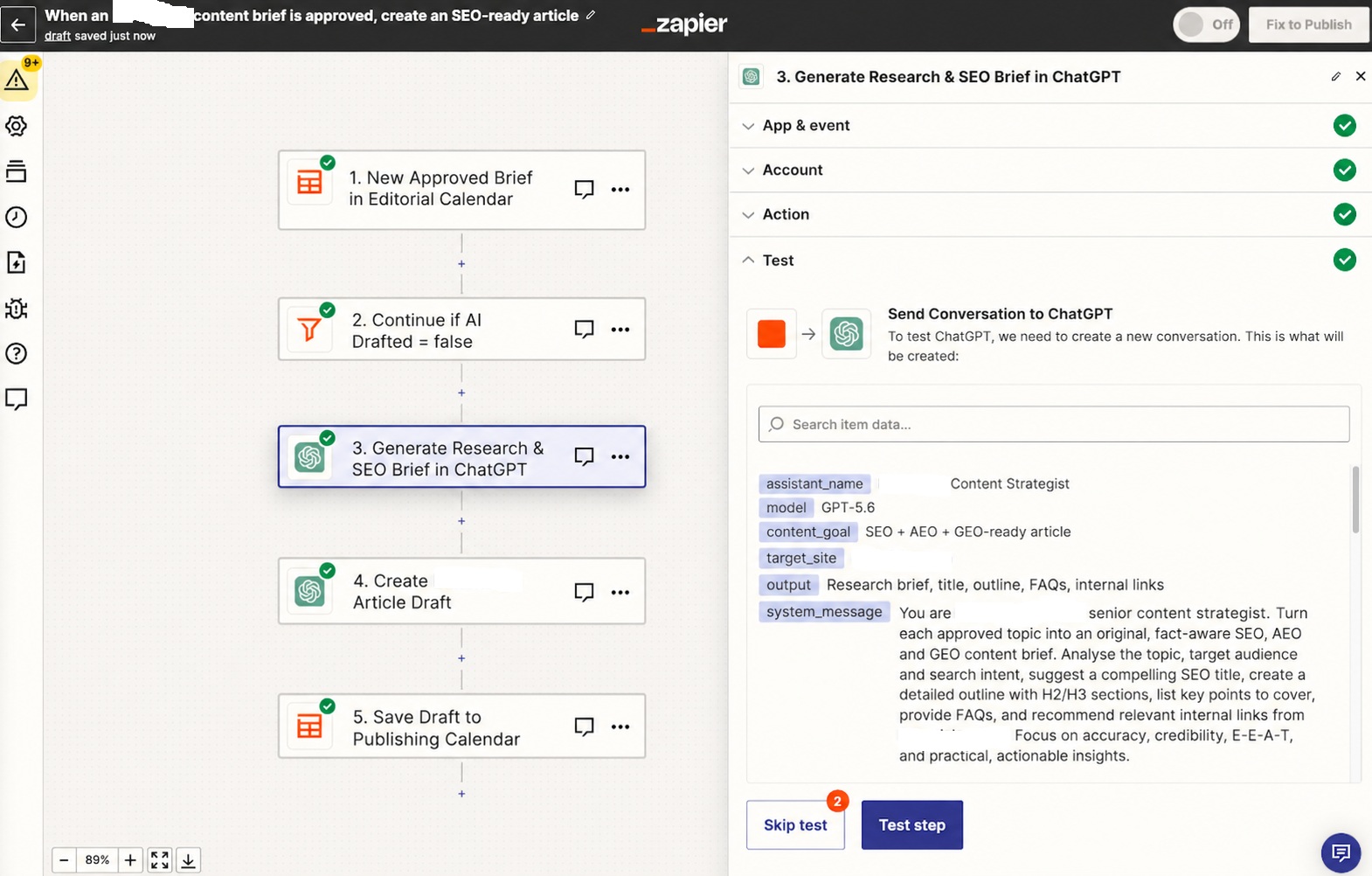
The main weakness is cost as you grow. Zapier counts every action as a task. A workflow with five actions that runs 1,000 times uses 5,000 tasks. Bills can climb fast. Still, for a small team that wants business process automation software it can learn in an afternoon, Zapier is hard to beat.
2. Make
Make used to be called Integromat. It shows your workflow as a visual map. You can see each step, add branches, and set filters. Complex logic is easier to build here than in Zapier.
The bigger reason to choose Make is price. The core plan costs $12 a month for 10,000 credits, and most actions use one credit. The free plan includes 1,000 credits a month but only two active workflows. For high-volume work, this business process automation software often costs far less than Zapier.
The trade-off is a steeper learning curve. New users can feel lost at first. Make also connect to fewer apps, but 3,000 or so are enough for most teams.
3. Microsoft Power Automate
If your company runs on Outlook, Teams, SharePoint, and Excel, start here. Power Automate fits into Microsoft 365 better than any outside tool. IT teams can manage it with the accounts and security rules they already use.
The premium plan costs $15 per user a month, paid yearly. It covers cloud workflows and desktop robots that work while a person is at the computer. For robots that run on their own, the process plan costs $150 per bot a month. You can try it free for 30 days.
This business process automation software is less pleasant outside the Microsoft world. Many popular outside apps need the paid plan, and the builder feels more technical than Zapier.
4. n8n
n8n is for teams that want control. You can run the Community Edition on your own server for free. You get no limit on runs and full control of your data.
If you do not want a server, n8n Cloud starts at €20 a month, billed yearly, for 2,500 workflow runs. One useful detail: n8n counts a full workflow run as one execution, no matter how many steps it has. That makes long workflows much cheaper than on Zapier.
The downside is skill. This business process automation software expects you to be comfortable with ideas like APIs and JSON. A company without a developer will struggle.
5. Pipefy
Pipefy is built for processes where people must approve or act, not just apps passing data. Think purchase requests, new hire onboarding, or support tickets. Each request moves through stages on a board and reaches the right person at each stage.
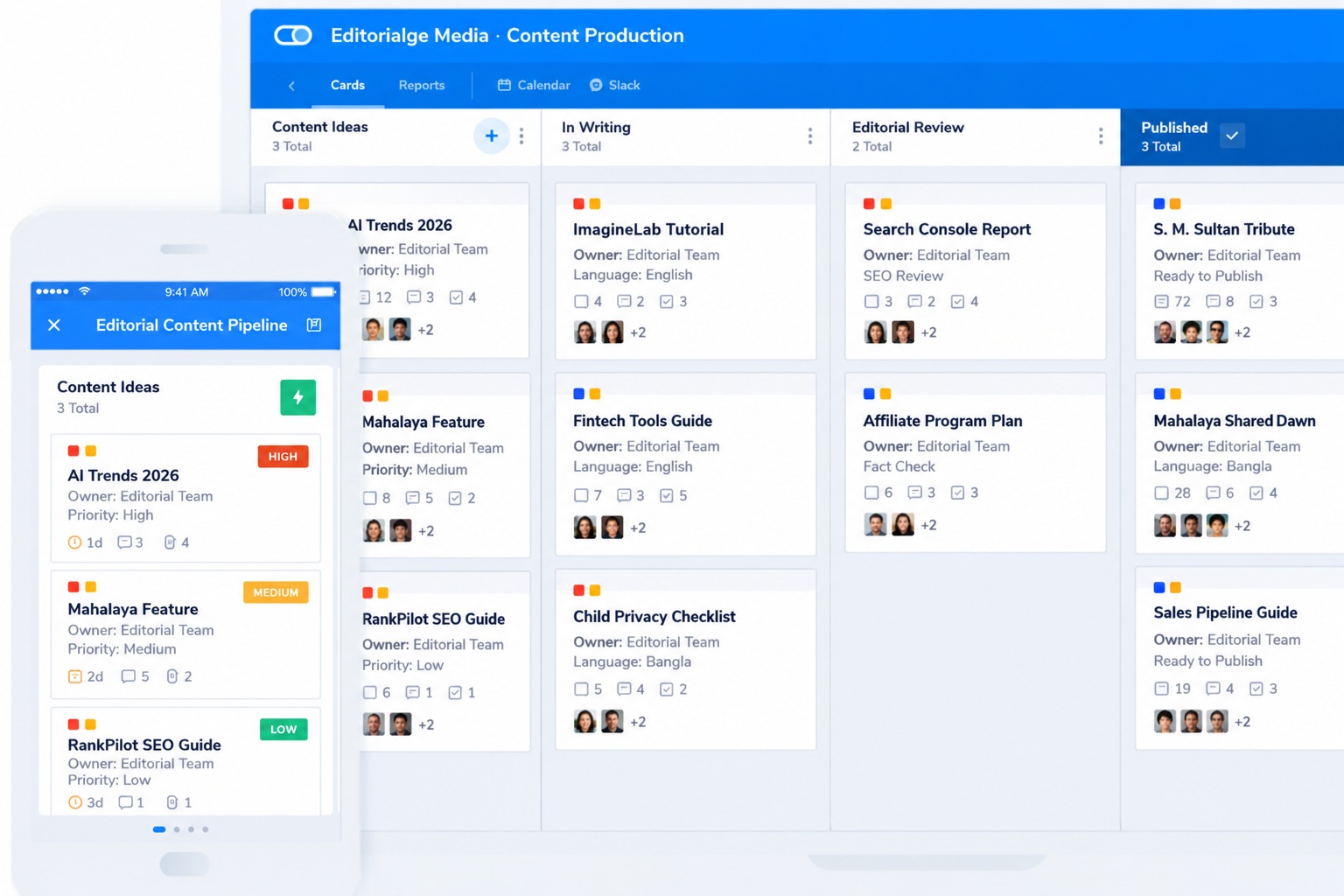
The free Starter plan allows up to 10 users and five processes, with 50 cards a month. The business and enterprise plans have no public price, so you will need to talk to sales. For finance, HR, and operations teams, this business process automation software is often a better fit than an app connector.
6. Kissflow
Kissflow targets larger companies that want one place to build many internal apps and workflows. It includes dashboards, reports, and the controls IT leaders like. Pricing is based on a quote with a yearly contract, so it suits firms ready to commit. Small teams will find this business process automation software too much, too soon.
7. UiPath
UiPath is one of the best known names in robotic process automation. Its robots work inside old desktop programs and websites that have no API, taking over hours of copying data between screens.
There is a free community plan, and the basic plan starts at $25 a month for personal automations. This business process automation software is powerful, but robots can break when a screen layout changes. Someone must watch them and fix them.
How to Pick the Right Tool as You Grow
The right business process automation software changes as your company gets bigger. Use this simple path:
- Just starting (1 to 10 people): Use Zapier or Make. Begin on a free plan and automate one painful task first. Our list of ways to automate small business tasks with free SaaS tools is a good place to find ideas.
- Growing (10 to 50 people): Move to Make or n8n if task costs rise. Add Pipefy if approvals start to pile up.
- Scaling (50 or more people): Look at Power Automate if you use Microsoft 365. Look at Kissflow or UiPath if you need strong controls or robots for older systems.
Before you sign up, check three things. Does the tool connect to the apps you use most? How many tasks or runs will you need each month? Plan for double that. Who will build and fix the workflows? A tool your team cannot maintain will fail.
To see where automation fits in the wider market, read our look at the fastest growing SaaS categories.
Mistakes That Waste Time and Money
Many teams buy business process automation software and then use it poorly. Watch for these common errors:
- Automating a broken process. If a process is messy by hand, automation just makes the mess faster. Fix the steps first.
- Starting too big. Pick one workflow that saves real hours. Prove it works, then add more.
- Ignoring usage limits. Tasks and credits add up. Set alerts so a busy month does not bring a surprise bill.
- Trusting one person. If only one person understands the workflows, you are stuck when they leave. Write short notes for each one.
Frequently Asked Questions (FAQs)
These are the questions people ask most before they buy business process automation software.
Is there a free option?
Yes. Zapier, Make, Pipefy, and UiPath all offer free plans of their business process automation software, each with limits. n8n is free if you host it on your own server. Free plans are fine for testing, but growing teams outgrow them quickly.
How is workflow automation different from business process automation?
Workflow automation usually means one set of steps, like sending form answers to a spreadsheet. Business process automation software covers a whole process from start to finish, often across several teams. Many tools do both, so the labels overlap.
Do I need to know how to code?
Not for most tools. Zapier, Make, Pipefy, and Power Automate let you pick steps from menus, so most business process automation software needs no coding. n8n and UiPath give you more power if you can write some code, but you can still start without them.
Final Thoughts
The best business process automation software is the one your team will actually use. For most small companies, that means starting with Zapier or Make and one simple workflow. Companies that run on Microsoft should test Power Automate first. Teams with a developer and strict data rules should look at n8n.
Pick the task that wastes the most hours each week and automate it on a free plan. Once it works, you will know what you need from a paid plan.