The Best Productivity Apps Without a Subscription set you free from endless recurring fees without compromising performance. To eliminate monthly software bills for note-taking, task management, and document workflows, opt for open-source software, free proprietary tools, or buy perpetual licenses.
Powerful offline alternatives like Obsidian, Joplin, and Things 3 provide full data control, total privacy, and long-term ownership—saving hundreds of dollars each year. This independent ranking evaluates top subscription-free software based on solo usability, privacy features, and reliable performance without hidden cloud fees.
How We Ranked the Best Productivity Apps Without a Subscription
| App | Payment Model | Main Limitation |
| Obsidian | Free core app | Proprietary; optional sync costs extra |
| LibreOffice | Free and open source | Complex Office files need testing |
| Super Productivity | Free and open source | Not a full team project suite |
| UpNote | Free tier or $39.99 lifetime | No end-to-end encryption; 20MB attachments |
| Things 3 | Separate one-time purchases | Apple-only; no shared lists |
| Thunderbird | Free and open source | Requires an existing email account |
| Scrivener | $59.99 per desktop platform | Major upgrades may cost extra |
| Office Home & Business 2024 | $249.99 for one PC or Mac | Support ends in October 2029 |
| Joplin | Free; optional paid cloud | Encryption and sync require setup |
| Zotero | Free; optional storage | Free hosted file storage is 300MB |
| Alfred 5 Powerpack | £34 or £59 with lifetime updates | Mac-only; business terms differ |
| KeePassXC | Free and open source | No official mobile app or cloud sync |
Before Calling Any License “Forever”
Check whether Windows, Mac, and mobile editions are separate purchases and whether later major versions are included. Test data export too. A readable file format is more valuable than a lifetime license that traps information inside an abandoned app.
Remote teams should confirm support for shared editing, permissions, recovery, and administration. Local-first software is often strongest for individual work.
1. Obsidian
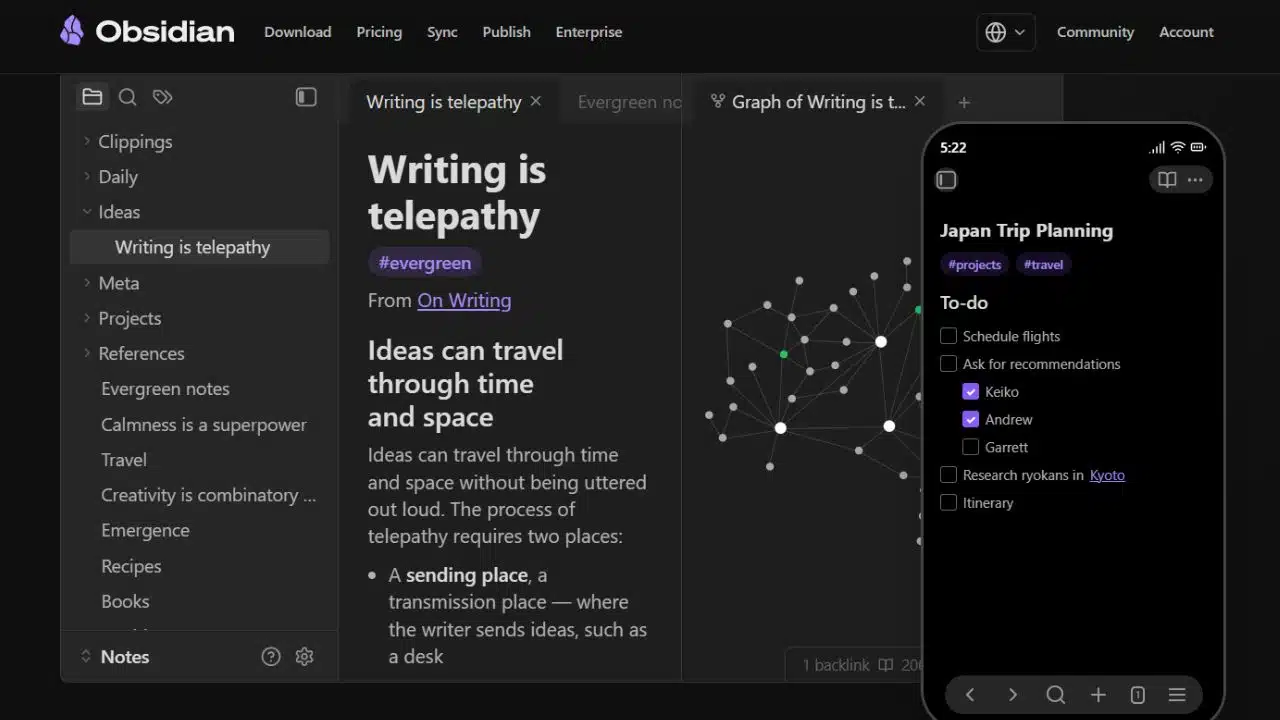
Obsidian takes the top position for notes, research, meeting records, and connected ideas. It saves local Markdown files that remain readable outside the app. The core product is free for personal and commercial use and requires no account.
Obsidian itself is proprietary. Optional Sync starts at $4 per user per month when billed annually. It is a strong personal knowledge system, but not a direct Notion or Confluence replacement for teams needing shared databases and granular permissions.
2. LibreOffice
LibreOffice is the broadest free replacement here. Writer, Calc, and Impress cover everyday documents, spreadsheets, and presentations on Windows, macOS, and Linux.
Test real files before cancelling Microsoft 365. Basic DOCX and XLSX documents may transfer adequately, while complex layouts, embedded objects, fonts, and Excel automation can change or break. LibreOffice’s VBA support remains incomplete. It suits ordinary office work better than advanced financial models.
3. Super Productivity
Super Productivity combines tasks, time tracking, focus sessions, and daily planning without a paid tier. The open-source app works offline across desktop, mobile, and web platforms; data stays local unless synchronization is enabled. It is particularly useful for freelancers who need time records beside their tasks. Managers seeking mature team permissions, reporting, and centralized administration should look elsewhere.
4. UpNote
UpNote requires less setup than Obsidian or Joplin. It works offline on Windows, macOS, Linux, iPhone, iPad, and Android. The free tier allows 50 notes; Premium currently costs $1.99 monthly or $39.99 for lifetime access.
The privacy trade-off matters. UpNote has no end-to-end encryption, limits attachments to 20MB, and may reduce image resolution. It suits ordinary notes, not passwords, payment details, or sensitive client records. Lifetime access covers the purchaser’s Premium features, not every future service.
5. Things 3
Things 3 makes sense mainly inside an all-Apple workflow. Its Mac, iPhone, and iPad editions are separate one-time purchases, while synchronization is free. There is no Windows, Android, Linux, or web version, and no shared-list feature. Solo Apple users may value that narrow focus; mixed-device households and teams can rule it out quickly.
6. Thunderbird
Thunderbird gathers existing email accounts, calendars, contacts, and tasks in a free desktop app for Windows, macOS, and Linux. It does not provide an email address or hosting. Its unified inbox and offline access help people managing several accounts. The Android app handles mobile email, but not every desktop feature should be expected on mobile. Users must also maintain backups of the desktop profile.
7. Scrivener
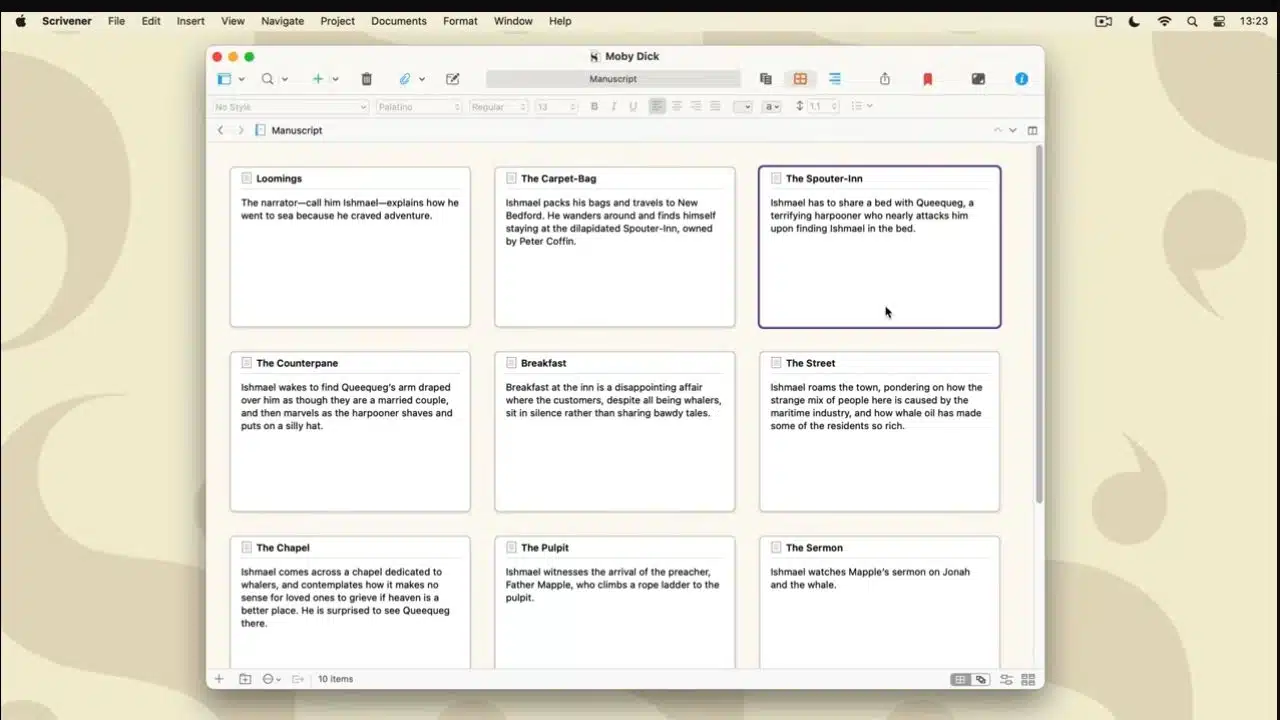
Scrivener is made for books, reports, scripts, and other projects that become awkward in one scrolling document. Research, outlines, notes, and draft sections can share one project. A Mac or Windows license costs $59.99, with each platform sold separately. The purchased major version remains usable while compatible with the operating system. Minor updates are included; later major releases and the iOS edition may require another purchase.
8. Microsoft Office Home & Business 2024
Office Home & Business 2024 earns its place through compatibility, not low cost. The $249.99 US license covers one PC or Mac and includes Word, Excel, PowerPoint, Outlook, and OneNote. Businesses exchanging complicated Office files may save time by avoiding conversion problems.
The license excludes Microsoft 365 services and the next major Office release. Periodic internet access is required for activation and updates; support ends in October 2029. The sales page still mentions Windows 10, although support for that operating system ended in October 2025. New installations should use supported Windows or macOS versions.
9. Joplin
Joplin gives users more control than UpNote and is fully open source, although setup takes more effort. Notes stay local, while synchronization can use Joplin Cloud, Dropbox, OneDrive, or another compatible service.
End-to-end encryption is available but not automatic. Enable it on one device, finish the first synchronization, and then configure the others. The encryption password cannot be recovered, so save it securely before expanding the setup.
10. Zotero
Zotero is the clearest choice for researchers, students, analysts, and writers managing sources. It collects references, organizes PDFs, builds bibliographies, and connects with Word, LibreOffice, and Google Docs.
Bibliographic data synchronization is free and unlimited. The 300MB allowance applies to hosted attachments, not citation records. Larger storage plans are optional, and WebDAV can handle personal-library attachments. Never place Zotero’s live data directory in a general cloud-sync folder; doing so can corrupt the database.
11. Alfred 5 Powerpack
Alfred’s paid features are worthwhile when a Mac user will build workflows, use clipboard history, expand text, or automate file actions. The current-version Powerpack costs £34; the £59 Mega Supporter option includes lifetime upgrades. A personal license covers one user on up to two owned Macs. Organizations should check the business terms. Anyone needing only faster app search can remain on the free edition.
12. KeePassXC
KeePassXC is not a conventional planner, but it can remove a password-manager subscription and reduce time lost to resets. It stores credentials in a local encrypted KDBX database on Windows, macOS, or Linux.
There is no official mobile app or hosted sync service. Users must arrange compatible mobile access, synchronize the database, and maintain backups themselves. Losing the only database file—or forgetting its master password—can make the stored credentials permanently inaccessible.
Final Thoughts
Replace one stable workflow first, not an entire software stack over a weekend. Test LibreOffice with actual client documents. For notes, compare Obsidian’s portable files, UpNote’s simplicity, and Joplin’s open-source control. Task-focused users can then consider Super Productivity or Things.
The best productivity apps without a subscription leave both the workflow and the data usable. Export a sample, open it elsewhere, test every necessary device, and read the upgrade terms before paying. Durable software starts with accessible files and sensible backups—not the word “lifetime” beside a checkout button.
Frequently Asked Questions
Does a lifetime license include every future version?
Usually not. Many perpetual licenses cover the current major version and its minor updates. A later major release may be sold separately, so check the upgrade policy before buying.
Can a remote team eliminate every software subscription?
It can cost more time than it saves. Verify shared editing, permissions, version history, offboarding, and recovery first. Local-first tools are easiest to justify for individual work.
What should be tested before cancelling an existing plan?
Export several real documents or projects, including the most complicated one. Open them on every required platform, inspect formatting and attachments, test synchronization, and restore a backup before the old plan ends.