

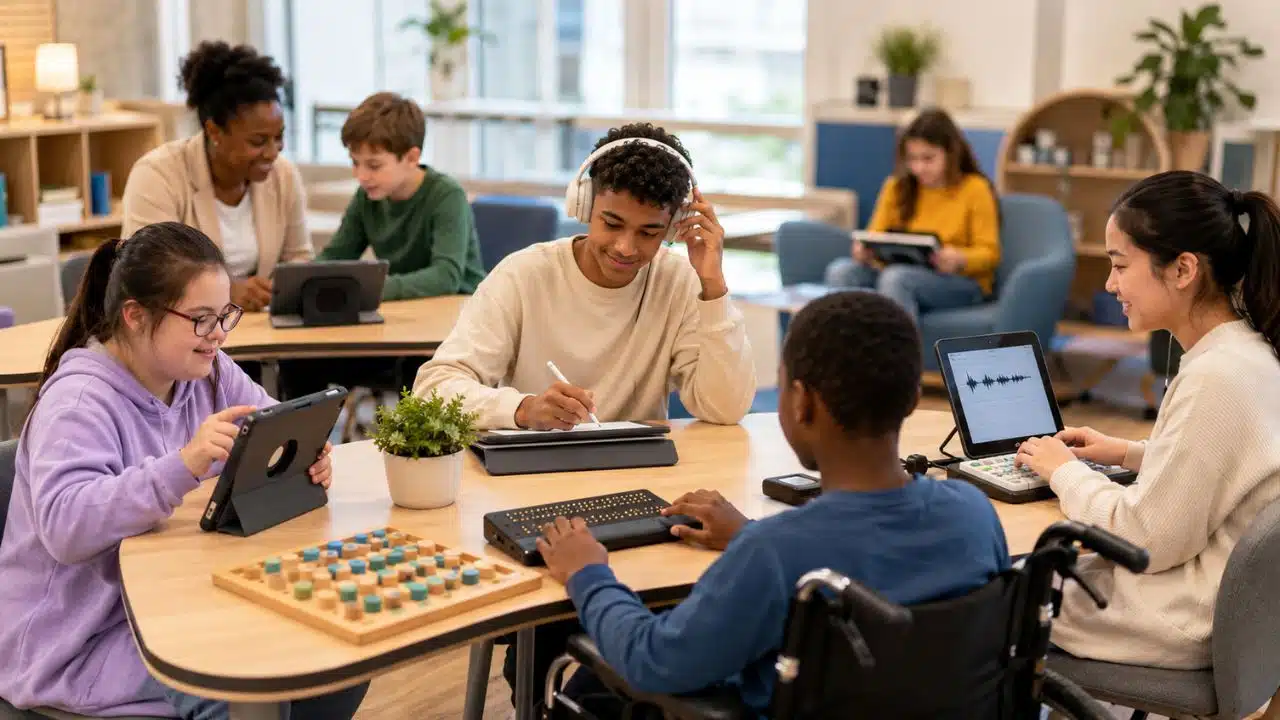
A student can understand a lesson and still be blocked by the way the lesson is delivered. Dense print may make reading unnecessarily difficult. Handwriting can limit how much a student is able to express. Spoken directions may be hard to retain. A standard keyboard, mouse, worksheet, or classroom discussion may simply be inaccessible to some learners.
Assistive technology for diverse learners addresses those barriers. It can give a student another way to read, write, communicate, organize work, navigate digital material, or participate in class.
The term sometimes brings expensive devices to mind, but useful assistive technology can be remarkably simple. A pencil grip, visual schedule, communication board, screen reader, speech-to-text tool, magnifier, adapted keyboard, or AAC system can all serve an assistive purpose in the right context.
The important question is not how advanced the technology is. It is whether the support helps a particular learner perform a meaningful task with better access and greater independence.
What Actually Counts as Assistive Technology?
There is no single global education-law definition, so context matters.
In the United States, the Individuals with Disabilities Education Act, or IDEA, defines an assistive technology device as an item, piece of equipment, or product system used to increase, maintain, or improve the functional capabilities of a child with a disability. IDEA separately defines assistive technology services, which can include evaluating needs, selecting or adapting equipment, maintaining devices, and training the student, family, or professionals who support the child. Surgically implanted medical devices are excluded from IDEA’s device definition.
That definition is intentionally broad. The U.S. Department of Education’s current assistive-technology guidance even uses a pencil grip as an example of a device that may be appropriate for a student.
In practice, school-based assistive technology may include:
- Low-tech supports: pencil grips, adapted scissors, visual schedules, printed communication boards, page holders, reading guides, and graphic organizers.
- Built-in digital accessibility: dictation, magnification, text-to-speech, screen readers, display adjustments, and alternative input controls.
- Specialized systems: refreshable braille displays, switch interfaces, adapted keyboards, eye-gaze systems, hearing-related technology, and speech-generating AAC devices.
A mainstream device can become part of an assistive setup when it is used deliberately to remove a learner-specific barrier.
For example, a Chromebook used for ordinary web browsing is classroom technology. The same Chromebook may serve an assistive function for a student relying on dictation or a screen reader to complete schoolwork.
Where Assistive Technology Can Remove a Classroom Barrier
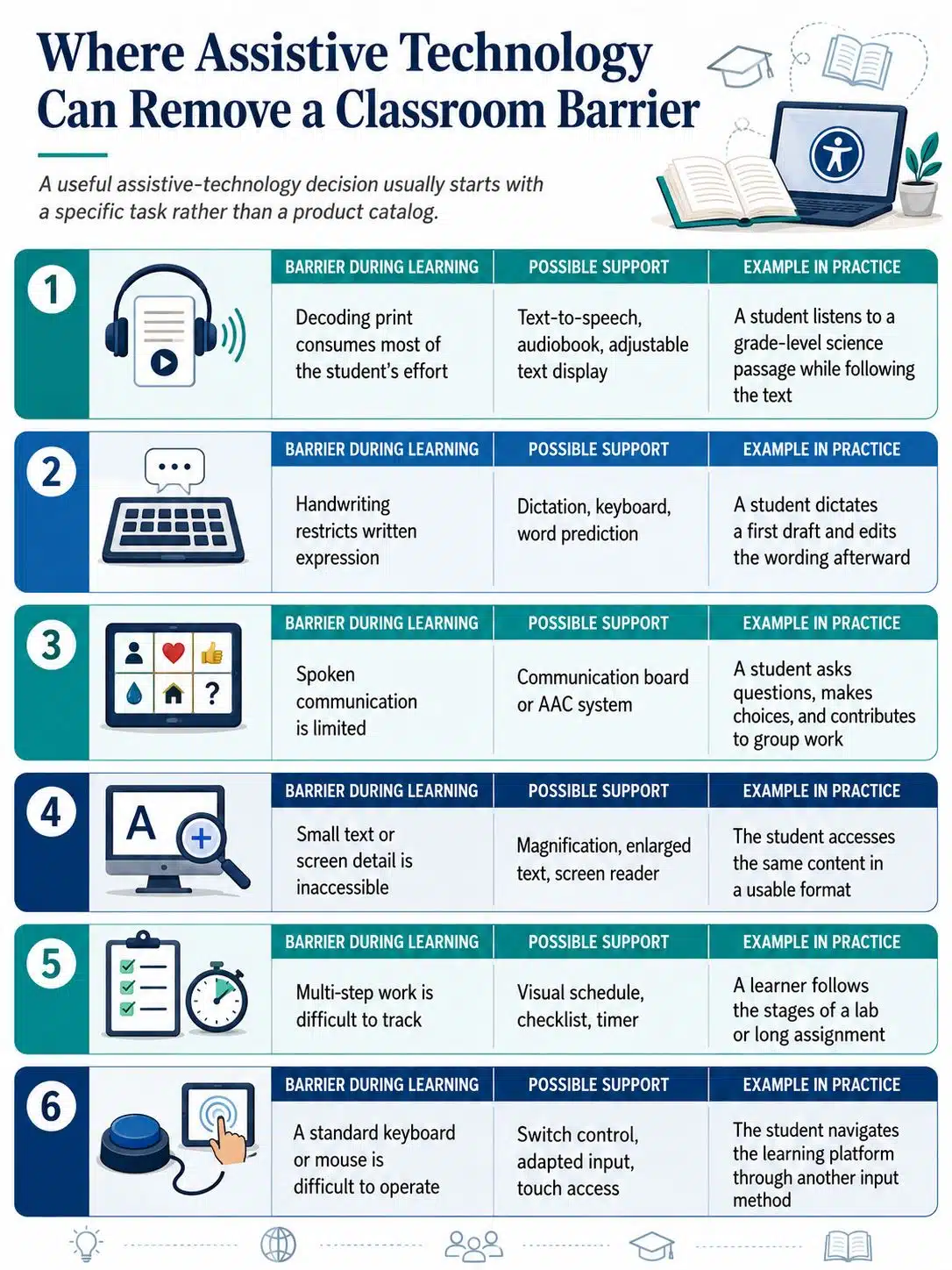
A useful assistive-technology decision usually starts with a specific task rather than a product catalog.
| Barrier During Learning | Possible Support | Example in Practice |
|---|---|---|
| Decoding print consumes most of the student’s effort | Text-to-speech, audiobook, adjustable text display | A student listens to a grade-level science passage while following the text |
| Handwriting restricts written expression | Dictation, keyboard, word prediction | A student dictates a first draft and edits the wording afterward |
| Spoken communication is limited | Communication board or AAC system | A student asks questions, makes choices, and contributes to group work |
| Small text or screen detail is inaccessible | Magnification, enlarged text, screen reader | The student accesses the same content in a usable format |
| Multi-step work is difficult to track | Visual schedule, checklist, timer | A learner follows the stages of a lab or long assignment |
| A standard keyboard or mouse is difficult to operate | Switch control, adapted input, touch access | The student navigates the learning platform through another input method |
The distinction between access and lowering expectations matters here.
If a student understands a history chapter but struggles to decode its printed form, audio access can reduce the reading barrier without changing the history being taught. Likewise, speech-to-text may allow a learner to demonstrate knowledge without making handwriting the unintended focus of an assignment.
That does not mean every support should be permitted in every assessment. Teachers still need to ask what the task is supposed to measure.
Reading Support Should Not Replace Reading Instruction
Text-to-speech, audiobooks, larger text, spacing controls, and simplified visual presentation can make curriculum material easier to access for some learners.
Current Chromebooks, for example, include accessibility options such as a screen reader, Select-to-speak, dictation, full-screen and docked magnification, an on-screen keyboard, and Switch Access. Google can change menus and features over time, so schools should confirm the current settings available on the devices they manage.
Microsoft’s Immersive Reader also provides reading-related tools across supported Microsoft products. Depending on the product and language, these can include Read Aloud, increased text spacing, adjustable text size, Line Focus, syllable support, themes, and translation. Microsoft specifically notes that not every Immersive Reader capability is available in every language or product.
These tools can support access, but they should not automatically replace instruction in skills a student is still learning.
A child who needs structured reading instruction still needs that teaching. Assistive technology can allow the learner to participate in science, literature, social studies, and other grade-level work while reading skills continue to develop.
The same principle applies to writing.
Speech-to-text may reduce the transcription burden for a student whose ideas outpace handwriting or keyboarding. Word prediction can reduce required keystrokes. Digital planning tools can help move ideas out of working memory and into a visible structure.
But the learning objective should guide the decision. Dictation may be perfectly reasonable when a student is explaining the water cycle. It may be inappropriate for part of an assessment designed specifically to measure spelling or independent transcription.
AAC Is Communication, Not Just a Classroom Tool
Augmentative and alternative communication, or AAC, covers multiple ways of supplementing or replacing spoken or written communication.
AAC can be unaided, such as gestures and signs, or aided through tools ranging from printed communication boards to tablets and dedicated speech-generating devices.
For students with complex communication needs, access to AAC should not be limited to a therapy session. The American Speech-Language-Hearing Association states that people who use AAC should have access to their communication tools or devices and recommends supporting communication across different environments and communication partners. In school settings, that may mean classrooms, hallways, lunch, play, group activities, and transitions as well as formal instruction.
That has an important practical consequence: buying an AAC device is only one part of the work.
Vocabulary needs to suit the learner. Teachers, family members, and other communication partners may need training. The system needs to be available, charged, maintained, and incorporated into ordinary interaction.
A sophisticated communication device that spends most of the day in a bag is not an effective communication system.
Vision, Hearing, and Physical Access Need More Than a Device
Students with low vision may use magnification, enlarged text, screen-reading software, or display adjustments. Blind learners may use screen readers, braille materials, or refreshable braille displays.
Students who are deaf or hard of hearing may depend on captions and other communication or hearing supports. Students with motor disabilities may use switches, touch access, keyguards, alternative keyboards, adapted pointing devices, or eye-gaze technology.
The difficulty often appears when assistive technology meets ordinary school content.
A screen reader cannot make every poorly constructed document accessible. Adobe’s accessibility guidance notes that a PDF consisting only of scanned images of text is inherently inaccessible to assistive software until the text is made machine-readable, such as through optical character recognition. Images and interactive elements also require appropriate accessibility information.
Captions create a similar problem. Automatic captions are useful as a starting point, but they should not be assumed to be accurate enough for accessibility. W3C’s Web Accessibility Initiative warns that automatically generated captions often require editing and verification because recognition errors can change the meaning of the content.
For a teacher, this means checking the actual material rather than merely checking whether a feature exists.
A video having a CC button does not guarantee good captions. A PDF opening successfully does not mean a screen reader can navigate it. A learning-management system working with a keyboard in one section does not guarantee that every quiz, popup, or embedded activity will behave the same way.
Simple Executive-Function Supports Are Often Underrated
Assistive technology is also useful when the barrier involves planning, working memory, task initiation, attention, or transitions.
A visual schedule can show what comes next without another adult reminder. A checklist can turn a large assignment into a sequence of manageable actions. A timer can make an open-ended work period more concrete. Calendar reminders or digital task systems may help older students manage deadlines across several subjects.
More features do not automatically make a better support.
A student who struggles with organization may find a complicated productivity platform with multiple folders, priorities, labels, notifications, and dashboards harder to manage than a five-item checklist.
For some students, the right technology is intentionally boring.
That is not a weakness. A support that disappears into the routine and lets the student continue working may be more useful than a more impressive system that requires constant adult troubleshooting.
Assistive Technology Works Better Alongside Accessible Teaching
Individual assistive technology should not become an excuse for leaving the rest of the classroom unnecessarily difficult to access.
Universal Design for Learning, or UDL, approaches the problem from the design side. CAST released UDL Guidelines 3.0 in 2024. The current framework organizes guidance around multiple means of engagement, representation, and action and expression, including a specific consideration on access to accessible materials and assistive and accessible technologies.
UDL and assistive technology overlap, but they are not interchangeable.
Providing accurate captions on class videos can improve access from the start. Offering material in accessible digital formats can reduce unnecessary barriers for many students. Giving learners more than one appropriate way to express understanding can also make a lesson more flexible.
Individual students may still need specialized technology.
A well-designed lesson will not eliminate a blind student’s need for a screen reader or braille. A flexible classroom does not make an AAC system unnecessary. Accessible teaching reduces preventable barriers; individualized technology addresses needs that remain.
Choosing Assistive Technology: Start With the Student and the Task
Schools can waste money when purchasing decisions begin with a device rather than a problem.
Before selecting a tool, identify what is happening during the actual task:
- What does the student need to do?
- Where does the task become inaccessible or unreasonably difficult?
- Is the barrier related to reading, communication, motor access, vision, hearing, memory, organization, or something else?
- Is an appropriate feature already available on the school’s existing hardware?
- Can the learner operate the support during a normal class?
- Does it work with the school’s documents and online platforms?
- Will access at home matter?
- Who will train the student and relevant adults?
- How will the team know whether the support has improved participation, independence, accuracy, or task completion?
The student’s own preference deserves weight. A system can look excellent during an adult-led demonstration and still fail during an ordinary school day because it is too slow, cumbersome, conspicuous, difficult to carry, or complicated to operate.
Trial use is therefore valuable.
For AAC specifically, ASHA recommends feature matching, trial periods, data collection, user and family involvement, and consideration of the environments in which the system must function. Those principles are also sensible when schools evaluate many other forms of assistive support.
In the United States, schools should also avoid assuming that IDEA always requires a separate formal AT evaluation before support can be provided. The Department of Education’s 2024 guidance states that an AT evaluation can be part of an AT service but is not required under IDEA in every case; the IEP team determines appropriate devices and services based on the child’s needs. Local procedures can still impose additional steps.
Why Good Assistive Technology Sometimes Goes Unused
Implementation is often less glamorous than purchasing, but it is where many problems appear.
A 2022 systematic review published in Educational Technology Research and Development examined 31 empirical studies published between 2009 and 2020. The review reported positive findings around inclusion and accessibility while also identifying barriers including teacher education, lack of information, and accessibility. Because the underlying studies stop at 2020, the review should be treated as evidence about recurring implementation issues rather than a verdict on every current product or platform.
Schools can reduce avoidable failure by watching for a few recurring problems.
A device may be provided without enough training. A support may be available in one lesson but absent everywhere else the learner encounters the same barrier. A student may become dependent on an adult because nobody has planned how prompts will gradually decrease.
Technology can also remain in a plan long after it stops fitting the student’s needs.
Students grow. Curriculum demands change. Software interfaces are redesigned. Physical, sensory, communication, and organizational needs may change as well.
A support should therefore be reviewed based on how it is functioning, not simply because it was approved previously.
Legal Responsibilities Vary by Country
Schools should be careful with broad claims about a student’s legal entitlement to particular technology because disability and education laws vary substantially across countries and jurisdictions.
In the United States, IDEA requires an IEP team to consider whether a child needs assistive technology devices and services whenever it develops, reviews, or revises the child’s IEP. When the team determines that AT is required for the child to receive a free appropriate public education, current Department of Education guidance states that the responsible local educational agency must provide and maintain the device and provide necessary AT services.
Families and schools elsewhere should check the relevant national and local education, disability, accessibility, and funding rules rather than assuming U.S. requirements apply.
Access also differs sharply between countries.
The World Health Organization currently estimates that more than 2.5 billion people worldwide need one or more assistive products, with projected need rising beyond 3.5 billion by 2050. WHO identifies affordability, availability, financing, workforce capacity, awareness, and service provision among the obstacles to access. The figure covers assistive products broadly, not only technology used by schoolchildren.
That final distinction matters. The global statistic shows the scale of assistive-product need; it should not be presented as a statistic about special education enrollment or classroom technology.
For schools working with limited budgets, built-in accessibility functions and carefully selected low-tech supports deserve attention before another software subscription or device is purchased. They will not replace specialized equipment when a learner needs it, but cost should not lead educators to overlook useful tools they already have.
Final Thoughts
Assistive technology for diverse learners works best when it solves a real access problem rather than adding technology for its own sake.
Sometimes the answer is specialized hardware. Sometimes it is AAC, dictation, a screen reader, or magnification. In other cases, the most useful support may be a printed visual schedule or an adapted pencil grip.
Good decisions start with the learner and the task. Check the actual barrier, try the support in the environment where it will be used, train the people who need to understand it, and pay attention to the student’s feedback. Then review the setup as learning demands change.
The strongest result is not a classroom filled with more technology. It is a learner who can participate, communicate, and show what they know without an avoidable barrier getting in the way.























