

A school can spend a great deal of money putting students inside virtual environments without improving a single lesson.
That is the problem with much of the discussion around immersive education. The technology is easy to demonstrate. The educational case takes more work.
The better uses of VR and AR in classrooms tend to solve fairly specific problems. Students can inspect a three-dimensional structure that is difficult to understand from a textbook diagram. They can enter a reconstruction of a place they cannot visit. They can rehearse a procedure before working with real equipment. They can change the scale of something—from a cell to a solar system—and examine relationships that are difficult to see on a flat screen.
None of those uses requires VR or AR to replace ordinary teaching. In many cases, the strongest lesson uses immersive technology for only one part of the period.
That distinction matters. UNESCO’s work on technology in education has repeatedly cautioned against assuming that a newer medium automatically produces better learning. Its 2023 Global Education Monitoring Report notes that augmented, mixed, and virtual reality can be useful for experiential practice, particularly in technical, vocational, and scientific subjects, while also warning that real-world training can still outperform simulated alternatives.
For a school considering immersive technology, that is a better starting point than asking which headset to buy.
VR and AR Create Very Different Classroom Conditions
Virtual reality generally places the learner inside a digital environment using a headset. Once the headset is on, much of the physical classroom disappears from view.
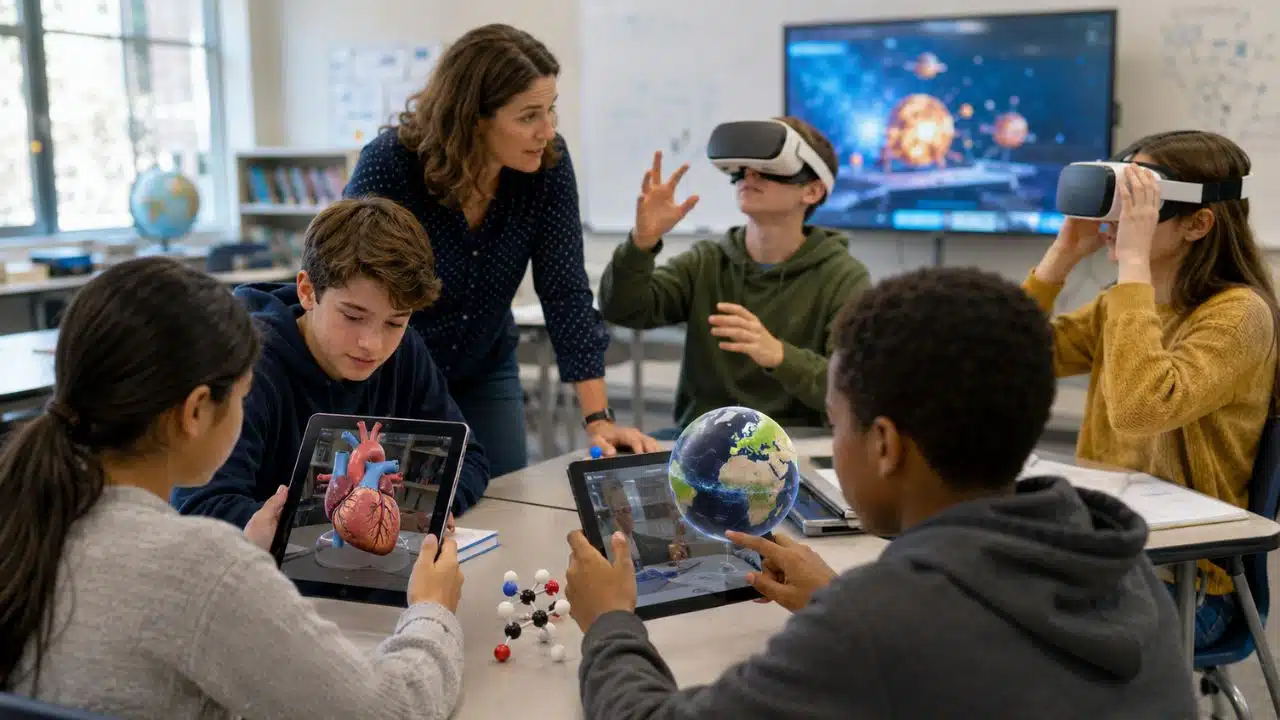
Augmented reality works differently. Students continue looking at the real room through a phone or tablet while digital objects appear within it. A three-dimensional heart might sit virtually on a desk. A model of the Earth could be enlarged, rotated, or placed beside another object for comparison.
Mixed reality occupies increasingly blurred territory between the two, particularly on headsets with passthrough cameras that let users see their surroundings while digital objects remain anchored in the room.
For teachers, the terminology is less important than the practical difference.
A student using tablet-based AR can look at a partner, check written instructions, make a sketch, and return to the model without removing equipment. A student inside full VR is more isolated from those ordinary classroom cues.
That partly explains why mobile AR has been prominent in K-12 research. A systematic review of 117 studies involving VR- and AR-supported K-12 STEM learning found smartphones and tablets were the most common devices used for AR. Science dominated the research, accounting for 77 of those studies.
For schools that already own compatible tablets, AR can therefore be a sensible place to experiment before introducing a fleet of headsets.
The Best Uses Make Something Difficult Easier to See
Some concepts are hard to teach because the object itself is inaccessible.
Human anatomy is an obvious example. A diagram can show the chambers of a heart, but students must mentally reconstruct how those structures sit in three dimensions. Similar problems appear with molecules, geological layers, mechanical assemblies, astronomical systems, fossils, and microscopic structures.
AR and interactive 3D models can reduce some of that mental work.
Consider a lesson on circulation. Simply allowing students to spin a virtual heart is unlikely to accomplish much. A stronger task asks them to trace blood through specific chambers, identify valves, compare structures, or explain why the orientation matters. The model becomes evidence they have to work with rather than something impressive to look at.
Current classroom platforms illustrate the range of possible interactions. Merge EDU, for example, provides a conventional on-screen 3D mode, a Cube Mode that uses a camera and Merge Cube, and a World Mode that can place objects on surfaces in the physical environment.
Those features also show why schools should never treat “compatible” as a simple yes-or-no label. Merge’s current documentation says Windows devices support its 3D and Cube modes but not World Mode. Chromebook support also differs from iOS support, and camera-based modes require the relevant device permissions.
For an EdTech coordinator, that detail is more important than a polished product demonstration. Test the exact devices students will use.
Virtual Field Trips Are Useful When the Real Trip Is Not an Option
Virtual field trips are probably the most familiar classroom VR example, and they are also easy to misuse.
Replacing a realistic, affordable visit to a local museum with headsets does not automatically improve the experience. Students lose the physical place, the people, the unexpected observations, and much of the social experience of a real trip.
VR becomes more interesting when reality cannot provide the same opportunity.
Students cannot walk through an ancient city as it existed 2,000 years ago. They cannot take a class trip to the surface of Mars. A school in one country may have no realistic way to bring students to a distant archaeological site, coral reef, glacier, or major museum collection.
The virtual environment then solves an access problem.
The lesson still needs more than exploration. A history teacher might ask students to compare the placement of public and private buildings in a reconstructed settlement. Geography students could identify evidence of erosion or land use. An archaeology activity could ask students which parts of a reconstruction are supported by evidence and which depend on interpretation.
Without a task like that, a virtual field trip can quickly become a short-lived novelty.
Simulation Makes the Strongest Case When Mistakes Are Expensive or Risky
Practice is another area where VR has a credible role.
Immersive simulations can let learners repeat procedures without consuming physical materials, occupying scarce equipment, or immediately exposing themselves to a real hazard. Research reviews of immersive procedural training have reported promising learning outcomes, although study designs and results vary enough that schools should avoid assuming the same benefit will appear in every subject.
This is especially relevant to career and technical education, laboratory preparation, equipment familiarization, and safety instruction.
Imagine students who will eventually operate a real piece of equipment. A simulation could help them learn the sequence of controls and identify common mistakes before entering the workshop. What it cannot reproduce perfectly is the physical resistance of a tool, the weight of equipment, the smell or sound of a problem developing, or the need to coordinate around real people and objects.
That makes VR particularly useful as preparation.
For many practical subjects, replacing the real task entirely would be a weaker choice.
Spatial Learning Is Where Immersion Can Earn Its Complexity
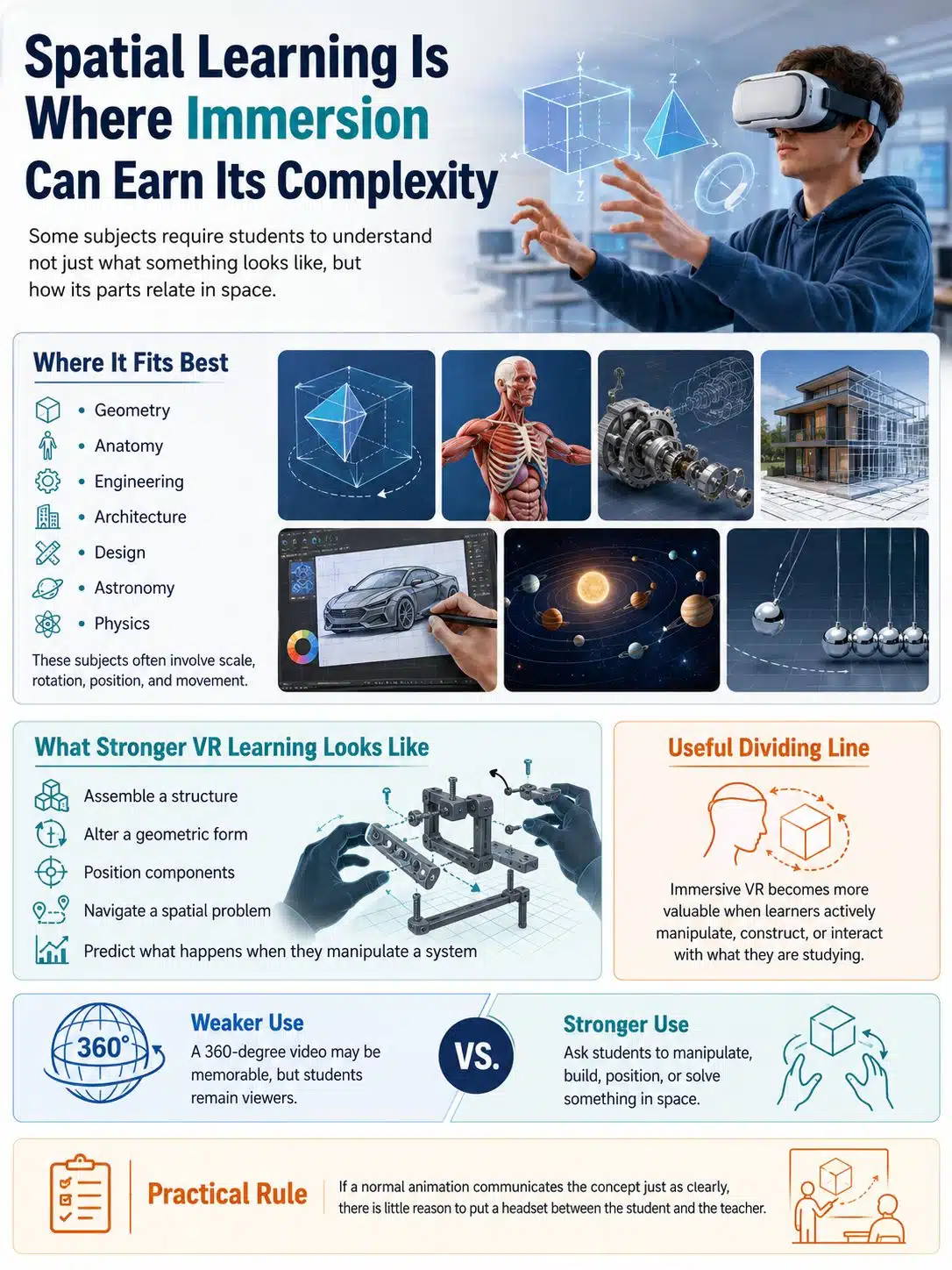
Some subjects require students to understand not just what something looks like, but how its parts relate in space.
Geometry, anatomy, engineering, architecture, design, astronomy, and parts of physics all contain problems of scale, rotation, position, and movement.
Research comparing immersive VR with other instructional media suggests that its educational case becomes stronger when learners actively manipulate, construct, or interact with what they are studying.
That is a useful dividing line.
A 360-degree video may be memorable, but students remain viewers. Asking them to assemble a structure, alter a geometric form, position components, navigate a spatial problem, or predict what happens when they manipulate a system makes better use of the medium.
If a normal animation communicates the concept just as clearly, there is little reason to put a headset between the student and the teacher.
Do Not Overlook Student Creation
Schools often focus on professionally produced VR experiences: a historical location, a science simulation, a virtual laboratory.
Creation can be more educationally interesting.
Students can build simple 3D objects, annotate models, arrange virtual exhibitions, create spatial explanations, or design environments around a curriculum task. Merge Creator, for instance, currently allows users to upload objects and add multimedia labels, although available functions can differ by device.
A history class could create a small exhibition and justify why each artifact belongs. Science students might annotate a model and explain relationships between its parts. Design students could inspect the scale and arrangement of a prototype before producing a physical version.
These activities give teachers something far more useful to assess than whether students enjoyed wearing a headset.
The decisions students make become visible.
When AR Is Enough—and When VR Adds Something
Schools do not need the most immersive option available.
Use AR when students need digital objects but should remain connected to the physical classroom. It works particularly well when learners need to discuss what they see, consult notes, use laboratory materials, or share a device.
VR becomes easier to justify when the surrounding environment is itself important: entering another location, rehearsing a procedure, experiencing scale, or solving a spatial problem that benefits from a strong sense of presence.
There is also a practical budget question even before price enters the discussion. Tablets may already have other uses across the school day. A dedicated VR headset may spend most of its time waiting for the small number of lessons that genuinely benefit from it.
That does not make a headset fleet wasteful. It means curriculum leaders should be able to identify enough valuable uses to justify the equipment, management, training, and support around it.
Build the Lesson Before You Choose the Technology
The weakest starting point is often a vendor demonstration followed by the question, “Where could we use this?”
Start with the curriculum problem instead.
Perhaps students repeatedly struggle to visualize a three-dimensional structure. A field experience is inaccessible. The school owns too few pieces of expensive equipment for everyone to practise. A process happens at a scale students cannot observe. A real procedure requires preparation before beginners can attempt it safely.
Those are problems worth investigating.
Once a school has identified one, the next question is whether VR or AR provides enough additional value to justify the setup.
An immersive lesson also needs a before and after.
Students should know what they are looking for before the headset goes on or the AR model appears. During the activity, they need a manageable task rather than unlimited exploration. Afterwards, they should do something with what they encountered—write an explanation, compare observations, calculate a result, draw a model, debate an interpretation, or apply the idea to another problem.
A recent systematic review of immersive VR in K-6 education found encouraging evidence around knowledge acquisition and transfer while also pointing to the value of scaffolding, reflection, teacher debriefing, and peer feedback. The evidence base remains too small and varied to justify sweeping claims that VR is superior to conventional primary teaching.
What it does support is careful lesson design.
Six Headsets May Teach You More Than Sixty
A large hardware purchase should rarely be the first experiment.
A small device pool can reveal problems that do not appear in a demonstration. Students can rotate through an immersive station while classmates complete connected work. Teachers get a chance to see how long transitions actually take, where students need help, and whether the experience produces worthwhile learning.
The mundane issues matter.
Headsets must be charged. Applications update. Devices need storage and inventory procedures. Camera permissions may be required for AR. Students have to learn controls. A teacher needs to see what is happening when a learner says, “It’s not working.” Wi-Fi that performs perfectly with three devices may behave differently with a class.
Administrators also need a practical way to deploy and manage content.
Meta made Meta for Education generally available in February 2025, using Meta Horizon managed services to administer Quest devices and educational applications. Meta’s original education-product announcement said the planned offering would launch in supported markets for institutions serving learners aged 13 and older.
Schools should still verify current regional availability, supported hardware, account requirements, age eligibility, licensing, and terms before purchasing. Those details can change more quickly than a district replacement cycle.
Accessibility Needs a Plan Before the First Lesson
A VR activity should never depend on every student being able to tolerate the same headset experience.
Research on head-mounted VR use among children is not strong enough to justify sweeping safety claims. A 2024 systematic review covering children under 14 found limited evidence about harms from short, supervised exposure. Some studies reported mild cybersickness, while the reviewers also highlighted inconsistent safety reporting and the lack of good evidence about repeated exposure.
For schools, the practical response is straightforward: follow current manufacturer guidance, supervise use, allow students to stop when they feel uncomfortable, and provide another route to the same learning objective.
Comfort is only one issue.
Students may encounter difficulties related to vision, vestibular sensitivity, sensory needs, mobility, headset fit, or glasses. Some students may simply be unable to use a particular immersive setup effectively.
The alternative activity should not be busywork. If one student explores a virtual model while another receives a worksheet covering a weaker version of the lesson, the accessibility plan has failed.
Both routes should aim at the same learning outcome.
What to Check Before Spending Money
The procurement conversation should go well beyond resolution, processor speed, or the size of a content library.
Curriculum and technology teams need answers to less glamorous questions:
- What learning problem will this system solve?
- Which exact devices support the features teachers need?
- What permissions do the applications request?
- How are student accounts created and managed?
- What student, camera, audio, analytics, or spatial data may be collected?
- How are data retention and deletion handled?
- Can apps and settings be deployed centrally?
- What continues to work when internet connectivity is poor?
- What is the non-headset alternative?
- Who charges, stores, cleans, updates, and inventories the equipment?
- Which recurring licenses or management services are required after the hardware has been bought?
Privacy review deserves particular attention with AR and mixed reality because cameras and spatial sensing can be central to how an application functions. Schools need to assess the individual platform and application rather than assuming all immersive tools collect the same information.
And whenever possible, run the software on the school’s actual device fleet before signing a large contract.
A feature list is not a classroom test.
Do Not Measure Success by How Excited Students Look
A new headset has an obvious novelty advantage.
Students may be unusually attentive during their first immersive lesson because the equipment is unfamiliar. That is useful feedback about engagement. It tells a school very little about whether students learned more.
A pilot needs a learning measure tied to the reason the technology was introduced.
If students were supposed to understand a spatial relationship, can they explain it without the headset afterwards? If they rehearsed a procedure, are they more accurate when applying the steps elsewhere? Did a persistent misconception disappear? Can students transfer what they learned to a new problem?
Research on VR in P-12 education contains encouraging findings around engagement, interaction, skill development, and immersive learning. It also contains an important warning: instructional design is not always well specified in the studies themselves.
Schools should take that warning seriously.
An impressive environment cannot rescue an unclear lesson.
Some Lessons Are Better Without Immersion
One of the most useful decisions an EdTech team can make is deciding not to use VR.
If a two-minute animation explains the concept well, use it. If students can safely handle the real object, give them the real object. If the lesson requires extended reading, writing, group debate, or constant interaction with a teacher, a headset may create more friction than value.
The same applies when staff support is thin. A lesson that theoretically offers excellent immersion but regularly loses 15 minutes to charging, accounts, tracking, permissions, or troubleshooting has a real educational cost.
Immersive technology should have to earn its classroom time.
That is a healthier standard than asking how many subjects can be pushed into VR simply because the devices have already been purchased.
Final Thoughts
The strongest case for VR and AR in classrooms is not that schools are moving toward a virtual future. It is much more practical.
These tools can make certain things easier to inspect, safer to practise, or possible to experience at all. That is enough.
A school considering immersive technology should begin with one stubborn curriculum problem, not a shopping list. Choose the simplest technology that genuinely improves that lesson. Test it with a manageable number of students. Provide an equivalent accessible route. Then look at what students can understand or do afterwards that they could not do as well before.
If the answer is clear, the technology has probably earned a place in the classroom.
If the strongest evidence is that students thought the headset was cool, keep experimenting before buying more.






















