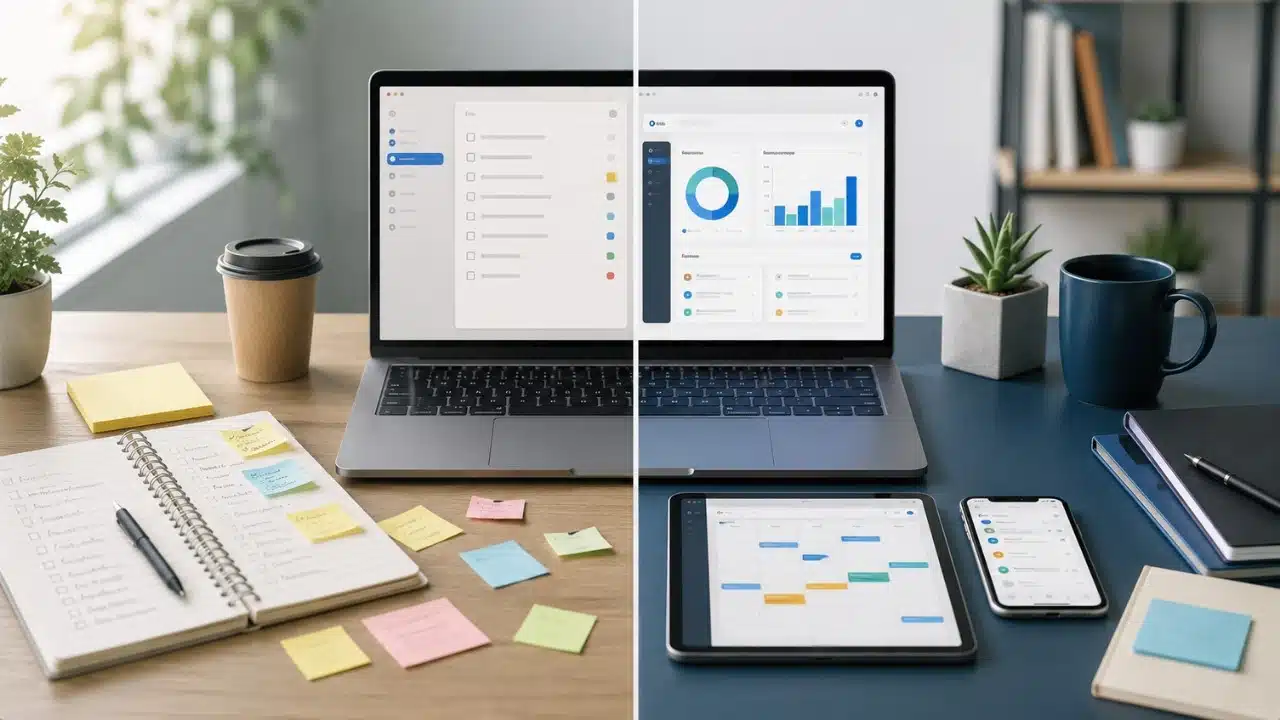
Software costs are rarely measured by the subscription line item on a credit card statement. A free tool that forces you into manual workarounds, multi-step exports, or unlinked data copy-pasting costs significantly more in wasted time than a $10 monthly subscription. On the flip side, paying for a premium tier just to unlock custom app icons or extra color themes is pure waste.
To figure out whether to pay or stay free, you have to look at hard operational trade-offs: API access rates, data export limits, permission controls, and cross-device sync reliability.
The True Cost of Free Software: Friction, Limits, and Data Locks
Free productivity apps split into three distinct categories: hardware-subsidized utilities, self-hosted open-source tools, and commercial freemium SaaS. Apple Notes and native calendar tools cost nothing because hardware sales fund their development. Open-source platforms like Joplin or Obsidian rely on community support, shifting technical maintenance onto you in exchange for privacy.
Commercial freemium tools play a different game. The free plan is a hook. The vendor wants you to move your daily notes, tasks, and project databases into their cloud until migration feels impossible. Once your data is trapped, they drop artificial paywalls right where your workflow hurts most.
1. API Rate Limits and Throttled Webhooks
Freemium software routinely blocks programmatic data flow. Free tiers restrict webhook execution or cap REST API calls to a few hundred requests per month. If your workflow depends on moving new lead entries from a web form directly into a task manager, a free tier breaks the chain. Paid tiers grant high-frequency polling, dedicated execution queues, and unlimited webhook triggers.
2. Storage Volume and Database Block Caps
Unpaid plans restrict file attachment limits and database storage quotas. Block-based workspaces like Notion or Coda restrict free accounts once a workspace reaches 1,000 blocks or rows. Hit that ceiling during a product launch, and the app revokes write permissions or locks document creation mid-project.
3. Proprietary File Formats and Data Portability Barriers
Data lock-in is a silent tax on free accounts. Importing Markdown or PDF files into a platform takes seconds, but pulling data back out is intentionally hindered. Free plans often restrict exports to single HTML files or unformatted plain text, stripping out database relations, tags, and file attachments. Paid tiers unlock full CSV dumps, automated cloud backups, and raw asset archiving.
4. Privacy Trade-Offs and Telemetry Logging
When a commercial vendor provides cloud sync without a subscription fee, user telemetry funds the server infrastructure. Unpaid tiers frequently log user interaction metrics, track browser activity, or analyze aggregate usage patterns to train internal machine learning models.
Comparative Breakdown: Free vs Paid Productivity Apps
| Operational Dimension | Free Tier / Open-Source Utility | Paid Subscription / Premium Tier |
| Workflow Automation | Manual data entry, native triggers only, delayed polling intervals | Unrestricted API access, instant webhook triggers, multi-step automated sequences |
| Team Collaboration | Read-only public links, basic commenting, capped guest invites | Granular role-based access, real-time multi-user editing, custom team permissions |
| Version History & Recovery | 7-day revision logs or no automated file restoration | Unlimited revision history, audit logs, point-in-time database rollbacks |
| Security & Compliance | Standard TLS encryption, basic two-factor authentication | Single Sign-On (SSO via SAML/Okta), SOC 2 Type II compliance, custom data retention policies |
| Support SLAs | Public community forums, self-service docs, low-priority email queues | Guaranteed response times, dedicated account managers, priority ticketing channels |
When Free Software Is the Superior Choice
Upgrading to a paid subscription makes no sense if your daily tasks don’t depend on external tools, team permissions, or automated data pipelines.
Personal Knowledge Management and Local-First Writing
If you write solo notes, track personal daily tasks, or keep reference docs on a single machine, local-first tools work better than paid cloud apps. Storing plain Markdown files on local drives keeps your notes fast, private, and readable forty years from now without a login prompt. Local-first tools like Obsidian, Apple Reminders, or Joplin eliminate subscription costs entirely.
Standard Document Creation and Spreadsheet Analysis
Basic text documents, personal budget sheets, and presentation decks rarely justify paid software. Web-based suites like Google Docs or web-based Office applications handle real-time collaboration, basic revision history, and cloud backups without monthly fees.
Testing Organizational Frameworks Before Committing Capital
When trying out GTD, Kanban, or time-blocking, run the system on index cards or simple free lists first. Buying an expensive project management tool before you establish the habit means paying for a software subscription you will abandon in three weeks.
Evaluating the ROI of Paid Upgrades
Paying for software becomes a logical operational decision when a subscription eliminates repetitive manual labor or meets strict compliance rules.
1. The Financial Math of Automation
Calculating software return on investment requires weighing subscription fees against the monetary value of saved time.
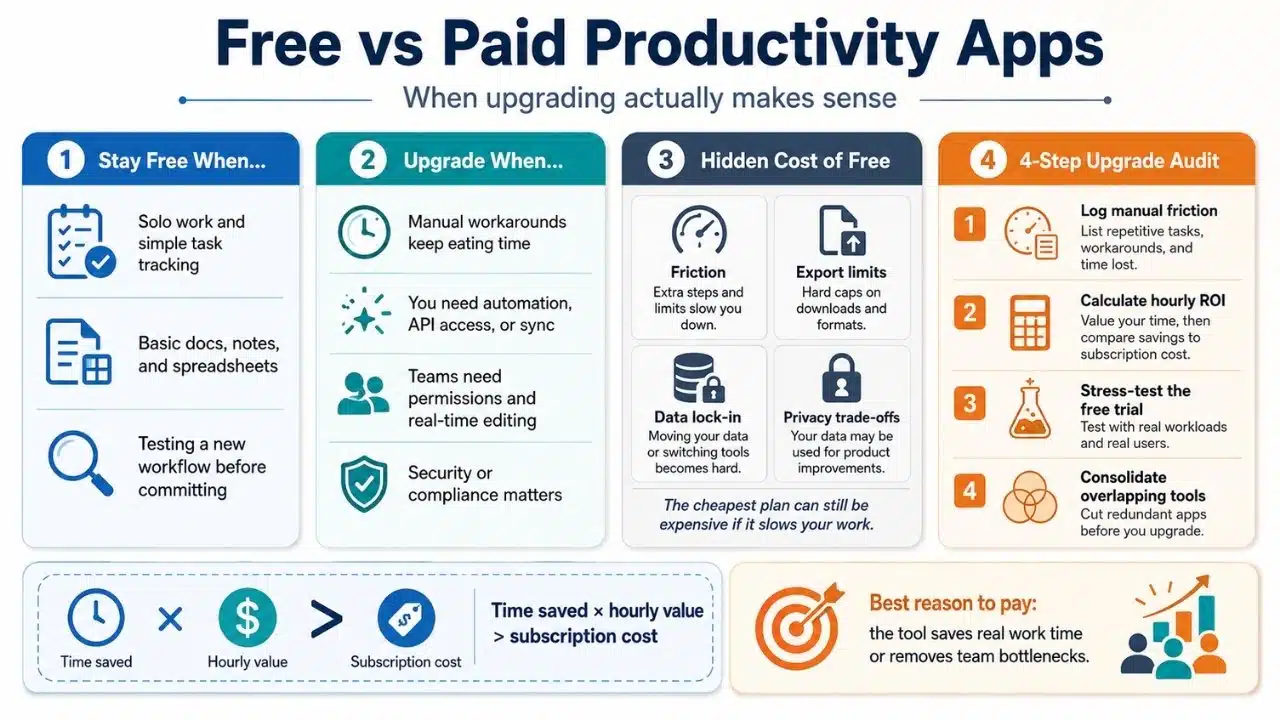
Monthly Time Saved (Hours) × Hourly Billing Rate > Monthly Subscription Cost
If a $15 per month task management subscription provides automated task creation, email parsing, and calendar syncing that saves two hours of manual effort each week, the software pays for itself within the first few days of the month.
2. Enterprise Security, SSO, and Audit Compliance
Security requirements force upgrades once you hire employees or handle client data:
-
Single Sign-On (SSO): Centralizing authentication through identity providers like Okta, Azure AD, or Google Workspace ensures instant access revocation when an employee leaves.
-
Automated User Provisioning (SCIM): Automatically creating and deprovisioning user accounts across large team directories reduces administrative overhead.
-
Granular Access Control: Restricting export capabilities, database editing privileges, and external sharing prevents unauthorized data distribution.
-
Regulatory Sign-Offs: Businesses handling regulated financial or healthcare records require vendor sign-offs, encrypted storage protocols, and SOC 2 Type II audit compliance.
3. Multi-User Concurrency and Real-Time Sync Engines
Free tools handle basic file sharing, but struggle when multiple team members edit complex databases simultaneously. Paid subscription tiers fund dedicated real-time sync infrastructure, preventing record overwrites, version conflicts, and database locking errors during high-volume team collaboration.
A 4-Step Audit System Before Buying Software
Avoid subscription bloat by testing prospective software tools against a structured four-step audit before entering credit card details.
Step 1: Track the Manual Friction Log
For one work week, record every instance where a free app forces a manual workaround. Note every time you manually transfer form entries across unlinked systems or reformat broken export files due to software limits. If workarounds exceed 15 minutes a day, an upgrade is justified.
Step 2: Calculate Net Hourly Time Savings
Take the annual cost of the software plan and divide it by your hourly billing rate or internal labor cost to determine the required time savings. If a $120 annual subscription requires saving only two hours of work across the entire year to break even, the purchase is financially sound.
Step 3: Execute Stress-Test Free Trials
Never activate a 14-day premium trial on the day you register an account. Instead, use the free tier until you build a real project workload. Once you encounter genuine software constraints, launch the trial and immediately configure its advanced automation, API connectors, and permission controls under actual working conditions.
Step 4: Audit Software Overlap and Consolidate Stacks
Every quarter, review active software subscriptions and assigned team seats. Search for feature overlap across your software stack. If an all-in-one workspace like Notion, ClickUp, or Microsoft 365 can absorb the functions of separate point solutions, consolidate tools to cut redundant subscription costs.
Free vs Paid Productivity Apps: Making the Software Call
Selecting between free and paid productivity apps requires matching software capabilities to your operational scale. Free software handles personal organization, basic document editing, and initial workflow testing without recurring costs. Upgrading to paid subscriptions becomes necessary when automation saves billable hours, secures sensitive client data, or removes administrative bottlenecks across expanding teams.
If you operate as a solo worker and your workflow runs smoothly without automated API integrations, stay on free or local-first software. Upgrading prematurely adds monthly subscription overhead without making you more productive.
Pay for software only when manual workarounds eat into billable hours, or when team security policies require single sign-on and audit controls. A paid tool should either remove a concrete operational bottleneck or generate an immediate return in saved time.
Frequently Asked Questions(FAQs) on Free vs Paid Productivity Apps
Is annual software billing better than monthly subscriptions?
Annual billing offers a 15% to 30% discount compared to monthly rates. However, commit to annual plans only after using a tool consistently for at least two months on a monthly tier to confirm it integrates permanently into your daily workflow.
Can free open-source apps match paid commercial software?
For individual users who want privacy, offline storage, and raw control, open-source tools like Obsidian, Bitwarden, and Joplin match paid software. What they lack is out-of-the-box user provisioning, centralized admin dashboards, and dedicated enterprise support teams.
How do active-user billing models protect software budgets?
Modern SaaS platforms like Slack and Figma use active-user billing, automatically detecting inactive accounts and converting paid seats to free tiers. When evaluating paid tools, select vendors offering active-user billing to avoid paying for dormant employee accounts.