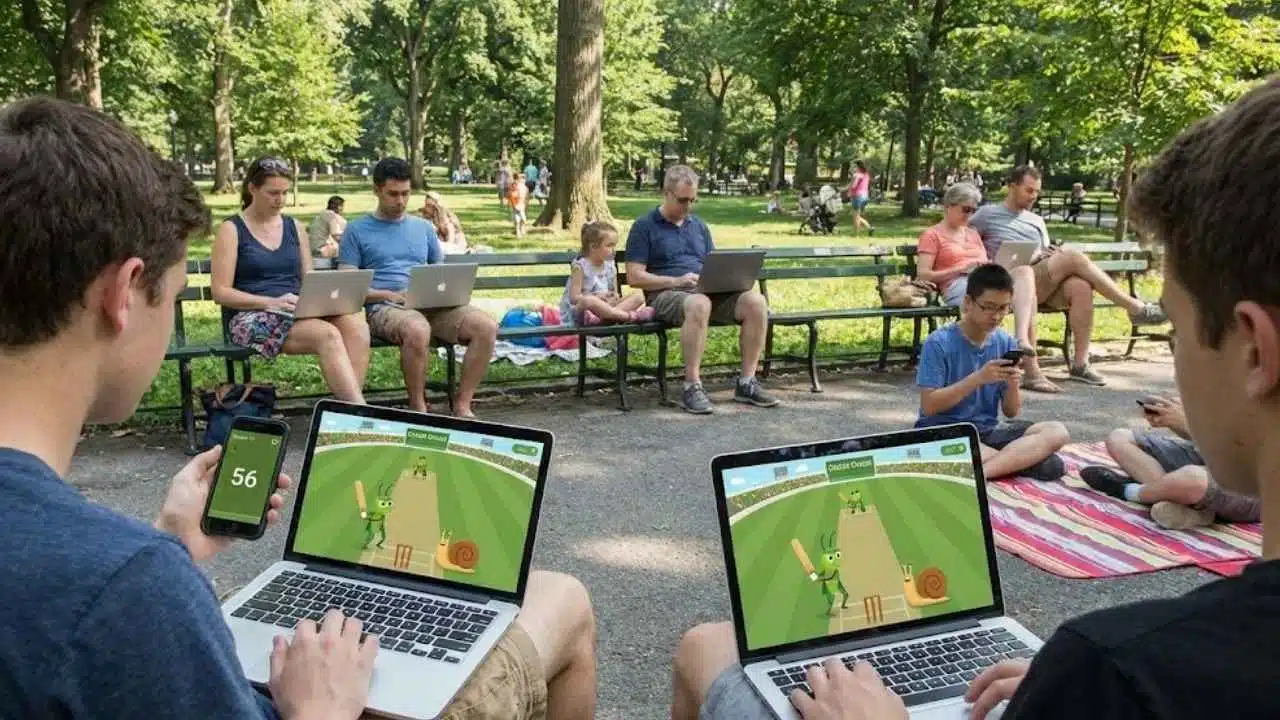
Looking for a quick game to play during your break time? Cricket Google Doodle games offer a fun way to spend a few minutes when you need a mental break. These cute games let you bat against snails while playing as a cricket team.
Many people don’t know about these hidden gems that Google created.
The Cricket Google Doodle game first came out in 2017 to mark the ICC Champions Trophy cricket tournament. It quickly became popular with millions of players around the world. The simple controls make it easy to learn but hard to master.
In this guide, we’ll show you how to find and play Cricket Google Doodle games. We’ll share tips for scoring high and explain all the fun features that make this game so addictive.
Get ready for some insect cricket action!
Key Takeaways
- Cricket Google Doodle first launched in 2017 during the ICC Champions Trophy tournament.
- The game lets you play as cricket insects batting against a team of snails.
- Simple controls make it easy to learn – just click or tap at the right time to hit the ball.
- Timing is the key to scoring high in this game. Watch the ball closely as it moves toward your batter.
- Google has created many other doodle games including Pac-Man, Halloween Games, and Olympic-themed games.
What is the Cricket Google Doodle Game?
Cricket Google Doodle is a fun online game released in 2017 to celebrate the ICC Champions Trophy cricket tournament. In this game, you play as a cricket insect batting against a team of snails.
The game looks simple but quickly becomes addictive as you try to hit sixes and score as many runs as possible. Google created this interactive doodle to honor the final four teams in the Women’s Cricket World Cup, bringing the sport to life in a playful way.
The game puts you in control of a cricket squad facing off against slow but skilled snail opponents. Despite its cartoon style and cute insect characters, the game offers real cricket action where timing and skill matter.
Many players find themselves hooked on trying to beat their high scores in this charming sports simulator that has grown into a global gaming hit.
How to Play Cricket Google Doodle
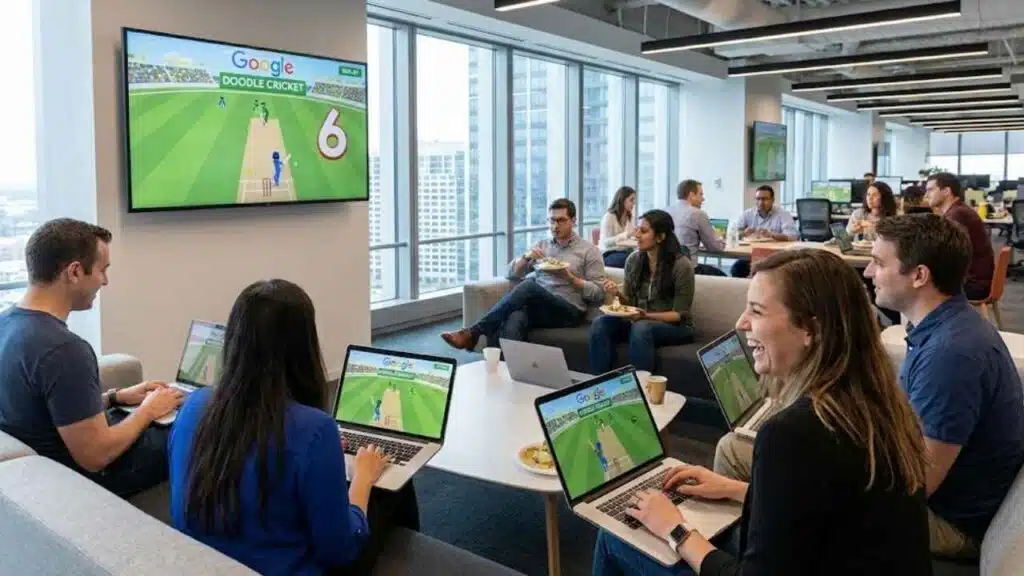
Playing Cricket Google Doodle is easy and fun for all ages. You’ll learn how to swing your bat, time your hits, and rack up runs against the snail bowler in this cute insect-themed game.
How do I start the Cricket Google Doodle game?
Starting the Cricket Google Doodle game is quick and easy. You can find this fun game by going to Google’s homepage when they feature the Cricket Doodle, or search for “Cricket Google Doodle” online.
The game was first released in 2017 during the ICC Champions Trophy cricket tournament. Once you click on the doodle, you’ll enter a cricket match between crickets and snails. The game puts you in control of a cricket squad, letting you be the batter who tries to score as many runs as possible against the slow but skilled snail team.
The controls are simple enough for anyone to pick up. You just need to click or tap at the right time to hit the ball. This cricket simulator might look basic, but many players find it gets addictive fast.
The animated insect characters add charm to this interactive sports game. Google created this doodle as a new and fun way for people around the world to enjoy cricket, even if they’ve never played the real sport before.
When should I time my hits in the game?
Timing is key in Cricket Google Doodle! You need to hit the ball at just the right moment to score runs. The snail bowlers throw at different speeds, so watch the ball closely as it moves toward your batter.
Press the bat button when the ball reaches your cricket player for the best hit. Perfect timing lets you smash sixes and rack up a high score in this fun 2017 game. Bad timing might result in a miss or an easy catch for the fielders.
The game gets more challenging as you play longer, with the snails throwing trickier balls to test your skills.
How can I aim for high scores in Cricket Google Doodle?
Getting high scores in Cricket Google Doodle needs good timing and focus. Hit the ball when it’s right in front of your bat for the best results. The game may look simple, but it gets harder as you play longer.
Try to watch the ball closely and swing at just the right moment to score those big sixes. Many players find that short, quick taps work better than long swings.
Practice helps you get better at this fun cricket game between insects and snails. The 2017 Google Doodle game lets you control cricket players against skilled snail teams. Your goal is to hit as many runs as you can without getting out.
Keep an eye on how the ball moves, and soon you’ll be racking up points like a pro in this interactive sports doodle.
Features of Cricket Google Doodle
The Cricket Google Doodle packs cute insect players, simple controls, and colorful graphics that make batting fun for players of all ages – keep reading to discover how these features create an addictive gaming experience!
Animated insect characters
Cricket Google Doodle brings a fun twist with its cute bug players. The game stars crickets as your team and snails as your rivals. These small insects have big personalities on screen! The crickets move fast and swing their bats with style.
Snails act as bowlers who are slow but tricky. Google made this game in 2017 for the ICC Champions Trophy, and fans loved these tiny athletes right away. Each character shows clear emotions when you hit a six or miss a ball.
The insect teams add charm to this simple game. Crickets wear tiny helmets while they bat, and snails spin the ball with surprising skill. These animated bugs help make cricket fun for people who might not know the sport well.
Players control a cricket squad against the snail team in matches that are quick to learn but hard to master. The cartoon style makes the game feel playful and less serious than real cricket, which helps new players enjoy it more.
Simple and fun gameplay
Doodle Cricket keeps things simple but loads of fun. You control a cricket batter with just a click or tap to hit the ball. The game pits crickets against snails in a cute match-up that anyone can enjoy.
Released in 2017 for the ICC Champions Trophy, this game turns quick clicks into big runs. Players love how easy it is to start playing, yet the timing challenge keeps them coming back for more.
The game looks basic at first glance, but quickly becomes addictive as you try to beat your high score. You don’t need to know cricket rules to have fun, which makes it perfect for everyone.
The snail bowlers move slowly but have tricky skills to test your timing. Many players find themselves hitting “play again” over and over to try for more sixes and higher scores. Google created a true gem that brings cricket joy to millions through simple, engaging gameplay.
Engaging doodle art style
The Cricket Google Doodle brings a bright and playful art style that makes the game more fun. The cute insect characters, with crickets as batters and snails as bowlers, add charm to this 2017 release.
Google created this special design to celebrate the ICC Champions Trophy cricket tournament. The simple yet colorful graphics make it easy for anyone to enjoy, even if they don’t know much about cricket.
The art style uses bold colors and simple shapes that work well on all screens. Players love the little details, like how the cricket jumps when hitting a six or how the snails move slowly but with skill.
This mix of sports and cartoon bugs helps the game appeal to people all over the world. The doodle art turns a simple game into an addictive experience that brings cricket to life in a new way.
What other Google Doodle games can I explore?
Google offers many fun doodle games beyond Cricket. These games bring joy to millions while celebrating special events around the world.
- Pac-Man Doodle – This classic arcade game became a Google Doodle in 2010 to mark Pac-Man’s 30th birthday, letting players munch dots and avoid ghosts right from their browser.
- Halloween Games – Google creates spooky interactive doodles each Halloween, like the 2016 Magic Cat Academy where players draw symbols to defeat ghosts.
- Garden Gnomes – A fun game from 2018 where players fling gnomes with a catapult to plant flowers in a garden, celebrating garden gnome culture.
- Coding Rabbit – This 2017 doodle teaches basic coding skills as players help a rabbit collect carrots by arranging coding blocks in the right order.
- Scoville Pepper Game – A 2016 game honoring Wilbur Scoville that lets players fight the heat of peppers with ice cream scoops.
- Valentine’s Day Pangolin – A cute 2017 game where players help a pangolin collect items for its Valentine’s date through four mini-games.
- Hip Hop History – This 2017 doodle lets users mix beats on a virtual turntable to honor the birth of hip hop music.
- Olympics Games – During Olympic events, Google often releases sports-themed doodles that let players compete in hurdles, basketball, and other Olympic sports.
- Rubik’s Cube – A 2014 doodle that brings the famous puzzle to life online, letting players twist and turn the cube to solve it.
- Pony Express – This 2015 game has players collecting mail while riding a horse, celebrating the 155th anniversary of the Pony Express mail service.
How can I score high in Cricket Google Doodle?
Cricket Google Doodle offers fun ways to rack up big scores while playing as a cricket against snail bowlers. You can master this 2017 game that celebrates the ICC Champions Trophy with these simple tips.
- Time your hits perfectly by clicking just as the ball reaches your batter for maximum power.
- Watch the ball’s path closely to predict where it will go and position your cricket batter correctly.
- Aim for sixes by hitting when the ball is in your sweet spot, which gives you the most runs in one hit.
- Stay patient and don’t swing at every ball, as some deliveries are harder to hit than others.
- Practice makes perfect, so play several rounds to learn the timing patterns of the snail bowlers.
- Focus on building momentum by hitting consecutive shots successfully.
- Learn the patterns of the slow yet skilled snail team to anticipate their bowling strategy.
- Try to hit toward open areas of the field where no fielders are standing.
- Keep your eye on the screen and avoid distractions while playing to maintain your concentration.
- Challenge yourself to beat your previous high score each time you play this interactive sports doodle.
Takeaways
Google Doodle Cricket brings joy to players of all ages. You can swing the bat with simple clicks and rack up points against those tricky snails. The cute bugs and smooth play make this game hard to put down.
Try other Google Doodles like Pac-Man or Halloween games for more fun. Grab your phone or sit at your computer to enjoy this free cricket game today!
FAQs
1. What are Cricket Google Doodle games?
Cricket Google Doodle games are fun, interactive games created by Google to celebrate cricket. They appear on Google’s homepage during special cricket events or tournaments, letting users play mini cricket games right in their browser.
2. How do I play the Cricket Google Doodle game?
Just visit Google’s homepage when a cricket doodle is active and click on it. Use your keyboard arrows or mouse to control the batting, bowling, or fielding actions. The controls are simple enough for anyone to enjoy, even if you’re new to cricket.
3. Why does Google create cricket-themed doodles?
Google makes these cricket games to honor big cricket events and share the sport’s excitement with people worldwide. They help fans celebrate their love for cricket while introducing the game to new players in a fun, accessible way.
4. Can I still play old Cricket Google Doodle games?
Yes! Google keeps an archive of past doodles, including cricket games. Visit the Google Doodle archive website to find and play cricket doodles you might have missed. This lets cricket fans enjoy these mini-games anytime, not just during special events.