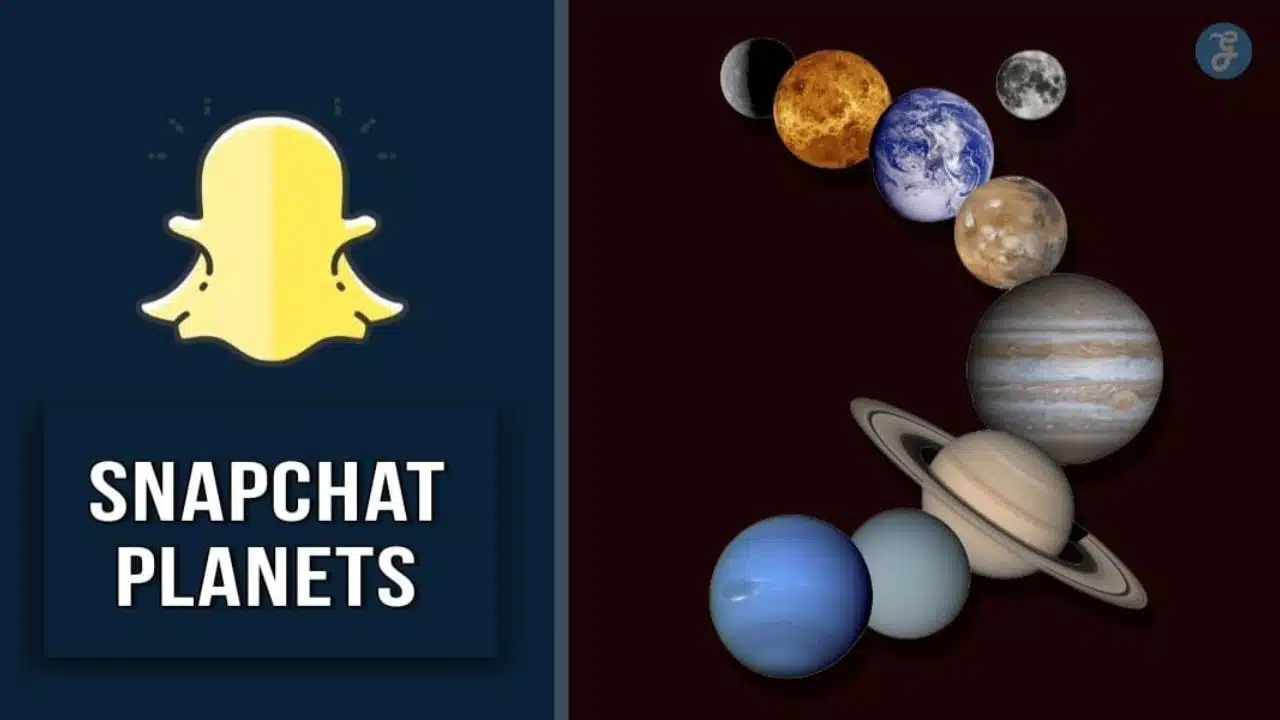
Are you finding it challenging to understand the Snapchat Planets feature? This dynamic addition is vibrant and entertaining and represents distinct positions in your Best Friends list.
Our insightful blog post will offer a comprehensive guide on what these planets symbolize, how they work, and practical steps to get them on your app. Let’s jump into this fascinating social universe right away!
Content Highlights
- Snapchat Planets is a feature within the app that represents different positions in someone’s Best Friends list, helping users categorize their relationships and interactions on the platform.
- The planets in Snapchat Planets signify specific friends based on the frequency and quality of messaging exchanges. Each planet represents a friend, with Mercury as the closest friend and Neptune as the farthest one.
- To activate Snapchat Planets, users need to update their Snapchat app to the latest version and subscribe to Snapchat+. This premium version offers additional features, including access to create your personal Friend Solar System.
- Exploring each planet allows users to gain insight into their friendship dynamics, prioritize connections, and foster engaging communication with those most important to them in their Snapchat sphere.
What are Snapchat Planets?
Snapchat Planets is a unique feature within the Snapchat app that represents different positions in someone’s Best Friends list, helping users categorize their relationships and interactions on the platform.
The Meaning and Purpose
Snapchat Planets is an innovative feature that visualizes the intensity of social interactions among Snapchat users. In essence, it’s a galaxy-based metaphor for your friend list on the platform, where each planet signifies a specific person based on the frequency and quality of messaging exchanges between you two.
The system labels one user as Sun, while each of his friends is depicted as different planets orbiting around them. With Mercury symbolizing your closest friend and Neptune representing the farthest one, this hierarchy offers engaging insight into your friendship dynamics.
Apart from fostering interactive communication, Snapchat Planets aims to provide users with a clear understanding of their social circles within the application, promoting heightened connectivity and user engagement.
How Do They Represent Friend Rankings?
Snapchat Planets serve as visual symbols ranking your friendships based on messaging frequency. With this interactive feature, you’re not just chatting; you’re venturing into a virtual universe where each planet represents a friend in your Snapchat network.
From Mercury representing the closest friend to Neptune signifying the farthest one, these celestial bodies highlight the hierarchy of your connections.
The concept behind Snapchat Planets is straightforward: it simply illustrates your interaction levels with friends in an engaging and fun way. The closer you are to a friend – the more frequently you chat – the closer their assigned planet is to yours within this digital solar system.
This unique feature helps users prioritize interactions and maintain active communication with those most important to them in their Snapchat sphere.
Read More: How to Use Snapchat for Business?
Understanding the Order of Snapchat Planets
Snapchat Planets follow an order that mimics the structure of our solar system, with each planet representing a different friend ranking based on interactions.
The Solar System Analogy
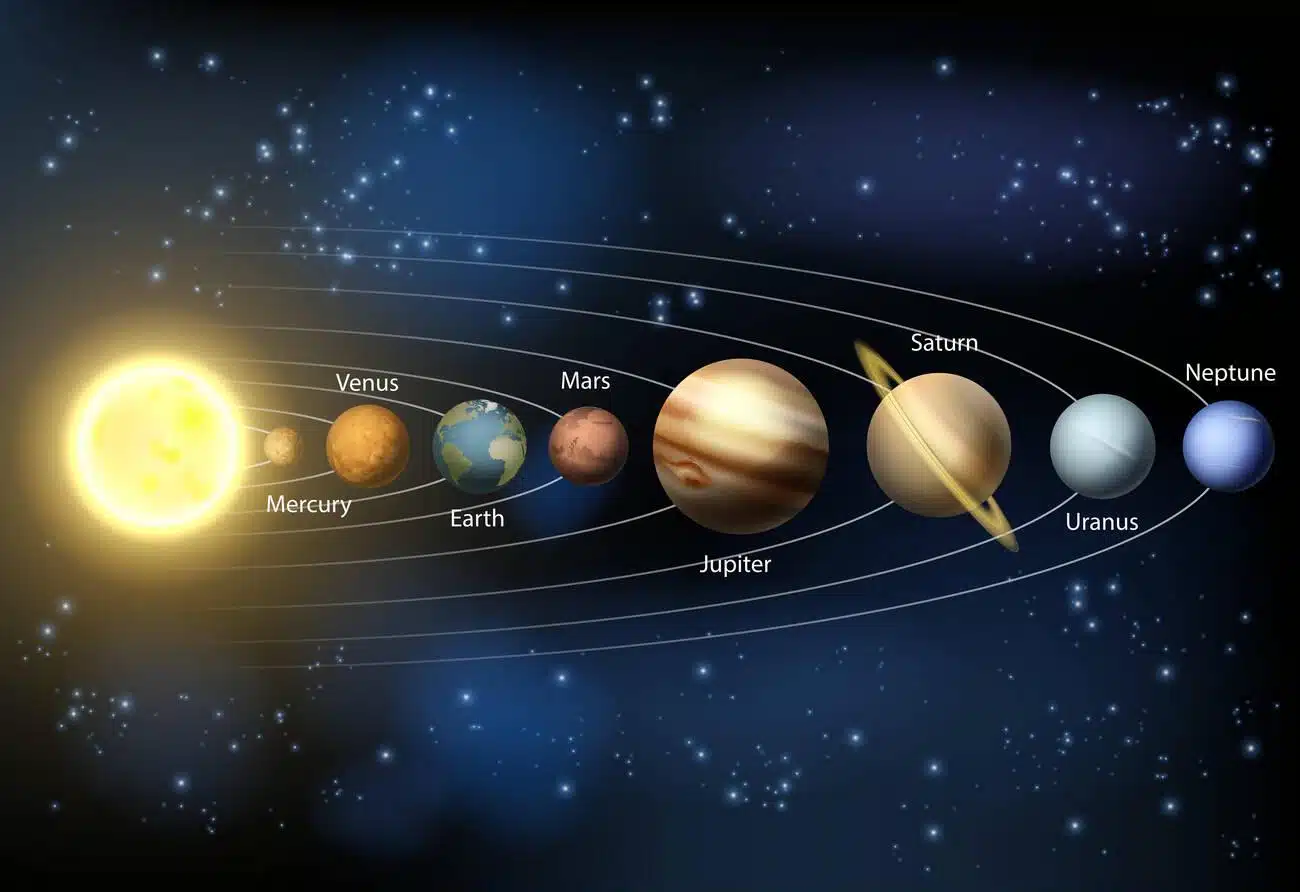
The Snapchat Planets feature employs a clever solar system analogy to depict your circle of friends. Each friend on Snapchat is represented by a unique planet in the virtual universe, mirroring their position on your Best Friends list.
The closer the planet is to the sun, also known as ‘Snap,’ indicates how close you are to that person. So, an individual positioned at Mercury interacts more frequently with you than someone at Neptune.
This method adds an element of fun and understanding while interacting with different friends on Snapchat, transforming your chat experience into an exploratory cosmic adventure.
The Order from Closest to Farthest
- The order of Snapchat Planets follows the solar system’s arrangement, ranging from the closest friend to the farthest.
- Mercury is assigned to the closest friend, representing the first planet in the order.
- Venus represents the second person with whom you have shared the most streaks, making it the second planet in line.
- Earth comes next, signifying the third closest friend regarding engagement and interaction.
- Mars follows Earth, indicating the fourth closest friendship on Snapchat.
- Jupiter is assigned to the fifth closest friend on your list, reflecting their position within your social circle.
- Saturn takes its place as the sixth planet, representing a friend who holds a slightly more distant position from you compared to those before it.
- Uranus represents the seventh friend in order of closeness, showcasing their placement in your friendships on Snapchat.
- Lastly, Neptune is assigned to your eighth and farthest friend from you within your list of connections.
Remember, these planets reflect friends’ rankings based on interaction and engagement rather than specific conversations or actions. With Snapchat’s Planets feature, users can visually see and explore how their friendships are ranked interactively and engagingly.
- Mercury: Represents your closest friend
- Venus: Indicates your second most engaged friend
- Earth: Reflects your third closest friendship
- Mars: Depicts your fourth close connection
- Jupiter: Represents your fifth close friend
- Saturn: Illustrates your sixth position in terms of closeness
- Uranus: Reflects being seventh on your list
- Neptune: Shows that this person is farthest among all friends
How to Get Snapchat Planets
To get Snapchat Planets, you must meet certain availability and requirement criteria within the app. Once eligible, activating the feature is as simple as updating your Snapchat app to the latest version.
Availability and Requirements
To access Snapchat Planets, you’ll need to subscribe to Snapchat+. This premium version of Snapchat offers additional features and allows you to create your personal Friend Solar System.
Activate the Friends Solar System feature within Snapchat+ to unlock the ability to view and interact with the planets representing your closest friends. Remember that Snapchat Planets is exclusive to Snapchat+ subscribers, so make sure you’re subscribed and ready to explore this unique social networking experience.
How to Activate the Feature
To activate the Snapchat Planets feature and start exploring the different planets, follow these simple steps:
- Open the Snapchat app on your mobile device.
- Ensure that you have the latest version of Snapchat installed.
- Go to your profile by tapping on your Bitmoji or avatar in the top left corner of the screen.
- Tap on the gear icon in the top right corner to access settings.
- Scroll down and find the “Snapchat Lab” section.
- Look for the “Snapchat Planets” option and toggle it on.
- Once enabled, exit the settings and return to your home screen.
- You should now see a new icon or button indicating the Snapchat Planets feature is active.
Read Also: Snapchat Tricks: Change Username Without Deleting Your Account
Exploring the Different Snapchat Planets
Users can dive into the Snapchat universe by exploring each planet individually, from Mercury, representing the closest friend to Neptune, symbolizing the farthest one.
Mercury: The Closest Friend
Mercury is the closest friend in Snapchat Planets, representing a special bond with someone you communicate with frequently. Just like in our solar system, where Mercury orbits closest to the sun, this planet symbolizes those friends who hold a significant place in your social circle.
By tapping on the Snapchat Planets badge, you can easily discover which planet you occupy for each of your friends and gain insight into the dynamics of your friendships. The Snapchat Planets feature enables users to prioritize their connections and stay connected with those who matter most by providing an engaging and interactive way to navigate their friend list.
Venus: The Second Closest Friend
In Snapchat’s Friend Solar System, the planet Venus represents your second closest friend. This means you have a strong connection with this person and frequently interact through chats, snaps, and stories.
Being assigned the planet Venus signifies that you hold an important position on their Best Friends list. As you navigate the Snapchat universe, tapping on the Venus badge will reveal your ranking in someone’s Solar System, giving you a visual representation of your friendship status.
So whether it’s sharing funny selfies or engaging in conversations, cherish your second closest friend and continue fostering that meaningful connection on Snapchat.
Earth: The Third Closest Friend
In the fascinating world of Snapchat Planets, Earth holds a special place as the third closest friend in your social orbit. Represented by a distinctive “green and blue” symbol, Earth signifies that you are ranked third on someone’s list of closest friends.
Factors like communication frequency and mutual snaps shared determine this ranking. With Snapchat Planets, you can explore your global connections while fostering real-time camaraderie with those who hold you dear.
So next time you find yourself on Earth in the Snapchat universe, take a moment to appreciate your standing among friends and enjoy the enhanced social experience it brings.
Mars: The Fourth Closest Friend
Mars, represented by a “red planet with purple and blue hearts,” is the fourth closest friend in the Snapchat Planets feature. If assigned Mars, you rank as the fourth best friend on someone’s list.
With its unique visual representation, this Planet Lens allows users to easily identify their level of friendship or closeness with others on Snapchat. So whether you’re exploring the global map or just scrolling through your friends’ snaps, having Mars as your planet signifies a significant connection within your social circle.
Jupiter: The Fifth Closest Friend
Jupiter takes the fifth spot in the Snapchat Planets feature, signifying it as your fifth closest friend on Snapchat. When you navigate the planets’ interface, Jupiter appears as a vibrant orange planet surrounded by twinkling stars.
With each planet representing a different-ranked friendship, Jupiter’s position indicates that this friend holds a special place in your social circle. The Snapchat Planets feature lets you see how you rank among your friends and provides valuable insights into your closest connections.
So, if you spot Jupiter shining brightly among the planets, know that this friend is one of your top five on Snapchat. Ready to explore more about Snapchat Planets? Keep reading!
Saturn: The Sixth Closest Friend
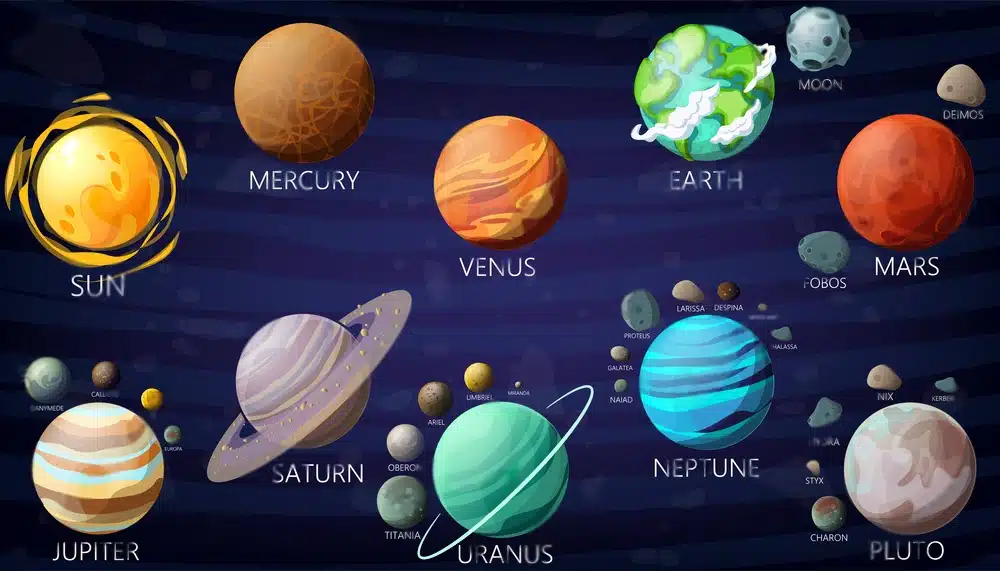
Saturn, the sixth closest friend in Snapchat Planets, is represented by a yellow planet with a ring icon. Like its celestial namesake, Saturn holds a special position among your friends on Snapchat.
As you navigate through the planets, feature, you’ll encounter Saturn after Jupiter, marking the midway point among your eight closest friends. With its vibrant color and distinct symbol, Saturn adds an exciting touch to your Snapchat experience and visually represents this valuable friendship ranking.
So when exploring Snapchat Planets, keep an eye out for that familiar yellow planet with its iconic rings – it’s Saturn!
Uranus: The Seventh Closest Friend
In the Snapchat Planets system, the seventh planet Uranus represents your seventh closest friend. Uranus is depicted as a green-colored planet adorned with sparkling stars in the Snapchat universe.
Just like in real life, where Uranus occupies the seventh position from the Sun, this celestial representation indicates friendship hierarchy within Snapchat. With Snapchat Planets, you can easily navigate and connect with your friends based on their proximity to you on this virtual map.
So whether it’s Mercury or Uranus, each planet signifies a special bond you share with your friends within social media.
Also Read: 4 Snapchat Hacks for Better Reach and Engagement
Neptune: The Eighth and Farthest Friend
Neptune, the eighth and farthest friend in the Snapchat Planets system, holds a special place in the ranking order. As symbolized by its icy blue color on Snapchat, Neptune represents a unique and distinctive friendship.
Like its real-life counterpart, this planet is surrounded by stars on the app. If you find yourself assigned to Neptune’s place in the Planet Order system, you have a truly exceptional connection with that friend.
With Snapchat Planets, users can see their friends’ rankings and add an extra layer of fun and personalization to their relationships within the app. So embrace your position as Neptune – it signifies something truly special!
User Reactions to Snapchat Planets
Users have shared positive and negative feedback regarding Snapchat Planets, expressing their experiences and opinions.
Positive and Negative Feedback
Users have expressed a range of opinions about Snapchat Planets. On the positive side, many users enjoy the gamified aspect of ranking their friendships and seeing where they stand in their friends’ solar systems.
It adds an element of fun and competition to their interactions on the platform. Additionally, some users appreciate the visual representation of their friendships and find it interesting to explore each planet’s features.
However, there is also negative feedback surrounding this feature. Some users have raised privacy concerns, as this ranking system may reveal intimate or personal relationships they might not want others to know about.
Personal Experiences and Opinions
Users have been sharing their personal experiences and opinions about Snapchat Planets, and the feedback has generally been positive. Many users find it fun and exciting to see their friends represented as planets in a solar system.
It adds a new level of gamification to the app, making it more engaging and interactive. People enjoy exploring the different planets and trying to move their friends closer by increasing their friendship scores.
Overall, Snapchat Planets have sparked curiosity and interest among users, leading to increased exploration and understanding of this unique feature within the app.
To navigate the Snapchat Universe, tap on each planet in someone’s solar system to access different features and explore their content.
Accessing the Different Planets
To access the different planets in the Snapchat Universe and explore their unique features, follow these simple steps:
- Open the Snapchat app on your device.
- Tap on the “Friends” icon at the screen’s bottom left corner.
- Scroll through your friends list until you find the friend whose planet you want to visit.
- Tap on your friend’s Bitmoji or profile picture to open their chat window.
- Look for a small planet icon next to their name or Bitmoji. This indicates that they have a planet in the Friend Solar System.
- Tap on the planet icon to enter the Snapchat Planet view.
- Once inside, you can navigate between different planets by swiping left or right on your screen.
- Each planet represents a different friend, and tapping on a planet will reveal information about your friendship with that person, such as Snap streaks and other interactions.
- Explore each planet’s features by tapping on different elements, such as messages, stories, or shared memories with that particular friend.
- To return to the Home Screen and exit the Snapchat Planets view, swipe down or tap on the “X” button at your screen’s top center.
Exploring Each Planet’s Features
Each planet in Snapchat Planets represents a unique feature of the app. Here’s a breakdown of what you can expect when exploring each planet:
- Mercury: This planet represents Chat. When you tap Mercury, you’ll be directed to chat conversations with that friend. You can send messages, photos, videos, and even voice calls.
- Venus: Venus symbolizes Stories. Tapping on Venus will take you to your friend’s story feed, where you can view their latest posts and updates. You can also react to their stories or send them a private message about something you saw.
- Earth: Earth is all about the Snap Map feature. By tapping on Earth, you can see your friend’s location on the map if they have enabled it. Additionally, this feature lets you discover new places and events around your area.
- Mars: Mars signifies Spotlight, which is Snapchat’s platform for showcasing user-generated content. When exploring Mars, you’ll see trending snaps and videos created by fellow Snapchat users.
- Jupiter: Jupiter represents Discover, where you can find content from publishers, creators, and brands featured on Snapchat’s platform. Tapping on Jupiter will give you access to various articles, videos, news updates, and more.
- Saturn: Saturn is associated with Memories, where all your saved snaps are stored for easy access. By tapping on Saturn, you can view and manage your saved memories, such as photos, videos, and stories.
- Uranus: Uranus symbolizes Astrological Profiles on Snapchat Planets. Tapping on Uranus allows users to view astrology-related information about themselves and their friends based on their birthdates.
- Neptune: Neptune represents Explore Mode within the Snap Map feature. By tapping on Neptune, users can browse public Snaps from various locations worldwide and get a glimpse into different global cultures or events.
Returning to the Home Screen
To return to the home screen on Snapchat, swipe down from any tab or planet view.
Exiting the Snapchat Planets View
To exit the Snapchat Planets view, follow these simple steps:
- Tap on the home button located at the bottom of the screen.
- This will take you back to the main home screen of the Snapchat app.
- From here, you can access other features and functions of Snapchat.
- Explore other app areas like Chat, Stories, Map, and Spotlight.
- Enjoy all that Snapchat has to offer beyond the planetary view.
Accessing Other Snapchat Features
To access other Snapchat features while exploring the Snapchat Planets, tap on the appropriate icons or buttons on the app interface. Here’s how you can navigate through different features within the Snapchat Universe:
- Home Screen: Return to the Home Screen by tapping on the icon at your screen’s bottom center. This will take you back to the main page, where you can access all of Snapchat’s features.
- Camera: Access the camera by tapping on the circular button at your screen’s bottom center. This will allow you to take photos or record videos to share with your friends and followers.
- Chat: To send direct messages to your friends, tap on the chat bubble icon at the bottom left corner of your screen. This will open your chat list, where you can select a friend to start a conversation with.
- Discover: Explore content from publishers and creators on Snapchat by tapping the rocket ship icon at the bottom right corner of your screen. This will take you to a curated list of stories and articles you can swipe through and engage with.
- Memories: Access your saved Snaps and Stories by tapping the small circle below the capture button on the camera screen. This will open up your Memories section, where you can browse and share your saved content with others.
- Profile: View and edit your profile settings by tapping on your Bitmoji or profile picture in the top left corner of any screen except when using Camera mode.
Read More: What Does S Mean on Snapchat?
Troubleshooting: Snapchat Planets
We have discussed troubleshooting common Snapchat Planets issues like planets not displaying correctly or disappearing.
Common Issues and Solutions
- Snapchat Planets not showing up: Restart the app and check for updates to ensure you have the latest version of Snapchat. If the issue persists, try clearing the cache and data for Snapchat or reinstalling the app.
- Planet badges not appearing correctly: Check your internet connection and make sure you have a stable network. If the issue continues, log out and back into your Snapchat account.
- Inaccurate friends ranking: Snapchat Planets is based on messaging frequency, so ensure you are actively messaging your friends to reflect accurate rankings. Contact Snapchat support for further assistance if you believe there is an error.
- Difficulty accessing different planets: Swipe left or right on the planet badge on your profile screen to navigate the different planets. If you’re having trouble navigating, try restarting the app or checking for updates.
- Camera quality issues while using Snapchat Planets: Restart your phone to refresh its system and clear any temporary glitches affecting camera quality. Ensure your device’s camera lens is clean and free from smudges or dirt. Lastly, check for any updates for your device’s operating system or Snapchat app.
- Unable to exit Snapchat Planets view: Tap on the X button at the top-left corner of the screen to exit the Snapchat Planets view and return to the home screen. If this doesn’t work, try closing and reopening the app or restarting your device.
Remember, if these solutions don’t resolve your issues, it’s always recommended to contact Snapchat support for personalized assistance with troubleshooting problems related to the Snapchat Planets feature.
Final Words
In conclusion, Snapchat Planets offer a unique way to understand and categorize your relationships within the app. Users can easily navigate and engage with their connections by representing friend rankings through planets.
Understanding how to unlock Snapchat Planets and the order in which they appear allows for a more personalized and immersive experience on the platform. So why wait? Get ready to explore the Snapchat universe like never before!
Frequently Asked Questions (FAQs)
Check some commonly asked questions on Snapchat Planets.
1. What are Snapchat Planets?
Snapchat Planets is a feature within the Snapchat app that allows users to overlay augmented reality planets onto their photos and videos. It adds a fun and interactive element to your content, making it more visually appealing.
2. How can I get Snapchat Planets?
To access Snapchat Planets, make sure you have the latest version of the Snapchat app installed on your device. Once updated, open the app and navigate to the camera screen. From there, swipe left or right on the carousel of available lenses until you find one labeled “Planets.”
3. How do Snapchat Planets work?
When using Snapchat Planets, select the lens from the carousel and point your camera at a surface like a table or floor. The lens will then activate, recognizing the surface area and applying an animated planet overlay. You can move around and explore the planets by tapping on them or swiping them to rotate them.
4. Can I customize my experience with Snapchat Planets?
While you can’t fully customize individual planets in Snapchat’s default Planet lens, you can control how they interact with your environment and other creative options, such as adding stickers or text overlays to enhance visual storytelling.
Remember that these FAQs may need further editing based on specific technical details about how each function works based on current Snap Inc’s guidelines & updates, along with applicable technical limitations implemented through their SDKs (Software Development Kits).
5. Can I access Snapchat Planets for free?
No, Snapchat Planets is only available on Snapchat Plus, a premium and subscription version of Snapchat.
6. How many friends can I choose for my Snapchat Planets solar system?
You can choose up to 8 of your best friends to be represented as planets in your solar system.
7. What does each planet represent?
Each planet represents one of your chosen friends, with the closest planet representing the friend you have the strongest connection with.
8. How do I activate the Snapchat Planets feature?
To activate Snapchat Planets, you need to subscribe to Snapchat Plus and then follow the steps provided by the app.
9. What happens if someone unfriends me on Snapchat?
If someone unfriends you on Snapchat, their planet will no longer appear in your solar system.
10. Can I rearrange the order of planets in my solar system?
Unfortunately, at this time, it is not possible to rearrange the order of planets in your solar system once they have been set.
11. How do I access different planets within the Snapchat Planets feature?
You can access different planets within the feature by swiping left or right on your screen while in the Snapchat Planets view.
12. Are there any special features or interactions with each planet?
Each planet represents a friend and has no unique features or interactions.
You can share snaps directly from the Snapchat Planets view by tapping on a specific planet and selecting “Send Snap.”
14. What should I do if I am experiencing issues with my Snapchat app?
If you are experiencing issues with your Snapchat app, try restarting your device, updating the app to the latest version, checking your internet connection, clearing the app cache, or contacting Snapchat support for further assistance.