Does your site crawl like a turtle? Slow page loads on your VPS hosting can scare off visitors, and that can cost you money. Many readers blame their code or web server, but the root often lies in old hard disk drives.
These disk drives spin platters and seek files one at a time, so they lag under heavy data loads.
Flash memory in SSD devices reads data in 40 to 100 microseconds, up to 100 times faster than traditional HDDs. In this article, we will compare speed, storage capacity, power use, cost, and durability for HDD vs SSD storage in VPS hosting, including SATA solid-state drive and PCI Express drive.
We will show you which storage fits your budget and your website needs. Find the best fit.
Key Takeaways
- In VPS hosting, SSDs read data in 0.1 ms and deliver 6,000 IOPS at 550 MB/s (read) and 520 MB/s (write); HDDs take 5.5–8 ms, offer 400 IOPS and 125 MB/s. NVMe SSDs can hit 3,500 MB/s read, 3,000 MB/s write and 1,000,000 IOPS.
- HDDs offer 1–8 TB (up to 20 TB in enterprise models) at $0.03 per GB; SSDs range from 256 GB to 8 TB in NVMe sticks and reach 50–100 TB in high-density arrays at $0.07–$0.10 per GB.
- SSDs draw 2–5 W (1% CPU use) and last about 10 years with a 0.5% annual failure rate; HDDs draw 6–15 W (7% CPU use), last 3–5 years and fail at up to 5% per year.
- Use SSDs for fast page loads, high I/O and low power in dynamic or database-driven sites; use HDDs for bulk storage, backups and archiving when you need low cost per gigabyte.
Key Differences Between SSD and HDD in VPS Hosting
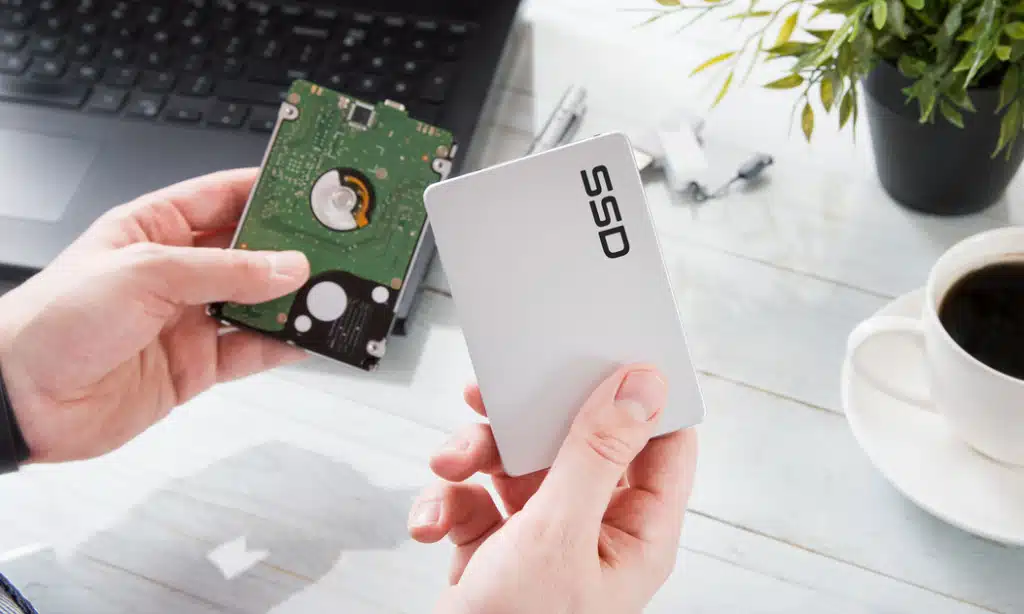
Flash modules plug into PCIe 4.0 slots like a race car off the line, cutting seek time and boosting throughput, while spinning disks still churn their magnetic platters and tug an actuator arm.
You can stack bulk storage in a RAID array with hard disks, but you trade off I/O performance and longer boot times for raw capacity.
Speed and Performance
SSDs fetch files in just 0.1 ms, compared to 5.5 to 8 ms on hard disk drives. These drives handle about 6,000 IOPS, while HDDs manage roughly 400. They deliver read/write speeds up to 550 MB/s for reads and 520 MB/s for writes, versus HDDs at 125 MB/s.
Servers feel the boost in i/o performance and better server efficiency, and users notice faster page loads.
NVM Express drives on a motherboard slot can hit 3,500 MB/s read rates and 3,000 MB/s writes. They can peak at one million IOPS, keeping up with database queries and dynamic content.
A RAID array of these solid-state units uses disk controller chips to spread traffic and keep the CPU fed. That combo shrinks bottlenecks and speeds up data storage in any web hosting setup.
Storage Capacity
Hard disk drives pack magnetic storage on rotating disks. Most units run from 1 TB to 8 TB, though some enterprise models reach 20 TB. Data centers tap these drives for backups, archives and file hosting.
You link a few with a RAID controller to scale to petabytes of capacity.
Solid-state drives rely on flash memory chips for non-volatile storage. High-density arrays hit 50 TB to 100 TB per unit. NVMe SSD sticks offer 256 GB to 8 TB in tiny form factors, slashing rotational latency.
Web hosting providers use these storage drives for faster read/write speeds and lean power budgets.
Durability and Reliability
SSDs last about ten years thanks to flash memory chips that shrug off shocks and drops. They show a mere 0.5 percent failure rate over their life span. HDDs rely on spinning disks and moving heads that crash against metal platters.
Those parts cut their life to three to five years, and push failure rates as high as five percent.
Cloud platforms lean on solid state drives and NVMe SSDs to boost server reliability, cutting down on data loss. Disk drive failures still happen, but slow disk controllers on HDD setups can ease file recovery after a crash.
SATA SSDs add speed and strength in busy web hosting rigs.
Power Consumption
Flash-based drives draw 2 to 5 watts of power, while disk drives need 6 to 15 watts. A solid-state drive taps just 1% of CPU cycles, compared to 7% from a hard disk drive. That cut trims power consumption by 97%.
It puts a grin on hosts eyeing lower energy bills.
Hosts notice sharper I/O performance as storage devices sip juice. The NVMe interface and RAID array run tasks with less heat and strain. That drop in heat can cut cooling needs in data centers and boost server efficiency.
Cost Comparison
Hard disk drive rates sit near three cents per gigabyte, and they rarely go above six cents. SSD price tags hover around seven cents per gig, and can climb to eight or ten cents. That cost gap can swell fast if you seek big storage capacity.
HDD vps plans let you grab bulk storage for backup storage or large RAID 5 arrays at low cost. NVMe SSD drives cost you more, but they deliver top read/write speeds, boost server efficiency, cut power use and speed up load times.
You pay for that speed, and you shave minutes off heavy file transfers.
Advantages of SSD Storage in VPS Hosting
SSDs use flash memory chips and a high-speed connection to slice data-access times, so your database queries and web servers hum along without a hiccup. They trim power draw, cut heat, and boost server efficiency, whether you hook them to a high-speed memory interface or a standard slot.
Faster Data Access and Loading Times
Solid-state drive (ssd) pulls data from flash memory in just 40 microseconds or so, while a hard disk drive (hdd) slips into 400 to 500 ms stalls. Non-volatile memory express hardware can soar to 3,500 MB/s reads and 3,000 MB/s writes.
Benchmark tools like fio confirm big gains. It hits 1,000,000 IOPS, making data calls feel instant on shared hosting and dedicated servers. That speeds databases, servers and file hosting services by leaps.
Sequential read rates climb to 550 MB/s, and write rates rise to 520 MB/s, crushing old disk speeds. Server-side scripts and web hosting tasks finish in about 20 ms per I/O request, not 400 ms delays.
That shaves seconds off page loads and backup storage runs. Users skip data loss headaches, while server efficiency jumps sky high.
Lower Energy Consumption
An SSD draws 2 to 5 watts while a hard disk drive uses 6 to 15 watts. It sips 97% less power than a spinning disk, and it cuts CPU load to 1% instead of 7%. Your VPS trims the electric bill and boosts server efficiency.
Low wattage helps cost-effective storage and lifts i/o performance. Flash memory chips run cooler in racks, and servers stay reliable. You sidestep extra fans and backup storage heat.
Enhanced Durability
Solid state drives resist shocks and vibration. They use flash memory chips instead of spinning disks, so they last around ten years. SSDs live on non-volatile computer memory banks with a failure rate near 0.5% per year.
Admins count on that low risk, especially in Linux clusters and VPS hosting setups.
HDDs face head crashes and moving parts that break after 3 to 5 years. TRIM commands pair with SSD controllers to sustain read/write speeds and memory health. SMART tools and RAID arrays log drive stats and warn sysadmins of wear.
Many web hosts prefer SSDs for server reliability and minimal data loss.
Advantages of HDD Storage in VPS Hosting
Platter-based drives pack terabytes into your VPS at a price that won’t punch your wallet. These spindle disks gulp down large I/O loads, letting you stash logs or backup computer files, and keep server reliability solid.
Larger Storage Capacity at Lower Cost
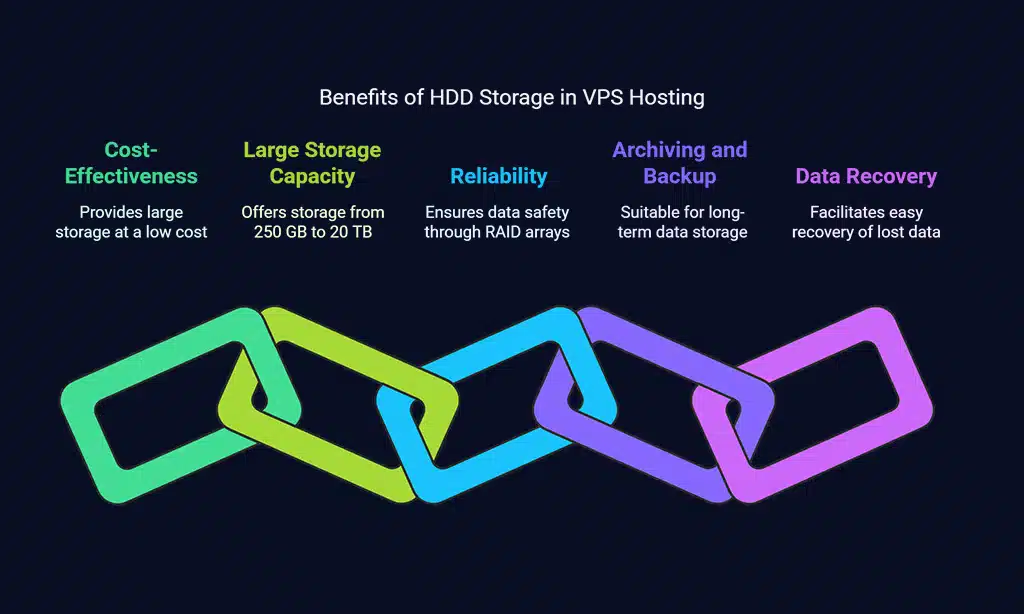
Hosters pick SATA storage devices for massive data pools. Each hard disk drive delivers storage capacity from 250 GB up to 10 TB. Some models even hit 20 TB per device. The price hovers around $0.03 per GB.
Small shops and startups slash expenses with this cost-effective storage. They gulp data like hungry whales. IT teams build RAID arrays to keep data safe for backup storage and archiving.
Such arrays boost server reliability without high spending.
Suitable for Archiving and Backup
Many businesses pick HDD for backup storage. This hard disk drive offers sequential read and write speeds up to 125 MB/s, which moves big files in bulk. A full backup can take 20 to 24 hours on a single drive.
The disk lasts three to five years under normal use.
IT teams recover lost data from these spinning disks with simple tools. They trust the design for easier data recovery when server failure strikes. High storage capacity helps you save years of logs, images, and documents without breaking the bank.
This choice boosts server reliability and cuts cost-effective storage bills.
Choosing the Right Storage for Your VPS Hosting
Pick a Linux distribution or Windows Server image, then match it with the right processor cores, memory modules, and storage capacity for your project. Grab your toolbox, and head to the next guide for hands-on I/O performance checks using your hosting dashboard.
Determining Your Performance Needs
Web hosting traffic shapes storage choice. Heavy database queries need fast I/O. SSD hits 6,000 IOPS. HDD caps at 400. PCIe interface read rates reach 3,500 MB/s. Write rates climb to 3,000 MB/s.
Flash memory stops data loss from spinning parts. Hard drive request time stays around 400 to 500 ms. Solid state drive boosts server efficiency with sub-20 ms requests. Backup storage on HDD offers cost-effective storage.
HDD offers more storage capacity at 1 TB for a low price. Most web hosting sites run well on 120 GB SSD. Shared hosting may suit HDD. Dedicated servers push SSD for server performance.
Moving parts raise HDD failure rate. Server reliability matters for customer trust. Extra IOPS can boost page loads. Heat dissipation stays low on flash memory.
Balancing Budget and Storage Capacity
A hard disk drive costs about $0.03 per GB, while an SSD costs around $0.07 per GB. Enterprises choose HDD models up to 20 TB for backup storage on shared hosting, due to cheap storage space.
SSD pricing climbs to $0.10 per GB, but flash memory modules can reach from 50 to 100 TB, and they boost read/write speeds and i/o performance. Block storage works well on dedicated servers that need high server performance.
Volume manager tools adjust storage capacity to fit tight budgets.
Considering Long-Term Reliability
Solid state drives last about 10 years and fail only 0.5%. They shrug off drops and jostles with no clicks. Hard disk drives span 3–5 years, they spin metal disks and click. They fail 2–5% per year, but techs can often pull data with low-cost tools.
SSDs give your VPS top i/o performance and rock-solid server reliability.
Admins scan drives with S.M.A.R.T. and mirror data in a RAID 1 set. This mix of M.2 modules, periodic backups and live snapshots cuts data loss risks. A backup storage plan and regular tests keep your VPS online, year after year.
Takeaways
Speed grabs the spotlight when you shop for a VPS. Flash-based module taps flash memory. It scores high on I/O performance and read/write speeds. Spindle disk still shines where you need low cost per gig.
Many admins mix them via a VPS control panel, to hit growth targets and keep budgets tight. You can pick based on data access speeds, power draw, and backup tool needs.
FAQs
1. What is the main difference between a solid state unit and a hard disk drive in a VPS hosting plan?
A solid state unit uses flash memory and has no moving parts. It delivers fast read/write speeds and smooth i/o performance. A hard disk drive uses spinning platters and heads. It runs slower but holds large storage capacity.
2. How does each drive type affect server efficiency and performance?
A flash-based drive boots the server in seconds and loads apps in a blink. It lifts overall server performance. A disk device takes longer to spin up and can slow i/o under heavy load, which can dent server efficiency.
3. Which drive offers more cost-effective storage per gigabyte?
Hard disk drives give more storage capacity for less money. They make backup storage cheap. Solid state drives cost more for the same space, but they pay off with speed.
4. How do SSD and HDD compare on data loss and failure rate?
Solid state drives have no motors or heads, so they resist shocks and show a lower failure rate. Hard disk drives have moving parts that can crash or warp, raising the risk of data loss.
5. How do backup strategies change between the two storage devices?
With a flash-based drive, you can snapshot your VPS fast and copy data without slowing the server. With a disk unit, backups take longer and you may need extra backup storage or redundant drives to avoid slowdowns.
In shared hosting, solid state drives boost every site’s loading time and uptime. On dedicated servers, you can mix drives: use an SSD for the OS and apps, and a hard disk drive for bulk files or archives.