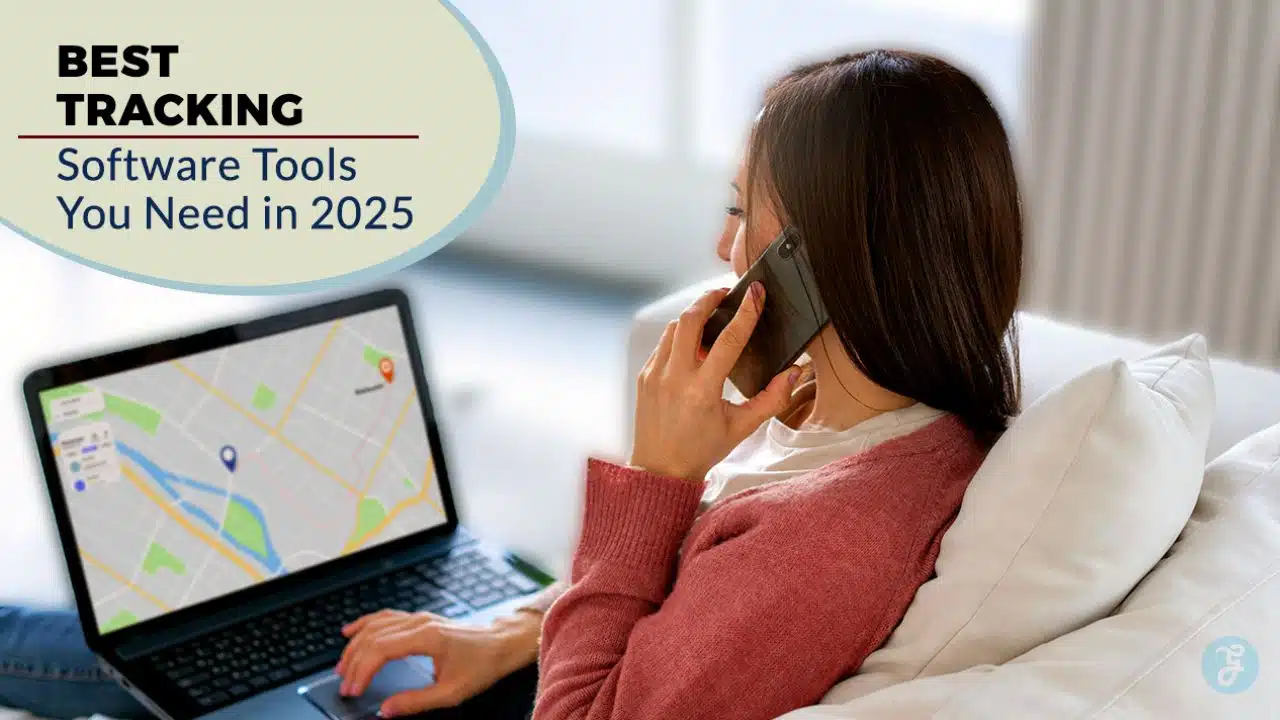
Time tracking feels like herding cats for most business owners. Studies show that companies lose up to 4.5 hours per week due to poor time management practices. This guide breaks down the 10 best tracking software tools that will transform your workforce management and boost productivity in 2025.
Ready to stop the time-wasting madness?
Key Takeaways
- Companies lose 4.5 hours weekly due to poor time management, making tracking software essential for business productivity in 2025.
- Clockify offers unlimited free users with 87% satisfaction rating, while Toggl Track integrates with over 100 different business tools.
- DeskTime provides automatic productivity tracking, and Harvest earns 4.2 rating for advanced reporting that transforms data into business insights.
- Hubstaff supports all major platforms with 4.6-star rating, while TimeCamp costs $3.99 monthly and scores 91% for tracking features.
- QuickBooks Time achieves 100% rating for mobile tracking with GPS features, perfect for field workers and remote team management.
What makes Clockify the best free time tracking tool?

Clockify stands out as the champion of free time tracking software because it offers unlimited users without charging a penny. Most tracking tools limit their free plans to just a few team members, but Clockify breaks that mold completely.
Small businesses and startups love this feature since they can add every employee without worrying about costs. The platform scores an impressive 4.5 rating and boasts 87% user satisfaction for time tracking features.
This user-friendly interface makes it simple for managers to monitor working hours across different projects.
The software integrates seamlessly with popular project management tools like Asana, Trello, Jira, and Monday.com. Remote work becomes much easier when your time tracking connects with tools your team already uses daily.
Paid plans start at just $6.99 per user each month, making it affordable for growing companies. The Consumer Sentiment Index hits 8.1 based on 5,237 user insights, proving its reliability among businesses of all sizes.
Mobile apps for Android devices help employees track time on the go, while the browser version provides easy access from any computer.
Why choose Toggl Track for seamless integrations?
Toggl Track stands out from other time tracking software because it connects with almost everything you use. The platform offers a time tracking widget that works across multiple apps and platforms.
This means you can track time without switching between different programs all day. Toggl integrates with project management platforms to create streamlined workflows that save hours each week.
Your team can track time directly inside Slack, Google Docs, or Dropbox without missing a beat. The software connects with over 100 different tools, making it perfect for businesses that rely on various apps for daily operations.
The numbers tell the story about Toggl’s integration strength. Users rate the software’s compatibility and integration features at 77%, which shows solid performance in connecting different systems.
Time tracking features score even higher at 88%, proving the core functionality works well with other platforms. The Consumer Sentiment Index sits at 8.4 based on 11,713 user insights, indicating strong customer satisfaction with the integration capabilities.
Toggl offers both a free plan and a Starter plan at $10 per user each month, making it affordable for teams of any size. The 30-day free trial lets you test all integrations before committing to a paid plan, so you can see how well it fits with your current tech stack.
How does DeskTime provide productivity insights?
DeskTime works like a digital detective, automatically tracking your work patterns without you lifting a finger. This cloud-based software captures every click, keystroke, and application switch throughout your day.
The platform sorts your activities into productive and unproductive categories, creating detailed reports that show exactly where your time goes. DeskTime’s automatic time tracking eliminates guesswork and gives you hard data about your work habits.
The system runs quietly in the background, collecting information that helps you spot productivity bottlenecks before they become major problems.
DeskTime transforms raw data into clear graphical representations that make sense at first glance. The software identifies inefficiencies in your workflow and highlights peak performance hours.
You can see which websites drain your focus and which applications boost your productive output. DeskTime’s productivity reports reveal patterns you never noticed, like spending too much time switching between tasks or getting distracted during specific hours.
The platform’s interface design makes complex data management simple, so you can quickly understand your productivity trends and make smart changes to your daily routine.
What advanced reporting features does Harvest offer?
Harvest transforms raw time tracking data into powerful business insights with its advanced reporting capabilities. This platform earns a solid 4.2 rating, thanks partly to its reporting strengths that help businesses make smarter decisions.
Users can generate detailed reports for time and expense tracking, giving managers clear visibility into project costs and team productivity. The software supports project costing and analytics, making it simple to see which jobs bring in the most profit.
Companies use these reports for payroll calculations, billing clients accurately, and creating comprehensive project management reports that tell the real story behind the numbers.
Harvest’s reporting features shine brightest when businesses need to track financial performance across multiple projects. The system calculates project costs in real time, helping teams stay within budget before problems spiral out of control.
With a Consumer Sentiment Index of 7.1 based on 2,997 insights, users appreciate how the software turns complex data into easy-to-read charts and graphs. Time tracking features score 77% in user ratings, while the reporting tools help with billing and invoicing tasks that keep cash flow healthy.
Teams can export data to quickbooks online for seamless financial management, making Harvest a smart choice for businesses that need both tracking and financial reporting in one package.
How can Hubstaff improve workforce management?
Hubstaff transforms workforce management through automated time tracking and comprehensive employee monitoring features. This powerful platform supports Windows, Mac, Linux, iOS, and Android devices, making it perfect for remote and hybrid work environments.
Teams can track productivity levels while managers gain real-time insights into work patterns. The software offers four pricing tiers: Starter at $7, Grow at $9, Team at $12, and Enterprise at $25 per user per month.
Users consistently rate Hubstaff 4.6 out of 5 stars on Capterra, proving its effectiveness in managing distributed teams.
Advanced workforce oversight becomes simple with Hubstaff’s integration capabilities and productivity analytics. The platform connects seamlessly with payroll solutions like ADP, Paychex, and Gusto, streamlining billing and invoicing processes.
Task management features help teams stay organized while detailed reports provide valuable data for decision-making. Remote worker tracking eliminates guesswork about employee productivity, giving managers confidence in their team’s performance.
Service and support options scale with businesses of all sizes, from small startups to large enterprises. Goal setting tools keep teams focused on important objectives while automated features reduce administrative burden.
How does TimeCamp boost team productivity?
TimeCamp acts like a productivity detective for your team, tracking every minute and revealing where time actually goes. This time tracking software earns a solid 4.8 rating and starts at just $3.99 per user each month.
Teams get a 14-day free trial to test the waters before committing. The platform monitors productivity through visual reports that show exactly which tasks eat up the most hours. Google Calendar integration makes scheduling a breeze, while the productivity analytics feature helps managers spot workflow problems before they spiral out of control.
Performance tracking becomes crystal clear with TimeCamp’s monitoring tools. The software scores an impressive 91% for time tracking features, though customer support lags at 53%. Teams can identify bottlenecks fast and fix them faster.
The Consumer Sentiment Index sits at 8.1 based on 2,134 user insights, proving this tool delivers real results. Lower-tier plans do limit some features, but most teams find plenty of value in the basic package.
Task management gets smoother when everyone can see their productivity patterns in real time.
Why is Monitask ideal for remote team monitoring?
Monitask shines as a remote team monitoring solution because it offers powerful employee oversight tools at an affordable price. Teams can choose the free plan or upgrade to paid features for just $5.99 per user each month.
The platform earns a solid 4.3 rating and provides a 10-day free trial for businesses to test its capabilities. Screen grabs capture what employees work on throughout their shifts, while app use tracking shows which programs team members access during work hours.
These features help managers verify productivity and maintain accountability across distributed teams.
Remote work presents challenges for business owners who need to track employee activity without micromanaging. Monitask addresses this pain point with impressive user ratings across key areas.
The platform scores 93% for UI/Design, making it simple for both managers and employees to navigate. Customer Support receives a 91% rating, while Time Tracking Features earn 87% approval from users.
The Consumer Sentiment Index reaches 8.5 based on 388 user insights, showing strong satisfaction levels. Though Compatibility & Integration scores lower at 56%, and the system has limited audit logs compared to competitors, Monitask excels at its core mission of remote employee monitoring and productivity verification.
What features make QuickBooks Time the best mobile time tracking app?

QuickBooks Time earns its 4.0 rating through a mobile app that works like a charm. GPS tracking follows your team wherever they go, making it perfect for field workers and remote teams.
Mobile notifications keep everyone on track without constant check-ins. The app handles payroll calculations automatically, saving hours of manual work each week. Time tracking features score a perfect 100% in user ratings, showing just how well this system performs.
Your team can clock in from anywhere, whether they’re at a construction site or working from home. The interface stays simple and clean, making it easy for anyone to use without training.
Mobile workforce management becomes a breeze with QuickBooks Time’s specialized features. The app requires a QuickBooks Online account for full integration, but this connection streamlines your entire business workflow.
Pricing starts at $20 base plus $8 per user each month, with a 30-day free trial to test everything out. The Consumer Sentiment Index sits at 3.2 based on 1,585 user insights, reflecting real-world experience.
Reliability and performance both score 100% in user ratings, meaning the app won’t let you down during busy periods. Your mobile team gets instant access to their schedules, project details, and billing information right from their phones.
How does Everhour handle real-time time card calculations?
Everhour makes time tracking simple for small businesses with its real-time time card calculations. This software takes the guesswork out of payroll prep. Teams can track hours as they work, and the system updates everything instantly.
No more waiting until the end of the week to see who worked what. The platform handles all the math automatically, so you don’t need to pull out a calculator every time someone clocks in or out.
Small business owners love Everhour’s ease of use and straightforward approach to employee monitoring. The software costs just $10 per user each month, with a minimum of five users required.
You can try it free for 14 days before making any commitment. Users give the time tracking features a solid 88% rating, though some find the reliability and performance lacking at 44%.
The system works great for basic task management and billing needs, but don’t expect tons of customization options.
Why use Paymo for task and project management?
Paymo stands out as a powerhouse for professionals who need task management and time tracking in one package. This software earns a solid 4.3 rating from users who appreciate its dual approach to project oversight.
Accountants, consultants, freelancers, and law offices rely on Paymo for project-based billing that keeps their finances organized. The platform offers a free plan for basic needs, while advanced features cost just $9.90 per user monthly.
Task-based time tracking becomes effortless with Paymo’s streamlined interface, which scores an impressive 92% for time tracking features. Users can start a 14-day free trial to test the waters before committing.
The software combines project management tools with precise time monitoring, creating workflows that save hours each week. Customer support receives high marks at 89%, though some users note reliability concerns at 36%.
The Consumer Sentiment Index hits 8.3 based on 1,853 user insights, showing strong satisfaction across billing and invoicing functions.
Takeaways
Finding the right time tracking software can make or break your business success in 2025. These ten tools offer different strengths, from Clockify’s free features to Harvest’s advanced reporting capabilities.
Smart business owners know that accurate employee monitoring and task management lead to better profits and happier teams. Pick the software that fits your budget, team size, and specific needs.
Your productivity will thank you, and your bottom line will show the difference.
FAQs
1. What makes tracking software essential for businesses in 2025?
Tracking software helps companies monitor everything from time tracking to employee monitoring, making work flow like a well-oiled machine. These tools handle task management, billing and invoicing, and boost overall usability. Think of them as your business’s GPS, keeping everyone on the right path.
2. Can tracking tools integrate with existing business systems?
Most top tracking platforms play nice with CRM software and HRIS systems. They connect with human resource information systems and customer relationship management tools seamlessly. Even browsers like Firefox and social platforms like LinkedIn work with many tracking solutions.
3. How do tracking tools help with financial management?
Smart tracking software automates billing and invoicing, cutting down on those pesky bugs that cause payment delays. Many offer flat-rate pricing models that make budgeting a breeze. Some even provide basic financial advice through their reporting features.
4. What should businesses look for in employee monitoring features?
The best tools balance oversight with user experience, avoiding that “Big Brother” feeling. Look for solutions that track productivity without being intrusive. BPOs especially need tools that respect privacy while maintaining accountability.
5. Are proprietary tracking systems better than standard options?
Proprietary solutions offer custom features but often cost more upfront. Standard tools usually provide better support and regular updates. Most businesses find that off-the-shelf options meet their needs without breaking the bank.