
Freelancers juggle many tasks every day. You track hours for clients, send invoices on time, and manage expenses without missing a beat. But let’s face it, doing all that by hand feels like herding cats.
It wastes time and leads to errors that hurt your pay. Imagine forgetting to log a quick call or messing up a bill, ouch, that stings.
Did you know accurate time tracking boosts earnings by up to 20 percent for freelancers? Tools like Toggl Track and Clockify make this easy with features for time management, billing software, and project management.
This post reviews the top 10 options, from Harvest’s invoicing magic to Hubstaff’s productivity boosts. We break down features, prices, and tips to pick the best fit for your workflow.
Ready to tame the chaos?
Key Takeaways
- Accurate time tracking boosts freelancer earnings by up to 20 percent, as per the article’s introduction.
- Toggl Track offers a free plan and premium options from $9 to $18 per user per month, with features like real-time tracking and over 100 integrations.
- Clockify provides a free plan with unlimited projects and paid tiers from $4.99 to $12.99 per user per month, including one-click tracking and Excel exports.
- Harvest has a free plan for one user and two projects, with pro plans at $11 to $14 per seat per month, integrating with QuickBooks for invoicing.
- Hubstaff starts at $4.99 per user per month, scaling to $25, and includes screenshot captures and GPS tracking for productivity.
Toggl Track Overview and Pricing
Freelancers love Toggl Track because it turns chaotic workdays into smooth sails with easy timers and colorful reports that show where your hours vanish. Dive deeper into its free starter plan or premium options starting at $9 per user monthly, and see how it fits your invoicing needs like a glove.
What are the key features of Toggl Track?
Toggl Track stands out as a solid choice for time management. You get tools that fit right into your freelance routine, making productivity a breeze.
- Real-time tracking keeps you on top of tasks, so you never lose sight of where your day goes, and it pairs with a Pomodoro timer to help you focus in short bursts, like a coach cheering you on during a workout.
- You can log calendar events easily, turning your schedule into a clear map of your work life, plus customizable activity logging lets you tweak logs to match your style, avoiding that one-size-fits-all trap.
- The app supports billable hours and non-billable ones too, which means you track earnings without hassle, imagine sorting your cash flow as simply as flipping through a photo album.
- Browser extensions integrate with over 100 tools, from project management apps to your favorite productivity boosters, so everything connects smoothly, like pieces of a puzzle snapping together.
- Offline functionality ensures you keep logging time even without internet, perfect for those coffee shop sessions or travel days when Wi-Fi plays hide and seek.
- Task tracking shines here, but manual entry might eat up some time, think of it as handwriting a letter instead of typing an email, it works but demands patience.
- Project management gets a boost with easy switches between jobs, though flipping from one to another in the app can feel a bit clunky, like changing gears on an old bike.
- The user interface stays simple and inviting, helping you start activity logging without a steep learning curve, and it ties into the Pomodoro technique for those who need structured breaks to stay sharp.
What pricing plans does Toggl Track offer?
Freelancers love options that fit their budgets, so let’s break down Toggl Track’s pricing plans in this simple table.
| Plan Name | Price | Key Details |
|---|---|---|
| Free | $0 | Includes unlimited tracking, clients, and tags. Perfect for solo users testing the waters. |
| Starter | $9 per user/month | Boosts basics with team features. Freelancers, imagine scaling up without breaking the bank. |
| Premium | $18 per user/month | Adds advanced reports and insights. It’s like having a personal coach for your time management game. |
| Enterprise | Custom pricing | Tailors solutions for big teams. Contact them for a quote that matches your needs, no cookie-cutter stuff here. |
Clockify Overview and Pricing
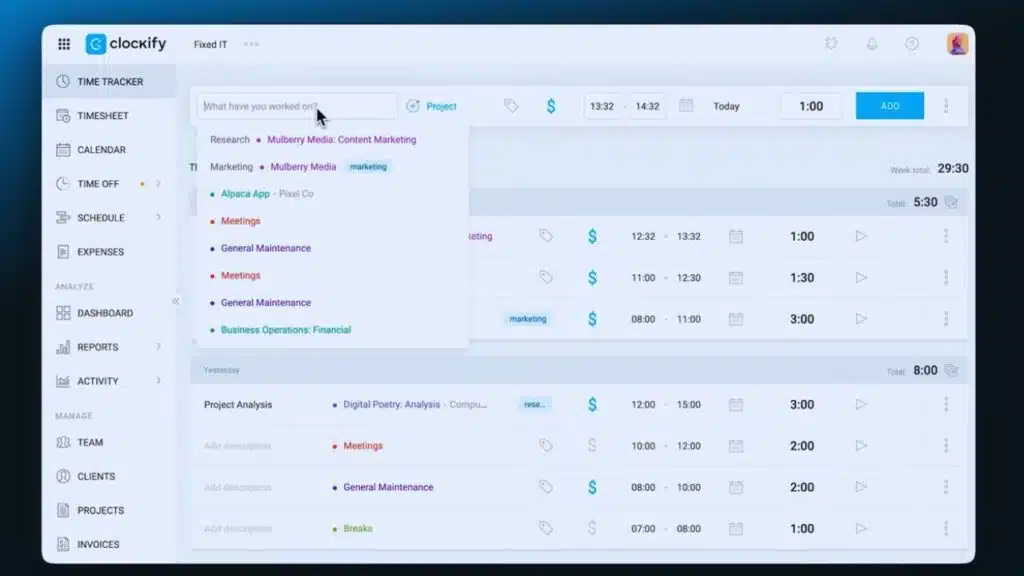
Freelancers love Clockify for its simple timer that tracks work hours across projects, and it even lets teams log tasks with ease. You get a free plan for basic use, while premium tiers kick in at $3.99 per user monthly for reports and billing tools.
What features does Clockify provide for time tracking?
Clockify makes time tracking a breeze for freelancers who juggle multiple gigs. You get tools that boost productivity and keep your invoicing on point, all in one spot.
- One-click time tracking kicks things off easy, like flipping a switch, and manual entry lets you log hours when you need to tweak details for precise time management.
- Billable and non-billable hour tracking sorts your work hours smartly, so invoicing feels accurate and fair, helping you bill clients without the guesswork.
- Organization by client groups your tasks neatly, plus project hour estimation acts like a crystal ball for planning, tying right into solid project management.
- Export options in Excel, CSV, and PDF formats let you pull reports fast, imagine sharing billing details with a client over coffee without any hassle.
- Integrations with over 80 external tools connect Clockify to your favorites, boosting workflow automation and making task tracking seamless across apps.
- Browser extension and auto-tracker add convenience, they track time in the background like a silent partner, enhancing productivity even on busy days.
- Offline tracking capabilities keep you going without internet, perfect for those times you’re on a plane or in a spotty cafe, ensuring time logging never skips a beat.
- Advanced features often call for higher-tier paid plans, but they unlock extras like detailed reports and deeper integrations, worth it if you crave more control over your billing and tasks.
How much does Clockify cost and what are the plan options?
Freelancers often hunt for budget-friendly tools that fit their workflow, so let’s break down Clockify’s pricing in a simple table for you.
| Plan Name | Cost Per User/Month | Key Details |
|---|---|---|
| Free | $0 | Unlimited projects and clients keep things flexible for solo users. |
| Basic | $4.99 | Upgrade for core features like reports and time audits. |
| Standard | $6.99 | Add invoicing and expense tracking to streamline billing. |
| Pro | $9.99 | Get advanced options such as scheduling and custom fields. |
| Enterprise | $11.99 | Scale up with priority support and data export tools. |
| Bundle | $12.99 | Includes team and project tools for collaborative work. |
Harvest Overview and Pricing
Freelancers love Harvest because it turns chaotic work hours into smooth billing magic, like waving a wand over your invoices. Check out its free solo plan or team options starting at $12 per user monthly, and see how it fits your gig life.
How does Harvest integrate time tracking and invoicing?
Harvest blends time tracking and invoicing in smart ways that save you time. This setup helps freelancers handle billing without extra hassle.
- Harvest connects time tracking right to invoicing through QuickBooks and Xero, so you pull hours into bills fast and keep everything in sync for smooth financial reporting.
- You track expenses and upload receipts directly in the app, which ties into your billing for detailed, accurate invoicing solutions that avoid surprises.
- The tool lets you send invoices straight to clients and set up late payment reminders, acting like a helpful nudge to keep cash flowing in your project management routine.
- Visual reports show project hours and expenses at a glance, giving you clear insights to tweak your time management and spot billing trends early.
- With over 50 integrations, Harvest automates workflows by linking to other tools, making sure your expense tracking and invoicing fit seamlessly into daily tasks.
- Mobile app support includes offline tracking, so you log time on the go and sync it later for flexible billing that matches your freelance life.
- Payment processing sticks to Stripe and PayPal options, which keeps things simple but focused, helping you collect funds without jumping through hoops.
What are the pricing options for Harvest?
You need solid pricing info to pick the right tool, so let’s break down Harvest’s options in a clear table.
| Plan | Details | Cost |
|---|---|---|
| Free | Limits you to 1 user and 2 projects, perfect for solo starters testing the waters. | $0 |
| PRO | Offers more seats with a 30-day trial; bill annually for savings, like a smart freelancer’s budget hack. | $11 per seat per month |
| PREMIUM | Steps up features for teams; pay yearly, and grab that 30-day trial to feel it out, no strings attached. | $14 per seat per month |
Hubstaff Overview and Pricing
Freelancers, imagine a tool that watches your work like a loyal sidekick, spotting idle moments and boosting focus. Hubstaff packs in screenshot captures, app usage logs, and GPS tracking to keep projects on rails, with plans kicking off at $7 per user monthly for basics, scaling up to $20 for advanced team insights.
What productivity monitoring features does Hubstaff include?
Hubstaff packs a punch for keeping tabs on your work habits, especially if you’re a freelancer juggling multiple gigs. Think of it as your trusty sidekick that spots productivity leaks without making you feel like Big Brother is watching.
- Hubstaff monitors apps and websites you use during tracked hours, so you can see where your time slips away, like spotting a leaky faucet in your daily routine.
- It captures random screenshots for accountability, giving you a quick visual proof of your focus, almost like snapshots from a work diary that keep things honest.
- The tool offers GPS tracking for mobile or field work, perfect if you’re out and about, tracking your location to match it with your time logs.
- You can organize expenses right within the platform, making expense management a breeze and tying it straight to your productivity monitoring efforts.
- Hubstaff supports both automatic and manual time tracking, letting you choose what fits your style, whether you want it hands-off or hands-on.
- It provides client task monitoring, so you stay on top of what matters to each client, boosting your client management game.
- Desktop offline tracking keeps things rolling even without internet, ensuring your time tracking and productivity monitoring don’t skip a beat.
- On the flip side, Hubstaff lacks report branding, which might bug you if you like customized looks for your reports.
- It also has fewer integrations compared to competitors, so check that against your task management needs before jumping in.
What pricing plans are available for Hubstaff?
Freelancers often hunt for the right subscription to fit their budget. Check out Hubstaff’s pricing tiers. They start with the Starter plan at $4.99 per user seat each month. You get a 14-day trial period to test it out. Imagine kicking off your day without stressing over costs, right?
Move up to the Grow plan for $7.50 per seat monthly. The Team option sits at $10 per seat. Go big with Enterprise at $25 per seat each month. Premium plans need at least two users. These monthly fees cover various service levels, from basic billing to advanced features. Pick what matches your freelance hustle.
My Hours Overview and Pricing
Freelancers love My Hours for its simple project tools that let you assign tasks, set budgets, and track progress like a pro. It offers a free plan for basics, plus paid tiers starting at $6 per user monthly for teams needing reports and invoices.
What project management tools come with My Hours?
My Hours packs a punch for freelancers juggling projects. It blends easy tools that keep you on top of tasks without the hassle.
- Time tracking starts simple with a stopwatch or manual input, so you log hours fast and stay focused on work.
- Project management lets you handle unlimited projects and clients, making it a breeze to organize everything in one spot.
- Budgeting helps track project costs, and you set custom hourly rates per project to match your needs.
- Reporting gives clear insights with custom fields, file attachments, and tagging for detailed overviews.
- Invoicing kicks in on the paid plan, turning your tracked time into quick bills for clients.
- Expense logging tracks spending right alongside time, like adding up receipts during a busy week.
- Customization shines with options to tweak fields and rates, fitting your style like a glove.
- Reminders pop up for time entries and deadlines, nudging you gently to avoid slip-ups.
- Client management keeps contacts and projects tied together, unlimited and straightforward.
- Productivity tools boost your flow, with features that tie into reporting and reminders for better daily wins.
What are the pricing tiers for My Hours?
Freelancers love options that fit their budgets. My Hours offers a free plan with unlimited projects and clients. You get basic tracking without any cost. This free service acts like a trusty sidekick, handling your daily tasks with ease. Imagine juggling gigs like a circus performer, and this plan keeps everything in the air for zero dollars.
Switch to the pro plan for more power. It costs $8 per month with annual billing. This subscription unlocks advanced features for serious users. Teams can manage clients and projects smoothly under this tiered pricing model. Picture it as upgrading from a bike to a speedy scooter, making your workflow zip along. Costs stay low while plans deliver real value.
Timely Overview and Pricing
Timely grabs your work hours with smart tech, like a silent helper that logs every task on its own. Check out its starter plans from $10 a month, or jump into a free test run to see if it fits your freelance flow.
How does Timely automate time tracking?
Timely makes time tracking a breeze for freelancers juggling multiple gigs. This tool uses smart tech to handle the heavy lifting, so you focus on your work instead.
- Timely employs AI to automatically track work activities and hours, acting like a silent partner that logs every minute without you lifting a finger, boosting your productivity tracking and time management game.
- It integrates with project management platforms for seamless workflow, think of it as a bridge connecting your tasks across apps, which streamlines workflow automation and keeps everything in sync.
- The software visualizes billable hours for each project or client, painting a clear picture like a dashboard map, so you spot earnings potential at a glance and manage invoicing with ease.
- You can add manual entry and editing of time logs, giving you control like tweaking a recipe mid-cook, perfect for those times when AI needs a human touch in time logging or activity monitoring.
- Timely provides invoice templates for easy billing, imagine ready-made forms that pop out professional bills in seconds, tying right into your billable hours and task management needs.
- Setup process can be lengthy and complex, sort of like assembling a puzzle with tiny pieces, so plan some extra time to get it rolling for your clocking in and out routine.
- No offline tracking mode is available, which means it works best with a constant connection, like a phone that only dials online, so keep that in mind for remote spots without Wi-Fi.
What are the pricing plans and trial options for Timely?
Timely offers three main subscription plans to fit your freelance needs. Pick the Starter plan at $9 per month, and you get access for up to 20 projects. That keeps costs low if you juggle just a few gigs.
Upgrade to the Premium tier for $16 each month, and enjoy unlimited projects, like a wide-open field for all your work. Go with the Unlimited option at $22 monthly, and add unlimited users too, perfect for teaming up without limits. They skip a free plan, so you dive right into paid access, but check their site for any current trial deals on these pricing tiers.
Everhour Overview and Pricing
Everhour syncs right up with apps like Asana and Trello, turning your project boards into smart time trackers that log hours without extra fuss. Teams pay $10 per user each month for the full plan, or grab a free trial to test drive those billing reports and task breakdowns.
How does Everhour integrate with project management software?
Freelancers often juggle multiple projects and need tools that fit right into their daily grind. Everhour steps up by linking smoothly with your favorite project management apps, making time tracking a breeze.
- Integration happens seamlessly with platforms like Asana, Trello, and Basecamp, so you track time without switching tabs, boosting your workflow like a well-oiled machine.
- You get real-time tracking that logs every minute on tasks and projects, helping you bill clients with spot-on accuracy and no guesswork.
- Users generate branded invoices straight from those tracked hours, turning your hard work into quick payments, as if the software reads your mind.
- Customizable reporting lets you explore time allocation and project costs, giving you insights that feel like a secret weapon for smarter decisions.
- The intuitive user interface cuts down the learning curve, so even if tech frustrates you sometimes, this setup feels like chatting with an old friend.
- Pricing kicks off at $7.50 per seat per month, fitting various freelancer budgets and scaling as your gigs grow.
What pricing options does Everhour offer for teams?
Everhour offers clear subscription plans for teams, with pricing tiers based on user seats and features. The Basic plan costs $7.50 per seat per month, perfect for simple time management and project management needs. Move up to the Team plan at $10 per seat per month, and you get extra team collaboration tools plus advanced billing options. For bigger groups, the Enterprise plan runs $25 per seat per month, packing in robust software plans for complex cost structures.
People praise Everhour for its strong time tracking capabilities, and this monthly fee setup keeps things flexible. These prices hold accurate as of January 28, 2025. Hey, prices can shift like sand in the wind, so check the latest from Everhour directly to stay on top of any changes in their billing options.
TrackingTime Overview and Pricing
Freelancers love TrackingTime for its strong collaboration tools that let teams chat in real time and share tasks like passing a hot potato during a busy project. It offers a free plan for basic work hours logging, plus paid options starting at $5 per user monthly, packed with expense tracking and invoicing perks that make billing a breeze.
What collaboration and task tracking features does TrackingTime have?
TrackingTime shines in collaboration and task tracking, making it a go-to for freelancers juggling projects. You get tools that boost workflow optimization and keep teams in sync, like a trusty sidekick in your daily grind.
- TrackingTime supports automatic and manual tracking, so you can switch up your time management style for flexible workflows that fit your vibe, imagine flipping between autopilot and hands-on control without missing a beat.
- It enables time blocking for focused work sessions, helping you carve out chunks of your day like slicing a pie, to tackle tasks without distractions pulling you off course.
- The app offers customizable reports and timesheets, letting you tweak data views for sharp project tracking and reporting that feels personal, almost like chatting with an old friend about your progress.
- You find billed timer markers for accurate client invoicing, marking time spent so bills go out spot-on, turning what could be a headache into a smooth ride for client management.
- TrackingTime allows unlimited projects and clients on the free plan, giving you room to grow without walls, think of it as an open field where your task organization can run wild.
- It integrates with over 50 external tools, weaving in automation and integration that connect your apps seamlessly, though fair warning, some setups might test your patience like a tricky puzzle.
- Calendar sync keeps your schedule tight and reliable, syncing events so nothing slips through the cracks in your workflow optimization.
- AutoTrack backup adds a safety net, capturing time data automatically to improve reliability, ensuring your project tracking stays solid even on chaotic days.
What are the free and paid plan options for TrackingTime?
TrackingTime offers a free plan with basic functionality for time tracking. You get essential tools to log hours and manage simple projects. Freelancers love this option, it fits like a glove when starting out. Paid subscription plans kick in for more features.
The Starter plan costs $3.75 per user each month on annual billing. It boosts user management and adds productivity tools. Move up to the Pro plan at $5.75 per user monthly with annual billing, and you unlock advanced billing options plus better project management. For teams, the Business plan runs $10 per user per month on annual billing. This tier expands the feature set with robust software overview capabilities. Pick what suits your workflow, folks.
TimeCamp Overview and Pricing
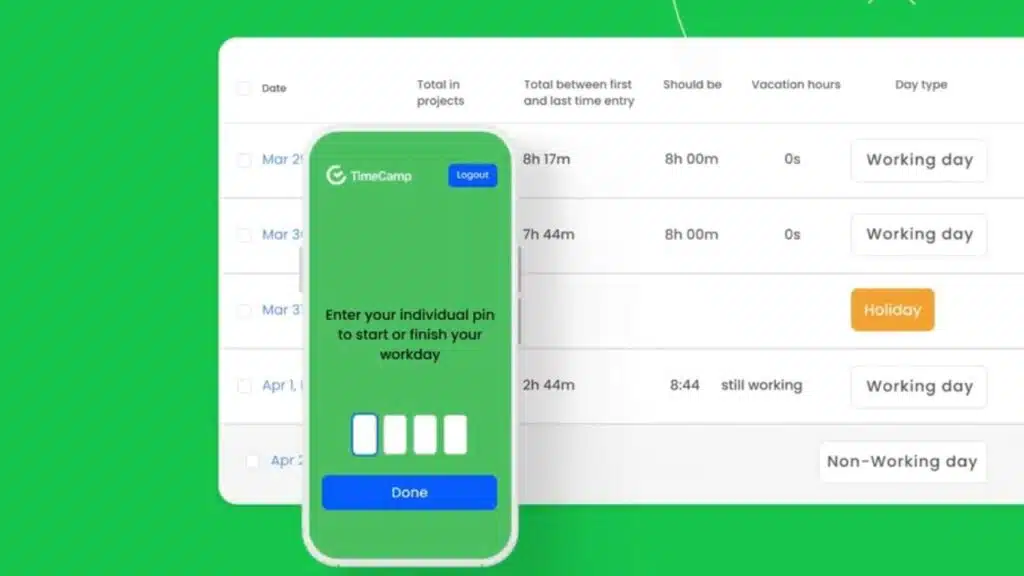
TimeCamp tracks your work hours automatically, like a silent partner that logs every minute without you lifting a finger, and it turns those logs into easy invoices for clients. With plans starting free for basics and going up to $7.99 per user monthly for premium features like detailed reports and team billing, this tool fits right into a freelancer’s busy life, making financial tracking a breeze.
How does TimeCamp handle automatic time tracking and invoicing?
TimeCamp makes time management a breeze for freelancers like you. It turns tracking hours into an effortless task, blending productivity tracking with a smooth invoicing system.
- Freelancers love how TimeCamp offers automatic time tracking, logging billable hours without any manual input, so you can focus on your work instead of watching the clock.
- You convert those tracked hours straight into invoices, streamlining the billing process like a well-oiled machine, and saving you tons of hassle.
- The freelance software integrates with various project management tools, cutting down on administrative tasks that eat up your day.
- Users get automated reminders for timely tracking of hours, minimizing missed entries, almost like having a helpful buddy nudge you at the right moment.
- TimeCamp provides detailed reports and analytics tools to analyze productivity and profitability, giving you insights that feel like a secret weapon in your toolkit.
- Pricing starts at $7.50 per seat per month, with higher tiers for additional features, making it accessible yet scalable as your needs grow.
- A free version sits ready with limited features for freelancers or small teams to try, letting you dip your toes in without committing right away.
What pricing plans does TimeCamp offer?
You need solid pricing tiers for time tracking as a freelancer. TimeCamp delivers three subscription plans that fit various needs. Pick the Basic plan at $7.50 per seat per month for core features. It suits solo workers who want simple productivity software. Jump to the Team plan at $10 per seat per month for added team collaboration tools. This one boosts small business vibes with project management perks. Go big with the Enterprise plan at $25 per seat per month for top-level options. These plans shine for freelancers and small teams, blending billing integration smoothly.
Competitive pricing sets TimeCamp apart from other productivity software. Imagine chatting with a client, “Hey, this tool saves us bucks and hassle.” It hooks into billing and project management systems, ramping up your efficiency. Freelancers love how these plans scale without breaking the bank. Small businesses get that edge too, like a secret weapon in a busy day.
WebWork Tracker Overview and Pricing
WebWork Tracker captures screenshots and tracks activity levels, giving freelancers a clear picture of their work patterns like a window into daily productivity. It starts with a free trial, then offers paid plans from $4.99 per user monthly, making it easy to scale as your freelance gigs grow.
What visual tracking and screenshot features does WebWork Tracker provide?
Freelancers often need strong tools for visual tracking to stay on top of their work. WebWork Tracker steps in with features that boost accountability and make productivity monitoring a breeze.
- Timeline and calendar views let you monitor tasks and deadlines easily, like having a personal roadmap that keeps you from missing a beat in your busy schedule.
- The software grabs screenshots automatically at intervals you set, ensuring accountability without you lifting a finger, almost like a silent watchdog over your workflow.
- You customize screenshot settings, tweaking frequency and tracking specific apps, so it fits your style, whether you’re juggling multiple projects or focusing on one big client gig.
- A real-time timer logs hours with pinpoint accuracy, turning vague estimates into solid data that helps you bill clients fairly and avoid those awkward “where did the time go” moments.
- Detailed reports break down time spent on tasks for sharp productivity analysis, giving you insights that feel like chatting with a wise mentor about your work habits.
- Mobile access lets you track time and capture screenshots on the go, perfect for remote work when you’re sipping coffee at a cafe or handling tasks from your couch.
What are the trial and pricing options for WebWork Tracker?
WebWork Tracker gives you a free trial to test its time tracking and productivity tools before you commit. This software trial lets you explore features like workforce management and collaboration tools without any upfront cost. Picture dipping your toes in the water; you get a feel for how it handles project management and billing structure. Teams love this option, as it matches their needs for subscription plans.
Pricing breaks down into three clear choices for user pricing. The BASIC plan costs $7.50 per seat per month and covers essential time tracking. Jump to the TEAM plan at $10 per seat per month for added collaboration features. For bigger setups, the ENTERPRISE plan runs $25 per seat per month with full workforce management. Each tier offers flexible payment options to fit your freelance budget.
How do these tools compare in features and pricing?
Freelancers often juggle time tracking, project management, and productivity tools to stay on top of their game. Clockify stands out with its top free plan, giving you unlimited projects and clients without a dime. Toggl Track shines in automation, using AI for effortless time tracking that feels like magic. Harvest and Hubstaff lead in invoicing and client management, blending seamless integrations with accounting and payroll systems. Timely excels in reporting and analytics, dishing out AI-generated visual reports that make data pop.
Many of these apps offer mobile applications on iOS and Android, like Toggl Track, Clockify, and Hubstaff, so you track time on the go. Pricing varies from $3.75 to $25 per user per month across paid plans, fitting different needs. Upwork’s free tracker ties into its platform for easy tracking, invoicing, and payment protection. RescueTime boosts productivity with Focus Sessions and distraction blocking, like a personal coach keeping you focused. Integration features in tools like Everhour connect smoothly with project management software, while TimeCamp handles automatic tracking and invoicing like a pro.
What factors should you consider when choosing time tracking software for freelancers?
Think about your workflow first. It shapes how you track time. Pick software that fits your billing model, like hourly or fixed price. Client needs matter too. They often demand clear records.
Automation tools with precise timers help a lot for hourly freelance billing. You avoid guesswork that way. Detailed reporting features give insights into fixed-price projects. They show your profitability.
Spot what eats your time, like a sneaky thief in the night.
Hunt for integrations that save time. They connect with your project tracking apps. Strong invoicing solutions make billing smooth. Match the tool to your business goals. Go for free plans if you need basics.
Choose premium tiers for deep analytics. Check data security. Most top apps follow GDPR and CCPA rules. They use encryption and privacy controls. Accessibility boosts your game. Mobile apps and cross-platform support let you work anywhere.
Stay productive on the go, no matter what.
Takeaways
You now know the top time tracking tools like Toggl Track and Clockify that boost your freelance game. Pick one that fits your billing style, whether hourly or fixed-price, and watch your productivity soar.
Imagine ditching the chaos of manual logs for smooth invoicing; these apps make it happen. Freelancers thrive with the right expense tracking and project management features. Give them a try, and turn your work hours into real wins.
FAQs
1. What makes time and billing tracking software a must-have for freelancers?
Hey, as a freelancer, you juggle tasks like a circus performer, right? Time and billing tracking software helps you log hours accurately, send invoices fast, and get paid without the hassle. It turns chaos into smooth sailing, letting you focus on what you love.
2. How do I pick the best time tracking tool from the top 10 list?
Look for software that fits your workflow, like one with easy mobile apps for on-the-go tracking. Check user reviews to see if it handles billing seamlessly, and test a free trial to avoid buyer’s remorse.
3. Can billing software really boost my freelance income?
Absolutely, it tracks every minute you work, so you bill clients precisely and avoid undercharging. Imagine catching those sneaky extra hours that slip away, like finding money in an old coat pocket; it adds up quick.
4. What features should I expect in the best time and billing software?
Expect automatic time logging to capture your day without effort. Integration with payment systems speeds up invoicing, and reports help you spot patterns in your work habits. Plus, some even remind you to take breaks, because hey, you’re not a machine.