Do you know how to delete Letgo account? Here we are describing it in detail so that you can do it properly by following this full and updated guide.
Letgo is an online ad site where users can buy and sell second-hand items. Similar to Wallapop and Craigslist, Letgo is an application that helps users buy or sell from others. On the site, users can create and edit their account information, upload photos, view a list of items that users have uploaded, review item information, communicate with users who have uploaded items, and buy items by meeting them.
There are several reasons why you may want to delete Letgo account. If you delete your account solely because of newsletters or emails, you can mark the email as spam by clicking the “Spam” button at the top of the email or unsubscribe by clicking the “Unsubscribe” link at the bottom of the email. If you have other reasons, our Tech team explains the step-by-step method to remove your account from the Letgo database.
The History of Letgo
Alec Oxenford, Jordi Castello, and Enrique Linares founded Letgo in January 2015, and it is now one of the top online marketplaces for buying and selling goods worldwide. According to the source, the company currently has more than 90 employees.
According to Wikipedia, it has more than 10 million monthly active users who buy and sell its second-hand items. The company targets the U.S. market, while OLX is similar to Letgo but operates in almost every country.
There are many reasons why a person may want to delete a Letgo account, some of which may include the following:
- You have received too many promotional or advertising emails from the Letgo application. These promotional messages can overwhelm your inbox and you may miss important messages.
- They probably wanted to use the application to buy/sell the product, and they did.
- They received spam through the Letgo application, but from an unknown provider.
Please note that there are several ways to opt-out of receiving promotional emails from Letgo. You do not need to delete your Letgo account to stop receiving promotional emails. To delete your Letgo account for any other reason, please see the instructions for deleting your Letgo account below.
How to delete Letgo account?
Many people find on Google how to delete Letgo account? As mentioned above, Letgo can be opened as an app on the smartphone or used through a web browser. The Letgo app is available in the iOS App Store and the Google Play Store.
Users of this account have 3 options for deleting their account, as follows:
- Delete an account by e-mail.
- Letgo account deletion through the website.
- Accounts can be deleted through Android and iOS apps.
How to delete a Letgo account through email?
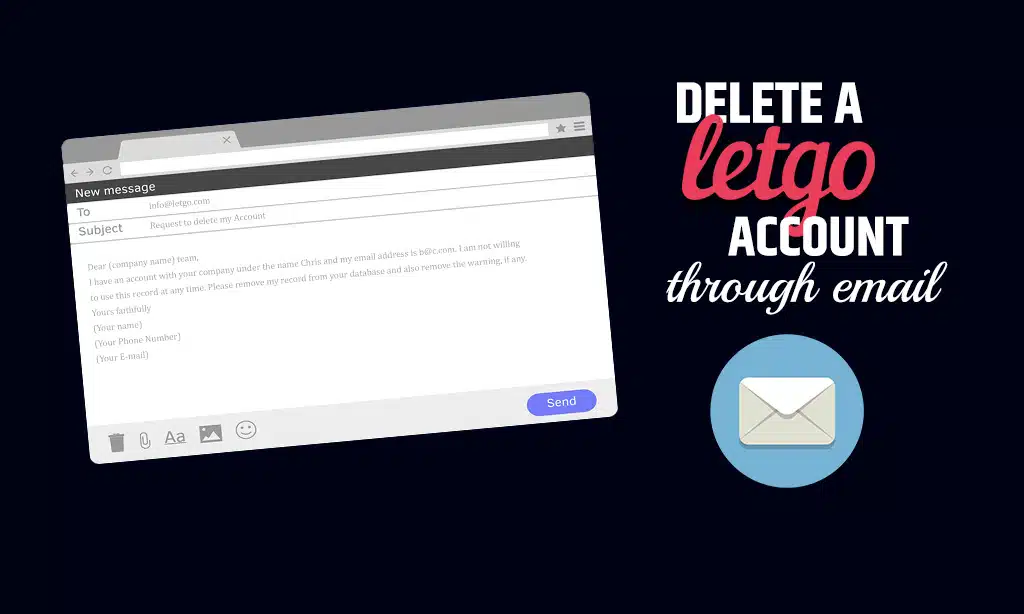
You can delete your account by sending an email to the Letgo company and asking them to permanently remove your account from their database.
Therefore, perform the following steps:
Step 1: Open the email account you registered in the application or on the website.
Step 2: Now compose the letter and enter the email address, info@letgo.com.
Step 3: Enter “REQUEST TO DELETE MY ACCOUNT” in the subject line.
Step 4: Now write a letter asking them to remove your account from their database and delete all your data, if applicable.
Check how to create an e-mail for Letgo account deletion
Subject: About deleting an account from your database
Dear (company name) team,
I have an account with your company under the name Chris and my email address is b@c.com. I am not willing to use this record at any time. Please remove my record from your database and also remove the warning, if any.
Yours faithfully
(name)
(Phone Number)
(E-mail)
How to delete Letgo account on PC?
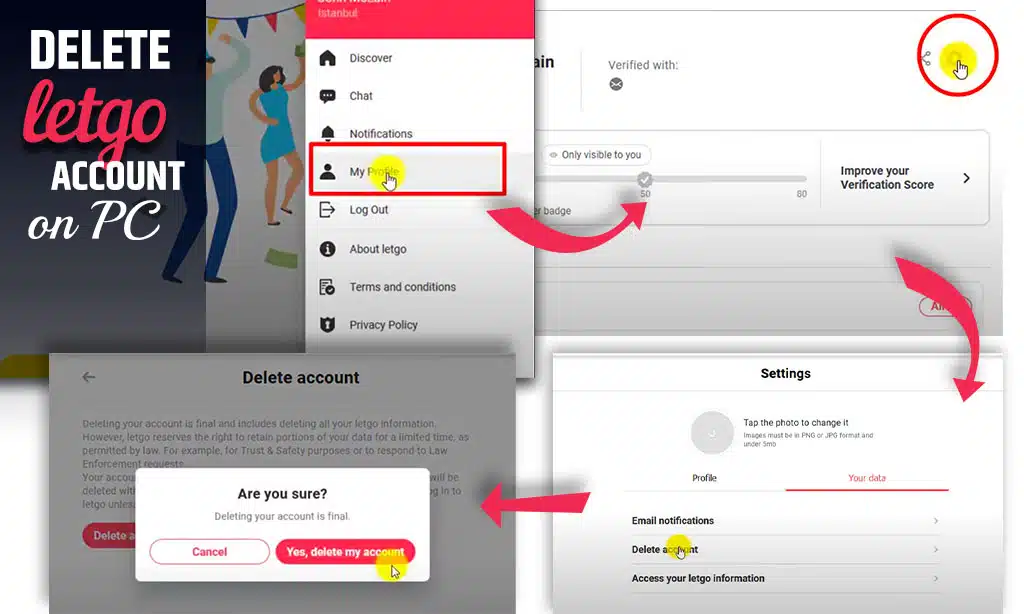
Letgo can be used from any web browser by visiting the official website. Follow the steps below to delete the Letgo account from your computer.
- Go to Letgo’s official website and register.
- Click on your profile icon in the upper-right corner of the page.
- In the list of options, click on My profile.
- Click on the configuration icon.
- You will be taken to a page with two tabs: “Profile” and “Your data”. Click on “Your data”.
- Select “Delete account” from the list of options.
- You will receive a notification that says, “If you delete a Letgo account, all your Letgo information will be deleted. Click “Delete account”.
- Click “Yes, delete my account” in the confirmation window that opens.
- You will then be notified that your account has been marked for deletion.
- When an account is deleted, it becomes inactive within 48 hours and all your Letgo information is deleted within 30 days.
How can I delete my Letgo account from the app?
- Locate and launch the Letgo application from the home screen or the application drawer.
- If you are not automatically logged in, click the “Log in” button next to the “Register” tab. In the login form, enter your e-mail address and password. If you have forgotten your password, you can click on the “I forgot my password” option and follow the instructions to change it.
- To begin the process of deleting your Letgo account, click on your profile icon in the upper-right corner of the screen.
- Scroll down the page and click on Help
- Click on the technical support and bug report buttons at the bottom of the page.
- In the contact form, select Edit or Delete your profile as the subject. Next, write a message describing why you want to delete your account. Use simple, easy-to-understand language. Don’t write a whole essay describing why you left your Letgo account. Get to the point.
- Support will contact you shortly to confirm that your request is being processed. Your account will be deleted within 24 hours. Immediately after submitting your account deletion request, you should receive the following email.