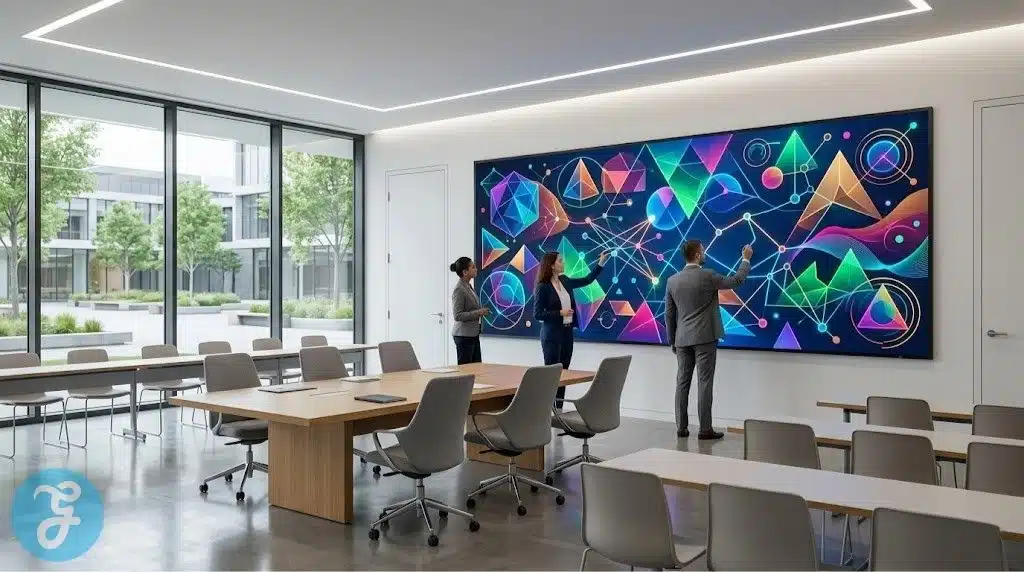
Transforming a classroom into a collaborative hub requires more than just a surface to write on. As institutions move toward hybrid learning, identifying high quality Educational Whiteboards means evaluating both physical hardware and digital collaboration software. By choosing independent American SMEs, schools can access agile support and specialized tools that are often overlooked by the massive global tech conglomerates.
Establishing a rigorous selection process ensures that the chosen equipment can handle the daily demands of a high energy classroom environment.
How We Selected Our 15 Best Educational Whiteboards
Identifying the most effective collaborative surfaces required strict filtering to separate true innovators from bloated generic resellers. We focused entirely on independent American studios that bridge the gap between physical touchscreens and cloud based digital canvases.
-
Geographic Baseline. Operated and headquartered strictly within the United States as independent entities.
-
Hardware Software Synergy. Proven ability to integrate physical hardware with proprietary digital whiteboarding applications.
-
Durability Standards. Verified industrial grade build quality for hardware and high server uptime for software only providers.
-
Security Protocols. Strict adherence to student data protection laws and secure login frameworks.
Understanding these foundational criteria establishes exactly why these specific digital tools stand out in the competitive academic hardware sector.
Whom This is for
This guide serves K 12 administrators, university procurement officers, and instructional designers seeking to upgrade their physical and digital teaching spaces. It is also an essential resource for corporate trainers who require interactive surfaces for collaborative brainstorming and remote workforce development.
With the audience defined, we can examine the specific developers leading the industry.
The Top 15 SMEs Developing Educational Whiteboards
The following independent developers are actively reshaping how academic institutions visualize information and engage with students. Here is our curated breakdown of the standout studios driving classroom innovation today.
Starting with platforms that provide a complete hardware and software bundle allows schools to deploy a unified teaching solution.
1. Vibe
Operating out of Bellevue, Washington, Vibe provides an all in one interactive whiteboard system that blends an industrial grade 4K touchscreen with a powerful cloud based software engine. The platform allows teachers to pull in content from any web source and annotate directly over live videos or digital documents. It functions as a central nervous system for the modern classroom by connecting diverse digital tools into a single collaborative workspace.
Best for:
-
Hybrid classrooms that require seamless integration between physical students and remote participants.
Why We Chose It:
-
It offers a highly responsive touch interface that mimics the natural feel of writing on paper.
-
The cloud based software allows students to contribute to the board from their own personal devices.
Things to consider:
-
The high end hardware represents a significant initial investment for schools on a limited budget.
The 2026 Edge:
-
Integrated AI assistants that automatically clean up hand drawn diagrams into professional digital assets.
When institutions require massive displays for lecture halls, specialized hardware developers provide the necessary scale.
2. Clear Touch
Based in Greenville, South Carolina, Clear Touch manufactures a wide range of interactive displays designed specifically for the rigors of the classroom. Their hardware is known for its incredible durability and its ability to handle multiple simultaneous touch points without lag. They also provide a proprietary software suite that allows teachers to create interactive games and lessons without needing external subscriptions.
Best for:
-
High traffic K 12 environments where durability and multi student collaboration are the primary priorities.
Why We Chose It:
-
It features incredibly tough AG glass that resists scratches and impacts from daily student use.
-
The software includes a massive library of pre built interactive templates for various academic subjects.
Things to consider:
-
The sheer weight of the larger displays requires specialized mounting and professional installation.
The 2026 Edge:
-
Antimicrobial screen coatings that automatically inhibit the growth of bacteria on the glass surface.
Moving away from physical screens, some developers focus entirely on the digital canvas that lives in the cloud.
3. Limnu
Headquartered in Salt Lake City, Utah, Limnu provides a digital whiteboarding application that is widely considered the fastest and most realistic online sketching tool. The platform focuses entirely on the experience of drawing, providing a lag free environment where multiple users can collaborate as if they were standing at the same physical board. It is a favorite for mathematics and science teachers who rely heavily on freehand diagrams.
Best for:
-
Remote tutoring and online STEM classes that require high precision digital sketching.
Why We Chose It:
-
The drawing engine is incredibly smooth and works perfectly across tablets, computers, and smartphones.
-
It provides a simple, frictionless sharing system that allows students to join a board instantly.
Things to consider:
-
It lacks the complex project management features found in more bloated corporate whiteboarding tools.
The 2026 Edge:
-
Enhanced spatial audio that allows participants to hear exactly where on the board someone is drawing.
For institutions needing to digitize physical work in real time, innovative camera technology is essential.
4. IPEVO
Located in Sunnyvale, California, IPEVO develops specialized document cameras and software that transform any flat surface into an interactive whiteboard. Their technology allows teachers to project physical books or handwritten notes onto a screen while adding digital annotations in real time. It is a cost effective way to modernize a classroom without replacing every existing whiteboard.
Best for:
-
Schools looking for an affordable way to digitize physical classroom materials and live demonstrations.
Why We Chose It:
-
The hardware is remarkably portable and sets up in seconds via a simple USB connection.
-
The software allows for the simultaneous recording of both the teacher and the physical workspace.
Things to consider:
-
It requires a stable desk surface and consistent lighting to provide the best possible image quality.
The 2026 Edge:
-
Voice controlled camera adjustments that allow teachers to zoom or refocus without touching the device.
Large scale institutional deployments often require hardware that integrates deeply with existing Windows or Android ecosystems.
5. OneScreen
Based in San Diego, California, OneScreen provides a comprehensive suite of interactive hardware and software designed for seamless institutional integration. Their boards act as a giant tablet, allowing teachers to access the full Google Play or Windows Store environments directly from the classroom wall. They also provide a dedicated “Guru” support team available at the push of a button for immediate technical assistance.
Best for:
-
Districts that need enterprise grade hardware with dedicated, live technical support for every teacher.
Why We Chose It:
-
The on board processing power is high enough to run complex academic software without a connected computer.
-
The instant access to live support technicians significantly reduces classroom downtime.
Things to consider:
-
The deep integration with various operating systems requires a knowledgeable IT department to manage.
The 2026 Edge:
-
Integrated facial recognition that automatically loads a teacher’s personalized settings and files upon entry.
Sometimes the most effective teaching tool is one that students are already familiar with using on their own devices.
6. Padlet
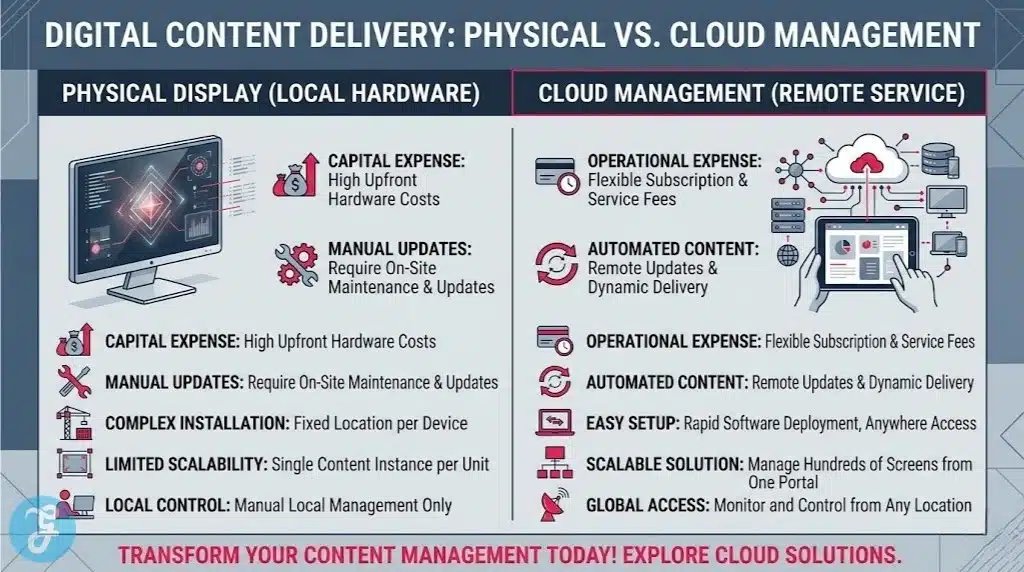
Headquartered in San Francisco, California, Padlet functions as a digital bulletin board and collaborative canvas. It allows teachers to create a space where students can post text, images, videos, and drawings in a highly organized and visual format. It is one of the most popular tools for brainstorming and gathering quick feedback from an entire class simultaneously.
Best for:
-
Gathering student feedback and managing collaborative research projects in a visual grid format.
Why We Chose It:
-
The interface is incredibly intuitive and requires almost zero learning curve for students of all ages.
-
It handles a vast range of file types, from simple text to complex 3D models and geographic maps.
Things to consider:
-
It is a software only solution that relies on students having access to their own digital devices.
The 2026 Edge:
-
Automated content moderation that uses AI to flag and hide inappropriate student posts in real time.
When precise engineering and American manufacturing are required, specialized boutique firms stand out.
7. Clary Icon
Operating from San Diego, California, Clary Icon manufactures high end interactive displays known for their sleek design and technical reliability. They focus on providing a premium experience for executive education and higher ed seminar rooms. Their boards are built with a focus on high fidelity audio and video conferencing, making them ideal for professional learning environments.
Best for:
-
Executive education programs and university seminar rooms that prioritize professional design and high end audio.
Why We Chose It:
-
The build quality is exceptional and fits perfectly into modern architectural spaces.
-
The integrated camera and microphone arrays are optimized for clear communication in large rooms.
Things to consider:
-
The premium pricing reflects the high end materials and specialized manufacturing processes used.
The 2026 Edge:
-
Direct integration with professional room control systems to automate lighting and audio during presentations.
Interactive technology can also be used to enhance the visibility of physical experiments in science labs.
8. HoverCam
Based in San Diego, California, HoverCam creates document cameras and interactive displays that emphasize high resolution and high frame rates. Their technology is specifically designed to capture fast moving scientific experiments or detailed artistic processes without any motion blur. It allows an entire classroom to see tiny details that would otherwise be invisible from a student desk.
Best for:
-
Science laboratories and fine arts classrooms that need to broadcast detailed physical processes.
Why We Chose It:
-
It offers some of the highest frame rates in the industry, ensuring smooth video of physical actions.
-
The software includes advanced image processing that automatically corrects perspective and lighting.
Things to consider:
-
The hardware is highly specialized and may be more than what a standard history or math class requires.
The 2026 Edge:
-
Integrated microscopic lenses that allow teachers to broadcast cellular level details directly to the board.
For organizations that need to manage complex projects and long term planning, structured canvases are a necessity.
9. Stormboard
While based in Canada, Stormboard maintains a massive presence in the US market and serves thousands of American educational institutions. Their platform organizes the digital whiteboard into a series of structured templates for brainstorming, project management, and strategic planning. It turns a messy collection of sticky notes into a clean, actionable data report instantly.
Best for:
-
Higher education business programs and administrative teams managing complex institutional projects.
Why We Chose It:
-
The platform automatically generates professional reports based on the data collected during a session.
-
It provides a highly structured environment that prevents collaborative sessions from becoming disorganized.
Things to consider:
-
The structure may be too rigid for younger students who need a more open, creative drawing space.
The 2026 Edge:
-
AI driven project forecasting that predicts potential bottlenecks based on the ideas posted on the board.
Affordability and ease of use are the primary drivers for adoption in large public school districts.
10. Recordex
Headquartered in Longwood, Florida, Recordex focuses on providing high value interactive displays and document cameras to the K 12 market. They avoid unnecessary corporate features to provide a tool that focuses purely on the daily needs of a teacher. Their software is notoriously easy to use and requires very little technical training for veteran educators.
Best for:
-
Public school districts that need reliable, easy to use hardware for hundreds of classrooms on a budget.
Why We Chose It:
-
It offers one of the best price to performance ratios in the current interactive display market.
-
The software is designed to be completely intuitive for teachers who are not naturally tech savvy.
Things to consider:
-
The hardware lacks some of the flashy aesthetics found in more premium boutique brands.
The 2026 Edge:
-
Automated lesson recording that immediately uploads the day’s board notes to a secure parent portal.
Collaborative problem solving in technical fields requires platforms that handle mathematical and scientific notation.
11. Ziteboard
Operating as a focused US based software studio, Ziteboard provides a web based whiteboard optimized for technical collaboration. The platform uses vector based graphics, meaning that drawings never lose quality no matter how far you zoom in or out. It is an essential tool for engineers and architects who need to collaborate on detailed technical drawings remotely.
Best for:
-
Engineering students and technical tutors who need to collaborate on high resolution blueprints and equations.
Why We Chose It:
-
The vector based engine allows for incredible detail and precision during collaborative sketching.
-
It functions as a permanent digital archive where users can return to their notes years later.
Things to consider:
-
The interface is highly utilitarian and may not be as engaging for younger elementary students.
The 2026 Edge:
-
Real time synchronization with professional CAD software to turn hand sketches into 3D models.
Managing the flow of information during a live lecture requires software that can handle massive student participation.
12. NoteBookCast
Based in the United States, NoteBookCast provides a multi user whiteboard that runs entirely in the browser. It is specifically designed to handle large groups of students simultaneously without crashing or lagging. It includes a built in chat system and a variety of tools for managing how and when students can draw on the shared surface.
Best for:
-
Large university seminars and online workshops that require hundreds of students to participate on one board.
Why We Chose It:
-
The underlying architecture is remarkably stable and handles high traffic loads without any performance loss.
-
It requires zero downloads, making it incredibly easy for students to join from any device.
Things to consider:
-
The drawing tools are relatively basic compared to specialized artistic whiteboarding apps.
The 2026 Edge:
-
Advanced moderation tools that allow instructors to instantly see which student drew a specific line or shape.
Specialized educational software suites often provide their own whiteboarding tools to ensure a cohesive experience.
13. Gynzy
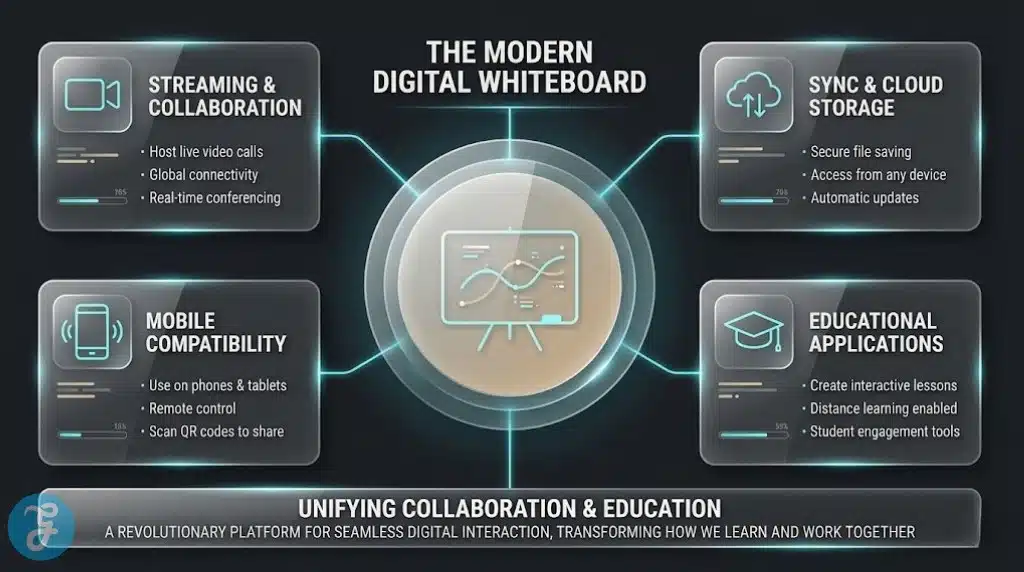
Located in New York City, Gynzy provides an all in one educational platform that includes a robust interactive whiteboard and a massive library of standards based lessons. They focus entirely on the needs of elementary school teachers, providing colorful and engaging tools that turn learning into a game. The platform integrates seamlessly with existing interactive displays from other manufacturers.
Best for:
-
Elementary school teachers who need a vast library of ready to use, gamified lessons and activities.
Why We Chose It:
-
The content is strictly aligned with American educational standards, saving teachers hours of planning time.
-
The interactive tools are designed to be used by young children with limited motor skills.
Things to consider:
-
The software requires an ongoing subscription to access the full library of interactive lessons.
The 2026 Edge:
-
Interactive characters on the board that respond to student touch and provide verbal encouragement.
Fostering creativity in a digital environment requires a platform that prioritizes the artistic process.
14. Conceptboard
Maintaining a major headquarters in the United States, Conceptboard provides a visual collaboration workspace used by both universities and creative agencies. It functions as a massive digital room where users can pin mood boards, sketches, and prototypes. It is a vital tool for design schools and architecture departments that need to manage the complete creative lifecycle.
Best for:
-
Design students and creative teams that need to manage massive visual projects over a long period.
Why We Chose It:
-
The infinite canvas allows for the organization of thousands of different digital assets in one space.
-
It includes a robust version history that allows users to see how a project evolved over time.
Things to consider:
-
The interface is professional and complex, which may be overwhelming for general academic use.
The 2026 Edge:
-
Integrated 3D viewing panes that allow users to rotate and annotate 3D objects directly on the board.
Simplicity is often the most important feature for a teacher who needs to start a lesson instantly.
15. Miro (Education Version)
While Miro is a global company, their US based education team provides a highly specialized version of their famous whiteboarding tool for American schools. They have stripped away the corporate bloat to provide a clean, powerful canvas that allows for brainstorming, mind mapping, and collaborative research. It is the gold standard for high school and university level collaborative thinking.
Best for:
-
High school and university students who need a professional grade tool for complex brainstorming and research.
Why We Chose It:
-
The library of community created templates for education is the largest in the world.
-
It integrates with almost every other digital tool used in the modern educational ecosystem.
Things to consider:
-
The professional nature of the tool means it has a steeper learning curve than simpler student apps.
The 2026 Edge:
-
Automated mind map generation that takes a student’s disorganized notes and builds a logical structure instantly.
An Overview Of Educational Whiteboards in the USA
Reviewing these varied digital environments side by side helps administrators clarify their institutional priorities. The following data points highlight the primary functional differences between these independent providers.
Overview Comparison Table
Examining these distinct providers clarifies the best approach for specific online learning environments.
| SME Developer | Headquarter Location | Core Focus Area | Primary Function |
| Vibe | Bellevue, WA | All-in-One Systems | Hybrid Classroom Hub |
| Clear Touch | Greenville, SC | Durable Displays | Multi-Touch Hardware |
| Limnu | Salt Lake City, UT | Precise Sketching | Lag-Free Digital Canvas |
| IPEVO | Sunnyvale, CA | Document Digitization | Physical to Digital Bridge |
| OneScreen | San Diego, CA | System Integration | Enterprise Grade Hardware |
| Padlet | San Francisco, CA | Visual Organization | Collaborative Research |
| Clary Icon | San Diego, CA | Executive Education | High-Fidelity Audio/Video |
| HoverCam | San Diego, CA | Science/Lab Work | High-Speed Visual Capture |
| Stormboard | US Operations | Project Management | Actionable Data Reporting |
| Recordex | Longwood, FL | K-12 Value | Easy-to-Use Hardware |
| Ziteboard | US Operations | Technical Drawing | Vector-Based Sketching |
| NoteBookCast | US Operations | Massive Participation | Stable Browser Whiteboard |
| Gynzy | New York, NY | Elementary Education | Gamified Lesson Library |
| Conceptboard | US Operations | Creative Design | Visual Lifecycle Management |
| Miro (Edu) | US Operations | Visual Thinking | Professional Brainstorming |
Evaluating these diverse tools naturally leads to our primary recommendations for specific teaching scenarios.
Our Top 3 Picks and Why?
Narrowing down the field highlights three developers making exceptional contributions to classroom technology. Vibe stands out for institutions that want a single, powerful device that handles every aspect of hybrid learning without needing external computers or complex wiring. Limnu remains the best choice for pure digital instruction because its drawing engine is so fast that it removes the frustration of digital lag entirely. Finally, Clear Touch is our top pick for traditional K 12 environments because its hardware is nearly indestructible and its software is designed specifically to keep young students engaged through movement and touch.
Selecting the right digital infrastructure requires balancing the technical capabilities of the software with the actual needs of the teaching staff.
How to Choose the Right Educational Whiteboards by Yourself?
Implementing a new interactive surface successfully means finding a platform that aligns with your specific pedagogical philosophy and budget constraints.
The Selection Framework:
- Assess Hardware vs Software: Decide if you need a physical 75 inch touchscreen or if a software only solution running on student tablets is more effective for your budget.
- Verify Bandwidth Capability: Ensure that cloud based whiteboards can function smoothly even during peak hours on your school’s local network.
- Check Software Compatibility: Confirm that any interactive hardware can run the specific academic apps your teachers already use daily.
- Evaluate Long Term Support: Look for developers that provide direct, US based technical assistance rather than relying on automated help forums.
Applying this framework directly to your specific campus needs allows you to match the right developer to your university.
Decision Matrix
Matching your specific institutional priorities with the right developer ensures a seamless digital transformation.
| Choose This SME… | If You Prioritize… |
| Vibe or Clear Touch | Replacing traditional chalkboards with a permanent, interactive hardware centerpiece. |
| Limnu or Ziteboard | Providing a fast, lag-free digital drawing experience for remote STEM education. |
| Padlet or Miro | Organizing student ideas and research in a visual, highly collaborative digital space. |
| IPEVO or HoverCam | Digitizing physical materials and laboratory experiments for better classroom visibility. |
Before signing a long term institutional contract, running through a rapid technical verification process is vital.
The Final Checklist
Running through this quick verification process guarantees you are adopting a secure, scalable platform.
-
Verify the hardware is compatible with your existing classroom mounting systems and electrical outlets.
-
Ensure the software allows for easy export of board notes into a standard PDF or image format.
-
Test the touch sensitivity of any physical board to ensure it responds accurately to both pens and fingers.
-
Confirm the developer provides regular security updates to protect the whiteboard from unauthorized access.
-
Check that the software includes accessibility tools like screen readers and high contrast modes.
Implementing these systems successfully requires a deep understanding of what synchronous education actually represents.
The Illusion of Interactive Learning
The sudden availability of massive touchscreens has led many to believe that hardware alone can improve student outcomes. However, the uncomfortable truth is that many Educational Whiteboards are being used as glorified televisions rather than active collaborative tools. As districts spend millions on high end hardware, they often fail to provide the pedagogical training required to turn a screen into a site of genuine intellectual discovery. The future of interactive learning does not rely on more pixels or faster processors. It relies on educators using these digital canvases to dismantle the traditional front of the room power dynamic, allowing students to become the primary creators of knowledge.
True engagement happens when the technology disappears, leaving behind nothing but a shared space for the fluid exchange of ideas. We must ensure that our digital boards are used to open minds rather than just to display data.
To further clarify the implementation of these digital systems, addressing common technical concerns is essential.
Frequently Asked Questions (FAQs) About Educational Whiteboards
Do I need a special pen to use an interactive whiteboard?
Most modern interactive boards utilize infrared or capacitive touch technology that works with any soft tipped stylus or even your finger. However, some high end boards include active pens that provide better pressure sensitivity and the ability to switch between writing and erasing modes instantly.
Can students in different locations draw on the same board at once?
Yes, as long as the software is cloud based and supports multi user collaboration. Most independent SMEs provide a web link that students can click on their own devices to join the live board session from anywhere in the world.
How do I save the work created on a digital whiteboard?
Cloud based platforms automatically save every stroke in real time to a secure server. For physical hardware, most systems allow you to export the entire session as a high resolution image or PDF that can be emailed directly to the class or uploaded to a learning management system.
Are interactive whiteboards compatible with Mac and Windows?
Most hardware manufacturers provide drivers for both major operating systems. However, cloud based software solutions are typically platform agnostic, meaning they run perfectly in any standard web browser regardless of the device’s operating system.
What happens if the classroom internet goes down?
Physical interactive boards typically have enough on board processing to continue functioning as a local drawing surface without internet. However, collaborative features and cloud storage will be disabled until the connection is restored, so it is vital to have a local backup strategy for critical lessons.