If you do SEO or digital marketing daily, you already know the pain: too many tabs, too many checks, and too little time. The right browser add-ons cut that friction. They help you spot on-page issues, validate redirects, pull quick keyword signals, and debug tracking without opening five separate tools.
This guide covers the best chrome extensions for seo that marketers actually use in real workflows. You’ll get practical use cases, setup tips, and quick tables under each section so you can build a clean, fast extension stack without clutter.
How We Chose These Extensions?
Chrome extensions come and go, and some become bloated over time. So the list is built around what matters in day-to-day work: speed, clarity, and repeatable value. Each pick helps with a core task like keyword research, SERP analysis, on-page audits, technical checks, content editing, analytics debugging, or competitor research. Preference went to tools that are well-known, actively maintained, and easy to use without a steep learning curve. Many are free or freemium, which suits teams that want results before committing to another paid platform. One more filter: practicality. If an extension looks impressive but rarely saves time, it does not belong on a “must-have” list.
| Selection Factor | What It Means For You | Why It Matters |
| Clear SEO/marketing use case | Solves a common task fast | Reduces tool switching |
| Lightweight workflow impact | Helps in seconds, not minutes | Keeps research momentum |
| Strong reputation | Widely used or clearly positioned | Lower risk of “dead” tools |
| Transparent value | Features are easy to verify | Faster adoption in teams |
| Practical permissions | Doesn’t demand unnecessary access | Better privacy and safety |
Quick Setup Tips Before You Install Anything
Start with a clean setup, otherwise extensions can slow Chrome down and distract you. A simple fix is to create a separate Chrome profile for marketing work. This keeps client logins, ad accounts, and SEO tool settings separate from personal browsing. Next, keep your toolbar calm. Install what you need, but pin only your daily tools. Too many pinned icons make you ignore them, and then even good tools become noise.
Also, take permissions seriously. Google documents that permissions vary by risk level, and higher-risk permissions deserve closer review. If an extension asks for broad access like “read and change data on all websites,” make sure that’s truly required for its core feature.
| Setup Step | What To Do | Quick Benefit |
| Create a work profile | One Chrome profile for marketing | Cleaner sessions and logins |
| Pin only essentials | Keep 5–8 pinned tools | Faster daily workflow |
| Review permissions | Check what the extension can access | Reduces security risk |
| Audit monthly | Remove what you don’t use | Better performance and focus |
| Prefer reputable listings | Use official store pages | Lowers risk of copycat tools |
Best Chrome Extensions for SEO at a Glance
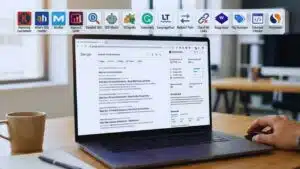
If you want a quick shortlist before the deep dive, this section is your fast filter. These tools cover the major SEO buckets: research, audits, technical checks, and measurement. Use the “Best For” column to pick what matches your daily work. If you’re mostly writing and publishing, lean into on-page and content tools. If you do audits and migrations, prioritize redirect and header checkers. If you run paid campaigns too, the analytics tools are non-negotiable.
| Category | Extension | Best For |
| Keyword + SERP | Keywords Everywhere | Fast keyword context while browsing |
| Keyword + SERP | Ahrefs SEO Toolbar | On-page + SERP overlays and quick insights |
| Keyword + SERP | MozBar | Quick authority and page signals |
| Keyword + SERP | Keyword Surfer | Keyword ideas and SERP volumes |
| On-page | Detailed SEO Extension | Titles, metas, indexability hints |
| On-page | SEO Minion | On-page checks and SERP helpers |
| On-page | SEOquake | SEO audit and SERP export |
| Writing | Grammarly / LanguageTool | Clarity, grammar, tone consistency |
| Technical | Redirect Path | Status codes and redirect checks |
| Technical | Link Redirect Trace | Redirect chains + canonicals and robots checks |
| Links | Check My Links | Broken link checks for outreach and maintenance |
| Tech stack | Wappalyzer | Detect CMS, frameworks, tools |
| Analytics | Tag Assistant | Debug GTM and tag installs |
| Analytics | Datalayer Checker | Inspect dataLayer events fast |
| Competitive | Similarweb | High-level traffic and website insights |
Keyword Research and SERP Insights Extensions
These tools help you make better content and SEO decisions without leaving the search results. They are especially useful when you need quick validation: search volume signals, keyword variations, SERP patterns, and competitor context. A smart workflow is to use one tool for keyword ideas and one for SERP overlays. That combo helps you move from “topic idea” to “content direction” faster. You also get a clearer view of intent, because the SERP itself is usually the best hint about what Google expects.
1) Keywords Everywhere
Keywords Everywhere is built for quick keyword context across multiple sites. Its Chrome Web Store listing positions it as a freemium extension that shows search volume, CPC, and competition across many platforms, and it notes a large user base. Use it when you want fast validation during topic selection. It’s also handy for spotting long-tail terms that fit naturally into H2 and H3 headings. If you plan content in batches, it can speed up the early research stage.
Practical tip: use it to compare three query types for the same topic: “best,” “how to,” and “vs.” The differences often reveal what to include in your outline.
2) Ahrefs SEO Toolbar
Ahrefs’ toolbar focuses on quick insights for on-page, keyword research, and link analysis. The Chrome Web Store listing highlights on-page checks and the ability to switch regions and Google domains, which helps if you work with international SERPs. This extension works well when you’re scanning top results and need a fast sense of what’s happening on the page. It also helps during competitor review, especially when you want lightweight checks before doing deeper research in a full SEO platform. Use it as a “first pass” tool. If something looks promising, then dig deeper with your main SEO suite.
3) MozBar
MozBar is popular for quick page and domain signals and on-page analysis elements. The Chrome Web Store page highlights capabilities like assessing Page Authority and Domain Authority, and it also mentions additional analysis features in newer versions. It’s useful when you’re qualifying prospects for outreach or quickly comparing results on a SERP. It can also help content teams understand the competitive landscape before they commit to a topic. Treat any single metric as directional, not final. Relevance and intent match still matter more than a score.
4) Keyword Surfer
Keyword Surfer is designed to surface keyword ideas and volumes directly in Google search results. Its Chrome Web Store listing emphasizes search volume, CPC, keyword suggestions, related terms, and on-page data. It’s a great lightweight choice for content writers and editors who want keyword context without opening extra tools. It also supports fast SERP-based planning, which can help you build more complete outlines. If you publish often, this tool can become part of your daily “SERP scan” routine.
| Extension | Best For | Fast Use Case |
| Keywords Everywhere | Keyword validation | Compare demand across topics |
| Ahrefs SEO Toolbar | SERP + on-page overview | Scan top results quickly |
| MozBar | Competitive triage | Qualify outreach prospects |
| Keyword Surfer | Keyword ideas in SERP | Build headings from related terms |
On-Page SEO and Content Quality Extensions
On-page SEO problems are often small and easy to miss. A wrong canonical, a noindex tag, missing headings, or sloppy meta tags can quietly limit rankings. The extensions here help you see critical page elements fast, without digging through source code. They’re also helpful for editors and content managers. You can check whether a page follows your publishing rules before it goes live, and you can diagnose issues quickly when rankings stall.
5) Detailed SEO Extension
Detailed SEO Extension is built for fast on-page insights. The Chrome Web Store listing highlights quick access to title tags, meta descriptions, robots tags, and other SEO elements. This is an ideal “pre-publish” tool. It helps you catch missing or messy metadata and verify basic indexability signals. It also helps when you’re auditing competitors and want quick visibility into their setup. If you manage multiple writers, it’s a simple tool to standardize checks before publishing.
6) SEO Minion
SEO Minion is positioned as a multi-task SEO helper. The supporting page for SEO Minion lists common tasks like on-page analysis, broken link checks, hreflang checks, and SERP-related features. It’s useful when you want one extension that covers several quick checks. It can also support international SEO tasks when you’re verifying hreflang tagging. For content refreshes, it helps you spot on-page structure issues quickly and prioritize fixes.
7) SEOquake
SEOquake is a widely used free plugin that provides SEO metrics and tools like SEO audits and SERP analysis. The Chrome Web Store listing highlights SERP exports, keyword difficulty estimates, and page audits. This one is helpful for SEO practitioners who like a “toolbox” feel. It’s strong for quick diagnostics and comparison, especially when you’re reviewing many pages in a short time. If you work with reporting, the SERP export feature can be useful for lightweight competitor snapshots.
8) Grammarly or LanguageTool
Content quality is part SEO and part conversion. Grammarly’s Chrome listing describes support for grammar, clarity, and tone, and LanguageTool positions itself as a proofreading and grammar tool that works across many platforms. These tools shine when you write and edit directly in the browser, like in Google Docs, email, or CMS editors. They help reduce small errors that make content feel unpolished. If you want a more natural, human tone, a good checker can help you cut filler, shorten sentences, and tighten phrasing.
| Extension | Best For | What You Check Fast |
| Detailed SEO Extension | On-page essentials | Meta tags, robots, key SEO elements |
| SEO Minion | Multi-check SEO | On-page, hreflang, SERP helpers |
| SEOquake | Diagnostics | Quick audit and SERP data export |
| Grammarly / LanguageTool | Content polish | Clarity, grammar, tone consistency |
Technical SEO, Links, and Redirects Extensions

Technical SEO is where you catch issues that can derail rankings even if the content is strong. Redirect chains, wrong status codes, and hidden client-side redirects can cause crawling and indexing problems. Link checks matter too, because broken links hurt user experience and can weaken trust. This section is also useful for link building and content maintenance. When you do outreach, broken link discovery and fast checks can turn into real opportunities.
9) Redirect Path
Redirect Path is designed to flag HTTP status codes like 301, 302, 404, and 500, plus client-side redirects. The Chrome Web Store listing and Ayima’s page describe this core use clearly. Use it during audits, migrations, and routine checks after publishing. It helps you confirm that old URLs redirect properly and that you are not creating long redirect chains. It also displays headers that can be useful during troubleshooting. If you deal with frequent URL changes, this extension can save time every week.
10) Link Redirect Trace
Link Redirect Trace positions itself as an all-in-one redirect analyzer and notes that it checks protocol headers, rel-canonicals, robots signals, and more. It’s useful when a redirect situation is complex. That includes affiliate links, tracking URLs, or multi-step redirects across domains. It also helps when you suspect canonical tags or robots rules are not aligned with the final destination. If Redirect Path is your quick check, Link Redirect Trace is your deeper follow-up.
11) Check My Links
Check My Links crawls a webpage and looks for broken links. The Chrome Web Store listing describes it as a link checker for this exact purpose. This tool is practical for content updates, resource page outreach, and internal QA. It helps you find broken external links in older articles and fix them quickly. It also helps when you want to pitch a replacement link to a webmaster. Broken link building is not magic, but this tool makes the first step easier.
12) Wappalyzer
Wappalyzer identifies web technologies and shows what websites are built with. Its Chrome Web Store listing describes it as a technology profiler that detects CMS, frameworks, e-commerce platforms, and more. Marketers use it for competitor research, lead qualification, and partnership targeting. If you sell services, it helps you tailor outreach. For example, you can adjust your pitch based on whether a site uses Shopify, WordPress, or a headless CMS. It’s also useful for SEO because tech choices often shape site speed, structured data implementation, and crawling behavior.
| Extension | Best For | Typical SEO Use |
| Redirect Path | Fast status checks | Spot 301/302 chains and errors |
| Link Redirect Trace | Deep redirect analysis | Canonicals, robots, redirect hops |
| Check My Links | Broken link checks | Outreach targets and content cleanup |
| Wappalyzer | Tech stack detection | Competitor research and lead targeting |
Analytics, Tagging, and Debugging Extensions
SEO and marketing decisions are only as good as your tracking. If tags are broken, events don’t fire, or the dataLayer is messy, you can waste budget and misread performance. These extensions help you debug faster without living in DevTools. They’re especially valuable before campaign launches. A five-minute check can prevent days of confusion later.
13) Tag Assistant
Google’s help documentation notes that Tag Assistant extensions have been unified to support multiple sets of features, and the Chrome Web Store listing describes the Tag Assistant extension as a way to troubleshoot gtag.js and Google Tag Manager installs. Use it to validate that tags are installed and firing correctly. It’s also useful when you inherit a messy setup and need quick clarity on what’s happening. If you work with multiple sites, this tool becomes a quick “sanity check” step before you trust analytics numbers.
14) Datalayer Checker
Datalayer Checker is positioned as a way to debug dataLayer implementations without using the browser console. Its Chrome Web Store listing highlights dataLayer checks and newer features like snapshots and searching events. This tool helps when you rely on GTM triggers and variables. It gives you visibility into events and parameters, which is critical for ecommerce tracking, lead events, and custom conversions. If you coordinate with developers, it also makes conversations easier because you can point to the exact event payload.
| Extension | Best For | Quick Win |
| Tag Assistant | Tag troubleshooting | Confirm GTM/gtag installation |
| Datalayer Checker | dataLayer visibility | Validate events and parameters fast |
Competitive Research and Growth Workflow Extensions
Not every useful tool is strictly “SEO-only.” Some extensions help you understand competitors faster, qualify opportunities, and find market direction signals. Used correctly, these support smarter prioritization. Just keep expectations realistic. These tools give directional insight, not perfect truth.
15) Similarweb
The Similarweb extension provides website rankings and other metrics, and it notes that it collects anonymized clickstream data as part of its contributory model. This tool helps when you want a quick, high-level view of a website. It can support competitor research, prospecting, and niche evaluation. For example, it can help you decide which competitors deserve deeper analysis in your main tools. Because it involves data collection, it’s also a good reminder to review permissions and privacy expectations before installing.
| Extension | Best For | Use It When |
| Similarweb | Competitive direction | You need quick context on a site |
How To Build Your Extension Stack Without Slowing Chrome?
Most marketers don’t need 40 extensions. They need a small set they use consistently. A strong approach is to pick one tool per job: one keyword helper, one on-page checker, one redirect checker, one writing assistant, and one analytics debugger. If you install overlapping tools, you’ll get conflicting signals and a cluttered workflow. It’s better to choose a primary tool and keep a backup only if it adds clear value. Also, treat your extension list like your SEO toolkit. Review it monthly. If you did not use an extension in 30 days, remove it and see if you miss it.
| Stack Type | Recommended Tools | Best For |
| Starter | Keyword Surfer, Detailed SEO, Redirect Path, Tag Assistant, LanguageTool | Beginners and content teams |
| SEO Operator | Keywords Everywhere, Ahrefs Toolbar, SEO Minion, SEOquake, Redirect Path, Link Redirect Trace, Check My Links, Wappalyzer | Hands-on SEO and audits |
| Growth Marketer | Keywords Everywhere, Similarweb, Wappalyzer, Tag Assistant, Datalayer Checker, Grammarly | SEO plus measurement and research |
Safety Notes: Permissions, Privacy, and Extension Risks
Extensions are powerful because they sit inside your browser. That also means a bad extension can be dangerous. Google documents extension permissions and warns that some permissions are more intrusive than others. This is why you should review access carefully. It also helps to understand the policy environment. Chrome Web Store program policies and “Limited Use” rules outline how user data should be handled and restrict transferring or selling user data in many cases.
Security researchers and outlets have repeatedly reported cases where malicious extensions slipped through or returned after removal. That does not mean you should avoid extensions completely. It means you should install fewer tools, stick to reputable listings, and audit your extensions regularly.
| Safety Habit | What To Do | Why It Helps |
| Check permissions | Avoid unnecessary “all sites” access | Reduces exposure |
| Prefer official listings | Use Chrome Web Store pages | Avoids many fakes |
| Audit monthly | Remove unused extensions | Shrinks attack surface |
| Watch for changes | Review updates and new permissions | Prevents silent risk |
| Use least privilege | Set “On click” where possible | Better privacy and control |
Final Thoughts
The best chrome extensions for seo are the ones you actually use, not the ones you collect. Start with a small stack that matches your work. If you publish content daily, focus on keyword insights, on-page checks, and writing clarity. If you run audits or migrations, prioritize redirect and header tools. If you manage paid campaigns too, don’t skip tag and dataLayer debugging.
Keep your setup lean, review permissions, and audit your extensions regularly. With that approach, your browser becomes a faster, smarter SEO workspace instead of a cluttered toolbox.