

Finding the right time tracking software feels like searching for a needle in a haystack. Over 80% of businesses struggle to track employee work hours accurately, leading to payroll errors and productivity gaps.
This guide breaks down 15 top time tracking tools that can transform your team’s efficiency, from automated time tracking features to employee monitoring capabilities. Ready to boost your workforce productivity?
Key Takeaways
- Over 80% of businesses struggle with accurate employee time tracking, leading to payroll errors and productivity gaps.
- Top time tracking software like Desklog, Clockify, and Time Doctor offer automated tracking, reducing manual entry errors significantly.
- Most platforms work across Windows, MacOS, Linux, Android, and iOS devices, providing flexibility for remote teams everywhere.
- Pricing ranges from free forever plans to $20 per user monthly, making solutions accessible for all business sizes.
- Integration with popular tools like Jira, Asana, and QuickBooks streamlines workflows and eliminates duplicate data entry tasks.
What makes Desklog a great time tracking tool?
Desklog stands out as a time tracking software that works without any manual input from employees. This automated time tracking feature saves precious hours that workers would spend logging their activities.
The platform captures everything automatically, from project timesheets to task management details. Users can track their efficiency levels and idle time with zero effort. The system also handles billing and invoicing, making it a complete workforce management solution.
Project managers love the profit and loss calculator that shows real roi numbers. The app tracks which websites and applications employees use during work hours. This activity tracking helps identify productivity patterns and time wasters.
The software works on Windows, MacOS, Linux, Android devices, and iOS platforms, giving teams flexibility across all operating systems. Pricing starts at absolutely free forever, with business plans at just $3.50 per month per user.
Enterprise features cost $4.80 monthly per user, making it cost-effective for companies of any size. The platform integrates smoothly with Jira for software development teams. Biometric integration adds an extra layer of security for employee monitoring.
Customer support responds quickly to user questions and technical issues. The only downside is the lack of a Chrome extension, but the mobile apps and web-based interface make up for this limitation.
Why choose Clockify for tracking time?

Clockify stands out as a top choice for time tracking software because it offers incredible flexibility without breaking the bank. This cloud-based platform provides a generous free plan that supports unlimited users, making it perfect for growing teams and small businesses.
The software includes essential features like start/stop timer functionality, manual entry options, and comprehensive timesheet tracking. Teams can easily monitor billable hours and generate detailed reports for better project management.
Clockify integrates seamlessly with popular tools like Basecamp, Jira, and Asana, creating a smooth workflow across different platforms. The software works on Windows, MacOS, Linux, Android, iOS, and web browsers, giving users complete freedom to track time from any device.
Small businesses and remote teams find Clockify particularly valuable because it automates time tracking while maintaining ease of use. The platform offers activity tracking capabilities that help employers monitor productivity without being intrusive.
Users can access payroll integration features and expense tracking tools that streamline business operations. The Enterprise plan costs up to $14.99 per month, providing advanced features for larger organizations.
Clockify’s reporting system delivers productivity insights that help managers make better decisions about time allocation and resource management. The software supports both contractors and full-time employees, making it versatile for different business models.
Despite some sync issues and occasional Android bugs, Clockify remains a reliable choice for teams seeking comprehensive time management solutions with strong customer support.
How does Time Doctor improve employee productivity?
Time Doctor transforms workplace productivity through real-time tracking and smart monitoring features. This powerful time tracking software captures every minute of work activity, giving managers clear insights into how teams spend their time.
Employees get distraction alerts that help them stay focused on important tasks. The platform tracks web and app usage, showing which activities boost productivity and which ones waste precious time.
Screenshots provide visual proof of work progress, making remote teams more accountable.
Project management tools within Time Doctor help teams organize tasks and meet deadlines. The software offers detailed reporting that reveals productivity patterns across different projects.
Managers can spot time wasters quickly and address them before they hurt team performance. Offline tracking keeps working even when internet connections fail, making sure no productive time gets lost.
Time Doctor works on Windows, MacOS, Linux, Android, iOS, and web platforms, giving teams flexibility to work anywhere. Starting at $8 per month per user, this employee monitoring solution delivers strong ROI for businesses serious about productivity tracking.
What features does Toggl Track offer?
Toggl Track brings powerful features that make time tracking simple for teams. The software offers a one-click timer that starts tracking with just one tap. Background tracking runs quietly while you work, so you never miss recording your hours.
The platform delivers three types of reports: summary reports show quick overviews, detailed reports break down every minute, and weekly reports track patterns over seven days. Project tracking helps teams organize work by different clients or tasks.
Revenue tracking shows how much money each project generates. The software rounds time automatically, which saves managers from doing math.
Integration capabilities set Toggl Track apart from basic time tracking software. The platform connects with over 100 different apps and tools. Teams can link it to project management software, accounting programs, and productivity apps.
The software works across all major platforms: Windows computers, MacOS systems, Android phones, iOS devices, and web browsers like Firefox. Pricing starts free for teams up to 5 users.
Starter plans cost $10 per user each month. Premium accounts run $20 per user monthly. Enterprise customers get custom pricing based on their specific needs.
How can Hubstaff help manage remote teams?
Hubstaff transforms remote team management into a smooth operation. This time tracking software offers GPS tracking that shows exactly where team members work. Managers can see real-time activity levels through employee monitoring features.
The platform captures screenshots automatically, giving supervisors clear insights into daily work patterns. Remote teams benefit from detailed productivity tracking that measures keyboard and mouse activity.
Project management becomes easier with built-in task management tools. Team leaders can track time spent on specific projects with precision. The software integrates seamlessly with popular collaboration tools like Microsoft Teams and Google Drive.
Managing payroll for distributed teams gets simpler with Hubstaff’s automated features. The platform connects directly with PayPal and Stripe for quick payments. Employee scheduling tools help coordinate work across different time zones.
Activity tracking provides detailed reports that show productivity metrics for each team member. Mobile applications for iOS and Android keep everyone connected on the go. Customer support responds quickly to technical issues, maintaining smooth operations.
The software works on Windows, MacOS, and web platforms, giving teams flexibility in their device choices. Artificial intelligence powers many automation features, reducing manual work for managers while boosting overall employee productivity.
What are the benefits of using Harvest?
Harvest transforms how teams handle time tracking and project management. This powerful software offers automated time tracking that captures work hours without constant manual input.
Teams save precious time while gaining accurate data about their productivity patterns. The platform includes expense tracking features that help businesses monitor project costs in real-time.
Revenue tracking capabilities show exactly which projects generate the most profit. Custom billing rates make invoicing clients simple and professional. Visual reports provide clear insights into team performance and project progress.
Project reporting features give managers detailed views of time allocation across different tasks. The timesheet functionality works seamlessly across Windows, MacOS, Android, iOS, and web platforms.
Remote teams benefit from reliable uptime and strong customer support. Integration with popular tools like Jira, Xero, and Zapier streamlines existing workflows. The start/stop timer makes tracking work hours effortless for employees.
Payroll integration connects directly with accounting systems, reducing administrative overhead. Teams using Harvest report better productivity analysis and improved task management across all their projects.
Why is Desktime effective for monitoring work hours?
Desktime stands out as a powerful employee monitoring solution that tracks work hours with precision. This time tracking software captures every minute your team spends on tasks, giving you clear visibility into daily productivity patterns.
The platform automatically records when employees start and stop work, eliminating the need for manual time clock entries. Screenshots feature helps managers see what team members accomplish during work hours.
Activity tracking shows which applications and websites employees use most, making it easy to spot productivity trends.
Remote teams benefit greatly from Desktime’s comprehensive monitoring capabilities. The software provides detailed productivity analysis that reveals how much time workers spend on productive versus non-productive activities.
Managers can access real-time data about employee productivity without micromanaging their staff. Payroll integration streamlines the process of calculating wages based on actual hours worked.
The user-friendly interface makes it simple for both managers and employees to navigate the system. Cost calculation features help businesses track project expenses and improve their ROI by identifying areas where time gets wasted.
How does Apploye support time tracking needs?
Apploye delivers comprehensive time tracking software that covers all bases for modern businesses. This platform combines automatic time tracking with employee monitoring features that work across Windows, MacOS, Android, iOS, and web platforms.
Teams get access to project management tools, activity tracking, and productivity insights all in one place. The software tracks user activity monitoring without being too intrusive, making it perfect for remote teams who need accountability without micromanagement.
Apploye offers inactivity reminders that keep workers focused throughout their day. The system also includes GPS tracking for field workers and a Pomodoro timer for those who prefer structured work sessions.
Apploye stands out with its user-friendly interface that requires minimal training to master. The software integrates smoothly with popular tools like Google Calendar, making it easy to sync schedules and deadlines.
Teams can generate detailed reports for payroll integration and expense tracking purposes. The platform provides real-time productivity analysis that helps managers spot bottlenecks before they become problems.
Apploye’s automated time tracking captures work hours accurately, reducing the need for manual entries that often contain errors. The software supports task management features that keep projects on track while providing valuable data for ROI calculations.
Customer support remains available to help users maximize their productivity tracking experience.
What makes Everhour suitable for teams?
Everhour shines as team-focused time tracking software that puts collaboration at its core. Teams love how it connects directly with popular project management tools like Asana, Trello, and Monday.com.
This seamless integration means workers don’t need to switch between multiple apps constantly. The platform offers both timer and manual entry options, giving team members flexibility in how they log their hours.
Managers get clear visibility into who’s working on what, while employees can easily track time across different tasks and projects.
Project management becomes much smoother with Everhour’s reporting features and task management capabilities. Teams can see real-time progress on projects and spot potential bottlenecks before they become problems.
The software tracks productivity insights that help managers make better decisions about resource allocation. Remote teams especially benefit from the platform’s activity tracking and automated time tracking features.
Payroll integration streamlines the entire billing process, making it simple to turn tracked hours into accurate invoices for clients.
How does TimeCamp simplify time management?
TimeCamp transforms chaotic schedules into organized workflows through its automatic time tracking features. This software captures work hours without constant manual input, making life easier for busy teams.
Users can track time across multiple projects while the system handles the heavy lifting. The platform offers seamless integration with popular tools like Asana and Microsoft Office, creating a unified workspace.
TimeCamp’s timesheet approval process keeps managers in the loop without micromanaging every minute. Teams can access their data from Windows, MacOS, Android, iOS, or web platforms, giving them flexibility to work anywhere.
Project management becomes a breeze with TimeCamp’s detailed reporting capabilities. The software provides productivity insights that help identify time wasters and boost employee productivity.
Remote teams benefit from activity tracking features that maintain accountability across different time zones. TimeCamp’s billing and invoicing tools connect directly to tracked hours, eliminating guesswork in client payments.
The platform starts at just $1.99 per user per month for the Starter plan, making it budget-friendly for small businesses. Customer support stands ready to help users maximize their return on investment through proper setup and training.
What insights does Insightful provide about work habits?
Insightful delivers powerful real-time insights that transform how managers understand employee work patterns. This time tracking software captures detailed activity tracking data across Windows, MacOS, and web platforms.
Teams gain access to comprehensive productivity analysis through automated time tracking features. The platform monitors website usage, application activity, and task completion rates.
Screenshots provide visual proof of work progress during business hours. Stealth mode operation keeps monitoring discreet while gathering essential productivity data. Project management becomes simpler when managers can see exactly how employees spend their time.
The software costs $8 per user monthly for basic productivity management features.
Activity tracking reveals which tasks consume the most time during work sessions. Insightful’s productivity tracking shows peak performance hours for each team member. Remote teams benefit from detailed reports about work habits and time allocation patterns.
The platform identifies productivity bottlenecks that slow down project completion. Attendance monitoring helps track when employees start and finish their daily tasks. Productivity labels categorize different types of work activities for better analysis.
Managers can spot time wasters that drain employee productivity throughout the day. The user-friendly interface makes it easy to review productivity insights and make data-driven decisions about workflow improvements.
How can ActivTrak enhance employee monitoring?
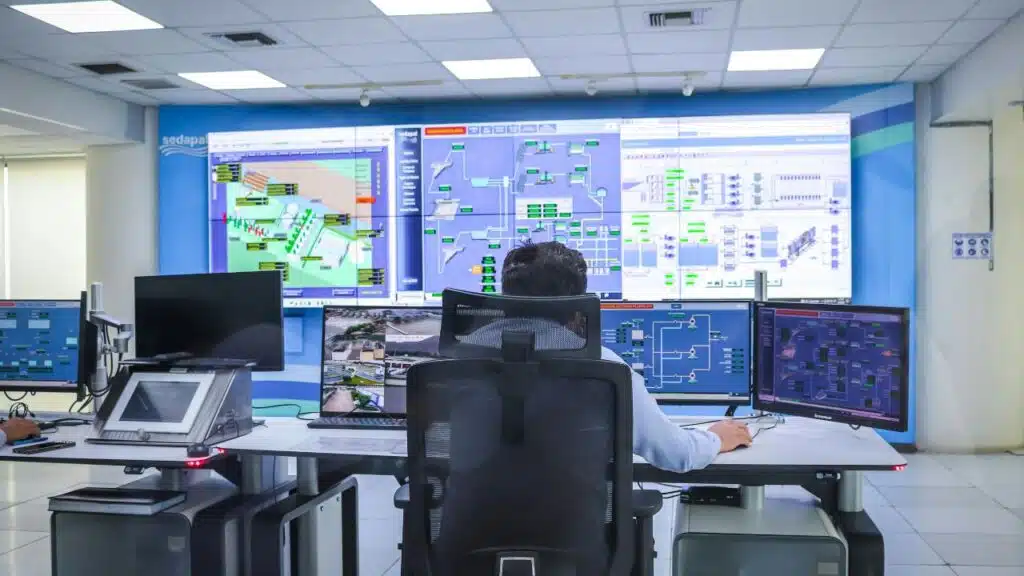
ActivTrak transforms employee monitoring from guesswork into data-driven insights. This productivity tracking software captures real-time activity logs, showing exactly how your team spends their workday.
Screenshots provide visual proof of work progress, while automated time tracking eliminates manual entry errors. The platform delivers comprehensive reports that reveal productivity patterns, time wasters, and peak performance hours.
Team summaries help managers spot trends across departments, making it easier to coach underperforming employees.
ActivTrak’s workload management features prevent employee burnout by tracking task distribution. The software integrates seamlessly with popular tools like Jira, Asana, and Zendesk, creating a unified workspace.
Personal insights help workers understand their own habits, while productivity coaching guides them toward better time management. Available across Windows, MacOS, Android, iOS, and web platforms, ActivTrak keeps remote teams connected and accountable.
Pricing starts free, with paid plans ranging from $10 to $19 per user monthly, making it accessible for businesses of all sizes.
What features set TMetric apart?
TMetric stands out with its timer functionality that makes time tracking effortless for teams. Users can start tracking with a simple click, and the bulk edit feature saves hours when managing multiple entries.
The software includes smart tags that help organize work by project or client. Timeline views show exactly how team members spend their day, making productivity tracking crystal clear.
Idle detection catches when workers step away, while offline detection keeps running even without internet connection.
Project management becomes simpler with TMetric’s task management tools and billing integration. Teams can track expenses alongside their hours, creating complete project reports. The software works on Windows, MacOS, Linux, Android, iOS, and web platforms, giving remote teams flexibility to work anywhere.
Professional plans start at $5 per user monthly, making it cost-effective for growing businesses. Team management features help managers see who’s working on what, while automated time tracking reduces manual data entry mistakes.
How does Timely automate time tracking?
Timely revolutionizes automatic time tracking through its AI-powered automation system. This software captures every second of work activity across all your devices and applications.
The platform monitors desktop activity, website visits, and mobile app usage without manual input. Users don’t need to start or stop timers because Timely handles everything behind the scenes.
The system tracks time spent on different projects and tasks automatically. It records which applications you use and how long you spend on each one. This automated approach eliminates the guesswork from time tracking.
AI-powered time tracking in Timely creates detailed productivity insights for teams and individuals. The software analyzes your work patterns and generates comprehensive reports. It shows exactly where your time goes during the workday.
The automation feature helps remote teams stay accountable without micromanagement. Timely’s system integrates with popular project management tools and CRM software. The platform protects user privacy by giving employees access only to their own tracking data.
This approach builds trust while providing managers with the productivity analysis they need for better decision-making.
Why consider QuickBooks Time for your business?
QuickBooks Time stands out as a smart choice for businesses already using QuickBooks for payroll management. This time tracking software offers seamless payroll integration that saves hours of manual data entry.
Companies can track employee hours, manage schedules, and process payroll all in one connected system. The software includes GPS tracking for mobile workers, making it perfect for field service teams and remote employees.
Small business owners love how QuickBooks Time simplifies their workflow by connecting time data directly to their accounting system.
The platform offers solid features at competitive prices, starting with Simple Start at $3.50 per month. Teams get clock-in/out functionality, scheduling tools, and team management features across all major platforms including Windows, MacOS, Linux, Android, iOS, and web browsers.
Mobile workers can use the iOS app or Android apps to track time on the go. The software integrates smoothly with existing QuickBooks systems, making it a natural fit for businesses that want to streamline their time tracking and payroll processes without switching between multiple tools.
Key Features to Look for in Time Tracking Software
Finding the right time tracking software feels like searching for a needle in a haystack. The best tools combine automatic time tracking with user-friendly interfaces that your team will actually want to use.
What core features should time tracking software include?
Good time tracking software needs easy clock-in and clock-out features. Your team should be able to start and stop timers with just one click. Manual time entry options help fix mistakes or add forgotten hours.
Automatic time tracking saves even more effort by recording work without user input.
Real-time dashboards show what everyone is doing right now. Project and task tracking capabilities let you see where time goes on specific jobs. Mobile app access with GPS tracking helps remote teams stay connected.
Exportable reports give you data to analyze productivity patterns. Automated reminders keep employees on track with time tracking compliance. Approval workflows make timesheet reviews simple and fast.
How important is integration with other tools?
Integration capabilities make or break your time tracking software choice. Modern businesses rely on multiple tools daily, from project management platforms like Jira and Asana to accounting software like QuickBooks and Xero.
Your time tracking solution must connect with these existing systems smoothly. Without proper integrations, you’ll waste hours copying data between different applications.
Top-tier time tracking tools offer 100+ integrations, like Toggl Track does. These connections span project management tools, CRM systems, help desk software, and payroll platforms.
Zapier integration takes this further by automating tasks across different platforms. Google and Outlook calendar extensions sync your time entries with scheduled meetings. Direct payroll integration eliminates manual data entry for employee hours.
This connectivity supports scalability and workflow automation, making your entire tech stack work as one unified system.
Which reporting capabilities matter most?
Summary reports give managers quick snapshots of team performance. Detailed reports dive deep into individual productivity patterns and project timelines. Weekly reporting features help track progress and spot trends over time.
These three reporting types form the backbone of effective productivity tracking.
Real-time insights into employee and project performance make all the difference for busy teams. Exportable reports in multiple formats like CSV, PDF, and XLSX let you share data with clients and stakeholders easily.
Customizable dashboards for team and individual analytics put the most important metrics front and center. Visual reporting tools with charts and graphs make complex data simple to understand.
Time rounding and billing reports create accurate invoicing for client work. Attendance and absence reporting keeps HR teams informed about workforce patterns. Budget, expense, and profitability reporting for projects shows which efforts bring the best ROI.
What security features are essential?
Strong security features protect your business data and employee privacy. Biometric integration creates secure logins and attendance tracking that prevents unauthorized access. Stealth mode tracking collects unbiased data without alerting employees to monitoring activities.
Data backup systems prevent information loss during system outages or technical failures.
Secure cloud storage and encrypted data transmission keep sensitive information safe from cyber threats. Permission levels and access controls limit who can view sensitive employee data.
Activity and audit logs track all user actions within the time tracking software. GDPR compliance and industry-specific standards protect your business from legal issues while maintaining employee trust.
Benefits of Using Time Tracking Tools for Employee Productivity
Time tracking tools transform workplace chaos into organized productivity, giving managers crystal-clear insights into how teams spend their precious work hours and helping employees focus on what truly matters most.
How do time tracking tools boost productivity?
Time tracking software acts like a productivity magnifying glass for your team. These tools identify inefficiencies to reduce wasted time across daily tasks. Employees see exactly where their hours go, which creates natural accountability.
Real-time feedback on employee activity helps workers stay focused on important projects. Automated time tracking removes guesswork from productivity analysis.
Smart features keep teams on track without micromanaging. Automation of reminders and inactivity detection helps maintain focus during work hours. The software delivers actionable analytics for continuous improvement in task management.
Managers spot time wasters quickly and address them before they become bigger problems. This data-driven approach transforms how remote teams and office workers manage their schedules.
Can time tracking improve employee accountability?
Time tracking software creates a clear record of how employees spend their work hours. This transparency naturally leads to better accountability across teams. Workers know their activities get monitored, which encourages them to stay focused on productive tasks.
Real-time dashboards show individual and team performance, making it easy for managers to spot patterns and address issues quickly.
Activity logs capture employee engagement and focus throughout the day. These detailed records help identify who completes tasks on schedule and who might need extra support. Approval workflows for timesheets create a formal process that makes employees think twice about their time entries.
The system supports documentation for audits or disputes, giving both workers and managers solid proof of actual work done. This level of tracking encourages self-management and builds responsibility for how people use their time.
What impact do these tools have on project management?
Project management becomes a breeze with time tracking software. These tools allow for accurate tracking of project hours and budgets, giving managers real control over their resources.
Teams can see exactly where their time goes, which helps prevent budget overruns. The software provides tools for task assignment and progress monitoring, making it easy to spot bottlenecks before they become problems.
Profit margins get clearer with automated time tracking features. The systems enable profit/loss calculation and revenue tracking by project, so you know which jobs make money. Client billing becomes simple with invoicing based on tracked time.
Project delays drop significantly through transparent scheduling that everyone can see. Resource allocation gets smarter when you have real data about how long tasks actually take.
How do time trackers help identify time wasters?
Time tracking software acts like a detective, catching productivity thieves red-handed. App and URL tracking reveals distractions and unproductive activities that eat away at work hours.
Real-time reports highlight patterns of inefficiency, showing exactly where precious minutes disappear. Visual dashboards make inefficiencies easy to spot, turning data into clear action items.
Idle time monitoring signals workflow interruptions that break focus and momentum. Custom tags categorize time spent on productive versus non-productive tasks, creating a clear picture of work habits.
Productivity labels and activity percentages clarify work focus, separating busy work from meaningful progress. Automated time tracking eliminates guesswork, providing hard facts about how employees spend their days.
How to Choose the Best Time Tracking Software for Your Team
Picking the right time tracking software can make or break your team’s productivity. Smart businesses weigh factors like user-friendliness, payroll integration, and customer support before making their choice.
What factors should you consider before selecting software?
Budget constraints top the list of factors you need to evaluate. Free plan options and trial periods help you test software before committing your credit card details. Pricing plans vary widely across different platforms, so match costs with your company’s financial resources.
Some tools offer basic features at no cost, while premium versions unlock advanced capabilities like payroll integration and productivity analysis.
Compatibility with your current business processes matters just as much as price. Your chosen time tracking software should integrate smoothly with existing tools like Gmail, Salesforce, and project management platforms.
Check if the software supports all platforms your team uses, including Windows, MacOS, Linux, Android, iOS, and web browsers. Mobile platforms become crucial for remote teams who work from different locations.
Single sign-on features streamline user access across multiple applications. The learning curve affects how quickly your team adopts new software, so prioritize user-friendly interfaces that require minimal training.
How to evaluate usability and user experience?
Testing the software’s intuitive user interface becomes your first priority. Look for a simple start/stop time logging process that your team can master quickly. Check if the platform offers real-time dashboards for easy monitoring of work progress.
Good time tracking software should feel natural, not like solving a puzzle every day.
Examine the availability of onboarding resources and tutorials before making your choice. Search for customizable views like Kanban boards or calendar formats that match your workflow.
Read user reviews highlighting practical experience from real companies. Test the in-app support and see how responsive customer service handles your questions. The best employee productivity tools combine automation features with user friendly design that reduces manual work across your remote teams.
Why is pricing an important consideration?
Budget matters when choosing time tracking software for your team. Costs range from free plans to $28 per user each month, plus custom enterprise options. Free versions like Desklog and Clockify work well for small teams.
Paid tiers unlock advanced features, integrations, and better customer support. Companies must weigh these costs against potential productivity gains and ROI.
Smart buyers compare annual versus monthly payment plans to save money. Hidden fees can sneak up on businesses, especially for premium features or extra users. Non-profit organizations often qualify for special discounts.
The cheapest option isn’t always best if it lacks essential features like payroll integration or automated time tracking. Calculate how much employee productivity improvements will offset the software costs before making your final choice.
How to assess customer support and updates?
Good customer support can make or break your time tracking software experience. Look for direct support channels like email, chat, and phone options with clear response times. Premium support or personalized onboarding shows the company cares about your success.
Check online resources such as FAQs, tutorials, and knowledge bases to see if they help users solve problems quickly.
Software updates matter just as much as initial features. Companies that release frequent updates and new features keep your productivity tracking tools fresh and useful. Read user feedback about support quality and problem resolution to get the real story.
Community forums or user groups provide peer help when you need it most. Look for companies with transparent communication about outages or issues, plus a strong track record of fixing bugs and listening to user requests.
Takeaways
Time tracking software can transform how your team works. These 15 tools offer different features to match your business needs. Some focus on automated time tracking, while others excel at employee monitoring or project management.
Picking the right software depends on your team size, budget, and goals. Remote teams might need GPS tracking and activity monitoring. Small businesses could benefit from simple time tracking with payroll integration.
Larger companies often require detailed productivity insights and comprehensive reporting.
Start with a free trial to test the waters. Your employees will thank you when they see how these tools reduce paperwork and boost their productivity.
FAQs
1. What makes time tracking software boost employee productivity?
Time tracking software helps workers see where their hours go, like shining a light in a dark room. Automated time tracking and productivity tracking give clear data about work habits. This insight helps teams focus better and waste less time.
2. Can time tracking tools work for remote teams?
Yes, most time tracking software works great for remote teams. Tools like Toggl Track and Time Doctor offer employee monitoring and activity tracking from anywhere. Remote workers can clock in from their desktops or phones.
3. Do these apps connect with payroll systems?
Many time tracking tools offer payroll integration to make life easier. This feature cuts down on manual work and mistakes. Payroll management becomes smooth as butter when everything connects.
4. What extra features should I look for?
Look for expense tracking, task management, and project management tools. Some apps include GPS tracking for field workers and pomodoro timer features. AI-powered automation and productivity analysis help you understand your team better.
5. How do I know if time tracking software gives good ROI?
Check your productivity insights and KPIs after using the software for a month. Good tools show clear improvements in employee productivity and cost management. The numbers don’t lie when it comes to return on investment.
6. Are these apps reliable and easy to use?
Most top time tracking apps focus on reliability and customer support. You can find many options on the Play Store or download beta versions to test first. Look for tools with strong website analytics and customer-centric design for the best experience.






























