Arknights is not a game you casually pick up and play. It takes place in a post-apocalyptic world where a disease called Oripathy has caused society to break down, and you play as the Doctor, an amnesiac who is somehow still in charge of the operators at Rhodes Island as they take on increasingly complicated missions. The story is rich, the tactical gameplay is deep, and the learning curve is steep. It’s also one of the most rewarding strategy games out there, regardless of what platform you’re playing it on.
The real question everyone who gets serious about Arknights will eventually ask isn’t whether it’s worth playing. That answer is pretty clearly yes. The real question is whether mobile is still the right way to play it once you start taking it seriously.
The Game Arknights Actually Is
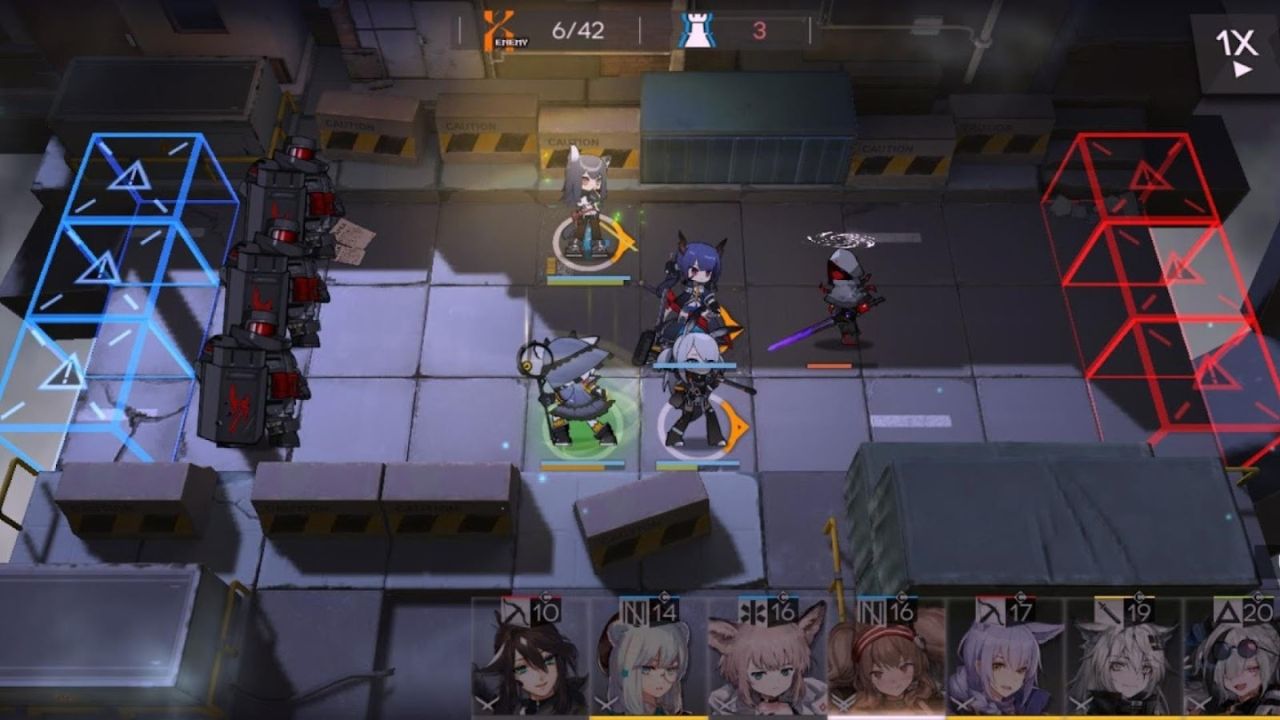
On the surface, Arknights looks like a tower defense game, but in practice it’s much closer to a puzzle game. Each stage gives you a set of operators, a limited number of deployment points, and a wave of enemies with specific paths, abilities, and block interactions. You’re not just placing operators on a board, you’re solving a problem under time pressure.
In higher difficulty modes like Contingency Contract events, Challenge modes, or the Integrated Strategies roguelike, the margin for error gets very small very fast. A single operator placed in the wrong spot or a skill activated one second too late can unravel what was otherwise a solid deployment. The game rewards players who can read the full picture of a stage and act on it quickly, and it doesn’t really apologize to those who can’t.
Why the Screen Size Actually Matters Here
Most Arknights stages have enemies coming from multiple lanes at once, and on a phone screen there’s only so much space to work with. Operators, enemies, tiles, and skill icons all end up competing for the same small area, which means you’re spending mental energy just trying to read the screen instead of actually thinking about the strategy.
As you play Arknights on PC, the entire map is visible at once. Enemy types are easy to tell apart, tile positions are clear, and the positioning of your operators relative to incoming threats is easy to understand at a glance. For a game that’s entirely about reading the battlefield and making the right call at the right moment, that clarity makes a real difference.
Controls Built Around How Arknights Actually Plays
Arknights demands precise tile positioning and tight skill timing, and touch controls have always been bad at delivering both. MuMuPlayer lets you configure every action in the game to keyboard keys, mouse clicks, or a gamepad, and it can be set up specifically around how Arknights actually plays. Skills can be bound to keys so you’re not scrambling to tap the right icon on a small screen.
Deploying operators becomes a clean mouse click instead of a finger press on a crowded display. In the harder stages where the difference between a clear and a failure comes down to the precision of a single input, having controls built around the game rather than around a touchscreen is something mobile simply never managed to solve.
Performance That Holds Up Through Long Sessions
Arknights isn’t a game you can play in short bursts and easily put down again. A proper session can involve working through story chapters, gathering base resources, completing daily missions, and fighting through combat stages, all in a single sitting that can run well over an hour. MuMuPlayer, as a high performance Android emulator, is built to handle sessions like that without the lag or stuttering that can hit the game on mobile during extended play. There are also no ads, which matters more for Arknights than it would for most games, since it’s exactly the kind of experience that an interruption can genuinely derail.
Getting set up is straightforward enough. The game recognizes your existing account, takes a few minutes to get going, and works without any issues carrying over from your mobile progress. Arknights PC is the same game, just played the way it was always meant to be played.