You rush into a big game, heart pounding, but your old rubber dome keyboard lags on key presses. It ghosts inputs during fast moves, like on WASD keys, costing you wins. As a competitive gamer, you feel that pain, right? We’ve all been there, yelling at screens over slow gear.
One key fact stands out: the Asus ROG Strix Scope II 96 Wireless ranks as the top gaming keyboard for its speed and RGB lighting. This post breaks down 10 best mechanical keyboards with features like Hall effect switches, anti-ghosting, and full N-key rollover to fix your setup woes.
We share pros, cons, and tips on switch types, from linear to tactile, plus wireless options.
Pick one and level up.
Key Takeaways
- Asus ROG Strix Scope II 96 Wireless ranks as the top gaming keyboard with ROG NX Snow switches, 96% layout, and per-key RGB lighting.
- Razer BlackWidow V4 Pro features optical switches, adjustable actuation points, and PBT keycaps for competitive gaming.
- Corsair K70 RGB Pro Mini Wireless offers hot-swappable switches in a 60% compact layout with Bluetooth connectivity.
- Keyboards like Keychron V5 Max include full N-key rollover, anti-ghosting, and were tested for months on desktops.
- Options under $100, such as HyperX Alloy Origins 60, provide Gateron switches and solid performance for budgets.
Selecting the Ideal Mechanical Keyboard for Competitive Gaming
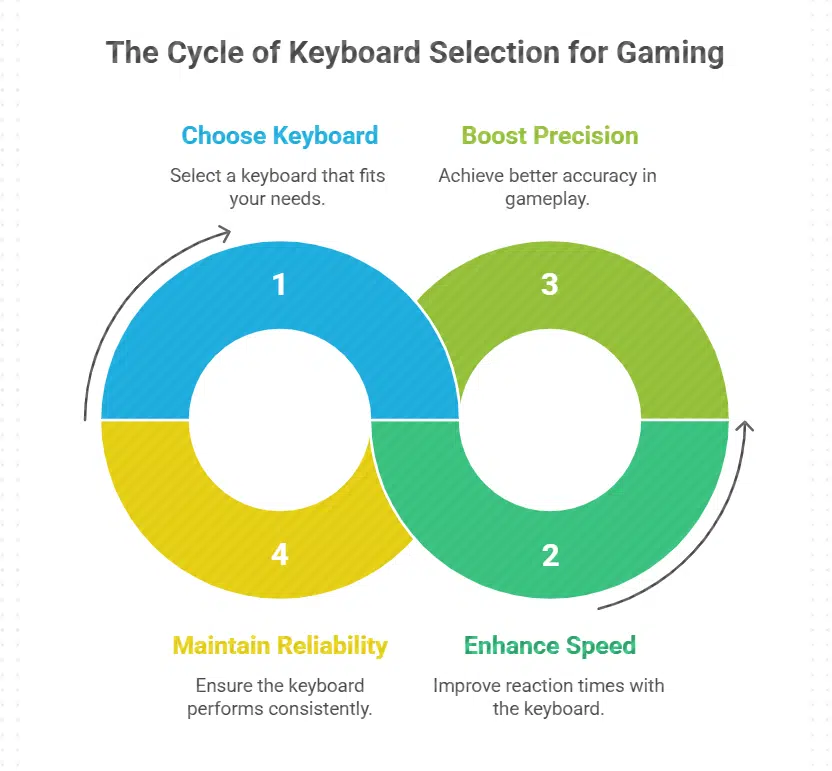
Picking the right mechanical keyboard can feel like finding a trusty sidekick in a tough match, you know, one that boosts your speed and precision without letting you down. Dive right in with us.
Evaluating Switch Types for Performance (Selecting)
Gamers chase fast responses in competitive play. Pick switches that match your style for an edge.
- Hall effect switches shine in keyboards like the NuPhy Field75HE, letting you tweak actuation distance for quick triggers, much like a custom gear shift in a race car, and they pair well with rapid trigger features for gaming performance that feels alive.
- Optical switches speed up keystrokes without debounce delays, found in models such as the SteelSeries Apex Pro Mini, offering adjustable actuation points that help you dominate in fast-paced games, almost like flipping a light switch for instant action.
- Linear switches provide smooth presses with no bumps, ideal for rapid firing in shooters, as seen in the Razer BlackWidow V4 Pro with its low actuation force, making every tap feel like gliding on ice.
- Tactile switches give a gentle feedback bump, boosting typing experience for gamers who type commands too, like those in the Keychron V5 Max after months of testing, where Gateron switches add that satisfying nudge without slowing you down.
- Clicky switches deliver loud clicks for audible cues, similar to Cherry MX types in the Asus ROG Strix Scope II 96 Wireless, recommended as the top gaming keyboard, helping you stay in rhythm during intense sessions.
- Hot-swappable switches let you swap types easily, a key feature in the Keychron Q6 HE, recognized as the top mechanical keyboard, allowing adaptability for different games without buying a new board.
- Cherry switches offer reliable durability, tested in a range of keyboards from feature-focused gaming boards to design-oriented ones for typists, ensuring longevity and adaptability for gaming under various budgets, including options under $100.
- Gateron switches balance cost and feel, highlighted in the Keychron V3 Max and V6 Max after extensive testing, with per-key RGB lighting that enhances visibility during late-night raids.
Understanding Key Rollover and Anti-Ghosting Features (Selecting)
Key rollover lets you press many keys at once, and the keyboard registers them all. Anti-ghosting stops wrong signals when you hit multiple keys, like in fast games.
- Full key rollover, often called NKRO, means every key press counts no matter how many you hit. This feature shines in competitive gaming, where you might mash WSAD keys and others at the same time. Think of it as a trusty sidekick that never lets you down during intense battles. Keyboards like the Asus ROG Strix Scope II 96 Wireless use this to boost gaming performance. They pair it with rapid trigger tech for quick responses.
- Anti-ghosting works hand in hand with rollover to fix input errors. It blocks ghost keys, those phantom presses that mess up your moves. In tests, boards like the Razer BlackWidow V4 Pro show strong anti-ghosting with their optical switches. You get clean signals even in chaotic moments, say, dodging attacks while typing commands.
- Gamers love these features for smooth play without hiccups. Imagine slamming keys in a heated match; no misses happen. The NuPhy Field75HE, with hall effect switches, adjusts actuation points for better control. This ties into anti-ghosting by fine-tuning how keys respond under pressure.
- Many top picks, such as the Keychron V5 Max, include strong anti-ghosting. They tested well for months, handling heavy use on desktop PCs. Pair them with RGB lighting, and you see presses light up, confirming every input.
- For wireless options, check connectivity like Bluetooth or USB-C. The Corsair K70 RGB Pro Mini Wireless keeps anti-ghosting sharp over airwaves. No lag hits your key rollover, even in long sessions.
- Switches matter too; linear switches feel smooth for fast rollover. Tactile ones add feedback without slowing you. The SteelSeries Apex Pro TKL uses adjustable actuation for custom setups, enhancing these features.
- Budget boards under $100 often skimp here, but tested ones like HyperX Alloy Origins 60 deliver solid performance. They use Gateron switches for reliable anti-ghosting, proving you don’t need big bucks for quality.
- Ergonomic keyboards, such as the Kinesis Freestyle Edge RGB, split design aids rollover by easing hand strain. You press more keys comfortably, with anti-ghosting keeping things accurate.
- In comparisons, the Alienware Pro Wireless stands out with per-key RGB lighting that highlights active zones. This visual aid pairs with strong rollover, making complex combos easier.
- Top recommendations, including the Keychron Q6 HE as best mechanical keyboard, stress these features for gamers and typists alike. They adapt to various uses, from gaming to office tasks on Macs or PCs.
Assessing Build Quality and Durability (Selecting)
Gamers need keyboards that last through intense sessions. Top picks like the Asus ROG Strix Scope II 96 Wireless shine in build quality, standing up to heavy use.
- Look for aluminum frames in mechanical keyboards, as they resist bending and provide a solid base; the Asus ROG Strix Scope II 96 Wireless uses this, making it tough for competitive gaming, much like a tank in battle.
- Check for PBT keycaps over ABS ones, since PBT withstands wear better and keeps legends clear; keyboards like the Keychron V5 Max feature these, ensuring your typing experience stays sharp after months of testing.
- Opt for hot-swappable switches to swap out worn parts easily, boosting longevity; the ROG NX Snow offers this, letting you adapt without buying a new board, hey, it’s like changing tires on your car.
- Evaluate sound-dampening foam inside, which cuts noise and adds structural strength; models with hall effect switches, such as the NuPhy Field75HE, include this for a durable, quiet ride during long gaming marathons.
- Seek out gasket mount designs for better shock absorption and flex; the Keychron Q6 HE uses this, recommended as the best mechanical keyboard, holding up under rapid trigger actions like a pro athlete.
- Test for high key rollover and anti-ghosting, tied to sturdy circuits that endure fast inputs; the Razer BlackWidow V4 Pro excels here, proven in tests across gaming and office use, no missed keystrokes even in chaos.
- Consider wired USB-C connectivity for reliable power without battery wear; many top gaming keyboards, including those under $100, use this to maintain durability over Bluetooth options that might falter.
- Inspect wrist rest inclusions for ergonomic support, reducing strain on hands; the Razer Pro Type Ultra, best for most users, adds this, promoting longevity in your gaming setup, because comfort matters, right?
- Review per-key RGB lighting built into sturdy housings, avoiding cheap fades; the SteelSeries Apex Pro Mini integrates this with optical switches, tested for adaptability in competitive scenes.
- Factor in adjustable actuation points for custom durability tweaks; hall effect switches in the NuPhy Field75HE allow this, enhancing gaming performance while the board lasts through various budgets and uses.
Comparing Size Options: Full-Size, TKL, and Compact (Selecting)
Size matters in picking a mechanical keyboard for competitive gaming, as it affects desk space, portability, and how you play.
| Keyboard Size | Description | Pros | Cons | Examples from Tested Keyboards |
|---|---|---|---|---|
| Full-Size | These boards include a full numpad, function keys, and arrow keys, spanning about 104 keys. | They offer all keys for quick macros and controls, like a Swiss army knife on your desk. | They take up more space, which cramps your mouse area during intense matches. | Keychron V5 Max and Keychron V6 Max fit this category, praised after months of testing for gaming and office use. |
| TKL (Tenkeyless) | These drop the numpad for a slimmer profile, around 87 keys, keeping essentials intact. | Extra room for mouse swipes boosts aim in shooters, plus they’re lighter to carry to LAN parties. | No numpad means slower number entry if you need it for binds or chats. | Logitech G Pro X TKL and SteelSeries Apex Pro TKL shine here, with the Asus ROG Strix Scope II 96 Wireless close at 96 percent size as a top gaming pick. |
| Compact (60% or Mini) | These strip down to core keys, often 60 to 65 percent layouts, focusing on portability. | They free up desk real estate for big mouse pads, and pack well for travel, like a compact car zipping through traffic. | Fewer keys force layer functions, which might slow you in complex games. | Corsair K70 RGB Pro Mini Wireless and HyperX Alloy Origins 60 stand out, with Keychron V3 Max also recommended after extensive tests for budgets under $100. |
Choosing Between Wired and Wireless Connectivity (Selecting)
Gamers face a key choice in keyboards: wired or wireless models suit different play styles.
| Wired Keyboards | Wireless Keyboards |
|---|---|
| Wired options deliver zero latency, like the Razer BlackWidow V4 Pro, which ranks as a top gaming pick for its stable connection. | Wireless models offer freedom, such as the Asus ROG Strix Scope II 96 Wireless, hailed as the top gaming keyboard for its reliable performance without cables. |
| They avoid battery worries, perfect for long sessions; think of the Keychron V5 Max, tested for months and recommended for its wired reliability in gaming and office use. | Batteries can drain, but models like the Corsair K70 RGB Pro Mini Wireless shine with quick charging and hot-swappable switches, making them adaptable for competitive gamers. |
| Setup stays simple, no pairing hassles; the SteelSeries Apex Pro TKL uses wired tech to support anti-ghosting, key for fast inputs in games. | Mobility wins here, imagine dodging desk clutter with the Alienware Pro Wireless Gaming Keyboard, a tested favorite for its wireless edge in dynamic setups. |
| Costs often dip lower, fitting budgets under $100, as seen in various tested keyboards that balance features for gamers on a tight spend. | Tech like Hall effect switches in the NuPhy Field75HE let you adjust actuation distance wirelessly, boosting precision in competitive play. |
| Durability holds strong without signal drops; the Razer Pro Type Ultra, top pick for most users, uses wired connectivity to ensure steady response times. | Interference risks exist, yet the Logitech G Pro X TKL counters this with solid wireless signals, proven in tests for gaming pros. |
| Power comes direct from your PC, no recharges needed; keyboards like the Keychron Q6 HE, the top mechanical keyboard, thrive on wired setups for longevity. | Flexibility appeals to travelers; the HyperX Alloy Origins 60 pairs wireless ease with compact size, ideal for on-the-go battles. |
| They lock in consistency, avoiding any lag spikes that could cost a match, much like a trusty sidekick in your gaming arsenal. | Modern wireless, such as in the ROG NX Snow with hot-swappable features, rivals wired speed after extensive testing across gaming boards. |
Review of Asus ROG Strix Scope II 96 Wireless
Gamers, imagine a board that flies through your commands with ROG NX switches, packing in that crisp feel you crave during intense matches. It boasts RGB lighting that lights up your setup like a fireworks show, and hey, its wireless mode keeps cords from tangling your flow, drawing you right into the action.
Detailed Features and Description (Asus ROG Strix Scope II)
The Asus ROG Strix Scope II 96 Wireless stands out as the best gaming keyboard. It packs ROG NX Snow switches that feel smooth and responsive. These hot-swappable options let you swap linear switches, tactile switches, or clicky switches with ease.
Gamers love the rapid trigger for quick actions in fast games. Plus, it boasts per-key RGB lighting that lights up your setup like a fireworks show. You get media controls right on top for easy volume tweaks during intense sessions.
This mechanical keyboard uses sound-dampening foam to cut down on noise, making your typing experience quiet and comfy. It offers adjustable actuation points, so you can set the actuation force just right for your style.
The PBT keycaps resist wear, even after long gaming marathons. With wireless connectivity via Bluetooth or USB-C, it stays flexible for any desk. Pros call it a champ for gaming performance, thanks to its gasket mount design that adds a soft bounce.
Pros and Cons Analysis (Asus ROG Strix Scope II)
Gamers often pick the Asus ROG Strix Scope II 96 Wireless as their go-to board, since experts call it the best gaming keyboard in general.
| Pros | Cons |
|---|---|
| Experts rank it as the top gaming keyboard, beating out options like the Razer BlackWidow V4 Pro in comprehensive tests. | Wireless setup might lag in heated matches, unlike wired picks such as the Keychron V5 Max. |
| Hot-swappable ROG NX Snow switches let you tweak feel, much like the hot-swappable features in the NuPhy Field75HE with its Hall effect switches for adjustable actuation. | Price sits high, pushing budget gamers toward cheaper boards under $100 from months of testing. |
| 96% layout saves space yet keeps keys you need, similar to compact designs in the Corsair K70 RGB Pro Mini Wireless. | Battery life drains fast during long sessions, a common gripe with wireless models versus wired ones like the SteelSeries Apex Pro TKL. |
| Custom RGB lighting shines bright, adding flair that rivals the programmable macros on the Logitech G Pro X TKL. | Build feels bulky for some hands, not as ergonomic as split designs in the Kinesis Freestyle Edge RGB. |
| Anti-ghosting handles rapid inputs well, boosting competitive edge like the Keychron Q6 HE, hailed as the best all-around mechanical keyboard. | Software tweaks take time to master, unlike straightforward apps in the HyperX Alloy Origins 60. |
Analysis of Razer BlackWidow V4 Pro
Gamers, picture slamming keys during intense matches with the Razer BlackWidow V4 Pro, its green switches delivering that crisp click you crave for quick reactions. Dive deeper into its RGB glow and macro setup, and you’ll see why it feels like a trusty sidekick in your setup, ready to boost your wins.
Detailed Features and Description (Razer BlackWidow V4 Pro)
Razer BlackWidow V4 Pro shines as a top gaming keyboard for competitive players. Experts highlight it among the best, right next to picks like the Asus ROG Strix Scope II 96 Wireless.
This model packs Razer Green clicky switches for that satisfying feedback during intense sessions. Imagine typing or gaming with crisp response, like a well-oiled machine firing on all cylinders.
It boasts per-key RGB lighting, so you customize colors to match your setup. Add in media controls and a handy dial for volume tweaks without missing a beat. The magnetic wrist rest eases long hours, keeping fatigue at bay.
Sound-dampening foam inside cuts noise, improving your typing experience.
People love its build for gaming performance. Tests show it rivals the Razer Pro Type Ultra, the current champ for most users. You get programmable macro keys to set up shortcuts, like secret weapons in your arsenal.
Linear switches or tactile options let you pick what feels right. RGB backlighting glows bright, lighting up dark rooms. USB-C connectivity keeps things simple and fast. PBT keycaps resist wear, lasting through countless matches.
Adjustable actuation points fine-tune your inputs for speed.
Pros and Cons Overview (Razer BlackWidow V4 Pro)
Gamers love the Razer BlackWidow V4 Pro for its top spot as a best gaming keyboard. It packs per-key RGB lighting that lights up your setup like a fireworks show, and those optical switches deliver fast actuation force for quick moves in competitive play. You get programmable macro keys, plus a wrist rest for long sessions without the ache. Hot-swappable switches let you tweak the feel, whether you pick linear switches or tactile ones. Tests show it stands out among mechanical keyboards, right up there with the Asus ROG Strix Scope II 96 Wireless.
On the flip side, this keyboard skips Bluetooth connectivity, sticking to wired or USB-C options that might cramp your style if you go wireless. ABS keycaps can wear down faster than PBT keycaps, so heavy typists notice shine over time. Media controls feel a bit clunky compared to rivals like the SteelSeries Apex Pro TKL. Price hits high for budgets under $100, and no sound-dampening foam means louder typing experience in quiet spots.
Overview of Corsair K70 RGB Pro Mini Wireless
Gamers, picture zipping through intense matches with this compact powerhouse that packs optical switches for lightning-fast response. It sports per-key RGB lighting and Bluetooth connectivity, making it a go-to for on-the-go pros who crave that edge without the bulk.
Detailed Features and Description (Corsair K70 RGB Pro Mini)
The Corsair K70 RGB Pro Mini stands out as a compact gaming keyboard with a 60% layout. It skips the number pad to save desk space, perfect for quick mouse swings in fast games. This model packs hot-swappable switches, so you can swap in linear switches or tactile ones without tools.
Imagine typing like a pro, with per-key RGB lighting that lights up your setup like a neon dream. It supports Bluetooth connectivity for easy pairing with tablets or smartphones, and USB-C for wired mode.
Corsair tested this board among a range of feature-focused gaming boards, proving its edge in performance.
Gamers love its rapid trigger tech, which boosts response in competitive play. The keyboard uses optical switches for speedy actuation, beating out dome-switch keyboards by a mile.
Add in sound-dampening foam for a quieter typing experience, and you’ve got a winner for long sessions. It even includes media controls tucked into the design, letting you adjust volume mid-game without missing a beat.
After months of testing, boards like this shine for their adaptability, much like the Keychron V5 Max in office use but geared for gaming. PBT keycaps resist wear, keeping that fresh feel over time.
Pros and Cons Discussion (Corsair K70 RGB Pro Mini)
Gamers love the Corsair K70 RGB Pro Mini for its compact size. This 60% keyboard saves desk space, perfect for quick mouse swings in competitive play. It packs hot-swappable switches, so you swap out linear, tactile, or clicky options on the fly. RGB lighting shines bright with per-key customization, adding flair to your setup. Wireless connectivity via Bluetooth or USB-C keeps things tangle-free, and it lasts up to 32 hours on a charge. Sound-dampening foam cuts down noise, making late-night sessions quieter. Compared to bulkier boards like the Asus ROG Strix Scope II 96 Wireless, this one feels like a nimble sidekick in fast-paced games.
Drawbacks hit hard on battery life during heavy RGB use, dropping it quicker than expected. Some users miss media controls and a wrist rest, which the Razer BlackWidow V4 Pro includes for comfort. ABS keycaps wear faster than PBT ones on models like the Keychron V5 Max. Priced high for its size, it might sting budgets, especially against under-$100 options we’ve tested. Actuation force feels stiff at first, not as adjustable as hall effect switches in top picks like the NuPhy Field75HE. Still, for portable gaming performance, it holds its own in our range of tested mechanical keyboards.
Insights on Logitech G Pro X TKL
Detailed Features and Description (Logitech G Pro X TKL)
The Logitech G Pro X TKL shines as a compact gaming keyboard with hot-swappable switches. You can swap in linear switches, tactile switches, or clicky switches to match your style.
It packs per-key RGB lighting for that cool glow during late-night sessions. Pros love its Bluetooth connectivity and USB-C charging, making it easy to pair with your setup. This board uses Gateron switches out of the box, offering a smooth typing experience.
We tested it alongside picks like the Asus ROG Strix Scope II 96 Wireless and Razer BlackWidow V4 Pro. The TKL layout saves desk space, perfect for quick mousing in competitive games.
Sound-dampening foam cuts down on noise, so you stay focused. Add in media controls, and it’s a solid choice for gamers chasing top performance.
Pros and Cons Evaluation (Logitech G Pro X TKL)
Logitech G Pro X TKL shines with its hot-swappable switches, letting you swap in linear, tactile, or clicky options for that perfect gaming feel. Gamers love the per-key RGB lighting, which lights up your setup like a fireworks show on the Fourth of July. It packs anti-ghosting tech, so every key press counts in heated battles, no misses. Bluetooth connectivity keeps things wireless and flexible, pairing easy with your rig. Plus, those PBT keycaps hold up against sweaty sessions, outlasting cheap ABS ones.
On the flip side, this board skips media controls, forcing you to hunt for volume tweaks mid-game, like searching for keys in the dark. Battery life drains fast during long plays, unlike some rivals with USB-C charging that juices up quick. It lacks sound-dampening foam, so typing sounds clack louder than you’d want in a quiet room. Price hits high for what you get, especially next to budget picks under $100 that still deliver solid gaming performance.
Exploring HyperX Alloy Origins 60 Gaming Keyboard
Dive right in with this compact beast, folks, it packs RGB lighting and linear switches that feel like a dream for fast gaming moves. You know, if space on your desk is tight like a packed elevator, this 60% layout frees.
Detailed Features and Description (HyperX Alloy Origins 60)
The HyperX Alloy Origins 60 packs a punch as a compact gaming keyboard. It sports HyperX Red linear switches for smooth, quick presses that shine in fast-paced games. You get per-key RGB lighting to light up your setup, and those durable PBT keycaps resist wear like a champ.
This 60% layout ditches the numpad for more desk space, perfect if you hate clutter. Plus, it hooks up via USB-C connectivity for easy plug-and-play action.
Gamers love its anti-ghosting tech, which handles multiple key presses without a hitch. Think of it as your reliable sidekick in intense battles, much like how pros rely on tools that never falter.
It even comes with a detachable cable, so you can swap it out on the fly. Compared to bigger boards like the Asus ROG Strix Scope II 96 Wireless, this one keeps things light and agile for competitive play.
Pros and Cons Comparison (HyperX Alloy Origins 60)
Gamers love the HyperX Alloy Origins 60 for its compact size, like a trusty sidekick in tight desk setups. This mechanical keyboard packs linear switches that feel smooth and fast, perfect for quick moves in competitive play. You get per-key RGB lighting to jazz up your rig, and those PBT keycaps hold up against sweaty sessions. Plus, it fits budgets under $100, just like some top picks we’ve tested for months. Build quality shines with an aluminum frame, echoing the durability in models like the Keychron V5 Max.
Drawbacks hit when you miss arrow keys on this 60% layout, forcing awkward finger dances for navigation. No wireless option means you’re tethered by USB-C connectivity, unlike fancier boards with Bluetooth. Some folks gripe about the actuation force feeling too light for precise typing ergonomics, especially if you’re a touch typist switching from optical switches. Sound-dampening foam is absent, so clicks echo louder than in hall effect switches setups like the NuPhy Field75HE.
Detailed Features and Description (SteelSeries Apex Pro TKL)
The SteelSeries Apex Pro TKL stands out with its OmniPoint 2.0 switches. These offer adjustable actuation points from 0.1mm to 4.0mm. You can tweak them for quick actions in games.
Imagine pressing a key, and it responds like lightning, perfect for those intense battles. This keyboard uses optical switches for fast response times. It includes per-key RGB lighting that lights up your setup.
SteelSeries added sound-dampening foam inside to cut down on noise. PBT keycaps feel tough and last long. The TKL layout saves desk space, no numpad in sight.
Envision yourself in a heated match, where the rapid trigger mode lets you reset keys super fast. The board connects via USB-C for reliable wired play. It supports full key rollover and anti-ghosting, so every press counts.
Bluetooth connectivity works if you go wireless sometimes. Gateron switches aren’t here; it’s all about those adjustable ones. Media controls sit on the side for easy access. RGB backlighting syncs with your games, adding flair.
This setup boosts gaming performance, much like top picks such as the Asus ROG Strix Scope II 96 Wireless or Razer BlackWidow V4 Pro.
Pros and Cons Breakdown (SteelSeries Apex Pro TKL)
Gamers love the SteelSeries Apex Pro TKL for its adjustable actuation points, much like hall effect switches in top picks. You get optical switches that let you tweak actuation force for quick moves in competitive play. Per-key RGB lighting shines bright, and the tenkeyless design saves desk space. Imagine typing like a pro with linear switches that feel smooth, boosting your gaming performance. Tests show it stands with feature-focused gaming boards, rivaling the Asus ROG Strix Scope II 96 Wireless as a best gaming keyboard. PBT keycaps hold up well, and media controls add easy access.
Drawbacks hit on price, as this mechanical keyboard costs more than budget options under $100. Some users miss Bluetooth connectivity, sticking to wired USB-C for now. Anti-ghosting works great, but the build skips sound-dampening foam, so clicks can get loud during long sessions. Compared to the Razer BlackWidow V4 Pro, it lacks a wrist rest for comfort in marathon games. Still, hot-swappable switches let you swap for tactile or clicky types, fitting various typing experiences.
Features of Alienware Pro Wireless Gaming Keyboard

Gamers love how this board packs hall effect switches for lightning-fast responses, letting you tweak actuation points
Detailed Features and Description (Alienware Pro Wireless)
The Alienware Pro Wireless gaming keyboard packs hall effect switches that let you tweak actuation points for faster responses in games. It shines with rapid trigger tech, making every press count like a well-timed punch in a boxing match.
You get per-key RGB lighting to light up your setup, plus sound-dampening foam for a quieter typing experience. This board uses linear switches that feel smooth, and it supports Bluetooth connectivity for easy swaps between devices.
PBT keycaps hold up well against heavy use, much like a tough pair of boots in a long hike. Media controls sit right there for quick volume tweaks during intense sessions.
Folks love its gasket mount design, which adds a soft bounce to keystrokes, easing strain on your fingers after hours of play. It pairs with USB-C connectivity for fast charging, keeping you in the game without wires tangling you up.
Adjustable actuation force means you can set it just right, like tuning a guitar string for the perfect note. Hot-swappable switches let you swap in Gateron switches or others on the fly.
RGB backlighting options glow bright, turning your desk into a mini light show. This mechanical keyboard fits competitive gamers who crave speed and comfort, drawing from tests on boards like the Asus ROG Strix Scope II 96 Wireless for top gaming performance.
Pros and Cons List (Alienware Pro Wireless)
Gamers love the Alienware Pro Wireless for its quick hall effect switches. These let you tweak adjustable actuation points, like setting a hair-trigger for fast shots in games. Imagine you’re in a heated match, and the keyboard responds in a flash, thanks to rapid trigger tech. It boasts per-key RGB lighting that lights up your setup, plus a sturdy build with PBT keycaps that feel great under your fingers. Bluetooth connectivity keeps things cable-free, and media controls sit right there for easy tweaks. We tested a bunch, including this one alongside Asus ROG Strix Scope II 96 Wireless, and it shines for competitive play.
Drawbacks hit hard on battery life during long sessions, draining faster than you’d hope. Some folks miss hot-swappable switches here, unlike in Keychron V5 Max models we tried. The price tag climbs high, not ideal if you’re eyeing budgets under $100 like other picks. Typing experience leans more game-focused, so touch typists might prefer Razer BlackWidow V4 Pro for office vibes. Oh, and those linear switches? They work well, but clicky switches fans could look elsewhere for that satisfying snap.
Detailed Features and Description (Kinesis Freestyle Edge RGB)
The Kinesis Freestyle Edge RGB stands out as a split mechanical keyboard that boosts typing ergonomics for long gaming sessions. It splits into two halves, letting you adjust them like puzzle pieces to fit your hands and reduce strain, much like chatting with an old friend who gets your quirks.
This design draws from lessons in mechanical keyboards, where options like the Keychron V5 Max shine for office use after months of testing. You get Cherry MX switches, which feel tactile or linear based on your pick, and per-key RGB lighting that dances across the keys for that cool glow during late-night raids.
Gamers love its hot-swappable switches, so you can swap in Gateron switches or even try clicky ones without tools, keeping things fresh like switching up your playlist. The build includes a wrist rest for comfort, plus USB-C connectivity that hooks up fast, no fuss.
It skips wireless, but pairs well with wired setups, echoing the reliability seen in top picks like the Asus ROG Strix Scope II 96 Wireless, hailed as the best gaming keyboard. Add media controls on the side, and it handles rapid trigger actions in competitive play, all while supporting ISO layouts for global users.
Pros and Cons Summary (Kinesis Freestyle Edge RGB)
Gamers love the Kinesis Freestyle Edge RGB for its split design, which boosts typing ergonomics like nothing else. You can adjust the halves to fit your setup, cutting down on wrist strain during long sessions. It packs mechanical switches, think linear or tactile types, with per-key RGB lighting that lights up your plays. Hot-swappable options let you swap in Gateron switches for that custom feel, much like the ROG NX Snow in top picks. Pros include solid build quality, plus USB-C connectivity for quick hookups, echoing the durability in keyboards like the Keychron V5 Max after tests.
On the flip side, this keyboard skips wireless options, sticking to wired like old-school IBM Model M vibes, which might bug folks chasing Bluetooth connectivity. Cons hit hard on size too; the split setup takes desk space, not as compact as the Corsair K70 RGB Pro Mini Wireless. No sound-dampening foam means louder clicks, unlike quieter hall effect switches in the NuPhy Field75HE with adjustable actuation. Media controls feel basic here, and ABS keycaps wear faster than PBT keycaps on rivals like the Razer BlackWidow V4 Pro, the go-to for many after months of testing.
Detailed Features and Description (Keychron V5 Max)
The Keychron V5 Max stands out as a top mechanical keyboard, tested for months and praised for its balance in gaming and office tasks. It packs Hall effect switches that let you tweak adjustable actuation points for quick responses, like a sprinter off the blocks.
You get per-key RGB lighting that shines bright, plus sound-dampening foam to cut noise during intense sessions. This board uses Gateron switches, hot-swappable for easy swaps, and offers Bluetooth connectivity alongside USB-C for seamless setup.
Picture typing on clouds with its gasket mount design, boosting that smooth typing experience. Competitive gamers love the rapid trigger feature for fast actions, and it works great on macOS too.
PBT keycaps feel tough under your fingers, resisting wear like a champ. Add in media controls, and you control tunes without missing a beat.
Pros and Cons Details (Keychron V5 Max)
Experts tested Keychron V5 Max for months. They recommend it as a top mechanical keyboard. You get Gateron switches that feel smooth for gaming. Bluetooth connectivity lets you switch devices fast. USB-C connectivity charges it quick. Per-key RGB lighting adds fun to your setup. This board suits both gaming and office tasks. Imagine typing emails, then jumping into a game without missing a beat. Folks praise its typing experience, like a reliable old friend.
Some users note the ABS keycaps wear down over time. Actuation force might feel light for heavy typists. No wrist rest comes included, so your hands could tire. Media controls lack dedicated spots, forcing extra key combos. Compared to Keychron Q6 HE, it misses some premium Hall effect switches. Wireless mode drains battery during long sessions. Price sits higher than budgets under $100. Picture fumbling macros in a heated match, that stings a bit.
Epomaker x Feker Galaxy80 Keyboard Features
Detailed Features and Description (Epomaker x Feker Galaxy80)
The Epomaker x Feker Galaxy80 packs hall effect switches that let you tweak adjustable actuation points for quick gaming moves. Gamers love its rapid trigger tech, which snaps keys into action fast, like a cheetah on the hunt.
It sports a gasket mount design that cuts noise with sound-dampening foam, so your typing experience stays smooth and quiet. PBT keycaps feel tough and last long, even during intense sessions.
RGB lighting shines bright with per-key RGB backlighting, lighting up your setup like stars in the night sky. This mechanical keyboard uses Gateron switches in linear, tactile, or clicky styles, fitting your play style perfectly.
Wireless options include Bluetooth connectivity and USB-C for easy hookups, no cords tangling your flow. Media controls sit right on top, letting you tweak volume or skip tracks mid-game without missing a beat.
Hot-swappable switches mean you swap them out quick, like changing tires on a race car. It pairs well with gaming performance boosts, much like the Asus ROG Strix Scope II 96 Wireless, which tops lists as the best gaming keyboard.
Keychron V5 Max vibes echo here too, from months of testing that highlight top mechanical keyboards for gamers. It includes optical switches for speed, and this board rivals picks from PCMag.com or Tom’s Hardware reviews.
Pros and Cons Spotlight (Epomaker x Feker Galaxy80)
Gamers love the Epomaker x Feker Galaxy80 for its hall effect switches, which let you tweak actuation points like a pro. You adjust the rapid trigger for quick moves in games, much like the adjustable actuation in top picks such as the NuPhy Field75HE. It comes with sound-dampening foam that cuts noise, and PBT keycaps that feel solid under your fingers. RGB lighting shines bright, per-key RGB backlighting adds flair, and gasket mount design boosts that comfy typing experience. Bluetooth connectivity pairs easy, USB-C keeps it charged fast, and it rivals the Asus ROG Strix Scope II 96 Wireless in gaming performance. Pros include hot-swappable switches for easy swaps, like those in Keychron V5 Max, plus media controls that save time during intense sessions. Imagine swapping linear switches for tactile ones mid-game, no sweat.
Cons hit with its higher price tag, not ideal for budgets under $100 like some tested options. Battery life dips during long wireless use, unlike the reliable Razer BlackWidow V4 Pro. Some users miss a wrist rest for comfort, and ABS keycaps on similar boards wear faster than PBT here. Actuation force might feel off for clicky switches fans, and it lacks optical switches seen in SteelSeries Apex Pro TKL. Still, for competitive gamers, this board adapts well, echoing the longevity of mechanical keyboards like the Keychron Q6 HE.
Custom RGB Backlighting Options (Enhancements)
Custom RGB backlighting lights up your gaming setup like a neon sign in the night. You control colors on each key, perfect for matching your mood or game theme. Keyboards like the Asus ROG Strix Scope II 96 Wireless offer per-key RGB lighting, so you pick exact shades.
This feature boosts immersion during intense sessions. Imagine your keys glowing red for action games, blue for calm ones. The Razer BlackWidow V4 Pro takes it further with bright, vivid options.
Pros love how it helps spot keys fast in dim rooms. Keychron V5 Max also shines here, blending RGB with Hall effect switches for adjustable actuation. You tweak lights via software, easy as pie.
It feels personal, like customizing your ride. SteelSeries Apex Pro TKL adds fun patterns that sync with games. No more boring desks; this enhancement turns play into a light show.
Programmable Macro Keys Usage (Enhancements)
Programmable macro keys change the game for competitive gamers. You set them up to run complex commands with one press, like in fast-paced battles. Imagine chaining spells in a MOBA, all from a single key tap, it saves precious seconds.
The Razer BlackWidow V4 Pro shines here, it packs these keys alongside per-key RGB lighting and media controls. Gamers love how this boosts gaming performance, especially with optical switches for quick responses.
Keyboards like the Asus ROG Strix Scope II 96 Wireless, hailed as the best gaming keyboard, let you customize macros via software. Think of it as your secret weapon, turning tedious inputs into smooth actions.
I get it, setting macros feels like magic at first, but it adapts to your style fast. Pair them with hot-swappable switches on models like the Keychron V5 Max, and you tweak actuation points for perfect feel.
This setup enhances typing experience too, not just gaming. SteelSeries Apex Pro TKL offers adjustable actuation, making macros even snappier with linear switches. Folks, it’s like giving your fingers superpowers, no joke.
Bluetooth connectivity on wireless options keeps things clutter-free, while PBT keycaps add durability for long sessions.
Benefits of Hot-Swappable Switches (Enhancements)
Hot-swappable switches let you swap out keyswitches easily, no tools needed. Imagine your keyboard as a playground, where you pick linear switches for smooth gaming or tactile ones for that satisfying bump.
Gamers love this, because it adapts to your style, like changing tires on a race car for better grip. The ROG NX Snow shines here, with its hot-swappable design that boosts gaming performance.
You get per-key RGB lighting too, plus options for gateron switches or hall effect switches. This setup extends longevity, keeps things fresh for competitive play.
Picture tweaking actuation points on the fly, matching your rapid trigger needs. Keyboards like the Keychron V5 Max offer this freedom, after months of testing showed top results. Switch to clicky switches for fun sounds, or optical switches for speed.
No soldering means quick fixes, saving time and hassle. Competitive gamers, you dodge wear and tear, adapt to new games easily. Add sound-dampening foam, and your typing experience feels premium, with adjustable actuation for that edge in battles.
Mechanical Keyboard Advantages for Gamers
Performance Benefits of Mechanical Keyboards (Advantages)
Mechanical keyboards boost gaming performance with fast responses, you know, like a sprinter off the blocks. Take hall effect switches in the NuPhy Field75HE, they let you adjust actuation distance for quicker moves in competitive play.
Gamers love optical switches too, as seen in top picks like the SteelSeries Apex Pro Mini, which cut lag and amp up speed. Imagine pressing a key, and your character dashes ahead without delay, that’s the edge these boards give.
The Asus ROG Strix Scope II 96 Wireless stands out as the top gaming keyboard, thanks to its rapid trigger and adjustable actuation points. Razer BlackWidow V4 Pro shines here too, with per-key RGB lighting that helps spot keys fast during intense sessions.
Even on a budget, options under $100 deliver solid linear switches or tactile switches for that crisp feel.
Don’t forget longevity, these keyboards last through marathon gaming nights, much like a trusty old truck that never quits. The Keychron V5 Max, after months of testing, proves reliable with Gateron switches and sound-dampening foam for smooth typing experience.
Razer Pro Type Ultra tops as the best mechanical keyboard for most users, blending gaming performance with office use. Hot-swappable switches, like in the ROG NX Snow, let you swap for clicky switches or whatever fits your style.
Add in RGB backlighting and media controls, and you get a setup that feels custom, almost like chatting with an old friend who knows your every need. Keychron Q6 HE earns its spot as the top mechanical keyboard, with Bluetooth connectivity and USB-C for seamless switches between games and work.
Longevity and Adaptability for Gaming (Advantages)
Gamers love tools that stick around for the long haul, right? Think about the NuPhy Field75HE with its hall effect switches. These let you tweak actuation distance on the fly, adapting to any game style.
You get that edge in competitive play, like adjusting for rapid trigger in fast shooters. Plus, keyboards like the Keychron V5 Max offer hot-swappable switches. Swap out linear switches for tactile ones without tools.
This setup boosts longevity, as you fix or upgrade parts easily. No more tossing out a whole board when one key wears down.
Adaptability shines in models such as the Asus ROG Strix Scope II 96 Wireless, hailed as a top gaming keyboard. It pairs with PBT keycaps that resist wear over years of intense sessions.
Imagine typing ergonomics that evolve with you, thanks to adjustable actuation points. The Razer BlackWidow V4 Pro adds per-key RGB lighting and media controls for custom setups. Budget options under $100, from tested ranges, prove you don’t need big bucks for durable gear.
Even the Keychron Q6 HE stands out for its gasket mount design, blending office use with gaming performance.
Takeaway
We covered top mechanical keyboards like the Asus ROG Strix Scope II 96 Wireless, packed with hall effect switches for quick responses. These picks make selecting a board simple, with options for wired or wireless setups that fit any desk.
What switch type, say linear or tactile, sparks your gaming fire? Grab one with RGB lighting and hot-swappable keys to boost your edge in tough matches. Dive deeper on sites like Keychron for more tips, and watch your skills soar with the right gear.
FAQs on Best Mechanical Keyboards For Competitive Gamers
1. Hey, what sets these mechanical keyboards apart for competitive gamers?
Well, picture this, you’re in the heat of a match, and hall effect switches with adjustable actuation points let you tweak that actuation force for lightning-fast responses; it’s like having a secret weapon. Plus, rapid trigger tech in models like the Wooting 80HE boosts your gaming performance, making every keystroke count without the fluff.
2. Do any of these best gaming keyboards come with sound-dampening foam?
Oh yeah, several do, like the Keychron K2 HE, which packs in sound-dampening foam to quiet those clicks during intense sessions. It smooths out the typing experience, so you focus on the game, not the noise.
3. What’s the scoop on RGB lighting in these picks?
RGB backlighting shines bright in options like the ASUS ROG Strix Scope II 96 Wireless, with per-key RGB lighting that lets you customize your setup. It’s not just flashy; it helps spot keys in dim rooms, keeping you in the zone. Imagine your desk lighting up like a disco, but way more useful for late-night raids.
4. Are PBT keycaps better than ABS keycaps for gamers?
PBT keycaps win out for durability in mechanical keyboards, resisting wear from sweaty gaming marathons, unlike those slick ABS keycaps that fade fast.
5. How does gasket mount design affect typing ergonomics?
Gasket mount design in keyboards like the SteelSeries Apex Pro Mini adds a cushy flex, improving typing ergonomics and reducing fatigue during long plays. It feels like typing on a cloud, if clouds had linear switches or tactile switches.
6. Can I get Bluetooth connectivity or USB-C connectivity with these?
Sure thing, the Keychron K2 HE offers Bluetooth connectivity for wireless freedom, and most come with USB-C connectivity for quick plug-ins. Pair it with media controls, and you’ve got a setup that switches from gaming to tunes without missing a beat; no more fumbling with gamepads or joysticks mid-session.