

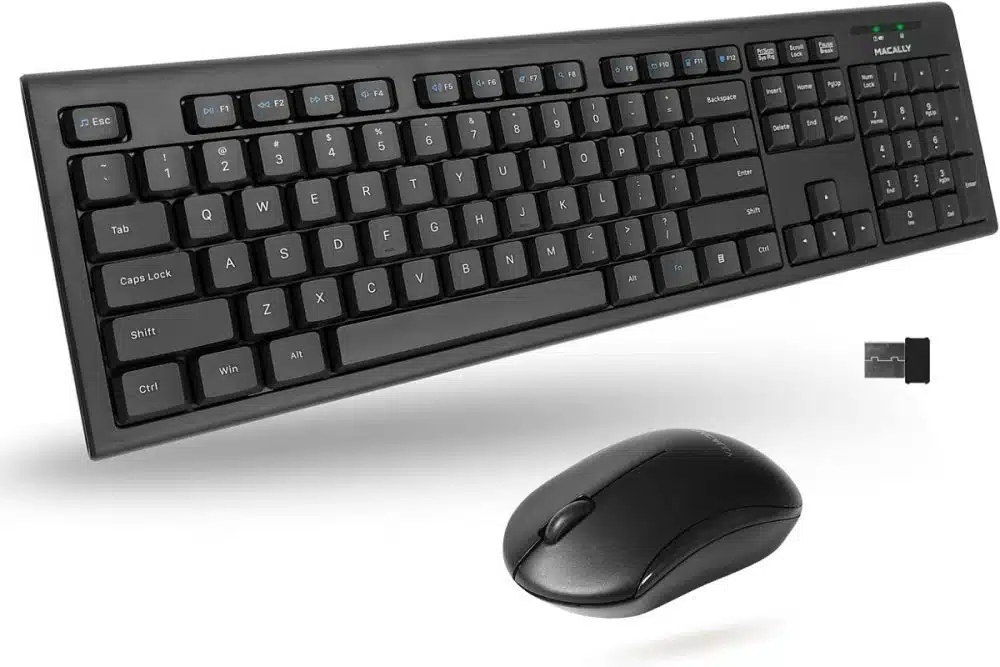
Your laptop or personal computer plays a vital role in your career as a professional. Of course, communications start by inputting all the data in your hardware. And in this case, your keyboard and laptop play an essential role. But aren’t you getting tired of the usual cords that sometimes hinder your performance?
According to Edward of Laptop Mill, laptop accessories of today have evolved depending on the user’s needs. As time passes, all those flaws from the past are having redevelopments right now. Which is good to end up some of our office set up miseries.
In this section, let us dig deeper into the advantages and disadvantages of having a wireless keyboard and mouse.
Understanding Wireless Idea
Cords have been our hardware partner for a long time. Many things make us love and hate the concept. But what else can we do? It is the only connection known before. But thanks to endless innovation, we are now in an era where cordless is present.
If you think it is magic that keeps the connection steady, it is more than that. Wireless connection works with the help of a USB connector. All you have to do is plug the USB connector on the device and wait for it to be loaded and ready. It usually only takes seconds for the device to discover a new connection.
For the actual mouse or keyboard to work, it has to be operated with batteries individually. For the mouse, it still has that optic light to match the movement of the mouse on the pad and the actual screen. While on the keyboard, everything works the same.
Pros of the Wireless Keyboard and Mouse
Now let us move forward to the positive side of having your mouse and keyboard wireless.
Aesthetic
Who would not want an organized office set up? And, of course, the wires are just an eyesore, especially if they are too long and uneven due to their locations. If you want to have those cords organized, you will have to invest in cable ties or adhesive tapes to keep them in place.
It also avoids those unnecessary upgrade projects to hide the wires in clear view, which is also time-consuming.
Portability
You can use your mouse and keyboard anywhere as long as the connection is detectable. Unlike when using a wired mouse and keyboard, movements are restricted due to the length of the cord only.
Say hello to free movements with the wireless connection. Also, you don’t have to think about a time-consuming setup whenever you need to change stations because everything is plug and play and easy installation.
Ease of Use
Some models require one USB connection for the mouse and keyboard. At the same time, other models need separate USBs. In this sense, you can only use the one with one connector to ensure that everything is on the go with just one plug. But it depends upon your needs too. If you only need the mouse or the keyboard, you can opt to have the one with separate USBs.
Cons of the wireless keyboard and mouse
It almost seems perfect, but everything has a flaw. So let us see all those negatives to see if a wireless connection is meant for your daily use.
Batteries
You will notice that you need to pile up some extra batteries because continuous usage will use up the battery’s lifespan. It may be problematic because they might think that their mouse or keyboard is broken, not knowing that it is only the battery that needs replacement.
Expensive
You will also notice that this type of equipment is quite expensive compared to the regular wired keyboard and mouse.
Latency
This is not to every model or unit, but some have experience latency or delay in the pick up of command by the mouse or keyboard. If you happen to experience this, you may opt to change to another wireless brand.
There are also experiences where the performance of the computer or laptop is affected due to this added connection. If that happens, refresh or restart your computer, then replug the USB connector.
Conclusion
All in all, we can say that everything is excellent with a wireless keyboard. You can see all those negatives, but once you experience its front row, you will have your own set of positive responses on the greatness of a wireless mouse and keyboard.
We hope that we have the same positive response about it. If you want to let others know something about wireless keyboards and mice, ping us!


























