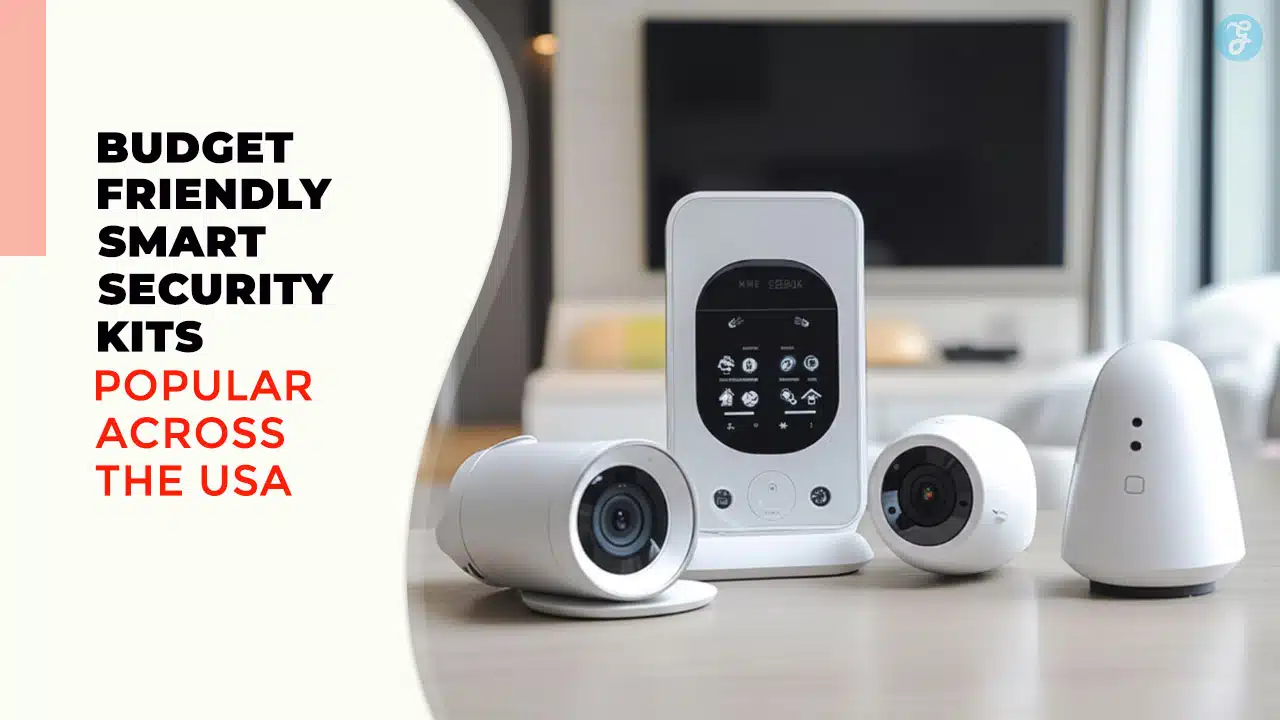
Protecting your home shouldn’t require a second mortgage. With the cost of living on the rise, finding the Best Budget Home Security Systems has become a priority for families, renters, and homeowners across the United States. Gone are the days when “affordable” meant “low quality” or “unreliable.” Today’s smart security market is flooded with high-tech, DIY kits that offer professional-grade protection, crystal-clear video, and smartphone alerts without the hefty price tags or predatory long-term contracts of the past.
In this comprehensive guide, we have researched and ranked the top 11 budget-friendly smart security kits available right now. Whether you need a simple peel-and-stick sensor for your apartment or a full camera ecosystem for a single-family home, there is a solution here that balances safety with financial savvy.
Key Takeaways
-
DIY is King: You no longer need professional installation. All 11 systems listed here can be installed in under an hour using just adhesive strips and a smartphone app.
-
Hardware vs. Service: Some companies (Wyze, Blink) sell hardware cheaply but want a subscription. Others (Eufy, Lorex) charge more upfront but have no monthly fees. Calculate the “3-year cost” to see the real price.
-
Verification Matters: Modern “Budget” systems now offer video verification, where monitoring agents can view footage during an alarm to verify it’s a real break-in, leading to faster police response.
-
Start Small: Most of these kits are modular. You can buy the base 5-piece kit today and add extra window sensors or cameras next year as your budget allows.
Why Low-Cost No Longer Means Low-Tech
Before diving into the list, it is important to address a common misconception: that “budget” implies “cheap” or “ineffective.” In the last few years, the landscape of home security has shifted dramatically. The expensive, hardwired systems of the past that required drilling holes and locking you into 3-year contracts are being replaced by agile, wireless technology.
Today’s Best Budget Home Security Systems utilize the same advanced sensors and encryption standards as their premium counterparts. The price difference often comes down to the business model. By cutting out the “middleman” (professional installers) and shipping the equipment directly to your door for DIY installation, these companies pass the savings on to you. Whether you are looking for simple door sensors or complex AI-powered cameras, the modern market allows you to build a custom fortress without the premium markup.
What Defines a Top-Rated Budget Kit?
Not all affordable systems are created equal. To ensure this list represents the best value for your money, we evaluated each kit based on specific performance criteria essential for modern living. A low price tag is great, but it must be paired with reliability.
Here is what you should expect from the systems on this list:
-
Scalability: The ability to start with a small kit and add more sensors or cameras later as your budget allows.
-
App Ecosystem: A user-friendly mobile app that offers real-time alerts and remote control from anywhere in the world.
-
Flexible Monitoring: The option to choose between cost-effective self-monitoring (watching the alerts yourself) or upgrading to professional monitoring without long-term commitments.
-
Wireless Design: Systems that are renter-friendly and require no permanent modifications to your home.
With these standards in mind, here are the top 11 kits that offer maximum protection for minimum investment.
Quick Comparison: Top Picks at a Glance
If you are in a rush, here is how the top contenders stack up against each other.
| System Name | Best For… | Est. Kit Price | Monthly Fee? | Key Feature |
| SimpliSafe | Renters & Reliability | ~$140 – $250 | Optional | “Smash-safe” Keypad |
| Wyze Home Monitoring | Tightest Budgets | < $100 | Optional | Ultra-cheap sensors |
| Eufy Security | Privacy (No Fees) | ~$160+ | No | Local Storage (HomeBase) |
| Ring Alarm | Alexa Users | ~$160+ | Optional | Amazon Ecosystem |
| Blink Outdoor | Wire-Free Video | ~$100+ | Optional | 2-Year Battery Life |
| Kangaroo | Simplicity | < $50 | Optional | Peel-and-stick setup |
I. The “Big Tech” Best Sellers: Proven Ecosystems
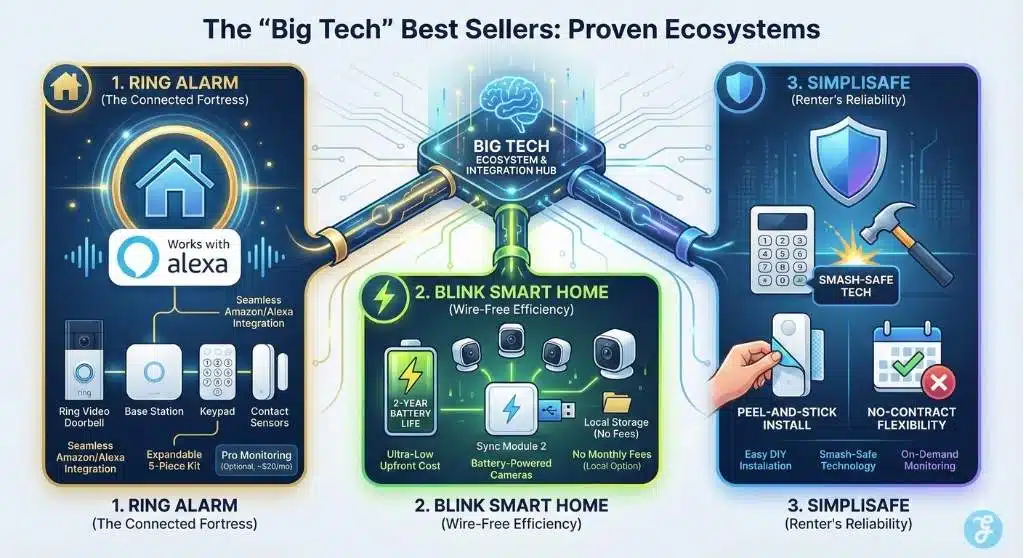
These systems are household names for a reason. They are backed by massive tech giants (mostly Amazon) and offer the smoothest experience if you already use smart assistants like Alexa.
1. Ring Alarm (5-Piece Kit – 2nd Gen)
The Gold Standard for Connected Homes
Ring is arguably the most recognized name in DIY security. While they started with doorbells, their 5-piece security kit has become a staple for budget-conscious homeowners who want an expandable system. The kit includes a Base Station, Keypad, Contact Sensor, Motion Detector, and Range Extender.
-
Why It’s a Winner: The seamless integration is unbeatable. If you already have a Ring Video Doorbell, this alarm system ties everything into one app. When the alarm triggers, your cameras can automatically start recording—a feature often reserved for expensive pro systems.
-
Performance: The sensors use Z-Wave technology, which is generally more reliable than standard Wi-Fi for sensors because it doesn’t crowd your internet bandwidth. The keypad is intuitive, and the base station has a siren loud enough to startle any intruder.
-
The “Budget” Reality: While the hardware is reasonably priced (often dropping to around $159 during sales), keep in mind that to get cellular backup and professional monitoring, you will need the Ring Protect Pro plan. However, compared to traditional ADT or Brinks contracts, $20/month is still a bargain.
2. Blink Smart Home Bundles (Outdoor 4)
Wire-Free Video Security on a Shoestring
If your main concern is visual verification—seeing who is on your lawn rather than just knowing a door opened—Blink is the king of budget video security. Owned by Amazon, Blink focuses on efficiency. Their “Outdoor 4” camera kits are incredibly popular because they run on two AA lithium batteries and can last up to two years.
-
Why It’s a Winner: You can cover your entire property perimeter for the price of one high-end camera. The cameras are small, weather-resistant, and completely wire-free, meaning you don’t need to drill through walls or hunt for power outlets.
-
Semantic Highlight: Pet immunity isn’t strictly built-in, but the customizable “Activity Zones” allow you to block out high-traffic areas (like a swaying tree or a busy street) to save battery and reduce false alarms.
-
Storage Costs: Blink offers a unique budget advantage with the “Sync Module 2.” If you plug a USB flash drive into the module, you can store video clips locally without paying a monthly subscription fee.
3. SimpliSafe (The Foundation)
The Renters’ Favorite for No-Contract Protection
SimpliSafe disrupted the industry by proving that you don’t need a technician to have a professional-grade alarm. “The Foundation” is their entry-level kit, designed perfectly for apartments or smaller homes. It includes the essential Base Station, Keypad, Entry Sensor, and Motion Sensor.
-
Why It’s a Winner: It is arguably the easiest system to install. The sensors come with pre-applied adhesive strips that are strong but removable, making it “deposit-friendly” for renters. The Base Station is aesthetically pleasing and features a reassuring light ring that glows to let you know the system is armed.
-
Smash-Safe Tech: One of SimpliSafe’s semantic keywords is “SmashSafe.” This means if a burglar breaks in and smashes the keypad or base station, the signal has likely already been sent to the monitoring center.
-
Monitoring Flexibility: You can self-monitor for free (viewing live video if you add a camera), but their professional monitoring is “on-demand.” Going on vacation for a week? Activate the Pro monitoring for a single month and cancel when you return.
II. The “No Monthly Fee” Champions
For many Americans, the “budget” aspect isn’t just about the hardware cost—it’s about avoiding the dreaded “subscription fatigue.” These kits allow you to own your footage.
4. Eufy Security (5-Piece Home Alarm Kit)
Privacy-First Protection
Eufy (by Anker) has built a cult following by promising no monthly fees. Their 5-piece kit is centered around the “HomeBase,” a hub that not only connects your devices but also stores your data locally with military-grade encryption.
-
Why It’s a Winner: Data privacy. In an era where cloud leaks happen, knowing your footage and entry logs live inside your house, not on a server, is a huge selling point. The Keypad in this kit is a standout, with a battery that lasts 6 months per charge.
-
Feature Spotlight: The motion sensors and entry sensors interact instantly with the HomeBase. If you add Eufy cameras later, the HomeBase uses on-device AI to distinguish between humans and pets, significantly reducing false alarms without needing a cloud subscription to process the image.
-
Cost Analysis: You pay slightly more upfront for Eufy gear compared to Wyze or Blink, but the total cost of ownership over 3 years is often lower because your monthly bill is strictly $0.
5. Wyze Home Monitoring (Core Kit)
The Undisputed Price Leader
Wyze started with a $20 camera and applied that same philosophy to home security. The Wyze Home Monitoring Core Kit (Hub + Keypad + Entry/Motion Sensors) is frequently found for under $100.
-
Why It’s a Winner: It is impossibly cheap without feeling “cheap.” The sensors are tiny and respond nearly instantly. The app is robust and allows you to build rules (e.g., “If the back door opens, turn on the Wyze Bulb in the living room”).
-
The Catch: To get the most out of it (like the keypad functionality and arming modes), Wyze heavily pushes their “Cam Plus” or Monitoring subscription. However, the hardware cost is so low that even with a small monthly fee, it remains one of the most affordable options in the USA.
-
Expansion: You can add Wyze Cams (v3 or v4) for as little as $30 each, creating a massive video security network for the price of a single competitor’s camera.
6. Lorex (Wi-Fi Security Bundles)
Continuous Recording for Power Users
Lorex is a brand often associated with commercial security, but their Wi-Fi bundles are excellent for homeowners who want 24/7 recording. Unlike battery-powered cameras that only record when motion is detected, many Lorex systems are designed to capture everything.
-
Why It’s a Winner: Video quality. Lorex often leads the pack with 2K and 4K resolution options in their budget bundles. Their “Fusion” technology allows Wi-Fi cameras to record to a local NVR (Network Video Recorder) hard drive.
-
No Clouds Required: With terabytes of local storage, you never have to worry about a clip getting deleted after 30 days. This is the “set it and forget it” system for users who want a permanent archive of their home security.
III. The “Smart Home” Integrators
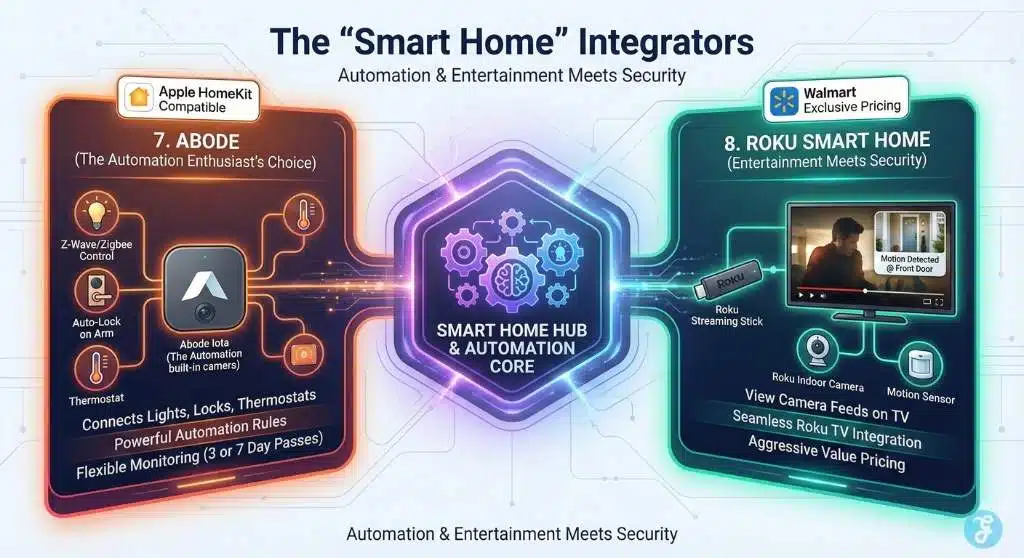
These systems do double duty: they protect your home and act as the “brain” for your smart lights, locks, and thermostats.
7. Abode (Security Kit or Iota)
The Automation Enthusiast’s Choice
Abode is unique because its hub includes radios for Z-Wave and Zigbee—the two languages spoken by most smart home devices.
-
Why It’s a Winner: If you want your front door to lock automatically when the system arms, or your lights to flash red when the alarm triggers, Abode is the best platform. The “Iota” kit is particularly clever—it’s an all-in-one hub that includes a built-in HD camera and motion sensor, saving you the cost of buying separate devices.
-
Apple HomeKit: Abode is one of the few DIY security systems that plays nicely with Apple HomeKit out of the box. If you live in an Apple ecosystem, this is your best budget bet.
-
Flexible Monitoring: Like SimpliSafe, Abode offers short-term professional monitoring. You can pay for 3 days or 7 days of monitoring if you’re just going away for a weekend.
8. Roku Smart Home (Monitoring System SE)
Entertainment Meets Security
Yes, the company that makes your streaming stick now secures your home. Partnering with Wyze for the hardware, Roku offers a 5-piece system that integrates directly with your TV.
-
Why It’s a Winner: Convenience. Imagine watching a movie and getting a notification on your TV screen that the Motion Sensor in the garage was triggered, or seeing a live feed of your front door cam picture-in-picture.
-
Retail Availability: This system is aggressively priced and widely available at Walmart, making it accessible to almost everyone. The “SE” line is designed specifically for value, offering solid performance for a double-digit price tag.
IV. The “New Wave” Challengers
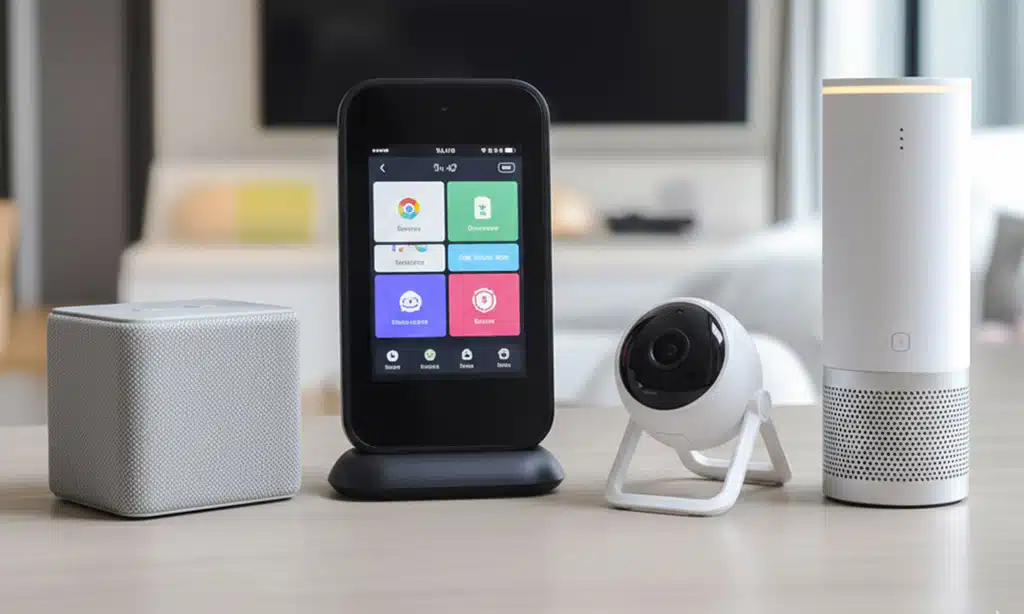
These newer companies are shaking up the market with unique business models and innovative hardware designs.
9. Cove Security
Customer Service King
Cove was built to fix the frustrations of traditional alarms (false alarms, long wait times). Their system is often rated highest for customer satisfaction.
-
Why It’s a Winner: The Touchscreen Panel. Most budget kits (Ring, SimpliSafe) give you a button-based keypad. Cove gives you a 7-inch touchscreen tablet as your controller. It looks and feels premium.
-
Cove’s “Plus” Strategy: While you do pay a monthly fee, Cove’s equipment is often heavily discounted—sometimes up to 60% off—when you sign up. Their “InstaText” feature allows you to cancel a false alarm via SMS instantly, so the police don’t show up just because you burned the toast.
10. Kangaroo (Front Door Security Kit)
The Minimalist’s Dream
Kangaroo is designed for people who find standard security systems “too much.” Their Front Door Security Kit is often sold for the price of a couple of pizzas.
-
Why It’s a Winner: It is the absolute lowest barrier to entry. The kit often includes a Doorbell Camera and its unique “Motion + Entry” sensor.
-
Semantic Innovation: Their sensors are “all-in-one.” A single device detects if a door opens OR if there is movement in the room. This cuts down on the number of gadgets you need to buy and stick to your walls.
-
Setup: You can set this up in roughly 5 minutes. It connects directly to Wi-Fi without a hub, making it perfect for studio apartments or dorm rooms.
11. ADT Self Setup (formerly Blue by ADT)
Big Brand Trust, DIY Soul
ADT realized they were losing ground to DIY competitors, so they launched their “Self Setup” line. This brings the 150-year-old ADT monitoring reputation to a box you can install yourself.
-
Why It’s a Winner: Google Nest Integration. ADT has partnered deeply with Google. The “Self Setup” kits now utilize Google Nest Cams and Nest Doorbells, which have some of the best AI detection in the industry. You get Google’s hardware smarts with ADT’s monitoring muscle.
-
Flexible Contracts: Unlike the “old” ADT, this system allows for month-to-month monitoring. You get the famous blue octagon yard sign (a proven deterrent) without the 3-year handcuff.
Buying Guide: How to Choose the Best Budget Home Security System
When shopping for the Best Budget Home Security Systems, it is easy to get distracted by flashy features. Here are the four critical factors you need to consider to ensure you aren’t wasting money.
1. Connectivity: Wi-Fi vs. Cellular Backup
Most budget systems rely on your home Wi-Fi to send alerts. But what happens if the power goes out or your internet goes down?
-
Wi-Fi Only (Cheaper): Systems like the basic Eufy or Blink kits rely entirely on your internet. If your router dies, you might lose remote alerts (though local alarms may still sound).
-
Cellular Backup (Safer): Systems like Ring, SimpliSafe, and Cove offer a “Cellular Backup” feature in their paid plans. If your Wi-Fi fails, the base station switches to a 4G/LTE signal (like a mobile phone) to keep you protected. For serious security, this is worth the extra monthly cost.
2. Power Source: Wired vs. Battery
-
Battery-Powered: Great for renters and easy installation (Blink, Arlo, Ring sensors). However, you must remember to charge them. Look for “2-year battery life” claims (like Blink) to reduce maintenance.
-
Wired: Cameras like the Wyze Cam v3 or compact indoor cameras usually need a USB cable plugged into an outlet. They are cheaper and never run out of juice, but they limit where you can place them.
3. Storage: Cloud vs. Local
This is the hidden cost of security.
-
Cloud Storage: Your clips are saved on the company’s servers. You can access them from anywhere, but you usually pay $3-$10/month.
-
Local Storage: The footage is saved to a microSD card or USB drive in your home (Eufy, Lorex, Wyze). It is free, but if a burglar steals the camera/hub, they might steal the evidence too (unless you have a hidden recorder).
4. Smart Home Compatibility
Don’t buy a system that speaks a different language from your home.
-
Alexa Homes: Ring and Blink are the best choices.
-
Google Home: ADT Self Setup (Nest) is the native choice.
-
Apple Homes: Abode is the leader here.
Frequently Asked Questions (FAQs)
1. Do I really need a monthly subscription for these security systems?
Not necessarily. Systems like Eufy and Lorex are designed to work fully without a subscription, offering local storage and self-monitoring app alerts for free. However, for systems like Ring or SimpliSafe, the subscription is highly recommended because it unlocks essential features like cellular backup, cloud video history, and professional police dispatch.
2. Can I install these systems if I am renting an apartment?
Absolutely. In fact, most of these systems (especially SimpliSafe, Ring, and Kangaroo) use “peel-and-stick” 3M adhesive strips for their sensors and keypads. This means you don’t have to drill holes in the walls, and you can easily take the entire system with you when you move to your next home.
3. What happens if my Wi-Fi goes down?
If you are on a free/basic plan with a Wi-Fi-based system, you will lose remote app alerts and video feeds, though the local siren will still sound if a door opens. If you upgrade to a pro-monitoring plan with Cellular Backup (available on Ring, SimpliSafe, Abode), the system will switch to a cellular signal and continue to alert the monitoring center even without Wi-Fi.
4. Are cheap security cameras secure from hackers?
Budget cameras have improved significantly, but they can still be vulnerable if not set up correctly. To stay safe: always enable Two-Factor Authentication (2FA) in the app (most now require it), use a strong, unique password, and regularly update the device firmware. Eufy’s local storage model is often cited as a more private option since footage doesn’t travel to the cloud.
5. Which system is best for pet owners?
SimpliSafe and Ring have excellent motion sensors with “pet immunity” settings, designed to ignore animals under a certain weight (usually ~30-50 lbs). For video reliability, Google Nest (via ADT) and Eufy cameras use AI processing to specifically distinguish between a “pet” and a “human,” which drastically reduces false alarms caused by your dog walking through the living room.
Final Thoughts: Securing What Matters Most for Less
Securing your home in 2024 and beyond doesn’t have to drain your savings. Whether you choose the ecosystem power of Ring, the no-fee freedom of Eufy, or the unbeatable price of Wyze, the Best Budget Home Security Systems listed above offer robust protection for every lifestyle. The technology has matured to the point where a $150 DIY kit can offer peace of mind comparable to the multi-thousand-dollar hardwired systems of the past.
Don’t wait for an incident to happen. Assess your specific needs—whether it’s monitoring a front porch package or securing a ground-floor apartment—and choose the kit that fits your budget today.