In the digital ecosystem of 2026, the line between “secure enough” and “negligent” has shifted dramatically. For years, businesses operated under the assumption that if they secured their code, the host would take care of the rest. That assumption is now a liability.
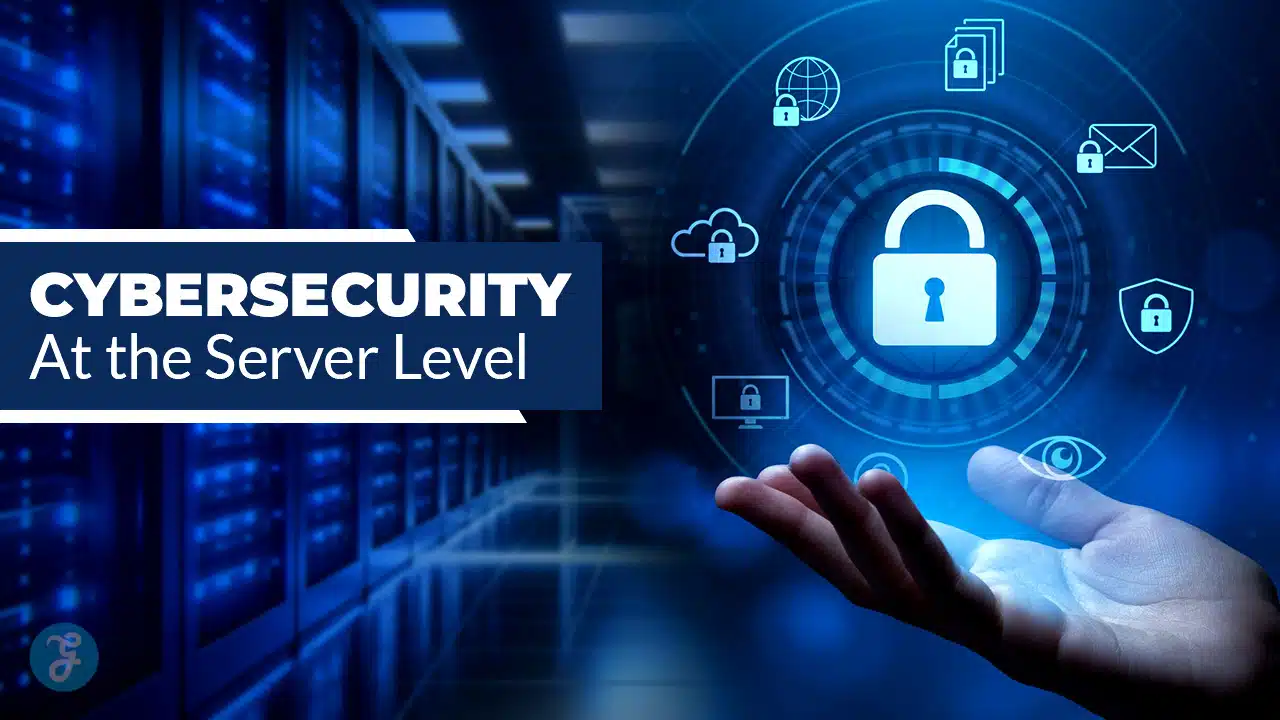
Server-level cybersecurity refers to the protections applied to the underlying infrastructure—the physical hardware, the hypervisor, the network perimeter, and the operating system (OS)—before a single line of your application code is executed. In contrast, app-level security focuses on your code, authentication logic, and data handling.
If the server level is compromised, no amount of application hardening will save you.
In 2026, the baseline for what a host must provide has risen due to aggressive regulatory frameworks like NIS2 and DORA, alongside the industrialization of ransomware. This guide breaks down exactly what you should demand from your infrastructure provider. We will move beyond marketing buzzwords to give you a tangible buyer’s checklist, evidence to request, and the red flags that should send you running to a competitor.
2026 Minimum Security Baseline Checklist
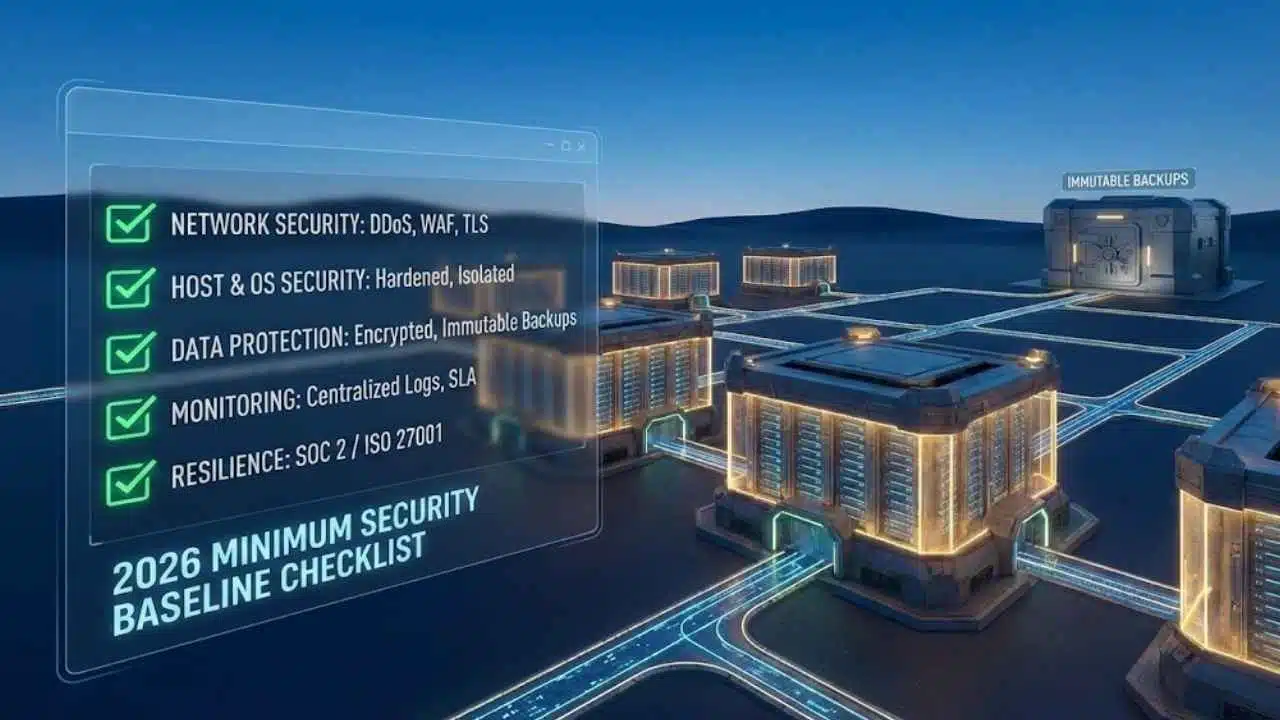
If you are evaluating a hosting provider—whether it’s bare metal, a VPS, or a managed cloud service—you need a way to quickly assess their maturity. Use this checklist to filter out providers who are stuck in 2020.
The 2026 Scannable Checklist
Network Security
- DDoS Mitigation: Standard protection for Volumetric (L3/4) attacks included by default.
- Firewalling: Managed WAF options and customizable network ACLs (Access Control Lists).
- TLS: Automated certificate management (e.g., Let’s Encrypt integration) enabled by default.
Host & OS Security
- Hardening: OS images hardened against CIS Benchmarks (or equivalent) before provisioning.
- Isolation: Strict hypervisor isolation or bare metal tenant separation.
- Access: SSH key-only access default; Root login disabled by default.
Data Protection
- Encryption: Data-at-rest encryption options for block storage and object storage.
- Backups: Immutable backup options (cannot be deleted/altered by standard admin credentials).
Monitoring & Visibility
- Logs: Access to raw system and network logs (not just a simplified dashboard).
- Uptime: SLA that covers security incident response times, not just power/ping availability.
Resilience & Compliance
- Audit: SOC 2 Type II or ISO 27001 certification (current within 12 months).
- Data Residency: Clear guarantees on where data physically resides.
Non-Negotiables (If A Host Can’t Do These, Walk Away)
If a potential host cannot provide a clear “yes” to the following four points, they are not ready for the threat landscape of 2026.
- DDoS + WAF Coverage: A host offering only “network firewalling” without Layer 7 (Application) awareness is obsolete. They must have a strategy for scrubbing traffic before it hits your server.
- Automated Patching Policy: They must have a published policy on how quickly they patch critical hypervisor and kernel vulnerabilities. “We patch regularly” is not a policy; “Critical patches within 24 hours” is.
- Immutable/Offsite Backups: Ransomware targets backups first. If your host stores snapshots on the same local storage as the live disk, a single compromise destroys everything. Demands offsite or immutable storage.
- Centralized Logging & Incident Process: When (not if) an attack happens, you need logs. If the host cannot provide logs because they don’t centralize them, or if their incident response process is opaque, walk away.
The “Shared Responsibility Model” is the most critical concept in cloud hosting, yet it remains the source of most security failures. Breaches rarely happen because the host failed or the customer failed; they happen in the gap—the gray area where the customer thought the host was watching, and the host thought the customer was watching.
In 2026, this model is stricter. Regulators are no longer accepting “we didn’t know” as a defense.
Responsibility Split By Model
- IaaS (Infrastructure as a Service): The host owns the physical facility, power, network cables, and the hypervisor. You own the Guest OS, all applications, data, and firewall configurations.
- PaaS (Platform as a Service): The host owns the OS and the runtime environment (e.g., the database engine or web server software). You own the data and the application code.
- SaaS (Software as a Service): The host owns almost everything. You own your identity (passwords/MFA) and data access policies.
The “Proof” Layer (What Providers Should Document Publicly)
You should not have to guess where the lines are drawn. A mature host in 2026 provides a Controls Matrix. This document maps specific security controls to who is responsible for them.
Control Area Ownership
| Control Area | Host Provides (The Foundation) | Customer Provides (The Configuration) | Evidence to Request |
| Physical Security | Guards, cameras, biometrics, redundant power. | None. | SOC 2 Report (Physical Security Section). |
| OS Patching | Managed: Host patches kernel/OS.
Unmanaged: Host patches hypervisor only. |
Managed: Verify schedule.
Unmanaged: You patch the OS/Kernel. |
Patch Management Policy. |
| Network Defense | Edge DDoS protection, clean bandwidth. | Configuring security groups (allow/deny lists), WAF rules. | DDoS Mitigation Specification. |
| Identity (IAM) | Secure portal for account management, MFA support. | enforcing MFA on users, rotating API keys. | Pentest summary of their portal. |
| Encryption | Hardware support for encryption, key management tools. | Enabling encryption, managing keys (KMS). | Encryption whitepaper/docs. |
2026 Threat Reality At The Server Layer (What’s Changed)
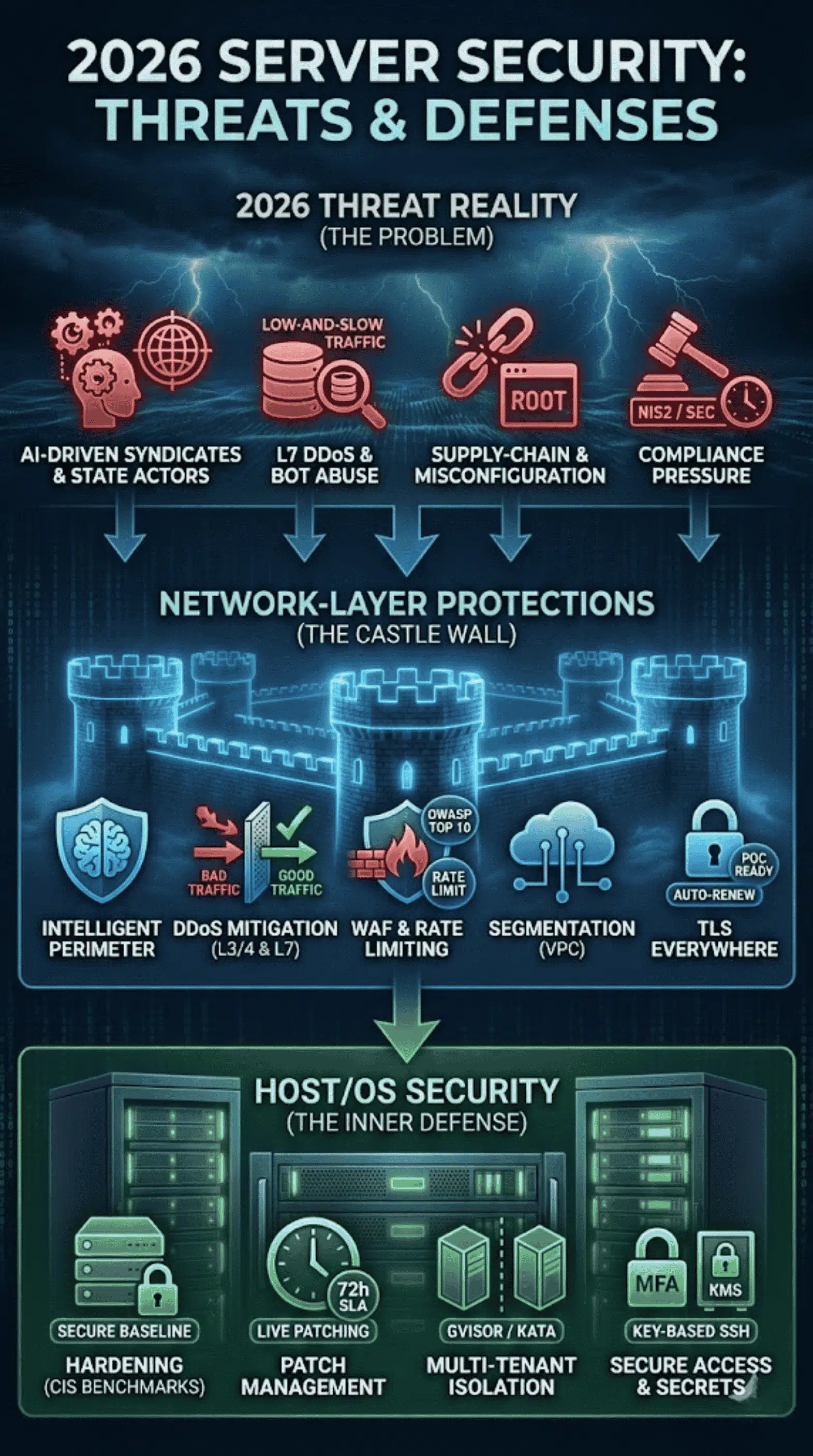
Why are we emphasizing these controls now? The threat landscape has evolved from simple script kiddies to automated, AI-driven syndicates and state-sponsored actors.
Application-Layer DDoS + Bot Abuse Is Now A Hosting Problem Too
In the past, DDoS was mostly volumetric (flooding a pipe). Today, attacks are “low and slow,” targeting specific expensive database queries to exhaust CPU resources without triggering bandwidth alarms. Hosts can no longer ignore Layer 7; they must provide tools to filter bad requests, not just bad packets.
Supply-Chain & Misconfiguration Are The New Default Risks
Hackers aren’t “breaking in” as often as they are “logging in” using stolen credentials or exploiting default configurations. If a host provisions a server with a default root password or an open management port, they have essentially pre-hacked the server for the attacker. Supply chain attacks—where the host’s own management tools are compromised—are also a primary concern (think SolarWinds or XZ Utils).
Compliance Pressure Is Rising
With the enforcement of NIS2 in Europe and strict SEC Cyber Disclosure rules in the US, resilience is a legal mandate. You are legally required to ensure your vendors (hosts) are secure. If your host goes down and you can’t explain why or recover data, you are the one facing regulatory fines.
Network-Layer Protections Hosts Should Provide By Default
The network is the castle wall. In 2026, a “firewall” is insufficient. You need an intelligent perimeter.
DDoS Mitigation (L3/4 + L7) With Clear Coverage Boundaries
Every host claims “DDoS Protection.” You need to ask: “At what threshold?”
- L3/L4 (Volumetric): Hosts must block UDP floods and SYN floods at the network edge. This should be free and standard.
- L7 (Application): This is where costs accrue. Does the host offer a Web Application Firewall (WAF) that can distinguish between a legitimate shopper and a bot scraping your pricing?
- Boundaries: Be wary of “Blackholing.” Some hosts “protect” you by taking your IP offline if the attack exceeds a certain size. This stops the attack but also kills your business. Look for “Scrubbing” capabilities where bad traffic is removed, and good traffic flows through.
WAF, Rate Limiting, And Managed Rules
Implementing a WAF from scratch is difficult. Hosts should provide:
- Managed Rulesets: Pre-configured rules to block OWASP Top 10 attacks (SQL Injection, XSS).
- Rate Limiting: Tools to cap the number of requests a single IP can make per second, preventing brute-force attacks.
Segmentation and Private Networking
Never expose a database directly to the public internet. Hosts must provide Virtual Private Cloud (VPC) or Private Networking capabilities effectively for free. This allows your web server to talk to your database server over a private, unexposed IP range.
TLS Everywhere + Modern Cipher Guidance
“SSL is extra” is a red flag.
- Automated TLS: Hosts should integrate with Let’s Encrypt for free, auto-renewing certificates.
- Cipher Suites: The host’s load balancers should default to TLS 1.2 or 1.3, disabling obsolete protocols (SSLv3, TLS 1.0/1.1) out of the box.
- PQC Signals: Post-Quantum Cryptography is on the horizon. Top-tier hosts are already publishing roadmaps for PQC-resistant algorithms.
Host/OS Security (Hardening, Patching, Isolation)
Once traffic passes the network layer, it hits the server. This is where the configuration battle is won or lost.
Secure Configuration Baselines (CIS Benchmarks)
A “fresh” install of Linux or Windows is rarely secure. It often contains unnecessary services and open ports.
- The 2026 Standard: Hosts should provision images that are pre-hardened according to CIS (Center for Internet Security) Benchmarks.
- What this looks like: Disabled root login, removal of legacy services (FTP, Telnet), and strict file permission settings.
Patch Management With SLAs
- Kernel/Hypervisor: The host must patch the underlying infrastructure (Hypervisor/Control Plane) without downtime (using technologies like Kernel Live Patching).
- Guest OS: For managed hosting, request the SLA. “We patch monthly” is insufficient for critical CVEs. The expectation is critical patches applied within 72 hours of vendor release.
Multi-Tenant Isolation
If you are on a VPS or Shared Cloud, you are sharing hardware.
- Noisy Neighbor: Ensure the host uses resource quotas so one customer’s spike doesn’t crash your app.
- Container Boundaries: If using container hosting (Kubernetes), ask about the runtime. Are they using Visor or Kata Containers for stronger isolation, or just standard namespaces?
Secure Boot, Secrets, and Access
Access Control Standards
| Host Control | Ideal Default | Minimum Acceptable | Red Flags |
| SSH Access | Key-based only; PasswordAuth disabled. | Password allowed, but strong complexity enforced. | Root login allowed with weak passwords. |
| Secrets Management | Integrated KMS or Vault solution. | Encrypted environment variables. | Storing API keys in plain text files. |
| Console Access | MFA required to access web console. | 2FA optional but encouraged. | No MFA option available. |
Monitoring, Logging, And Detection (What ‘24/7’ Must Actually Mean)
“24/7 Support” often means “someone is awake to answer the phone.” In security terms, it must mean “someone is watching the alerts.”
Centralized Logs (Auth, Network, System, WAF)
Logs are your flight recorder.
- Retention: In 2026, a 30-day retention policy is the bare minimum; 90 days or 1 year is preferred for compliance (PCI/HIPAA).
- Immutability: Attackers delete logs to hide tracks. Ask your host if they ship logs to a separate, write-protected storage bucket.
Alerting and Threat Detection
A host should monitor for:
- Unusual Egress: A server suddenly sending terabytes of data out (indicating data exfiltration).
- Brute Force Spikes: Thousands of failed SSH logins in a minute.
- Dashboard: You should have visibility into this. A transparent host provides a “Security Health” dashboard, not just CPU usage.
Incident Triage Path
When you report a breach:
- Response Time: 15–30 minutes for critical security incidents.
- Point of Contact: Do you get a security engineer, or a Tier 1 support script-reader?
- Notification: If the host is breached, how fast do they tell you? (GDPR/NIS2 often require 72-hour notification).
Backups, Disaster Recovery, And Ransomware Resilience
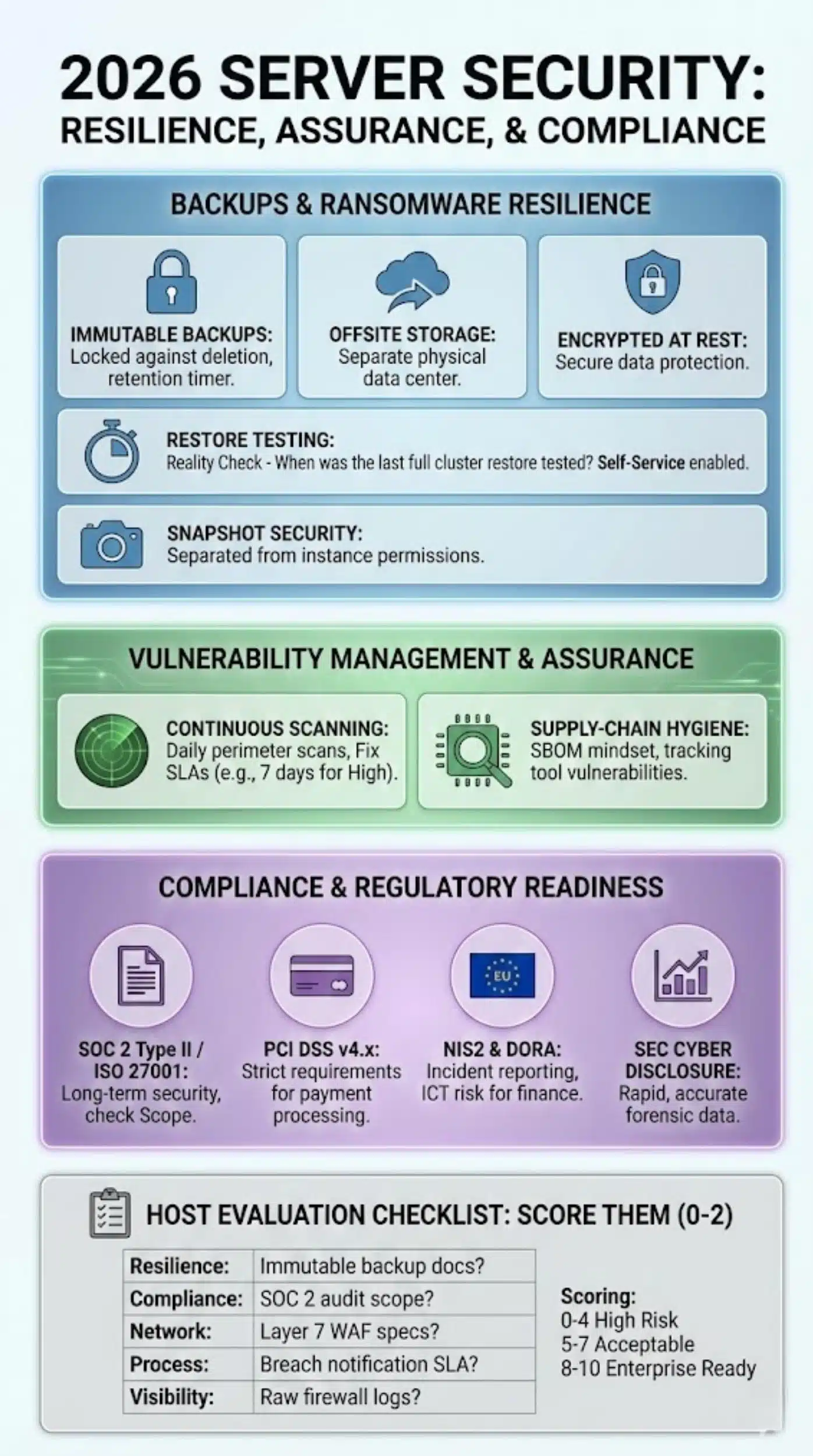
In 2026, backups are not just for accidental deletion; they are your only insurance against ransomware.
Backup Types That Matter
- Immutable: The backup file is locked. Even if a hacker gains root access to your server and the backup console, they cannot delete or encrypt the backup until a retention timer expires.
- Offsite: Backups must exist in a different physical data center (availability zone) than the live server.
- Encrypted: Backups must be encrypted at rest.
Restore Testing (RTO/RPO Reality)
Marketing brochures list RPO (Recovery Point Objective – how much data you lose) and RTO (Recovery Time Objective – how long to get back online).
- The Reality Check: Ask the host, “When was the last time you tested a full restore of a cluster our size?”
- Self-Service: You should be able to trigger a restore yourself without opening a support ticket.
Snapshot Security
Snapshots are convenient but often stored locally. Ensure that snapshots are separated from the compute instance permissions so that a compromised instance credential cannot wipe the snapshots.
Vulnerability Management And Security Assurance
How does the host prove they are secure?
Continuous Scanning + Responsible Disclosure
Hosts should scan their own perimeter daily. They should also provide you with “Vulnerability Scanning” for your managed instances.
- Fix SLAs: If a scan finds a High vulnerability in the managed OS, the host must commit to a fix timeline (e.g., 7 days).
Supply-Chain Hygiene
Ask about their SBOM (Software Bill of Materials) mindset. How do they track the libraries and tools they use to build their cloud? If a vulnerability is found in a tool they use (like a hypervisor management tool), do they know immediately where it is deployed?
Compliance & Regulatory Readiness In 2026
Compliance is no longer just for banks.
Baseline Attestations (SOC 2, ISO 27001)
- SOC 2 Type II: Measures security over a period of time (6–12 months). A Type I report is only a snapshot of one day—useless for long-term trust.
- Scope: Read the report. Does it cover all data centers, or just their headquarters?
PCI DSS v4.x
If you process payments, PCI DSS v4.0 (and subsequent minor versions) imposes strict requirements. Even if you use a payment gateway (Stripe/PayPal), your host affects your compliance. They must ensure physical security and network segmentation.
NIS2 and DORA
- NIS2 (EU): If you are a digital service provider, you face strict incident reporting timelines. Your host must support these timelines.
- DORA (Finance): Focuses on ICT risk management. If you sell to financial institutions, your host becomes a “Critical Third Party.” You need to audit their resilience/exit strategies.
SEC Cyber Disclosure
For public companies, material incidents must be disclosed quickly. You need a host that provides accurate forensic data immediately, so you can determine if an incident is “material.”
The 2026 Host Evaluation Checklist
Don’t just take their word for it. Score them.
Ask For Evidence, Not Claims
| Category | Question to Ask | Evidence to Request | Score (0-2) |
| Resilience | “Is your backup platform immutable?” | Documentation on backup locking/WORM compliance. | __ / 2 |
| Compliance | “What is the scope of your SOC 2 audit?” | The actual SOC 2 Type II report (read the ‘Scope’ section). | __ / 2 |
| Network | “Do you include Layer 7 WAF?” | Product spec sheet listing WAF rules/OWASP coverage. | __ / 2 |
| Process | “How fast do you notify us of a breach?” | Service Level Agreement (SLA) referencing ‘Security Notification’. | __ / 2 |
| Visibility | “Can I see raw firewall logs?” | Screenshot of the logging dashboard or API docs. | __ / 2 |
Scoring:
- 0-4: High Risk. Do not use for production.
- 5-7: Acceptable for non-critical workloads.
- 8-10: Enterprise Ready.
Final Thoughts
By 2026, the era of “set it and forget it” hosting is over. The sophistication of threats and the weight of regulatory fines mean that your choice of host is a strategic security decision, not just a line item in the IT budget.
When you evaluate a host, look past the price per gigabyte. Look for the “invisible” features: the immutability of their backups, the transparency of their logs, and the rigor of their compliance certifications. The right host acts as a partner in your defense; the wrong one is merely a waiting liability.