
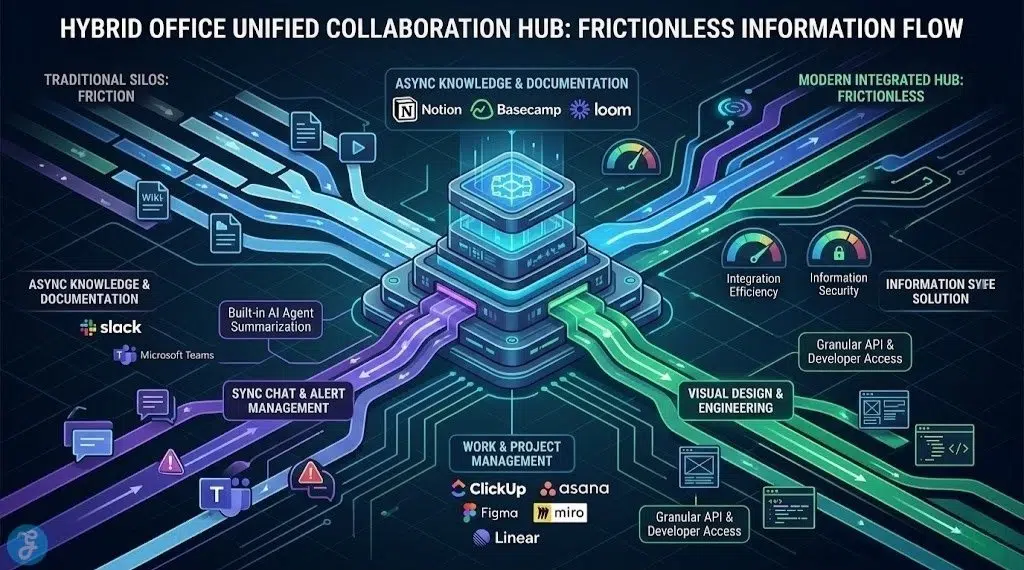
Transitioning an SME into the modern era requires more than just issuing laptops to employees; it requires a digital infrastructure that keeps distributed teams perfectly synchronized. As outlined in any solid 2026 digital business blueprint, finding the best collaboration tools for hybrid offices is the cornerstone of modernizing operations. Today’s software goes far beyond basic chat and video calls. We are looking at platforms that integrate autonomous AI agents to summarize meetings, offer robust API access for backend developers to hook into custom micro-services, and provide asynchronous communication channels so your team isn’t trapped in endless real-time meetings. The right stack ensures that a content writer working remotely has the exact same frictionless access to resources as a developer sitting in the physical headquarters.
How We Evaluated the Best Collaboration Tools
To curate this list for 2026, we focused on software that bridges the gap between physical and digital workspaces, prioritizing tools that support asynchronous workflows and deep technical integrations. Below are the key metrics used to evaluate the top platforms.
| Criteria | Evaluation Metric | Why It Matters |
| Asynchronous Capability | Features that don’t require real-time presence | Prevents burnout and allows global or flexible-schedule teams to work at their own pace. |
| AI & Agentic Integration | Built-in AI assistants for summarization and task routing | Drastically reduces administrative overhead by automating meeting notes and follow-ups. |
| API & Developer Access | Webhooks and REST/GraphQL APIs | Crucial for backend developers who need to integrate the tool with proprietary micro-service products. |
| Information Architecture | Searchability and knowledge management | Ensures that important documentation isn’t lost in a fast-moving chat timeline. |
| Security & Compliance | Enterprise-grade encryption and access controls | Protects sensitive intellectual property and customer data across distributed home networks. |
The 12 Best Collaboration Tools for Hybrid Offices
Whether you are wireframing a new cross-platform application or managing an editorial content calendar, these 12 tools provide the ultimate ecosystem for hybrid productivity.
1. Slack
Slack remains the nervous system of the modern hybrid office. By 2026, it will have evolved from a simple messaging app into a centralized command center. Its true power lies in its massive app directory and deep API accessibility, allowing backend developers to pipe critical system alerts—like database transaction failures or micro-service downtimes—directly into specific channels. The introduction of Slack AI also instantly summarizes long-missed threads, making it incredibly friendly for asynchronous workers.
-
Best features: Unrivaled third-party integrations, custom webhooks, and AI thread summarization.
-
Pros: Acts as a centralized hub for all software alerts and team communications.
-
Things to consider: It can become overwhelmingly noisy if channel notifications are not strictly managed.
2. Microsoft Teams
For enterprise-level organizations deeply embedded in the Microsoft ecosystem, Teams is the undisputed champion. It seamlessly combines chat, video conferencing, and file storage into one application. The 2026 integration of Microsoft Copilot elevates Teams into an active participant; the AI can attend meetings for you, summarize key decisions, and automatically generate action items in your planner. It is the safest, most robust choice for modernizing established SMEs.
-
Best features: Deep Office 365 integration and enterprise-grade Copilot AI capabilities.
-
Pros: Incredible security features and comprehensive unified communications.
-
Things to consider: The interface can feel heavy and corporate, lacking the intuitive snap of some younger startups’ tools.
3. Notion
Notion is the ultimate hybrid workspace for knowledge management and content strategy. It functions as a blank canvas where you can build wikis, track editorial content calendars, and write detailed documentation. For content writers and copy editors, its built-in AI tools are phenomenal for brainstorming, editing, and structuring long-form articles. It completely eliminates the need for scattered Word documents and siloed Google Docs.
-
Best features: Highly customizable databases, nested pages, and native AI writing assistance.
-
Pros: Replaces multiple tools (docs, wikis, light project management) with a single, beautiful interface.
-
Things to consider: The infinite flexibility means you have to spend time actually designing your workspace architecture.
4. ClickUp
ClickUp brands itself as “one app to replace them all,” and for ambitious SMEs, it genuinely delivers. It offers a dizzying array of views (Kanban, list, Gantt, calendar) for the exact same dataset. A project manager can look at a timeline, while a developer looks at a sprint board, all pulling from the same tasks. It is incredibly powerful for tracking complex, multi-stage projects like the launch of a new digital platform or an eco-shop initiative.
-
Best features: Multiple distinct views for the same data and highly granular task statuses.
-
Pros: Incredibly feature-rich; handles everything from simple to-do lists to complex resource management.
-
Things to consider: The sheer volume of features and customization options creates a steep learning curve for new employees.
5. Figma
For any team developing digital products—whether it’s a new website or an AI-based cross-platform app—Figma is mandatory. It is a cloud-native design tool that allows multiple designers, developers, and stakeholders to collaborate on UI/UX wireframes simultaneously in real-time. The “Dev Mode” bridges the gap between design and engineering, allowing backend and frontend developers to pull CSS, iOS, or Android code snippets directly from the design file.
-
Best features: Real-time multiplayer design and a dedicated Developer Mode.
-
Pros: Eliminates the friction between design and engineering handoffs; entirely browser-based.
-
Things to consider: It is strictly a design and prototyping tool; it does not handle general project management.
6. Linear
While ClickUp and Asana are great generalists, Linear is built specifically for high-performance software development teams. If your focus is building micro-service architectures and shipping code rapidly, Linear’s opinionated, keyboard-first interface is unmatched. It forces a streamlined, agile workflow without the bloat of traditional enterprise issue trackers like Jira. It is blazing fast and synchronizes beautifully with GitHub and Slack.
-
Best features: Keyboard-centric navigation, Git integrations, and automated issue closing.
-
Pros: The absolute fastest, most frictionless issue tracker for modern engineering teams.
-
Things to consider: It is intentionally rigid in its workflow methodology; it is not meant for marketing or HR teams.
7. Loom
Loom is the secret weapon for mastering asynchronous communication in a hybrid setup. Instead of scheduling a 30-minute Zoom call to explain a complex topic, you can record a quick video of your screen and your face simultaneously. It is perfect for walking a colleague through a new codebase, explaining a content brief, or providing visual feedback on a design. The AI automatically generates a title, summary, and transcript for every video.
-
Best features: Instant screen and camera recording with automatic AI transcriptions.
-
Pros: Drastically reduces “this could have been an email” meetings; highly expressive.
-
Things to consider: Requires team members to build the habit of recording rather than instinctively calling.
8. Miro
Miro is an infinite digital whiteboard that replicates the experience of gathering around a physical whiteboard in a conference room. It is essential for brainstorming sessions, mapping out complex database architectures, or visualizing customer journeys. It features hundreds of templates for agile planning, mind mapping, and user story mapping, making it a critical tool for the early planning phases of any digital business blueprint.
-
Best features: Infinite canvas, sticky notes, and deep integrations with Jira and Asana.
-
Pros: The best tool for unstructured visual brainstorming and complex diagramming.
-
Things to consider: Large, complex boards can become resource-intensive and lag on older computers.
9. Zoom
While it faces fierce competition from Teams, Zoom remains the most reliable, frictionless video conferencing tool on the market. In 2026, Zoom has expanded into a unified platform (Zoom Workplace), but its core strength remains high-fidelity, low-latency video calls that simply work, regardless of the participant’s operating system. Its AI Companion now provides excellent meeting summaries and smart whiteboard generation.
-
Best features: Flawless video reliability and the new Zoom AI Companion.
-
Pros: Universal familiarity; extremely easy for external clients to join without downloading software.
-
Things to consider: For internal team chat and file sharing, it still lags behind dedicated tools like Slack.
10. Asana
Asana excels at bringing clarity to who is doing what by when. It is less complex than ClickUp but far more structured than a basic to-do list. It is fantastic for managing marketing campaigns, editorial publication schedules, and overarching company goals. The “Portfolios” feature allows executives to get a bird’s-eye view of multiple projects at once, making it incredibly easy to track the modernization progress of different SME departments.
-
Best features: Timeline views, workload management, and executive Portfolios.
-
Pros: Strikes the perfect balance between powerful features and an intuitive, clean interface.
-
Things to consider: The most powerful reporting and workload features are locked behind the higher-tier enterprise pricing.
11. Google Workspace
For real-time, synchronous co-authoring, Google Workspace (Docs, Sheets, Slides) remains the gold standard. While Notion is better for asynchronous wikis, nothing beats Google Docs when two content editors need to be in the exact same document, at the exact same time, resolving comments and tweaking copy. Its cloud-first nature ensures that version control issues—like emailing “Final_V3.docx” back and forth—are entirely eliminated.
-
Best features: Unmatched real-time co-authoring and integration with Google Meet/Calendar.
-
Pros: The most universally understood and accessible suite of productivity apps globally.
-
Things to consider: Google Drive’s folder organization can quickly become chaotic without strict company-wide naming conventions.
12. Basecamp
Basecamp takes a philosophical stance against the “always-on” nature of modern collaboration tools. It intentionally lacks typing indicators, read receipts, and complex Gantt charts. Instead, it provides a calm, asynchronous environment focused on message boards, to-do lists, and automated check-ins. If you want to modernize an SME but actively want to prevent the notification fatigue caused by Slack, Basecamp is the perfect antidote.
-
Best features: Message boards for long-form updates and automated recurring check-in questions.
-
Pros: Promotes a calm, asynchronous work culture; flat pricing structure regardless of user count.
-
Things to consider: It is deliberately missing advanced features like resource tracking and complex API integrations.
Quick Overview
The following table summarizes these essential tools to help you build your ideal hybrid tech stack.
Comparison Table
| Tool Name | Primary Function | Best For | Standout Feature |
| Slack | Channel-Based Chat | Fast communication & dev alerts | Massive App Directory |
| Microsoft Teams | Unified Comms | Enterprise Microsoft ecosystems | Copilot AI Integration |
| Notion | Knowledge Base | Wikis & content strategy | Highly Customizable Databases |
| ClickUp | Project Management | Complex, multi-stage projects | Multiple Views for Same Data |
| Figma | UI/UX Design | Product design & engineering handoff | Real-Time Multiplayer Design |
| Linear | Issue Tracking | Fast-paced software engineering | Keyboard-First Navigation |
| Loom | Async Video | Replacing quick meetings | AI Transcripts & Summaries |
| Miro | Digital Whiteboard | Visual brainstorming & architecture | Infinite Collaborative Canvas |
| Zoom | Video Conferencing | External client meetings & webinars | Universal Reliability |
| Asana | Work Management | Editorial calendars & campaign tracking | Executive Portfolios |
| Google Workspace | Document Creation | Real-time co-authoring | Frictionless Cloud Editing |
| Basecamp | Async Management | Calm, notification-free workflows | Flat Pricing Structure |
Quick Picks
If you need a fast recommendation to modernize your operations today:
-
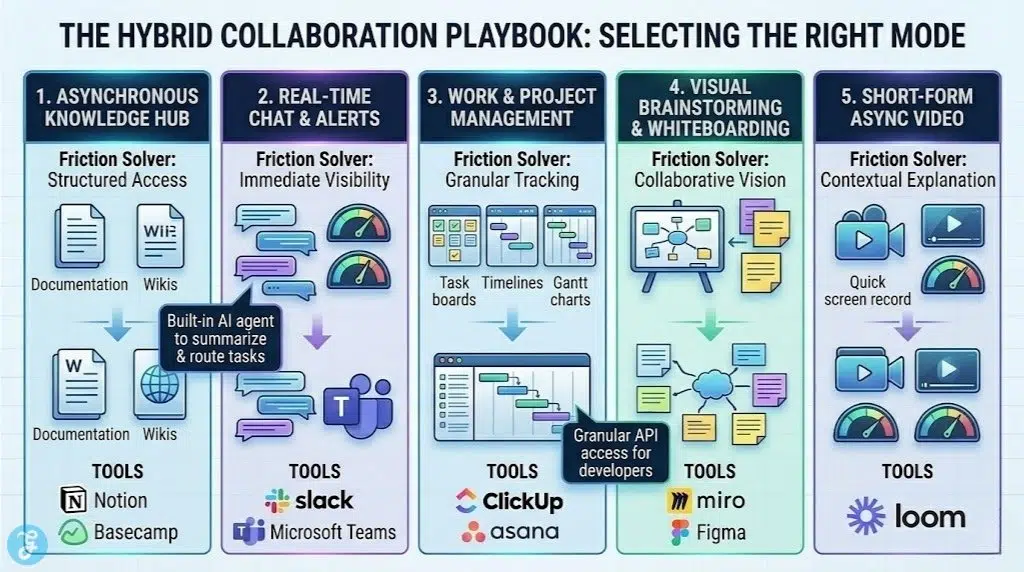
Best for Software Developers: Linear + Slack + Figma
-
Best for Content & Editorial Teams: Notion + Asana + Google Workspace
-
Best for Corporate SMEs: Microsoft Teams + ClickUp
-
Best for Async Communication: Basecamp + Loom
Final Thoughts On Hybrid Collaboration
Selecting the best collaboration tools for hybrid offices is about creating a cohesive digital ecosystem where information flows without friction. You do not need all twelve of these tools; rather, you need to select the specific combination that fits your operational blueprint. Whether you choose the opinionated, blazing-fast workflows of Linear for your engineering micro-services, or the infinitely flexible canvas of Notion for your editorial content strategies, the goal remains the same: empowering your team to do their best work, regardless of what time zone or physical location they log in from.