
You want pages to load fast. But you face long waits for the first byte after each http request. Waiting for the first byte can feel like watching paint dry. Tools like Chrome DevTools and PageSpeed Insights flag slow TTFB.
That lag can hurt core web vitals and your site rank.
A time to first byte under eight hundred milliseconds can boost page speed. This guide covers Key Factors That Affect Time-to-First-Byte. It shows how server response time, DNS lookup speed, CDNs, and caching play roles.
You will grab clear fixes for each point. Read on.
Key Takeaways
- Keep server response time under 800 ms to boost TTFB. Heavy MySQL queries can push it above 1,800 ms and harm Core Web Vitals. Use Redis caching and serve static HTML at edge servers.
- Cut network delays with fast DNS lookups (20–120 ms), HTTP/3, IPv6, and OCSP stapling. Physical distance adds up to 200 ms (e.g., London to Sydney). A CDN in 410 cities can trim 60 ms for Asia and Europe visitors.
- Strengthen server hardware and software. Use an 8-core CPU with 16 threads, 32 GB RAM, and NVMe SSD for sub-1 ms disk reads. Upgrade PHP 7.4 to 8.2, move WordPress to 6.5, and switch to Nginx with Redis or Varnish.
- Optimize caching and assets. Set browser and server cache headers, deploy Varnish or Memcached, and use edge caching via Cloudflare or Fastly. Compress files with gzip (up to 70% smaller) and minify CSS/JavaScript.
Server Response Time
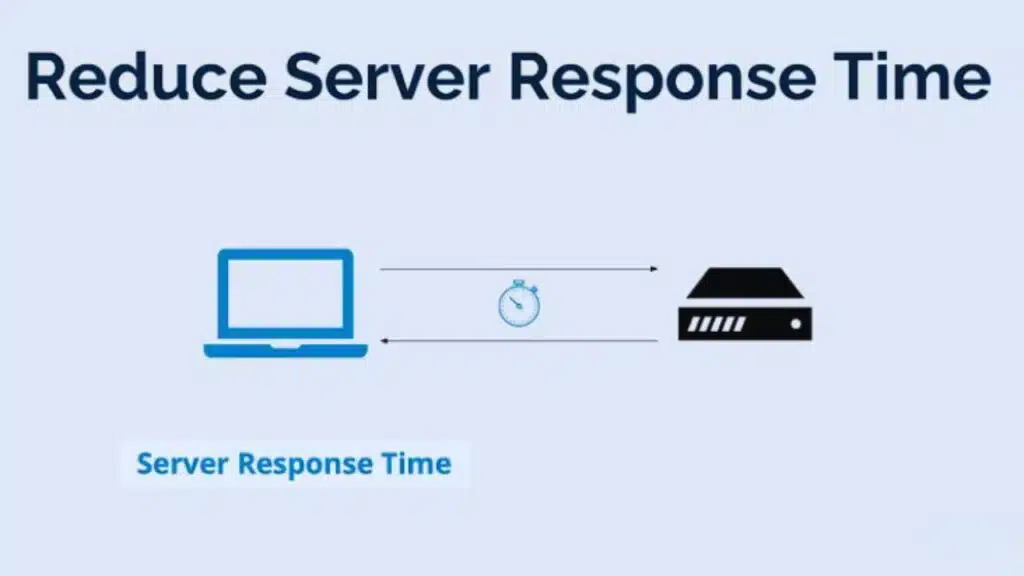
High server load or tight CPU and RAM drags a web server’s feet, dragging TTFB into the red. Heavy MySQL queries force users to wait before they see anything. Open Chrome DevTools or run Lighthouse to catch slow server response time.
Redis caching cuts that wait, like a pit crew swapping tires at lightning speed.
Dynamic pages often pull fresh data with each request, tacking on hundreds of extra ms. Static HTML sits ready at the edge servers, sending bits back in just a few dozen ms. Hold TTFB under 800 ms or it lands on the watch list; push past 1800 ms and Core Web Vitals and search engines both frown.
Google PageSpeed Insights flags slow first bytes as a top issue.
Network Latency
Network latency can slow your site. Distance and infrastructure quality drive this delay, like a long road trip full of speed bumps. Poor wifi or peak-hour traffic can add milliseconds.
TCP connection and HTTP protocol steps face this wait. Browser dev tools or PageSpeed Insights shows you the lag. DNS lookup time often ties into this. Core Web Vitals will flag slow time to first byte.
A content delivery network (CDN) cuts travel time. Multiple nodes bring static assets closer to users. Hosting provider choice also impacts packet travel. Strong network links lower TTFB.
Simple checks in Lighthouse highlight hotspot links. Better internet routes make pages pop up faster, boosting web performance.
DNS Resolution Time
DNS lookup may add 20 to 120 ms per request, like a quick phone book check. It maps website names to IP addresses. Browsers mark this as a key web performance metric. Google Developers counts DNS resolution among core web vitals.
Fast name resolution cuts time to first byte.
HTTP3 and IPv6 can speed domain lookups. TLS with OCSP stapling trims extra security checks. Many sites use DNS from fast hosting providers. Tools like Chrome DevTools and PageSpeed Insights show DNS timings.
Cutting DNS lookup time boosts first contentful paint.
Distance Between User and Server
Physical distance between users and servers drives network latency. That adds to time to first byte. A visitor in London who hits a server in Sydney can see an extra 200 ms in round trip time.
That lag slows server response time, drags out navigation requests, and delays the first contentful paint.
Content delivery networks serve static content on edge servers near users to shrink the gap, cut TTFB, and speed page load. A small site on shared hosting can act like it has local data centers all over the world.
Tools like Chrome DevTools and PageSpeed Insights show where your nearest edge server can boost web performance. Faster site speed lifts metrics like bounce rate and conversion rates.
Server Hardware and Software Configurations
A CPU with eight cores and 16 threads cuts math time. Fast RAM, 32 GB or more, stops page swaps. NVMe SSDs fetch files in 1 ms or less. A dedicated rack server lifts limits on memory and disk.
Shared plans often cap power. Such caps add 30 ms or more to time to first byte. Web servers track server reply time in core web vitals. Admins monitor that metric with PageSpeed Insights.
They tune hardware to speed server-side rendering.
Software plays a big role too. A WordPress site on PHP 7.4 may run slow. Moving to PHP 8.2 cuts parse time. Updating to WordPress 6.5 fixes plugin bugs. Admins swap slow themes for stripped down options.
Apache with mod_pagespeed off stops queuing. Switching to Nginx often gives leaner config and faster deliver. Docker containers help pack components tightly. Kubernetes can balance load across many machines.
Redis or Varnish caches cut hits on dynamic content. Chrome DevTools shows http request times in real time. Site owners then trim assets to hit fast first contentful paint.
Use of Content Delivery Networks (CDNs)
CDN providers place caches on servers near users in over 410 cities globally. A CDN node cuts the distance data travels, which slashes network latency and boosts time to first byte.
Tests show a 60 ms drop in response for visitors in Asia and Europe. Such gains lift core web vitals and speed up largest contentful paint for a smoother user experience.
Sites serve both static files and live streams through content delivery networks to cut load on the webserver and speed up navigation requests. Many hosting providers pair a CDN with PageSpeed Insights or Chrome DevTools to track performance metrics in real time.
Smart browser caching and TLS offloading keep resources local. Developers push new assets to the edge network in minutes, keeping bounce rate low and conversion rates high.
Caching and Dynamic Content Optimization
Slow sites lose fans fast. Caching and dynamic tweaks help speed pages.
- Let browsers store static files off future visits. This move trims http requests, slashes network latency, and cuts time to first byte.
- Add server cache layers like Varnish or Memcached to hold HTML snapshots. This step trims server response time and eases CPU load in shared hosting or dedicated hosting plans.
- Cache dynamic bits carefully to avoid heavy fetches on each navigation request. It keeps TTFB lower than full engine runs would.
- Automate cache purge with webhooks from your CMS so fresh content shows fast. This tactic stops stale pages from hurting user experience and core web vitals.
- Place caches at edge servers via Cloudflare or Fastly. This trick shrinks physical distance, cuts network latency, and speeds data delivery.
- Leverage Chrome DevTools or PageSpeed Insights for performance testing. These tools cite time to first byte and largest contentful paint so you spot weak spots.
- Monitor cache hit rates in server logs or dashboards. A high hit ratio, say 80 percent or more, means fewer database calls and faster page speed.
- Tweak cache-control headers to match content type. Long max-age works for image files and next-gen formats, while short times suit dynamic HTML.
Impact of Redirect Chains
Long redirect chains add delay. Each redirect adds an extra request-response cycle. That cycle raises the time to first byte. Bad redirect loops can harm core web vitals and user experience.
They drive up bounce rate on slow connections. They push largest contentful paint past key thresholds.
Use a debugging console or speed checker to spot long chains. Analyze http request paths and cut needless hops. Direct navigation requests to the final link. Every extra jump adds more network latency and server response time.
Fewer cycles mean lower TTFB and better performance metrics. Search engines reward faster pages on https schemes.
Compression and Minification of Assets
Minification cuts code noise and shrinks files. Compression slashes transfer size and trims time to first byte.
- The gzip compressor shrinks asset size by roughly 70%, helping sites hit time to first byte under 200 ms.
- A modern compressor ups compression ratios, squeezing CSS and JavaScript further, which boosts core web vitals.
- A JavaScript minifier strips comments and unused code, speeding up first contentful paint.
- A CSS minifier collapses whitespace and redundant rules, reducing page speed weight.
- Pre-compressing at build time avoids server load on a hosting provider and cuts network latency.
- Setting Content-Encoding headers tells the browser to accept compressed files, lowering transfer size.
- Chrome DevTools network panel and PageSpeed Insights show performance metrics, including TTFB and file size.
- Integrating compression into a CI/CD pipeline catches large bundles early, sustaining web performance.
- Combining browser caching with minified files cuts repeat load times and lowers cumulative layout shift.
- Pushing compressed assets via a content delivery network spreads load across edge servers, slashes physical distance delays, and boosts search engines’ crawl rate.
Image Optimization Techniques
Images make up most bytes on web pages. Optimized visuals speed up time to first byte.
- Choose modern formats like AVIF or WebP, they cut file sizes up to half and lift largest contentful paint metrics.
- Compress image files with GraphicsMagick or Squoosh, which can shrink data by 20 to 80 percent.
- Implement responsive srcset tags for varied device widths, so visitors get scaled visuals not full resolutions.
- Lazy load offscreen pictures in single page applications, which boosts user experience and trims network latency.
- Serve media via a content delivery network close to your audience to slash physical distance delays.
- Cache images in the browser, it cuts repeat dns lookup and trims server response time on return visits.
- Strip metadata and drop excess color depth, it speeds delivery and shrinks payload without quality loss.
- Resize large originals on your hosting provider before upload, it reduces dynamic content processing and keeps time to first byte low.
Efficient Server-Side Processing
Smart databases use good indexing and database design. This move trims data fetch time and cuts time to first byte. It shrinks server response time by shaving off milliseconds. Developers tweak backend frameworks like Node.js or Django to speed request handling.
Admins adjust server resources on shared hosting or cloud clusters to match load. These actions lower network latency across navigation requests.
Code on the web server drives page speed and core web vitals. Fine tuning SQL calls and caching dynamic content in memory helps server-rendered sites reach first contentful paint faster, like greasing gears under the hood.
Teams launch Chrome DevTools or PageSpeed Insights to scan performance metrics, spot slow http request chains, and prune extra tasks. Visitors sense a smoother user experience and a drop in bounce rate when website optimization shines.
Importance of Early Hints (HTTP 103)
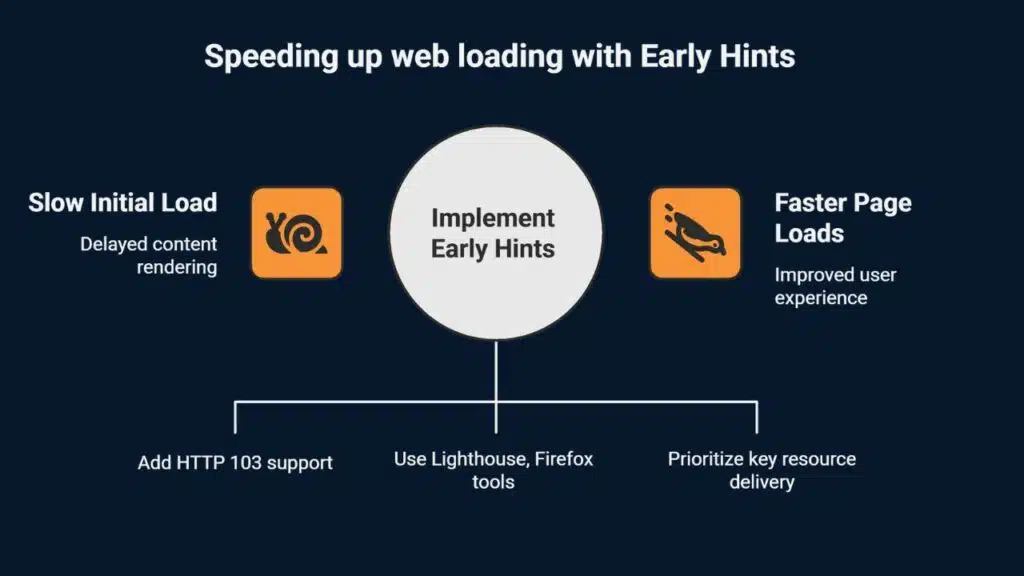
Early Hints (HTTP 103) sends a quick header while the server crafts the full reply. A browser starts fetching key assets, like CSS or scripts, before the main response arrives. This tactic slashes time to first byte on navigation requests and boosts core web vitals.
Users notice faster largest contentful paint and smoother user experience.
Web teams add HTTP 103 in their Nginx or Apache configs to unlock parallel loading. Developers test performance with Lighthouse and Firefox Developer Tools. These instruments track HTTP request timing, browser caching gains, and TTFB drops.
This modern tweak aids search engines and trims bounce rate.
Reducing Third-Party Dependencies
Third-party scripts can drag down your time to first byte. Each extra network call adds latency and slows page speed. Slow widgets hurt user experience and spike performance metrics.
A single social share script might add 200 milliseconds or more to TTFB.
Monitoring and optimizing third-party dependencies keeps TTFB tight. Use web inspector or speed scanner to audit every integration. Remove unused trackers, defer noncritical widgets.
Monthly audits stop slow scripts from piling up, boost core web vitals.
Monitoring and Debugging Tools for TTFB
We track TTFB with lab and field tools. They show server response time, dns lookup, and network latency.
- Browser Inspector Tools: Chrome DevTools Network tab logs TTFB, first contentful paint, largest contentful paint, and http request timings in live user sessions.
- WebPageTest setup: You pick servers in 20-plus locations, choose devices, and see TTFB under varying network latency, aiding performance metrics across geographies.
- GTmetrix report: It breaks down core web vitals, displays TTFB percentiles, and lets you tweak hosting provider or dns lookup settings for faster loads.
- Lighthouse audit: This lab test in Pagespeed Insights runs under simulated internet connections, adds a grade for page speed, and flags sluggish reply times.
- Field metrics: Google CrUX gathers real user TTFB in p50, p75, and p90 percentiles, so you avoid skew from outliers and tie data to user experience.
- Speed Kit: This client-side tool caches navigation requests at edge nodes, streams TTFB data for single page applications, and boosts static and dynamic content loads.
- Median metrics: You skip averages and focus on p50 or p75 TTFB values to cut noise from rare slow hits and sharpen performance insights.
- Geography breakdown: You segment TTFB by page type and region, spot slow zones, and plan content delivery network shifts for global speed gains.
Strategies to Maintain TTFB Improvements Over Time
TTFB gains fade without care.
You need a plan to keep it fast.
- Monitor performance metrics with the observability platform Coralogix for sub-minute alerts and hourly resolution.
- Implement browser cache and server-side cache rules to cut server response time.
- Update your CMS and plugins every quarter to prevent code slowdowns.
- Audit third-party scripts monthly to spot network latency spikes.
- Test core web vitals like time to first byte and largest contentful paint with the audit tool PageSpeed Insights regularly.
- Check dns lookup times with the debugging suite Chrome DevTools to catch delays early.
- Align hosting resources to traffic peaks to avoid CPU bottlenecks.
- Refresh CDN server lists to keep content delivery nodes current.
- Optimize database queries to serve dynamic content faster.
- Review server logs after deployments to detect TTFB regressions.
Takeaways
You saw how fast servers, short name lookups, and close locations shrink waiting time. Akamai and other networks place data near readers, so pages fire up quicker. Chrome DevTools and PageSpeed Insights help you spot slow spots.
Good cache rules, slim code, neat assets, all cut delays. Metrics like core web vitals reward this work. A sub 800 ms wait feels like a wink, not a wait. Quick returns spark smiles, keep folks on your page.
Feel free to run tests, make tweaks, then watch stats drop.
FAQs
1. How can I measure time to first byte?
You can use chrome devtools or pagespeed insights, open the network tab, click the http request, and look at the time to first byte under performance metrics.
2. What parts of the internet path affect time to first byte?
DNS lookup acts like a phone book, network latency moves data across physical distance, and server response time sends the first data back. All add up to your TTFB.
3. How does my hosting provider impact time to first byte?
Your hosting provider sets the pace. A small host can feel like a crowded bus, a large host like a private car. More server resources cut your TTFB.
4. How do content delivery network and browser caching help time to first byte?
A content delivery network stores static content near users, cutting content delivery time. Browser caching saves data in the visitor’s browser, cutting navigation requests.
5. Can image compression and next-gen image formats speed up time to first byte?
Big images can drag down page speed. Image compression and next-gen image formats shrink file size, speed up web performance, and trim your TTFB.
6. Why do time to first byte, core web vitals, and first contentful paint matter?
These metrics shape user experience, bounce rate, and conversion rates. Search engine optimization also rewards fast sites, and better web performance optimization can boost website traffic.