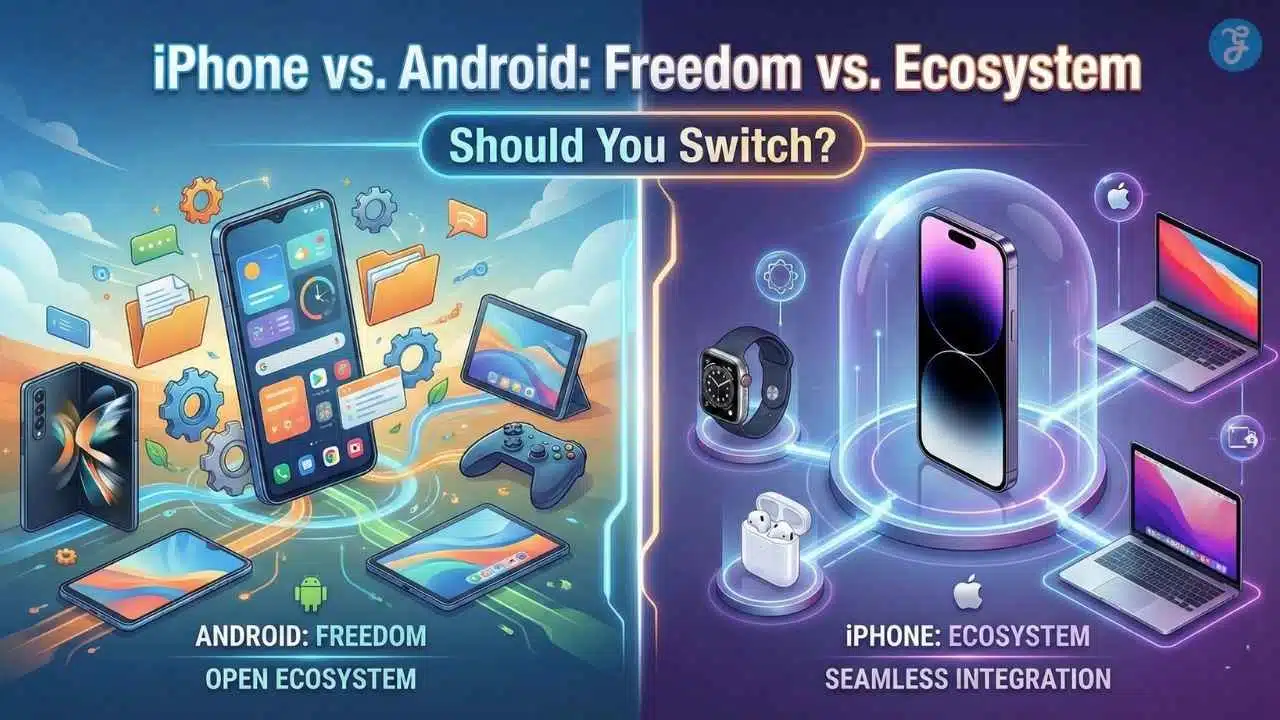
For years, the mobile OS debate felt like a religious war. But if you are debating whether to switch from iPhone to Android and vice versa, 2026 changes everything. The universal adoption of RCS messaging has finally ended the “green bubble” stigma, bridging the communication gap between platforms.
Many users today feel stuck. You might be an iPhone user bored with the same static grid, or an Android user tired of hardware fragmentation. The barriers that once made leaving painful—like incompatible group chats and lost data—have largely evaporated.
Whether you crave the unrestricted freedom of Android or the seamless polish of Apple’s walled garden, the choice is no longer about which phone is better, but which philosophy fits your life. This guide covers the 10 critical reasons to switch—both ways—so you can decide if it is finally time to make the move.
Key Takeaways
-
The “Green Bubble” War is Over: Thanks to RCS adoption in 2026, high-quality media sharing and typing indicators now work seamlessly between iPhone and Android, removing the biggest social barrier to switching.
-
Hardware Innovation Leads on Android: From mature foldable phones to 120Hz screens on budget devices and 80W+ fast charging, Android hardware often outpaces Apple’s conservative updates.
-
Control vs. Convenience: Switch to Android if you want true multitasking, file management, and deep customization. Stay on iPhone if you prefer unmatched video quality, resale value, and ecosystem simplicity.
-
Transferring is Painless: New automated tools from Google and Apple now transfer everything—including WhatsApp chats and iCloud photos—making the technical move easier than ever before.
Part 1: Why Switch from iPhone to Android? (The Case for Freedom)
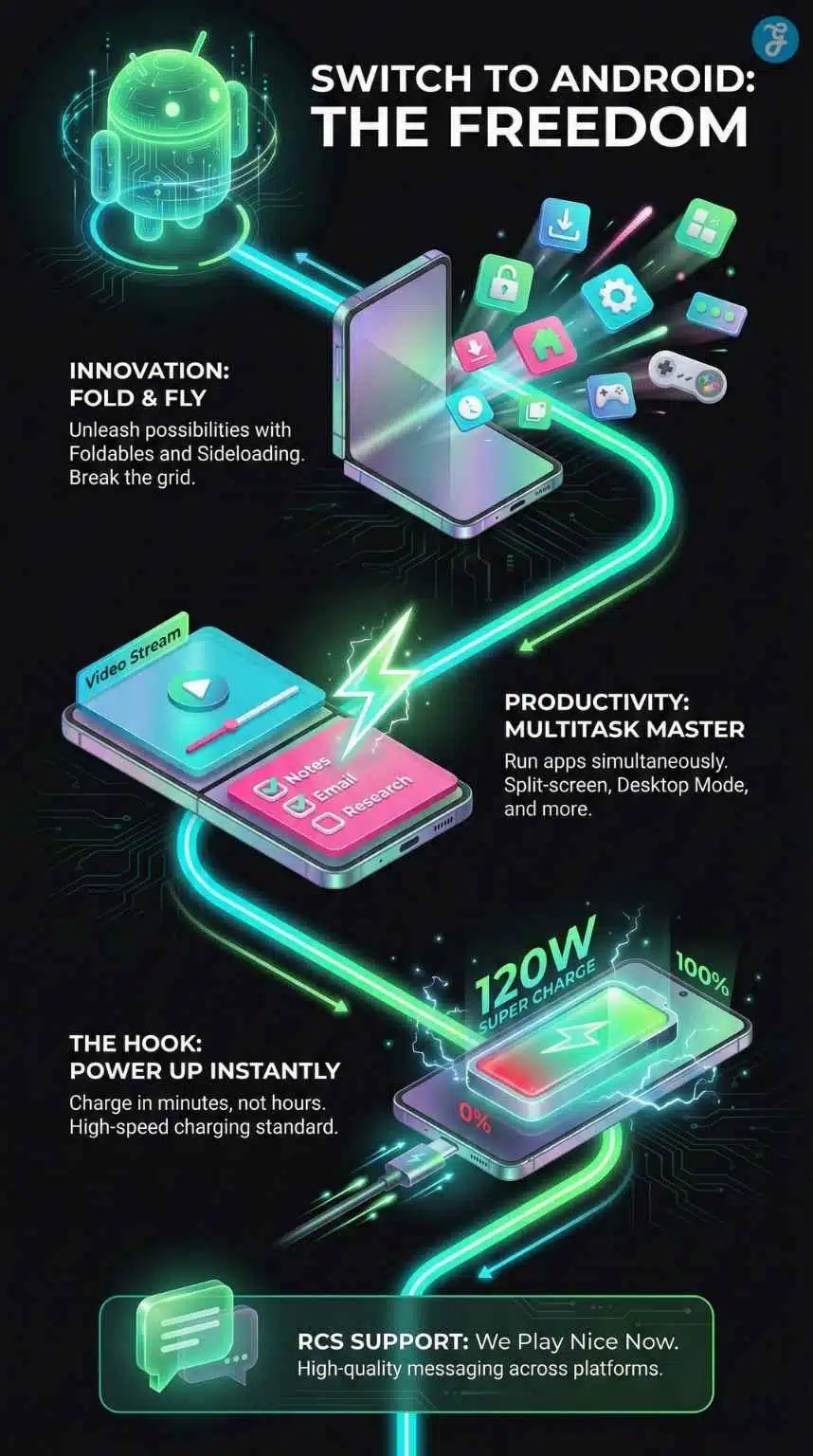
For the user who values innovation, control, and hardware variety.
If the iPhone feels like a “golden cage,” Android is the open field. In 2026, the platform gap has widened in areas that matter most to power users: hardware form factors and software freedom.
1. Hardware Innovation (Foldables & Flip Phones)
While Apple refines the same rectangular slab design year after year, Android manufacturers are reimagining what a phone can physically be.
-
The “Pocket Tablet”: Devices like the Samsung Galaxy Z Fold 7 and Pixel Fold 3 have matured into durable, dust-resistant workhorses. They function as a standard phone when closed but open into a 7.6-inch canvas perfect for reading, gaming, or reviewing spreadsheets without squinting.
-
The Modern Flip: For those tired of giant phones, the Motorola Razr+ (2026) and Galaxy Z Flip 7 offer a nostalgic “snap-shut” satisfaction. They fold into a compact 3-inch square that fits in any pocket or small clutch, yet expand to a massive 6.9-inch display when you need it.
-
Form Factors Apple Lacks: Beyond folding, you have options like the Asus ROG Phone (with dedicated gaming triggers) or the Sony Xperia (with a 21:9 cinema aspect ratio and headphone jack), giving you hardware tailored to your specific needs, not just a “one size fits all” approach.
2. Real Multitasking & Productivity
On an iPhone, “multitasking” mostly means fast app switching. On Android 16, it means using your phone like a PC.
-
True Split-Screen: You can run any two apps simultaneously—watch a YouTube tutorial on the top half while taking notes in Google Keep on the bottom. You can even save these “App Pairs” to your home screen to launch them together instantly.
-
Samsung DeX: This feature remains the ultimate productivity flex. Plug your Galaxy phone into any monitor (or connect wirelessly to a TV), and it projects a full Windows-like desktop interface. You can resize windows, use a mouse and keyboard, and work on Microsoft Office documents as if you were on a laptop.
-
File Management: The Android file system is open. You can plug a USB-C drive directly into your phone and drag-and-drop files using a proper file manager, unzip archives, and organize folders exactly as you would on a computer.
3. The Price-to-Performance Ratio
The “Apple Tax” is real. In the Android world, you don’t need to spend $1,000 to get a premium experience.
-
The Rise of “Flagship Killers”: Brands like OnePlus, Nothing, and Xiaomi offer phones with top-tier processors and build quality for $600-$700—hundreds less than an iPhone Pro.
-
Mid-Range Dominance: You can buy a phone like the Samsung Galaxy A56 or Pixel 9a for under $500 and still get a stunning 120Hz OLED display. On the Apple side, you are often still stuck with a slow 60Hz screen unless you buy the most expensive Pro model.
-
Sales & Trade-ins: Unlike Apple’s rigid pricing, Android phones see frequent discounts. It is common to find a flagship Samsung phone for 20% off just three months after launch.
4. Universal Compatibility (USB-C & Accessories)
While the iPhone finally adopted USB-C, Android has been optimizing it for a decade. The compatibility goes far deeper than just the charging port.
-
Super-Fast Charging: While the iPhone tops out around 30-35W charging speeds, Android flagships from OnePlus and Xiaomi normalize 80W to 120W charging. You can plug your phone in while you shower and come out to a 100% battery.
-
High-Res Audio Codecs: For audiophiles, Android natively supports advanced Bluetooth codecs like LDAC, aptX HD, and aptX Lossless. These allow for CD-quality wireless audio streaming that Apple’s limited AAC codec simply cannot transmit.
-
Open Accessories: You aren’t locked into buying “Made for iPhone” accessories. Smartwatches, earbuds, and controllers from almost any brand work seamlessly with Android without arbitrary restrictions.
5. Deep Customization & Sideloading
This is the soul of Android. It is your device, and you can use it how you see fit.
-
Sideloading Freedom: Want an app that isn’t in the Play Store? Maybe an open-source ad blocker, a niche scientific tool, or a video game emulator like RetroArch? You can download the APK file and install it in seconds. Apple blocks this behavior almost entirely to protect its App Store revenue.
-
Launcher Revolution: Don’t like how your home screen looks? Install a custom launcher like Nova or Niagara. You can completely change your icon packs, hide the status bar, remove app names for a cleaner look, and place icons anywhere—bottom right, center, or in a circle—breaking free from the rigid “top-left grid” of iOS.
-
System-Level Theming: With Material You, your entire phone’s color scheme—from the calculator buttons to the notification shade—automatically extracts colors from your wallpaper to create a unified, personalized aesthetic.
The “App Swap” Cheat Sheet: replacing the Apple Core
One of the hardest parts of leaving the iPhone is leaving the default apps. You have spent years using Apple Notes or Reminders. The good news? The Android ecosystem (and Google’s specifically) often offers more powerful, cross-platform alternatives that work on any computer, not just Macs.
| Apple App (iOS) | Best Android Equivalent | Why It’s an Upgrade |
| Apple Notes | Google Keep or Obsidian | Google Keep allows collaborative checklists and color-coding. Obsidian (for power users) links notes together like a personal wiki. |
| Apple Reminders | Google Tasks | deeply integrated into Gmail and Google Calendar. You can drag an email into Tasks to turn it into a to-do item instantly. |
| FaceTime | Google Meet / WhatsApp | Meet handles high-quality video calls with better noise cancellation and works in any browser, even for your Apple friends. |
| AirDrop | Quick Share | Formerly “Nearby Share,” this creates a unified sharing protocol between Android phones and Windows PCs, bridging the gap Apple ignores. |
| Apple Wallet | Google Wallet | Stores not just payment cards but also transit passes, loyalty cards, and even digital car keys with wider merchant support globally. |
| iCloud Drive | Google One (Drive) | Offers 15GB of free storage (vs. iCloud’s paltry 5GB) and integrates seamlessly with Google Docs/Sheets for real-time collaboration. |
Part 2: Why Switch from Android to iPhone? (The Case for Consistency)
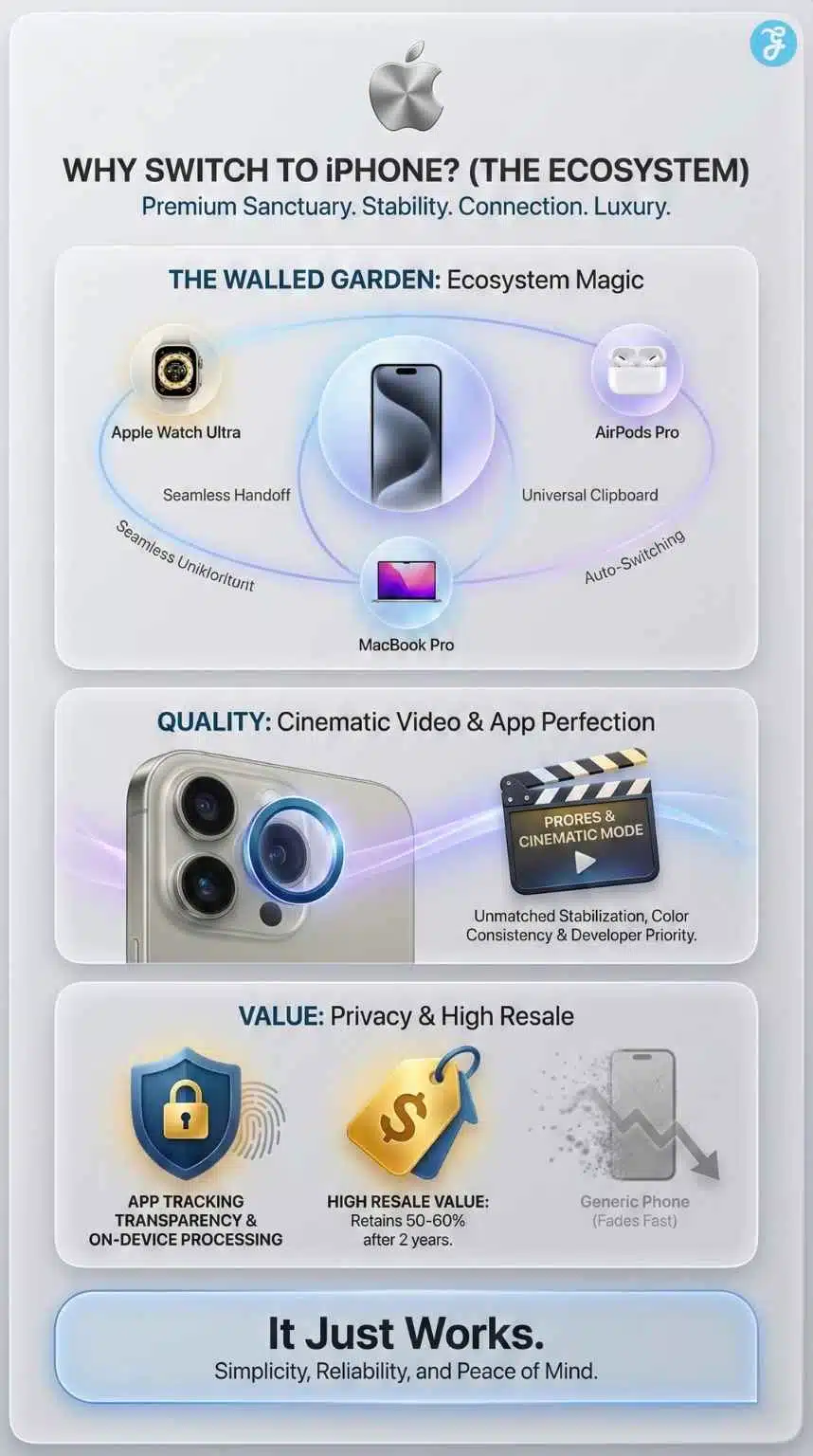
For the user who values ecosystem, polish, and reliability.
While Android offers freedom, the iPhone offers peace of mind. There is a reason Apple maintains such high loyalty: once you are in the “Walled Garden,” everything just works. If you are tired of tinkering and want a phone that feels like a seamless extension of your life, here is why you might make the switch to Apple in 2026.
6. The Ecosystem “Magic”
The strongest argument for the iPhone isn’t the phone itself—it is how it talks to everything else. If you own a Mac or an iPad, an Android phone will feel like an outsider. Apple’s continuity features are still unmatched in 2026:
-
Universal Clipboard: Copy a paragraph of text or an image on your iPhone, and hit “Paste” on your MacBook instantly. It feels like magic every time.
-
Handoff: Start an email or a web search on your iPhone and finish it exactly where you left off on your Mac or iPad.
-
AirDrop: While Android has “Quick Share,” AirDrop remains the industry standard for speed and reliability when sharing massive files between Apple devices without compression.
7. Video Quality & Social Media Optimization
If you are a content creator or just love capturing memories, the iPhone remains the undisputed king of video.
-
ProRes & Cinematic Mode: The iPhone 17/18 Pro series offers video stabilization and dynamic range that Android flagships struggle to match consistently. The transition between lenses (wide to ultra-wide) is imperceptible.
-
The “Instagram Advantage”: Developers often prioritize iOS optimization. Uploading a Story or Reel from an iPhone usually results in higher quality and less compression than from an Android device, simply because there are fewer iPhone models for developers to code for.
8. Resale Value & Long-Term Support
Buying an iPhone is a safer financial investment.
-
Slower Depreciation: An iPhone bought in 2026 will likely retain 50-60% of its trade-in value in 2028. In contrast, even premium Android devices (like the Galaxy S series) often lose value much faster.
-
Physical Support Network: If your Android phone breaks, you often mail it away for weeks. If your iPhone breaks, you can walk into any of the 500+ Apple Stores worldwide and often walk out with a fix the same day.
9. Privacy & Security Perception
Apple has built its brand on privacy, and in an era of AI data scraping, this matters more than ever.
-
App Tracking Transparency: Apple makes it incredibly easy to tell apps not to track your activity across other companies’ apps and websites.
-
On-Device Processing: Apple prefers to process Siri requests and “Apple Intelligence” tasks on the device’s neural engine rather than sending your data to the cloud, offering a tighter privacy shield than many cloud-reliant Android AI features.
10. Family Consistency (iMessage & Safety)
For families, the iPhone offers a suite of safety tools that are hard to beat.
-
Check In: A feature in Messages that automatically notifies a friend or family member when you arrive at your destination safely—and alerts them if you don’t.
-
Family Setup: You can set up an Apple Watch for a child or an older parent who doesn’t have an iPhone, allowing you to manage their contacts and safety settings from your device.
-
“Find My” Network: Because there are billions of Apple devices in the world, the “Find My” network is incredibly effective at locating lost items (using AirTags) or keeping tabs on family members’ locations.
Part 3: The 2026 “Friction” Factors (What Changed?)
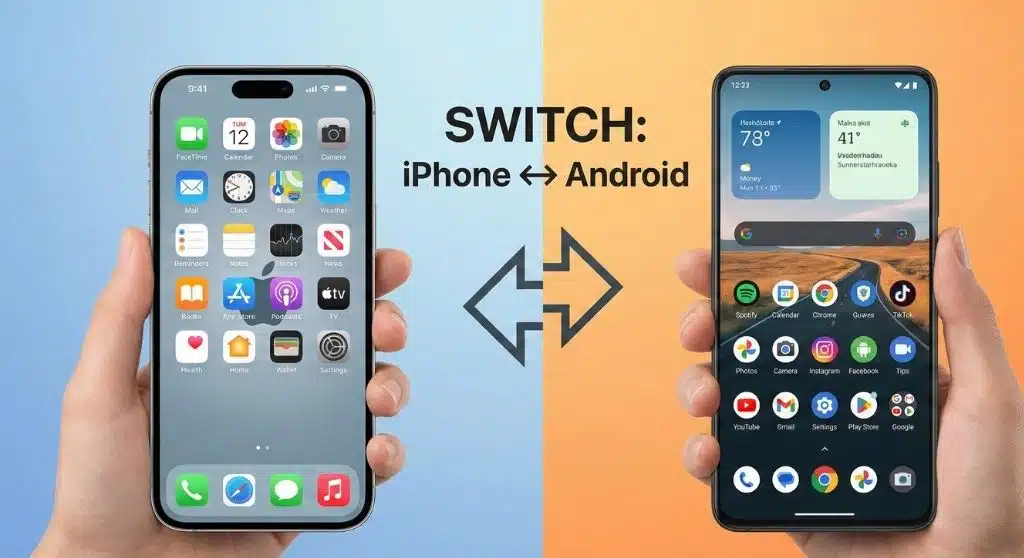
Why the barriers to switching are lower than ever.
In the past, fear kept people from switching. “I’ll lose my texts,” or “My friends will hate my green bubbles.” In 2026, those walls have crumbled.
RCS Messaging: The Peace Treaty
The biggest social friction is gone. Apple now supports RCS (Rich Communication Services).
-
High-Quality Media: You can send full-resolution photos and videos from an Android to an iPhone without them turning into a blurry mess.
-
Real-Time Status: Typing indicators (“User is typing…”) and read receipts now work across both platforms. The bubbles might still be green, but the functionality is finally equal.
Seamless Switching Tools
Both Google and Apple have been forced (partly by EU regulations) to make their data portable.
-
Move to iOS App: If switching to iPhone, this app securely transfers your contacts, message history, camera photos, and even your WhatsApp chat history wirelessly.
-
Switch to Android App: If switching to Android, Google’s improved tool matches your iPhone apps with their Android equivalents and pulls over your iCloud photos and contacts in minutes.
Buying Guide: Top Contenders for 2026
If you are ready to make the jump, these are the heavyweights you should be looking at. The market has never been more competitive.
The Flagship Titans
For those who want the absolute best slab phone on the market.
| Feature | iPhone 17 Pro / Pro Max | Samsung Galaxy S25 Ultra | Google Pixel 10 Pro |
| Best For | Video Creators & Ecosystem Loyalists | Power Users & Multitaskers | AI Enthusiasts & Still Photography |
| Processor |
A19 Pro (3nm)
(The speed king) |
Snapdragon 8 Elite
(Graphics powerhouse) |
Tensor G5 (TSMC)
(Finally efficient & cool) |
| Camera |
48MP Triple Lens
Unmatched Video Quality |
200MP Main + 50MP Zoom
10x Optical Quality Zoom |
50MP Main + AI Magic
Best “Point & Shoot” Stills |
| Screen |
120Hz ProMotion
2000 nits brightness |
120Hz Dynamic AMOLED
Anti-Reflective Coating |
120Hz Super Actua
Brightest in class |
| Battery | All-Day (Optimized) | 5,000 mAh (Heavy Duty) | All-Day (Greatly Improved) |
| The “X” Factor |
Apple Intelligence
Seamless Siri integration. |
S-Pen Stylus
Built-in for signing/drawing. |
Gemini Native
The smartest AI assistant built in. |
The Innovators (Foldables)
For those who want to live in the future.
- iPhone Fold- Still Rumored:Apple has yet to release a foldable in 2026. If you want a folding screen, you must switch to Android.
- OnePlus Open 2 (or Apex Edition):Widely considered the best foldable hardware. It feels like a normal phone when closed and a proper tablet when open, with virtually no visible crease. It puts the “multitasking” argument to rest.
- Samsung Galaxy Z Fold 7:The veteran. It features the most robust software (One UI) for foldables, allowing for three-app split screens and a taskbar that makes it feel like a mini-laptop.
A Note for Gamers: The Emulation Advantage
If you are a gamer, the switch from iPhone to Android unlocks a forbidden door: Emulation.
Unlike the iPhone, which has historically restricted game emulators (though this loosened slightly in late 2024), Android embraces them.
-
Retro Gaming: You can easily install apps to play your legally owned backups of classic console games (GameCube, PS2, 3DS) with full controller support.
-
Cloud Gaming Native: Apps like Xbox Game Pass and GeForce Now are often less restricted on Android, allowing for smoother streaming of AAA PC titles directly to your phone screen.
-
Performance Mode: Most Android phones feature dedicated “Game Boosters” that pause notifications, reroute power to the GPU, and offer overlay stats (FPS, temperature) that mobile gamers crave.
Frequently Asked Questions (FAQ)
1. Will I lose my WhatsApp chats if I switch?
No. This used to be a nightmare, but it is now solved. When you set up your new Android phone, the official “Switch to Android” (or Samsung Smart Switch) tool will ask you to scan a QR code on your iPhone. This triggers a secure, direct transfer of your entire WhatsApp history—chats, voice notes, and photos—from iOS to Android.
2. Is it hard to transfer photos from iCloud to Google Photos?
Not at all. You don’t even need to download them manually. You can go to Apple’s Data and Privacy website, select “Transfer a copy of your data,” and choose Google Photos as the destination. Apple will transfer your entire library directly to Google’s servers in the cloud. It usually takes a few hours to a few days, but requires zero effort from you.
3. Does FaceTime work on Android?
Sort of. There is no “FaceTime app” for Android. However, iPhone users can send you a FaceTime Link. When you click it, the call opens in your Chrome browser. It works, but it’s clunky. Most switchers move their inner circle to Google Meet, WhatsApp Video, or Telegram for a smoother, native experience.
4. Can I use Apple Pay on Android?
No, but Google Wallet is an identical (and often more widely accepted) replacement. It works with NFC terminals exactly like Apple Pay—just tap your phone. It also stores boarding passes, loyalty cards, and even digital car keys for supported vehicles.
5. What about my paid apps? Do I have to buy them again?
Yes, unfortunately. The Apple App Store and Google Play Store are separate entities. If you paid for “Minecraft” or “Facetune” on iOS, you will need to buy the Android version. However, subscription-based apps (like Spotify, Netflix, or Adobe Lightroom) just require you to log in; your subscription transfers perfectly.
Making the Call: Which Side of the Fence Are You On?
The Gap Has Finally Closed. For years, the advice was simple: “Android for freedom, iPhone for ease.” But as we move through 2026, that line has blurred. Android phones have become incredibly polished and easy to use, while tools like RCS messaging have torn down the social walls that once trapped users in the Apple ecosystem.
The hardware on the Android side—from the productivity-focused S25 Ultra to the pocketable magic of the OnePlus Open—offers genuine excitement that the rectangular iPhone simply hasn’t matched in years. Meanwhile, Google’s Tensor G5 chip has finally fixed the battery and heat issues that plagued earlier Pixel devices, removing the last major hesitation for switchers.
“Switch to Android if you want to own your computer; Switch to iPhone if you want your computer to disappear into the background.”