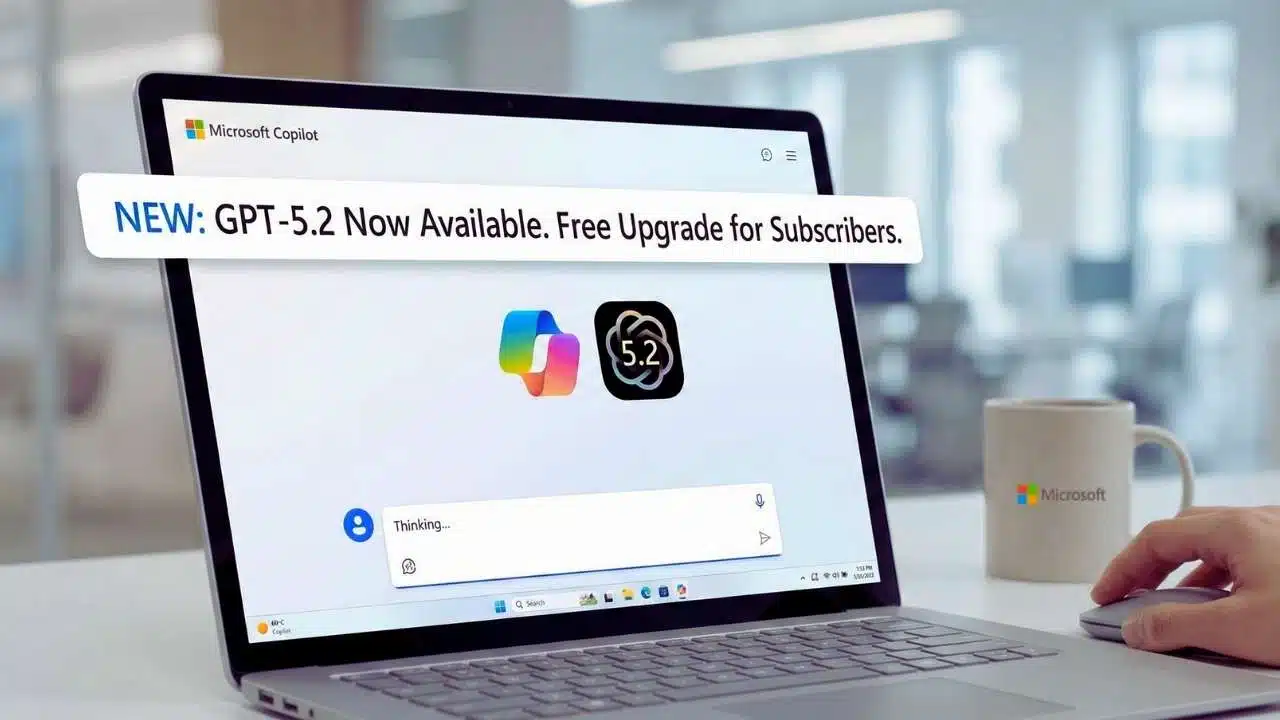
Microsoft brings GPT-5.2 to Copilot, adding OpenAI’s newest model family to Copilot experiences and widening model choice for business chat, agent building, and everyday productivity.
The Announcement and Rollout Timeline
Microsoft’s move to bring GPT-5.2 into Copilot is part product upgrade, part platform strategy. The headline is straightforward: users will see GPT-5.2 appear inside Copilot experiences, with the most formal, clearly defined rollout centered on Microsoft 365 Copilot and Copilot Studio. That matters because Microsoft 365 Copilot is the company’s flagship “work” assistant that sits inside tools like Teams, Outlook, Word, PowerPoint, and Excel, while Copilot Studio is where organizations build custom copilots and task-focused agents.
From a user’s point of view, the most important detail is that this is a staged rollout. In practical terms, that means some tenants and users will get the GPT-5.2 option earlier than others, and features can appear in waves rather than all at once. That approach is common for large cloud products because it reduces risk and gives Microsoft time to monitor quality, performance, and reliability at scale.
For organizations, the rollout approach also helps IT teams manage change. GPT-5.2 is not only a new model name. It often comes with changes in speed, reasoning depth, and behavior on long documents. Those shifts can affect how employees write, summarize, search for information, and draft plans. Many enterprises prefer gradual enablement because it allows internal testing, policy alignment, and user training.
What Users Should Expect During Rollout?
| Rollout Phase | What Users See | What It Means |
| Early availability | GPT-5.2 appears in some Copilot interfaces first | Microsoft tests performance and stability at scale |
| Broad rollout | More tenants get model access in weeks | Model choice becomes consistent across organizations |
| Optimization period | Small behavior changes over time | Updates may improve accuracy, speed, or tool integration |
| Expansion to more plans | Wider availability across subscription tiers | More users get GPT-5.2 without needing special access |
A second, quieter part of the rollout is how GPT-5.2 shows up in consumer Copilot experiences. People may see updated labels or a new “mode” that reflects model capability, even if Microsoft does not describe it as a full, one-day global launch. This dual-track pattern—formal enterprise announcement plus gradual consumer rollout—fits Microsoft’s larger Copilot strategy: keep the business story clean and predictable while iterating quickly on consumer experiences.
What GPT-5.2 Adds: Model Options, Performance, and Day-to-Day Impact?
GPT-5.2 is best understood as a model family rather than a single engine. In practice, model families allow Microsoft and OpenAI to match tasks to the right trade-offs—speed for routine work, deeper reasoning for complex work, and higher-effort options for advanced planning or technical tasks.
For Copilot users, this matters because not every prompt needs maximum reasoning. Many daily tasks are lightweight: rewriting an email, summarizing a meeting, creating bullet points, translating text, or drafting a short description. Other tasks—like building a strategy memo, comparing vendors, analyzing a policy, or writing a long briefing—benefit from a model that is willing to “think longer” and maintain coherence across many steps.
How “Instant” vs “Thinking” Typically Plays Out in Workflows?
| Task Type | Better Fit | Why |
| Short rewriting, tone edits, quick summaries | GPT-5.2 Instant | Faster response, good for frequent small tasks |
| Longer planning docs, structured analysis | GPT-5.2 Thinking | More consistent multi-step reasoning and structure |
| Code explanations, technical troubleshooting | Often Thinking | Better at tracking dependencies and edge cases |
| Translation, polished business writing | Often Instant | Speed plus strong language handling |
| High-stakes reasoning or complex synthesis | Pro / highest-effort options | More compute for harder tasks and deeper checks |
The biggest “felt” differences for users usually show up in five areas:
1. Long-document handling
Users in Microsoft 365 often deal with long threads, extended meeting notes, policies, and multi-page documents. A stronger model can reduce drift—where the assistant starts well but loses track of the original question after several paragraphs.
2. Structured outputs
Copilot is frequently asked for tables, decision frameworks, lists of pros and cons, risk registers, and rollout plans. A more capable model can better keep structure intact, especially when asked to include constraints (deadlines, roles, dependencies, or budget limits).
3. Higher-quality business tone
Many organizations care about neutral, professional phrasing. A stronger model can more reliably maintain tone while still being concise.
4. Better synthesis across multiple inputs
Copilot is often used to unify information from meetings, emails, and documents. Improvements in synthesis reduce duplicate points and improve clarity.
5. Fewer hallucinations in common scenarios
No model eliminates hallucinations completely, but stronger reasoning models tend to do better when they can cross-check internal context, follow constraints, and admit uncertainty rather than guessing.
That said, it is important to be realistic: model upgrades are not magic. Real-world accuracy depends heavily on whether Copilot is grounded in the right organizational data and whether the user’s prompt is clear. GPT-5.2 can raise the ceiling, but daily results still depend on data access, permissions, and prompt quality.
How GPT-5.2 Works Inside Microsoft 365 Copilot and Copilot Studio?
Microsoft’s “Copilot” is not just a chat box. In the Microsoft 365 context, Copilot is designed to work inside an ecosystem: documents, email, calendars, meetings, chats, and organizational files. When a user asks a question like “Summarize the latest plan and identify open risks,” the ideal Copilot flow does not rely on generic internet knowledge. It should instead pull from approved internal sources the user is allowed to access.
This is the key point: GPT-5.2 is the language-and-reasoning engine, but the Copilot experience is shaped by the surrounding Microsoft 365 environment—how it retrieves context, how it cites internal items to the user, and how it respects permissions.
What This Looks Like in Common Microsoft 365 Scenarios?
- Teams and meetings: Users ask Copilot to summarize a meeting, extract action items, or draft follow-up messages. The model’s job is to transform meeting artifacts into usable outputs.
- Outlook: Users ask for reply drafts, thread summaries, or prioritization help. The model often needs to keep a consistent tone and avoid misrepresenting facts.
- Word and PowerPoint: Users generate outlines, rewrite sections, create executive summaries, or produce slide-ready bullets. Better structure and long-context handling matter here.
- Excel: Users request explanations of data patterns, suggestions for formulas, and narrative summaries of trends. Even without direct calculation, clear reasoning and careful phrasing can save time.
Copilot Studio adds another layer: it is where organizations build specialized copilots and agents that follow business rules. Agent building matters because enterprises increasingly want assistants that can handle recurring workflows—like onboarding, IT helpdesk triage, HR policy Q&A, procurement intake, or customer support summarization.
When GPT-5.2 becomes available in Copilot Studio, it potentially improves three important agent-building needs:
- Intent recognition and routing
A better model can interpret what the user wants and route to the right tool or workflow step more reliably. - Multi-step agent behavior
Agents often need to ask clarifying questions, gather inputs, check constraints, and then produce a final output. Higher reasoning quality supports that multi-step flow. - Consistent formatting and compliance-friendly outputs
Many enterprise agents must produce outputs in a specific format—templates, standard responses, or structured fields. Model quality affects how reliably those formats are followed.
Copilot Chat vs Copilot Studio Use Cases
| Product | Typical Users | Typical Outcomes |
| Microsoft 365 Copilot (Chat + apps) | Broad workforce | Drafts, summaries, planning docs, meeting notes |
| Copilot Studio | IT, operations, business builders | Custom copilots, workflow agents, policy assistants |
| Combined strategy | Enterprises | A general assistant plus domain-specific agents |
This approach also reflects a larger shift: organizations are moving from “one assistant for everything” to an ecosystem of assistants—general Copilot for daily work, and specialized agents for high-volume internal workflows.
Security, Compliance, and Data Boundaries for Enterprises
Whenever Microsoft introduces a new high-capability model into enterprise tools, security and governance become central questions. IT leaders typically want clear answers to:
- Does the assistant respect user permissions?
- Where does the data go?
- Is data used to train external models?
- What controls exist for compliance, audit, and policy enforcement?
In Microsoft 365 Copilot, the promise is that Copilot operates within enterprise identity and access controls. That means the assistant should only pull information the user can already access. If a user does not have permission to open a file, Copilot should not summarize it for them. In well-designed enterprise systems, the assistant inherits access boundaries rather than bypassing them.
Enterprises also care about operational controls:
- Admin configuration and policy management: Organizations may want to restrict features, limit data exposure, or manage which apps Copilot can access.
- Auditability: Some organizations require logs or governance features that support investigations and compliance requirements.
- Sensitive data handling: Many companies need guardrails around customer data, financial information, legal documents, or regulated health information.
Another major concern is user trust. If employees believe the assistant may leak sensitive information, adoption suffers. If employees believe the assistant is unreliable, they stop using it. A successful GPT-5.2 integration should improve capability while maintaining predictable behavior under enterprise governance.
Enterprise Questions to Ask Before Broad Adoption
| Question | Why It Matters | What to Verify Internally |
| Permission boundaries | Prevents data leakage | Confirm Copilot respects access controls |
| Data handling policies | Regulatory and trust requirements | Review tenant settings and policy docs |
| Output reliability | Reduces business risk | Test critical workflows and prompts |
| Audit and monitoring | Supports compliance | Confirm logging and review processes |
| Training and change mgmt | Drives adoption | Provide prompt guidance and templates |
For many organizations, a practical approach is to create a phased enablement plan:
- Start with low-risk departments and workflows.
- Provide approved prompt templates.
- Require human review for external-facing outputs.
- Collect examples of good/bad responses and iterate on guidance.
This is especially important for GPT-5.2’s “Thinking” style capabilities, which can produce very confident writing. Confidence is useful when correct, but it can be risky when wrong. Governance and human review remain essential for high-stakes content.
Market Context, Competition, and What Comes Next?
Microsoft’s GPT-5.2 Copilot move is also a competitive signal. The AI assistant market has shifted quickly, and users now expect assistants to be smarter, faster, and more reliable—especially inside productivity suites where time savings are measurable.
For Microsoft, the strategic advantage is distribution: Copilot sits in tools millions of people use daily. Model upgrades directly translate into better drafting, better summarization, and better planning workflows. When a model upgrade improves output quality even slightly, the impact can be large at scale.
For OpenAI, Microsoft’s integration is a showcase: it demonstrates the model family’s value in real business contexts rather than only in a standalone chat interface. That matters because enterprises often judge AI not by flashy demos but by day-to-day reliability: “Does it reduce time on weekly reporting?” “Does it help sales teams prepare briefs?” “Does it help support teams resolve tickets faster?”
Looking ahead, the next phase will likely focus on three areas:
1. More agentic workflows
Users increasingly want assistants that do more than write text. They want systems that can execute multi-step tasks: gather requirements, draft documents, schedule steps, propose alternatives, and produce structured deliverables. Copilot Studio is where this trend becomes concrete.
2. Better model routing
Many assistants are moving toward automatic selection—choosing the best model for the job. Users may still choose “Thinking” explicitly for hard tasks, but platforms tend to evolve toward smart defaults.
3. Quality controls and enterprise reliability
As adoption grows, organizations will demand improved guardrails, clearer attribution to internal documents, and consistent formatting for business deliverables. A stronger model can help, but the platform and governance layer often matter just as much.
Practical “Next Steps” for Different Users
| User Type | Best Next Step | Why |
| Individual employees | Try GPT-5.2 for one recurring task | Build trust through repeated, low-risk use |
| Team leads | Create prompt templates for common outputs | Consistency improves output quality and saves time |
| IT admins | Pilot with a controlled group | Minimizes risk while learning real usage patterns |
| Agent builders | Upgrade one existing agent workflow | Measure improvements in resolution time and accuracy |
Microsoft brings GPT-5.2 to Copilot at a moment when model quality is becoming a baseline expectation, not a novelty. The most meaningful impact will be felt where Copilot already lives: daily meetings, documents, inbox workflows, and internal knowledge discovery. If the rollout remains stable and enterprises adopt it with strong governance, GPT-5.2 could become a practical upgrade that improves work output—not just a headline model change.