Is your gaming keyboard slowing you down? Maybe your keys feel mushy, or they don’t always register fast moves. Missing a keystroke in a tense match can really ruin the fun, right?
Mechanical keyboards are changing the game for many players. They offer faster response times and better durability than old rubber dome models.
This post will explain why more gamers pick mechanical keyboards for their gaming setup. You’ll learn about switches like cherry mx, keycap customization, N-key rollover, and even RGB backlighting.
Stick around; see how switching might level up your play!
Key Takeaways
- Mechanical keyboards help gamers play faster. Switches like Cherry MX and Gateron register each key press quickly. This can make a big difference in games where every millisecond matters.
- These keyboards last longer than rubber dome models. Brands test them for tens of millions of presses. Strong materials like PBT plastic stop keys from fading, even after years of gaming.
- Gamers enjoy many ways to customize their setups. They can swap keycaps, change switches (like red for speed or blue for clicks), or add RGB lights that match the game mood.
- Features like N-key rollover and anti-ghosting mean all your key presses count—no missed moves during intense matches. Macro keys help players set up special commands with one button for quick actions.
- Top models such as Keychron V1, Q3 Pro, K8 Pro, and RK 84 offer wireless options, hot-swappable switches, and come in different sizes (full-size to compact). Most were released between 2021–2023 and are now popular among pro gamers.
Faster Response Times
Mechanical keyboards give gamers an edge in speed. Mechanical switches, like Cherry MX Red or Kailh Speed Silver, send signals the moment you press a key. No squishy rubber domes slow things down here—just fast actuation and less delay between your fingers and the screen.
This quick response can make all the difference in competitive gaming. In games where every millisecond counts, even one missed move can mean “Game Over.” Many professional gamers pick mechanical keyboards for this reason alone.
Faster keystrokes improve accuracy and boost gaming performance across many titles on both desktop and laptop setups. So yes, every click matters when chasing that top score or saving your team from defeat!
Durability and Longevity
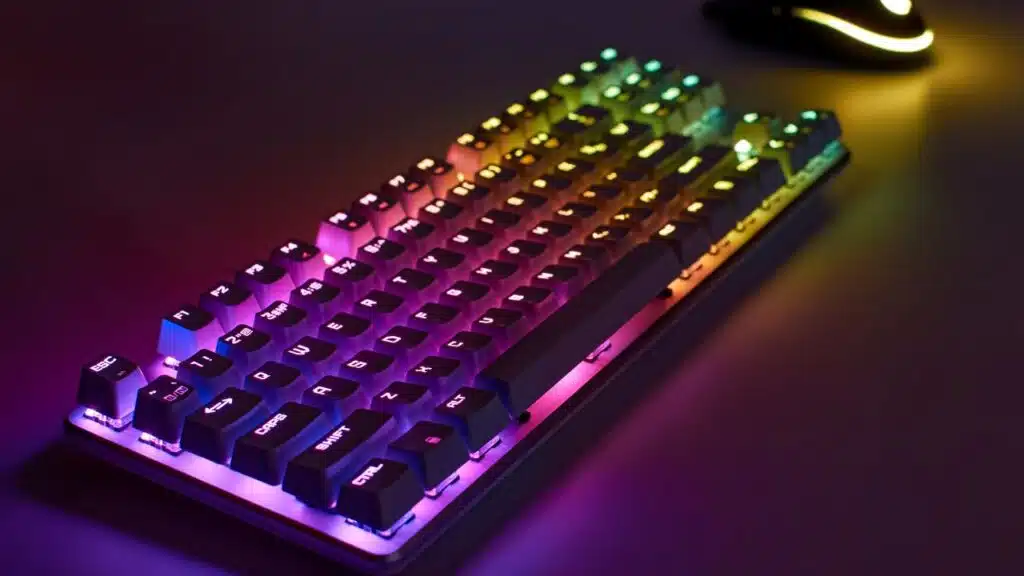
Gamers type fast and hit hard, so their gaming keyboards take a beating. Mechanical switches like Cherry MX or Kailh are built for it. They survive tens of millions of presses, while old rubber dome keyboards quit much sooner.
Many keycaps use hard-wearing double-shot ABS or PBT plastic. These tough materials stop letters from fading away after hours of play.
Many keyboard bodies have strong frames made from reinforced plastic or even metal, keeping everything sturdy during late-night game sessions. Some top brands tested their boards to handle rough treatment and last for years with daily use.
Professional gamers trust mechanical keyboards because they know these gaming peripherals can go the distance without letting them down in heated matches.
Customization Options
Customization options make mechanical keyboards stand out. Gamers love to swap keycaps and change switches. This means they can create a look that fits their style. Hot-swappable switches let users switch them without soldering.
Want a clicky feel? Go for blue switches. Prefer smooth actions? Try red ones! There are many ways for gamers to make their keyboards unique.
Curious about more features? Keep reading!
Keycap customization
Bright colors, cool shapes, and wild designs fill gaming setups when players swap their keycaps. You can pop off the old keys and switch in PBT Keycaps or try Cherry Profile PBT ones for a comfy feel.
Some gamers choose OEM Dye-Sub PBT Keycaps for brighter legends or test out Double-Shot ABS Keycaps if they want durable letters that won’t fade.
Artisan Keycaps bring tiny artwork to your keyboard; each one tells its own story in plastic and paint. Swapping keycap sets helps fix slippery surfaces, and even cuts down on repetitive strain injuries for long gaming sessions.
Gamers mix these options with common mechanical switches like cherry mx switches or tactile brown switches to tweak both style and performance across different brands, including razer.com products.
Now keyboards can match any mood—or match your favorite game character!
Hot-swappable switches
Hot-swappable switches make it easy to change out your keyboard’s mechanical switches. Gamers love this feature because it allows them to try different types of switches without any extra tools.
Worn-out switches can be replaced quickly too. This helps keep the keyboard in top shape for better gaming performance.
With hot-swappable options, you can find a switch that fits your style. Whether you prefer tactile feedback from blue switches or the smooth feel of red ones, it’s simple to experiment.
Mixing and matching becomes fun, giving each player a chance to personalize their setup easily.
Tactile Feedback
Tactile feedback gives a clear touch when you press a key. This feel helps gamers know they hit the right key. It makes typing more enjoyable, too.
With tactile switches, each keystroke feels solid and responsive. Gamers appreciate this for improved accuracy in fast-paced games. A good mechanical keyboard with tactile feedback can make all the difference in gaming performance.
N-Key Rollover and Anti-Ghosting
N-key rollover lets you press many keys at once. This is great for gamers who need to make quick moves. You won’t face issues if you hit multiple buttons together; all will respond correctly.
Anti-ghosting is another cool feature. It keeps track of your commands even during intense gaming sessions. With it, every keypress counts, no matter how fast you’re playing or what combinations you use.
These features help boost gaming performance and provide a smoother experience on mechanical keyboards.
Macro Keys and Programmable Features
Macro keys and programmable features make mechanical keyboards stand out. Gamers love these options because they allow for personal touch. Custom macros can be set up for specific games or actions.
This means players can press one key to perform a series of commands, saving time in critical moments. For example, you can bind a whole combo attack to just one keypress in your favorite game.
Programmable features take gaming performance to the next level. Players can customize their keyboards based on their gaming style. Change key bindings easily or create unique shortcuts that fit your needs.
This flexibility adds convenience and boosts gameplay efficiency. In competitive gaming, every second counts; having macro keys may give some gamers an edge over others—leading to victory instead of defeat!
Enhanced Typing and Gaming Experience
Mechanical keyboards offer a better typing and gaming experience. They reduce fatigue during long hours of use. Thanks to mechanical switches, each keystroke feels smooth and satisfying.
Users enjoy quick response times that can make a big difference in gameplay.
Tactile feedback is also a key feature. It helps players know exactly when their keys register, making typing fluid and effortless. This responsiveness is vital for competitive gaming, where every millisecond counts.
With improved comfort and efficiency, mechanical keyboards help gamers reach new levels of performance in their games.
RGB Backlighting and Aesthetic Features
RGB backlighting adds flair to mechanical keyboards. Many gamers love it for personalization. Colors can change with the mood or theme of a game. Some keyboards even sync lighting with in-game events for cool visual effects.
Aesthetic features make a keyboard stand out. Gamers often enjoy showing off their setups, and RGB lighting helps with that. Keycap customization also allows more unique designs. Together, these elements create an engaging gaming experience that looks amazing on screen and in real life.
Different Form Factors for Versatility
Mechanical keyboards come in different shapes and sizes. Some gamers prefer full-size boards with a number pad, while others like tenkeyless or compact designs for easier transport.
Each type has its perks, making it fun to find the right fit for your space and style!
Full-size keyboards
Full-size keyboards have all the keys you need. They include the number pad, function keys, and arrow keys. This layout is great for gamers who want full control while playing. You can easily access every key without hassle.
Gamers appreciate these keyboards because they are versatile. The complete key layout supports many games and tasks. Full-size options suit both gaming and typing needs well. With a mechanical keyboard, each keystroke feels solid, providing good tactile feedback that many players enjoy.
Tenkeyless and compact options
Tenkeyless keyboards lack the number pad. This saves space on your desk. They are lighter and easier to carry too. Compact options take this a step further. These keyboards often have 60% or even 75% of the usual keys.
Gamers love these designs for gaming setups where every inch counts. You can slide them into a backpack easily for travel. Many professional gamers prefer tenkeyless and compact styles for competitive gaming, as they allow more room to move their mouse freely.
Having a smaller keyboard can boost your game performance!
Splash and Water Resistance
Mechanical keyboards are not known for splash and water resistance. Membrane keyboards do better with spills, as they can resist liquid easier. A spill on a mechanical keyboard often means trouble.
Water can get into the switches and cause damage.
Cleaning a mechanical keyboard is key to keeping it in shape. Dust and food crumbs can build up between the keys, which won’t help your gaming performance. Regular cleaning keeps the switches working well and extends their life.
If you like snacks while gaming, keep those wipes close!
Growing Popularity of Hall Effect Switches
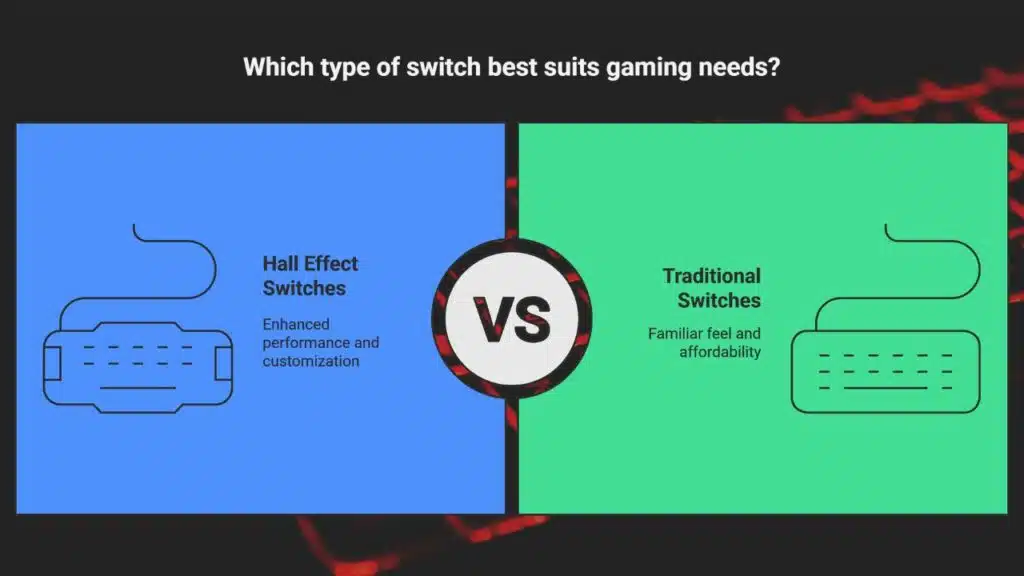
Hall Effect switches are becoming more popular among gamers. They offer faster response times, which helps improve gaming performance. Players enjoy the durability and longevity of these switches during intense sessions.
Hall Effect switches also allow for N-key rollover, stopping ghosting in complex actions.
Tactile feedback confirms key presses, increasing accuracy in games. Gamers appreciate customization options like keycaps and RGB backlighting to match their style. Quiet operation makes them appealing for those who want less noise while playing.
These features make Hall Effect switches a strong choice for many gamers today.
Tips for Choosing the Right Mechanical Keyboard
Choosing the right mechanical keyboard can feel tricky. Think about what kind of gamer you are. Do you like fast clicks or quiet keys? Consider how much pressure it takes to press down a key.
Some gamers prefer light touches, while others need more force.
Also, check out switch types. Cherry MX switches are popular, but Kailh offers great options too. Try different styles like blue for clicks or red for smooth strokes. Your choice can change your game!
Consider switch types
Switch types matter a lot for gamers. They can feel different and affect your gaming performance. Tactile, linear, and clicky switches offer various responses. Tactile switches give you feedback when pressed.
This helps with timing in games.
Linear switches are smooth and quiet, great for rapid actions. Clicky switches make noise and have a distinct feel, which some players love. Cherry MX is a popular brand known for quality; KAILH offers good alternatives too.
Choosing the right switch can enhance your experience whether you’re hitting keys fast or typing long messages during breaks.
Evaluate your gaming needs
Think about how you game. Do you play fast-paced shooters, or do you enjoy slower strategy games? Different styles need different features. Faster response times can help in competitive gaming, making each click matter.
You might want to explore mechanical switches for their quick actuation and tactile feedback.
Also, consider your setup. If you love customizing key bindings or using macros, look into keyboards that offer programmable keys. Keycap customization adds a personal touch too! Make sure your keyboard fits your gaming needs and style; find out what works best for you!
Popular Mechanical Keyboards for Gamers
Gamers have their favorites, and some models shine brighter than others. Here are top mechanical keyboards catching eyes, smashing records, and winning hearts.
| Model | Switch Options | Features | Form Factor | Release Year |
|---|---|---|---|---|
| Keychron V1 | Red, Blue, Brown | Hot-swappable, RGB, Mac/Windows support | 75% | 2023 |
| Keychron V3 | Red, Blue, Brown | Programmable, Screw-in stabs, Aluminum knob | Tkl | 2023 |
| Keychron Q3 Pro | Gateron Pro, Hot-swap | Wireless, QMK/VIA, Aluminum body | Tkl | 2023 |
| Keychron Q1 Pro | Gateron Pro, Hot-swap | Wireless, Gasket mount, RGB | 75% | 2023 |
| Keychron K3 Pro | Low-profile, Optical, Mechanical | Bluetooth 5.1, RGB, Mac/PC keycaps | 75% | 2022 |
| Keychron K2 Pro | Gateron, Hot-swap | Wireless, QMK/VIA, RGB | 75% | 2022 |
| Keychron K8 Pro | Gateron, Hot-swap | Wireless, QMK/VIA, RGB | Tkl | 2022 |
| Keychron K4 Pro | Gateron, Hot-swap | Bluetooth 5.1, RGB, Aluminum Frame | 96% | 2022 |
| RK 84 (Blue) | Blue, Brown, Red | Hot-swap, Wireless, RGB | 75% | 2021 |
| RK 100 | Blue, Brown, Red | Hot-swap, RGB, Mac/Win | 96% | 2021 |
Takeaways
Mechanical keyboards are changing the game for many players. They offer faster response times and better durability. Gamers love the customization options too, from keycaps to RGB lighting.
Tactile feedback adds to the fun and helps with precision during play. With all these benefits, it’s no wonder more gamers are making the switch!
FAQs
1. Why do gamers prefer mechanical keyboards over membrane keyboards?
Mechanical keyboards use special switches like cherry mx, kailh, and blue switches. These give stronger tactile feedback and faster actuation force. Gamers say it feels better for quick moves in competitive gaming.
2. What makes mechanical switches good for gaming performance?
Mechanical keyboard switches come in many types: linear, clicky, or tactile switches. Each type helps match your gaming style. N-key rollover lets you press lots of keys at once without missing a beat during wild key combinations.
3. Are there benefits to using programmable keys on gaming peripherals?
Yes, programmable keys let you set custom key bindings for fast actions or menus in games. This can help professional gamers react quicker than with regular setups.
4. How does RGB lighting fit into a gamer’s setup?
RGB lighting adds color to your desk and keeps things fun when playing late at night. Many mechanical keyboards offer bright lights that you can change for each game or mood.
5. Can using a mechanical keyboard help prevent carpal tunnel syndrome?
Some players think the right actuation force from certain switches reduces strain on fingers and wrists compared to standard membrane keyboards; this might lower the risk of carpal tunnel syndrome if used right.
6. Do mechanical keyboards support sustainable practices?
Many brands now focus on environmentally friendly parts, less waste generation, and lower carbon emissions by making long-lasting boards with swappable keycaps instead of tossing out whole units after some wear; innovations here mean less trash over time too!