A Step-by-Step Guide on How to Make a Reel on Facebook

How to Make a Reel on Facebook

Listen to the Podcast:

Facebook Reels are short videos, up to 90 seconds, in a vertical format that you can view on your Reels page or the main Facebook feed. Meta is rolling out Reels globally to all users of Facebook’s iOS and Android apps in more than 150 countries. Here’s everything you need how to make a reel on Facebook.

What are Facebook Reels?

Often described as a TikTok clone, Reels debuted on Instagram last year.

Facebook didn’t start rolling out Reels until 2021 and was limited to the United States. In 2022, Facebook launched Reels globally. (Note that Meta, which owns Facebook, also owns Instagram.)

In any case, with Reels, you can edit quick videos, add music or use the audio from someone else’s video. Reels can be recorded in a series of clips or all at once, using videos uploaded from your phone’s photo library or uploading new videos during the creation process. You can also “remix” other people’s videos (make a duet with them) and upload clips up to 60 seconds long. You can also save drafts, and Meta is adding even more snipping tools in 2023.

Other: How to Get TikTok Followers?

TikTok, which helped popularize short video content, offers all these possibilities. But unlike TikTok, you don’t have to download anything else to use Reels. Just open Facebook or Instagram.

This is how Facebook describes Reels:

“Facebook Reels is a new way to create short, entertaining videos, get discovered by new audiences, and become part of cultural moments on Facebook. You can add effects and music to your reel, or use your own original audio, allowing you to bring your videos to life. your ideas and share them with your audience. The Reels you create will appear in places like the Facebook Feed, the Reels section of Facebook, or your Reels profile.”

How to make a Reel on Facebook and share them

To create a Facebook Reel, follow these steps:

  1. Tap Create in the Reels section of the Feed
    • Or tap the camera icon in the top right corner when viewing a roll.
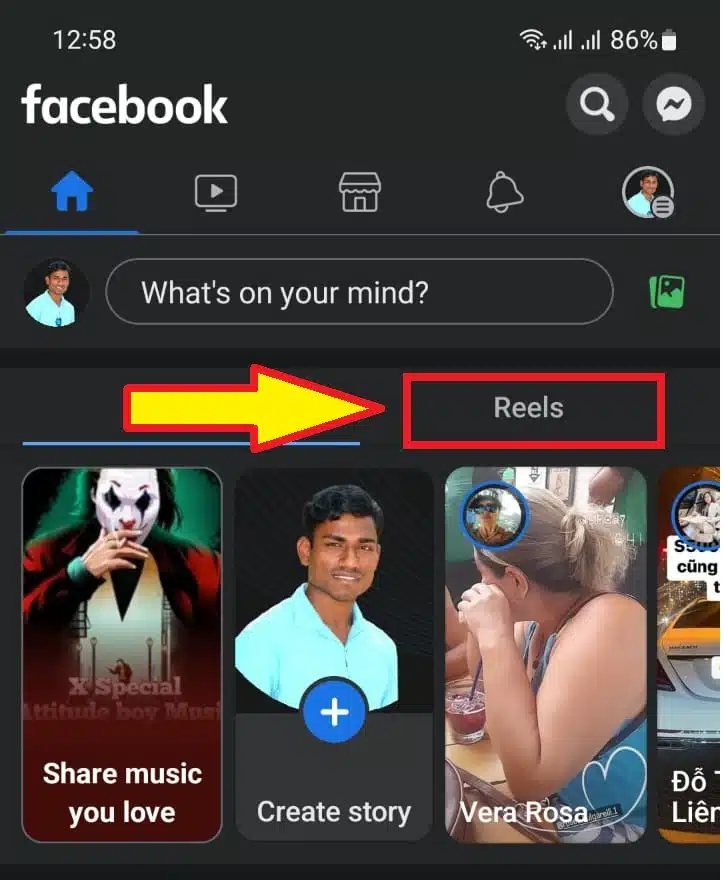
Tap Create in the Reels section
Tap Create in the Reels section.

2. Add a video to your reel:

    • Tap the record button to add a new video.
    • Tap the photo icon in the left corner to add video clips to your camera roll.
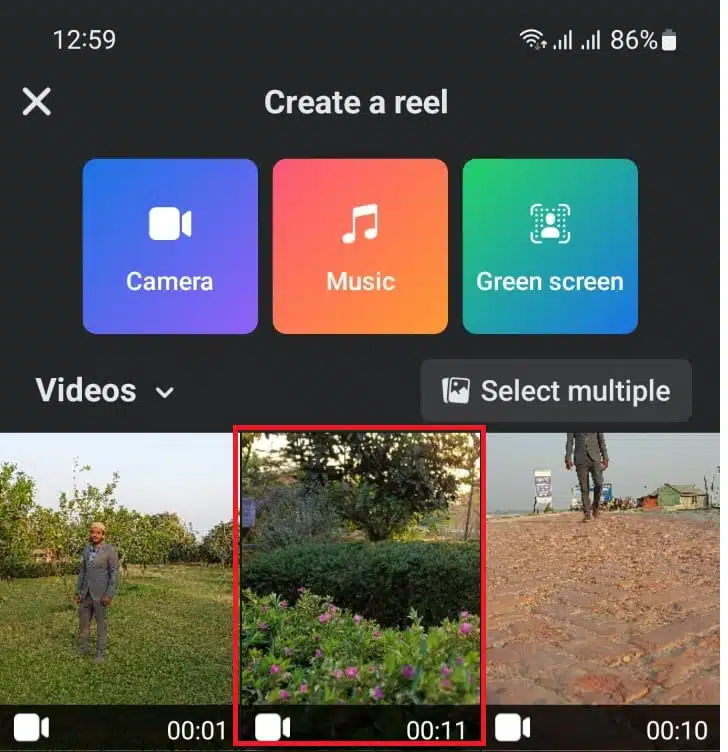
Add a video to your reel
Add a video to your reel.

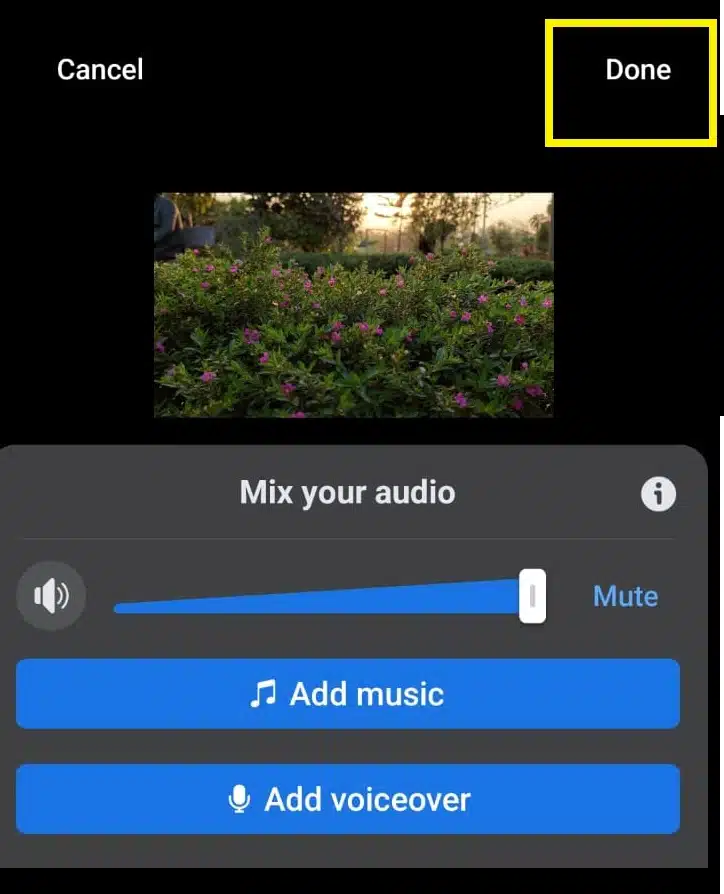
3. Add audio, text, effects, subtitles, or a timer to your reel.

    • Touch their respective icons on the right side of the screen.
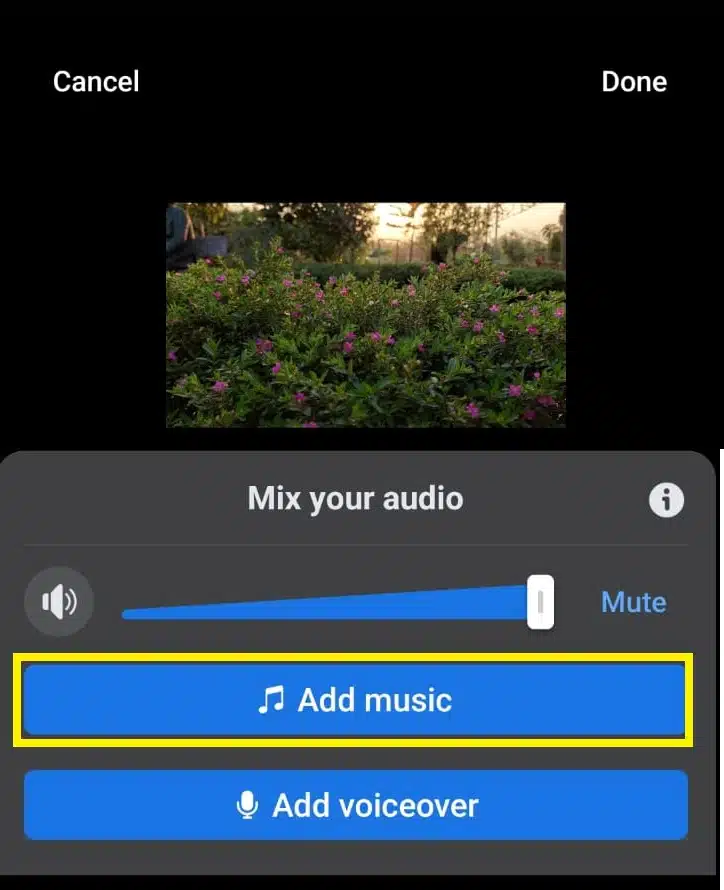
Add audio
Add audio

4. Tap Next when you’re done.

Tap Next When Done
Tap Next When Done

5. Write a description for your reel.
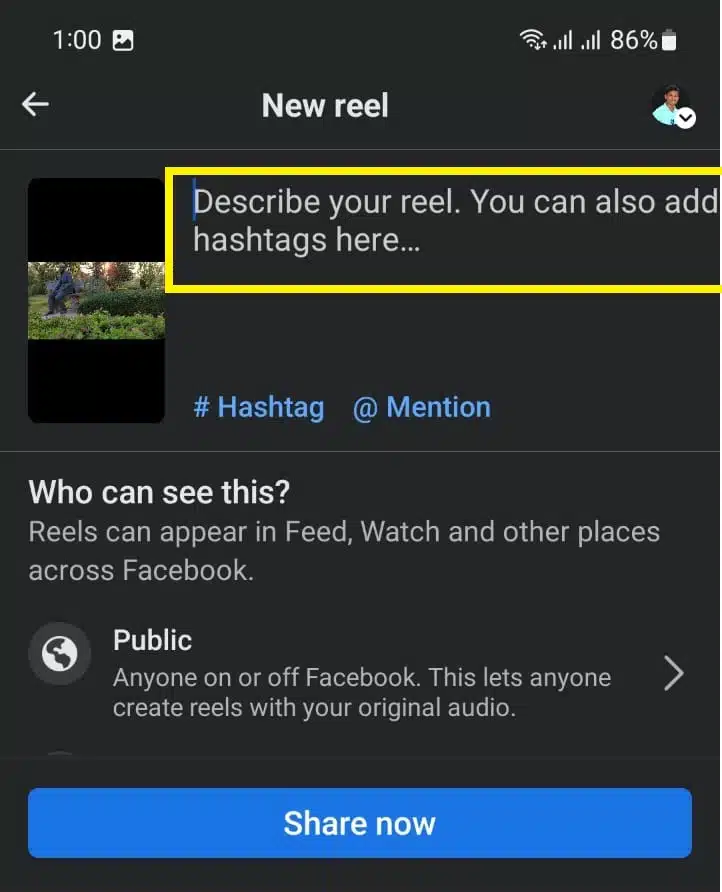
Write a description for your reel

6. Choose an audience.

    • The reels are public by default. (See notes below for more details.)
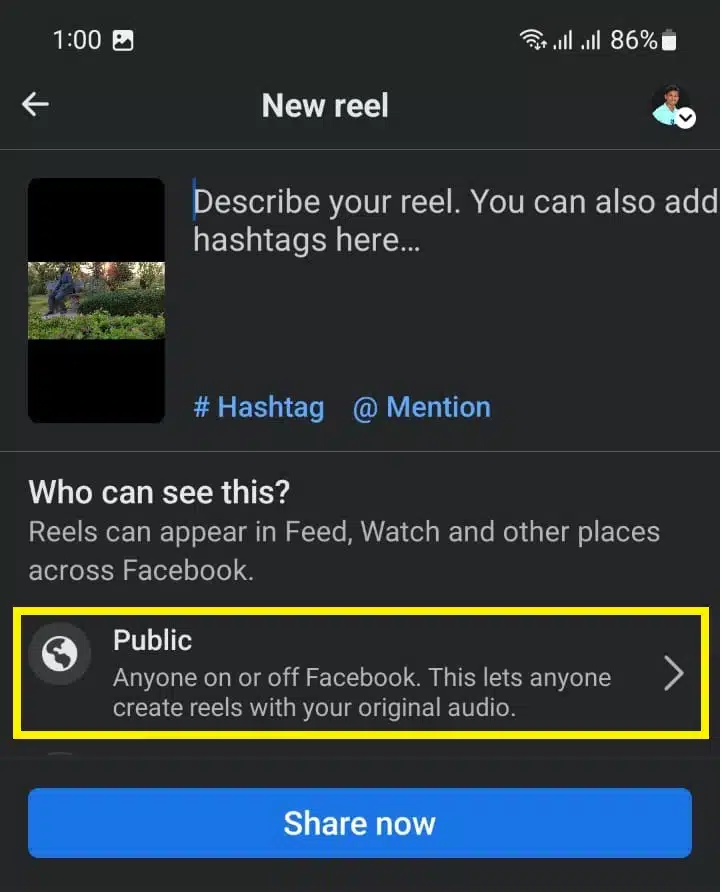
Choose an audience
Choose an audience

7. Tap Share Reel to post your reel.

    • The description will appear on your Reels profile, where people can find any reels you’ve shared.
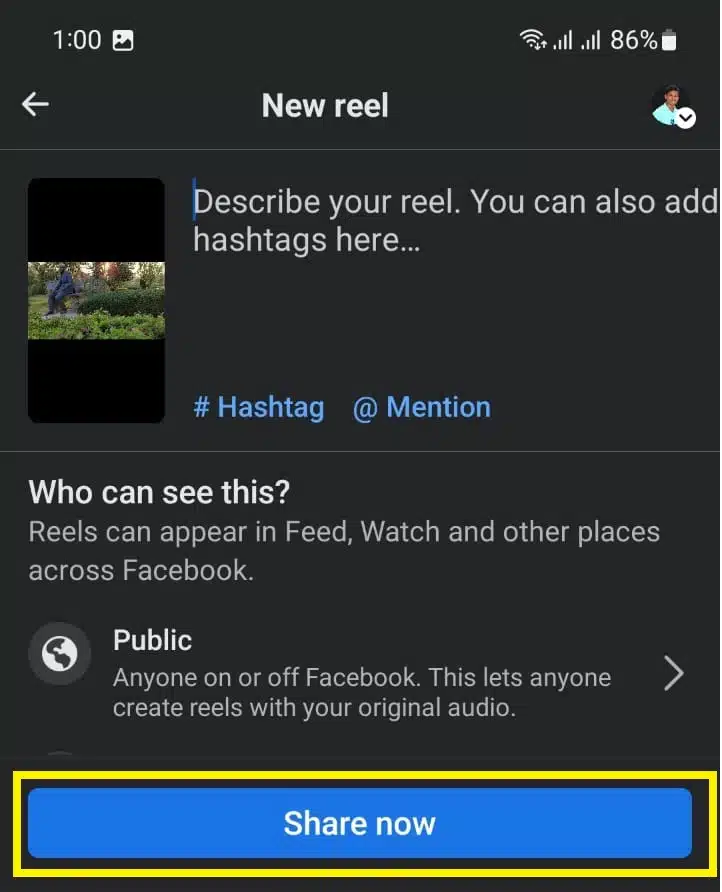
Tap Share Reel to post your reel

If you’re 18 or older, Reels on Facebook are set to public, but you can change the audience for each reel. Your friends can also see your reels in areas like the Facebook feed.

Where do the reels appear on Facebook?

For now, on Facebook, the Reels you create will appear in places like the Facebook Feed, the Reels section of Facebook, or your Reels profile.

But Meta said that starting in February 2022, users can share Reels in more places on Facebook, including in Stories and the platform’s Watch tab.




Subscribe to Our Newsletter

Related Articles

Top Trending

Indigenous Knowledge In Climate Change
The Role of Indigenous Knowledge In Fighting Climate Change for a Greener Future!
Post-Study Work Visa
The "Post-Study Work Visa" Guide For UK, Canada, And Australia [Unlock Your Future]
Most Innovative Fintech Startups
The 10 Most Innovative Fintech Startups of 2026: The AI & DeFi Revolution
Best Staking Platforms
Best Staking Platforms 2026: Top 6 Picks for Passive Income
Best SaaS security tools
Top 10 Cybersecurity Tools For SaaS Protection In 2026

Fintech & Finance

Most Innovative Fintech Startups
The 10 Most Innovative Fintech Startups of 2026: The AI & DeFi Revolution
Best alternatives to Revolut and Wise
Top 5 Best Alternatives To Revolut And Wise In 2026
credit cards for airport lounge access
5 Best Cards for Airport Lounge Access in 2026
Best credit monitoring services 2026
Top 6 Credit Monitoring Services for 2026
Best automated investing apps
Top 6 Apps for Automated Investing and Micro-Savings

Sustainability & Living

Indigenous Knowledge In Climate Change
The Role of Indigenous Knowledge In Fighting Climate Change for a Greener Future!
best durable reusable water bottles
Top 6 Reusable Water Bottles That Last a Lifetime
Ethics Of Geo-Engineering
Dive Into The Ethics of Geo-Engineering: Can We Hack the Climate?
Eco-friendly credit cards
7 "Green" Credit Cards That Plant Trees While You Spend
top renewable energy cities 2026
10 Cities Leading the Renewable Energy Transition

GAMING

Upcoming game remakes 2026
7 Remakes And Remasters Confirmed For 2026 Release
The 5 Best VR Headsets Under $500 January 2026 Guide
The 5 Best VR Headsets Under $500: January 2026 Buying Guide
Do Mopfell78 PC Gamers Have An Advantage In Fortnite And Graphic-Intensive PC Games
Do Mopfell78 PC Gamers Have An Advantage in Fortnite And Graphic-Intensive PC Games?
Esports Tournaments Q1 2026
Top 10 Esports Tournaments to Watch in Q1 2026
Web3 games launching 2026
7 Promising Web3 Games Launching in 2026

Business & Marketing

15 SaaS Founders to Follow on LinkedIn for 2026 Insights
15 SaaS Founders to Follow on LinkedIn: 2026 Growth & AI Trends
Best Business Credit Cards for Ecommerce
Top 5 Business Credit Cards for E-commerce Owners
Top 6 Marketing Automation Tools With Best AI Integration
Corporate Social Responsibility
Corporate Social Responsibility: Why Employees Demand Action, Not Words
8 SaaS Trends Watching Out for in Q1 2026
8 Defining SaaS Trends to Watch in Q1 2026

Technology & AI

Best alternatives to Revolut and Wise
Top 5 Best Alternatives To Revolut And Wise In 2026
The 5 Best VR Headsets Under $500 January 2026 Guide
The 5 Best VR Headsets Under $500: January 2026 Buying Guide
15 SaaS Founders to Follow on LinkedIn for 2026 Insights
15 SaaS Founders to Follow on LinkedIn: 2026 Growth & AI Trends
best hosting python nodejs apps
Top 5 Hosting Solutions for Python and Node.js Apps
Top 5 Bitnami Alternatives in 2026

Fitness & Wellness

Modern Stoicism for timeless wisdom
Stoicism for the Modern Age: Ancient Wisdom for 2026 Problems [Transform Your Life]
Digital Disconnect Evening Rituals
How Digital Disconnect Evening Rituals Can Transform Your Sleep Quality
Circadian Lighting Habits for Seasonal Depression
Light Your Way: Circadian Habits for Seasonal Depression
2026,The Year of Analogue
2026: The Year of Analogue and Why People Are Ditching Screens for Paper
Anti-Fragile Mindset
How to Build an "Anti-Fragile" Mindset for Uncertain Times? Thrive in Chaos!