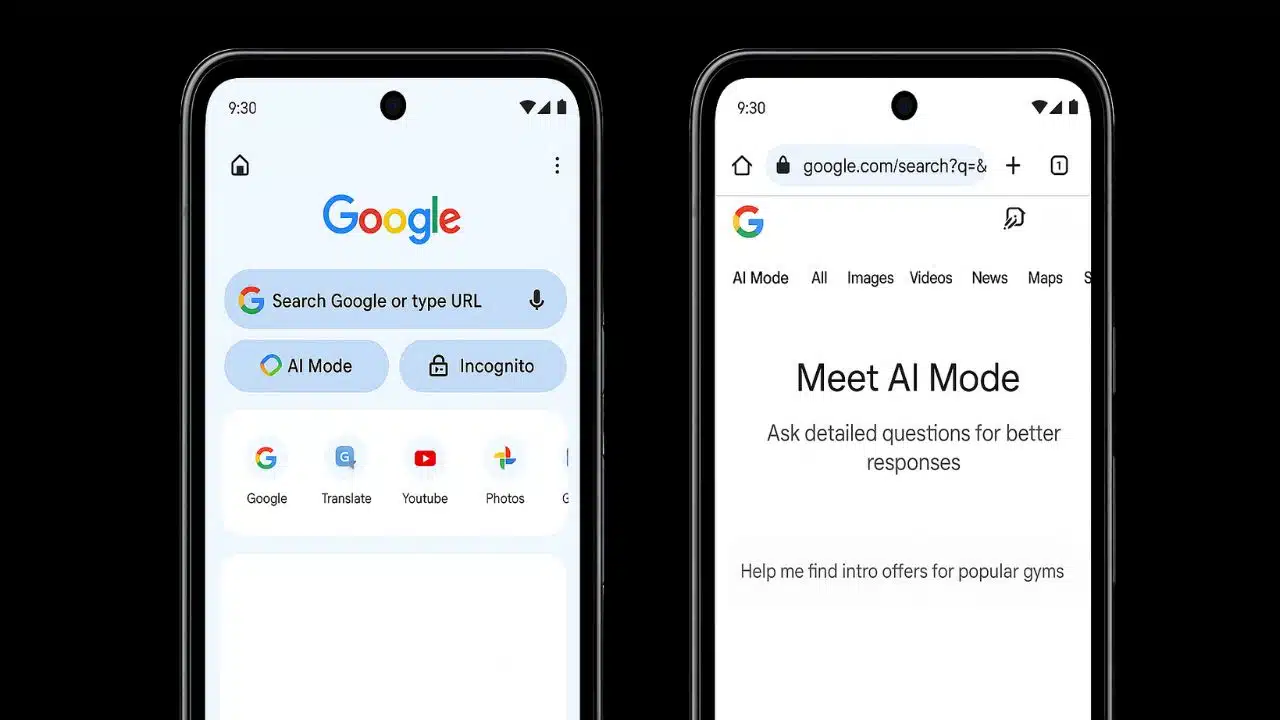
Google has begun rolling out a major update for Chrome on Android and iOS that adds a visible, dedicated “AI Mode” button on the browser’s New Tab page. The button appears just beneath the signature search bar and is designed to give users easier access to the company’s advanced AI-powered search tool.
What the feature allows
With this new shortcut, users can engage with Google’s AI search experience in a more conversational way. According to Google, AI Mode supports multi-part questions, follow-up queries, and returns relevant links and richer responses beyond the typical list of search results.Under the hood, this is powered by Google’s Gemini model (including version 2.5) which supports advanced reasoning and multimodal inputs (text, images) in its search-AI experience.
Where & when
The rollout began in the United States for both Android and iOS users. Google said it will expand the shortcut to around 160 additional countries, and will add support for languages such as Hindi, Indonesian, Japanese, Korean, Portuguese, among others.
Why this matters
- Reduced friction: Placing the AI tool right under the search bar reduces the number of taps users need, increasing the likelihood they’ll use the feature rather than defaulting to standard search.
- Strategic positioning: With competitors offering AI-search and AI-browser features, Google is embedding its AI (via Chrome) into the mainstream mobile browsing experience — not just as an add-on, but as a front-and-centre button.
- Broader reach: By planning language and regional expansion, Google is signalling that this is not a niche experiment — it’s becoming core to its search infrastructure.
A few caveats & things to know
- Although the button is live in the U.S., rollout in other markets may lag. If you’re outside the U.S., you may not see the shortcut yet.
- As with many features under AI labs/experimentation, Google notes that this “AI Mode” is still evolving, and users may encounter mistakes or limitations in responses. Transparency about the level of maturity is key.
- Because this shifts how users interact with search (from keyword-to-chat), there may be changes in behaviour, such as fewer clicks through to external websites (which has implications for publishers, advertisers, and digital strategists).
For mobile users of Chrome, this update marks a clear step: Google is making its AI-driven search experience much more accessible — no extra menu taps, just a one-tap button in your New Tab. For users, that means easier access to deeper, conversational search. For publishers and marketers, it suggests that search behaviour is shifting toward AI-assistant style interactions — a trend worth proactively accounting for.