

Do you ever feel like keeping tabs on student progress in online classes is a wild goose chase? Teachers and educators often struggle to spot who’s thriving, who’s lagging, and how to fix it fast.
It can leave you scratching your head, wondering if your lessons even stick.
One key fact stands out: e-learning tools boost employee engagement by 23% and productivity by 22%, per Deloitte. This post explores 10 game-changing tracking tools, like Moodle and Blackboard Learn, to help you monitor learning management systems and student engagement with ease.
Get ready for real insights that spark better results.
Stick around for the full list.
Key Takeaways
- E-learning tools boost employee engagement by 23% and productivity by 22%, according to Deloitte.
- Moodle offers open-source tracking for assessment scores, student participation, and course completion in education and business.
- Blackboard Learn provides analytics for monitoring student progress, engagement, and compliance with automated notifications.
- Canvas streamlines content delivery with real-time tracking of engagement and automated grading for personalized learning.
- Kahoot! tracks participation in gamified quizzes with real-time leaderboards and reports on performance and engagement.
Learning Management Systems (LMS) Overview
Imagine juggling a classroom full of eager students, scattered across the globe, and still keeping tabs on every quiz score and discussion post. Platforms like Moodle and Blackboard Learn step in as your trusty sidekicks, turning chaos into clear paths for tracking progress, with open-source flexibility and robust monitoring features that make educators feel like superheroes.
How does Moodle support flexible and open-source eLearning tracking?
Moodle stands out as an open-source Learning Management System, or LMS, that teachers and trainers love for its customization options. Educators adapt it to fit all sorts of classrooms, from schools to offices, thanks to its flexible setup.
Imagine you tweak the progress tracking features to match your exact needs, like watching a student sail through lessons. People use it everywhere for eLearning, and its community support keeps things fresh with new ideas.
Folks in the group share tips, sparking updates that make tracking even better.
This open-source software lets you monitor assessment scores and student participation with ease, no sweat involved. Organizations customize compliance reporting to stay on top of rules, a real game-changer in educational technology.
Moodle tracks course completion like a hawk, giving clear views of how learners move along. It integrates with other analytics tools too, boosting your reports. Regular updates from the community keep these features sharp for changing needs in education and business.
What tools does Blackboard Learn offer for monitoring student progress?
Blackboard Learn packs a punch with its built-in analytics tools. Teachers track student progress like a hawk spotting its prey. They monitor course completion and student engagement right from the dashboard.
Imagine catching issues early, like nipping them in the bud. The platform lets you watch individual performance, or even group efforts, through detailed reports. These tools shine in learning analytics, pulling data that shows real insights.
Instructors customize assessments and grading to keep tabs on learning outcomes without a hitch.
Progress tracking in Blackboard Learn feels like having a trusty sidekick for compliance management. It handles regulatory needs in schools and corporate training with ease. Think of it as a bridge connecting everything, thanks to integration with other educational tools.
This setup creates centralized data management that saves time. Automated notifications pop up to alert you about low performance or unfinished work, keeping everyone on their toes.
Plus, mobile accessibility means you check student activity in real-time, no matter where you are. Student engagement stays high with these reporting features at your fingertips.
Content Management Systems (CMS) Features
Content Management Systems act like the backbone of online classes, making it easy for teachers to share materials and watch student progress. Picture a tool that turns chaotic lesson plans into smooth streams of knowledge, sparking curiosity in every click, and you’ll see why educators rave about options like Canvas for quick content flow or Google Classroom for simple task oversight.
How does Canvas streamline content delivery and tracking?
Canvas acts like a trusty sidekick among Content Management Systems, making content distribution a breeze for teachers and students alike. It integrates multimedia, quizzes, and interactive modules to support flexible content delivery, keeping things fresh and engaging.
Instructors monitor individual and group progress across assignments and modules with ease, thanks to those handy analytics dashboards. They provide real-time tracking of student engagement and content completion, so you spot issues fast, like catching a curveball before it hits.
Imagine: automated grading and feedback tools zip through assessment tracking and reporting, saving time like a well-oiled machine. Canvas supports personalized learning paths that adapt content delivery based on learner roles and performance, almost like customizing a suit to fit just right.
Plus, it integrates with external tools and platforms to boost content tracking and collaboration. The mobile-friendly design lets you deliver and track content on any device, whether you’re on the go or lounging at home.
How can Google Classroom simplify assignment tracking and management?
Google Classroom acts as a hub for assignment management. It centralizes creation, distribution, and tracking for educators and students. Teachers post tasks with ease, and everyone sees them in one spot.
Imagine juggling balls in the air; this educational platform keeps them from dropping. Automated notifications ping students and teachers about deadlines and unfinished work. You get alerts right away, so no surprises sneak up.
Real-time progress tracking lets teachers check submission status fast. They offer feedback on the spot, helping students improve quickly. Integration with Google Workspace tools, like Docs, Sheets, and Drive, smooths out sharing and task distribution.
Files flow without hassle, making collaboration tools shine.
Teachers generate reports on student performance and completion rates. These insights reveal who’s thriving and who needs a boost. Google Classroom supports communication through comments and group work features.
Students chat, share ideas, and build teamwork skills. The simple interface boosts usability, even for large classes. Picture a clean desk versus a messy one; this setup cuts chaos.
It handles assignments at scale without breaking a sweat. Educators monitor engagement, spot trends in progress tracking. Feedback mechanisms turn routine tasks into growth opportunities.
Reporting features paint a clear picture of class dynamics.
Assessment and Feedback Tools Explained
Teachers, imagine turning quizzes into instant feedback loops that spot student struggles right away. Tools like Socrative spark quick checks on understanding, while Edpuzzle tracks how kids interact with video clips, making lessons more fun and effective.
How does Socrative enable real-time student assessment and progress tracking?
Socrative gives instant feedback on quizzes and assessments. This setup lets you track student understanding right away, like catching a wave before it crashes. The live results dashboard shows individual and class progress during assessments.
Picture a teacher spotting who needs help mid-quiz, quick as a flash.
Automated grading speeds up the assessment process and cuts instructor workload. Socrative creates full performance reports that spotlight areas for improvement. It handles many formats, such as multiple-choice, true/false, and short answer.
You can use real-time data to tweak instruction and offer targeted support. Plus, its mobile compatibility lets assessments and progress tracking roll out anywhere, anytime.
How does Edpuzzle monitor engagement with interactive video lessons?
Edpuzzle tracks student engagement in interactive video lessons through smart monitoring of video completion rates and quiz responses right inside the videos. Teachers get analytics that show exactly how long kids spend on each video part, like spotting if someone skips ahead or lingers on a tough spot.
Imagine a dashboard that lights up with real-time data, letting you see who watched the assigned videos and finished those embedded assessments.
This tool’s dashboards point out questions that trip up the most students, helping pinpoint knowledge gaps for better teaching. It integrates with LMS platforms to keep progress tracking and grade syncing all in one spot.
You can set deadlines and get notifications for overdue work, plus offer personalized feedback based on how each student interacts with the video content.
Analytics and Reporting Tools for Education
Teachers love spotting patterns in student data to boost learning. Learning Locker pulls in metrics from courses, turning them into quick tips you can act on right away. Tableau crafts clear charts from eLearning stats, making it easy to see who’s thriving and who needs a nudge.
What learning analytics does Learning Locker provide for actionable insights?
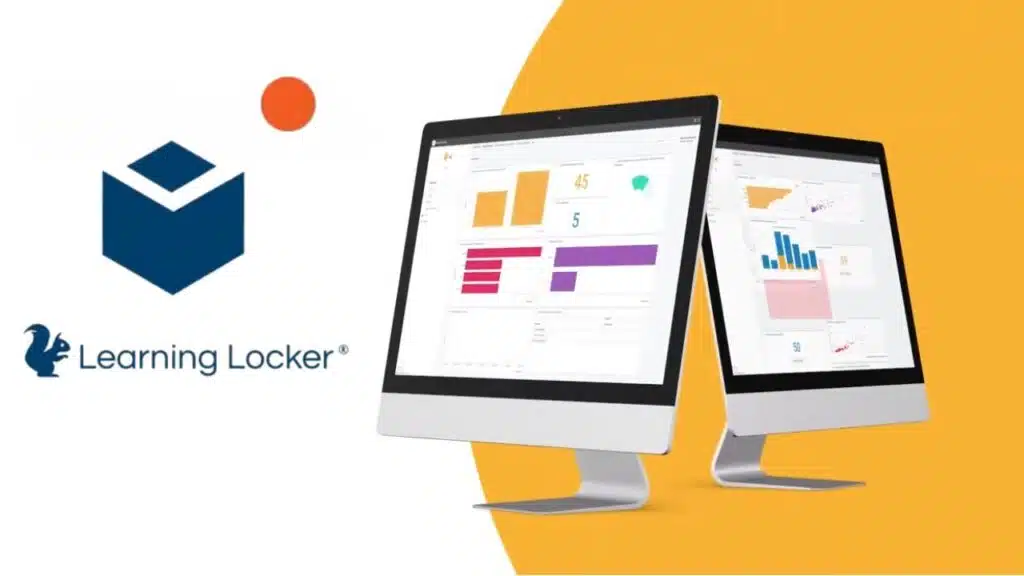
Learning Locker pulls together data from all sorts of e-learning spots, like online courses and apps, to build full profiles on each learner. You get a clear picture of how folks learn, with details on their habits and strengths.
This data aggregation helps spot patterns right away, kind of like having a roadmap for better teaching. Imagine sifting through a messy desk and finding exactly what you need, that’s how it feels.
The platform offers customizable dashboards, so you can tweak them to track engagement monitoring, progress tracking, and even those tricky assessment scores. Educators love this setup, it turns raw numbers into something useful, like turning puzzle pieces into a complete image.
Built-in tools dig into skill gaps analysis and track learning trends over groups of students or whole classes. You see where folks struggle, and that sparks smart changes in how you teach.
Learning Locker pushes data-driven choices, generating actionable insights that shape instructional design, almost like a coach whispering tips during a game. It handles compliance reporting with ready-to-go reports on certifications and course finishes, keeping everything above board.
Plus, you can export data for smooth data integration with HR systems, your favorite LMS, or business intelligence tools. Longitudinal tracking follows learner growth over months or years, painting a long-term story of improvement.
How can Tableau visualize data to track eLearning outcomes?
Tableau turns eLearning data into clear pictures that help track learning outcomes. It shows course completion rates, assessment scores, and engagement metrics in easy-to-see ways.
Educators love how it integrates with LMS platforms and other sources for one-stop analytics and reporting. Think of it like a detective spotting clues, its interactive charts and graphs uncover trends in participation, retention, and performance.
You can build customizable dashboards to monitor outcomes at organizational, team, or individual levels.
This tool supports segmentation by role, department, or location, giving targeted insights that feel like a custom roadmap. Real-time updates keep decision-makers in the loop with fresh info.
Plus, sharing visual reports with stakeholders boosts transparency and accountability, making everyone feel part of the team. Imagine turning raw numbers into a story that sparks action, that’s Tableau’s magic in data visualization for eLearning.
Engagement Tracking Tools in eLearning
Picture your students buzzing with excitement, like contestants on a quiz show, all thanks to Kahoot! and its lively polls that capture every eager response. Nearpod steps in next, watching clicks and chats in real-time classes or solo study paths, so you spot who thrives and who needs a nudge.
How does Kahoot! track participation through gamified quizzes?
Kahoot! turns quizzes into fun games that keep everyone on their toes. Teachers host live sessions or set self-paced challenges, and the app watches how players join in. It checks response accuracy right away, like a coach spotting strong plays.
Real-time leaderboards pop up, sparking competition that pushes learners to try harder. You see, it’s like a friendly race where scores climb and motivation soars. The platform grabs data on engagement, showing who engages deeply.
Reports come out fast on individual and group performance, lighting up those high engagement spots. Analytics dig into question-level stats, pinpointing tough ideas that trip folks up.
Kahoot! links right into your Learning Management System for easy tracking all in one place. Data export lets you pull info for more review or to keep records straight. Plus, its mobile setup means participation and tracking work on phones or tablets, no sweat.
Gamification here boosts assessment through quizzes, turning learning into an adventure with solid analytics on every step.
How can Nearpod monitor interaction during live and self-paced lessons?
Nearpod lets teachers track student interaction right in the action. Imagine you’re running a live lesson, and kids engage with polls, quizzes, or open-ended questions. The tool grabs all that engagement tracking on the spot.
Instructors get real-time feedback about participation and lesson comprehension. Dashboards show who joined, who participated, and who finished activities. It’s like having a front-row seat to each student’s moves.
Teachers spot progress tracking on interactive slides and multimedia content with ease. Analytics point out engagement trends, so you can offer targeted support where kids need it most.
Nearpod ties into your learning management system, or LMS, to sync participation and progress data. Automated reports wrap up lesson interaction for the whole class or single students.
Student interaction shines through in self-paced lessons too, keeping everyone on track.
Video-Based Learning Tools with Tracking
Imagine turning boring lectures into exciting video adventures, where Panopto’s smart viewer stats reveal exactly who watches what, and for how long, in your class recordings. Flipgrid amps up the fun too, by letting students post video replies while it tracks their involvement, like a coach spotting stars on the team, making you eager to explore more ways these apps boost learning.
What viewer analytics does Panopto offer for lecture capture?
Panopto delivers strong viewer analytics for lecture capture, keeping tabs on who watches each video, right down to the exact time and duration. Teachers love how it spotlights engagement metrics, so you see student participation in both live sessions and recordings, like a coach tracking plays on the field.
Imagine a heatmap pops up to reveal the hot spots in your video, where folks rewind or skip ahead, helping you tweak lessons on the fly.
This tool integrates smoothly with your learning management system, syncing grades and monitoring student progress without extra hassle. Spot at-risk students early through real-time analytics on video viewing habits, almost like having a sixth sense for who needs a nudge.
Plus, export that data for deeper analysis, and handle compliance tracking for certifications, making sure everyone meets those must-watch requirements.
How does Flipgrid track student engagement with video responses?
Flipgrid keeps tabs on student work by spotting who submits video responses, and it notes the exact timing too. Teachers spot active kids fast, like catching fireflies on a summer night, with dashboards that highlight trends in contributions and topic buzz.
Engagement analytics reveal views and replies on each clip, turning quiet viewers into lively participants in discussions. Imagine a classroom chat that never sleeps, where feedback flows from video interactions, helping educators tweak their game plan on the fly.
This platform plays nice with other tools, pulling everything into one spot for easy tracking. It hands out badges and certificates to cheer on top contributors, boosting that feel-good vibe in learning.
Data shapes smart shifts in teaching strategy and content flow, making lessons hit home harder. Participation shines through every video response, sparking real connections that stick.
Takeaways
These tracking tools change how we teach and learn. Think of Moodle and Canvas as trusty sidekicks, they keep tabs on progress while sparking joy in classrooms. Tools like Kahoot! and Nearpod turn lessons into fun games, boosting student involvement with real-time data.
Blackboard Learn and Tableau offer clear insights, helping teachers tweak plans on the fly. Jump in with these gems, watch education soar to new heights.
FAQs
1. What exactly are these tracking tools that change education and eLearning?
Tracking tools in education help teachers watch student progress, like a coach spotting weak spots in a game. They turn raw data into clear insights, making lessons more personal. Imagine a dashboard that whispers secrets about what kids need next, boosting everyone’s game.
2. How do tracking tools transform eLearning for students?
They make online learning feel alive, adapting to each learner’s pace. No more one-size-fits-all classes; it’s like having a smart buddy who adjusts the path just for you.
3. Can these tools help teachers with daily tasks?
Yes, they automate grading and spot trends in class performance. Think of it as a helpful sidekick that frees up time for real teaching moments, turning chaos into smooth sailing. Plus, they predict issues before they blow up, keeping everyone on track.
4. Are there risks when using tracking tools in education?
Privacy can be a sticky wicket, so pick tools with strong safeguards. They transform eLearning by analyzing data safely, but always double-check for fair use.































