

Are you stuck picking the right content management system for your church or nonprofit website? WordPress powers 40 percent of all websites, showing how open source CMS can be a smart choice.
Use this guide to see ten top CMS platforms, each with features like SEO tools, payment processing, donation pages, and web hosting options, so you can pick the one that meets your needs.
Keep reading.
Key Takeaways
- WordPress runs on free open-source code and powers about 43% of all websites. It offers 12,000 themes and over 59,000 plugins for SEO, donation pages, WooCommerce shops, and flexible hosting. It scales from a solo pastor’s blog to a multi-campus church network.
- Squarespace (1.7% market share) and Wix (2% share) use drag-and-drop builders. Squarespace plans cost $12–$40/month and include hosting, SSL, SEO tools, email campaigns, Apple Pay, and analytics. Wix starts at $17/month with templates, SEO tags, event calendars, and donation modules.
- Joomla (1.72% share) and Drupal (2% share) are free open-source platforms for teams with tech skills. Joomla adds custom user roles, multilingual sites, event calendars, and CRM extensions. Drupal delivers enterprise-grade security, data encryption, multisite management, and advanced caching.
- Tithe.ly and Faithlife Sites offer free or low-cost church-specific CMS with giving pages, event ticketing, sermon archives, and member management. HubSpot CMS starts at $15/month for CRM, email marketing, automation, and SEO guidance. BigCommerce plans range from $29–$299/month for online stores, donation pages, PayPal/Stripe, cart recovery, and multi-channel sales.
WordPress Features for Nonprofits and Churches
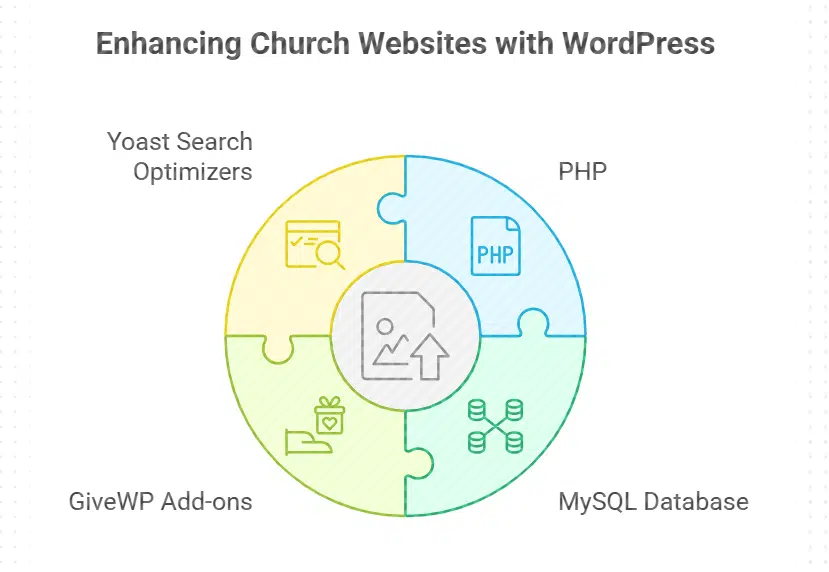
WordPress runs on PHP with a MySQL database, so churches get a solid site builder. Leaders tap GiveWP add-ons and Yoast search optimizers to raise funds and boost traffic.
What makes WordPress flexible and customizable?
This open system uses free code. Developers work directly with the code. No licensing fee makes it budget-friendly. Users choose from 12,000 themes and 59,000+ plugins for web design and content management.
The block editor lets non-technical staff drag and drop text, images, or donation pages. SEO tools slip right into the dashboard. Small nonprofits or large congregations get a site that grows with them.
You can add WooCommerce for digital downloads or a shop. Donation modules like GiveWP or Charitable integrate easily. The software’s data portability moves content from one host to another in minutes.
Search engines index your pages fast. This system scales from a solo pastor’s blog to a multi-campus church network. Every feature feels built just for your mission.
How do WordPress plugins support nonprofits and churches?
WordPress plugins give churches and nonprofits tools to tweak website design and build online presence with a few clicks. WooCommerce adds donation pages and e-commerce tasks into a content management system.
Over 59,000 modules serve needs from event calendars to sermon archives and contact forms. Security add-ons guard donor and member data with firewalls and scans.
Backup extensions save data on secure servers each night. Email marketing widgets send updates and track subscriber clicks. Social share tools widen reach on Facebook and Twitter. Language plugins power multilingual sites for diverse missions.
SEO packages boost search engine optimization and lift domain authority. Analytics add-ons track visitor counts and engagement rates to refine content.
Why Choose Squarespace for Your Church or Nonprofit Website?
Squarespace gives churches a hosted CMS with strong search engine optimization and sleek site templates. It links built-in email campaigns, the Apple Pay gateway, and Google Analytics to track visitors and donations.
How does Squarespace’s user-friendly interface benefit users?
A drag-and-drop builder turns page design into a few clicks, no coding required. A software as a service setup links your domain name and live site in minutes, boosting search engine optimization and search results.
Website templates let you edit color schemes, alt text, and font styles right in the backend. Mobile previews for smartphones and tablets pop up automatically, so you spot design hiccups before launch.
An integrated analytics tool, plus Google Analytics options, shows pageviews, clicks, and form fills in real time. Nonprofit groups add a donation page and payment processing via credit card or Apple Pay with the same editor.
Customer support guides you through membership management, email marketing, and CRM setup, all in a what you see is what you get website builder. Your subscription fee covers web hosting, security patches, and updates.
What professional templates are ideal for nonprofit and church sites?
Squarespace offers website templates for nonprofit organizations and churches. They include event calendars, donation page features, and visual storytelling layouts that adapt to desktop and mobile screens.
These saas cms templates link to email marketing, membership management, and payment processing tools. They also boost your search engine optimization with clear meta tags and fast load times.
These website builders let you match your color scheme and logo. Some templates include social media integration and easy sermon uploads. You can add blog posts, volunteer signup forms, and email capture landing pages.
You get a content management system that works with your domain name and website hosting plan so you can focus on your mission and online presence.
Wix’s Advantages for Small Organizations
Wix’s drag-and-drop site builder lets small nonprofits spin up a sleek page fast, with ready-made templates you can tweak in minutes. The platform packs SEO tools, e-commerce features, email blasts, and donation pages so tiny teams can share events and raise funds with a few clicks.
How does Wix’s drag-and-drop builder simplify website creation?
People place text, images, or forms exactly where they want with a simple click and drag. Users need zero coding skills, so a small team can build a full site fast. Handy modules ship with the platform, so you add an event calendar or donation button in seconds.
Live previews show how the site flows on mobile, tablet, and desktop screens.
A theme gallery offers designs that match a nonprofit’s brand palette in a few clicks. You pick a domain name, tweak colors and fonts, then publish. A plugin store supplies add-ons for email marketing, SEO tags, and payment processing.
This hosted cms suits nonprofits who need membership management and simple blog posts.
What affordable plans does Wix offer for nonprofits and churches?
Wix offers an entry plan for its hosted content management system at $17 per month. It bundles hosting, domain name and SSL at one flat price. This option adds Wix Events and basic eCommerce tools to the website builder.
Teams get niche website templates for nonprofits and churches, at no extra charge.
Discounts and coupons can cut monthly fees further. Free trials let groups test the dashboard before they pay. Organizations can upgrade as donation campaigns and member lists grow.
Joomla’s Capabilities for Complex Nonprofit Websites
Joomla gives you a free platform with custom user roles, multilingual pages, and advanced workflows. It also offers extensions for SEO, donation forms, event calendars, and membership tools.
What powerful features does Joomla provide?
Teams and volunteers gain control with advanced user roles. Administrators set reading rights or editing rights in seconds. A native tool lets you publish content in multiple languages.
Editors switch from English to Spanish with a click. You tap into a large extension marketplace packed with fundraising, customer relationship management or event apps. Those add payment processing or email marketing to your site.
Developers tweak templates for a brand styled look. They craft custom content types and lock pages with complex permissions.
This content management system uses search engine optimization tools to lift you up search rankings. It edits page titles, tags and maps fast. A security suite locks out hackers and guards member data.
You link analytics tools, newsletter services or social feeds in one click. An open source cms frees you from high website hosting costs. It handles donation pages, event calendars and membership management with ease.
Who should consider Joomla for their nonprofit website?
Nonprofits with in-house technical staff often pick Joomla. This content management system gives fine-grained access controls, custom workflows, and open source flexibility. Groups needing multi-language or international sites tap the language manager.
Tech-savvy teams scale complex operations and build custom modules with Joomla extensions.
Organizations that outgrow simple drag-and-drop site builders find value in this nonprofit CMS platform. Existing Joomla infrastructure saves on migration and web hosting work for many groups.
The system supports membership management, email marketing, payment processing, and search engine optimization. It works best for larger groups that need advanced features and developer-level customization.
Drupal for Large-Scale and Secure Nonprofit Sites

Drupal acts as a content management system for large nonprofits, offering granular user roles and data encryption. You can scale complex sites with a package manager and version control for continuous deployment.
How is Drupal customizable and secure?
An open source cms offers advanced website customization. Its modules build custom content types and workflows for nonprofits. Administrators pick from customizable themes to fit a brand.
They tweak menus, color scheme, and donation page style with no code.
Nonprofit cms administrators rely on granular user permissions to keep content safe by role. Frequent security updates arrive from the Drupal community. Enterprise authentication integration adds a login shield.
Built in encryption and data protection follow best practices for a content management system. Advanced caching speeds pages and withstands high traffic. This open source platform runs regular security audits to spot weak spots.
Why is Drupal suitable for large nonprofit websites?
Large groups need a content management system built for nonprofits. Drupal scales to handle high content volume. It runs multi-site management from one codebase. A single admin can spin up separate sites for chapters, programs, or regions.
This open source cms supports website customization and built-in search engine optimization tools. The platform handles resource libraries and complex event calendars with ease. Many nonprofits choose it for its scalable architecture.
Agencies can connect Drupal to CRM systems, email marketing tools, and payment processors via APIs. Composer installs modules for donor databases and event calendars in minutes. Global missions rely on its multilingual features to reach diverse audiences.
Web hosting services report high uptime and reliability for mission-critical sites. Major nonprofits and universities rely on it to power website security and performance.
Tithe. ly: CMS Built Specifically for Churches
Tithe.ly acts like a Swiss Army knife for church staff. It powers giving pages, service calendars, and membership management.
What donation and event tools are included in Tithe.ly?
This hosted SaaS CMS platform works as a website builder and offers online giving forms with customizable funds and campaigns. It supports recurring donations for regular tithers. Churches can build a donation page with flexible payment processing and match style to their color scheme.
It feeds gifts into accounting software through accounting integration, and syncs with CRM and membership management systems.
Event organizers can use event registration and ticketing tools to sell seats and track attendees. They also get automated receipts for tax purposes. Staff can view campaign tracking metrics and real-time financial dashboards on desktop or via mobile iOS and Android apps.
This setup helps small ministries run efficient fundraising campaigns and manage online presence without coding.
How does Tithe.ly serve churches and ministries specifically?
Tithe.ly serves churches with tools that match worship work. It offers donation pages and event ticketing for fundraisers and mission events. It packs group messaging and prayer request boards.
Staff can manage volunteers and set schedules in a built-in calendar. Facilities use its child check-in system for Sunday School and visitor safety.
Teams access training resources for staff and volunteer onboarding. The CMS links to church management software. Pastors can tweak website templates, handle payment processing, and boost SEO with site wizards.
Faith groups get fast email marketing, membership management, website hosting, and round-the-clock support.
HubSpot CMS for Engagement-Focused Nonprofits
With a few clicks, the HubSpot platform syncs your site to CRM, email marketing and payment processing. You spot donor trends in Google Analytics and blast newsletters in minutes.
What marketing and CRM tools are integrated into HubSpot CMS?
The built-in CRM in HubSpot CMS tracks donors, volunteers, and event attendees in one contact database. It links to a form builder that captures leads and donation page signups. Automated email marketing and segmentation tools send personalized messages to each group.
Social media scheduling and monitoring tools let teams plan posts, track engagement, and handle comments. Live chat and chatbot features help answer visitor queries in real time.
Analytics dashboards offer insights on site traffic and user behavior, guiding search engine optimization (SEO) and web development tasks. SEO recommendations pop up as you write blog posts, boosting presence on search results pages.
HubSpot CMS works as a nonprofit content management system and website builder, covering domain name setup, membership management, and payment processing in one platform.
How can nonprofits benefit from HubSpot’s engagement features?
Automated workflows let staff send emails and texts on a schedule. Personalization tags keep donor messages sharp and relevant. Nurture campaigns help keep volunteers in the loop and on track.
Centralized data tracks supporter journeys at each step.
This SaaS cms merges crm, email marketing and website design in one dashboard. Teams can embed donation pages fast and skip a separate payment processing plugin. Built-in event promotion and RSVP tracking boost community engagement.
Reporting features measure campaign success and seo optimization lifts sites in serps.
Faithlife Sites for Church Community Building
Faithlife community pages drive church groups with sermon indexing and event calendars built right in. They tie in membership management, donation pages, and email marketing for lively online engagement.
What features support sermons and event sharing on Faithlife Sites?
Users can upload sermons as audio or video. The content management system lets members embed these files. The service schedule tool syncs with member devices. It adds event times to phone calendars.
Attendees can sign up with sign-up and ticketing tools.
The site sends auto alerts for each upcoming service. Leaders can share bulletins, photos, and study guides in the resource hub. Stream Connect ties the site to YouTube or Vimeo. Teams manage notices and announcements on a notice board.
Visitors find past talks in a history archive search.
How easy is it to use Faithlife Sites for church websites?
Faithlife Sites content management system has a simple setup process for non-technical leaders. The hosted cms website builder handles website hosting and gives step-by-step guidance for site launch.
Pre-built website templates match church needs with nonprofit-specific features. Church staff add a donation page and domain name without code.
Volunteers need minimal training to edit pages with drag-and-drop tools and a simple control panel. A dashboard overview tracks seo, membership management and payment processing in one view.
They update sermons and events using mobile editing tools. The Faithlife support team responds fast to every question.
Weebly as a Budget-Friendly Option for Small Churches
Weebly lets small churches launch a site on a shoestring, with easy site creator tools, mobile-responsive designs, and DIY domain registration. It also includes built-in donation gateway, email campaigns, and simple membership management that keeps your flock connected.
How simple is it to set up and manage a Weebly site?
The hosted CMS guides users through site creation. Pre built templates let groups tweak layouts fast. Intuitive editing tools work without code. Real time previews show edits right away.
Built in form builders handle contact and sign ups. Analytics tools track visitor trends.
Cloud based editor removes software installs. Automatic updates and security patches run behind the scenes. The platform includes web hosting, domain name registration, and membership management.
Users can deploy donation pages, SEO tools, email marketing, and payment processing to grow reach. Customer support aids any time issues pop up.
What makes Weebly affordable for small church budgets?
Weebly offers a free plan with basic features. Paid plans start at a low monthly rate, including hosting and a domain name. It gives churches a broken piggy bank a break. It includes secure layer certificates at no extra cost.
You don’t juggle separate hosting or domain name purchases. A small church can go live in one click.
Scalable plans grow as your congregation grows. No transaction fees eat into your donation page. Nonprofit organizations can snag discounts or coupons. A pastor handles site tweaks with minimal tech know-how.
This saas cms acts as both a website builder and hosted cms. You get website templates, payment processing, membership management and seo tools. A friendly dashboard feels like a chat with a neighbor.
BigCommerce for Nonprofits with E-Commerce Needs
BigCommerce gives nonprofits a sleek shopping cart and easy digital giving.
Link PayPal or Stripe, then start your goods store fast.
How does BigCommerce support online fundraising and merchandise sales?
Church leaders use built-in donation tools to create donation pages. It supports payment processing through PayPal, Stripe, and other gateways. Organization staff set up recurring payments for monthly donors.
Staff customize product pages in the online store for event tickets, digital downloads, and branded t-shirts. Campaign managers add discount codes to run promotions. Shipping and tax calculators integrate automatically with each order.
The cms platform also drives ecommerce and fundraising areas. Inventory updates in real time across all products. Staff check an analytics dashboard for sales, donation page views, and gift data.
Teams tweak campaigns, set new goals, and refine promotion strategies.
What advanced e-commerce tools does BigCommerce offer?
BigCommerce serves as a hosted CMS and website builder for nonprofit organizations. It offers abandoned cart recovery to boost donations and sales. The platform provides advanced reporting for customer insights and sales trends.
Built-in SEO and marketing automation tools simplify outreach.
Multi-channel selling spans Facebook, Instagram, Amazon and eBay. API integrations link your CRM and accounting systems, like Salesforce or QuickBooks. You can set custom checkout paths for different domain names and currencies.
Flexible theme customization covers color, fonts, and layout changes.
How Do These CMS Platforms Compare on Key Features?
Take a quick look at core CMS traits.
| Platform | Market Share | Price | Customization | Key Tools | Security | Best Fit |
|---|---|---|---|---|---|---|
| WordPress | 43% of all sites | Free core; hosting extra | 12,000+ skins; 59,000+ extensions | Search engine tools, form builder, blog engine | Moderate, frequent updates | Small to large nonprofits, churches |
| Squarespace | 1.7% estimated | $12–$40/month | Premium layouts; style editor | Image gallery, built-in hosting | High, auto patches | Design-driven church sites |
| Wix | 2% of sites | $17/month basic | Visual editor; mobile views | Contact forms, booking apps | Moderate; SSL built in | Small groups, starter ministries |
| Joomla | 1.72% of sites | Free core; hosting extra | Strong API; multi-language module | Access control, article manager | High, granular control | Developer teams, complex orgs |
| Drupal | 2% of sites | Free core; hosting extra | Open-source framework; custom code | Advanced user roles, taxonomy | Very high, enterprise grade | Large nonprofits, high traffic |
| Tithe.ly | Church-focused | Free plan; transaction fees apply | Basic site builder | Donation tools, event manager, mobile giving | High, PCI compliant | Faith groups, ministries |
| HubSpot CMS | Market presence growing | $15/month starter | Drag-and-drop editor; theme library | CRM, email marketing, automation | High, cloud-based | Engagement-driven nonprofits |
| Faithlife Sites | Church-specific | Free | Simple layout tools | Sermon archive, event calendar | Moderate, platform updates | Small to mid-size congregations |
| Weebly | 1% of sites | Free to $25/month | Page builder; theme picker | Basic stores, forms | Moderate; SSL included | Tiny churches, budget groups |
| BigCommerce | E-commerce leader | $29–$299/month | Checkout customization; API access | Cart engine, payment gateways | Very high; PCI compliance | Merch and fundraising sales |
What Factors Should Guide Your CMS Choice?
Budget weighs heavy. Free platforms like WordPress.org or Weebly suit tight funds. BigCommerce Pro can climb to $299 a month. Some hosted cms packages include domain name and SSL. Self-hosted platforms demand separate website hosting.
Joomla and Drupal need deeper skill. Novices may sweat setting those up.
Your roadmap must cover donation page, event management, payment processing and membership management. A strong SEO plan can raise traffic to your site. Community tools and email marketing keep supporters close.
Look for 24/7 customer support to handle questions. Open-source cms let you tweak themes and plugins. Cloud-based cms often lock features but grow with you. You need SSL and PCI compliance if you sell things online.
Takeaways
You have ten strong CMS platforms at your fingertips. Each option, from the open source CMS to the hosted solution, gives you tools for SEO, email marketing, donation pages, and CRM in one place.
WordPress or another site builder can help your team hit the ground running, while a payment processing system will ease fundraising. Your choice will shape your online presence and help you reach more supporters, members, and donors.
Go pick your favorite and start a wave of good online.
FAQs on CMS Platforms Ideal for Nonprofits and Churches in the U.S
1. What is a content management system and why do nonprofits need one?
A content management system is a website builder that lets nonprofit organizations post news, share events, and run a donation page with ease. It ties your website hosting to simple tools, so you hit the ground running online.
2. How do open source CMS and hosted SaaS CMS differ?
Open source CMS gives you full control on your own server, like a self-managed WordPress site you customize with plugins and themes. A hosted SaaS CMS, such as a Wix.com plan, handles web hosting and updates for you.
3. Can I handle payments, membership management, and email marketing on these platforms?
Yes, many nonprofit CMS platforms include payment processing, a CRM for member data, and built-in email marketing. You can set up recurring gifts, track member info, and send newsletters without extra coding.
4. Are there nonprofit-specific features and templates?
Absolutely. You’ll find website templates designed for charity causes, clear call to action buttons, and color schemes that match your brand. Many platforms also add forms for volunteer sign-ups and events.
5. How do I pick the right CMS for my church or charity?
List your needs first. Do you want open source flexibility or a hosted CMS that handles cookies and security? Check if the site builder has web analytics, SEO tools, and a solid customer support team.
6. How can I track site visitors and improve SEO?
Use built-in web analytics to see page views, referrals, and user paths. Add keywords in your blog posts to please search engine crawlers. Link Google Ads to boost key pages and watch your traffic grow.
































