
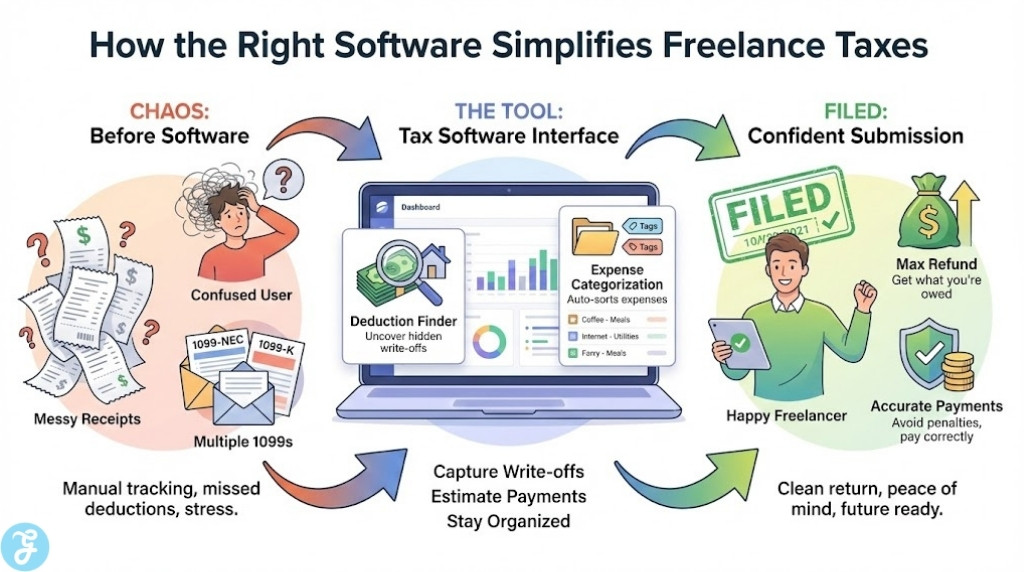
Freelancer taxes feel stressful for one simple reason: you are doing two jobs at once. You are earning the money, and you are also acting as your own payroll department, expense tracker, and compliance team. The right tax software does not just “file a return.” It helps you capture write-offs, estimate what you owe before it becomes a surprise, and turn a messy year into a clean, confident submission.
This list is built for real-world gig life: multiple 1099s, mixed income streams, phone and internet write-offs, mileage, subscriptions, and the constant question of whether you should pay quarterly or just brace for April.
How We Picked Our 10 Best Tax Software for Freelancers and Gig Workers
What we prioritized:
-
Self-employment readiness: Schedule C and 1099 support without forcing you into confusing upgrades
-
Deductions guidance: tools that help you find write-offs instead of just asking you to “enter numbers”
-
Price clarity: platforms that stay predictable as your situation gets more complex
-
Help when you need it: chat, live expert options, or at least reliable support pathways
-
Freelancer reality: options for both DIY filers and people who want guided help
Red flags we downranked:
-
“Free” tools that get expensive the moment you add self-employment income
-
Platforms where add-ons and state fees are hard to understand up front
-
Systems that make it difficult to estimate taxes during the year
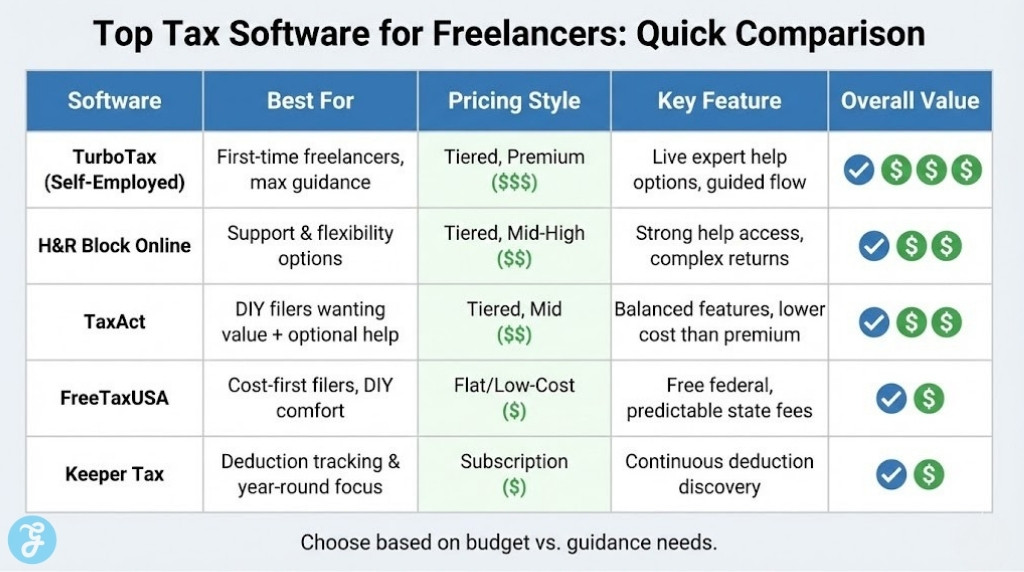
Comparison Table
| Software | Best For | Why It Stands Out | Pricing Style |
|---|---|---|---|
| TurboTax (Self-Employed flow) | Hands-on guidance | Very guided experience, imports, optional live help | Typically premium pricing |
| H&R Block Online | Complex-ish returns + help | Strong support options and guidance | Tiered pricing |
| TaxAct | Balanced value | Often cheaper than big competitors + pro help options | Tiered pricing |
| TaxSlayer | Budget-friendly self-employed | Comparable feature set at lower cost | Tiered pricing |
| FreeTaxUSA | Lowest-cost DIY | Free federal, low-cost state, flat structure | Flat pricing |
| Cash App Taxes | Truly free filing | Federal and state free for many filers | Free |
| Jackson Hewitt Online | Simple all-in pricing | Flat $25 online model highlighted by Jackson Hewitt | Flat fee |
| Keeper Tax | Deduction tracking + filing | Built around freelancers, deduction discovery focus | Subscription-style |
| TurboTax Desktop Home & Business | Desktop preference | One-time purchase style for self-employed needs | One-time purchase |
| IRS Free File | Eligible lower-cost route | Free federal filing for eligible taxpayers | Free (eligibility-based) |
10 Best Tax Software for Freelancers and Gig Workers
Here are 10 Best Tax Software for Freelancers and Gig Workers options that make filing, deductions, and estimated payments easier.
1) TurboTax (Self-Employed flow)
TurboTax is one of the most guided experiences, which helps if you want the software to lead you through income, expenses, and common write-offs without feeling lost. It is often more expensive than alternatives, but the step-by-step flow and optional expert help are the reason many freelancers stay with it.
-
Best For: First-time freelancers who want heavy guidance
-
Pros: Very guided interview, strong import options, add-on expert help
-
Cons: Cost can climb quickly as complexity and add-ons increase
2) H&R Block Online
H&R Block is a strong pick if your freelance situation is mixed with other complications and you want a clearer path to human help if you get stuck. Many reviewers highlight it as a top free option for basic needs, and a solid paid option when returns get more complex.
-
Best For: Filers who want support options and flexibility
-
Pros: Strong help access, solid for complicated situations
-
Cons: Paid tiers can still add up depending on forms and states
3) TaxAct
TaxAct is often positioned as a cheaper alternative to the biggest brands while still offering a full-featured filing flow and access to professional guidance as an add-on. It is a practical “middle lane” choice for freelancers who want value without going barebones.
-
Best For: DIY filers who want value plus optional expert help
-
Pros: Typically lower cost than premium competitors, supports self-employment flows
-
Cons: Upsells still exist, especially around support and state filing
4) TaxSlayer
TaxSlayer is a good fit if you want a lower-cost self-employed tier with a feature set that reviewers say is comparable to more expensive providers. It is a straightforward tool for Schedule C filers who do not need the fanciest interface.
-
Best For: Budget-minded gig workers with Schedule C income
-
Pros: Strong value, feature set comparable to higher-priced tools
-
Cons: The user experience can feel less premium than top-priced apps
5) FreeTaxUSA
FreeTaxUSA is one of the best deals in tax software because it keeps federal filing free and prices state filing predictably, without pushing you into “complexity tiers.” It is especially strong if you are comfortable entering your numbers and just want a clean, low-cost file.
-
Best For: Cost-first freelancers who are comfortable DIY filing
-
Pros: Very affordable pricing structure, no tier games
-
Cons: Not the best if you want lots of handholding or live help
6) Cash App Taxes
Cash App Taxes is notable because it offers free federal and state filing for many filers, which is rare. It can be an excellent choice if your return is supported by its system and you want a no-cost path without sacrificing basic usability.
-
Best For: Filers who want a free option and have a supported tax situation
-
Pros: Free federal and state filing, strong value proposition
-
Cons: Support and edge-case coverage can be more limited than paid tools
7) Jackson Hewitt Online
If you want pricing that is easy to understand in one sentence, Jackson Hewitt’s online product is marketed as a flat $25 fee. That makes it appealing if you hate tier shopping and just want to file without guessing the final checkout price.
-
Best For: Filers who want a flat online price
-
Pros: Flat-fee positioning is simple and predictable
-
Cons: May not offer the same depth of integrations as top DIY platforms
8) Keeper Tax
Keeper is built around freelancer realities like missed deductions and messy expense history, leaning into year-round tracking and deduction discovery rather than being a once-a-year tool. If you struggle to stay organized, this style can pay for itself by helping you capture write-offs you would otherwise forget.
-
Best For: Freelancers who need help tracking deductions all year
-
Pros: Deduction-focused workflow, designed for freelancer habits
-
Cons: Subscription cost can be unnecessary if you already track expenses well
9) TurboTax Desktop Home & Business
If you prefer desktop software and like one-time purchase models, the Home & Business desktop version is positioned for personal plus self-employed returns. It is often chosen by filers who like installing software and keeping things local rather than fully web-based.
-
Best For: People who prefer desktop tax software
-
Pros: One-time purchase style, built for self-employed needs
-
Cons: Updates, state handling, and add-ons can still affect total cost
10) IRS Free File
If you qualify, IRS Free File can be one of the best values available because it provides a free federal filing route through private partners for eligible taxpayers. It is worth checking first before paying, even if you end up choosing another option.
-
Best For: Eligible taxpayers who want a free federal filing option
-
Pros: Free federal filing for eligible income levels
-
Cons: Eligibility limits and partner offerings vary
How to Choose the Right Tax Software as a Freelancer
Quick checklist:
-
Do you need Schedule C guidance and self-employment prompts?
-
Are you filing in one state or multiple states?
-
Do you want live expert help, or are you fully DIY?
-
Do you need help with quarterly estimated taxes?
-
Do you want the software to find deductions, or will you enter them manually?
Small decision table
| Your priority | Choose this style |
|---|---|
| Lowest cost | FreeTaxUSA, Cash App Taxes |
| Maximum guidance | TurboTax, H&R Block |
| Value with solid features | TaxAct, TaxSlayer |
| Deduction tracking support | Keeper-style tracking approach |
Common mistakes to avoid
-
Choosing a “lower monthly payment” plan to help you will not use
-
Ignoring state fees until checkout
-
Forgetting that mileage and subscriptions add up only if you track them consistently
Freelancer Tax Basics You Should Know
The three freelancer tax buckets:
-
Income reporting: 1099-NEC/1099-K, plus any cash or platform income
-
Deductions: the write-offs that reduce taxable income
-
Self-employment tax: the “payroll tax” side that surprises new freelancers
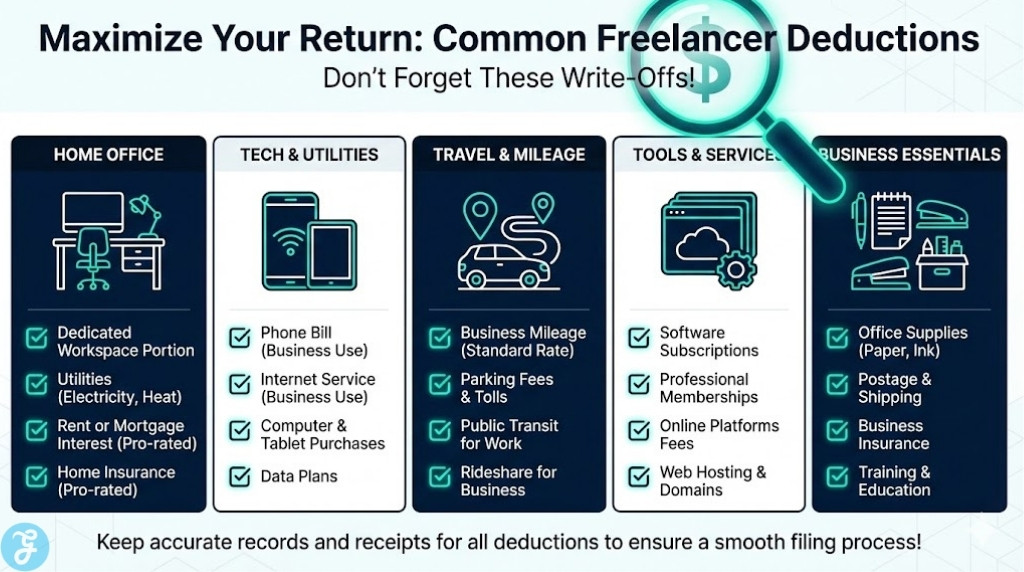
High-impact deductions many gig workers forget:
-
Home office (if you qualify)
-
Mileage and parking
-
Phone and internet portion used for work
-
Software subscriptions and platform fees
-
Supplies and equipment used for paid work
-
Education that supports your work skills
If you owe enough tax through self-employment, you may need to make estimated payments during the year instead of waiting until filing time. A software tool that helps estimate this can reduce nasty surprises and penalties.
In the End
The best tax software for freelancers is the one that turns your year into a clean story: what you earned, what you spent to earn it, and what you owe, with no last-minute panic. If you want maximum handholding, choose a guided system that walks you through every decision. If you want to keep costs low and stay in control, pick a predictable platform that does not punish you for having a “real” freelance return.
Whatever you choose, use it like a routine, not a rescue. Track expenses as you go, review your numbers monthly, and treat filing as the final step, not the first. That is how freelancer taxes stop feeling like a problem and start feeling like a system you own.