
Staring at a blank page? Many writers get stuck. You might feel lost in the crowd of ai writing tools, not sure which will help you write faster or make fewer spelling mistakes. Picking the right artificial intelligence assistant can be tough, especially with so many websites promising quick answers and better grammar checkers.
Last year alone, over half of all writers said they used some type of large language model to help fix errors or brainstorm new ideas for blog posts and social media content. These smart tools have changed how people work in Google Docs, Notion, Gmail, HubSpot and even Google Drive.
This guide ranks top picks for 2025—like Jasper AI, ChatGPT Plus, Frase IO and more—and gives you key pros and cons for each one. It covers costs too, so your wallet stays happy while your sentences stay sharp.
Get ready to find the best fit for your writing style now!
Key Takeaways
- Many writers now use AI tools. Over half of all writers used large language models in 2024 to fix errors or get new ideas for blog posts and social media.
- Jasper AI ranks first in 2025. It offers over 50 writing templates, grammar checks, and works with more than 25 languages. Its price starts at $59 per month.
- ChatGPT Plus (by OpenAI) stands out for its flexible skills like brainstorming, editing, SEO help, and easy Google Workspace links. The cost is $20 a month.
- Claude Pro is best for long stories or reports (up to 150,000 words). It keeps your writing clear and strong from start to end. The plan costs $20 each month.
- Each tool fits different needs: Jasper AI suits marketing teams; Sudowrite helps fiction writers; WriteSonic handles ads fast; Novelcrafter organizes novel projects; Frase IO focuses on SEO work starting at $15 per month. Always check pricing plans before you choose.
Key Features to Look for in AI Writing Assistants

Some AI writing tools shine with easy-to-use dashboards, grammar checks, and text-to-speech. Others sway users with deep customization or smart content generation—helpful for writers hoping to kick writer’s block to the curb.
Usability and Interface
Jasper AI and Rytr put users first with very clear dashboards. You can find each button fast, so creating or editing text is a breeze. These ai writing tools keep you focused on content generation without clutter.
On the flip side, WriteSonic feels like walking into a crowded closet: too many features stacked together make it tricky to spot what you need right away.
Frase IO sports more complex menus, which might puzzle beginners who just want keyword research or grammar checker help for SEO tools and product descriptions. Drag-and-drop works well in some apps but not all—no one likes to hunt for hidden controls in a web application during crunch time! A friendly interface shapes user interactions, whether you’re using Microsoft Word integrations or sending drafts straight to Google Workspace inboxes.
Customization and Personalization
Perplexity shines with its deep customization options. Users can pick writing styles, adjust keyword density, and set grammar checker levels for social media marketing or product descriptions.
OpenAI Playground lets you play with parameters like temperature or context window size. This means you can tweak responses to match your brand’s voice, whether short and peppy or long and detailed.
Fiction writers love Novelcrafter and Sudowrite because they let users change pacing, terminology, and character voices right down to the smallest detail. Perplexity supports database management tweaks while Frase IO allows search engine professionals to create content automation rules that fit their workflow in Google Workspace.
Copy AI offers presets for sales emails or ad copy—great for anyone juggling CRM duties or advertising campaigns on Facebook.
Supported Content Types (Fiction, Nonfiction, Copywriting, SEO)
Writers use AI to cover many types of text. Tools in 2025 support fiction, nonfiction, copywriting, and SEO content.
- Fiction: Sudowrite leads for fiction writing. It helps brainstorm, fix grammar, and create fresh plots. Novelcrafter stands out for building characters, scenes, and story arcs—it gives writers real creative freedom.
- Nonfiction: Jasper AI supports detailed articles and reports. Its grammar checker fixes spelling fast. Anthropic’s Claude Pro helps with long texts like biographies or essays by following tone rules and clear layouts.
- Copywriting: WriteSonic shines for short ads, emails, social posts, or product descriptions. Copy AI works fast—brands rely on it for A/B testing headlines and automating product copy.
- SEO Content: Frase IO wins at content optimization—it uses machine learning to find keywords that rank high in search results. The tool pulls facts from forums and the web; it streamlines keyword research for bloggers using Google Workspace or WordPress.
- Voice Content: ElevenLabs offers an AI voice generator for spoken words or audio blogs. Its tech supports voice cloning with accurate intonation—great for brands posting to Spotify or YouTube.
- Research Writing: OpenAI’s Playground allows users to test large language models before publishing online text or integrating into web applications using APIs.
Each tool brings power to its specific craft—from creative storytelling to sharp SEO work—with easy user-friendly design and smart content generation features that suit every workflow.
Pricing and Subscription Models
You care about costs, right? Nobody likes surprise bills. Here’s a snapshot of what the best AI-powered writing assistants charge in 2025. Plans, prices, and what you get for your money—straightforward and honest, just the way we all like it.
| Tool | Starting Price (Monthly) | Free Plan | Highlights |
|---|---|---|---|
| Jasper AI | $59 | No | – Designed for professionals– Solid for marketing and content teams
– Price reflects advanced features |
| ChatGPT Plus | $20 | No | – Reliable for versatility– Great at conversations, brainstorming, editing
– OpenAI’s latest language model access |
| Claude Pro | $20 | No | – Handles longform content– Strong at context retention
– Anthropic’s premium chatbot |
| WriteSonic | $15 | Yes | – Useful for copywriting, marketing– Flexible plan options
– Free plan exists, but features are limited |
| Frase IO | $15 | No | – Focused on SEO– Blog content optimizer
– Designed for search rankings |
| Sudowrite | $19 | No | – Geared for fiction– Boosts creativity
– Drafts long stories fast |
| Raptor Write | $0 | Yes | – Best no-cost choice– Good for basic tasks
– No credit card needed |
| Gemini Advanced | $20 | No | – Google’s new language model– Integrates with Workspace
– Monthly fee covers all features |
Plans change. Some tools give you free trials. A few throw in team features if you go bigger. Always check for student or non-profit deals. Watch for feature caps or usage limits—they sneak up on you. Every dollar counts, so compare the price to what you truly need.
Integration with Other Tools
Plugging AI writing assistants into your daily apps helps save time. Claude Pro connects right to Google Drive, so sharing or editing files feels quick as a wink. Writers using Gemini Advanced can link up with Google Workspace tools like Docs or Calendar—no sweat, no extra steps.
Need help with keyword research? Rytr hooks up with SEMrush for easy content optimization and SEO work. Some bots even send finished product descriptions straight to Slack channels or let experts proofread and fix spelling corrections in the cloud.
A simple serverless function might kick off an AI chatbot in your recruitment workflow while GitHub Copilot sits tight inside your development environment, ready for problem-solving code tips at any hour.
Each connection boosts productivity without slowing down creative flow.
Best AI Writing Assistants for 2025: Ranked
AI writing tools change fast. Good assistants now help writers work quickly, check grammar, and boost ideas.
- Jasper AI leads the pack in 2025. It creates blog posts, product descriptions, and ads using strong GPT models. Many companies use Jasper for its wide content generation skills. It links with Google Workspace and supports content optimization. Users love its quick keyword research features.
- ChatGPT Plus stands out for creative thinking and strong conversation skills. OpenAI’s paid option uses advanced machine learning to generate helpful information on most topics. You can use it for SEO, proofreading, brainstorming, even text to speech with some plug-ins.
- Claude Pro shines at longform writing and editing big projects. Writers pick Claude Pro when they want fewer grammar mistakes or hallucinations in their drafts. It supports consistent content automation and is popular in both fiction and nonfiction circles.
- WriteSonic wins with sharp copywriting options for marketers in 2025. This tool helps create ad copy, landing pages, social media posts, or resumes in seconds. Teams also like WriteSonic’s integration with serverless functions for faster workflow.
- Sudowrite catches the eye of novelists and poets who want help telling great stories fast. The platform offers AI brainstorming for plot twists and dialogue unique to each character voice. Editors say Sudowrite saves hours during content creation by giving fresh ideas every session.
These top writing assistants use generative AI to handle everything from photo editing notes to proofreading resumes or syncing tasks on Google Calendar.
#1: Jasper AI
Jasper AI lands in the top spot for a clear reason—it’s sharp, quick, and seems to read your mind. If you ever wished Google Gemini and OpenAI’s machine learning had a child who aced content generation, this tool checks nearly every box.
Key Features
AI writing assistants help people create content faster and with fewer errors. These tools use machine learning to suggest ideas and fix writing mistakes.
- Offers over 50 templates for various tasks, like product descriptions, blog posts, and email campaigns.
- Supports more than 25 languages, making it great for international projects or teams.
- Works well for both fiction and nonfiction writing needs, including copywriting and keyword research.
- Comes with a grammar checker that spots spelling errors and suggests ways to improve your sentences.
- Includes a long-form writing assistant that can generate full articles or stories with ease.
- Detects plagiarism in your text to help keep your work original and trustworthy.
- Gives you AI brainstorming tools for quick idea generation during content planning sessions.
- Starts pricing at $59 per month for Boss Mode, offering advanced features such as content automation and extra templates.
- Integrates smoothly with Google Workspace, helping teams work together on documents in real time.
- Includes options for SEO-focused outputs using platforms like Frase IO to boost search engine ranking results.
- Connects with ai voice generators so you can turn written text into spoken audio easily.
Why It’s Ranked #1
Jasper AI stands out for its deep list of features. It handles almost everything—blog posts, product descriptions, ads, even social media ideas. The tool uses GPT-3 technology and supports many languages, so you can write in French or Spanish as easily as English.
Big companies use Jasper AI for content automation and quick updates to their sites.
Writers love how easy the interface feels. Custom templates speed up work on SEO projects or keyword research. You can link Jasper with Google Workspace and other apps like Grammarly’s grammar checker without fussing over setup steps.
With different price plans, both big brands and single users find value here.
Pros & Cons
Readers, examining pros and cons is like checking your gear before a hike. Small details can save you from big headaches. Below, you’ll find a clear table showing what stands out and what to watch for with Jasper AI, bringing facts without the fluff.
| Pros | Cons |
|---|---|
|
|
#2: ChatGPT Plus
ChatGPT Plus stands out for juggling many writing jobs, from marketing emails to blog drafts—even Google Workspace integration helps boost its skills—so stick around, you’ll want these tricks up your sleeve.
Why It’s Ideal for Versatility
You get a tool that can chat, write stories, help with product descriptions, and do keyword research. It works well for both copywriting and long reports. Pay $20 each month for Plus or jump to Pro at $200 if you need more power.
Specialist reasoning models boost content generation and grammar checker work across Google Workspace or Android devices. The system sometimes struggles with making prose smooth, but it shines in many tasks—from ai brainstorming to content optimization—like a Swiss army knife in the toolbox of ai writing tools.
Content automation feels easy here; switch tasks fast without missing a beat.
#3: Claude Pro
Claude Pro makes long content feel light as a feather, even with tough topics like machine learning or content optimization. It’s the secret sauce for writers who want AI brainstorming, product descriptions, and grammar checker skills all in one pot.
Why It Stands Out for Longform Content
Able to handle whole books—up to 150,000 words—this tool makes long projects feel light as a feather. Authors, bloggers, and anyone working on nonfiction or fiction find the workflow smooth.
Prose comes out clean and sharp, not stiff or forced. Google Drive integration lets you save drafts fast or share them with your team without skipping a beat.
At $20 per month, it does not break the bank for content generation at scale. Writers who focus on product descriptions, guides, or even SEO-heavy blogs can rely on consistent quality throughout their work.
AI writing tools sometimes fumble over large files—but here? Long stories stay strong from start to finish thanks to real muscle under the hood.
#4: WriteSonic
WriteSonic brings energy to content automation and product descriptions, making it a go-to choice for quick campaigns. With its Google Workspace integration and smooth keyword research, you’ll be tapping your feet while your marketing sings.
Best for Marketing and Copywriting
Marketing teams need speed, and WriteSonic races ahead with over 80 marketing templates. Need product descriptions or social media posts? It covers those with punchy, ready-made options.
Its long-form assistant helps create website copy and email campaigns in a flash.
Pricing starts at $15 each month. A Professional Plan sits at $45 monthly, letting you scale your content automation without breaking the bank. With support for 24 languages, global businesses can speak to many markets fast.
Some users spot grammar issues or find its interface a bit cluttered—still, most value how it boosts keyword research for ai writing tools and content optimization projects on Google Workspace and more.
#5: Sudowrite
Sudowrite helps writers spin creative tales, punch up dialogue, and jumpstart stories—grab your pen and see what magic happens next.
Why It’s Great for Creative Writing
Writers find this tool smooth for brainstorming wild ideas. It lets you spin stories as fast as you can think, thanks to its custom model built just for prose writing. Many love how the interface feels clean, not cluttered with tech talk.
If writer’s block sneaks up, the AI gives nudges with prompts or plot twists without making it sound stiff.
Fiction lovers get a sidekick that keeps the action moving and characters lively in each scene. This software supports all types of content generation, from magical worlds to dramatic dialogue—perfect for those deep into fiction or poetry.
The $29/month price may make some flinch—think twice before signing up if your wallet grumbles—but fans agree: its creative edge sets it apart from basic grammar checker tools or generic copywriting bots like Copy AI.
AI Writing Assistants for Specific Use Cases
Many people need ai writing tools for special jobs. Novelcrafter, Sudowrite, and Raptor Write help with stories and creative work. Copy AI makes short ads fast. Frase IO shines at keyword research and content optimization for search engines.
Business owners use Jasper AI to make long articles or product descriptions that look sharp. For nonfiction, you might grab WriteSonic or Frase IO for blog posts or guides in Google Workspace.
Pre-written prompts give a big boost if your brain hits a wall—think of it like having a GPS in heavy traffic during content generation marathons!
Each tool suits one job best, so match the tool to the task every time—kind of like using a hammer for nails but not soup!
Best for Fiction Writing: Novelcrafter
Novelcrafter makes writing novels feel like a walk in the park—curious what tricks it has up its sleeve? Keep reading to see why fiction writers keep talking about this tool.
Features & Benefits
Writers want simple tools that boost creativity and save time. This software helps fiction authors tell stories, shape characters, and store ideas with ease.
- Stores character facts and story background in easy-to-find folders. No more sticky notes or lost files.
- Priced at $14 per month for the Artisan level, which makes it affordable for most writers on a budget.
- Helps plan big stories step by step, so every plot twist fits like a puzzle piece.
- Easy to use for both new and seasoned authors. You do not need an expert to get started.
- Offers custom settings for each book project, letting users write fiction or nonfiction any way they want.
- Quick keyword research tools speed up content generation. Writers can focus on the tale, not the tech.
- Built-in grammar checker catches common mistakes before you hit share or send.
- Keeps information safe in one system. No more losing track of characters or lore.
- Works well with Google Workspace, making it simple to move work between platforms without hassle.
- Gives clear feedback using machine learning to help polish drafts fast. Even long novels feel less scary now.
Why It’s the Best for Novelists
Novelcrafter makes fiction writing simple. You can store your notes, research materials, and every detail about your characters in one spot. No more flipping through old notebooks or scattered files on Google Workspace—everything stays organized with a few clicks.
You get flexible content generation tools built for story arcs and dialogue.
The pay-as-you-go plan lets you use as much or as little help as needed, so you are not stuck with monthly fees like Jasper AI or x Premium+. It covers everything from outlining to drafting full chapters using AI brainstorming features powered by machine learning.
Even character backstories stay easy to find while you keep typing away at each plot twist. Novelists looking for quick access to all their ideas will feel right at home here—no need for any complex setup or extra grammar checkers.
Best for SEO and Blogging: Frase IO
Frase IO zips through keyword research like a hummingbird, helping bloggers and SEO fans write posts that Google actually notices—want to see how it boosts content optimization without breaking the bank? Keep reading.
Why It Excels in Search Engine Optimization
Frase IO stands out for search engine optimization work. Its SEO research feature helps you find the best keywords fast. You can pick topics and use over 10 templates to write with focus and clarity.
Content generation gets easier, so your blog posts match what Google likes to rank high.
It offers strong tools for content optimization and keyword research, making it simple to shape your writing for better results. Frase IO supports both copywriting and blogging needs, which is great for anyone working on content automation or product descriptions.
The monthly price is $45 for a basic plan, but its advanced SEO support saves time spent chasing Google’s next trick. Many writers trust this AI writing tool to help them get found online without headaches or technical fussing—just smarter outputs that land higher in search results.
Best Free AI Writing Tool: Raptor Write
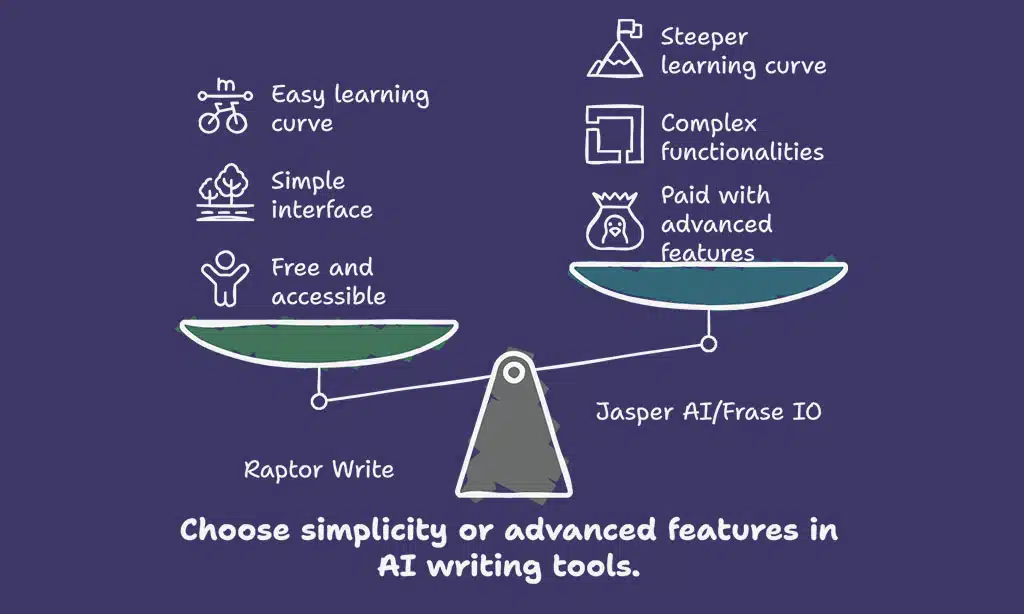
Raptor Write saves your wallet and still delivers sharp content generation, all with machine learning at its core. Type a prompt, watch it fly—content automation made as easy as pie, without the price tag of Jasper AI or Frase IO.
Why It’s the Best Free Option
No credit card, no trial period—this tool stays free. That grabs a lot of new users by the hand right away. Raptor Write opens the door for anyone needing content generation, from students to small business owners who want simple product descriptions or blog posts without dealing with any pricing plans.
The interface is easy; it even gives you a short course to help you start writing fast.
Google Workspace and Frase IO might offer more bells and whistles, but this AI keeps things basic and friendly for first-timers. Sure—it skips advanced machine learning tricks used by Jasper AI or Gemini Advanced, yet plenty get what they need in plain English at zero cost.
Anyone can tap into simple grammar checker tools before moving onto options like Copy AI once they get their feet wet with Raptor Write’s system.
Honorable Mentions
Some tools stand out for quick content generation, research help, or flexibility with APIs and coding. Dig deeper into these options if you want faster writing, smarter keyword research, or niche features Google Workspace can’t offer.
Copy AI: Quick and Effective for Copywriting
Copy AI shines for fast content generation. It offers 90 plus templates, ready to make catchy product descriptions, emails, and social posts. The tool supports more than twenty-five languages, making it handy for global work or a team that speaks many tongues.
You’ll find plug-and-play features useful for quick marketing tasks and easy brainstorming.
Pricing sits at $36 each month if you pay yearly. Keep in mind, Copy AI does not offer a long-form writing assistant like Jasper AI or Claude Pro. Output sometimes varies in quality—one day it will nail it with sharp headlines; the next day you may need edits.
Still, with keyword research tools baked in and seamless Google Workspace integration possibilities through OpenAI’s API, Copy AI gets your copywriting job done without much fuss or waiting around.
Perplexity: Best for Research Assistance
Perplexity makes research easy. Pay $20 each month for the Pro plan. This tool finds facts fast for you, even on big topics like World War II or machine learning. It works well if you write about history, tech trends, or need to check sources in a hurry.
Fans of content generation love its quick answers and smooth use with Google Workspace.
Writers who want to go deep into research—think historical fiction or keyword research—will enjoy how much they can change settings here. You can ask Perplexity almost anything and get sharp information back right away.
Plug it into your workflow for SEO tasks, product descriptions, or just plain brainstorming new ideas for copy AI projects.
OpenAI Playground: Flexibility for Developers
OpenAI Playground gives developers a flexible space to work with machine learning and try out different AI models quickly. You can change settings, like temperature or max tokens, and see results in real time.
This tool fits well into content generation tasks for blogs, product descriptions, grammar checker apps, or keyword research tools.
The pay-as-you-go pricing model keeps costs low and fair. Developers can plug the Playground into other tools like Google Workspace or use it for quick ai brainstorming right on their own projects.
Many choose OpenAI’s platform because it is affordable compared to others on the market by 2024 standards. Think of it as a sandbox where you can tinker until your code feels just right without worrying about high bills creeping up at the end of the month.
How We Tested and Ranked These Tools
We poked, prodded, and put each ai writing tool through its paces using OpenAI’s ChatGPT Plus, Jasper AI, Claude Pro, Sudowrite, WriteSonic, Frase IO, Copy AI—even Google’s Gemini Advanced.
We judged them with tasks like content generation, grammar checks for giggles and groans alike, SEO keyword research exercises straight out of a digital wild west showdown—and more—just to keep things fair.
Evaluation Criteria
Choosing the right ai writing tools is tricky. Readers need clear markers to know which tools really shine in content generation.
- Usability stands at the top. A good ai writing assistant should have an easy-to-use interface, like Jasper AI or Sudowrite. Buttons, menus, and instructions should not leave anyone scratching their head.
- Speed matters a lot, especially for busy writers or agencies with deadlines. ChatGPT Plus and Claude Pro answer fast and handle large tasks well thanks to machine learning upgrades.
- Integration wins points every time. Copy AI hooks into Google Workspace and other platforms so you can write product descriptions or emails without switching sites.
- Customization helps users get personal results that match their voice or brand, just like Frase IO’s keyword research and content optimization fits SEO needs.
- Supported content types bring wide appeal: fiction for creative folks using Novelcrafter, blogging for SEO work with Frase IO, or marketing for WriteSonic fans who make ad copy on the fly.
- Pricing grabs attention fast—a tool can’t help if it costs too much! Raptor Write leads free options while others like Jasper AI use pay-as-you-go plans so you control spending.
- Editing and grammar checker powers are must-haves in 2025, with OpenAI’s GPT-4o leading the pack among grammar geeks hunting mistakes before publishing.
- Brainstorming features take your ideas further by suggesting topics or headlines—WriteSonic and ChatGPT Plus both spark creativity with ai brainstorming functions baked in.
- Access across devices matters more now than ever as people swap between phones, tablets, and computers each day—cloud-based tools pick up where you left off.
- Reliability tips the scales—a writing tool needs steady uptime plus responsive support if something breaks down mid-project; even giants like OpenAI’s suite score higher when they back users quickly over live chat or email helpdesks.
Testing covered these points so readers can spot strengths at a glance without feeling lost in tech jargon or hype from flashy ads promising “the best.”
Testing Process Overview
Each ai writing tool faced daily work, from product descriptions to keyword research. We ran tests in both fiction and nonfiction tasks. Real authors joined the process, giving honest feedback on user experience.
Tools like jasper ai, phrase io, and copy ai went through several rounds of review for output quality.
Each test checked grammar checker features, content generation speed, and how well each option handled google workspace integration or content optimization duties. The team noted any glitches during use with machine learning models or issues found inside subscription plans.
Authors pointed out if a tool missed the mark in seo tasks or lagged behind others in creativity or ease of use.
FAQs About AI Writing Assistants
Got a mountain of questions about AI writing tools, like Jasper AI or Frase IO? Keep reading—your curiosity might just meet its match.
Are AI Writing Assistants Reliable for Professional Use?
Jasper AI, ChatGPT Plus, and Claude Pro stand out for professional work. These ai writing tools use machine learning to spot mistakes fast. Each one checks grammar, finds plagiarism, and uses expert reasoning models.
Many companies trust these apps in 2025 for product descriptions or content generation.
Writers see fewer errors with their drafts now. Google Workspace links up with some of these tools too, making workflow smooth as silk. Frase IO leads in keyword research and seo content optimization.
Results come quick—no need to wait hours for a clean document anymore. For businesses needing strong grammar checker support or automated content automation, these assistants pass the test every day.
Do AI Writing Assistants Work Offline?
Most ai writing assistants need the internet. Tools like Jasper AI, Frase IO, and ChatGPT Plus use cloud servers for their machine learning. This means you must stay online to write, check grammar, or do keyword research.
If your Wi-Fi drops out, these apps usually stop working.
Some tools offer limited offline features. Google Workspace lets you edit simple docs without being online but skips advanced content optimization and automation tasks. For full access—content generation, grammar checks, or seo help—you still need a connection.
The big names in ai writing tools keep data safe by staying on secure servers instead of your laptop or phone.
What’s the Best AI Tool for Beginners?
Raptor Write stands out for new users. Its design is easy to follow, and it offers a built-in beginner course that helps people learn fast. You get basic content generation features without paying, making it a good choice for those testing the waters.
For quick grammar checks or simple product descriptions, Raptor Write makes things clear.
Rytr also helps beginners start strong. It has an intuitive interface that guides you from your first sentence, all while offering a free plan. Both these ai writing tools support keyword research and work well with Google Workspace apps.
You can write blogs or ads in minutes instead of hours—no wild goose chase here!
Takeaways
Picking the right AI writing software is a bit like finding the best pen—some just fit better in your hand. Jasper AI, ChatGPT Plus, and Claude Pro each bring different strengths to the table.
Writers of any stripe can use these tools for tasks from brainstorming to editing. Keep an eye on things like price, features, and how well they work with apps such as Google Workspace or Synthesia Ltd before you pick your favorite.
Even with smart algorithms and machine learning at play, a human touch still shapes great stories and sharp content every time.
FAQs
1. Which AI writing tools lead the pack in 2025?
Gemini Advanced, Jasper AI, and Copy AI top most lists. Frase IO stands out for content optimization tasks. Each tool helps with different things like grammar checking or product descriptions.
2. Can these assistants help with keyword research and content generation?
Yes, they do both well. Gemini Advanced and Copy AI speed up keyword research for blogs or ads. Jasper AI shines at fast content generation, even helping you brainstorm ideas.
3. How do these tools fit into Google Workspace or other everyday apps?
Most top picks work smoothly with Google Workspace. You can write emails, check grammar, and edit right in your documents without leaving your workflow.
4. Do any of the best writing assistants use machine learning to improve over time?
Absolutely—machine learning powers all leading options now. That means each tool learns from your edits to suggest better words next time.
5. Are there special features like rendering videos or hiring help built-in?
Some standouts offer more than text tweaks! For example, Synthesia Ltd lets you create video content using simple scripts instead of actors—great for quick demo reels or training clips during the hiring process while React helps automate parts of editing so you spend less time clicking around and more on real work.