A vehicle event data recorder captures vehicle behavior during crashes. Under federal rules, these recorders save a defined set of data around a crash, and in the rulebook’s terms an “event” is a highway vehicle crash.
This reference draws on 49 CFR Part 563, guidance from the National Highway Traffic Safety Administration (NHTSA), and UN Regulation No. 169. It explains what these devices record and how to read their output. Figures carry their dates, so it stays accurate as a long-term reference.
What Is a Vehicle Event Data Recorder?
NHTSA pins down the term because “EDR” could otherwise cover many device types, so the agency fixed its meaning: a device that records information related to a highway vehicle crash.
You may know it by its informal name: the black box. The nickname borrows from aviation, where flight data recorders carry the same label. The comparison is fair in spirit but loose in detail. Some sources point out that true black boxes on airplanes and trains are more complex devices than what sits in your car.
In practice, the EDR is not a separate gadget bolted under your dash. It lives inside your vehicle’s airbag control system, the module that already watches crash sensors to decide when to fire the airbags. That module sees the crash first, so it is the natural place to store the record. When you read about structured data in other fields, the idea is similar: a fixed set of fields, captured the same way every time.
Most passenger cars and light trucks on the road today carry one. The device records only when a qualifying crash occurs, not during normal driving. So if you want to know whether your vehicle has one, the answer is almost certainly yes.
The Regulated Data Elements Behind Every Recording
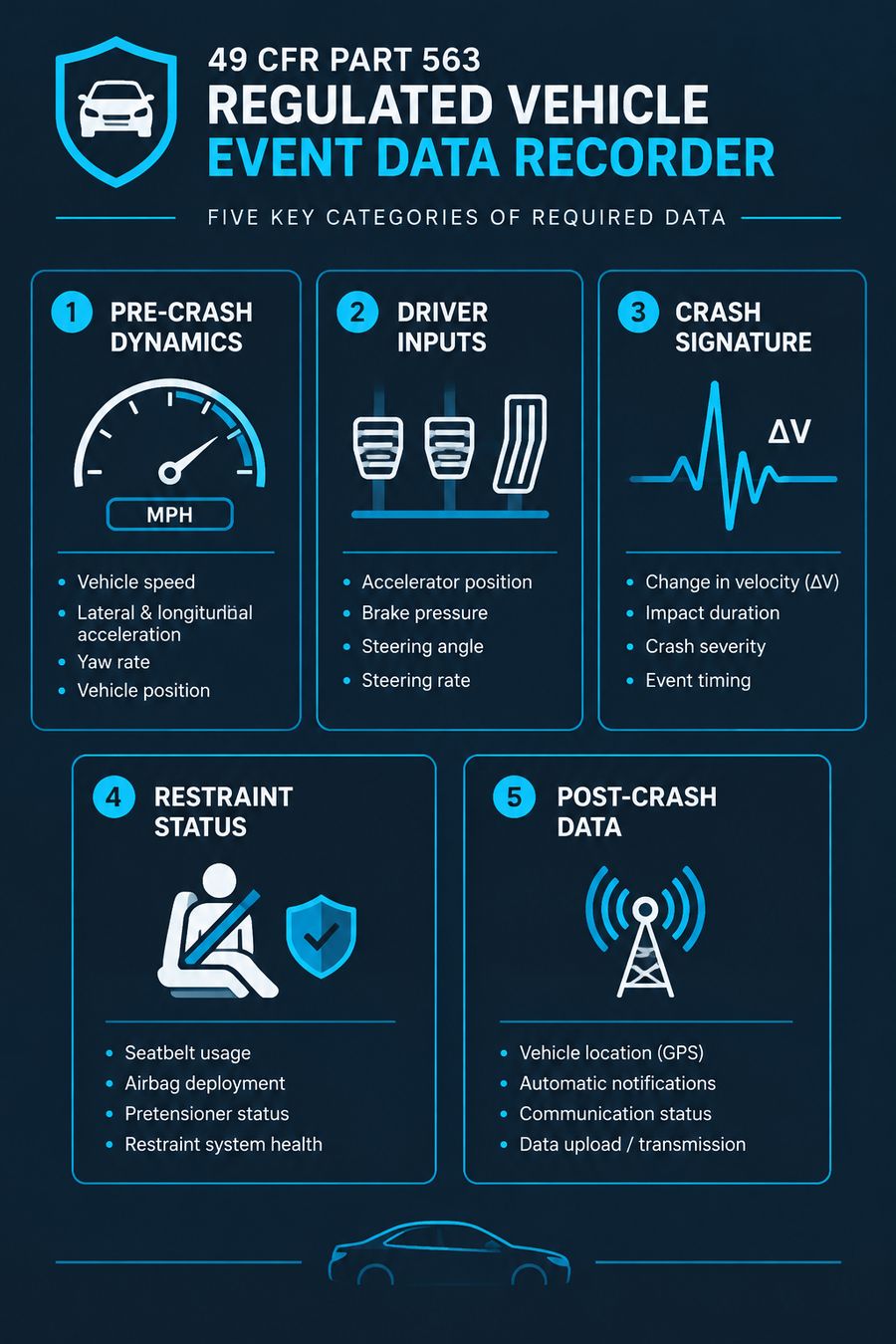
Federal law sets the menu. Under 49 CFR Part 563, each vehicle equipped with an EDR must record all of the data elements in the regulation’s Table I. It must record them at the interval and sample rate the table specifies. NHTSA groups these edr data elements into five buckets:
- Pre-crash vehicle dynamics and system status
- Driver inputs
- The vehicle’s crash signature
- Restraint use and deployment status
- Post-crash data, such as automatic collision notification
| Category | What it covers | Example |
|---|---|---|
| Pre-crash dynamics | Vehicle motion and system status before impact | Speed, brake switch state |
| Driver inputs | What you did with the controls | Throttle position, braking |
| Crash signature | The severity profile of the impact | Delta-V over time |
| Restraint status | Belt and airbag information | Belt buckled, airbag fired |
| Post-crash data | Events after impact | Automatic crash notification activation |
The table shows the rule cares about the whole crash sequence, not just the hit. Pre-crash rows tell you what the car and driver were doing. The crash signature tells you how hard the hit was. Post-crash rows tell you what systems responded.
These rules govern how the data is recorded, not who may see it. Access and ownership sit in a separate layer of data privacy laws that vary by state. That gap between recording rules and privacy rules is where most disputes about the data begin.
How the Recording Process Works, Step by Step
Miss a few seconds and you get nothing at all. A crash record exists only if one specific trigger fires, and the window it captures is short. The process unfolds in four stages:
- Continuous sensing. The airbag control module watches vehicle sensors all the time, keeping a rolling buffer of recent data such as speed and brake status. A short window of pre-crash data always sits in temporary memory.
- Trigger detection. When a crash meets the module’s threshold — typically a deployment or near-deployment event — the device locks and preserves the buffer. That freezes about 5 to 20 seconds of data from before and during the impact, depending on the model.
- Storage. About 5 seconds of data is written to non-volatile memory, the kind that survives a dead battery. The record stays in the car even if power is lost.
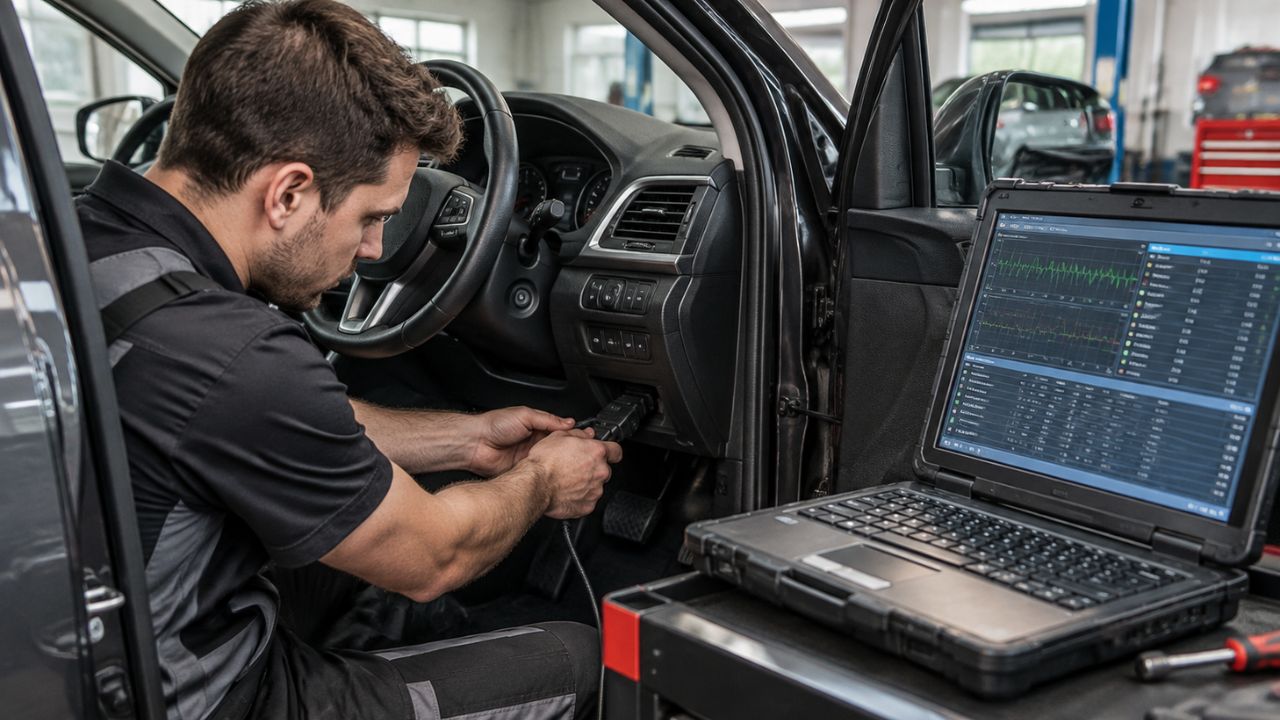
- Retrieval. A trained technician connects a standardized tool to the vehicle’s diagnostic port, or directly to the module, and downloads the report. What comes out is a file that reconstruction experts can read.
No routine step wipes this file, the way you might clear your record in a legal process. After a crash, your move is simple: ask whether the module was preserved, and whether anyone has downloaded it yet.
Where EDR Data Gets Used — and Where It Gets Misread
One number drives most edr accident analysis: the delta-V, or change in velocity during the crash. It is also the number most often read wrong. The data earns its keep in a few clear places, and people trip in a few predictable ones.
- Crash reconstruction. Experts use pre-crash speed, braking, and delta-V to rebuild the sequence of a collision.
- Insurance claims. Adjusters use the record to check statements about speed, belt use, and braking.
- Court cases. Attorneys use EDR reports as evidence when filing a car accident lawsuit and establishing what happened.
- Misreading delta-V. Delta-V is the change in the vehicle’s speed during the crash, not the speed at which it was traveling. A car that stops dead against a wall shows a large delta-V. The same car, moving at the same speed but only sideswiped, may show a small one.
- Assuming no airbag means no data. Many modules record near-deployment events too, so a crash without an airbag firing can still leave a record.
Reading it well takes training, much like telling real currency from prop money takes a practiced eye. And the rules behind the data do not sit still. They keep widening.
How EDR Standards Continue to Evolve
The catch with any fixed rule is that vehicles change faster than regulations do. EDR regulation started with light passenger vehicles. Heavy trucks and buses sat largely outside the standard framework for years.
That gap is closing. UN Regulation No. 169 sets uniform provisions for approving EDRs in heavy-duty vehicles. It entered into force on June 19, 2024. The same basic idea now reaches the heavy fleet: a defined set of crash data, recorded the same way every time.
The broader trend points the same direction. More recorded elements. More vehicle types. More standard retrieval methods. In the U.S., most passenger cars, multipurpose vehicles, trucks, and buses built after September 1, 2014 are required to have an EDR installed.
This is why you should date any figure you cite. A statement about coverage that was true in 2010 may be wrong now. Any statement true today may age as UN and national rules spread. Attach the year, and the claim stays honest.
Questions About Event Data Recorders
You generally cannot remove the EDR. It’s built into the airbag control module, and your car needs that module. The device first spread through airbag-equipped cars in the late 1990s, when automakers used it to track how those systems performed in real crashes. Federal standardization arrived later.
Are EDRs required by law?
Not exactly. No federal rule orders an automaker to install an EDR, but if a vehicle has one, it must record the required elements in the required format. Most vehicles built after September 1, 2014 carry one, because the industry adopted them broadly.
So you will almost certainly find an EDR in a modern car.
How far back does EDR data go?
The window is measured in seconds. Vehicle event data recorders lock and preserve data only when a crash meets the module’s threshold — typically a deployment or near-deployment event. A typical recording covers about 5 seconds of pre-crash data, and some models hold a wider window around the moment of impact.
The EDR is not a driving log. It holds no record of where you drove last week or how fast you went on Tuesday, only the brief slice of time a crash trigger locks in.
Can you turn off or erase an EDR?
There’s no consumer off switch. The recorder is part of the airbag control module, so disabling it would mean disabling your airbags.
Erasure is just as limited. A locked deployment event stays in memory, though some non-deployment records can be overwritten by later events, depending on the vehicle.
If the data matters after a crash, the safe move is to preserve the module before repairs or salvage.
Final Thoughts
Your practical problem is rarely “what is an EDR” and more often “what do I do about the one in my car after a crash.” The answer follows from everything above. The device records a fixed, regulated set of data. It locks that data only when a crash crosses its trigger. And the record survives only if the module does.
So the steps are plain. After a serious crash, treat the airbag module as evidence. Ask for it to be preserved before the vehicle is repaired, sold, or scrapped. Have the download done by someone using the proper retrieval tools, and keep the report dated and intact.
If you are on the other side — reviewing a report someone else produced — check the basics first. Confirm the trigger type, the time window captured, and whether delta-V is being read as impact speed, the most common error. A record that sets a box office record for drama in a courtroom still stands or falls on those details.
Vehicle event data recorders do one job: they keep a few honest seconds of a crash so people do not have to rely on memory alone.