Finding the right Windows apps for kids can feel like searching for a needle in a haystack. You want something fun, safe, and actually helpful for learning. But with so many options, it’s easy to feel stuck.
Good news: studies show educational apps boost reading and math skills. This list cuts through the clutter. We’ve picked 10 user-friendly apps that mix learning with play.
From coding with Scratch to typing practice and parental controls, there’s something for every kid. Keep reading to find your child’s next favorite app.
Key Takeaways
- Khan Academy for Kids offers free, engaging lessons in math and reading. It adapts to each child’s pace and aligns with school standards like NCERT/CBSE.
- Scratch makes coding fun using colorful blocks instead of complex text. Kids aged 6+ can create games and animations while learning logic and problem-solving.
- Microsoft Family Safety helps parents manage screen time, block bad content, and track kids’ locations. It works well alongside learning apps like Google Classroom.
- TypingClub boosts keyboard skills through interactive games. It tracks progress and rewards kids with stars, making practice fun for K-12 students.
internNASA’s Eyes lets kids explore space in 3D using real data intern perfect for sparking interest in STEM topics like planets and spacecraft missionsintern free to use intern excellent for classroom or home learning
Exploring Khan Academy for Kids
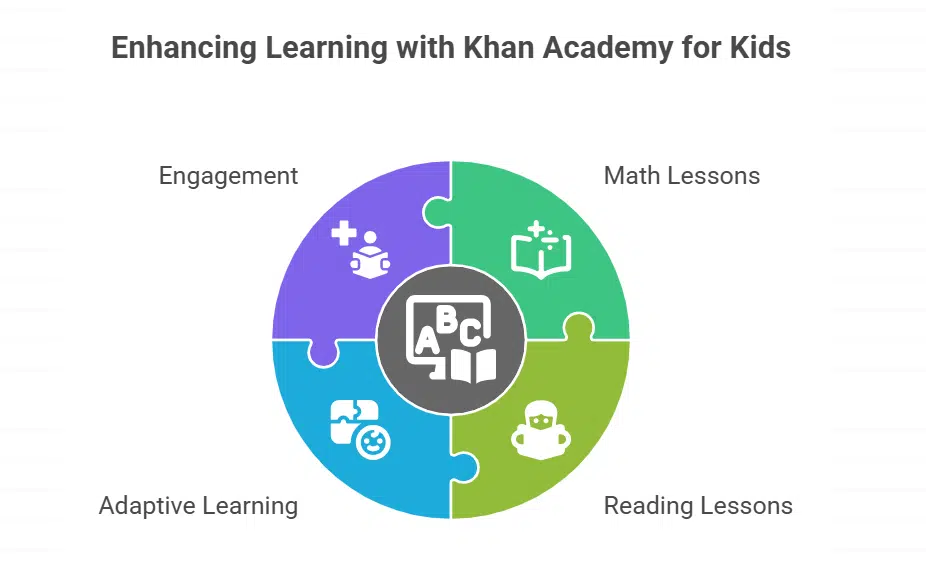
Khan Academy for Kids makes learning fun with colorful lessons in math, reading, and more. The app adapts to each child’s pace, keeping them engaged without feeling overwhelmed.
Exploring Features & Benefits of Khan Academy
Khan Academy for Kids offers free lessons in math, science, and more. It adapts to different learning styles, making it great for visual, auditory, and hands-on learners. The app aligns with NCERT/CBSE standards, so kids get quality education that matches school lessons.
Parents and teachers love it because it keeps learning simple and fun.
The app boosts classroom management by tracking progress easily. Kids can learn at their own pace with interactive exercises and videos. Since it’s free, families don’t have to worry about costs.
Whether reinforcing school topics or exploring new ones, Khan Academy makes online learning engaging without clutter or ads. It’s a solid pick for parents who want effective educational technology at home.
How Microsoft Family Safety Protects Young Users
Microsoft Family Safety keeps kids safe online with screen time limits, content filters, and location tracking, so parents can breathe easy—click to see how it works.
Key Features & Benefits of Microsoft Family Safety
Microsoft Family Safety helps parents keep kids safe online. It lets you set screen time limits, so children don’t spend too long on devices. Location tracking shows where your child is for extra peace of mind.
The app blocks bad content and restricts access to certain apps or websites. Parents get reports on how much time kids spend on learning apps, making conversations about tech use easier.
Its simple interface makes it easy to adjust controls while still supporting educational tools like those in the Microsoft Office suite or Google Classroom.
Learn Coding with Scratch
Scratch makes coding fun for kids, using colorful blocks to build games and stories. It’s a drag-and-drop playground that turns ideas into interactive creations without typing tricky code.
Kids learn logic and problem-solving while designing their own animations, with step-by-step guidance perfect for beginners. The platform encourages creativity, letting young minds share projects with a global community of learners.
Discovering Scratch’s Features & Benefits
Scratch makes learning to code fun for kids aged 6 and up. This free visual programming tool uses colorful blocks instead of complex text, helping young minds grasp coding basics easily.
Kids can create animations, games, and stories by snapping blocks together like digital LEGO pieces. The platform encourages creativity and abstract thinking while teaching problem-solving skills.
It works on iOS, Android, and Windows devices, making it accessible everywhere.
The app boosts student engagement through interactive projects that feel like playtime. Teachers love Scratch for its simple interface and collaborative learning features. Parents appreciate how it turns screen time into productive skill-building without feeling like homework.
With no confusing jargon or steep learning curve, even beginners can start building right away. The tool aligns with STEM subjects while letting kids express their imagination freely.
Language Learning with Duolingo for Kids
Duolingo makes learning new languages fun with bite-sized lessons and playful rewards. Kids stay hooked while picking up Spanish, French, or even Klingon through colorful games and friendly characters.
Benefits & Features of Duolingo
Duolingo makes learning fun for kids 10 and up. The app uses games to teach new languages. Kids earn points, unlock levels, and stay motivated. It’s free, but parents can upgrade for $6.99 a month to remove ads.
The app offers bite-sized lessons perfect for short attention spans. It covers reading, listening, and speaking skills. With colorful visuals and playful challenges, kids don’t even realize they’re learning.
Lessons adapt to each child’s pace, making it great for personalized learning. Parents love it for its ease of use and engaging approach.
Improve Typing Skills with TypingClub
Help your child type faster and more accurately with TypingClub, a fun, game-based app that makes learning keyboarding skills feel like play.
Keep reading to see how this tool can give kids a head start in the digital world.
Overview of TypingClub’s Features & Benefits
TypingClub is a free typing tutor that helps kids build keyboarding skills fast. It tracks progress and adjusts lessons based on individual speed and accuracy. The app makes learning fun with interactive games, colorful visuals, and rewarding achievements.
Parents and teachers can monitor performance through detailed reports.
The interface is simple, keeping kids engaged without distractions. Lessons start with basic keys and gradually introduce more complex typing patterns. Students earn stars and badges as they improve, boosting motivation.
Schools often use TypingClub because it supports a structured learning environment. It’s a practical tool for boosting typing speed and confidence.
Creative Play with Toca Coloring Books
Toca Coloring Books lets kids unleash their creativity with fun, easy-to-use digital coloring tools. It’s perfect for young artists who love experimenting with colors and designs on Windows devices.
The app offers endless possibilities, from filling in premade pages to creating original art, making screen time both playful and productive.
Features & Benefits of Toca Coloring Books
Toca Coloring Books lets kids bring characters and scenes to life with vibrant colors. The app boosts fine motor skills by offering different coloring tools, like brushes and markers.
It fits well in K-12 classrooms, encouraging creativity without time pressure.
Kids can explore art at their own pace while improving focus. The simple interface keeps young users engaged, making it easy to embrace creative play. They can also share their artwork, helping build teamwork and social skills through fun activities.
Great for visual learners, this app pairs well with other educational games for balanced learning.
Mastering Math with GeoGebra
GeoGebra makes math visual and fun, turning tricky problems into interactive graphs and shapes. Kids can explore algebra, geometry, and more with easy-to-use tools.
The app adapts to different skill levels, helping students grasp concepts step by step without feeling overwhelmed.
GeoGebra’s Features & Benefits Explored
GeoGebra is a free math tool packed with features for graphing and geometry. It helps kids visualize tricky math concepts through interactive lessons. Teachers love it for K-12 education because it turns equations into colorful graphs instantly.
Students can drag points, adjust sliders, and see math come alive on screen.
The app boosts visual learning with tools like 3D graphing and dynamic geometry. Kids solve problems while building confidence in STEM subjects. It works great for hybrid learning, fitting into lesson plans without fuss.
Parents appreciate how it reinforces classroom topics with hands-on practice. No complex setup is needed, just open and explore.
Exploring Space with NASA’s Eyes
Kids can zoom through the solar system, track real NASA missions, and explore 3D models of planets with this free app.
Want to spark their love for space? Keep reading!
Discover Features & Benefits of NASA’s Eyes
NASA’s Eyes lets kids explore space for free. This app uses real data to show planets, asteroids, and spacecraft in 3D. It turns complex science into easy visuals, making learning fun.
The app includes STEM content for K-12 students. Kids fly through the solar system or track Earth’s climate changes with interactive tools. NSF-backed features boost understanding of space science without heavy textbooks.
Great for visual learners who love astronomy!
Create Digital Books with Book Creator

Book Creator lets kids craft digital books with ease, blending text, images, and audio for fun storytelling. It’s perfect for sparking creativity while teaching simple layout and publishing skills.
Features & Benefits of Using Book Creator
Book Creator helps students make digital books with ease. It’s free, simple to use, and works for all grade levels. Kids can add text, drawings, photos, and even voice recordings.
The app boosts creativity while making learning fun. Teachers love it too because it fits into any lesson plan.
This app supports language and literacy development by letting kids express themselves freely. Students can work alone or in groups, making it great for learning environments. No matter the subject, Book Creator turns ideas into interactive stories or reports.
It’s a handy tool for distance learning and keeping student engagement high. Plus, files save easily for sharing across tablets or computers.
Interactive Learning with Seesaw
Seesaw turns lessons into fun, hands-on activities kids love. Teachers and parents can track progress easily.
Students share projects, videos, and drawings in one simple place. It builds confidence while making learning social.
Seesaw’s Features & Benefits
Seesaw helps kids learn in a fun, interactive way. Teachers and parents love it for boosting student engagement and simplifying classroom management.
The app works in over 150 countries, making it a top digital portfolio tool. Kids can share drawings, videos, and voice recordings, supporting multimedia learning. It’s free on most platforms, with progress tracking to keep everyone updated.
Parents and educators find it easy to use, even without tech skills. The app adapts to different learning styles, making lessons stick. Privacy controls keep young users safe while they explore.
Takeaway
Windows apps for kids make learning fun and safe. From Khan Academy to Scratch, these tools help with math, typing, coding, and more. Parents can trust Microsoft Family Safety to keep children secure online.
Educational apps turn tough subjects into exciting games. Give them a try and watch kids thrive!
FAQs on Best Windows Apps for Kids
1. What are the best free Windows apps for kids?
Some great free apps include educational websites, typing tutors, and visual programming tools. These boost student engagement while keeping costs low.
2. Can Windows apps help with STEM learning?
Yes. Many apps focus on science, technology, engineering, and mathematics. They use interactive multimedia to make tough concepts easier for kinesthetic learners.
3. Do these apps have parental controls?
Most do. Parents can set user accounts, limit screen time, and block unsafe content. Common Sense Media rates kid-friendly apps for safety.
4. Are there fun apps that also teach foreign languages?
Absolutely. Some apps mix games with language courses. Kids learn Spanish, French, or English while having fun.
5. How do I pick the right app for my child’s difficulty level?
Check age ratings, read reviews, and test apps yourself. Look for adaptive learning features that adjust as skills improve.