Getting tricked online is more common than you might think. Maybe you found a “too good to be true” job post, or someone in your inbox asks for gift cards out of the blue. These internet scams are clever, and they aim to grab your personal information or money right from under your nose.
Did you know scammers often send phishing emails pretending to be banks, like PayPal or even the Federal Deposit Insurance Corporation (FDIC)? They want credit card numbers, Social Security numbers, and other sensitive details.
Here, we’ll point out the most popular types of online scams — from fake shopping sites to romance scams on social media. You’ll get smart tips to spot trouble before it happens and learn what steps help protect each device you use at home.
Stick around—you don’t want to miss these lifesaving tricks!
Key Takeaways
- Scammers trick people with fake job offers, lottery wins, and romance stories. In 2020, lottery scams were the fourth most common scam in the U.S.
- Never send money or gift cards to someone you do not trust. Real companies and government groups like the FDIC never ask for sensitive details through email or social media.
- Watch out for phishing emails that use names like PayPal, Amazon, CDC, or WHO. These try to steal Social Security numbers or bank info by using urgent messages and spoof addresses.
- Always check websites before sharing personal information. Look for “https://” and a lock icon. Avoid sites with bad grammar, no contact info, or strange web addresses.
- Keep your devices updated and use antivirus software—groups like the Federal Trade Commission (FTC) warn that cyber crooks find new tricks every year. Report any scam fast to authorities at ReportFraud.ftc.gov.
Common Online Scams to Watch Out For

Every day, tricksters come up with new ways to steal your money or personal information. Some scams use fake emails or shady websites, while others pretend to be someone you know on Facebook Messenger or Twitter.
Job Offer Scams
Fake job offers show up fast in your email or on social media, promising big paychecks for simple work. Scammers may ask for personal information, like your Social Security number or bank account details, and sometimes even request payment for things like background checks.
Many will send you a check that looks real but is fake—never cash suspicious checks or send money back after an “overpayment.”.
Verify all job offers through the company’s official channels; don’t just trust what arrives in your inbox. Real companies do not ask new hires to buy gift cards as part of the process, nor do they want sensitive information upfront by unsecured emails.
If anything smells fishy or moves too fast, it probably is a scam trying to steal your identity or drain your accounts. The Federal Trade Commission warns that these internet scams are rising every year and can lead straight to identity theft if you’re not careful with those phishing emails.
Lottery Scams
Lottery scams trick people every day. You get a call, letter, or phishing email saying you won big money. The catch? They ask for an upfront fee to claim your “prize.” Some will push you into sharing sensitive information like your bank account or Social Security number.
In 2020, lottery scams ranked as the fourth most common scam in the United States.
Watch out for requests to pay with gift cards, wire transfers, or personal information. Real lotteries never charge fees before giving winnings. Cyber-criminals can use official-looking logos and fake websites to fool anyone—even tech-savvy folks using Android phones or macOS tablets.
Always verify any prize by contacting the organization directly through its main website—never from a link in the message you got. Stay sharp; keeping antivirus software up-to-date is another shield against malicious code hiding in these messages.
Beneficiary Scams
Scammers love sending emails or messages claiming you’re the chosen “beneficiary” of a large fortune. You might get a message from someone posing as a lawyer, banker, or even claiming to be connected with the so-called “Nigerian prince scam.” They promise quick cash but ask for sensitive information like your bank details or social security number first.
Stay sharp—poor grammar and mismatched reply addresses often signal phishing scams.
Do not share personal information until you check if it’s real. Use tools like anti-virus software such as Kaspersky Total Security to help flag these cyber threats. Government sites like fdic.gov never request money orders or request “security questions” by email out of the blue.
Never click suspicious links—especially those asking you to verify lottery winnings, act on bankruptcy notices, or transfer funds through gift cards. It only takes one misstep for identity theft to strike faster than a robocaller at dinner time!
Online Dating Scams
Online dating scams pull on your heartstrings, then yank at your wallet. Romance scammers build fake profiles using stolen photos and made-up stories. They say all the right things to make you feel special fast.
Before long, they ask for money or gift cards—often with sad tales about accidents or sick family members. Many victims lose thousands of dollars this way each year.
Watch for quick promises of love and sudden requests for help with cash or sensitive information. Never send money to someone you have not met in person—even if their profile seems perfect on social media or a messaging app like WhatsApp.
Protect your identity, use strong passwords, keep conversations only in trusted places, and run a virus scan often to guard against phishing emails from fake admirers trying to steal personal details.
Charity Fraud Scams
Scammers set up fake websites or send phishing emails, acting like real charities. They ask for personal information, credit cards, or even gift cards. These crooks often use big events or disasters to target kind hearts—think crises like hurricanes or the COVID-19 pandemic in 2020.
Anyone can lose money fast if they give without checking first.
To stay safe from charity fraud scams, look up charities on databases such as Charity Navigator. Do not trust unsolicited messages that push you to donate right away. If a group seems off or asks for donations with gift cards, stop and check their website address or domain name closely before giving sensitive information.
Even small things can keep your identity safe from these internet scams.
Many coronavirus scams popped up fast, like weeds in a garden. Cyber crooks sent phishing emails about fake testing kits, asking people for personal information. These online scams targeted folks with false claims about treatments or miracle cures—none of them worked and all took your money or data instead.
Some emails even claimed to be from the Centers for Disease Control (CDC) or World Health Organization (WHO), luring you to fake websites that wanted your sensitive information.
Phishing attacks also spread through social media fraud and text messages filled with urgent warnings related to COVID-19. Offers came out of the blue, promising vaccines if you paid by gift card—a trick as old as time.
Be wary of charity fraud too; always verify charities before donating during any crisis, especially one so big it makes headlines every day. The Cybersecurity and Infrastructure Security Agency warned everyone: never click suspicious links and check domain names closely before logging in anywhere.
Keep software updates active on Android operating systems and iOS devices so fake antivirus products can’t sneak past your defenses like a fox in the henhouse.
Social Media Scams
Scammers love social media. They post fake giveaways, quizzes, and job ads to trick people into sharing personal information or clicking phishing links. A simple “Which dog are you?” quiz can end with your sensitive information in the wrong hands.
Phishing scams spread fast through unknown apps and suspicious links shared on Facebook, Instagram, or Twitter.
Fake offers might promise free gift cards or easy money but only lead to identity theft or hacked email accounts. Avoid clicking random posts from friends who act odd—they could be victims of a ransomware attack too.
Always update Chrome and use multi-factor authentication like security keys for better cyber security against these internet scams.
Online Shopping Scams
Fake online stores can trick even the sharpest shoppers. These scams often use websites that look real but only steal personal information, like email addresses and credit card numbers.
Some offer crazy deals on “hot” products or ask for payment in gift cards. Always check if a site starts with “HTTPS://” before you log in or buy something.
Many fraudsters set up copycat sites during holiday sales or big events, hoping people let their guard down. Be wary of deals that sound way too good to be true—think brand-new smartphones for ten bucks, or rare shoes at half price.
Stick to secure websites, avoid strange links sent by email spam, and watch out for requests asking for sensitive information outside secure platforms such as Bitwarden or LastPass.
If something smells fishy, your gut might just save you from identity theft.
How to Identify Online Scams
Spotting fake emails or websites can trip up even smart folks, so don’t rush through things online. Cyber crooks use clever tricks like spoof email addresses, phishing scams, and shady social engineering to steal your sensitive information—learn their game before they play yours.
Warning signs of phishing emails
Phishing emails try to trick you into giving away your personal information. These scams can lead to identity theft or money loss if you are not careful.
- Phrases like “Dear Customer” or “Dear User” often mean trouble, since big companies usually use your real name.
- Fake account hold notices scream scam, as banks never ask for passwords over email.
- Links that look odd or have strange letters could point to fake websites set up for phishing scams.
- Spelling errors and weird grammar might signal a spoof email, crafted by crooks in a hurry.
- Threats about your accounts being closed unless you act fast wave a big red flag.
- Requests for sensitive information like Social Security numbers or passwords spell danger—no real business does this over email.
- Attachments you did not expect may carry malware meant to steal data from unpatched devices.
- Messages claiming urgent action due to jury duty, tax payments, or robocalls aim to scare people into clicking bad links.
- Sender addresses that almost match real company names but with tiny changes often indicate business email compromise attempts.
- Offers claiming you won the lottery or a prize often pull people into internet scams and could ask for gift cards as payment.
Recognizing fake websites
Fake websites pop up every day, tricking people into giving away personal information. It can feel like a digital minefield, but you can spot website scams if you know what to look for.
- Always check the domain name carefully. Fake websites may use tiny changes, like switching an “l” with a “1” or adding an extra letter—scammers get crafty.
- Look for “https://” at the start of the web address and a padlock icon in your browser’s address bar. No lock? Turn back right away.
- Make sure the site has a valid SSL certificate—click that padlock icon to see more about it, and walk away if things seem fishy, like expired dates or missing info.
- Bad grammar, odd layouts and blurry images make sites look unprofessional—a big red flag for internet scams.
- Watch out for offers that promise too much: $100 shoes for $10 should raise alarm bells right away—nothing is ever that easy online.
- Sites asking for gift cards as payment almost always mean trouble; real shops do not want iTunes codes as rent money!
- Pop-up ads everywhere or fake news banners signal spoof emails and social media scams trying to grab your attention fast.
- Odd requests for sensitive information beyond what’s normal—like Social Security numbers or bank logins just to browse—mean it’s time to close the tab.
- Trusted companies often appear on scam lists; double-check URLs with antivirus software and official search engines every time you’re unsure.
- Websites without contact details—no phone number, no official email, maybe even a blank “Contact Us” page—are usually hiding something serious.
Spotting these signs helps keep identity theft at bay and keeps your personal data safe from fraudsters prowling around fake sites every hour of every day!
Identifying spoof emails
Spoof emails try to look real, but they have hidden clues. These messages aim to steal your personal information or spread false information.
- Check the sender’s address with care. Many phishing emails use a reply address that does not match the company’s official email, like an Amazon message from amazon-support123@gmail.com.
- Watch for poor grammar and spelling. Official emails from real companies do not usually have strange mistakes or odd words.
- Be wary if the email claims urgent account issues or says you owe money on a fake invoice. Scammers often say your account is at risk, pushing you to act fast.
- Look for requests for sensitive information, like passwords or bank details. Real businesses will not ask for this over email.
- Hover over links before clicking them. Many phishing emails hide fake websites under links that look normal until you check the true URL.
- Notice weird greetings, like “Dear Customer” instead of using your name. Honest companies use your real name when writing about sensitive information or identity theft risks.
- Spoof emails sometimes attach files or want you to click links that might infect your device without good antivirus software in place.
- If you see threats about shutting down your service unless you pay by gift cards or wire transfer, stay away. Scammers love these tricks because it is hard to trace stolen money.
- Often, spoofers use logos and colors copied from real websites, but images may look stretched or blurry compared to what you see on a secure site.
This quick checklist can help keep phishing scams and social media scams off your back while protecting your identity and personal data online.
Scammers love to fish for victims on social media. They hide behind fake profiles and post sneaky links, hoping you’ll take the bait.
- Watch out for messages from friends asking for money or gift cards. Hackers may have stolen their accounts.
- Beware of quizzes and unknown apps that want your personal information or ask odd questions. Some steal sensitive details.
- Fake giveaways offer prizes if you click a link or share a post. Real companies never ask for bank details in these games.
- Many scammers use famous names or logos, but take a close look at spelling errors and strange grammar.
- If someone says you won money, but you never entered anything, that is a classic lottery scam showing up on your feed.
- Romance scams often begin with a friendly chat. If someone asks for cash after just days of talking, hit the brakes fast.
- Look at the profile picture and timeline before accepting new friend requests. One photo, no real posts? That screams bogus account.
- Phishing scams use urgent messages about locked accounts or “suspicious activity.” They hope panic will make you spill login secrets.
- Social media hoaxes may spread fake stories about coronavirus or charity fraud to trick your heart and pocketbook.
- Links in comments can lead to fake websites which steal your identity or download viruses; never click suspicious links even from people you know.
- Always check if a blue verification badge is present on big brand pages—scammers can’t copy those badges easily.
Every click on social media is like opening your front door to strangers—so keep your guard up and think twice before sharing any detail.
Tips to Avoid Falling Victim to Scams
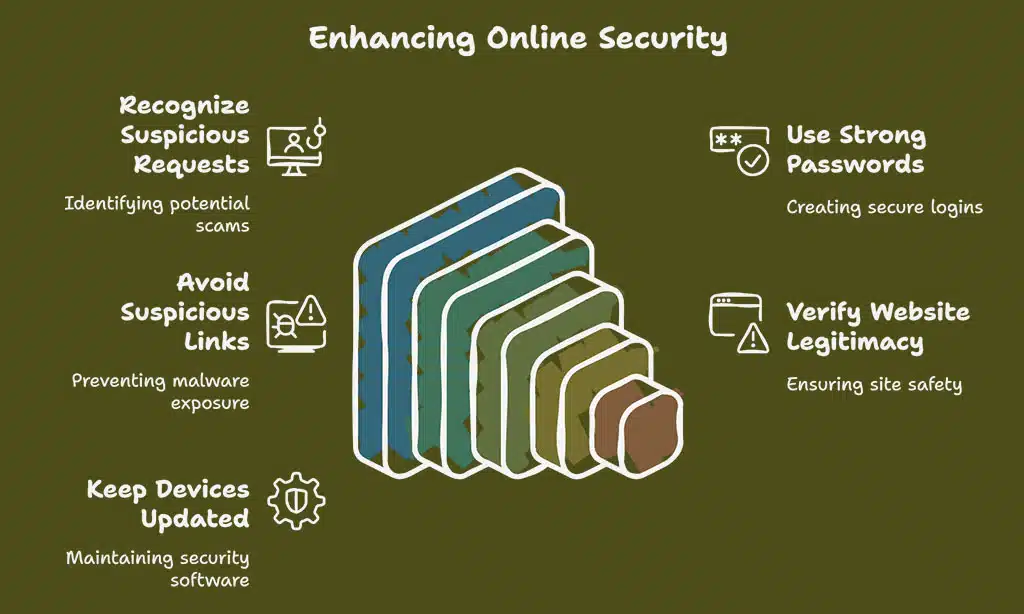
Grab your detective hat, because these tips will help you spot tricksters online faster than a cat catching a laser dot—read on, and keep those digital pickpockets at bay!
Be cautious of requests for personal details or money
Scammers love to fish for your personal information or cash. They often send messages, emails, or even call, pretending to be someone you know or trust. Uncle Bob never asks for your Social Security number over Instagram DM—neither should anyone else.
Never give out sensitive information like passwords or bank numbers unless you are sure the person is real and safe.
Phishing scams might say there is an urgent problem with your account and ask for money by gift card or wire transfer. Slow down if someone rushes you into sharing details or sending cash online—these tricks work fast and can lead to identity theft in seconds flat.
Always check who’s really on the other side of that screen before doing anything risky.
Use strong, unique passwords
Use passwords that mix upper and lower case letters, numbers, and special symbols. A long password like “Teacup$91Horse!blue” is tougher to crack than “password123.” This simple trick keeps identity theft at bay.
Cyber attackers have fancy tools for decrypting weak logins in seconds.
Try not to reuse your logins across different websites or apps. If crooks get a key to one door, you don’t want them unlocking every room in the house. Use multi-factor authentication (MFA) with email, social media, online banking—anywhere you keep sensitive information.
MFA adds another lock that scammers can’t pick with just a stolen password. Tools like Google Authenticator or Microsoft Authenticator help make logging in safer and quick on your phone or tablet.
Avoid clicking on suspicious links or attachments
Links from phishing emails can act like a wolf in sheep’s clothing. Some look real but hide malware that targets your bank details, social security number, or other sensitive information.
Thousands of phishing scams hit inboxes daily. One wrong click could let a fraudster snatch passwords or use remote access tools to control your computer.
If an email about free gift cards pops up out of the blue, think twice before opening it. Fake websites can also trick you into sharing personal information by pretending to be real stores or charities.
Antivirus software may block some threats, but hackers keep finding sneaky ways in—especially through attachments and suspicious links. Trust your gut if anything feels off on social media posts promising easy cash or new job offers asking for private data right away.
Verify the legitimacy of websites and organizations
Crooks build fake websites to steal your sensitive information. Always check for clues that show a site is safe. Web addresses ending in “.gov” or “.mil” come from the government and military, so they are safe bets.
Search for reviews using trusted review tools like Trustpilot or even Google Reviews before you type any personal details.
Phishing scams often hide behind real-sounding names but use strange web addresses—watch out for odd spelling or extra symbols. Never send money, gift cards, or passwords if you feel unsure about the organization’s truthfulness.
Use antivirus software and install browser add-ons that alert you to fake websites. One click can save your identity from thieves pretending to be someone else online.
Keep your devices updated and secure
Update your phone, laptop, and tablet often. Outdated apps and software can expose your personal information to thieves. Always install updates as soon as they show up. Tech companies like Apple, Samsung, or Microsoft fix problems fast with new updates.
Install antivirus software. Turn on firewalls to block unwanted intruders and phishing scams. Use strong passwords for every account you have online—never reuse them. Set up multi-factor authentication (MFA) anywhere it is offered; this adds another barrier against identity theft.
Regular changes help keep hackers out of your sensitive information, just like locking every door in your house before bed at night.
What to Do If You’ve Been Scammed
If you spot fishy charges, tap into help from the Federal Trade Commission or your bank, act fast with password updates, and sniff out odd activity—don’t freeze up, take action; click to dig deeper.
Tell the police or a trusted adult right away if you spot an online scam. Use your computer or phone to report phishing scams to the Anti-Phishing Working Group at reportphishing@apwg.org, or go straight to ReportFraud.ftc.gov for the Federal Trade Commission.
For bank and money problems, try FDIC.gov, or call 1-877-ASK-FDIC (1-877-275-3342). Don’t let embarrassment stop you; even tough folks fall for fake websites, fake emails, and phishing scams.
Giving details helps others avoid identity theft or losing personal information. The more real stories shared about internet scams—romance scams asking for gift cards or tricky social media scams—the safer everyone will be next time crooks try their luck.
Stay sharp like a fox in winter and warn friends before scammers sneak up on them too!
Change compromised passwords immediately
Change your passwords straight away if you think someone else knows them. Use strong passwords that mix big and small letters, numbers, and symbols. For example, a password like “P@ssw0rd123!” is much safer than just “password.” Do not use one password for many accounts.
Hackers often try stolen passwords on different websites to steal more of your personal information.
Add multi-factor authentication (MFA) wherever possible. This tool sends a code to your phone or another device after entering the password. Even if thieves know your old password, they cannot get in without this extra step.
If you spot weird account activity or get alerts about logins from strange places, act fast and update your passwords again using these security tips. Your sensitive information stays safe with good habits and smart tools like MFA and antivirus software on all devices—phone, tablet, laptop—you name it!
Monitor your accounts for unusual activity
Check your bank statements every week. Scan for charges you did not make, like odd gift card purchases or small test payments. Run your eyes over credit reports at least once each year—big companies like Equifax offer free checks.
Fake websites and phishing scams love to swipe personal information fast.
Turn on alerts with your banking app, so a message pops up for every purchase made. Set security software to update itself, blocking many internet scams before they start. Watch for emails trying email spoofing tricks or strange requests in social media messages.
If a new bill arrives in someone else’s name or if money vanishes overnight, take action right away to keep identity theft from spreading further.
Takeaways
Scammers are always looking for ways to trick you and grab your personal information. Stay sharp, keep your passwords strong, and never send money or details to strangers online. If a message feels fishy or too good to be true, it probably is—toss it in the trash.
Using antivirus programs helps protect against identity theft and phishing emails. Guard your money like a squirrel guards its last acorn!
FAQs on Common Online Scams and How to Avoid Them
1. What is identity theft, and how can I protect my personal information online?
Identity theft happens when someone steals your sensitive information. They might use it to open fake accounts or take your money. To stop this, never share private details on sketchy websites, always check website addresses, and keep antivirus software running.
2. How do phishing scams work, and what should I watch for in a phishing email?
Phishing scams trick you into giving away passwords or bank info. A phishing email often looks real but asks for things like logins or sends you to fake websites. Don’t click strange links; if an email feels off, delete it fast.
Yes, romance scams are common on social media sites now. Scammers pretend to be friendly people looking for love but soon ask for gift cards or your personal information instead of a date night.
4. Why do strong passwords matter against internet scams?
Strong passwords make it harder for crooks to break into your stuff online. Use different ones everywhere—mix letters with numbers—and don’t write them where others can see them.
Antivirus software helps block some threats but isn’t magic armor against every scam out there. Stay sharp about odd messages asking for cash or sensitive info—even the best tools need backup from smart choices by users like you!