You change your website, but people keep landing on old pages and run into errors. Some links stop working, your visitors get lost, and it starts to hurt where it matters most. Your traffic and search results can take a serious hit. This is a common headache for anyone running a site. Did you know that mastering 301 redirects: When and how to use them can send both users and search engines exactly where they need to go? It helps keep your hard-earned site value safe during big changes.
I am going to walk you through the exact steps to fix broken links and keep your Google rankings steady. We will get your traffic flowing smoothly again.
What Is a 301 Redirect?
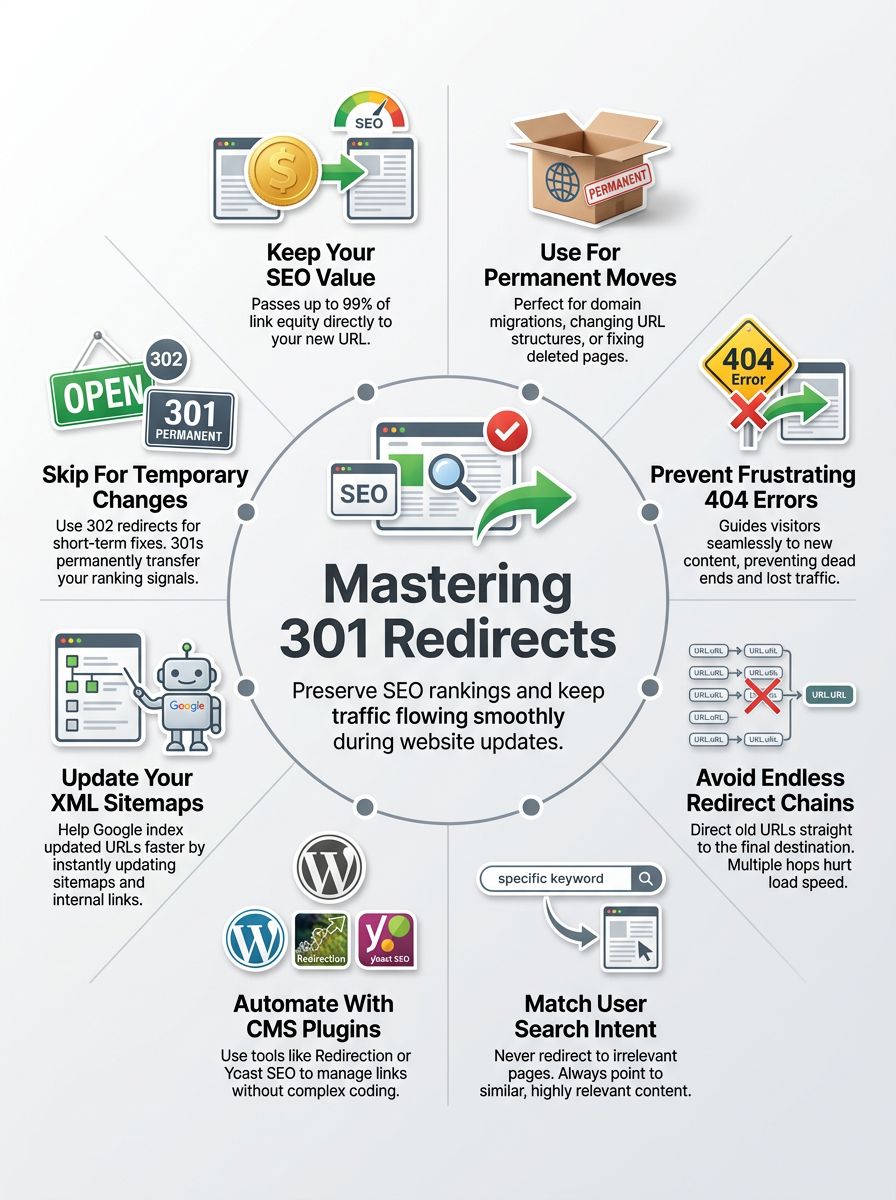
A 301 redirect sends people and search engines to a brand new web address. It gets its name from the HTTP protocol standard, where a 301 status code officially means “Moved Permanently.”
This tells web browsers and Google that your old page has relocated for good. This simple signal helps keep your traffic flowing smoothly after you run a website migration or update broken links.
According to recent 2025 data from Search Engine Journal, sites that properly use 301s during redesigns recover their organic traffic up to 40% faster than those that skip this step.
Using a permanent redirect passes your hard-earned SEO value from the old URL to the new one. People land in the right spot without seeing frustrating error messages cluttering up their screen.
How a 301 Redirect Works
Think of a 301 redirect as handing out your new home address after you move across town. Your old web page tells browsers and search engines that the content has found a new permanent home.
The browser then guides users straight to the new location instantly. Server response times for a basic Apache .htaccess redirect usually clock in under 50 milliseconds in the US, making the jump practically invisible to your visitors.
Google confirmed recently that this type of redirection passes 100% of your link equity to the new URL. Here is exactly what happens behind the scenes when a user clicks an old link:
- The visitor’s browser asks your server for the old webpage.
- The server replies with a 301 status code and provides the new URL.
- The browser immediately requests the new address.
- The user sees the new, updated page load seamlessly.
When to Use a 301 Redirect
A 301 redirect is your best tool when you want to move a webpage and keep your incoming traffic. Let us look at the most common situations where you need one.
Changing a URL or URL structure
Shifting a web page address often breaks old links, which causes frustrating 404 errors. A 301 redirect acts like a helpful traffic cop, guiding users to the new URL seamlessly.
For example, if you decide to remove dates from your WordPress blog URLs to make them look cleaner, you must redirect the old dated links. The right setup protects your SEO value and passes your ranking signals safely along.
Migrating to a new domain or platform
Switching to a new domain name calls for careful URL redirection. People and search engines need help finding your new home.
A website migration done without proper redirects is like taking down street signs in a busy city, says web developer Tom Sanders.
A massive US example is when Overstock.com rebranded to BedBathandBeyond.com in 2023. They had to use extensive 301 redirect mapping to move millions of pages safely without losing years of search engine optimization power.
Replacing deleted pages with updated content
A deleted page frustrates users and wastes your hard-earned link equity. You should set up a permanent redirect from the removed URL to a fresh, related page.
If you delete an old “2024 Tax Guide” and publish a “2026 Tax Guide,” connect them with a 301. Google suggests this specific method to keep your rankings stable and your traffic management on point.
Consolidating duplicate pages
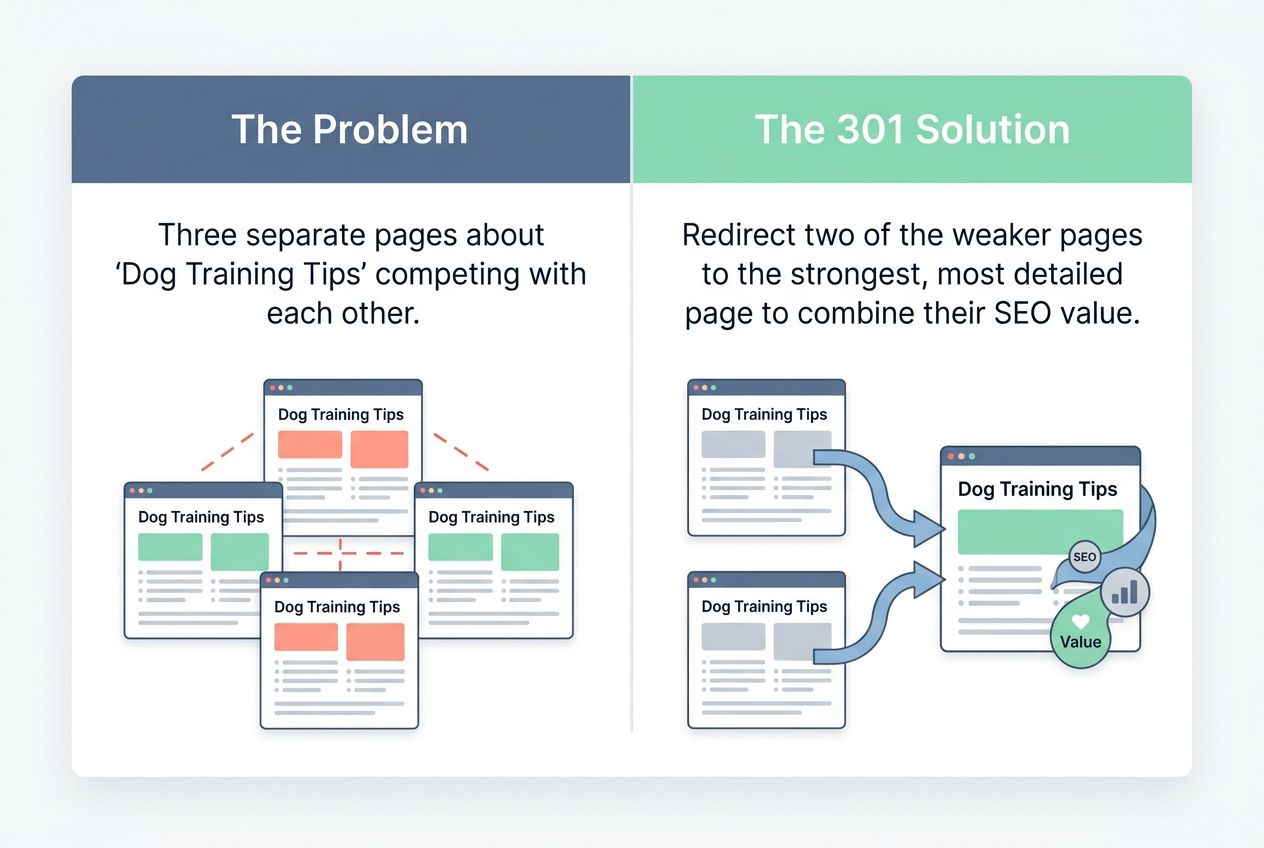
Having multiple pages with the exact same content splits your ranking power. Search engines struggle to know which page matters more to the reader.
You can easily fix this by sending everyone to just one main page. Here is a quick breakdown of how this helps:
| The Problem | The 301 Solution |
|---|---|
| Three separate pages about “Dog Training Tips” are competing with each other. | Redirect two of the weaker pages to the strongest, most detailed page to combine their SEO value. |
Moving content to a different URL path
Changing the category structure of your site is a big deal. Say you want to move your blog from “/blog/old-tips” to “/articles/new-tips” for a better user experience.
Use a redirect so visitors follow the new path without hitting any broken links. Traffic flow stays smooth, and old bookmarks keep working like magic.
How 301 Redirects Affect SEO
These permanent redirects play a massive role in keeping your site authority strong. They help you hold on to your hard-earned rankings.
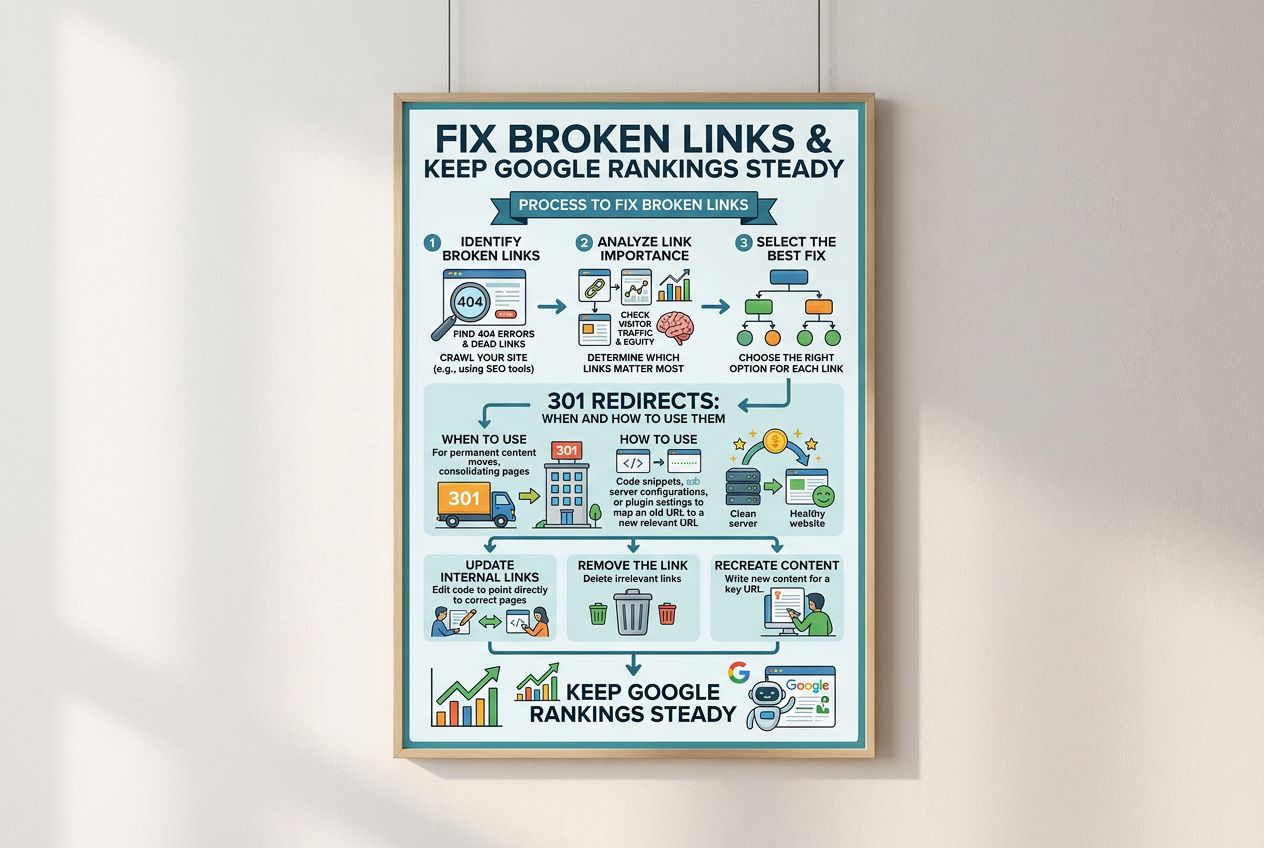
Impact on link equity
A permanent redirect passes almost all of its link equity to the new page. If you move content, all those hard-earned inbound links follow the trail.
Lost link equity can hurt your Google positions fast. Doing URL redirection right helps avoid a sudden drop in your organic search traffic.
Influence on search engine rankings
Google uses a 301 as a clear signal of a permanent page move. This tells their bots to update the index and replace the old URL entirely.
When Google processes this change, several things happen in order:
- Googlebot crawls the old URL and spots the 301 status code.
- The system drops the old URL from the search index.
- The new URL takes its place and inherits the original ranking signals.
Role in user experience
These redirects act like helpful guides on your website. They quietly cut down on confusion and dead ends. No one wants to see a 404 error after clicking a search result. Quick redirection keeps visitors happy, which sends incredibly positive user experience signals to search engines.
Common Mistakes to Avoid with 301 Redirects
It is incredibly easy to slip up and cause problems with your website routing. Small errors here can make search engines scratch their heads.
Creating redirect chains or loops
Redirect chains cause trouble quickly. A chain happens when one URL leads to another, and then another. Redirect loops are even worse, trapping users in an endless circle that eventually throws an “ERR_TOO_MANY_REDIRECTS” message in Chrome. These issues cause specific technical headaches:
- A chain slows down page loading times significantly.
- Googlebot might stop following the links entirely after 5 consecutive hops.
- Every extra hop adds about 300 to 400 milliseconds of delay on average US mobile networks.
Redirecting to irrelevant pages
Sending users from a popular blog post about dog training to your homepage confuses everyone. SEO experts call this a “soft 404.” Google is smart enough to notice this trick quickly. They will simply drop the SEO value of the old page instead of passing it to the homepage. Always point permanent redirects to pages with highly similar content to protect your search engine optimization.
Using 301 redirects for temporary changes
Using a permanent option for a short-term change damages your SEO value. Google treats 301s as lasting moves.
Google treats 301s as permanent relocations. Using them for temporary holiday sales will strip the original page of its ranking power permanently.
Forgetting to update internal links
Old links inside your website can lead visitors into a maze of unnecessary redirects. Nobody likes getting stuck on broken pages.
Update your internal navigation menus and in-content links to point straight to the new final destination. This simple step preserves every ounce of your link equity.
How to Implement a 301 Redirect
Setting up these routes can be quick and simple. You do not need to pull your hair out to get it right.
Using an .htaccess file
An .htaccess file lets you set rules right on your Apache server. To redirect a single page, you add a line like: “Redirect 301 /old-page.html /new-page.html”.
Web developers love this method because it is incredibly fast and requires no extra software. Be very careful, as one typo can crash your entire website.
Setting up redirects in WordPress
WordPress offers amazing tools to make this painless without touching a single line of code. Most site owners rely on proven plugins.
- Redirection Plugin: Created by John Godley, this free tool has over 2 million active installs in the US alone. It tracks 404 errors easily.
- Yoast SEO Premium: This popular tool automatically creates a redirect prompt whenever you delete a page or change a URL.
- Rank Math: A highly rated SEO plugin with a built-in redirection manager that actively stops dangerous redirect loops.
Redirecting to other CMS platforms
Shopify users can find a handy “URL Redirects” feature right under the Navigation menu in their Online Store settings. Shopify smoothly handles up to 100,000 URL redirects per store.
Squarespace makes it easy in their Developer Tools section under URL Mappings. These built-in solutions help keep traffic flowing across all platforms during a website migration.
PHP and JavaScript redirects
A PHP redirect happens right on the server before the page loads. You use the header() function to send visitors to a new address instantly.
JavaScript acts in the visitor’s browser. Search engines do not always pass full link equity through JavaScript, so only use it as a very last resort during complex web development.
Best Practices for Managing 301 Redirects
Smart habits help your traffic flow seamlessly. Small tweaks here and there can keep visitors perfectly happy.
Monitor redirected pages for performance
Check how your pages perform using the Google Search Console. Look specifically at the “Page Indexing” report to spot any “Page with redirect” errors.
If a redirected page loads too slowly, people will bounce off fast. Fixing these problems protects your website migration efforts.
Update XML sitemaps and internal links
Your XML sitemap shows search engines your new layout. Search engines will crawl the updated URLs faster if you submit a fresh sitemap.
Google actually recommends keeping your old URLs in the sitemap for a short time with the 301 status. This simple trick helps Googlebot discover the change much faster.
Regularly audit for redirect issues
Broken links ruin the user experience. Many website owners miss these problems until their traffic drops off a cliff. Use a professional tool to spot trouble early before it impacts your bottom line.
The free version of the Screaming Frog SEO Spider lets you scan up to 500 URLs instantly, showing you every single redirect status code and broken link on your site.
Avoid overusing 301 redirects
Too many chained links can hurt your website speed. Do not patch every small mistake with a new server rule. Instead, fix your internal links right at the source code. Having clean, direct links keeps traffic flowing smoothly and protects your SEO value.
Other Types of Redirects and Their Use Cases
Different situations require different status codes. Understanding these options gives you complete control over your traffic.
302 Temporary Redirects
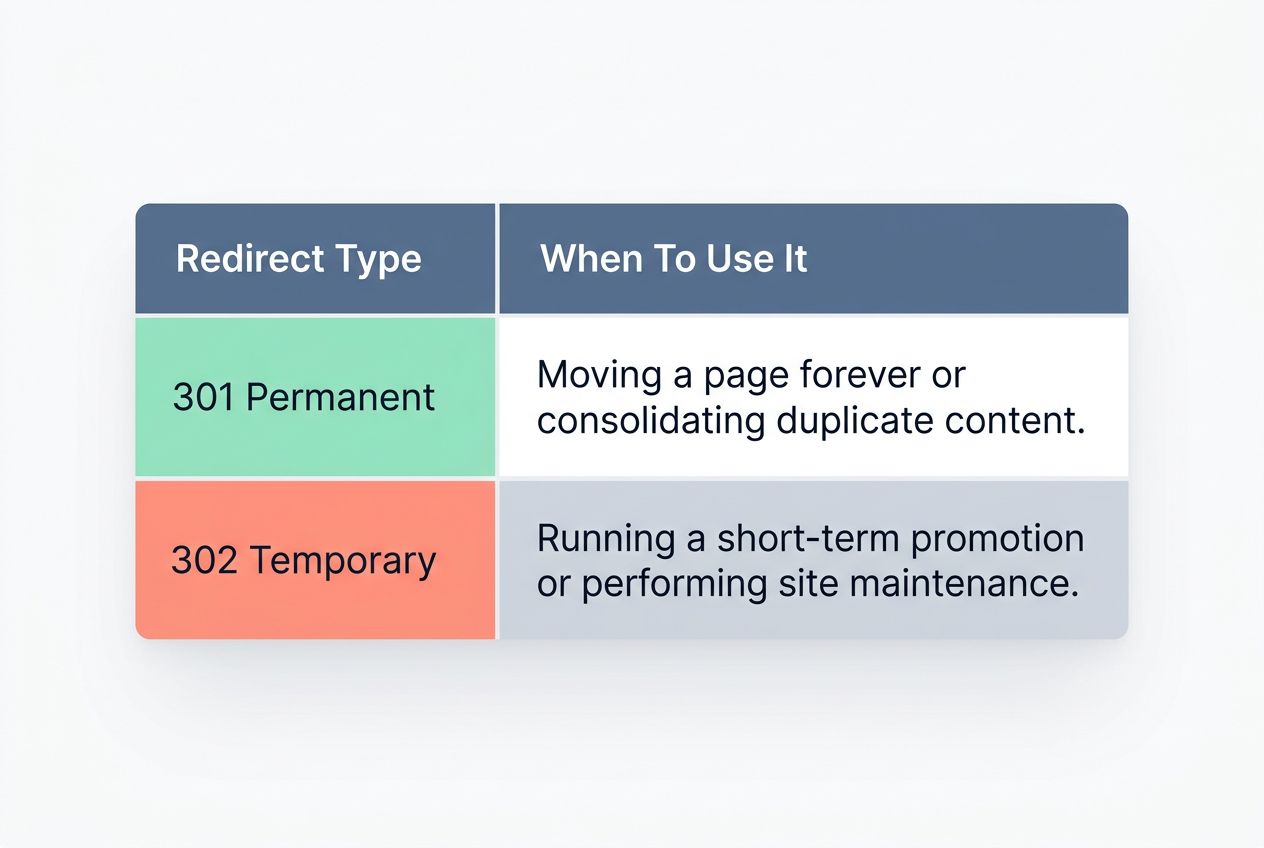
A 302 tells search engines to send users to a different page, just for now. The original URL keeps its SEO value safely intact. If you are running a special winter promotion in the US and want to redirect your homepage temporarily, a 302 is perfect.
| Redirect Type | When To Use It |
|---|---|
| 301 Permanent | Moving a page forever or consolidating duplicate content. |
| 302 Temporary | Running a short-term promotion or performing site maintenance. |
307 Moved Temporarily
A 307 is the strict modern HTTP/1.1 standard for a temporary move. Search engines treat it very similarly to a 302 temporary redirect.
A great technical use case for a 307 is HSTS (HTTP Strict Transport Security). When you force a site to load over HTTPS, the browser uses an internal 307 redirect to upgrade the connection securely.
Meta Refresh and JavaScript Redirects
Meta refresh tells a browser to jump to another page after a short delay. It often shows a message saying, “Click here if you are not redirected.”
This method is clunky and frustrates users. Search engines heavily discourage meta refreshes for permanent moves because they pass very little ranking power compared to a true permanent redirect.
Tools to Help Manage and Track Redirects
There are incredibly helpful tools out there ready to make your job easier. They handle the heavy lifting for you.
Plugins and extensions for CMS platforms
As mentioned earlier, WordPress plugins like Redirection make handling URL redirection a breeze without needing to touch dangerous server code.
These tools save you a massive amount of time. They boost your site’s SEO value by tracking errors and managing page rank signals automatically.
SEO tools for monitoring redirect performance
Professional SEO tools check if your configurations work perfectly. They spot broken links or long chains that harm the user experience.
| Tool Name | Best Feature For Redirects |
|---|---|
| Google Search Console | Free identification of indexing errors and broken pages directly from Google. |
| Ahrefs Site Audit | Tracks lost backlinks pointing to broken 404 pages automatically. |
| Screaming Frog | Deep crawls to uncover hidden redirect chains and loops on massive sites. |
Final Thoughts
Moving pages or changing links does not have to be a headache. Understanding 301 Redirects: When and How to Use Them keeps your traffic flowing smoothly. Setting up these rules is quick with the right tools. Your site stays strong in search results, and visitors stay perfectly happy.
Taking a few minutes to manage your links today will protect your hard work for years to come. Go ahead and take control of your URLs!