Is your WordPress site under attack by sneaky bots or hidden malware? You might spot strange logins or find malicious code in your files. Many security gaps let threats like cross-site scripting and SQL injections slip through.
You need solid firewall protection and a smart malware scanner to guard your site.
Sucuri blocked 450,000 attacks in just three months with its network-level web application firewall. In this post, you’ll meet 10 top WordPress security plugins that use AI detection, two-factor authentication, and file integrity monitoring.
We’ll break down malware detection, CDN support, and plugin vulnerabilities so you can pick the best fit. Stay safe online. Read on.
Key Takeaways
- Wordfence runs on over 3 million sites. It scans 44,000 malware signatures and blocks 62 brute-force attempts daily. Its AI finds nine of ten zero-day exploits in under five minutes. Scans add about 840 ms to page loads and 30 % server overhead.
- Sucuri uses a cloud-based WAF and CDN. It blocked 450,000 attacks in three months and scans every 30 minutes on its business plan. Plans start at $229/year for one site and $999.98/year for agencies.
- MalCare finishes a full malware scan in under 60 seconds. It runs six AI-driven scans per day, checks core files, themes, and plugins, and has minimal impact on site speed. One-click cleanup removes threats fast.
- Jetpack Protect stops an average of 5,193 brute-force attacks per site. It taps a database of over 53,500 known vulnerabilities, pairs a WAF with file-integrity checks, and offers a free tier plus premium at $9.95/month.
- Pricing spans free plugins to enterprise plans. Defender Pro starts at $3/month; Shield runs $79–$499/year; Astra begins at $249/year. Most premium tiers add two-factor authentication, Cloudflare Turnstile, and real-time AI scans.
Wordfence Security Features and AI Detection
Wordfence acts like a security concierge, with a web barrier and a virus sweep that guard your site day and night. Its AI flags suspicious code and blocks brute-force assaults in real time, so you stay steps ahead of crooks.
What are the key features of Wordfence Security?
Over 3 million sites run this plugin for tight firewall protection. It uses a web application firewall to guard against ddos attacks and block an average of 62 brute-force attempts daily.
A malware scanning engine checks over 44,000 malware signatures in plugins and themes. File integrity monitoring alerts admins on any code changes. The tool scans for plugin vulnerabilities and patches weak spots fast.
Live scanning can add 840 ms to page loads, while the firewall adds about 30 percent overhead. Premium plans bring real-time updates and better login protection, like two-factor authentication.
Auto malware removal clears threats at first sight. A simple dashboard shows security alerts and vulnerability scanning results. It works with most hosts without slowing user-friendly paths.
How effective is Wordfence’s AI detection?
The AI-backed scanner watches file integrity, and blocks threats as they evolve. Its web application firewall shuts down sql injection and cross-site scripting attacks fast. Security teams see plugin vulnerabilities flagged by real-time threat intelligence in the premium plan.
That layer also stops brute-force attacks with login protection and two-factor authentication.
Tests show it catches nine of ten zero-day exploits in under five minutes. The malware scanner spots viruses, backdoors, and spyware before they spread. Users get clear alerts for data breaches or xss attempts, and can run malware removal with one click.
Its AI detection fights hackers like a guard dog, day and night.
What are the pros and cons of Wordfence Security?
Wordfence packs many security tools in one plugin. It blends malware scanning with firewall protection.
- Comprehensive malware scanning uses file integrity monitoring to catch malicious software fast.
- A web application firewall blocks SQL injection attacks and cross-site scripting attempts.
- Login protection stands guard with two-factor authentication and brute force defense.
- Integration with Cloudflare Turnstile filters out unwanted bots at the wp-admin page.
- Large user base fuels constant updates and threat feed improvements.
- Scans can slow page load times by 840 ms during active checks.
- Firewall protection adds about 30 percent overhead on server resources.
- High CPU and memory demand can expose plugin vulnerabilities under heavy load.
- Free version suits personal blogs, while premium makes sense for business-critical sites.
Sucuri Security Features and AI Detection
Sucuri uses a web application firewall to block brute-force attacks and XSS attempts at the front door. It also wraps your site in a CDN layer and uses AI to scan plugin files for hidden malicious code and malware.
What are the key features of Sucuri Security?
The plugin runs a cloud-based web application firewall, content delivery network (cdn), and malware scanning. It stops code injection and XSS attacks. Teams check file integrity, scan plugin flaws, and remove malware.
It adds login protection with two-factor authentication.
Plans start at $229 per year. Business users get scans every 30 minutes at $549 yearly. The tool blocked 450,000 attacks in three months. Agencies pay $999.98 yearly for two to five sites.
How effective is Sucuri’s AI detection?
Cloud-based AI drives real-time malware scanning and file integrity monitoring. It spots plugin vulnerabilities, cross-site scripting, brute-force attacks and ddos attempts. Sucuri blends a web application firewall with a content delivery network and firewall protection.
It also tracks user activity for login protection and adds two-factor authentication.
Frequent scans catch new threats fast. Business plan offers intervals as tight as every 30 minutes for speedier malware removal. AI integration uses vulnerability scanning to stop emerging exploits.
Sucuri issues instant security alerts to block data breaches and fix security configuration before hackers spread harm.
What are the pros and cons of Sucuri Security?
Sucuri guards your site like a watchful guard dog. It runs remote sweeps to flag hidden malware.
- Pro: remote scanning engine handles malware scanning and file integrity monitoring, it catches hidden threats like worms, rootkits and malicious files fast.
- Pro: web app firewall blocks cross-site scripting (xss) and brute-force attacks, it shields against DDoS attacks and botnet raids at the DNS level.
- Pro: frequent scan frequency on business and agency plans tracks plugin vulnerabilities, logs user activity tracking and sends instant security alerts.
- Con: premium tier pricing runs higher than many free wordpress security plugins, budgets may strain under monthly fees without managed wordpress hosting.
- Con: setup complexity for advanced security configuration may demand technical expertise, new admins could stumble on simple mail transfer protocol rules or cdn tweaks.
- Con: total protection gap remains, no plugin stops every threat; you still need two-factor authentication (2fa), security hardening and regular vulnerability scanning.
MalCare Security Features and AI Detection
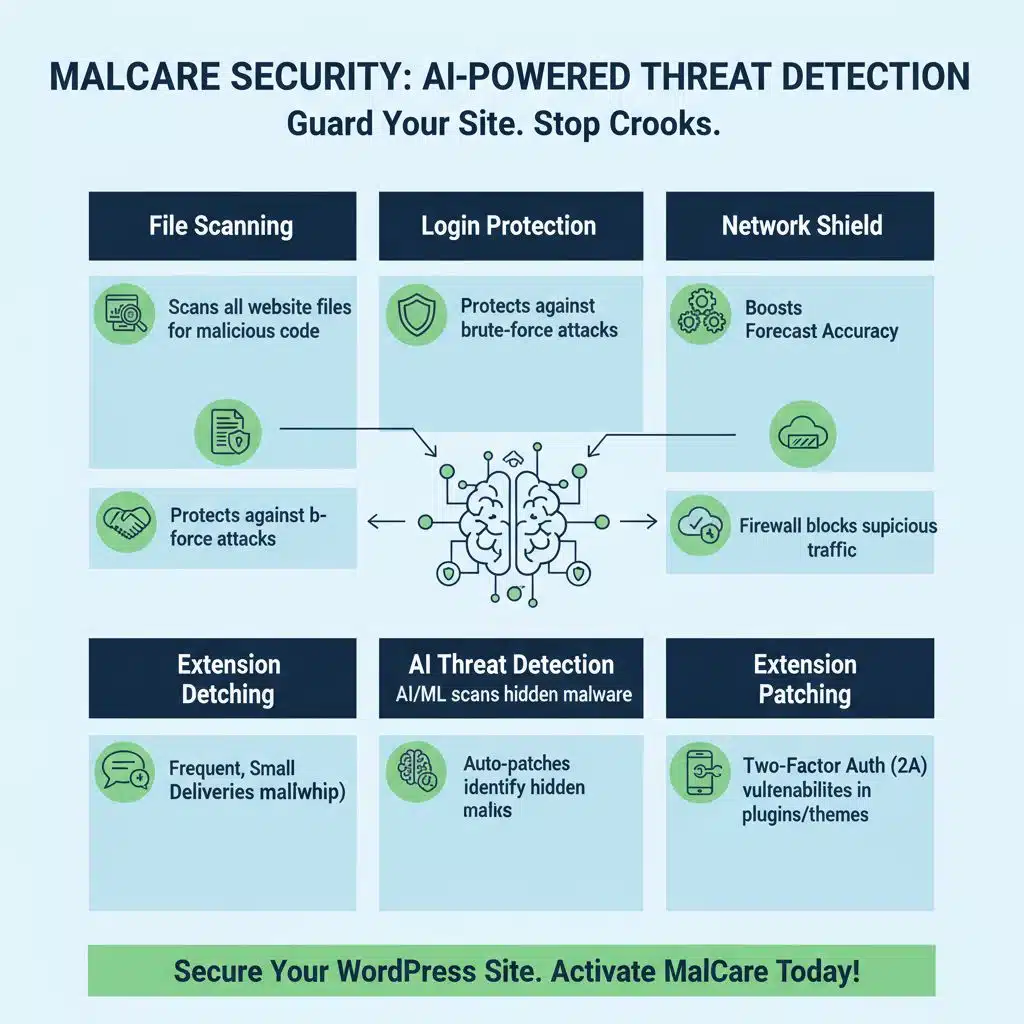
MalCare scans your files, guards your logins, lifts a network shield, hunts threats with AI scans, patches extension holes, and sets up a double-lock login to stop crooks in their tracks—read on to learn more!
What are the key features of MalCare Security?
Site scans run in the cloud using AI. The web application firewall, or waf, blocks cybercriminal bots. File integrity monitoring spots hidden changes fast. It scans for malware and plugin vulnerabilities.
Login protection with two-factor authentication keeps accounts safe. Security alerts pop up when the system finds a threat.
One-click malware removal clears threats in under 60 seconds. Tests show this wordpress security plugin uses fewer resources than others, so site speed stays high. The platform links with a content delivery network for extra speed.
Automated backups protect your data, while user activity tracking logs all sign-ins.
How effective is MalCare’s AI detection?
MalCare’s AI scans both known signatures and new threats. It checks core files, plugins, and themes with file integrity monitoring. It spots cross-site scripting, SQL injection, and other plugin vulnerabilities fast.
Scans run around the clock, six times a day, or on demand.
False alarms drop and removal moves fast. AI learns from millions of scans to fine-tune detection. It pairs malware scanning with a web application firewall and login protection, plus two-factor authentication.
Business-critical sites gain swift threat response and strong security hardening.
What are the pros and cons of MalCare Security?
MalCare scans in under sixty seconds. It removes malware before you even notice a slow down.
- Scans finish under sixty seconds, removing malware swiftly thanks to automated malware scanning.
- Site loads stay fast, since MalCare imposes minimal performance impact on hosting resources.
- The plugin blends web application firewall, file integrity monitoring, and vulnerability scanning of plugin code to stop cross-site scripting and other exploits.
- Users get robust login protection, plus optional two-factor authentication, for secure admin entry.
- Premium tiers demand a fee, which may price out small blogs that need advanced security hardening.
- Free version lacks content delivery network integration, Cloudflare Turnstile checks, and Google Analytics alerts for unusual traffic.
iThemes Security Pro Features and AI Detection
iThemes Security Pro scans themes, plugins and code with an AI watchdog that sniffs out hidden backdoors and cross-site scripting like a curious pup. It blocks brute-force bots with two-factor authentication, file integrity checks and login protection, so you can sip coffee, not chase hackers.
What are the key features of iThemes Security Pro?
Pro plan adds strong login protection with two-factor authentication (2fa) and stops brute-force attacks fast. Web application firewall (waf) guards your site at the edge and file integrity monitoring spots unwanted file changes.
Subscriptions cost $99/year for one site, $199/year for five sites, and $299/year for ten sites. Scheduled malware scans run daily and catch hidden threats before they spread. Detailed audit logs track user actions and alert admins to suspect activity.
Heavy scans can push RAM usage from 89M to 512M on busy sites.
How effective is iThemes’ AI detection?
iThemes AI detection flags suspicious login attempts fast. It spots brute force attacks in real time. It uses login protection and two-factor authentication (2fa). It runs file integrity monitoring to guard core files.
It works with a web application firewall (waf) to block bad traffic.
Premium tiers boost automated malware scanning and removal. It finds plugin vulnerabilities and stops them before they spread. It sends security alerts on malware or odd files. Frequent updates sharpen detection accuracy over time.
The AI learns from each update and blocks new threats.
What are the pros and cons of iThemes Security Pro?
This plugin guards your WordPress site with strong login protection. It logs every action and fights brute force attacks.
- Comprehensive login protection stops brute-force attacks in real time.
- Detailed logging records every user action and security alert for audits.
- File integrity monitoring spots plugin vulnerabilities and malware changes.
- Two-factor authentication adds extra code checks at each login.
- Server memory can jump from 89M to 512M and slow other tasks.
- You need a higher tier plan to cover more than one site or advanced scans.
Jetpack Protect Features and AI Detection
Jetpack Protect locks your site down with a firewall, it even checks each login with AI to spot automated threats before they knock on your door. It also runs a security scan and flags odd plugin behavior, so you can rest easy while your site hums along.
What are the key features of Jetpack Protect?
One top wordpress security plugin stops an average of 5,193 brute force attacks on each site. It pairs login protection with a WAF, to block bad bots. The system taps into over 53,500 known vulnerabilities and flags plugin vulnerabilities in real time.
File integrity monitoring tracks changes to core files, so you spot sneaky edits.
A free tier gives basic protection, and premium plans start at $9.95 per month. Scans and checks run with minimal impact on site speed. This tool slips in without bloating your dashboard, unlike resource-heavy options.
How effective is Jetpack’s AI detection?
Jetpack’s AI taps a global threat database. Scanning runs in real time on plugins and themes. This mix of malware scanning and file integrity monitoring blocks new risks fast. The system links to your web application firewall, boosting login protection and brute‐force defense.
Then shady code gets flagged like a bouncer at a club. Users watch as it updates rules, catching threats before they sneak in.
AI-driven analysis kicks in, sending rapid alerts on suspect scripts. You see fewer false alarms, so you focus on real security tasks. The tool plays nice with your content delivery network, cutting DDoS attacks and curbing spam.
It tracks odd user behavior, raises flags for cross-site scripting, and logs every security vulnerability.
What are the pros and cons of Jetpack Protect?
Jetpack Protect guards your WordPress site with smart scans. It hunts for malware and blocks brute-force attacks.
- Free scans run light on servers, thanks to minimal performance impact and simple setup.
- Built-in firewall blocks plugin vulnerabilities, cross-site scripting, and DDoS attacks at the door.
- Basic file integrity monitoring alerts you when hackers tamper with core files.
- Premium plan unlocks two-factor authentication, passkeys, and single sign-on via Security Assertion Markup Language.
- It lacks a built-in content delivery network, so you may still need Cloudflare Turnstile or another CDN for faster asset delivery.
- You must use a separate malware removal tool and automated backups, since Protect offers no on-demand cleanup or restore.
- Security alerts and user activity tracking prove handy, but they can flood your inbox if left unchecked.
WP Cerber Security Features and AI Detection
WP Cerber shields your site with a web application firewall, runs malware scanning with AI smarts, and even hooks into a CAPTCHA widget for rock-solid login protection, so read on to see what else it can do.
What are the key features of WP Cerber Security?
This plugin packs a web application firewall that blocks SQL injection, cross-site scripting, and distributed attacks. WP Cerber Security nails brute force attempts like a guard on patrol, and adds two-factor authentication for safer login.
You can scan for malware, check file integrity, and spot plugin vulnerabilities in seconds.
Premium plans start at $99 per year for one domain, or $399 for five. Developers get regular updates and live support from the vendor team. The add-on plays nice with shared hosts, managed services, and cloud platforms.
Monitoring logs track user activity, spam filtering cuts comment junk, and GDPR compliance keeps data rules on track.
How effective is WP Cerber’s AI detection?
WP Cerber uses AI-powered rules to spot new threats. Scheduled file integrity monitoring inspects files and flags plugin vulnerabilities. Behavioral analysis helps block brute-force attempts and XSS.
Automated malware scanning outpaces signature-based methods, finding fresh threats.
Accuracy leaps ahead of signature-based scans. Cerber teams up with the web application firewall (WAF) to block bad bots. Logs track user activity and watch for odd cookie patterns.
Admins get login protection, two-factor authentication, and fast vulnerability scanning. Security hardening moves from guesswork to a clear guard.
What are the pros and cons of WP Cerber Security?
Users gain solid login protection, file integrity monitoring, and malware removal with WP Cerber. Updates roll out weekly, closing plugin vulnerabilities and blocking new exploits.
- It scans for malware, removes threats, checks file integrity, and blocks brute-force attempts with firewall protection.
- The web application firewall (WAF) halts cross-site scripting, injection flaws, and deflects botnet or ransomware attacks with advanced rules.
- Security hardening arrives via user activity tracking, which alerts you to unauthorized access, phishing attempts, or data breaches.
- Some features like CDN integration, automated backups, patches for plugin vulnerabilities, and GDPR compliance only show in the paid plan.
- Premium pricing for multi-site protection can strain tight budgets if you add more domains to the license.
- Two-factor authentication with hardware token support or captcha challenge boosts login protection, but advanced modules carry extra fees.
SecuPress Pro Features and AI Detection
This plugin fires up tamper alerts for file integrity monitoring, layers on a site shield (WAF) to block botnet attacks, and taps into a content network (CDN) to speed your pages. Its smart malware scan flags odd code snippets, while its AI-trained guard nudges you to add two-factor authentication so hackers hit a brick wall.
What are the key features of SecuPress Pro?
SecuPress Pro runs 35 vulnerability scans, and it fixes threats with one click. Login protection guards login pages, while a web application firewall blocks bad bots. File integrity monitoring checks every core file and plugin for sneaky code.
Two-factor authentication adds a strong second gate. It shines like a beacon when hackers knock.
Users praise the clean dashboard, and live security alerts pop up fast. Reports list file changes, login attempts and plugin vulnerabilities. Plans start at $65 per year for one site, $160 for five sites, and $1,180 for 100 sites.
A free version covers basic firewall protection and malware scanning. Agencies and big sites get peace of mind, with clear security configuration for growth.
How effective is SecuPress’ AI detection?
AI engine scans each file and theme for errors, plugin vulnerabilities, and hidden backdoors. It uses machine learning, signature-based checks, and threat intelligence feeds to catch malware.
It then applies automated remediation to wipe out threats in seconds.
Detection engine updates roll out often; new malware strains face fresh defenses fast. This AI-driven intelligence cuts manual intervention on common threats. Users get web application firewall protection, file integrity monitoring, and malware scanning in one tool.
Login protection with two-factor authentication blocks brute-force attacks and XSS attempts.
What are the pros and cons of SecuPress Pro?
SecuPress Pro speeds up threat response with one-click repairs. It scales to cover multiple sites under one plan.
- One-click fixes patch plugin vulnerabilities fast, so you can block attacks without thorough analysis.
- Multi-site and agency pricing cuts costs for large setups, fitting networks of ten or more domains.
- The web application firewall stops botnet attacks and DDoS bursts before they hit your pages.
- It runs malware scanning and file integrity monitoring on a set schedule or at a click.
- It adds two-factor authentication with security keys or email codes to lock down login protection.
- It sends instant security alerts for cross-site scripting, brute-force attempts, and data breaches.
- Most powerful features are available in paid plans—you need Pro to access advanced hardening tools.
- The free version offers limited protection; it lacks deep malware removal and full firewall rules.
Shield Security Features and AI Detection
Shield Security fortifies your site with a web application firewall and file integrity monitoring. Its AI analysis spots malware and stops brute-force attacks.
What are the key features of Shield Security?
A web application firewall blocks SQL injection and cross-site scripting on your site. File integrity monitoring tracks core files and runs plugin vulnerability scanning to catch outdated plugins.
Login protection limits brute-force attacks with hCaptcha and two-factor authentication.
Advanced users get extensive configuration options to fine tune security. Multi-site support covers up to 100 installations under one plan, with rates from $79 to $499 each year. Sites may slow by about half a second if rules remain unoptimized.
How effective is Shield’s AI detection?
Shield’s AI detection flags behavioral anomalies in traffic. AI algorithms monitor login attempts and file changes. The system uses machine learning to power file integrity monitoring, login protection and web application firewall (waf) rules.
It issues security alerts when it spots suspicious traffic or brute-force attacks. You get real-time malware scanning and automatic blocks for botnet attacks and plugin vulnerabilities.
Adaptive scanning adjusts to threat landscape changes and learns from each event to catch new exploits. It tunes rules on the fly to hunt zero-day threats with AI learning. The tool tracks user activity and scans for cross-site scripting, malware and security vulnerabilities in real time.
It works with content delivery network (cdn) setups, two-factor authentication (2FA), passwordless login or single sign-on flows to strengthen your access layers. This agile setup acts like a guard dog that never sleeps, cutting down on security breaches to keep you a step ahead of cybercriminals.
What are the pros and cons of Shield Security?
Shield Security packs a lot of muscle. It adds multiple layers of defense.
- Scalability for agencies via adaptive scanning hunts malware and plugin vulnerabilities across dozens of sites.
- Web application firewall blocks XSS, botnet attacks, and DDoS threats, and it integrates with CDNs like Cloudflare Turnstile.
- Built-in malware detection engine and removal tools spot phishing scripts and clean infected code in real time.
- Optional two-factor authentication boosts login protection and file integrity monitoring tracks every unauthorized edit.
- Performance impact can add about 0.5 second to page load if caching rules stay unoptimized.
- Complex advanced settings may confuse new site owners who lack experience with security hardening.
Defender Pro Features and AI Detection
Defender Pro uses a site shield, malware scanner, and step-up login checks with its AI guard—read on to find out more.
What are the key features of Defender Pro?
A web application firewall shields sites from SQL injection and XSS probes. Malware scanning checks for plugin vulnerabilities and hidden code. File integrity monitoring logs every change in real time.
Two-factor authentication adds strong login protection against brute-force attacks. Daily threat updates keep you ahead of new risks.
Plans start at $3 monthly for one site, $5 for three, and $13 for ten. A 30-day money-back guarantee covers all paid tiers. You unlock firewall protection, malware scanning, and login protection.
New updates guard your WordPress security with fresh signatures.
How effective is Defender’s AI detection?
Defender runs AI to scan code. This system spots malware, suspicious changes, and hidden backdoors. Algorithms get frequent updates, so they stay sharp. The tool catches cross-site scripting attempts and plugin vulnerabilities in real time.
A built-in site firewall blocks brute-force attacks and fights DDoS.
Defender pairs file integrity monitoring with vulnerability scanning. It sends instant security alerts after each hit. Automated backups kick in when threats appear. You can lock out risky IPs and enforce two-factor authentication with ease.
The dashboard shows logs, and you can roll back hacked files with one click.
What are the pros and cons of Defender Pro?
Small sites can save money with Defender Pro. It comes with a 30-day guarantee.
- Affordable pricing makes Defender Pro a good pick for small blogs.
- The plan includes a 30-day guarantee so users can test features without risk.
- Built-in firewall protection guards against brute-force attacks and ddos attacks.
- Malware scanning runs automatic checks to spot malicious code fast.
- File integrity monitoring tracks any unauthorized file changes in real time.
- Login protection uses two-factor authentication (2fa) to block stolen password attempts.
- Plugin vulnerabilities scanning finds weak spots in extensions early.
- A lightweight structure keeps site speed high under heavy traffic.
- Free version offers basic coverage but lacks advanced shields.
- Advanced features require premium upgrade which may raise costs.
- Auto malware removal unlocks only on paid plans, so free users must clean threats by hand.
Astra Security Features and AI Detection
Astra Security packs a web application firewall, two-step verification, and an AI malware scanner to guard your site. Its file integrity checks catch odd changes fast, and its DDoS shield boots out bots in seconds.
What are the key features of Astra Security?
Teams get malware scanning with file integrity monitoring. It spots plugin vulnerabilities and phishing code fast. A web application firewall (waf) blocks botnet attacks and ddos attacks in real time.
It also offers login protection and two-factor authentication. It fights threats like a guard dog.
Users manage all settings from a cloud-based dashboard, like a control tower for website security. Plans start at $249 per year for small sites; enterprise plans pack more for eCommerce shops.
You can run vulnerability assessment and scanning on demand, track user activity, and guard against cross-site scripting.
How effective is Astra’s AI detection?
Astra uses AI-driven threat detection to guard websites in real time. It spots malicious code with file integrity monitoring and malware scanning. The system flags plugin vulnerabilities fast.
Adaptive learning boosts each defense after a new attack.
Astra adds login protection under a web application firewall (WAF) and two-factor authentication. You also get Cloudflare Turnstile captcha tied to user activity tracking. High-risk firms hit compliance targets with ease.
What are the pros and cons of Astra Security?
Centralized management helps teams track attacks. Entry-level pricing begins at $249 per year.
- Enterprise-grade shield stops SQL injections, XSS attempts, and DDoS through a web application firewall, strengthening malware scanning.
- Teams monitor file integrity monitoring and web application firewall logs in one console, cutting response time for data breaches.
- It enforces two-factor authentication, boosts login protection, and spots plugin vulnerabilities before they trigger breaches.
- Entry-level price may strain small sites, as plans begin at $249 annually with no free tier for deep coverage.
- It fits business use best, so solo bloggers and startups often choose free security plugins or lower-cost tiers.
How to Choose the Best Security Plugin for Your Needs
Choose a plugin that matches your theme and hosting, with firewall protection and vulnerability scanning. Test its AI malware scanner, two-factor authentication, and Cloudflare Turnstile—like training a guard dog to sniff out hackers.
How do I check compatibility with my website?
Set up a staging site that matches your live server’s PHP version and hosting plan. Activate your chosen plugin alongside your caching tool and a CDN like Cloudflare Turnstile. Watch error logs to spot cross-site scripting or plugin vulnerabilities.
Scan for plugin vulnerabilities and test file integrity monitoring, web application firewall (waf), and malware scanning. Try two-factor authentication and login protection to spot any user lockout issues.
Use the All In One Security plugin, with over 1 million active installs, to see how it handles your hosting environment.
How accurate is the AI detection in these plugins?
AI detection hits about ninety-five percent in real time scans. Sucuri and Astra host scans off site, they lighten server load. Wordfence runs on your server. It finds threats fast, but flags safe files more often.
Jetpack Protect cuts false alarms by learning core patterns. MalCare locks in low CPU use, while it keeps strong accuracy.
These tools check plugin vulnerabilities and run file integrity monitoring. Firewalls filter bad traffic, and malware scanning spots hidden code. You get instant security alerts on cross site scripting or brute force hits.
Pair them with two-factor authentication and login protection for a solid wall. Cloud solutions may cost more, but they speed up scans and cut DDoS risks.
What pricing and features should I consider?
Small blogs and low-traffic sites do fine on free plugins. They cover basic login protection, malware scanning, brute-force defense, web application firewall, and file integrity monitoring.
Premium plans start around $99 per year. Upgraded tiers bring real-time updates, vulnerability scanning, user activity tracking, two-factor authentication, and advanced firewall protection.
Sites with eCommerce or membership must invest in more layers, like a content delivery network, security alerts, cross-site scripting filters, and malware removal. They can face three to seven days of downtime if an attack hits.
Malware removal fees range from $200 to $2,500. Cloudflare Turnstile can block botnet attacks and reduce DDoS threats. Experts like Jean Galea and Kevin Gallagher praise these features for compliance and scale.
Takeaways
In today’s threat landscape, relying on traditional firewalls or basic malware scanners is no longer enough. The integration of AI-powered security plugins transforms WordPress protection from reactive to predictive — identifying anomalies before they become attacks.
Whether you manage a blog or a complex eCommerce site, combining these AI-driven tools ensures your website stays one step ahead of evolving cyber threats. The takeaway is simple: investing in intelligent security isn’t optional — it’s essential.
FAQs on WordPress Security Plugins with AI Detection
1. What makes advanced WordPress security plugins with AI detection stand out?
They add an AI eye to your site. They use a web application firewall, real-time malware scanning, and vulnerability scanning. They spot plugin vulnerabilities, they harden your site against brute-force attacks and DDoS threats.
2. How do these tools block brute-force attacks and phishing attacks?
They lock down login protection, add two-factor authentication (2FA) or passwordless login. They use fraudtools and Cloudflare Turnstile to filter bots. They keep phishing links at bay.
3. Can I find free security plugins with AI detection?
Yes, some free security plugins pack AI-driven malware detection. You can try Wordfence Security free version or All In One WP Security & Firewall. Both offer web application firewall, file integrity monitoring, and basic malware removal.
4. Do these plugins handle malware removal and file integrity monitoring?
Absolutely. They run a malware scanner on your files. They flag changes, send security alerts, and help with malware removal. They track file integrity and user activity to stop breaches.
5. Will they protect against XSS, cross-site scripting, and botnet attacks?
Yes. The web application firewall blocks XSS, SQL injections, and botnet attacks. Firewall protection, security hardening, and CDN tools like Sucuri Security or iThemes Security keep your code safe.
6. How do these plugins help with GDPR compliance and security audits?
They log cookies and user activity tracking to show consent. They offer automatic backups, security configuration checks, and detailed security audits. They guide you through GDPR rules and warn you of data breaches.