

Managing team performance can feel like trying to catch smoke with your bare hands. Over 40 employee monitoring software options flood the market, making it tough for managers to pick the right tool.
This guide breaks down seven top-rated tracking software solutions that actually help measure team productivity without creating workplace stress. Ready to find your perfect match?
Key Takeaways
- Seven tracking software options cost between $4-$14 monthly, with Time Doctor having 245,000 active users and Hubstaff starting at $4.99 per month.
- Performance tracking tools improve team accountability through real-time monitoring, automated screenshots, and detailed productivity reports that show exactly what employees accomplish daily.
- Key software features include automated time tracking, behavioral analytics, GPS monitoring, and integration capabilities with popular collaboration tools like Slack and Trello.
- Successful implementation requires transparent communication with employees, proper manager training programs, and quarterly reviews to adjust tracking methods based on team needs.
- These tools transform raw work data into actionable business insights, helping managers make data-driven decisions about productivity patterns and resource allocation strategies.
How does Hubstaff simplify time tracking and task management?
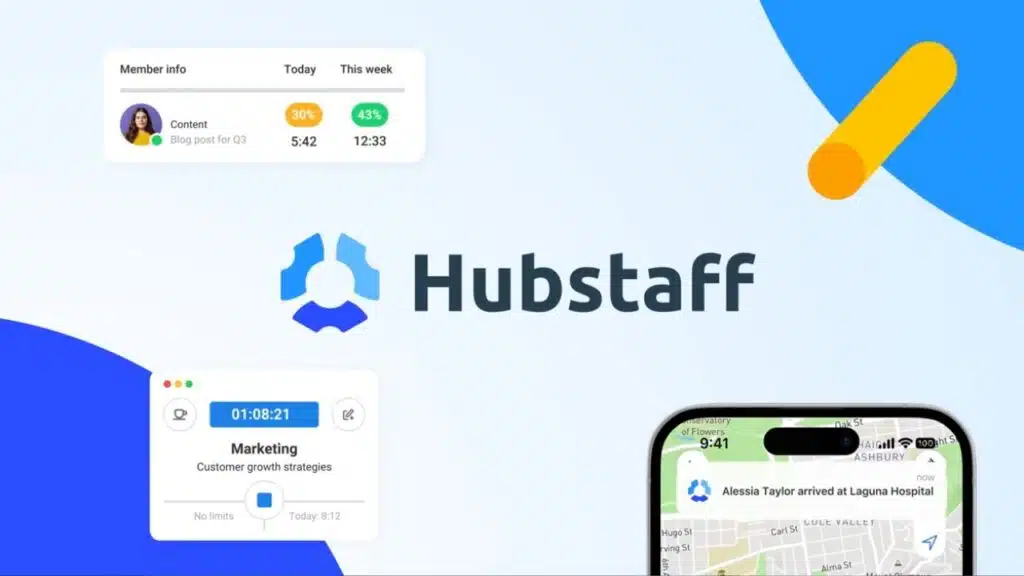
Hubstaff streamlines time tracking software with its user-friendly interface that costs just $4.99 per month. This productivity tool tracks browser sessions, app logs, and employee activity levels with precision.
Teams can monitor billable hours tracking across projects while the software captures inactivity periods automatically. Field employees benefit from proximity tracking features that record their location data.
The platform integrates seamlessly with popular collaboration tools like Trello, Slack, and Asana for centralized performance tracking.
Task management becomes effortless through Hubstaff’s comprehensive dashboard that displays real-time monitoring data. HR teams access performance metrics through one central hub, making workforce management simpler than ever.
The software provides detailed insights into employee productivity patterns and operational efficiency trends. Some users report accuracy issues with activity metrics and occasional timer delays, but the platform’s effectiveness for productivity monitoring remains strong.
Employee monitoring software like this supports remote teams by tracking work patterns and identifying areas for continuous improvement across different projects.
How can Time Doctor boost productivity with detailed insights?
Time Doctor transforms how teams track their work with precise data collection. This software monitors task completion times, website usage, and break patterns across your entire workforce.
With over 245,000 active users, the platform captures every minute of work activity. Teams gain access to periodic screenshots that show exactly what employees accomplish during work hours.
The detailed reporting system breaks down productivity metrics into clear, actionable data. Project progress graphs display real-time updates on task completion rates. Managers can spot productivity bottlenecks before they impact deadlines.
The system integrates seamlessly with existing productivity tools and billing software, creating a unified workflow management experience.
Performance tracking becomes crystal clear with Time Doctor’s comprehensive analytics dashboard. The software costs just $6.70 per month, making it accessible for teams of all sizes.
Detailed time tracking reveals which tasks consume the most resources and which team members excel at specific projects. URL monitoring shows how much time employees spend on work-related websites versus distracting content.
Break tracking helps managers understand when productivity naturally dips throughout the day. These insights enable data-driven decision making for workforce management improvements.
Teams can identify their most productive hours and schedule important tasks accordingly. The software supports remote teams by providing transparency into work patterns, even when employees work from different locations.
Performance evaluations become more objective with concrete productivity metrics rather than subjective assessments.
How does ActivTrak use behavioral analytics to monitor performance?
ActivTrak delivers workforce intelligence using AI insights and cursor matching to track employee behavior patterns. This employee monitoring software costs $10 per month and provides real-time monitoring of team activities.
The platform analyzes how workers interact with applications, websites, and digital tools throughout their workday. Managers gain visibility into productivity metrics through detailed behavioral data collection.
The system tracks mouse movements, clicks, and application usage to build comprehensive performance profiles.
Smart algorithms identify productive versus non-productive activities automatically. ActivTrak’s behavioral analytics help managers spot trends in employee productivity and engagement levels.
The software creates custom reports showing which team members excel at task management and which need additional support. Project management becomes more effective when leaders understand how employees spend their billable hours.
User Dante E. praised the tracking capabilities, while the organized interface makes data analysis simple for remote teams. The platform supports performance management by revealing patterns in work habits, break times, and focus periods across different projects.
How does DeskTime automate time tracking to improve efficiency?
DeskTime takes the guesswork out of time tracking software with smart automation that works behind the scenes. This productivity tool starts recording work hours the moment employees log into their computers, eliminating the need for manual clock-ins that often get forgotten.
The system tracks billable hours automatically, capturing every minute spent on tasks without requiring constant employee input. At $6.42 per month, DeskTime provides real-time monitoring of employee productivity while maintaining operational efficiency across remote teams.
Automated time tracking transforms how businesses handle workforce management by removing human error from the equation. The software creates detailed timesheets without employee intervention, tracking task-specific hours and project management activities seamlessly.
DeskTime integrates with e-payment systems to streamline billing processes, making it easier for companies to track billable rates and meet project deadlines. Adarsh G. found this automation particularly valuable for remote team management, though some users like Kimberly A.
noted concerns about the system’s invasiveness and manual app launching requirements.
What advanced monitoring and security features does Teramind offer?
Teramind stands out as a comprehensive employee monitoring software that puts security at the front of its operations. This powerful platform starts at $14 per seat per month and delivers advanced data loss prevention capabilities that protect your business from internal threats.
The software tracks every app, website, and task your team uses while managing file transfers with military-grade encryption. Suspicious activity alerts pop up instantly when something looks off, giving managers real-time monitoring of potential security breaches.
File transfer controls act like digital gatekeepers, stopping sensitive information from walking out the door without permission. Maria Anglica G. praised the support team and noted how the unobtrusive monitoring keeps employees focused while maintaining security standards.
Centralized dashboards give you a bird’s-eye view of your entire workforce management operation, making it easy to spot patterns and trends in employee productivity. The threat management system works around the clock to identify risky behavior before it becomes a problem.
Rob S. reported some initial antivirus conflicts with agent updates, but these issues were later resolved by the support team. Timesheet integrations connect seamlessly with your existing project management tools, while remote access features let you monitor distributed teams from anywhere.
The software does face some critiques, including performance lags during heavy usage, complex setup procedures, delayed customer support responses, and occasional file deletion issues.
Despite these challenges, Teramind’s artificial intelligence capabilities help identify key performance indicators and support strategic planning for better operational efficiency.
How can Insightful provide comprehensive workforce analytics?
Insightful delivers powerful workforce analytics at just $6.40 per month, making it a budget-friendly choice for teams seeking detailed performance tracking. This employee monitoring software combines real-time tracking with screen and location monitoring through its clean user interface.
The live dashboard shows instant data about employee productivity, helping managers make quick decisions about team performance. Ahmed A. praised the platform’s productivity tracking and team management capabilities, highlighting how the analytics features transform raw data into actionable insights for better workforce management.
The software excels at measuring key performance indicators (KPIs) and tracking billable hours with precision. Teams get attendance analytics that reveal patterns in employee engagement and operational efficiency.
Quick tech support responds fast to user questions, though Joshua E. noted the absence of a mobile version and occasionally slow support responses. Critics point out limited customization options and premium features locked behind a paywall.
The platform needs better integrations with Microsoft Teams and Slack, which could improve its appeal for remote teams using these collaboration tools daily.
What real-time tracking and versatile features does WebWork have?

WebWork delivers real-time monitoring that keeps tabs on your team’s activities as they happen. This time tracking software captures every minute of work through automatic time tracking, giving managers instant visibility into employee productivity.
The platform costs just $4 per user per month and includes a 14-day trial period. Screenshots appear at regular intervals, creating a visual record of work progress. GPS tracking and geofencing features help monitor remote teams working from different locations.
URL and app tracking shows exactly which websites and applications team members use during work hours.
AI-powered reports transform raw data into actionable insights about team productivity and operational efficiency. The versatile dashboard works equally well for remote teams and in-office staff, making workforce management simple across different work environments.
Project tracking capabilities let managers assign tasks and monitor progress in real-time. Invoicing features help track billable hours for client work, while task management tools keep projects organized.
The system integrates smoothly with major project management platforms, creating a seamless workflow. Automated reporting breaks down work time versus idle time, giving clear productivity metrics that support performance appraisals and employee accountability.
Key Features to Consider in Tracking Software
Choosing the right tracking software feels like picking the perfect tool from a crowded toolbox. Smart buyers focus on three game-changing factors that separate winners from time-wasters.
How easy is the software to use?
Software simplicity makes or breaks team adoption. User-friendly dashboards shine as a key design point in platforms like Insightful, while quick setup and organized interfaces get praise in ActivTrak.
Time tracking software with easy navigation and real-time updates sees higher daily use rates. Teams spend less time learning complex systems and more time boosting productivity metrics.
DeskTime’s complex reports and manual app launching create usability concerns for many users. Time Champ and WebWork earn recognition for user-friendly designs that reduce training time.
Straightforward onboarding processes, as noted in user feedback on WebWork, help remote teams get started fast. G2 Grid Reports factor in user satisfaction with ease of use when ranking employee monitoring software, making simplicity a competitive advantage for workforce management tools.
What customization options are available?
Most tracking software offers flexible customization options to match your team’s specific needs. ActivTrak and premium tiers provide custom reporting and analytics that let you track exactly what matters most.
Team or department-based tracking works across platforms like ActivTrak, Teramind, and Insightful, so you can monitor different groups separately. Automated URL monitoring and behavior analytics can be tailored per user or group, giving managers precise control over what gets tracked.
Premium subscriptions unlock advanced customization features that basic plans can’t match. Time Doctor and Teramind offer flexible alert settings and integrations with your existing tools.
monday.com provides custom status labels and CRM features that adapt to your business processes. Time Champ allows project syncs and API integrations for tailored workflows, while performance management tools like Lattice provide customizable review cycles and feedback forms.
These options help you create a system that fits your company culture and operational needs perfectly.
How accurate is the data collection?
Data accuracy makes or breaks your employee performance tracking efforts. Real-time tracking and analytics in Insightful and WebWork deliver reliable data that managers can trust. Time Doctor and Teramind take accuracy up a notch with automated screenshots and inactivity tracking features.
These tools capture every work moment, giving you crystal-clear pictures of employee productivity.
Some platforms face accuracy bumps along the way. Hubstaff and DeskTime users report occasional hiccups like timer delays and reporting discrepancies. G2 user reviews show that accuracy ranks as a top factor for user satisfaction across all time tracking software.
Advanced behavioral analytics in ActivTrak provide actionable, accurate metrics that help teams improve. Data encryption and compliance with labor laws maintain data integrity across all reviewed productivity tools.
Cloud storage integration in several platforms keeps your workforce management data secure and properly archived.
Benefits of Using Performance Tracking Tools
Performance tracking tools transform how teams work by creating clear accountability, boosting productivity metrics, and empowering managers to make smart decisions based on real data instead of guesswork.
How do these tools improve accountability?
Performance tracking tools create clear visibility into daily work activities. Centralized dashboards in Teramind and Insightful support team-wide accountability by showing exactly what each person accomplishes.
Automated productivity breakdowns in We360.ai foster individual responsibility by tracking time spent on different tasks. Team members can see their own progress, and managers get real-time data about project status.
Tools like Time Doctor and ActivTrak offer periodic screenshots and detailed reporting for transparency. This means no more guessing games about who did what. Audit trails and attendance logs provide concrete proof of work completion.
BambooHR and Basecamp dashboards visualize engagement and task completion for managers, making it easy to spot patterns. Time tracking and billable hours features in DeskTime and RescueTime link effort to outcomes, so everyone knows their contributions matter.
How can productivity metrics be enhanced?
Tracking software transforms raw data into actionable productivity metrics through automated monitoring systems. Project progress graphs and detailed time logs in Time Doctor and DeskTime quantify output with precision.
Behavioral analytics in ActivTrak create personalized productivity reports that reveal individual work patterns. Real-time analytics dashboards in Insightful and WebWork offer up-to-the-minute insights into team performance.
App and browser activity tracking in Hubstaff reveals distraction patterns that impact daily productivity. These tools turn scattered work activities into clear performance indicators.
Billable rate management in DeskTime ties productivity directly to revenue outcomes, making metrics more meaningful for business growth. Performance management apps like ClickUp and monday.com generate comprehensive productivity reports with goal tracking capabilities.
Productivity tracking features help visualize daily accomplishments through intuitive dashboards. Teams can monitor key performance indicators (KPIs) and objectives and key results (OKRs) in real-time.
Data collection becomes more accurate through automated URL and app monitoring systems. Managers gain granular productivity data that supports better workforce management decisions across remote teams and hybrid work environments.
How do they support data-driven decision making?
Performance tracking tools transform raw data into clear business insights. Advanced reporting and analytics in platforms like Teramind provide actionable intelligence that guides strategic choices.
Managers can spot productivity patterns, identify top performers, and pinpoint areas needing improvement. KPI analysis tools in solutions like BambooHR inform HR and compensation strategies with concrete evidence.
These systems link productivity metrics directly to revenue outcomes, making return on investment calculations straightforward.
Customizable dashboards segment data by department and individual performance levels. Integration with payroll systems like Paycor connects employee productivity to actual business results.
Real-time monitoring alerts help leaders make quick adjustments before small issues become big problems. Automated anomaly detection in Insightful flags unusual patterns that require attention.
This productivity-revenue linkage enables smarter resource allocation and helps companies measure their true operational efficiency.
Best Practices for Implementing Tracking Software
Rolling out employee monitoring software without a clear plan is like trying to build a house without blueprints – you’ll end up with confused team members and poor adoption rates.
Smart implementation starts with open communication, proper training sessions, and regular check-ins to fine-tune your approach for maximum team productivity.
Why is transparency with team members important?
Transparency in performance measurement builds trust among employees. Open communication about monitoring goals creates a foundation for success. Structured systems increase clarity and accountability, reducing staff turnover according to Law Group research.
Teams work better when they understand how their performance tracking works. Clear expectations help workers feel secure about employee monitoring software and its purpose.
Truszkowski notes that monitoring should motivate, not intimidate. The focus stays on support, not scrutiny. G2 user reviews show that open policies about data collection reduce resistance to new productivity tools.
Two-way feedback creates organizational buy-in and stronger employee engagement. HR tech experts recommend transparent, data-driven evaluation procedures that put people first. This approach builds psychological safety and improves employee well-being across remote teams.
How should employees be trained for effective use?
Manager training forms the backbone of successful performance tracking implementation. Alyssa Leo emphasizes that manager training is crucial to prevent unbiased reviews and create clear performance definitions.
Training programs must cover system navigation, privacy controls, and data interpretation to build confidence. Leadership consensus shows that continuous manager education drives high engagement and achievement across teams.
Effective training programs should familiarize staff with customizable features that align with team workflows. Team huddles and calibration meetings help define success metrics and maintain consistency across departments.
Training materials must address privacy concerns, compliance requirements, and employee questions about monitoring software. Performance management tools typically provide onboarding resources and tutorials for new users, making the learning process smoother.
Regular refreshers on updates and new features keep teams aligned and productive over time.
How often should tracking methods be reviewed and adjusted?
Quarterly reviews and huddles work best for checking if your team productivity tools still match your goals. Most companies find this timing perfect for spotting problems before they grow big.
Your workforce management needs change as projects shift and team members take on new roles. Data-driven insights from these regular check-ups help you see what’s working and what isn’t.
Review cycles should happen more often if you notice drops in employee productivity or engagement. Some teams need monthly adjustments during busy seasons or major project launches.
G2 reviews show that companies responding to user feedback quickly see better results from their performance tracking software. Legal rules and compliance needs might also force you to update your monitoring policies more often than planned.
Takeaways
The right employee monitoring software can transform your team’s productivity and performance tracking. These seven tools offer different strengths, from Hubstaff’s simple time tracking to Teramind’s advanced security features.
Your choice depends on your team’s specific needs, budget, and goals.
Start with clear expectations before implementing any tracking solution. Train your team properly and maintain transparency about monitoring practices. Regular reviews help you adjust your approach and maximize the benefits.
Remember, the best tracking software supports your people while improving business results. Choose wisely, and watch your team productivity soar.
FAQs
1. What makes employee monitoring software different from basic time tracking tools?
Employee monitoring software goes way beyond simple time tracking. It offers real-time monitoring, screenshot monitoring, and data loss prevention features that basic tools can’t match. These productivity tools help with workforce management by tracking everything from billable hours tracking to task management.
2. How do performance tracking systems improve team productivity for remote teams?
Performance tracking systems give managers clear productivity metrics and key performance indicators (KPIs) to measure employee performance. Remote workforce management becomes much easier when you can see real work happening, not just hours logged. This boosts employee accountability and operational efficiency across your entire remote working setup.
3. Can tracking software actually boost employee engagement instead of hurting it?
Yes, when done right, tracking software can improve employee engagement and employee well-being. The trick is using it for continuous improvement, not micromanaging. Tools like Monday.com help with goal setting and objectives and key results (OKRs), which makes work feel more meaningful.
4. What features should I look for in workforce management software?
Look for project management capabilities, mobile apps for iOS and Android, and integration with human resource management systems (HRMS). You’ll also want instant messaging, virtual meetings support, and version control features. The best tools work with agile methodologies and scrum frameworks too.
5. How do modern tracking tools help with employee retention and motivation?
Smart tracking tools focus on peer feedback, peer reviews, and employee compensation insights rather than just surveillance. They help build better customer relationships by improving team performance, which leads to higher customer satisfaction. When people see their impact on customer experience, motivation naturally follows.
6. Do these systems work well with existing business processes and human resource management?
Most scalable tracking solutions integrate smoothly with your current human resource management systems and business process engineering setup. They support webinars, learning technology platforms, and private cloud environments. The balanced scorecard approach helps align everything with your strategic vision and organizational design goals.






























