


Hey there, are you struggling to pick the right web hosting for your site? Maybe your current shared hosting feels like a cramped apartment, with slow speeds and constant downtime driving you up the wall.
Don’t worry, I get it; finding a solid virtual private server, or VPS, can feel like searching for a needle in a haystack.
Here’s a quick fact to chew on: VPS hosting gives you dedicated resources like CPU and RAM, plus full root access, unlike shared hosting where you’re splitting everything. That’s a game-changer for website performance.
In this post, I’m sharing 7 awesome tips for choosing the best VPS hosting provider in 2025, so you can dodge the headaches and pick a winner. Stick around, it’s worth it!
Key Takeaways
- Assess your needs first; aim for 4GB RAM, 2-4 vCPUs, and 60GB storage for mid-range sites, or 100GB+ for high-traffic websites in 2025.
- Check server speed and uptime; Hostinger loads WordPress in 1.9 seconds, Bluehost in 1.75 seconds, and GreenGeeks in 1.5 seconds.
- Look at pricing carefully; Hostinger starts at $4.99/month, Namecheap at $6.88/month, and Liquid Web at $59/month for managed plans.
- Review scalability options; plans like Hostinger’s $4.99 to $19.99/month or Liquid Web’s $59 to $169/month allow easy upgrades.
- Ensure strong customer support; InMotion Hosting offers great help starting at $4.49/month for peace of mind.
Assess Your Hosting Needs
Moving from why VPS hosting matters in our intro, let’s zero in on the first big step for 2025. Figuring out your hosting needs is where you start before picking a provider for your virtual private server.
Think of it like sizing up a new pair of shoes, you gotta know your fit! Are you running a mid-range site? Then aim for at least 4GB of RAM, 2 to 4 vCPUs, and a solid 60GB of storage space.
Got a larger setup, maybe one of those high-traffic websites? You’ll want 100GB or more in storage to keep things humming. Nail this part, and you’re setting a strong base.
Now, ponder what your site really does. Is it heavy on databases or packed with files? Maybe it’s a busy online shop. Each type has its own hunger for resources like CPU power and random access memory (RAM).
Don’t just guess, map it out! Ignoring this is like baking without measuring ingredients, a total mess. So, take a minute to list what your site demands, from SSD storage to bandwidth.
This way, you dodge slowdowns and keep your website performance top-notch with the right hosting provider.
Evaluate Server Performance and Uptime Guarantees
Hey there, let’s chat about server performance and uptime guarantees for your VPS hosting. Picking a provider means checking how fast their servers run and if they promise your site stays online.
Speed matters a ton for website performance, especially if you’ve got high-traffic websites. Look at stats like Hostinger’s WordPress site load time of 1.9 seconds or Bluehost’s impressive 1.75 seconds.
GreenGeeks clocks in even quicker at 1.5 seconds. These numbers show how fast your pages can load, keeping visitors happy.
Now, dig into test results for deeper insight. Think about Liquid Web’s database SUM and JOIN test taking 8:42, while Bluehost’s MySQL randomization test runs at 3:06. GreenGeeks, though, takes longer at 14:12 for their MySQL test.
Uptime guarantees are just as key; you don’t want outages ruining your day. A solid hosting provider should vow to keep your virtual private server up almost all the time. Check their track record to avoid downtime headaches with your web hosting service.
Check Scalability Options
Let me tell you, picking a VPS hosting provider is like choosing a car; you want one that can speed up when life gets busier. Scalability means your virtual private server can grow with your website, handling more traffic or data without a hitch.
Look for a host that lets you scale up resources, like CPU or RAM, easily. Companies such as Hostinger, with plans from $4.99 to $19.99 a month, and Liquid Web, ranging from $59 to $169 monthly, often offer flexible options to bump up power as needed.
Think of it as adding extra seats to your table for surprise guests. You don’t want downtime or slow speeds when your site hits high-traffic moments, right? Providers like Namecheap, with plans between $6.88 and $24.88 a month, and GreenGeeks, from $39.95 to $109.95, can help adjust resource allocation fast.
So, check if their cloud VPS hosting or server configuration allows quick upgrades. Now, let’s move on to comparing managed vs. unmanaged VPS hosting next.
Compare Managed vs. Unmanaged VPS Hosting
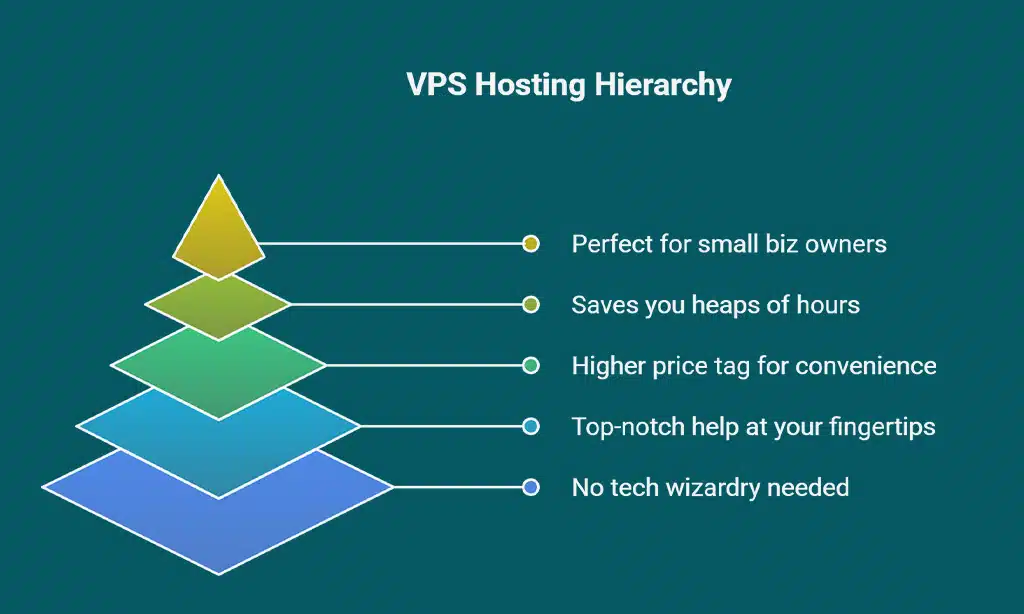
Hey there, I’m diving straight into the big debate of managed versus unmanaged VPS hosting, so you can pick what suits your vibe with a clear head.
| Aspect | Managed VPS Hosting | Unmanaged VPS Hosting |
|---|---|---|
| What It Means | Your provider, like Hostinger, handles the heavy lifting. Think server setup, updates, and patches, all done for you. | You’re the captain here. You manage everything, from software installs to security tweaks, on your virtual private server. |
| Support Level | Top-notch help is at your fingertips. Providers offer assistance for most tech hiccups, saving you stress. | Support is often bare-bones. With Hostinger, expect live chat-only help, and you’ll troubleshoot most issues solo. |
| Skill Required | No need to be a tech wizard. This option fits beginners or those too busy to micromanage a server. | Demanding in terms of know-how. You’ll need skills in tools like Linux, Apache, or cPanel to keep things running. |
| Cost Factor | Expect a higher price tag. Hostinger, for instance, charges extra for add-ons like cPanel in managed plans. | Cheaper on the wallet usually. You save bucks, but invest time and effort into server management. |
| Time Investment | Saves you heaps of hours. Your provider tackles maintenance, letting you focus on your website or app. | Eats up your schedule big time. Every update or glitch means rolling up your sleeves for fixes. |
| Ideal For | Perfect for small biz owners or bloggers. If you just want to create content, not debug code, pick this. | Geared toward tech-savvy folks. Developers or IT pros often thrive with full control over their web server. |
Now, let’s shift gears and talk about the safety net with security features and protocols in the next section.
Review Security Features and Protocols
Picking a VPS hosting provider means looking hard at security. You don’t want your website or data falling into the wrong hands, right? A solid virtual private server (VPS) keeps things safe with isolation, meaning your stuff stays separate from others on the same machine.
Plus, many providers add extras like DDoS protection to guard against nasty cyberattacks. Think of it as a sturdy lock on your front door, keeping the bad guys out while you sleep easy.
Now, dig into the details before you sign up. Does the hosting provider offer regular security updates to patch up any weak spots? Are there firewalls or tools to spot cyber threats fast? Good VPS hosting fights off risks like data breaches, so your business continuity stays strong.
Imagine your site as a castle; you need high walls and guards, not just a flimsy gate. Ask about their plans for handling vulnerabilities, and you’ll feel more confident in your choice.
Analyze Pricing and Cost-Effectiveness
Moving from the critical topic of security features, let’s turn our attention to a factor that often hits close to home, pricing and cost-effectiveness, which can make or break your decision on a VPS hosting provider. Take a look at this breakdown, created just for you, to help weigh your options without any stress.
| Key Point | Details |
|---|---|
| Compare Entry-Level Costs | Start with the basics. Hostinger begins at a wallet-friendly $4.99 per month, but you need to commit for 24 months. Namecheap isn’t far behind at $6.88 monthly. That’s a great deal if you’re just starting out with VPS hosting. |
| Look at Mid-Tier Pricing | GreenGeeks comes in at $39.95 each month. It’s a jump, no question, but could fit if you need extra power or eco-friendly options. Weigh what you get for that price tag. |
| Assess Premium Plans | Liquid Web starts managed plans at $59 per month. Sounds high, right? Yet, for fully managed services, this might save you trouble down the line. Think long-term. |
| Watch for Commitment Traps | Some deals, like Hostinger’s low rate, lock you in for years. Can you stay with it? If not, costs might increase. Read the fine print before you sign up. |
| Balance Features with Price | Cheap isn’t always the best choice. A low-cost plan might cut corners on CPU power, RAM, or bandwidth. Match the price to your needs, whether it’s storage or speed you’re prioritizing. |
| Factor in Hidden Costs | Be cautious of extra fees for things like backups or added support. What seems like a deal with Namecheap at $6.88 could add up. Look closely at the details. |
| Think About Scalability Costs | As your site grows, so might your bill. Check how providers manage upgrades. Will moving from a basic to a more powerful plan with Liquid Web impact your budget? |
Examine these numbers with a sharp focus, folks. Pricing isn’t just about the lowest option, it’s about getting the best value for your hard-earned cash when choosing a VPS hosting provider. Stay with us as we shift to the next key area, customer support quality and availability.
Examine Customer Support Availability and Quality
Hey there, picking a VPS hosting provider ain’t just about speed or price, it’s also about who’s got your back when things go south. You want a team ready to jump in, day or night, because server hiccups don’t wait for business hours.
Look at InMotion Hosting, for instance, they’re known for top-notch customer support, starting at just $4.49 a month. That’s a steal for peace of mind, right?
Now, dig into how you can reach them, like whether it’s phone, email, or live chat only, as with Hostinger. Test their customer support responsiveness before you commit, maybe shoot a quick question their way.
A slow reply could mean trouble when you’re desperate for technical support on your virtual private server. After all, a quick fix can save your website performance from tanking!
Investigate Backup and Recovery Options

Folks, let’s talk about backup and recovery options for your VPS hosting. These are your safety net if things go south. Data loss or server crashes can hit hard, but regular backups save the day.
Look for a provider that offers automated backup features to keep your info safe without extra hassle. It’s like having a spare tire ready before a flat happens.
Also, dig into their recovery plans. Check how often they back up your data and how long they keep those copies. A solid backup and recovery setup cuts downtime and protects your website.
Make sure the hosting provider has a clear process to get your stuff back fast after a glitch. Stick with a web host that prioritizes this, and you’ll sleep better at night.
Research the Provider’s Reputation and Reviews
Moving from backup and recovery options, let’s talk about something just as vital: checking a hosting provider’s reputation and reviews. You wouldn’t buy a car without peeking at what others say, right? Dig into what real users think about a web hosting provider like Liquid Web, which has been around since 1997 and serves over 180,000 clients.
Or take Hostinger, known for low prices and solid website performance. Their track record can give you a sneak peek into what you’re signing up for.
Hop onto forums, social media, or review sites to see the good, the bad, and the ugly about VPS hosting providers. Look for chatter on customer support responsiveness, server uptime, and even hidden hosting costs.
If folks rave about a provider’s technical support or gripe about constant downtime, that’s your cue. A quick search might save you from picking a virtual private server that flops when your high-traffic websites need it most.
Stick with this step, and you’ll dodge a lemon.
Consider Data Center Locations
After digging into a provider’s reputation and reviews, let’s shift gears to another key factor. The location of data centers can make a big difference for your VPS hosting experience.
If the servers are closer to your audience, your website loads faster, and that’s a win for everyone. Think of it like picking a pizza place, closer means hotter, fresher delivery, right?
Take Liquid Web, for instance; they’ve got data centers in Michigan, Arizona, and Amsterdam. If your users are mostly in the U.S., those Michigan or Arizona hubs could boost website performance.
But if you’ve got folks in Europe, that Amsterdam spot might be your ace in the hole. So, check where a hosting provider’s data centers sit, and match them to your crowd for the best speed and resilience.
Verify Resource Allocation (CPU, RAM, Storage, Bandwidth)
Hey there, let’s chat about making sure you’re getting the right bang for your buck with resource allocation when picking a VPS hosting provider. It’s like checking the engine of a car before you buy; you gotta know what’s under the hood in terms of CPU, RAM, storage, and bandwidth.
| Provider & Plan | CPU Cores | RAM | Storage | Bandwidth | Key Notes |
|---|---|---|---|---|---|
| Hostinger KVM 1 | 1 Core | 4GB | 50GB | Not Specified | Great for small projects, but watch the single core limit. |
| Liquid Web 2GB RAM Plan | Not Specified | 2GB | 40GB | 10TB Cap | Massive bandwidth, ideal for high-traffic sites. |
| Namecheap Pulsar | Not Specified | 2GB | 40GB | 1TB | Decent for startups, though bandwidth might pinch. |
| Bluehost Standard NVMe 4 | Not Specified | 4GB | 100GB | Not Specified | Top-tier storage space for data-heavy apps. |
Dig into these specs like a detective on a case. Ask yourself, does this CPU power match my site’s demands? Is the RAM enough to keep things snappy? Check if the storage fits your files, and don’t sleep on bandwidth; it’s the highway for your data. Pick a plan that aligns with tools like cPanel for control, or server setups for heavy processing. It’s all about getting the right fit, not just the shiniest package.
Look for Customization Options
Customization is key with VPS hosting, folks. You want a provider that lets you tweak your virtual private server to fit your needs. Think of it as building your own burger; you pick the toppings! A great example is DigitalOcean, offering plans starting at just $4 a month.
They let you adjust resources like CPU and RAM to match your website’s demands. Isn’t that neat?
Now, having control over server configuration and operating system choices, like Linux VPS hosting or Windows VPS hosting, can make a big difference. It’s like getting the right tools for a job.
Whether you need SSD storage or specific software, pick a host that offers flexibility. Let’s move on to checking out trial periods or money-back guarantees next.
Test the Ease of Use and Control Panel Features
Moving from customizing your VPS setup to your requirements, let’s discuss something equally essential: evaluating how intuitive and accessible the control panel is. A cumbersome interface can make managing your virtual private server quite challenging, so you want a system that’s straightforward to understand.
Imagine you’re trying to optimize your website performance, and the control panel feels like a puzzle. Annoying, right? Choose a hosting provider that offers a seamless, clear dashboard, like cPanel, which is recognized for its ease of use.
Just bear in mind, though, cPanel might involve additional licensing fees, so include that in your budget planning.
Now, explore how the control panel operates before making a decision. Check if it allows you to manage tasks like server configuration or resource allocation with minimal effort. A well-designed panel should streamline your work, not slow you down.
Think of it as the command center of your VPS hosting; it needs to be responsive. If you can, experiment with a demo or request screenshots from the provider. A quick trial here can prevent a lot of frustration later on with your virtual server.
Explore Trial Periods or Money-Back Guarantees
Hey there, let’s talk about a wise choice when selecting a VPS hosting provider. Exploring trial periods or money-back guarantees can prevent a lot of trouble. Many providers have free trials, allowing you to evaluate their virtual private server before investing any money.
It’s like taking a car for a test drive to see if it matches your needs.
Consider this your backup plan. If the hosting fees feel steep or the server setup doesn’t meet your expectations, you can step away without any financial loss. Take advantage of these offers to assess customer support response times or website performance directly.
I’m confident this simple move can ensure your high-traffic websites operate seamlessly.
Ensure Compatibility with Your Operating System Requirements
Picking the right operating system for your VPS hosting is a big deal, folks. You’ve got two main choices, Linux or Windows, and each has its own vibe. Linux often wins for being cheaper, faster, and more stable, which is a sweet deal for most websites.
Windows, on the other hand, might suit you if your site needs specific Microsoft tools or software.
Make sure your hosting provider supports the OS that matches your needs. If you’re building with Linux, check if they offer solid Linux VPS hosting setups. For Windows fans, confirm they’ve got Windows VPS hosting ready to roll.
A mismatch can mess up your website performance, and trust me, that’s a headache you don’t want. So, double-check this detail before signing up, okay?
Check for Integration with Cloud Hosting
Moving from operating system compatibility, let’s talk about how your VPS hosting ties into broader solutions. Checking for integration with cloud hosting can be a game-changer for your website.
Many providers, like Bluehost with plans starting at $29/month, offer seamless links to cloud VPS hosting. This setup boosts flexibility, letting your site handle sudden traffic spikes without a hitch.
Think of it as having a backup parachute, ready to open when you need extra lift. Cloud hosting integration means your virtual private server can tap into the cloud for more power or storage.
It’s perfect for high-traffic websites or growing businesses. So, peek at how well a hosting provider blends these options, and you’ll save yourself a heap of trouble down the road.
Confirm Compliance with Industry Standards and Regulations
Hey there, let’s chat about keeping your VPS hosting in line with industry rules. Picking a provider like Liquid Web means you’re on track for top-notch performance standards. Their managed VPS plans stick to strict guidelines, so your website runs smooth and safe.
It’s like having a trusty guard dog for your online space, keeping things secure without the hassle.
Now, check out options from DigitalOcean and Kamatera for customizable VPS solutions. These can fit your specific needs while meeting compliance demands. Also, balance performance with affordability by tweaking resource use and doing regular security audits.
Think of it as fine-tuning a car engine; a little care goes a long way in dodging costly breakdowns on the web.
Evaluate Additional Features and Add-Ons
Let’s chat about the extra goodies that can come with VPS hosting. Many providers, like Hostinger, toss in cool add-ons, but watch out, some stuff like cPanel might cost extra. Look for perks such as SSD storage for faster website performance, or even DDoS protection to keep your site safe from nasty attacks.
These extras can make a big difference, especially for high-traffic websites that need a little more juice.
Think of these features as the cherry on top of your hosting sundae. Scalability is a big one, letting you bump up resources as your site grows, just like Hostinger offers. Also, check for tools that help with server configuration or backups.
Those can save you a ton of headaches down the road. Ready to dig into the next bit? Let’s move on to prioritizing providers with clear terms of service.
Prioritize Providers with Transparent Terms of Service
Hey there, picking a VPS hosting provider can feel like a maze, but let’s zero in on something vital. Go for a hosting provider with transparent terms of service. Why? Hidden fees or sneaky charges can hit your wallet hard, and nobody wants that surprise.
Clear terms mean you know exactly what you’re paying for, whether it’s for managed VPS hosting or extra bandwidth.
Stick with a company that lays it all out, plain and simple. You shouldn’t need a detective to figure out the hosting costs. Transparency saves you from headaches down the road, trust me on this.
Now, let’s move to avoiding overcommitment and starting small if needed.
Avoid Overcommitment – Start Small if Needed
Starting small with VPS hosting can save you a heap of stress, folks. Don’t jump into a giant plan just because it looks shiny. Pick a basic package, like Hostinger’s KVM 1 plan at $4.99 a month, and test the waters.
This way, you avoid spending too much on resources you don’t need yet. It’s like buying a small car before splurging on a truck, only to find out you’re just hauling groceries.
Think of your website as a tiny seed, not a full-grown tree. Go for affordable options, such as Ionos at $2 per month for solid value, or A2 Hosting at $3.99 a month for top-notch website performance.
If your traffic booms, you can always scale up with ease. Starting with minimal resource allocation keeps hosting costs low and lets you grow without breaking the bank. How smart is that?
Monitor for Hidden Fees or Charges
Hey there, let’s chat about something sneaky with VPS hosting, those hidden fees that can bite you when you least expect it. Nobody likes a surprise bill, right? So, keep your eyes peeled for extra costs that some hosting providers might slip in.
These could hide in setup charges, overage fees for bandwidth, or sneaky renewal rates that jump after a promo period.
Dig into the fine print before signing up with any hosting provider. Transparent terms are your best friend here, as they help dodge unexpected hits to your wallet on hosting costs.
If a deal seems too sweet, pause and check for traps. A little caution now saves a big headache later!
Takeaways
Picking the right VPS hosting provider in 2025 doesn’t have to feel like a wild goose chase. I’ve got your back with these seven solid tips to guide your choice. Think of it as a roadmap to a smooth, speedy website.
So, take a quick moment, weigh your needs, and snag a plan that fits like a glove. Let’s get your site running on a virtual private server that rocks!
FAQs on Tips For Choosing The Best VPS Hosting Provider
1. What should I look for in a VPS hosting provider for 2025?
Hey, picking the right hosting provider ain’t a walk in the park, but start with checking their website performance stats. Make sure they offer SSD storage, not those old hard disk drives, or HDDs, for faster load times. Also, peek at their scalability options, like cloud VPS hosting, to handle high-traffic websites without a hiccup.
2. How does customer support matter when choosing VPS hosting?
Listen up, pal, customer support responsiveness can make or break your day when your site crashes. Go for a provider, maybe like Liquid Web, that’s got your back with quick technical support 24/7.
3. What’s the difference between managed VPS hosting and unmanaged VPS hosting?
Alright, let’s break this down real simple. Managed VPS hosting means the provider handles server configuration, security patches, and all that techy stuff for you. Unmanaged VPS hosting, though, puts you in the driver’s seat with root access, so you’re tweaking the virtual private server yourself.
4. Should I worry about security with a virtual private server?
You bet, buddy, security ain’t just a fancy word when it comes to virtual servers. Look for providers offering DDoS protection to shield your site from nasty attacks and keep your infrastructure safe from vulnerability.
5. Is Windows VPS hosting better than Linux VPS hosting for my needs?
Well, that’s a bit like choosing between apples and oranges, isn’t it? Windows VPS hosting works great if your site or app needs specific Windows-based database systems, while Linux VPS hosting often wins for cost and flexibility with open-source operating systems.
































