
You want to make cool things on your computer. Maybe you want to design a 3D model, build circuits using Arduino Uno, or play with simple coding. But many apps seem hard to use. Some need lots of downloads, passwords, or strange files before you even start.
Here is a fact: Tinkercad is an Autodesk web application that runs in your browser for free. Over 35 million users have started learning simple Tinkercad tools for projects like 3D printing and STEM lessons at home or in the classroom.
This guide shows how anyone can get started with Tinkercad—educators, students, engineers, and curious hobbyists alike. You’ll learn about features like shape generators for easy modeling, electronics simulation with breadboards and sensors from Adafruit NeoPixels and Attiny chips, plus block-based programming basics too.
Curious how it all fits together? Keep reading—you might be surprised!
Key Takeaways
- Tinkercad is a free Autodesk web app with over 35 million users that lets you design 3D models, build circuits, and learn coding in your browser without downloading extra software.
- You can use simple drag-and-drop tools to shape objects for 3D printing, mix blocks like Lego, or try ready-made templates shared by the large Tinkercad community.
- The Circuits feature allows you to build electronic projects using LEDs, sensors like Adafruit NeoPixels, switches, Arduino Uno boards, and ATTiny chips and simulate them safely before real-life building.
- Block-based coding helps beginners control motors or lights by connecting code blocks as digital puzzle pieces; you can also use Javascript if you want more control.
- Tinkercad supports teamwork through cloud storage and file sharing so students, teachers, hobbyists, and designers can work together on laptops or tablets anywhere with internet access.
Key Features of the Tinkercad App

The Autodesk Tinkercad app packs a punch for anyone wanting to sketch, build, or play with 3D modeling straight from a web browser. You get tools to shape objects, snap them together like digital Lego bricks, and even send your designs off for 3D printing or use in Fusion 360—all without breaking a sweat.
How Can You Master 3D Design and Modeling with Tinkercad?
Start with simple shapes like cubes, cylinders, and spheres. Use the drag-and-drop interface to move objects around your workspace. Snap parts together to build new designs from scratch or mix them up to make complex models.
Try out shortcut keys for speedy editing; they save a lot of time on big projects. Practice helps you learn faster, so play around every day. Autodesk Tinkercad is free and works right in your web browser, making it easy for anyone to get started without installing any software.
Import 3D computer graphics or export printable models with one click; this makes sharing creations fast and simple. Explore templates made by other users in the Tinkercad community for design ideas, or jump into sim lab tutorials on YouTube if you get stuck.
Many teachers add lesson plans covering science, technology, engineering, and mathematics topics that use Tinkercad as a teaching tool. Mix Lego-style blocks for fun builds, or fuse objects like a pro using cloud tools similar to Fusion 360 or Onshape when moving toward more advanced 3D CAD work.
How Does Tinkercad Support Electronics and Circuit Simulation?
Tinkercad circuits help beginners and experts build custom electronic projects right inside their browser. Drag parts like LEDs, resistors, switches, Arduino microcontrollers, and even sensors into the workspace.
Connect wires with a simple click-and-drag method that feels as easy as sketching on paper. The app acts like an entertainment software playground for learning electronics—tweak values, run simulations, then see how your setup would work in real life before touching any hardware.
This free product lets you test code too. Type your code using block-based logic, or jump into Javascript if you feel brave. Watch virtual lights blink or motors spin without risk of burning things out! Tinkercad is a powerful CAD tool that makes computer-aided design meet working electronics; it’s perfect for quick demos in school classes or building more complex models for 3D printing with embedded circuits.
With intuitive controls and endless starter components, anyone can experiment freely on desktop or tablet—and gain confidence before ever lifting a soldering iron!
What Are the Basics of Block-Based Coding in Tinkercad?
Block-based coding in the Tinkercad app uses a drag-and-drop style. Code blocks snap together, a bit like digital puzzle pieces. You can create smart designs and control circuits without knowing much computer code.
This makes getting started with Tinkercad simple for beginners and young designers, even if they have never coded before.
Use blocks to turn on LEDs or make motors spin in your virtual projects right inside your browser with WebGL support. Set rules by stacking commands like “repeat,” “if,” or “wait” to add complexity to actions.
These building blocks help you test ideas and see results right away, whether you work on a laptop or Android device. Block coding keeps things visual so anyone can jump into creative automation—no extra software needed!
How Can You Boost Creativity Using the Tinkercad App?
Tinkercad is a free app that puts the tools for creativity right at your fingertips. Mix primitive shapes like cubes and spheres to build complex objects, from toy planes to funky jewelry.
Use the curve feature to make smooth edges or flowing lines, adding flair with just a few clicks. Invite friends or classmates to join your projects, turning solo efforts into group fun.
The parametric functions let you change shapes with sliders instead of drawing every new part by hand.
Try making wild gadgets using both 3D modeling and circuit simulation together; light up pretend houses or create beeping robots. Test ideas without fear of mistakes—the undo button is always there so you can fix slips fast.
Jump between code blocks and hands-on design whenever inspiration hits. Tinker, tweak, reimagine—creativity has no limits here!
What Are the Benefits of Tinkercad for Creative Designers?
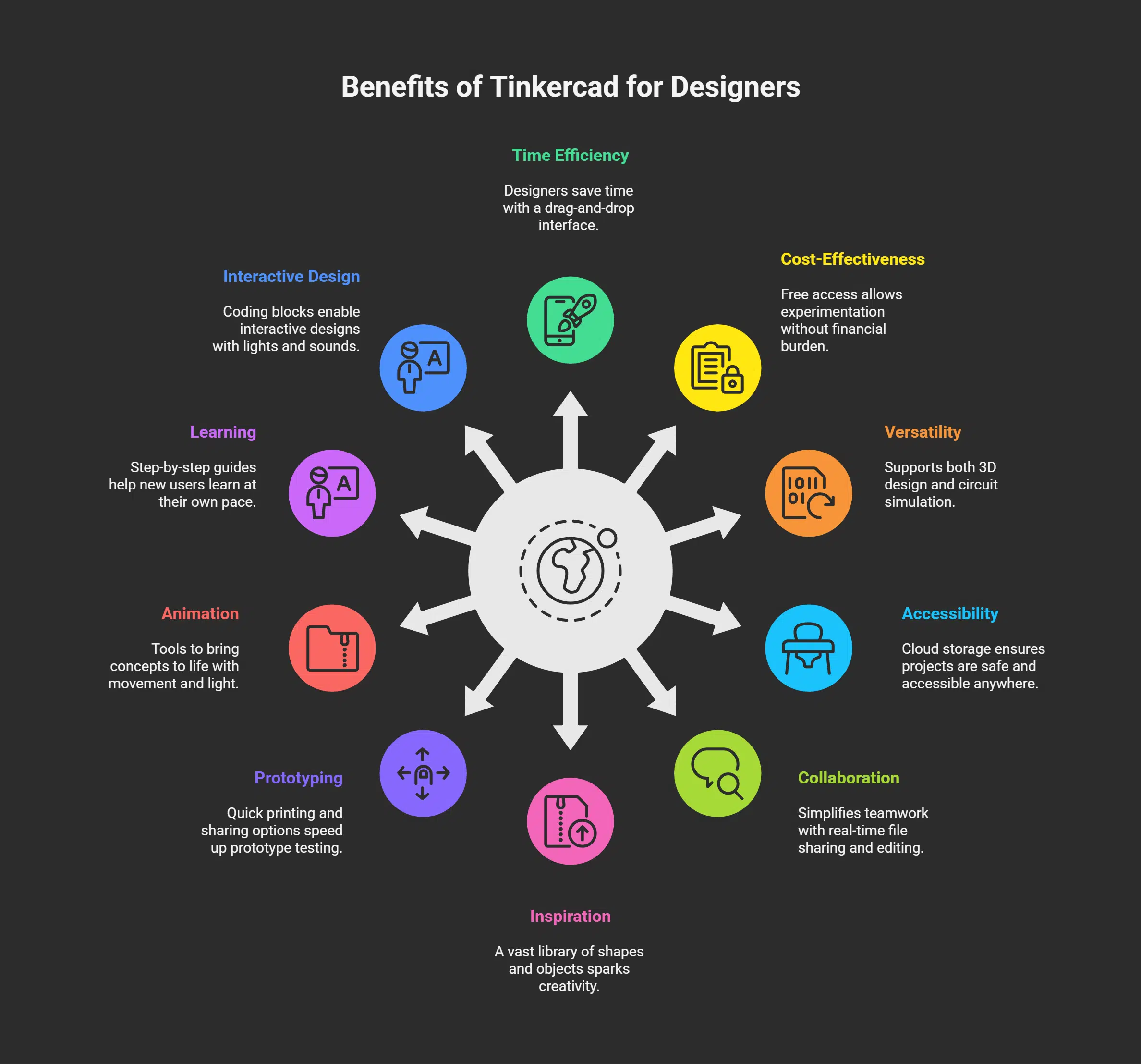
Creative designers gain many perks from using Tinkercad. This tool makes it easy to bring ideas to life.
- Designers save time because the app uses a drag-and-drop interface, speeding up 3D modeling tasks.
- Free access lets you experiment without spending money, perfect for beginners or anyone who loves to build new things.
- The app supports both 3D design and circuit simulation, so you can work on digital projects or electronics using one platform.
- Cloud storage means your projects stay safe, and you can pick up your work anywhere with an internet connection.
- Teamwork feels simple, as you can share files, invite feedback, and edit together in real time.
- A huge library of shapes, objects, sensors, buttons, LEDs, and wires helps spark ideas fast—no need to start from scratch.
- Export options allow quick printing using 3D printers or sharing designs with others online; this speeds up testing prototypes.
- Animation tools give life to concepts; watch motors spin or lights blink right before your eyes.
- Step-by-step guides help new users learn at their own pace; no need for thick manuals or expensive classes.
- Coding blocks introduce logical thinking while allowing interactive designs where actions trigger lights or sounds.
Takeaways
Tinkercad puts power in your hands. You can shape wild ideas with simple tools, spark circuit magic with just a few clicks, and even teach robots some new moves—all from one screen.
This app brings fun to 3D design and electronics for all ages. Every creative designer finds ways to grow here—no tech wizard hat needed! Give Tinkercad a try; you might surprise yourself next time you press “create.”
FAQs on Tinkercad app
1. What is the Tinkercad app, and why do creative designers use it?
Tinkercad is a digital tool for building 3D models, electronics, and code projects. Designers love it because you can drag shapes around with your mouse, snap them together like puzzle pieces, and see ideas come to life fast.
2. Can beginners learn to use Tinkercad quickly?
Yes, even if you’ve never touched design software before. The interface feels friendly; there are step-by-step lessons that walk you through every click. You’ll be making simple designs in minutes—no sweat.
3. Does Tinkercad help with teamwork on creative projects?
Absolutely! You can invite others into your workspace by sharing a link; everyone sees changes as they happen. It’s almost like passing notes in class but way more productive.
4. Is Tinkercad only for 3D printing, or does it offer other features too?
It’s not just about 3D printing shapes or gadgets; you can also build circuits and write basic code right inside the app. So whether you’re sketching out jewelry or wiring up blinking lights for a science project, this platform has tools ready for both worlds.