
Your website feels stuck in a traffic jam. Pages load slow when visitors pour in. You lose sales and patience. Your shared hosting plan may hit its limit.
Studies show half of visitors leave if a page takes three seconds to load. In this post, you will see five signs you need VPS hosting. You will learn when to leave shared hosting and start a hosting upgrade.
This guide will boost website speed and free up server resources. Read on.
Key Takeaways
- Slow pages hurt sales and SEO: 50% of visitors leave if a page takes over three seconds to load, and each extra second can cut conversions by 7%.
- Shared hosting can crash under traffic spikes: limited CPU, RAM, bandwidth, and disk space struggle during marketing surges, but VPS hosting scales CPU, RAM, and SSD storage on demand.
- Resource limits block growth: running out of disk space or hitting bandwidth caps can cause errors and failed backups, while VPS plans let you add disk space, bandwidth, email accounts, and staging environments easily.
- Shared hosting lacks strong security: outdated software and no firewalls put data at risk, but VPS hosting offers Cloudflare DDoS protection, ClamAV malware scans, Let’s Encrypt SSL, and root-level access.
- VPS gives full control and speed: get SSH or cPanel access, install PHP 8 and NVMe SSDs, enjoy 99.9% uptime, use one-click app installs, and tweak server settings whenever you need.
Your Website Experiences Frequent Traffic Surges
Marketing campaigns send sudden bursts of traffic to your online store. They can push a shared hosting plan past its limits. Limited CPU and RAM leave visitors staring at loading wheels.
Servers run out of bandwidth or disk space and crash.
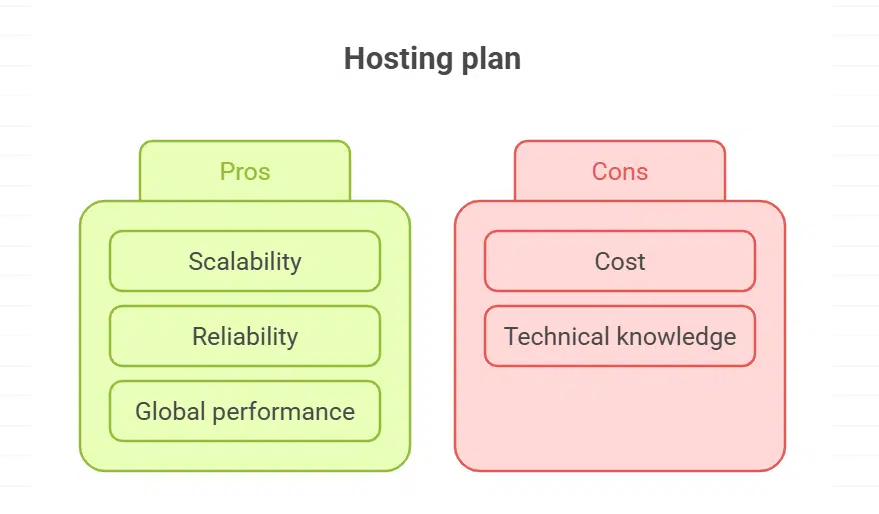
VPS hosting scales CPU, RAM, and SSD storage to meet peak demand. A virtual private server adapts during promotions, sales, or video streams without a hitch. Upgrading to VPS feels like giving a race car a bigger engine.
Content delivery network support improves website performance around the world. HostPapa crafts cloud hosting plans that offer reliable uptime and smooth user experiences.
Slow Loading Speeds Are Impacting User Experience
Slow pages drive people away fast. Over half of visitors quit if a site takes more than three seconds to load. A single extra second can cut conversions by seven percent. Google penalizes slow sites in search results.
Largest Contentful Paint and Cumulative Layout Shift are vital metrics in Core Web Vitals. Reports from Google PageSpeed Insights reveal weak spots. A solid virtual private server (VPS) or dedicated hosting plan with NVMe SSD and PHP 8 plus boosts speed.
Outdated server software and old hard drives slow down sites. Many shared hosting plans lack resources to handle traffic surges. Upgrading to VPS hosting frees up server resources and ensures snappier website speed.
A reliable hosting provider offers 99.9 percent uptime and robust server configurations. Fast web hosting plans improve user experience and lift positions in SERPS.
You’re Running Out of Server Resources
Your site chews through disk space fast. Bandwidth caps hit on shared hosting. Visitors face errors at peak hours. Backups start to fail. You juggle multiple subdomains with no room to grow.
VPS hosting gives extra resources without high fees. You tweak server settings with SSH or cPanel access. You spin staging environments and run automatic backups. You add email accounts for over 80% of pros who need them.
The hosting upgrade from your provider scales disk space and bandwidth on demand. HostPapa’s control panel feels like a friend at your side.
Security Concerns Are Increasing
Outdated software and weak protocols invite cyberattacks. Shared hosting often runs old code with no firewalls or encrypted MySQL database backups, raising security vulnerabilities.
Missing SSL encryption leaves online store data wide open. A breach can cost data loss, reputational harm, and legal fines in finance or healthcare.
Migrating to VPS hosting adds layers of defense. HostPapa runs Cloudflare DDoS protection, ClamAV malware scans, and Let’s Encrypt certificates. Root access lets you tweak server settings and lock ports.
Proactive security costs less than repair after a data breach.
You Require Greater Control and Customization

VPS hosting gives you full root access, so you can tweak server settings fast. It lets you install software and expand RAM or CPU on demand. Shared hosting locks you into fixed limits and slows growth.
Your online store or learning platform may outgrow web hosting plan resources. Reseller hosting helps agencies manage multiple sites and sell plans to clients. Upgrading to a virtual private server unlocks staging environments for test sites before you go live.
HostPapa offers a website builder, SEO tools and one-click installations for apps. You gain automatic backups and professional technical support with a hosting upgrade. Cloud-based servers scale disk space and bandwidth without delay, so you handle sudden traffic spikes.
You keep full control over server configurations and root access at all times. You avoid security breaches and data loss with managed VPS hosting features.
Takeaways
Growth pains can hit hard, like a surprise storm. Your site needs power, control, speed. A private cloud gives extra bandwidth, more CPU power, disk space. You steer settings with a control interface, secure shell login, database engine.
You guard data, block attacks, keep transactions live. This upgrade fits your online shop and blogs. You can focus on content, ditch slowdowns, boost sales.
FAQs on Signs Your Website Needs VPS Hosting to Handle Growth
VPS hosting uses a virtual private server. It gives you your own server resources and root access. You can set server settings your way. Shared hosting shares disk space and resources with many sites.
2. What signs show my site has outgrown its web hosting plan?
If website speed crawls and pages load very slow. If website traffic spikes and your plan can’t keep up. If disk space is full or server resources max out. If online transactions fail or the site drops often. If your rank in search engines or your serps dips.
3. How does VPS hosting boost website performance?
A VPS gives you more server resources on a virtual private server. It lifts your website speed and uptime. You can tweak server settings for better flow. Your performance on search engines can jump.
4. Can I migrate my online store and data stores to a VPS?
Yes, you can do website migration to a VPS. You can move your online store, product pages and data stores smoothly. A hosting provider often offers technical support to guide you. It takes a few steps, but it’s worth the reliable setup.
5. Does a VPS improve security for customer data and transactions?
VPS hosting can cut down security vulnerabilities compared to shared hosting. You lock down server settings and add firewalls. You keep sensitive information on a private server, not a shared machine. This helps against malware attacks and data breaches.
6. How do I pick a hosting provider for a hosting upgrade as my business grows?
Look for a provider with strong customer support and technical support. Check if they offer root access and flexible server configurations. See if they also offer a dedicated server option. Ask how they handle online store traffic spikes and website growth.