

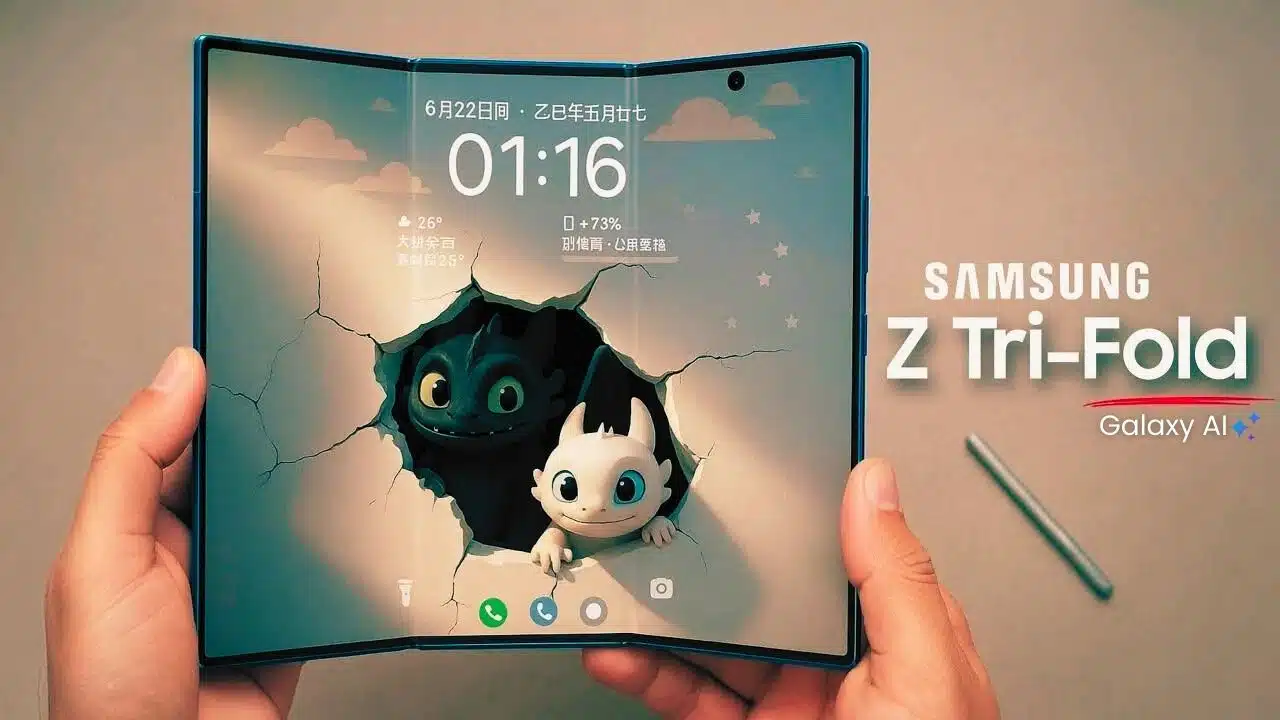
Foldables have been steadily evolving, but the Samsung Galaxy Z TriFold feels like a decisive break from the past. Instead of simply giving you a phone that opens into a slightly larger screen, Samsung has built a device that aims to be a phone, tablet, and ultra-portable productivity machine all at once. Unfolded, the Samsung Galaxy Z TriFold 10-inch stretches out into a tablet-class display; folded, it slips back into a pocketable—if hefty—form factor.
From the moment you lift it out of the box, this device announces itself as something different. The carefully engineered hinges, the large uninterrupted inner screen, and the dense, premium chassis all signal that you’re holding a first-generation product that’s meant to showcase the very latest in mobile hardware. The ambition is clear: this isn’t just a phone you buy for calls and social apps; it’s an attempt to compress an entire computing setup into one futuristic slab.
Let’s look closely at where the Samsung Galaxy Z TriFold smartphone shines, where it stumbles, and whether its combination of form factor, performance, battery life, camera system, and software can justify the premium price.
Samsung Galaxy Z TriFold — The Shape of What’s Next in Mobile
Samsung is positioning this device as a category-defining tri-fold rather than just “the next Fold.” The central promise is simple but bold: one device that can handle your on-the-go communication, your workday productivity, and your after-hours entertainment without needing to reach for a second screen.
Key Specifications at a Glance
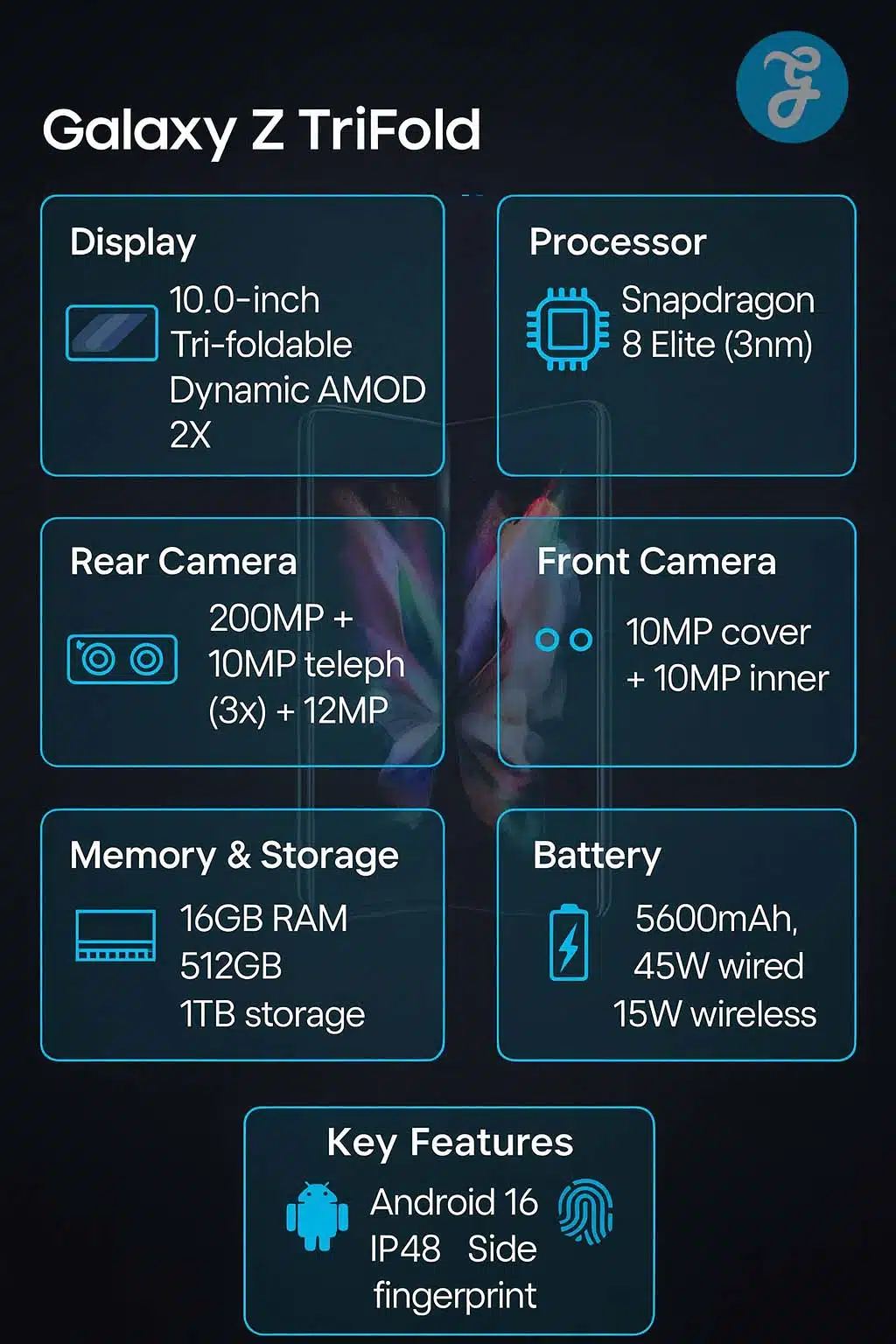
Here’s a compact view of the core hardware before explaining each area:
| Category | Details |
| Main Display | 10.0″ Dynamic AMOLED 2X, QXGA+ (2160 × 1584), 16:11, 1–120 Hz |
| Cover Display | 6.5″ Dynamic AMOLED 2X, FHD+ (2520 × 1080), 21:9, 1–120 Hz |
| Processor | Snapdragon 8 Elite for Galaxy (3 nm flagship SoC) |
| RAM | 16 GB |
| Storage | 512 GB or 1 TB (no microSD) |
| Battery | 5,600 mAh three-cell, 45 W wired, 15 W wireless, reverse wireless charging |
| Rear Cameras | 200 MP wide, 12 MP ultrawide, 10 MP 3× telephoto (up to 30× digital) |
| Front Cameras | 10 MP cover selfie, 10 MP inner selfie |
| OS & UI | Android 16, One UI 8, Galaxy AI, Gemini Live |
| Durability | IP48, titanium hinge housing, reinforced aluminum frame |
| Weight | ~309 g |
Positioning: Who Is This For?
This is not a mass-market device. The target buyer is someone who:
- Works across multiple apps and screens all day
- Wants a single device that can stand in for a laptop in many scenarios
- Is comfortable paying a premium for early, bleeding-edge form factors
- Understands the trade-offs that come with complex folding hardware
If you mainly use your phone for social media, light browsing, and casual photography, this is overkill. If you live in productivity tools, messaging platforms, video calls, and online research, the proposition becomes a lot more interesting.
Design and Build Quality
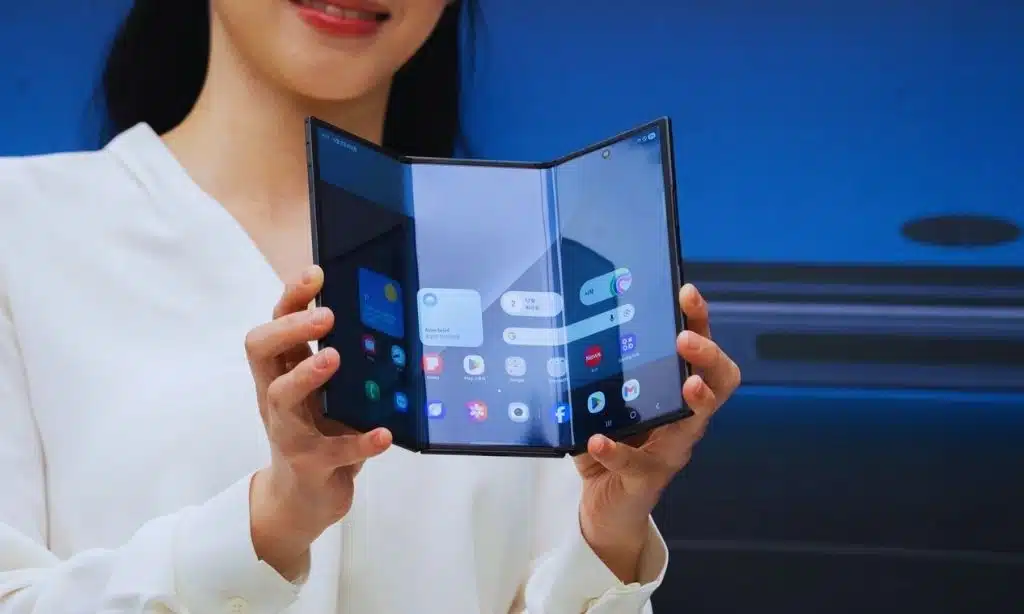
An overview of the materials, durability, hinge engineering, and overall feel of Samsung’s tri-fold hardware.
Materials and Construction
Materials at a glance:
| Material Area | Details |
| Frame | Reinforced aluminum |
| Hinge Housing | Titanium-coated structure |
| Back Panel | Ceramic-glass fiber polymer |
| Front Protection | Toughened glass |
The design and build of the device are clearly meant to communicate “halo product” status:
- Frame and hinge housing: a combination of reinforced aluminum and titanium-coated parts gives both rigidity and a sense of durability.
- Back panel: a ceramic-glass fiber reinforced polymer is used instead of conventional glass to keep the profile slim while improving crack resistance.
- Front glass: a toughened glass layer protects the cover display while maintaining clarity and touch sensitivity.
The overall look is understated—mostly dark, professional finishes rather than flashy colors—but the engineering itself becomes the visual highlight. Every fold and joint is an invitation to inspect how Samsung managed to fit this much hardware into something that still closes neatly.
Ergonomics, Weight, and In-Hand Feel
Ergonomics and weight at a glance:
| Aspect | Experience |
| Weight | 309 g (noticeable when folded) |
| Folded Feel | Thick and dense like a premium brick phone |
| Unfolded Feel | Ultra-thin, tablet-like experience |
| Grip | Better for two-handed use |
Folded, the Samsung Galaxy Z TriFold 10-inch feels like a large, thick flagship phone. The 309 g weight is absolutely noticeable; if you’re coming from a lightweight slab device, you will feel the difference every time you pick it up. The thickness in folded mode also means one-handed use is possible, but not always comfortable for extended periods.
Unfolded, the story changes. The device is impressively thin in its tablet configuration, and the weight spreads across a larger surface, making it easier to hold in two hands. For reading, browsing, or watching video, it feels more like a premium small tablet than a thick foldable phone.
Hinge Engineering and Official Rating
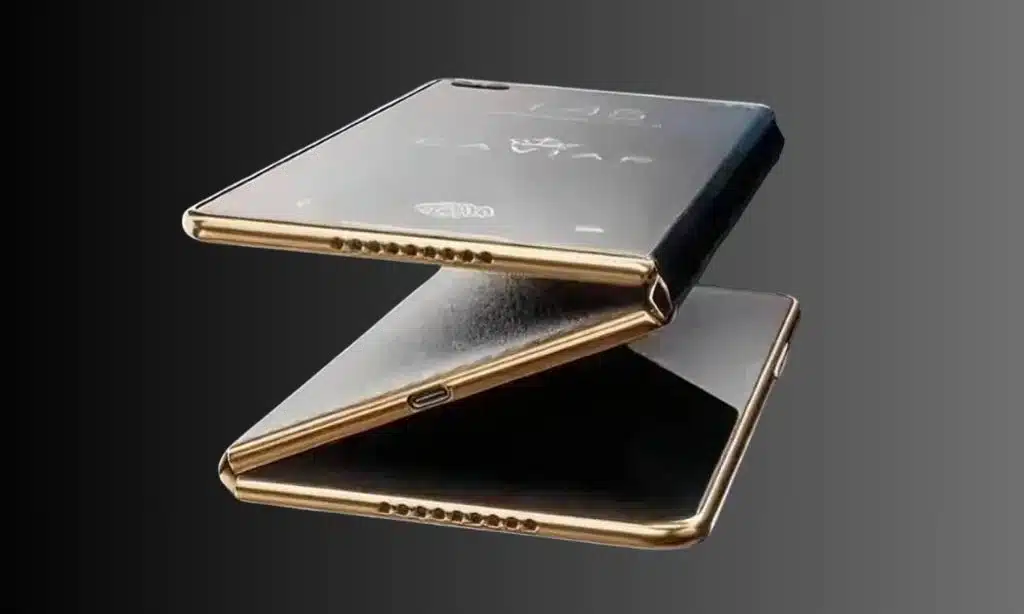
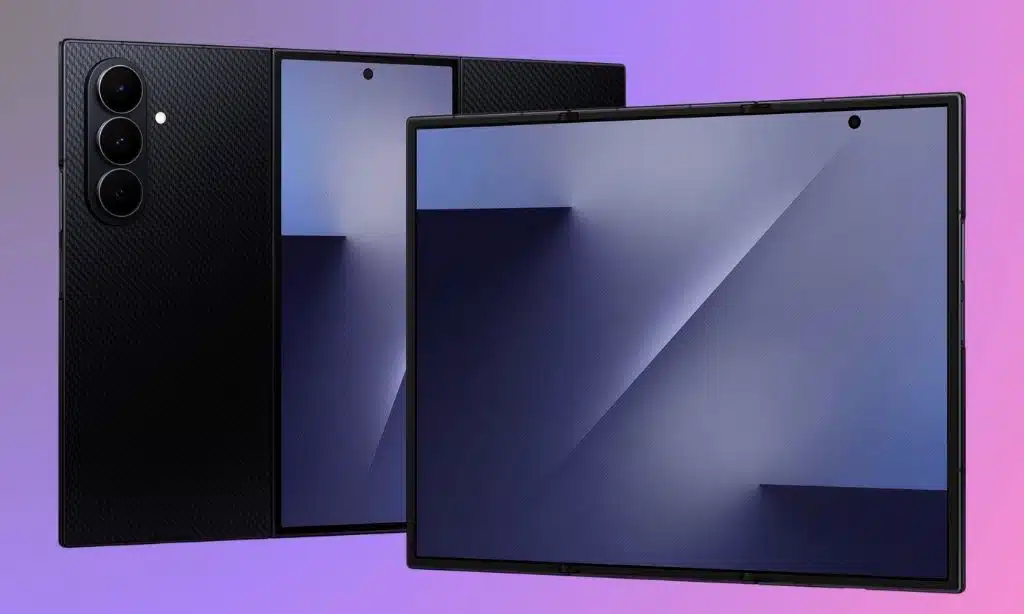
The standout design feature is the dual-hinge system. Two separate hinge assemblies manage the tri-fold motion, allowing the inner display to fold in a “Z” shape.
Samsung’s approach to hinge engineering aims to balance:
- Smooth folding and unfolding, with a satisfying mechanical feel
- Reduced stress on the flexible inner panel
- Tighter closure with minimal gap to keep dust and debris out
The device is rated IP48; that means reasonable protection against water splashes and submersion in fresh water, but no formal dust ingress rating. For a multi-hinge device, that’s a key caveat; dust and grit have historically been the enemy of foldables.
An additional smart touch is on-device alerts when the phone detects incorrect folding, using vibrations and on-screen messages to warn you. It’s a subtle reminder that this is a complex piece of hardware that needs to be treated with some care.
Design & Build: At a Glance
| Aspect | Strengths | Weaknesses |
| Materials | Premium metal frame, reinforced back | No ultra-rugged variant |
| Ergonomics | Thin when unfolded, excellent for tablet use | Heavy and thick in folded phone mode |
| Hinge | Clever dual-hinge tri-fold design | More moving parts equals more potential failure points |
| Durability | IP48, robust feeling in hand | No dust rating, high repair cost risk |
Display
A closer look at the 10-inch internal display and 6.5-inch cover screen, including brightness, visuals, and usability.
Inner 10-Inch Display: Work and Play on a Single Canvas
The core experience of the Samsung Galaxy Z TriFold foldable is its 10.0-inch Dynamic AMOLED 2X panel.
| Specification | Details |
| Size | 10.0 inches |
| Type | Dynamic AMOLED 2X |
| Resolution | QXGA+ (2160 × 1584) |
| Refresh Rate | 1–120 Hz adaptive |
| Aspect Ratio | 16:11 |
With a QXGA+ resolution and a 16:11 aspect ratio, it provides:
- Plenty of vertical space for documents, web pages, and productivity apps
- Enough width to comfortably run two or three apps side-by-side
- A wide, cinematic feel for video, though with letterboxing for certain aspect ratios
The panel supports an adaptive 1–120 Hz refresh rate, ensuring smooth animations while conserving power during static content. Colors are vivid but can be tuned toward more natural profiles, and the contrast is characteristically deep.
Cover Display: A “Normal” Phone Experience
Cover display at a glance:
| Specification | Details |
| Size | 6.5 inches |
| Type | Dynamic AMOLED 2X |
| Resolution | FHD+ (2520 × 1080) |
| Refresh Rate | 1–120 Hz |
| Aspect Ratio | 21:9 |
The 6.5-inch FHD+ cover display behaves much like a traditional flagship screen:
- 21:9 aspect ratio—tall and narrow, but manageable
- High pixel density for crisp text and UI elements
- 120 Hz refresh rate and high peak brightness for outdoor use
This screen is what you’ll use for quick replies, calls, navigation, and most one-handed tasks. The advantage of this design is that you don’t have to open the device for every interaction.
Brightness, Color, and Outdoor Visibility
Both displays are comfortably bright outdoors. The inner screen is tuned for strong visibility in high ambient light, while the outer screen is even brighter, making it suitable for direct sunlight. HDR content looks excellent, and color profiles can be adjusted to suit more accurate or more saturated preferences.
| Condition | Performance |
| Indoors | Bright, high contrast |
| Outdoors | Very strong sunlight visibility |
| HDR Content | Deep blacks and vivid colors |
Bezels, Creases, and Visual Interruptions
Bezels around the inner display are present but not distracting, and they actually help with grip.
| Element | Observation |
| Creases | Visible but minimized |
| Fold Lines | Two crease lines due to tri-fold |
| Bezels | Thin and symmetrical |
| Camera Cutouts | Unobtrusive punch-hole style |
The more controversial element is the dual crease—one at each fold line.
- In typical use, especially with bright content, you’ll notice the creases when viewing off-axis, but they largely fade from attention when engaged with apps or media.
- For full-screen video, the fold lines can run through the middle of the frame, depending on orientation. Some users will stop noticing them; others may find them a permanent reminder of the trade-off.
Selfie camera cutouts are relatively small and unobtrusive. Samsung wisely avoids overly gimmicky under-display cameras and opts for consistency and image quality instead.
Performance and Software
Details on processing power, multitasking efficiency, heat management, One UI 8 features, and Galaxy AI capabilities.
Daily Task Performance and Processor Behavior
Under the hood, you’ll find a Snapdragon 8 Elite for Galaxy, a 3 nm flagship SoC tuned specifically for Samsung devices.
| Component | Details |
| Processor | Snapdragon 8 Elite |
| RAM | 16 GB |
| Storage | 512 GB / 1 TB |
| Smoothness | Excellent across daily apps |
| App Switching | Instant & lag-free |
Paired with 16 GB of RAM, it delivers:
- Effortless app launches and switching
- Smooth scrolling and animations across both displays
- More than enough performance for multitasking, streaming, and productivity work
Even with three apps running side by side, plus background processes and notifications, the device rarely feels strained. This level of performance is crucial: a tri-fold form factor invites heavy multitasking, so any sluggishness would be immediately obvious.
Thermal Management and Demanding Workloads
Thermal performance is a critical part of this review, especially given the size of the inner display and the ambition of the device.
| Usage Type | Heat Behavior |
| Light Tasks | Slight warmth |
| Multitasking | Stable with wide heat spread |
| Gaming | Noticeable warmth after long sessions |
| DeX Mode | Moderate heating in extended use |
In practice:
- Light to moderate usage (messaging, browsing, streaming, light productivity) produces only mild warmth, spread evenly across the back.
- Intensive tasks—such as extended gaming sessions, long DeX usage, or sustained AI/processing workloads—do lead to noticeable heat buildup, particularly around the SoC area and central panel.
However, the larger surface area of the unfolded tablet helps dissipate heat more evenly than on small slab phones. Frame rates may dip slightly in the longest gaming marathons, but day-to-day performance remains stable.
On the Samsung Galaxy Z TriFold smartphone, the balance between power and thermals is generally well-managed. It’s not a dedicated gaming phone, but it behaves like a high-end flagship that can comfortably handle demanding use.
Operating System, One UI 8, and Galaxy AI
The device ships with Android 16 running One UI 8, customized heavily to support tri-fold behaviors:
- A persistent taskbar on the large inner display makes it easier to drag and drop apps into split-screen layouts.
- App continuity between the cover and inner screens is smoother than in previous generations; apps can reflow between sizes more gracefully.
- System apps like email, file management, notes, and health tracking make good use of tablet-style multi-pane layouts.
| Software Feature | Description |
| OS | Android 16 |
| UI | One UI 8 |
| AI Tools | Galaxy AI, Gemini |
| DeX Mode | Standalone desktop experience |
| Continuity | Smooth transition between folded states |
Galaxy AI features are woven throughout:
- Live translation and transcription for calls and meetings
- Text summarization AI feature for long articles and documents
- Image editing and generative tools that leverage the larger canvas for precise adjustments
On top of that, Samsung DeX gets perhaps its best showcase here. You can:
- Run DeX directly on the 10-inch inner screen, creating a desktop-like layout with windows, a taskbar, and resizable apps.
- Connect to an external display and use the TriFold as a second screen, or as a touchpad and keyboard companion.
For professionals who live in document editing, communication, and remote collaboration, this is where the device really shines.
Camera System
A breakdown of the triple rear camera setup, front cameras, and overall photography and video performance.
Lenses and Hardware Overview
| Lens | Specification |
| Main | 200 MP, OIS |
| Ultrawide | 12 MP |
| Telephoto | 10 MP, 3× optical, up to 30× digital |
The rear camera array consists of:
- 200 MP main wide camera; high-resolution sensor with optical image stabilization
- 12 MP ultrawide; wide field of view for landscapes and interiors
- 10 MP telephoto; 3× optical zoom with OIS and up to 30× digital zoom
On the front:
- A 10 MP selfie camera sits on the cover display
- Another 10 MP selfie camera is placed above the inner screen for video calls and unfolded selfies
This setup follows Samsung’s typical strategy: push a very high-resolution main sensor and solid supporting lenses rather than chasing extreme headline zoom numbers.
Daylight Photo Quality
In good light, the main camera produces:
- Sharp, detailed images with punchy but pleasant colors
- Wide dynamic range, handling bright skies and darker shadows well
- A look that is immediately recognizable as Samsung—vivid yet controlled
The 200 MP sensor allows for high-quality 2× crops with minimal loss of detail. The 3× telephoto lens is useful for portraits and mid-range subjects, producing images with natural separation and stable framing.
Low-Light and Night Mode Performance
When the light falls:
- The main camera continues to perform strongly, with Night Mode combining exposures to keep noise low and detail reasonably high.
- The ultrawide lens remains usable, though with more visible noise and softer fine details.
- The 3× telephoto can capture acceptable night shots of well-lit scenes but will struggle in very dim environments.
Overall, low-light performance is good to very good—not always on par with the very best camera-centric slab flagships, but easily competitive within the foldable space.
Video Recording and Stabilization
Video performance is solid across the board:
| Mode | Expected Behavior |
| 4K 30/60 fps | Smooth, detailed footage with good dynamic range |
| Stabilization | OIS + EIS for steady handheld shots and walking clips |
| Audio | Clear vocal pickup, competent noise rejection in most conditions |
The flexibility of the form factor also lets you use the rear cameras for vlogging by partially folding the device and using the cover display as a preview screen.
For the Samsung Galaxy Z TriFold foldable, the camera system feels like a well-rounded, high-end setup that prioritizes reliability and flexibility over extreme zoom gimmicks.
Battery Life and Charging
An explanation of real-world battery endurance, charging speeds, and how well the device handles power-heavy tasks.
| Battery Feature | Details |
| Capacity | 5,600 mAh (largest in Samsung foldables) |
| Endurance | Full day under mixed use |
| Heavy Use | Requires evening top-up |
| Charging (Wired) | 45W |
| Charging (Wireless) | 15W |
| Reverse Charging | Yes |
| Full Charge Time | ~75–90 minutes |
Real-World Endurance
With a 5,600 mAh three-cell battery, this one packs more capacity than any previous Samsung foldable device.
Real-world endurance depends heavily on how you use it:
- Light to moderate users who split time between the cover display and occasional full inner screen use can expect a comfortable full day, often with some charge to spare.
- Heavy users who live on the 10-inch display—running DeX, streaming, gaming, or multitasking heavily—will likely need to recharge by the evening.
Screen-on time in mixed use often lands in the 7–9 hour range, which is impressive for such a large, bright, high-refresh display, but still behind some long-lasting slab phones with simpler hardware.
Charging Speed and Experience
Charging is handled by:
- 45 W wired charging; enough to go from low to roughly half capacity in about half an hour, and a full charge in well under two hours.
- 15 W wireless charging; convenient for desks and nightstands.
- Reverse wireless charging; useful for topping up earbuds or a watch.
It’s not competing with the fastest charging systems on the market, but it strikes a reasonable balance between speed, heat, and long-term battery health.
Audio, Haptics, and Connectivity
Covers speaker quality, vibration feedback, and essential wireless and network connectivity features.
See the audio, haptics, and connectivity features at a glance:
| Feature | Details |
| Speakers | Dual stereo, loud & clear |
| Haptics | Crisp, precise vibration feedback |
| Connectivity | 5G, Wi-Fi 7, Bluetooth 5.x |
| SIM | Dual SIM + eSIM options |
| Ports | USB-C (no headphone jack) |
| Storage Expansion | No microSD slot |
Speaker Quality and Stereo Performance
Stereo speakers provide:
- Loud, clear sound with decent stereo separation
- Enough volume and punch for watching movies and videos on the big screen
- A satisfying experience for games, especially in landscape mode
They won’t replace a dedicated speaker system, but they are more than good enough for media consumption on the go.
Haptic Feedback
The vibration motor is refined and precise:
- Typing feels crisp, with short, tight taps
- System gestures and animations are complemented by subtle haptic cues
- Notifications come through with a reassuring but not jarring buzz
It adds to the sense of polish and control that you’d expect from a premium flagship.
Connectivity and Ports
Connectivity is fully modern:
- 5G and LTE support for fast mobile data
- Wi-Fi 7 for future-proofed home and office connections
- Bluetooth 5.x for reliable wireless audio and accessories
- eSIM and dual SIM options in many regions
There is no headphone jack and no microSD expansion, so you’ll need to rely on wireless audio and pick the storage configuration you need upfront.
Connectivity options in short:
| Connection | Details |
| 5G / LTE | Fully supported |
| Wi-Fi | Wi-Fi 7 |
| Bluetooth | v5.x |
| SIM | Dual + eSIM |
| Ports | USB-C only |
| Expandable Storage | Not supported |
On balance, the Samsung Galaxy Z TriFold 10-inch checks all the right boxes for wireless connectivity and network readiness.
Summary and Assessment
A clear final assessment of strengths, weaknesses, and whether the Samsung Galaxy Z TriFold is the right choice for different user types.
Pros and Cons
To sum up, here is a quick high-level view:
| Strengths (Pros) | Weaknesses (Cons) |
| Huge 10″ AMOLED 120 Hz inner display | Very expensive compared to traditional flagships |
| Excellent multitasking and DeX experience | Heavy and thick when folded |
| Powerful Snapdragon 8 Elite with 16 GB RAM | No dust resistance rating (IP48 only) |
| Large 5,600 mAh battery with 45 W wired charging | The battery can drain quickly under constant heavy inner-screen use |
| Versatile camera system with a strong main sensor | Zoom and low-light still trail some top camera-centric phones |
| Premium build with advanced hinge engineering | Complex hardware may mean higher repair costs and long-term wear concerns |
| Deep Galaxy AI and Gemini integration for productivity | No microSD, no headphone jack, no S Pen support |
Value Assessment
The Samsung Galaxy Z TriFold sits at the very top of the mobile pricing ladder, comfortably above most slab flagships and even above many book-style foldables. You’re paying not just for parts and specs, but for a new category experience—a device that tries to collapse your phone, tablet, and ultra-light laptop into one.
Against more conventional alternatives:
- A high-end slab phone plus a tablet may cost less and offer better battery life and camera performance overall.
- A book-style foldable may be more affordable, with a more mature software ecosystem and lighter weight.
The value equation tips in the TriFold’s favor only if you will fully exploit its unique strengths—multi-window productivity, on-device DeX, AI-assisted workflows, and constant context-switching between phone and tablet modes.
Final Thought: Who Should Buy the Samsung Galaxy Z TriFold?
The Samsung Galaxy Z TriFold is a showcase of what’s possible when a company pushes mobile hardware to the edge of practicality. It’s ambitious, impressive, and surprisingly usable for a first-generation tri-fold device. But it also demands compromises: weight, complexity, cost, and some long-term durability questions.
You should seriously consider this device if you are:
- A mobile professional who lives in productivity apps, remote work tools, and constant communication, and wants a single do-it-all device.
- A tech enthusiast or creator who loves experimenting with cutting-edge form factors and can afford the early adopter premium.
- Someone who genuinely values running a desktop-like environment in your pocket and doesn’t mind carrying something heavier than a typical phone.
If, on the other hand, you primarily want a great camera phone, long battery life, or a simple daily driver, you’ll almost certainly find better value in a premium slab or a more conventional foldable.
In the end, the Samsung Galaxy Z TriFold 10-inch is less about incremental improvement and more about a bold vision of where mobile computing could go next. For the right user, it can be a powerful, exciting companion. For everyone else, it’s a fascinating preview of the future—one that may truly come into its own in the next generation or two.
































