The Google Gemini 2.5 Flash Image model, better known by its creative nickname Nano Banana, represents a major leap forward in the world of AI-powered image editing and creation. Unlike older editors that rely solely on manual clicks, sliders, and brush strokes, Nano Banana works by understanding language and images together, which means it doesn’t just “apply filters” — it interprets your instructions in context and applies edits that look seamless, natural, and photorealistic.
This guide is designed as a hands-on manual for users who want to make the most out of this revolutionary model. We’ll cover what Nano Banana can do, how to structure prompts effectively, insider tips and tricks, and detailed example prompts that push its capabilities to the limit. Whether you’re an artist, designer, content creator, or just curious about the future of editing, this article will help you unlock new creative possibilities.
What Nano Banana Can Do
Traditional tools like Photoshop or Canva rely heavily on manual effort. Nano Banana, on the other hand, uses deep semantic understanding, multi-turn conversations, and advanced image synthesis. It doesn’t just follow instructions — it interprets the intention behind them. Below are five core capabilities where this model outshines conventional tools.
1. Multi-Image Composition and Virtual Try-On
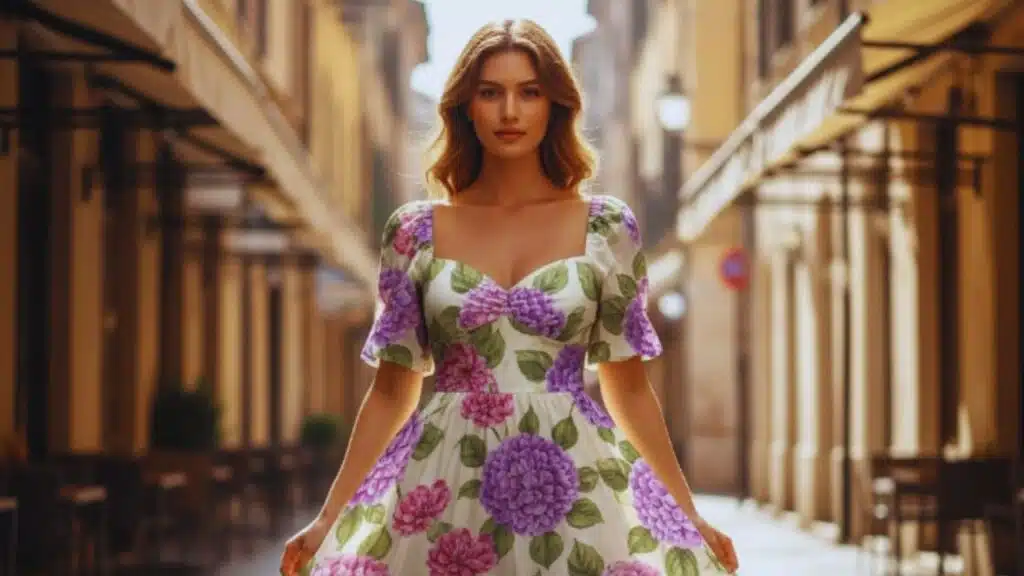
One of Nano Banana’s most impressive abilities is combining elements from multiple images into a single realistic scene.
- Fashion Mockups: Suppose you have a photo of a floral dress and a separate photo of a model. Instead of painstakingly adjusting layers, Nano Banana can instantly place the dress on the model, ensuring shadows, fabric folds, and textures look natural.
- Logo Branding: Imagine uploading a logo and a plain T-shirt photo. The AI can merge them so the logo looks printed into the fabric — adjusting for wrinkles, fabric texture, and lighting conditions.
- Product Photography: You can combine a bottle image with a staged environment, like a beach at sunset, for ready-to-use marketing visuals.
This feature is particularly useful in e-commerce, advertising, and product design, where speed and realism are both critical.
2. Conversational Refinement of Edits
Unlike editors where you must finish one edit before starting another, Nano Banana supports multi-turn conversational editing.
Think of it as a back-and-forth creative session:
- Step 1: Upload a red car.
- Step 2: Ask, “Turn this into a convertible.”
- Step 3: Follow up with, “Now make it yellow.”
Each instruction builds on the last without starting over. This iterative process mirrors how designers work in real life, where feedback evolves step by step. It makes Nano Banana ideal for collaborative projects, client work, or personal experimentation.
3. Conceptual Synthesis and Creative Narratives
Nano Banana isn’t limited to realism — it can generate entirely new worlds and narratives.
For example:
- Upload a photo of yourself.
- Ask the model to create a collectible figurine version of you.
- Add details like “boxed packaging design” and “3D modeling preview on a computer screen.”
The AI can synthesize all of these elements into a cohesive, fictional ecosystem. This kind of meta-narrative generation is highly valuable in entertainment, gaming, marketing campaigns, and storytelling, where visuals often need to blend creativity with realism.
4. Semantic Inpainting and Context-Aware Edits
Inpainting is where Nano Banana really shines. Unlike older “fill” tools, it doesn’t just guess textures — it understands context.
- Example 1: Replace a blue sofa with a vintage leather Chesterfield. Pillows, shadows, and lighting stay untouched.
- Example 2: Remove a telephone pole from a landscape. Instead of leaving a smudge, the AI fills in trees, sky, or buildings that make sense in that environment.
This precision is transformative for interior designers, photographers, and real estate professionals who often need quick, high-quality edits that look believable.
5. Visual Analysis and Constructive Suggestions
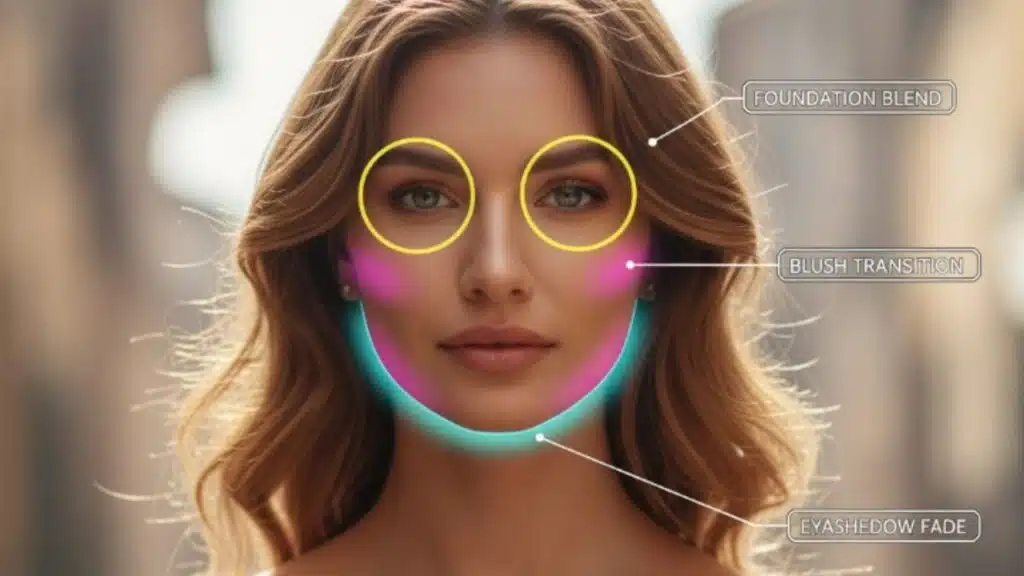
Nano Banana can also serve as a visual consultant. It can analyze photos and provide annotated feedback.
For example:
- On a portrait, it could highlight areas where makeup blending could improve.
- On a product shot, it could suggest better lighting angles or color adjustments.
- It can even mark suggestions with simulated “red pen” annotations for clarity.
This feedback system makes Nano Banana useful for education, training, and skill development in creative industries.
Tips & Tricks for Best Results
Getting the most from Nano Banana requires a strategy. Here are five insider techniques to improve your workflow:
3. Start With High-Quality Inputs
The model’s output is only as good as what you feed it. Use:
- Well-lit photos.
- High-resolution files.
- Clear angles that capture fine details like clothing textures, facial features, or product edges.
This ensures the AI has enough data to work with, producing cleaner, more convincing results.
2. Handle Complex Edits in Stages
Instead of overwhelming the model with a long, complicated request, break edits into steps:
- Adjust brightness/contrast.
- Apply filters or styles.
- Fine-tune details like sharpening or color grading.
This staged approach gives more control and prevents unintended errors.
3. Use Iterative Refinement
Treat Nano Banana like a collaborator:
- First prompt: “Add a cinematic blue tint.”
- Second prompt: “Make the tint more subtle.”
- Third prompt: “Add warm highlights to balance the tone.”
This method avoids overcorrection and ensures you end up with exactly what you envisioned.
4. Keep Lighting Consistent
One of the biggest giveaways of poor edits is inconsistent lighting. When you:
- Replace backgrounds.
- Change clothing.
- Add objects into a scene.
Always remind the model to preserve original shadows and lighting direction. This ensures realism.
5. Respect Model Limitations
Nano Banana is powerful, but it’s not limitless.
- Works best with up to 3 input images at once.
- Clothing swaps are most accurate when garments have similar shapes.
- All outputs include a SynthID watermark for transparency.
Understanding these boundaries helps streamline workflow and avoid wasted attempts.
Advanced Prompting Strategies With Examples
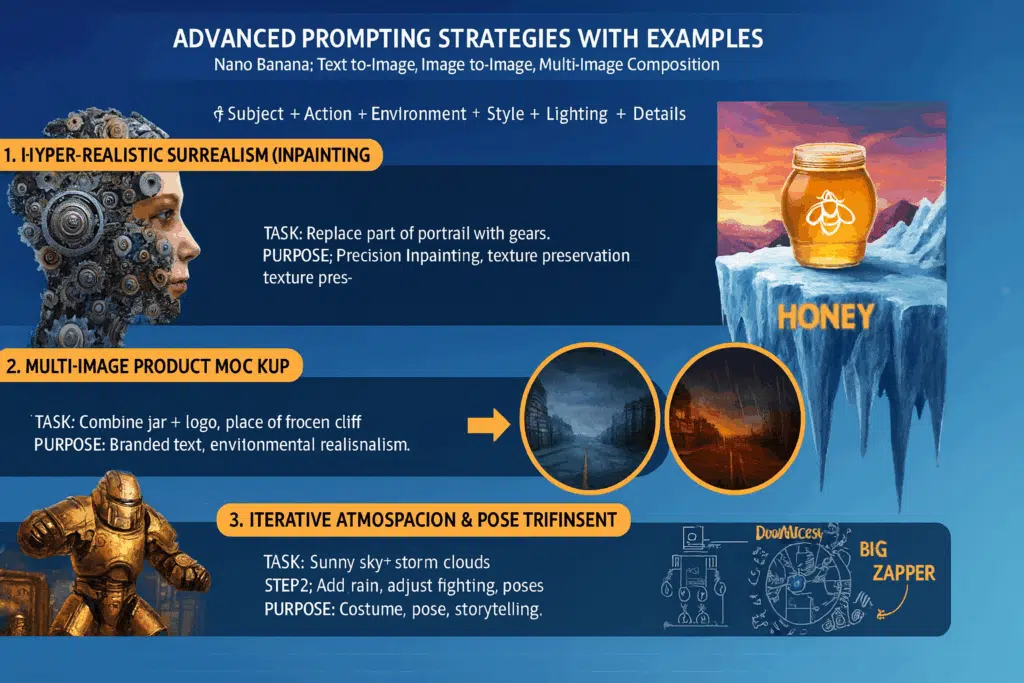
Nano Banana supports text-to-image, image-to-image, and multi-image composition. The key is structuring prompts with:
Subject + Action + Environment + Style + Lighting + Details.
Here are five advanced prompts that showcase different strengths:
1. Hyper-Realistic Surrealism (Inpainting)
- Task: Replace only part of a portrait with mechanical gears while preserving the face.
- Purpose: Tests precision in inpainting, detail preservation, and photorealistic textures.
2. Multi-Image Product Mockup
- Task: Combine a honey jar + logo, then place it dramatically on a frozen cliff at sunset.
- Purpose: Tests multi-image composition, branded text rendering, and environmental realism.
3. Iterative Atmospheric Refinement
- Step 1: Replace a sunny sky with dark storm clouds.
- Step 2: Add rain, wet streets, and dramatic side lighting.
- Purpose: Demonstrates chat-based refinement and cinematic mood control.
4. Complex Character Creation & Pose Transfer
- Task: Merge a portrait with a dynamic fighting pose to create a figurine in dieselpunk armor.
- Purpose: Combines pose transfer, costume generation, and environmental storytelling.
5. Technical Analysis + Doodle Overlay
- Task: Analyze a machine blueprint, add neon arrows and playful labels.
- Purpose: Tests visual analysis, annotation accuracy, and creative overlays.
Wrapping Up
The Nano Banana (Google Gemini 2.5 Flash Image model) is more than just an editing tool — it’s a creative partner. It excels at tasks that were once time-consuming:
- Multi-image blending.
- Contextual inpainting.
- Iterative, conversational editing.
- Conceptual storytelling.
- Visual feedback.
By following best practices — starting with high-quality inputs, breaking edits into stages, refining step by step, and maintaining lighting consistency — users can achieve results that look natural and professional.
For creators, brands, and individuals alike, this model offers a way to transform imagination into stunning, photorealistic visuals at speeds traditional software can’t match. The future of image editing is conversational, and Nano Banana is leading the way.