Spotify offers an expansive library of music, but there’s a catch for its regular users: the inability to enjoy this content offline. Enter MuConvert Spotify Music Converter. This tool steps in to fill that gap, allowing users to effortlessly convert Spotify tracks into MP3 format. No matter where you are, uninterrupted music enjoyment is just a few clicks away.
MuConvert Spotify Music Converter: Overall Review
MuConvert Spotify Music Converter is designed specifically for music enthusiasts. It seamlessly bridges the gap between online streaming and offline listening. MuConvert allows you to convert Spotify tracks into the universally compatible MP3 format effortlessly. This ensures that your musical experience remains uninterrupted, regardless of internet unavailability.
As one of the top Spotify to MP3 converters, MuConvert Spotify Music Converter is the ultimate solution for your offline listening needs. Now let’s delve into the detailed key features of this converter.
MuConvert Spotify Music Converter: Detailed Features
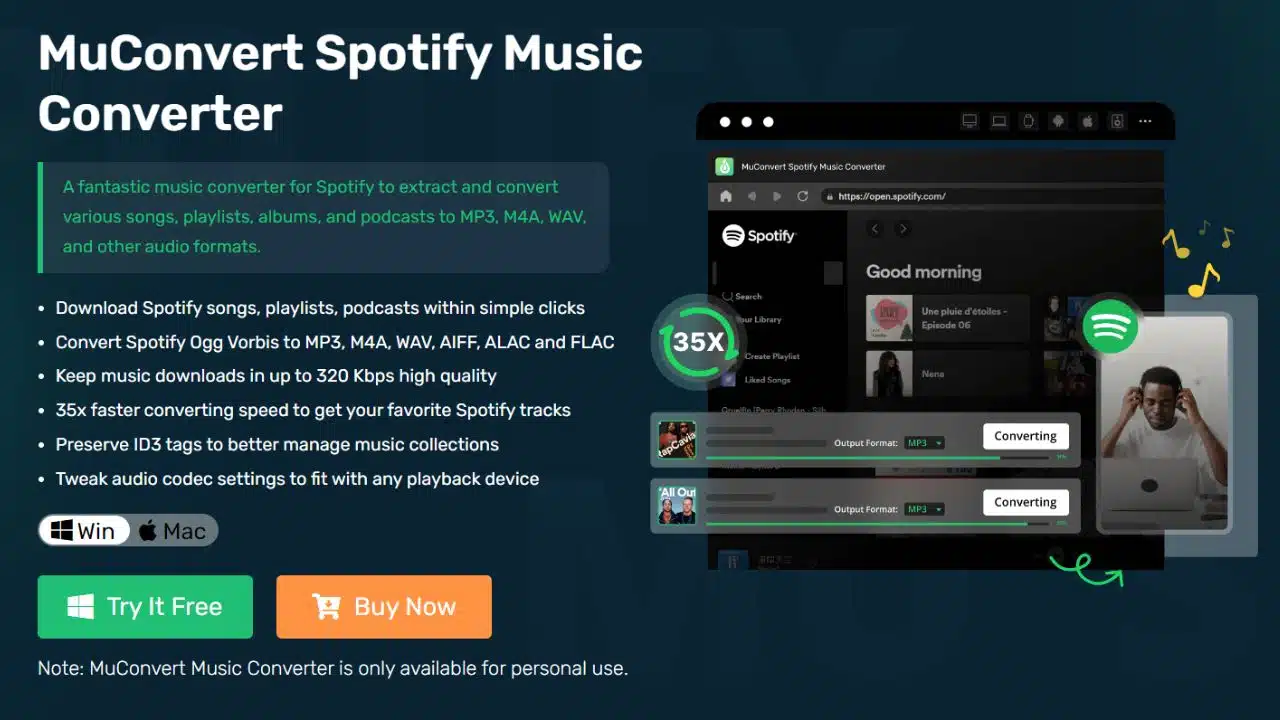
As a reliable and powerful tool to download and convert Spotify songs and playlists to MP3, MuConvert Spotify Music Converter has many sparkling features that set it apart.
Batch Convert Spotify to MP3 at 35X Conversion Speed
MuConvert Spotify Music Converter boasts a conversion speed that’s up to 35 times faster than regular methods, ensuring that you can quickly get your desired Spotify songs in batch in your preferred format.
Output Downloads with Original Audio Quality
Whether you’re downloading a song, podcast, or playlist, this converter ensures that the audio quality remains pristine. Music is downloadable in up to 320 Kbps, maintaining the fidelity of the original track.
Convert Spotify to DRM-free MP3/M4A/WAV/FLAC/ALAC/AIFF
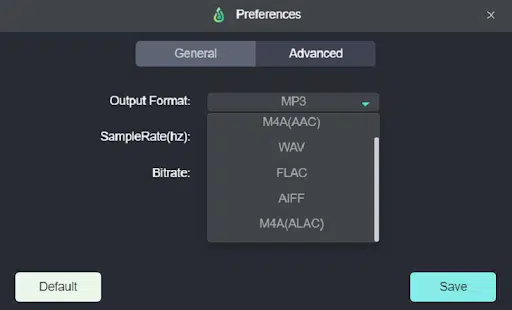
Beyond just MP3, you have the freedom to convert Spotify music into various other formats like M4A, WAV, FLAC, ALAC, and AIFF, making it suitable for diverse playback needs.
Equip with a Built-in Spotify Web Player
One of the standout features of MuConvert is its built-in Spotify web player. This means you don’t need to toggle between the Spotify app and the converter. It’s all embedded for a seamless conversion experience, eliminating the need for extra installations or copy-pasting song links.
Preserve Full ID3 Tags for Downloads
This converter isn’t just about getting the audio; it ensures the metadata comes along with it. ID3 tags, which include details like song title, artist, album, and more, are preserved, ensuring that your music library remains organized even after conversion.
Archive Output Presets as Preference
MuConvert allows you to set their preferred output settings, which can then be saved as presets for future conversions. You can rename tracks based on your preferences and organize them into specific folders, ensuring a well-structured and easy-to-navigate music library.
MuConvert Spotify Music Converter: System Requirement
The MuConvert Spotify Music Converter is presently supported on both Windows and Mac platforms. Here’s a closer look at the specifics:
|
Windows Operating System |
Windows 7 or later on 64bit required |
|
Mac Operating System |
Mac OS X 10.12 or higher (5X speed is not supported) |
|
Processor |
1GHz Intel/AMD processor or above |
|
Resolution |
1024×768 display or above |
|
RAM |
512MB or higher of RAM |
MuConvert Spotify Music Converter: Pricing and Subscription Plan
- 1-Month Plan: $14.95
- 1-Year Plan: $59.95
- Lifetime Plan: $89.95
Achieve free tech support/lifetime update with any of above plans.
Boasting a user-friendly interface, the MuConvert Spotify Music Converter ensures a seamless experience, making the conversion process straightforward for you. Here’s a walkthrough to guide you in downloading Spotify songs using this tool:
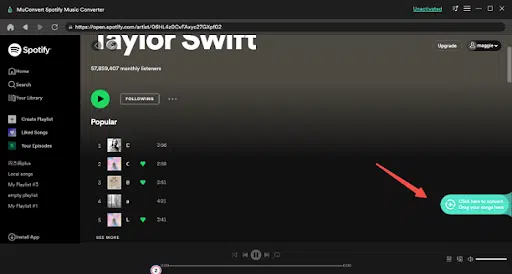
STEP 1. Once you’ve installed MuConvert Spotify Music Converter, open it. Before proceeding, make sure to log into the Spotify web player within the converter.
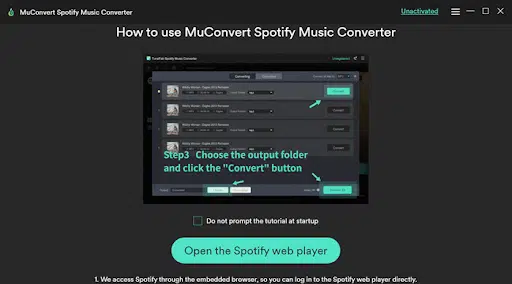
STEP 2. You can now explore and look for tracks, playlists, or podcasts of your choice. When you’ve identified the ones you want to download, simply drag them to the “+” icon, placing them in the conversion lineup.
STEP 3. At this point, pick a preferred output format from the top-right “Convert all files to” dropdown. Alternatively, you can head to Menu > Preferences > Advanced to finetune the output specifications, adjusting parameters like the sample rate or bitrate as per your needs.
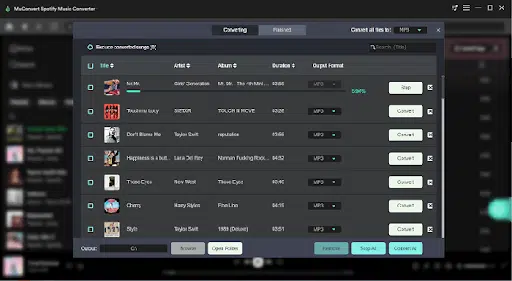
STEP 4. With everything set, hit the “Convert All” button. MuConvert Spotify Music Converter will initiate the conversion process. Sit back and let the tool work its magic.
Final Verdict
After a full review of MuConvert Spotify Music Converter, you might have a comprehensive understanding of its functionality and powerfulness. It is a very handy and useful tool for easily downloading Spotify tracks and converting them to MP3 for offline listening. For its high-speed and high-quality conversion in batch, you are highly recommended to use it to download Spotify tracks. Give it a shot and start listening to free Spotify tracks right away.