Microsoft Bing Chat Visual Search: Now Available to Everyone

Bing Chatbot to Show Ads

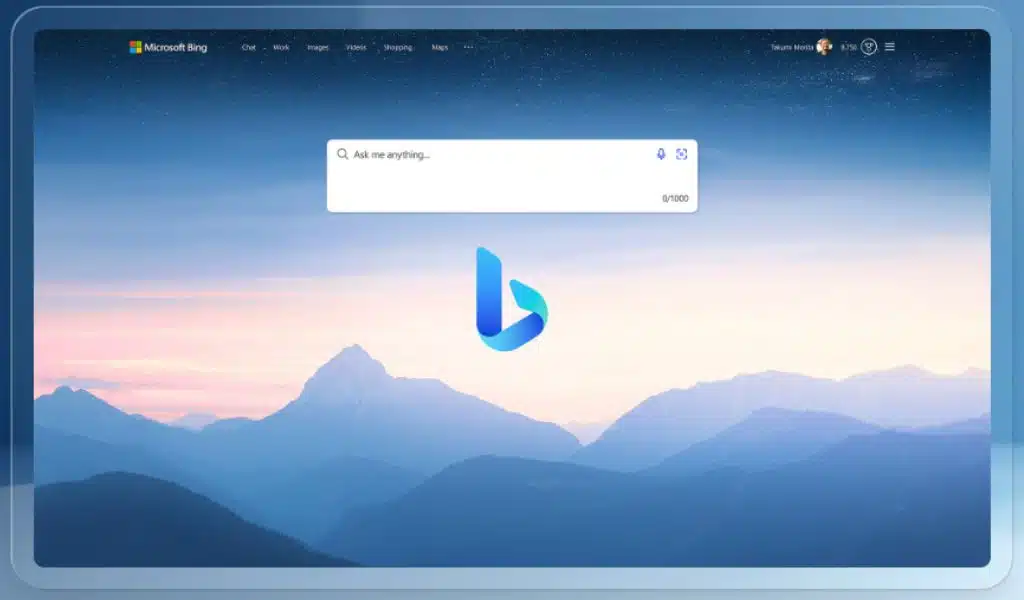
A new feature in Bing Chat was being tested by Microsoft a few weeks ago with a small subset of its user base. The new function gave the chatbot picture recognition, enabling users to acquire information about the image when sending a text prompt.

Microsoft today revealed that the function, now known as Visual Search, is accessible to all Bing Chat users as part of Microsoft Inspire 2023. Microsoft wrote in a blog post:

Visual Search in Chat uses OpenAI’s GPT-4 model to enable anyone to post photos and look up relevant web articles. Use a photo you’ve taken or one you’ve found somewhere, and ask Bing to describe it for you. Bing is capable of comprehending the context of an image, interpreting it, and providing answers. Upload the image into Bing Chat and use it to tap into the knowledge of the web to receive answers, whether you’re at home trying to come up with lunch ideas based on the contents of your fridge or traveling to a new city and inquiring about the design of a specific building.

Users of Bing Chat on PC and those who use the Bing mobile apps will now be able to use Visual Search starting today. Additionally, it will be included for the recently unveiled and launched Bing Chat Enterprise chatbot at a later time.

The video up top provides a demonstration of how this will operate. Someone draws a website form and submits it to Bing Chat. The next request is to generate HTML code based on the drawing. Within a few seconds, Bing Chat completes this process, allowing the user to copy and paste the code into his HTML website editor and immediately observe how the forms behave as they should.

Over the past few weeks, the Microsoft Bing Chat team has also been busy testing out a few additional features with a limited sample of users. It also entails enabling Bing Chat functionality in browsers other than Microsoft Edge, such as Google Chrome or Apple Safari.

The Bing Chat team is “running flights” to make the chatbot recall earlier interactions, according to Mikhail Parakhin, Microsoft’s head of advertising and web services, who recently posted on Twitter.

Several more features, such as a means to pin chat discussions, a way to hear chat responses without voice chat, and more, are being worked on, he added in response to a Twitter question.



Subscribe to Our Newsletter

Related Articles

Top Trending

Best toddler bedtime story apps
10 Best Audiobook and Story Apps to Rescue Your Toddler’s Bedtime
AI SaaS Ideas With High Market Demand
12 AI SaaS Ideas With Real Market Demand in the Future
Best Marketing Automation Tools
10 Best Marketing Automation Tools [Features and Budget Comparison]
Meeting Agenda Templates That Keep Discussions on Track
8 Meeting Agenda Templates That Keep Discussions on Track
ImagineLab Art vs. Pollo AI
ImagineLab.art vs. Pollo AI: Which AI Creation Platform Gives You More Tools?

Technology & AI

Best toddler bedtime story apps
10 Best Audiobook and Story Apps to Rescue Your Toddler’s Bedtime
AI SaaS Ideas With High Market Demand
12 AI SaaS Ideas With Real Market Demand in the Future
ImagineLab Art vs. Pollo AI
ImagineLab.art vs. Pollo AI: Which AI Creation Platform Gives You More Tools?
Best Notion Alternatives
9 Best Notion Alternatives for Different Work Styles and Teams
best SaaS free trials
8 Best Free Trials in SaaS and What Makes Them Work

GAMING

Complete Guide on Game Programgeeks
Game Programgeeks: A Complete Guide on PC, Game Dev, and Tech
Online Color Game Philippines
Online Color Game Philippines: What Every Beginner Should Know Before Playing
Ways to Reduce Game Development Costs
12 Ways Studios Cut Game Development Costs
NFT game development cost
How Much Does NFT Game Development Cost? A Realistic Budget Breakdown
Reasons Why You No Longer Need the Best Roblox AI Scripter
Forget Best Roblox AI Scripter: 10 Reasons Why You No Longer Need It

Business & Marketing

How to Run a SaaS Company as a Solo Founder
How to Run a SaaS Company Alone Without Burning Out
SaaS Business Plan: How to Write One Investors Will Read
How to Write a SaaS Business Plan Investors Will Actually Read
From Hobby Desk to Home Workshop Tech Setup Upgrades That Prove Their Worth
From Hobby Desk to Home Workshop: Tech Setup Upgrades That Prove Their Worth
When a Routine Industrial Accident Becomes an Environmental Crisis
Choosing the Right Heat Sealer for Your Packaging Line

EdTech & E-Learning

free tools for under-resourced classrooms
12 Best Free Tools for Under-Resourced Classrooms
Best tools for creating interactive lessons
10 Best Tools for Creating Interactive Lessons
Healthy Screen Time for Kids: Pediatric Guidance
How Much Screen Time Is Healthy for Kids: What Pediatric Guidance Says
How to Raise a Kid Who Likes Math
How to Raise a Kid Who Loves Math: A Practical Guide for Parents
Free digital learning resources
8 Free Digital Learning Resources Worth Bookmarking

Software & Apps

Best toddler bedtime story apps
10 Best Audiobook and Story Apps to Rescue Your Toddler’s Bedtime
AI SaaS Ideas With High Market Demand
12 AI SaaS Ideas With Real Market Demand in the Future
ImagineLab Art vs. Pollo AI
ImagineLab.art vs. Pollo AI: Which AI Creation Platform Gives You More Tools?
Best Notion Alternatives
9 Best Notion Alternatives for Different Work Styles and Teams
best SaaS free trials
8 Best Free Trials in SaaS and What Makes Them Work